Silent-hill-2-enhancements: Game won't launch after latest (Version 4) update.
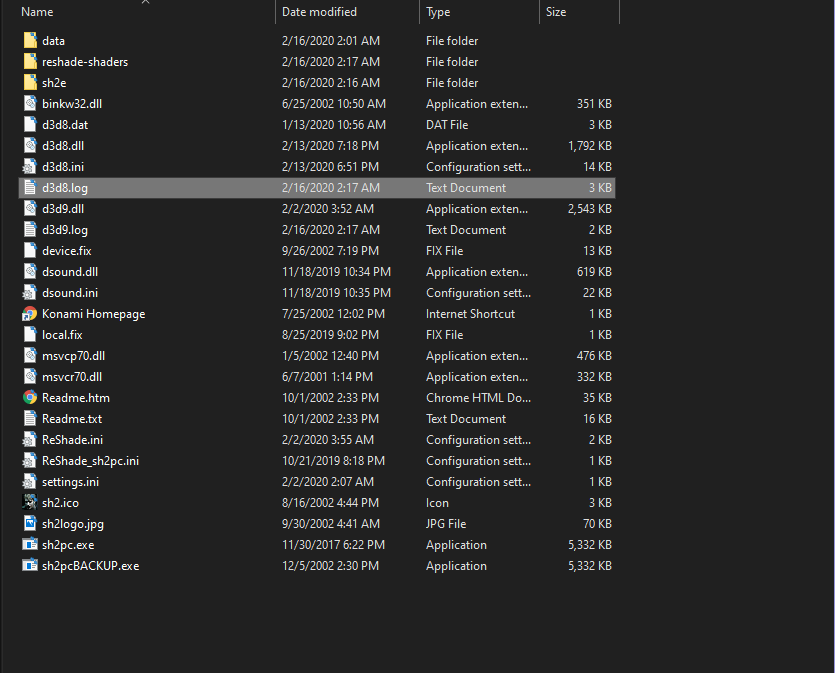
Ever since the newest update, I haven't been able to launch the game. When I go to click on the exe, the game window flashes open white for a second then goes away. Even with admin privileges. I've tried un-installing and reinstalling the game + the project in several areas and it produces the same results. Attached is a copy of my d3d8.log as well as a screenshot of my file directory.
 TheLeviathan06
All 45 comments
Looking at the log file, it stops at:
4120 02:17:54.502 CheckForAdminAccess Checking if administrator access is required.
Are you receiving the UAC prompt on game launch? (The UAC is when Windows "beeps" at you to let you know a program wants to run as an administrator and asks if you'd like to proceed with doing so.)
You shouldn't receive this prompt because you're running the game from your "PC Games" folder from your G: drive, but I want to be sure.
Also try setting CheckForAdminAccess = 0 in the d3d8.ini file just to see if the game would launch for you then.
 Polymega
on 16 Feb 2020
Polymega
on 16 Feb 2020
I was able to check my own log file for the game now. The next step after CheckForAdminAccess in the log file is:
2020 10:19:48.620 Starting D3d8to9 v1.11.0.0
Also try setting d3d8to9 = 0 in the d3d8.ini just to see if the game will launch for you. Right now, we're just trying to determine what might be causing the game to not launch for you. Then, we can try to go about fixing it.
Polymega
on 16 Feb 2020
Alright, so changing d3d8to9 = 0, I was able to launch. Upon launch, it told me there were some updates for the dll and I updated it and restarted the game. It looks and sounds like it's the enhanced edition. What does turning the setting off do?
TheLeviathan06
on 16 Feb 2020
Upon launch, it told me there were some updates for the dll and I updated it and restarted the game.
That's the mod updater (AutoUpdateModule = 1), and sounds like it isn't any cause of the issue you're having.
What does turning [d3d8to9] off do?
Setting d3d8to9 = 0 turns off d3d8to9, which converts the game from using the DirectX 8 API to using DirectX 9, instead. This is needed to use ReShade (which requires DX9 for ReShade to work). So if you disable this, you also disable ReShade. Currently, that's the only reason we use d3d8to9.
IIRC, from our Twitter conversation, you said you removed all the ReShade files to test things and that didn't help you? If so, that means ReShade isn't causing the issue, but d3d8to9 itself is.
In order to use d3d8to9 you must install the DirectX 9 Software Development Kit (SDK). Ensure you've done this.
Polymega
on 16 Feb 2020
My Direct X 9 SDK is updated completely. I made sure to check when I was doing the step-by-step installation. Here is a window for comfirmation.

Should I possibly maybe uninstall and re-install the Direct X 9 SDK?
TheLeviathan06
on 17 Feb 2020
This is very interesting then. And to be 100% certain it wasn't actually ReShade causing your issues:
Did you try leaving d3d8to9 = 1 and removing the following files/folders from the game's directory, to see if it would then launch?
reshade-shaders\
d3d9.dll
d3d9.log
ReShade.ini
ReShade_sh2pc.ini
If you've already tried that, so we're then completely certain it's d3d8to9 causing the issue, we'll definitely need @elishacloud to chime in on this.
Polymega
on 17 Feb 2020
Turned back on d3d8to9 = 1 and removed the reshader files and it launches fine. It has to be the reshader then I'm assuming right?
TheLeviathan06
on 17 Feb 2020
Thanks for testing.
It has to be the reshader then I'm assuming right?
That's correct. We primarily use ReShade for its anti-aliasing feature. It's not critical to have/use ReShade to enjoy the project as a whole.
And, if you're comfortable in doing such things, you can force AA for the game through your GPU's control panel instead.
Alternatively, you can try an older build of ReShade we once provided to see if that will work for you (I can try and find an old build if you need me to).
But ultimately, we want to include our own built-in anti-aliasing so we don't have to use ReShade anymore. Typically, if there's a launch error with our project, it's oftentimes due to ReShade.
(ReShade is a spectacular piece of software with a great team behind it, but it can cause stability concerns with our project is all.)
Polymega
on 17 Feb 2020
Sure, you can go ahead and find me an older build of ReShade if it isn't too much trouble. If it works with an older build then maybe the most recent build has some bug in it. And no problem. I always enjoy doing this sort of thing. If the older build of ReShade doesn't work. I'll just force AA through NVIDIA control panel.
TheLeviathan06
on 17 Feb 2020
Okay, here is an older build if you want to see if this version of ReShade will launch alongside the game for you:
http://www.enhanced.townofsilenthill.com/SH2/files/SH2PC_ReShade_4.4.2_DirectX9.zip
If it still doesn't launch I would recommend doing one of the following:
- Remove the ReShade files and play without ReShade.
- Set
d3d8to9 = 0in thed3d8.inifile. This is a "quick" way to disable ReShade without having to actually remove the files. - After doing one of the two choices above, you could then enable AA through your GPU's control panel, if you're comfortable in knowing how to do that.
We instruct people to use ReShade because, on our end, it's easier to instruct someone to do that, rather than trying to guide people on how to enable AA through their GPU's CP (because GPU manufacturer's all have different CPs, along with variations between different CP versions).
But sometimes having users use ReShade can cause more trouble than good. If we can make an intergrated AA solution for the project, that should save a lot of headaches on both our end and the users' end.
Polymega
on 17 Feb 2020
Alright, can confirm that the older build of the reshader doesn't work either. So there has to be something causing issues with the latest (Update 4). This is the first time I've ever had issues. I usually just updated as necessary and it was mostly painless. That's alright though, you guys are doing your best and I'm enjoying this project. I'll just force AA through NVIDIA and call it a day. Thank you so much for your help!
TheLeviathan06
on 17 Feb 2020
Alright, can confirm that the older build of the reshader doesn't work either. So there has to be something causing issues with the latest (Update 4). This is the first time I've ever had issues. I usually just updated as necessary and it was mostly painless.
Can you attach both d3d8.log and d3d9.log files?
I want to take a look at them. Ultimately we may need to get crosire involved in this, since he wrote ReShade.
 elishacloud
on 18 Feb 2020
elishacloud
on 18 Feb 2020
Here is the d3d8.log. There is no d3d9.log though.
TheLeviathan06
on 18 Feb 2020
Hello,
i also can't launch the game after update.
I have Window 7. Before update 4, mod was working.

 Mardokres
on 23 Feb 2020
Mardokres
on 23 Feb 2020
Looking at your log file, the last entry is:
6176 15:37:34.672 CreateProcessWHandler "C:\Windows\system32\rundll32.exe C:\Windows\system32\gameux.dll,GameUXShim {6c7d61b5-c45c-44a1-9f64-17fc2b692fc8};D:\Gry\Silent Hill 2\sh2pc.exe;5324"
Try setting DisableGameUX = 0 in the d3d8.ini file to see if it launches for you then. This particular fix addresses this issue, so you may not want to keep it disabled. But let's just see if it launches for you for now when it's disabled.
Polymega
on 23 Feb 2020
Thanks for answer.
Sending new logs:
d3d9.log
d3d8.log
Game still not launching.
I will try chnage other settings in d3d8.ini.
Mardokres
on 23 Feb 2020
Okay, go ahead and set DisableGameUX = 1 again. The next two processes that would be logged in the log file is CheckForAdminAccess and d3d8to9.
So try setting CheckForAdminAccess = 0 next to see if that fixes it.
If that still doesn't fix it, set d3d8to9 = 0 and see if that works.
Polymega
on 23 Feb 2020
Meanwhile i checked all options.
Game works if i change:
; Uses custom files in the 'sh2e' folder, rather than the 'data' folder, whenever possible. (0|1)
UseCustomModFolder = 0
and
; Enables the Nemesis2000 Fog Fix module. See settings below, under the [FOG] header. (0|1)
Nemesis2000FogFix = 0
Mardokres
on 23 Feb 2020
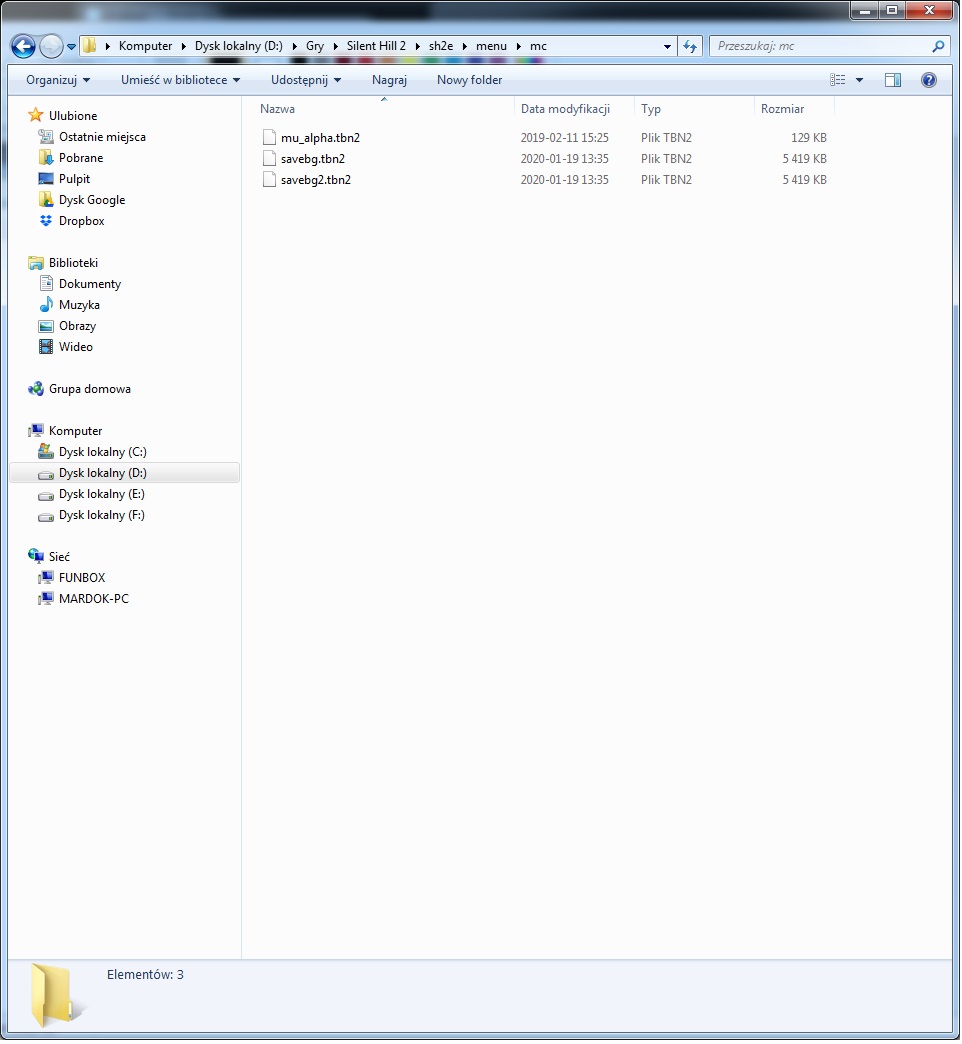
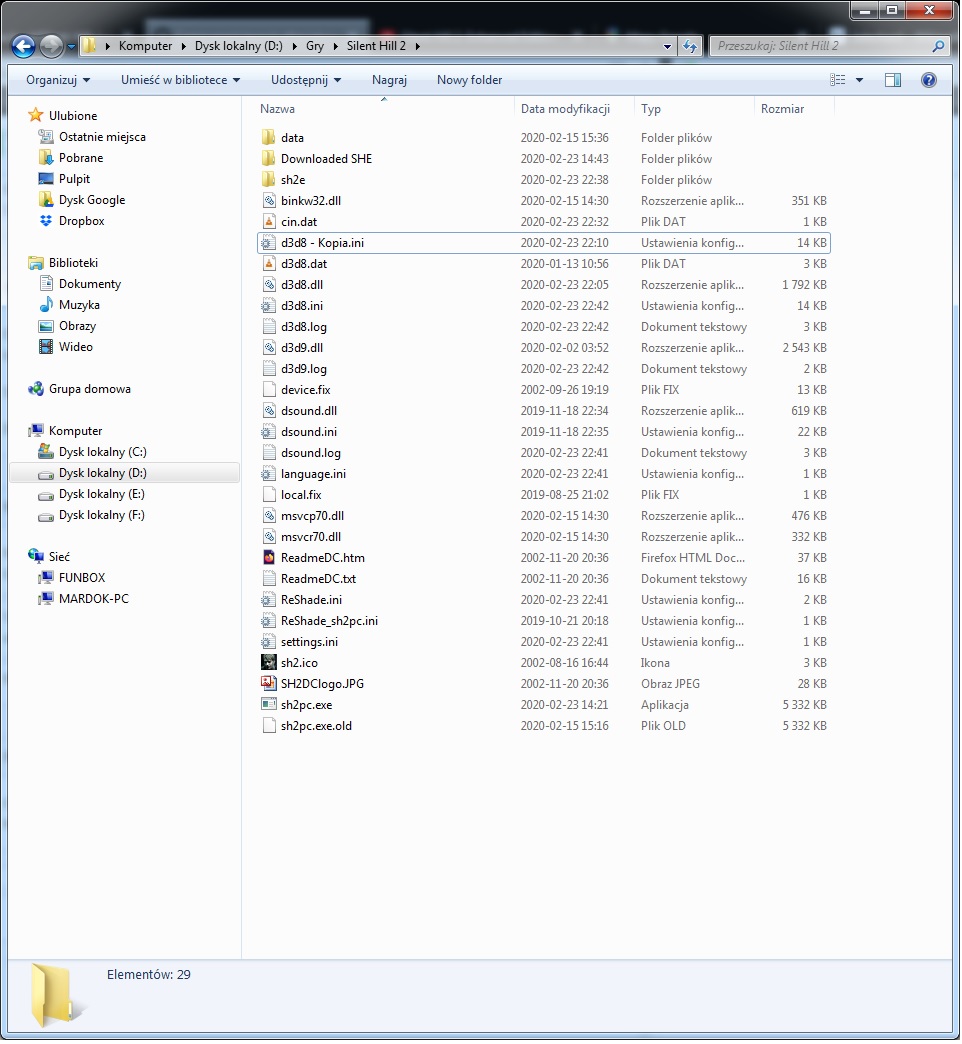
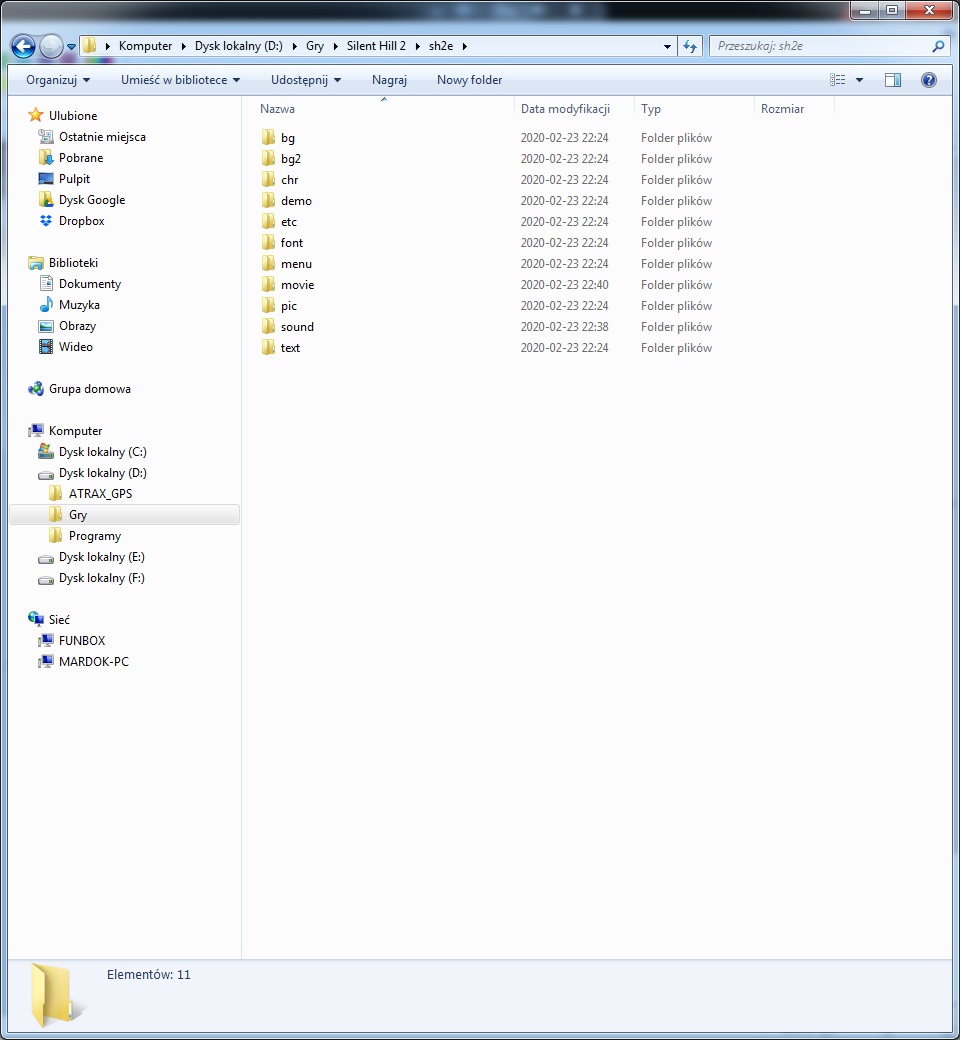
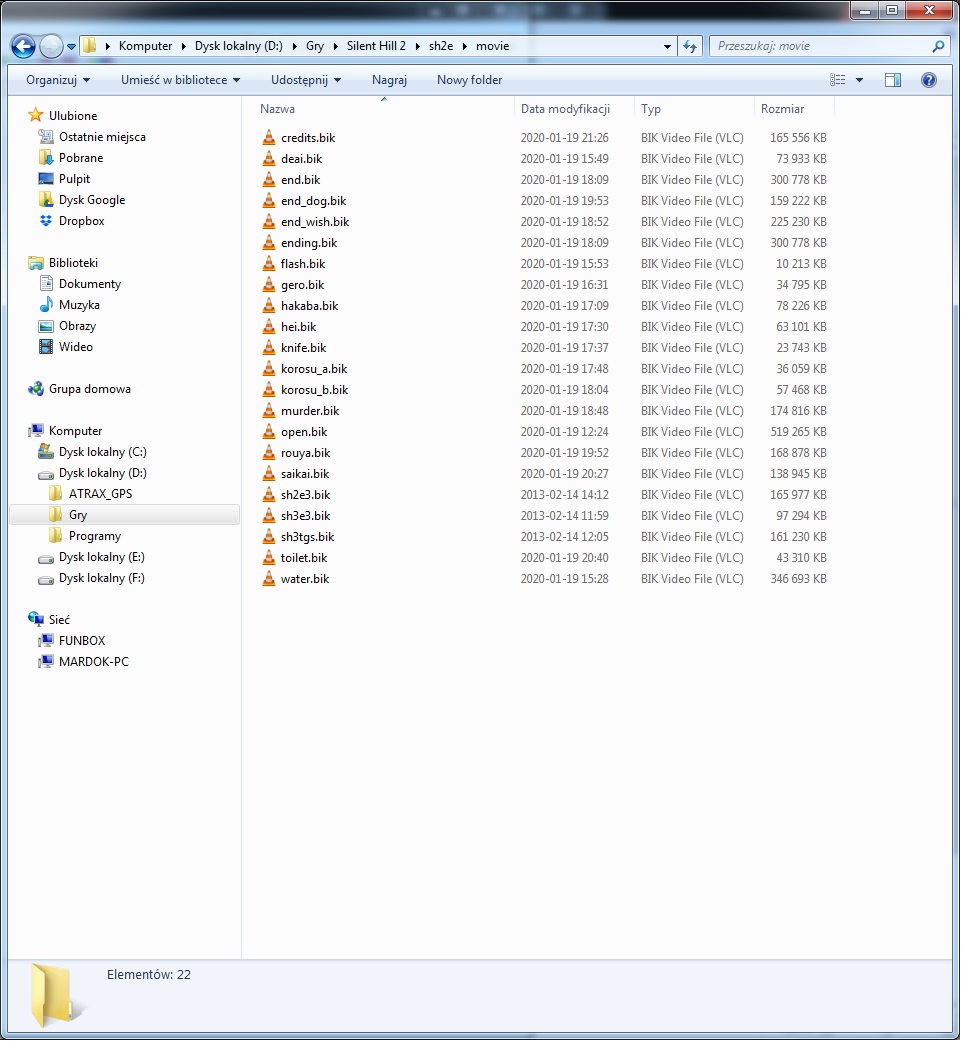
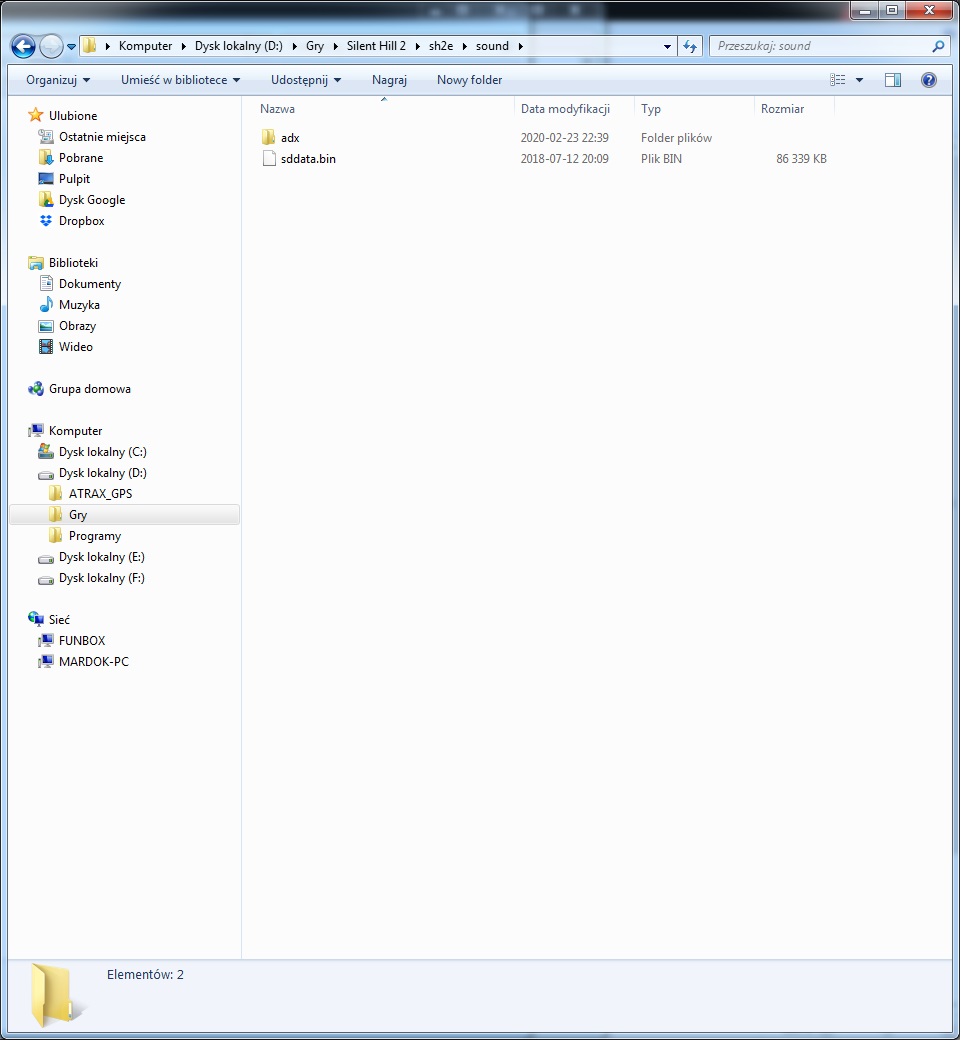
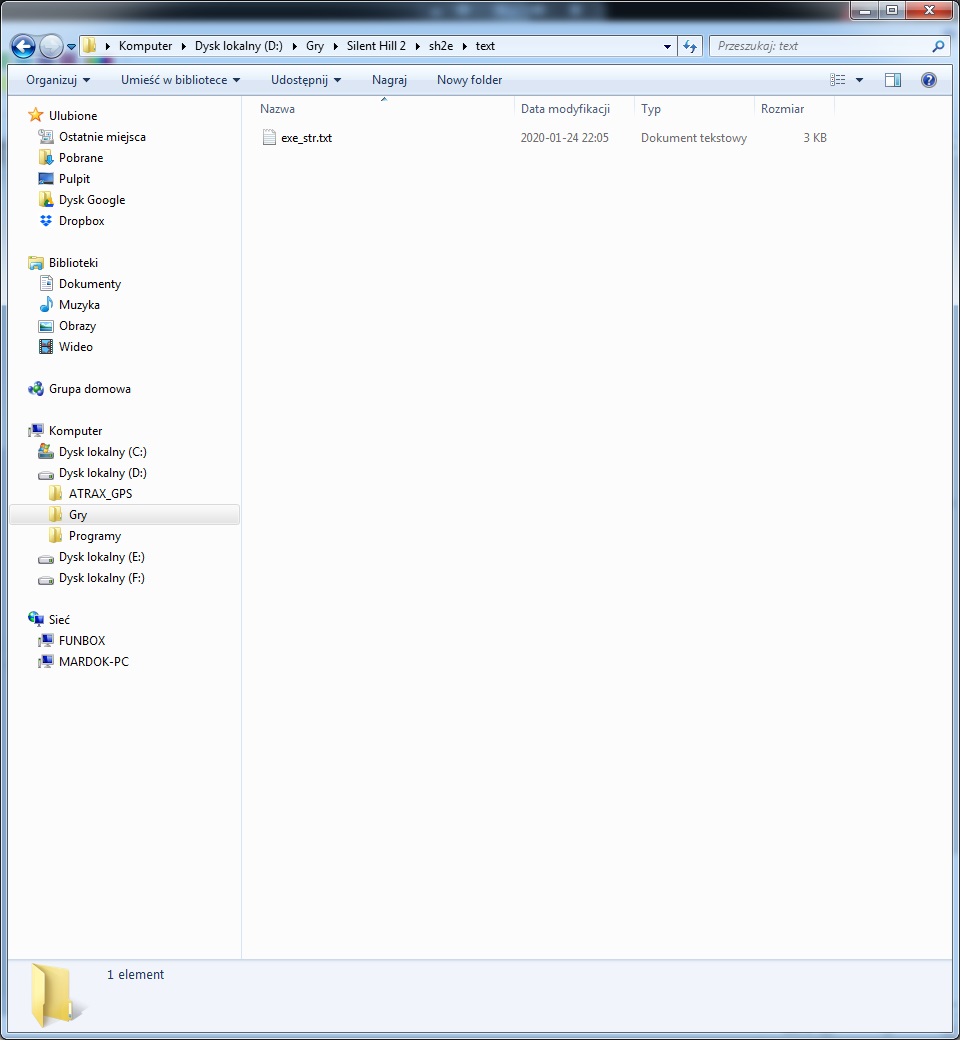
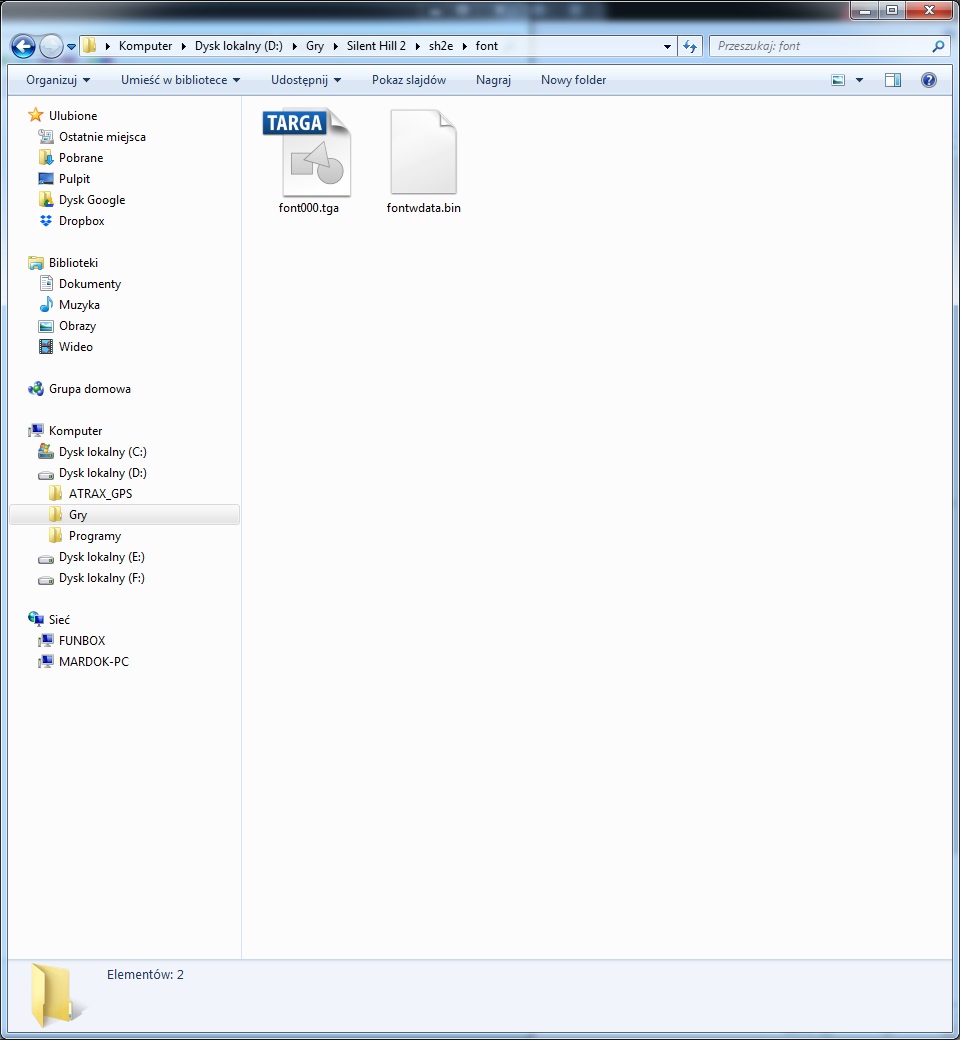
Can you share a screenshot of the content (files/folders) found within your Silent Hill 2\sh2e\ folder?
Polymega
on 23 Feb 2020
Few examples.
Mardokres
on 23 Feb 2020
Thank you. To be sure, when you only set d3d8to9 = 0 the game would still not launch for you?
Polymega
on 23 Feb 2020
Game works with 1 and 0.
_[ADVANCED OPTIONS]
; Causes Silent Hill 2 PC to use DirectX 9. Required if using packages such as ReShade. (0|1)
d3d8to9 = 1_
Added current d3d8 file (i changed only .ini to .txt for upload).
d3d8.txt
With this configuration game works.
Looks like game don't like new files. Maybe i missed something during installation but i don't understand why game stopped working after upadate. Before update #4 mod worked very well.
I will back tomorrow.
Thanks for help.
PS. I have old processor Phenom II x4. Sometimes simple mods/things are not working because this processor has no new instructions but i don't know if in this case this thing can be a problem.
Mardokres
on 23 Feb 2020
@Mardokres,
Meanwhile i checked all options.
Game works if i change:
; Uses custom files in the 'sh2e' folder, rather than the 'data' folder, whenever possible. (0|1)
UseCustomModFolder = 0
and
; Enables the Nemesis2000 Fog Fix module. See settings below, under the [FOG] header. (0|1)
Nemesis2000FogFix = 0
What if you just disable Nemesis2000FogFix and you keep UseCustomModFolder enabled?
elishacloud
on 7 Mar 2020
@Mardokres,
Meanwhile i checked all options.
Game works if i change:
; Uses custom files in the 'sh2e' folder, rather than the 'data' folder, whenever possible. (0|1)
UseCustomModFolder = 0
and
; Enables the Nemesis2000 Fog Fix module. See settings below, under the [FOG] header. (0|1)
Nemesis2000FogFix = 0What if you just disable
Nemesis2000FogFixand you keepUseCustomModFolderenabled?
Tested. Not working.
Mardokres
on 7 Mar 2020
Can you try this build and see if the game launches for you?
d3d8.zip
Polymega
on 7 Mar 2020
Tested. Game not launching.
Mardokres
on 7 Mar 2020
Where did you obtain your copy of the game? If it's a pirated copy, try finding another source. There may be things that were tampered with in the pirated copy that might be causing the issues.
Polymega
on 7 Mar 2020
It's pirated of course. In my region is impossible to get legal copy for price below 200$ (this copies are still from scond hand and hard to say if they are original, currently i see one copy for sale) and i have no CD-ROM since ~8 years or more. I think this game was never avilable in my country.
Old version of the mod is working so i'm not sure if there is any corelation between pirated copy and this mod.
I think i won't be able to get original. Only if it appear on Steam, Epic or other shop but thanks for trying to help.
Mardokres
on 7 Mar 2020
Old version of the mod is working so i'm not sure
That's right. Sorry, I get these support tickets mixed up from time to time (it can be confusing keeping tabs on them all).
So, you can 100% confirm that only UseCustomModFolder is causing the launch issue?
If so, try this for me:
- Rename your current
sh2efolder to anything else. Such assh2eTEMP - Make a new
sh2efolder in the game's directory.
- Do not place anything inside this folder! Just have an empty,
sh2efolder.
- Do not place anything inside this folder! Just have an empty,
- Set
UseCustomModFolder = 1
Does the game launch for you then? Basically, I want to see if there's maybe a certain file(s) within the sh2e folder causing the game to not launch for you, or if it's the actual UseCustomModeFolder fix itself that's causing the issue (which we'd be testing by placing a blank sh2e folder in the game's directory).
I hope that all made sense.
Polymega
on 7 Mar 2020
_UseCustomModFolder - 1_ with empty _sh2e_ folder and _Nemesis2000 Fog Fix - 0_ - game not working
_UseCustomModFolder - 0_ and _Nemesis2000 Fog Fix - 1_ - game not working
_UseCustomModFolder - 0_ and _Nemesis2000 Fog Fix - 0_ - game working
Mardokres
on 7 Mar 2020
@Mardokres, I created a build with additional logging to help isolate the issue. Please download this build and replace _all three files_. Make sure you are using the ini file from this build without changing any settings: d3d8.zip
After testing please tell us the results and upload your log file. Thanks for your help here!
@Polymega, it is interesting that Nemesis2000FogFix also has an issue. This was one of the modules I had to add extra code into the UseCustomModFolder feature to get it to work. There were several crashes in Nemesis2000FogFix that I found if I did not return the correct values for some of the Windows API's.
elishacloud
on 7 Mar 2020
There were several crashes in Nemesis2000FogFix that I found if I did not return the correct values for some of the Windows API's.
I did not know this! Perhaps I can reach out to Nemesis2000 to see if he'd provide his source code so we can more properly integrate it into the project? I don't see why he'd attest to that.
Beyond that, I am _completely_ stumped over Mardokres' issue here. Didn't you have a secret option to load something-something from memory, instead of cache? Could that help with the issue?
Polymega
on 7 Mar 2020
Here is the log.
d3d8.log
PS. Updated log file again. I forgot to rename _sh2etemp_ folder (first log was with empty sh2e).
Mardokres
on 7 Mar 2020
@Mardokres, thanks for the log files! This really helps. I think I am getting closer to finding the issue. Can you try again with the following update: d3d8.zip
As before, please upload the log files and let me know the results.
@Polymega, yes, if we can get the source code from Nemesis2000 that would be great! I would be able to remove a bunch of code that seems to be causing problems.
elishacloud
on 7 Mar 2020
New log:
d3d8.log
Game works.
PS. I started new game. Played 2 minutes. Game is using original files with this _d3d8_.
Mardokres
on 7 Mar 2020
Ok, great. I believe I know what line of code is causing the issue. Can you try one more test so that I can see why? Here is the updated build: d3d8.zip
Again, I am going to need to see the log files.
Game is using original files with this _d3d8_.
Yes, that is because of this line in the ini file CustomModFolder = data. You can try removing the line and see if the game still works, if you want.
elishacloud
on 7 Mar 2020
Here is the new log:
d3d8.log
Game not working.
Mardokres
on 7 Mar 2020
I think I have at least a partial fix for this. Can you try this one: d3d8.zip
elishacloud
on 8 Mar 2020
Here is the log.
d3d8.log
Game is working.
After that i had to change _data_ folder to _sh2e_ and game is working with custom files :)
d3d8.log
PS. Please tell me why mod was working for others and not for me?
PS2. I also tried _Nemsis2000fogfix_ to 1 and games is also working
Mardokres
on 8 Mar 2020
Game is working.
Great! Here is the final fix with logging disabled: d3d8.zip
PS. Please tell me why mod was working for others and not for me?
I am not sure about others, but in your case the game was sending a too small of buffer into an API that the module was hooking. The module did not handle this correctly and was writing past the end of the buffer.
PS2. I also tried Nemsis2000fogfix to 1 and games is also working
That is even better. I was wondering if I would need to do extra code to get this working. I believe in your case Nemsis2000fogfix will only work if UseCustomModFolder is enabled.
P.S. My code fix is here if you want to check it out: d7eeb1ff198a3da09d1a2af595095f0f5c817fb4
elishacloud
on 8 Mar 2020
Finall fix is working. Many thanks :)
Game looks great :)
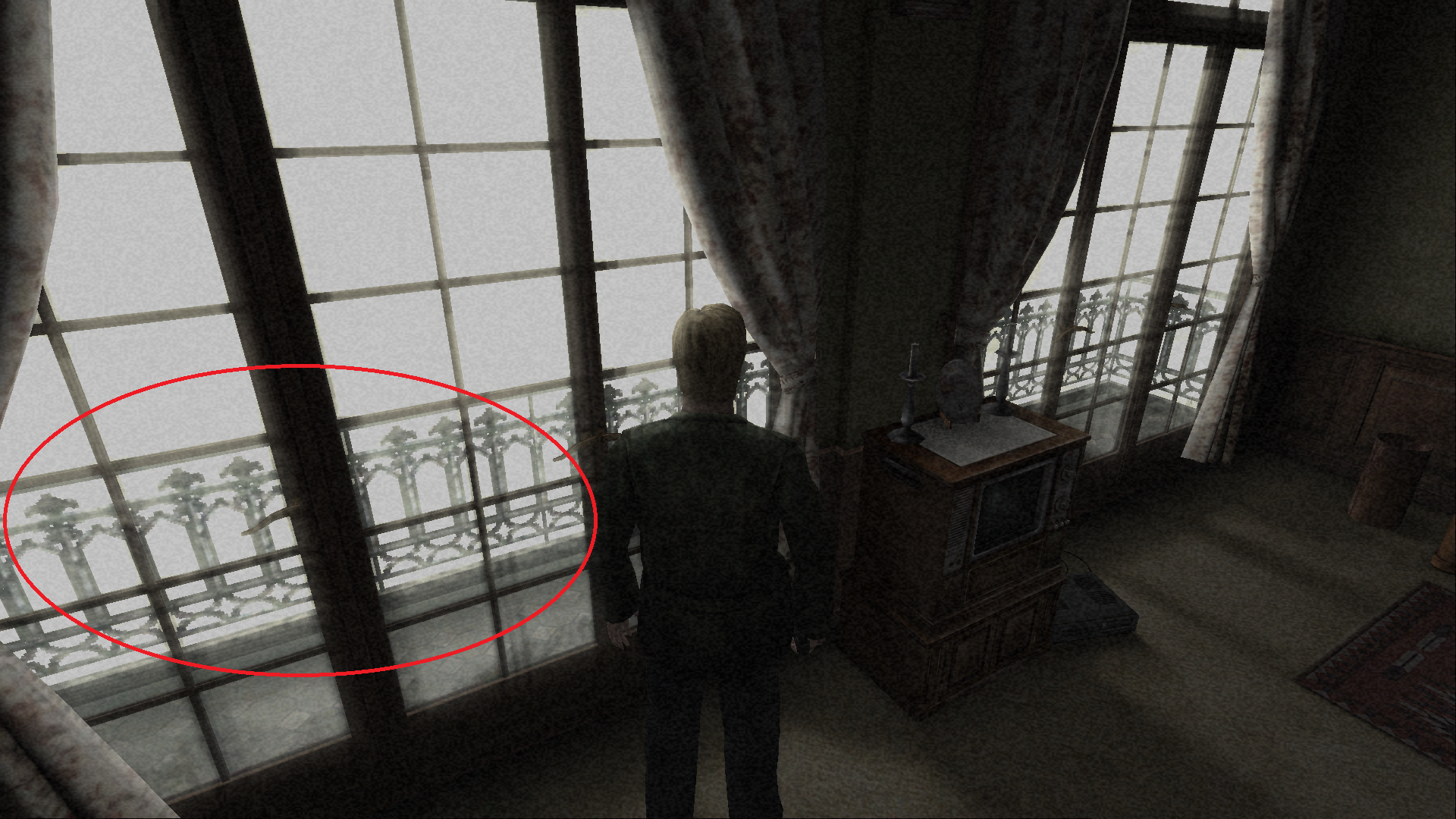
I have small question. I just wonder if you can touch up sometime in the future balcony in apartment 312. It won't be original anymore but it has really low resolution.
Mardokres
on 8 Mar 2020
Finall fix is working. Many thanks :)
Thanks for your help in troubleshooting this!
I just wonder if you can touch up sometime in the future balcony in apartment 312. It won't be original anymore but it has really low resolution.
We have already done several fixes in this room. In fact, we just fixed an issue where the whole resolution of the game would be reduced as soon as you enter this room.
As far as the balcony, yes, I believe there are plans to fix that to have higher resolution for this. But I will let @Polymega talk about that more, since he is working on the fix for this.
elishacloud
on 8 Mar 2020
I just wonder if you can touch up sometime in the future balcony in apartment 312. It won't be original anymore but it has really low resolution.
This is something we'd like to improve, along with changing the 2D trees at the Observation Deck with 3D ones.
You can see the work done for a 3D balcony rail here:
https://youtu.be/o417KExA5EE
@FrozenFish24 is the brilliant mind behind making environment edits like this possible (he's also the person who made soft shadows possible!). So hopefully he can lend more information on this in the future.
Polymega
on 8 Mar 2020
New rail looks great.
Looking forward to see this (and new trees) in game :)
Mardokres
on 8 Mar 2020
Closing this out. This will be fixed in the next update.
elishacloud
on 29 Apr 2020
Related issues
 Badore90
·
9Comments
Polymega
·
15Comments
Badore90
·
9Comments
Polymega
·
15Comments
 yukinsaknos
·
14Comments
yukinsaknos
·
14Comments
 snigelpasta
·
13Comments
Polymega
·
17Comments
snigelpasta
·
13Comments
Polymega
·
17Comments