Silent-hill-2-enhancements: Fixing what WineD3D fixes but without having to use WineD3D
Hi @elishacloud !
I was wondering if you'd consider lending your talents and expertise to possibly fix what WineD3D fixes for SH2 PC without having to actually use WineD3D? The reasons being:
Benefits of removing WineD3D:
- As you've mentioned yourself, WineD3D is resource heavy. On many laptops and older PCs the game may very likely never boot up when using WineD3D with it. The majority of problems people come to me with in regards to following the Installation Guide stems from implementing WineD3D.
- It would be one less step for users to have to implement. The less a user has to do, the better.
- It would keep the game as DirectX. In the spirit of # 2 listed above, by not having to convert the game to OpenGL, it would be one less conversion/step to worry about with having the game run correctly.
- It would allow the ability to easily add ReShade filters to the game. While you can use ReShade files for both DirectX and OpenGL games, the files needed to make ReShade work are different. If we can remove WineD3D from the equation--thus keeping SH2 PC as a DirectX game--we can include DirectX ReShade files as part of the Installation Guide download packages and it'd be a universal "fit" for all who use it.
- Bonus point: ReShade has built-in SMAA and FXAA so I could also remove the anti-aliasing step from the guide if we can remove WineD3D; which allows us to start using ReShade.
What does WineD3D fix for the game?
Its fixes are pretty much exclusively beneficial for Nvidia cards and are very important fixes to the game.
- [X] It restores a layer of fog in the game for Nvidia cards. This layer of fog is not 3D but instead a semi-transparent, overlaid 2D fog image that infinitely scrolls/loops over the screen during certain areas of the game.
- See video example here (This area is at the beginning of the game)
- [X] It fixes the "white shaders" bug for Nvidia cards. It's worth noting that using the old-school
HACK DX_CONFIG_USE_VERTEX_SHADERS 0hack also fixes this _but we do not want to use this_ as that hack also severely degrades the flashlight's quality and other fog-of-war type effects.
- See video example here (The first example in that video is at the beginning of the game)
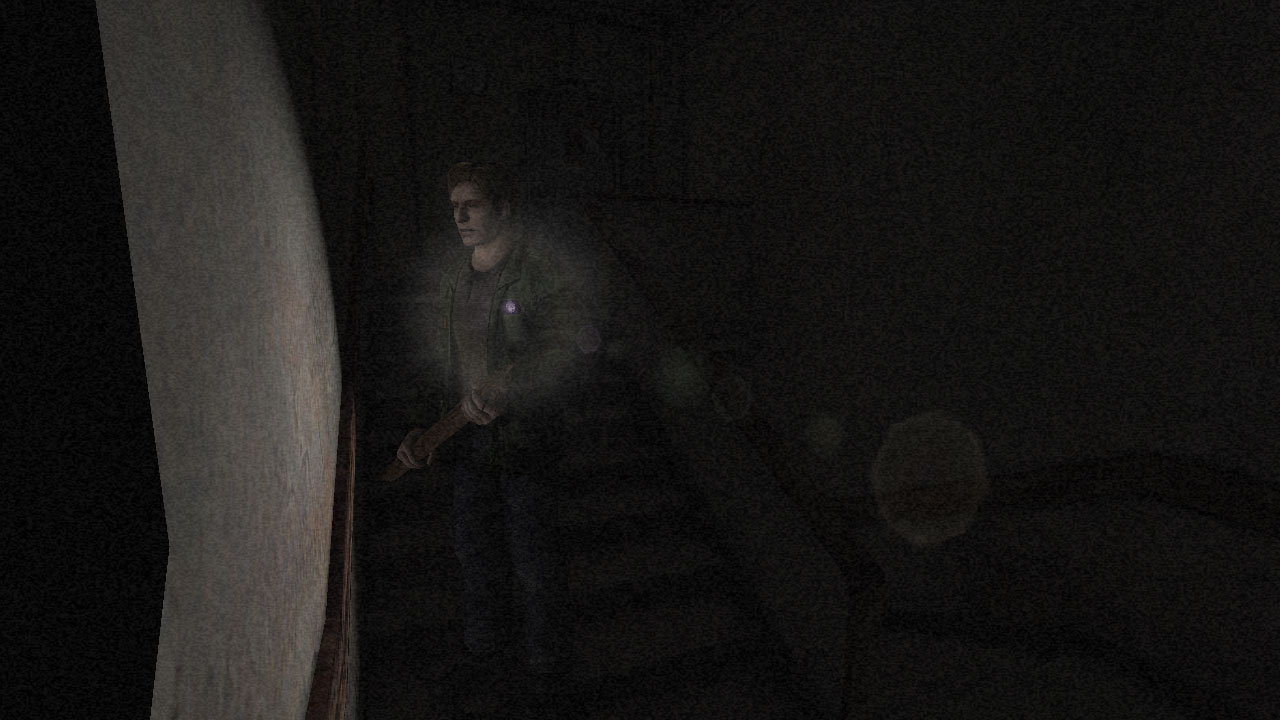
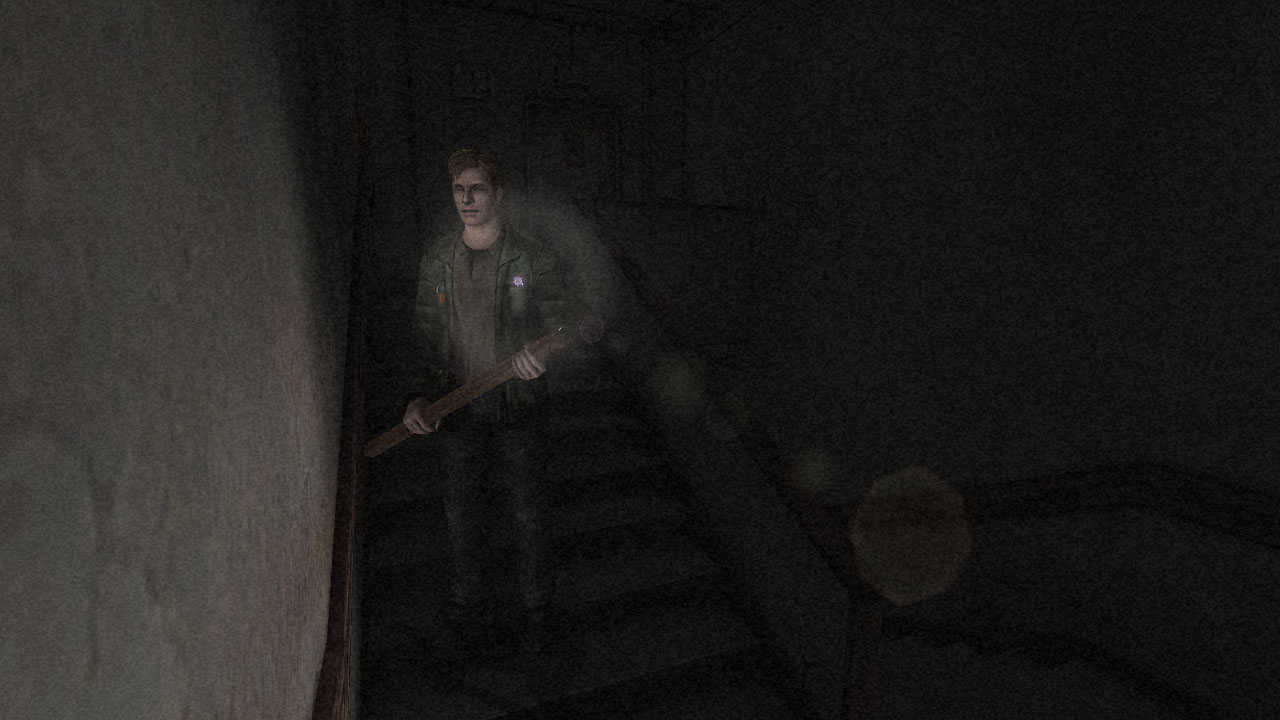
- [x] It prevents chunks of the wall from disappearing when the camera is close to the walls for Nvidia cards. This happens all throughout the game. You can see examples in the video clip below. Note how, at various edges of the camera's projection there are black blocks of missing wall textures/geometry.
Thanks for your time and consideration on this!
 Polymega
All 52 comments
@Polymega, yes, I will look into fixing these issues. Have you had a chance to look into dgVoodoo at all? It fixes all of these issues and converts the game to use DirectX 11, which is fully compatible with ReShade. Also there is an API available for dgVoodoo, which means I could integrate it into this project.
 elishacloud
on 30 Jun 2018
elishacloud
on 30 Jun 2018
Hi @elishacloud ,
I haven't looked in to dgVoodoo myself yet as it doesn't fix the white shaders bug. See here:
https://github.com/elishacloud/Silent-Hill-2-Enhancements/issues/3#issuecomment-387477048
Since WineD3D fixes all Nvidia problems I've stuck with that for the time being.
If the "Big Three" Nvidia bugs can be resolved without WineD3D or dgVoodoo it'd be one less step to implement, which I think you'd also be in favor of?
I'm not opposed to directing people to use either fix, of course, but one fix (WineD3D) causes running issues for some and the other (dgVoodoo) doesn't fix all three concerns.
Polymega
on 30 Jun 2018
Yes, it would be nice to be able to do this without requiring either WineD3D or dgVoodoo. Let me work on this and see what I can do.
elishacloud
on 30 Jun 2018
Thank you sir
Polymega
on 1 Jul 2018
@elishacloud I inadvertently discovered that, within the fog fix settings, that fog_transparency_layer1 affects the 2D fog layer. (I'd assume the other "layer1" variables also affect it, too, then.)
I don't believe Nemesis2000's fog fix is open source so I'm not sure how he found/calls this layer of fog. Perhaps @Bigmanjapan can help us find the addresses for the 2D fog layer if it would help with any future testing you may do?
Polymega
on 23 Sep 2018
Implemented a fix for the white shader issue. Code check-in is here: c5823aa
Perhaps @Bigmanjapan can help us find the addresses for the 2D fog layer if it would help with any future testing you may do?
Yes, getting addresses for the fog layers may help. I am also looking at the Direct3D APIs. I think that some of the APIs are handled differently by Nvidia. I already saw this with the white shader fix and my research so far on the chunks of the wall disappearing indicates that this issue is related to differences in the Direct3D APIs, more specifically vector handling.
elishacloud
on 23 Sep 2018
@Polymega @elishacloud
What is seen as a 2D fog layer is controlled by the same addresses that partially control volumetric fog in the next location (forest), for example. It seems that the absence 2D fog on screen is just it's intensity or it's position being crank down / shifited behind camera to make it invisible.
sh2pc.exe+1B7A670 (01F7A670) float — 2D fog floating timer (freezes fog position)
sh2pc.exe+1B7A69E (01F7A69E) 2 bytes — fog volume intensity
sh2pc.exe+1B7A6A0 (01F7A6A0) 2 bytes — fog floating direction
sh2pc.exe+1B7A6A4 (01F7A6A4) byte — fog initiator (change to any value to reset the fog)
sh2pc.exe+1B7A6AC (01F7A6AC) byte — fog color red
sh2pc.exe+1B7A6AD (01F7A6AD) byte — fog color green
sh2pc.exe+1B7A6AE (01F7A6AE) byte — fog color blue
sh2pc.exe+1B7A6AF (01F7A6AF) byte — fog color brightness
 Bigmanjapan
on 24 Sep 2018
Bigmanjapan
on 24 Sep 2018
Thank you very much for taking the time to find these addresses, Bigmanjapan. Once we are able to remove the need for WineD3D thanks to Elisha's work, this will make things much better and easier for both the end user (player) and us. Thank you again.
Polymega
on 24 Sep 2018
"It seems that the absence 2D fog on screen is just it's intensity or it's position being crank down / shifited behind camera to make it invisible."
Interesting. From what I can tell the 2D fog layer is just a semi-transparent surface texture that is used as an overlay and moves slowly across the screen. On Nvidia the reason it is not showing up is because this surface is failing the depth test. It is almost like the Nvidia GPU thinks this surface is behind the camera, but it is not. I am not quite sure why it is failing the depth test. I tried forcing it to show the surface but that did not work.
elishacloud
on 24 Sep 2018
win 3d is shit
only stuck my powerful computer, i7 and gtx 1080
 yolanda123a
on 26 Sep 2018
yolanda123a
on 26 Sep 2018
> compile wine-pba for windows
> ... ??
> profit
 mirh
on 26 Sep 2018
mirh
on 26 Sep 2018
only stuck my powerful computer, i7 and gtx 1080
We've discovered that the GTX 1080 card doesn't play nice with WineD3D. As Elisha mentioned, we're aiming to remove the need for this software to alleviate this issue.
Polymega
on 26 Sep 2018
Fix implemented for the 2D fog issue. You can see the code check-in here: b2f2c48
Basically what is happening is that on Nvidia graphics cards the 2D fog layer is behind the camera. The reason for this is that different graphics cards handle D3DRS_ZBIAS (which is similar to D3DRS_DEPTHBIAS in Direct3D9) differently. See this thread for an example.
If I disable or remove calls to set the D3DRS_ZBIAS render state then the 2D fog works fine but there are other minor side effects. Ultimately the solution I chose was to move the 2D fog layer slightly forward so that it is now in front of the camera on all graphics cards.
elishacloud
on 1 Oct 2018
only stuck my powerful computer, i7 and gtx 1080
We've discovered that the GTX 1080 card doesn't play nice with WineD3D. As Elisha mentioned, we're aiming to remove the need for this software to alleviate this issue.
I'm going to guess this affects GTX 1070ti as well? I've installed everything perfectly to a t and if i wait or skip the first cutscene, whole game just quits itself everytime. I've gotten it to work by doing something i forget but then i get the white backdrops problem and no fog overlay on the overlook. It will however, work properly (proper black backgrounds and fog overlay in starting area) if i save after that cutscene at the well and re enable everything but then crashes again after the next cutscene in the graveyard with everything enabled.
Edit Update: Game works fine if i force it into window mode though.
 ArosKisne
on 25 Nov 2018
ArosKisne
on 25 Nov 2018
To confirm though: If you remove the WineD3D files from the game's directory (d3d9.dll, libwine.dll, wined3d.dll) the game will then run fine? Even in fullscreen (non-windowed) mode?
Polymega
on 25 Nov 2018
Yes that is correct. I just removed those files and set forcewindow back to 0 and everything worked but had the white backdrop and no fog at the beginning problem.
ArosKisne
on 25 Nov 2018
Okay, do this for me:
- Keep the WineD3D files removed from your game's directory (
d3d9.dll,libwine.dll, andwined3d.dll). - Download this version of the SH2 Enhancements Mod and extract its contents to your game directory, replacing files if prompted: https://github.com/elishacloud/Silent-Hill-2-Enhancements/files/2429028/d3d8.zip
- Ensure
d3d8to9 = 1(is active) in the newd3d8.inifile.
Elisha is currently working on fixing what WineD3D fixes for Nvidia users without having to actually use WineD3D. So far he has two out of the three issues resolved without having to use WineD3D (refer to the very first post in this thread).
The d3d8.zip file I linked above is a WIP build that has those two fixes in it. So, for now, all you'll have to deal with is chunks of the wall disappearing when the camera gets too close to the geometry. We're hoping to have that part fixed soon thus fully removing the need for WineD3D in the future.
Polymega
on 25 Nov 2018
Also, if you're using the ReShade files this means you'll no longer use the OpenGL version of ReShade (since you're no longer using WineD3D) and instead would need to use the DirectX version of ReShade.
- Delete the OpenGL ReShade files (
opengl32.dllandopengl32.ini) - Download the DirectX ReShade files and place in the game's directory.
More info on that here:
http://enhanced.townofsilenthill.com/SH2/#installReShade
Polymega
on 25 Nov 2018
Gotcha. To be honest it doesn't make a difference to me with it being windowed since it is still full screen borderless window. I'm happy waiting on the full release since the game works fine otherwise so far with the mods. I appreciate your quick reply and help!
ArosKisne
on 25 Nov 2018
Don't know if this is of any use, but here are the parameters the game is using when it draws the bugged wall in ap10.map (Blue Creek Apt. Stairwell):
m_IDirect3DDevice8::CreateIndexBuffer()
---------------------------------------
Length:     55168
Usage:      0
Format:     D3DFMT_INDEX16 (101)
Pool:       D3DPOOL_MANAGED (1)


m_IDirect3DDevice8::CreateVertexBuffer()
---------------------------------------
Length:     531040
Usage:      0
FVF:        0
Pool:       D3DPOOL_MANAGED (1)

m_IDirect3DDevice8::DrawIndexedPrimitive()
---------------------------------------
Type:       D3DPT_TRIANGLESTRIP (5)
MinVertexIndex: 14555
NumVertices:    2040
startIndex: 24061
primCount:  3521
The vertex buffer for this area in the map file is 531040 bytes long, starting at offset 0x1C04F4 made up of 32 byte verts as follows:
struct vertex
{
    float x;    //positions
    float y;
    float z;
    float a;    //normals
    float b;
    float c;
    float u;    //texture coords
    float v;
};
 FrozenFish24
on 26 Nov 2018
FrozenFish24
on 26 Nov 2018
Don't know if this is of any use, but here are the parameters the game is using when it draws the bugged wall in ap10.map (Blue Creek Apt. Stairwell):
Thank you, FrozenFish24. @elishacloud here is a quick save file of this stairwell if it would also help with testing: https://github.com/elishacloud/Silent-Hill-2-Enhancements/files/2151048/sh2pcsave1c.zip
Polymega
on 26 Nov 2018
Were you guys aware that HACK DX_CONFIG_USE_VERTEX_SHADERS 0 also fixes the missing wall chunks? I had my suspicions that the problem might lie in a shader, so the problem dissapearing when using the fixed function pipeline is potentially evidence of that. This would be consistent with the problem not occurring on AMD or when using WineD3D (where presumably it's translated to GLSL).
Between launching the game, loading into ap10.map and exiting back to Windows, d3d8to9 translates 26 vertex shaders and 12 pixel shaders. Perhaps we can intercept the problematic shader and correct it (If indeed it is the root issue).
FrozenFish24
on 27 Nov 2018
Nice thinking! It never occurred to me to try and use this hack to see if it affects this issue.
Perhaps we can intercept the problematic shader and correct it (If indeed it is the root issue).
The bad news, which you're probably aware of, is that we don't want to truly use HACK DX_CONFIG_USE_VERTEX_SHADERS 0 because it negatively affects James' flashlight, along with other light sources and various "fog-of-war" areas.
Would you reckon there's a possibility to find those problem shaders, fix it through this avenue, while still retaining the per pixel lighting/fog effects like normal?
Polymega
on 27 Nov 2018
Assuming this is actually the issue it should be possible. If you compile d3d8to9 with logging it will dump out each shader as it translates and creates it e.g.
Redirecting 'IDirect3DDevice8::CreateVertexShader(08809FC8, 008F3050, 008F30B8, 01DBBE88, 0)' ...
> Translating vertex declaration ...
> Disassembling shader and translating assembly to Direct3D 9 compatible code ...
> Dumping original shader assembly:

    vs_1_1
    dp4 oPos.x, v0, c32
    dp4 oPos.y, v0, c33
    dp4 oPos.z, v0, c34
    dp4 oPos.w, v0, c35

// approximately 4 instruction slots used

> Dumping translated shader assembly:

    vs_1_1
    dcl_position v0
    dp4 oPos.x, v0, c32
    dp4 oPos.y, v0, c33
    dp4 oPos.z, v0, c34
    dp4 oPos.w, v0, c35

// approximately 4 instruction slots used
We could add our own code in Direct3DDevice8::CreateVertexShader to detect the offending shader and replace it with a modified one. This is all uncharted territory for me though, so somebody stop me if I'm talking nonsense.
FrozenFish24
on 27 Nov 2018
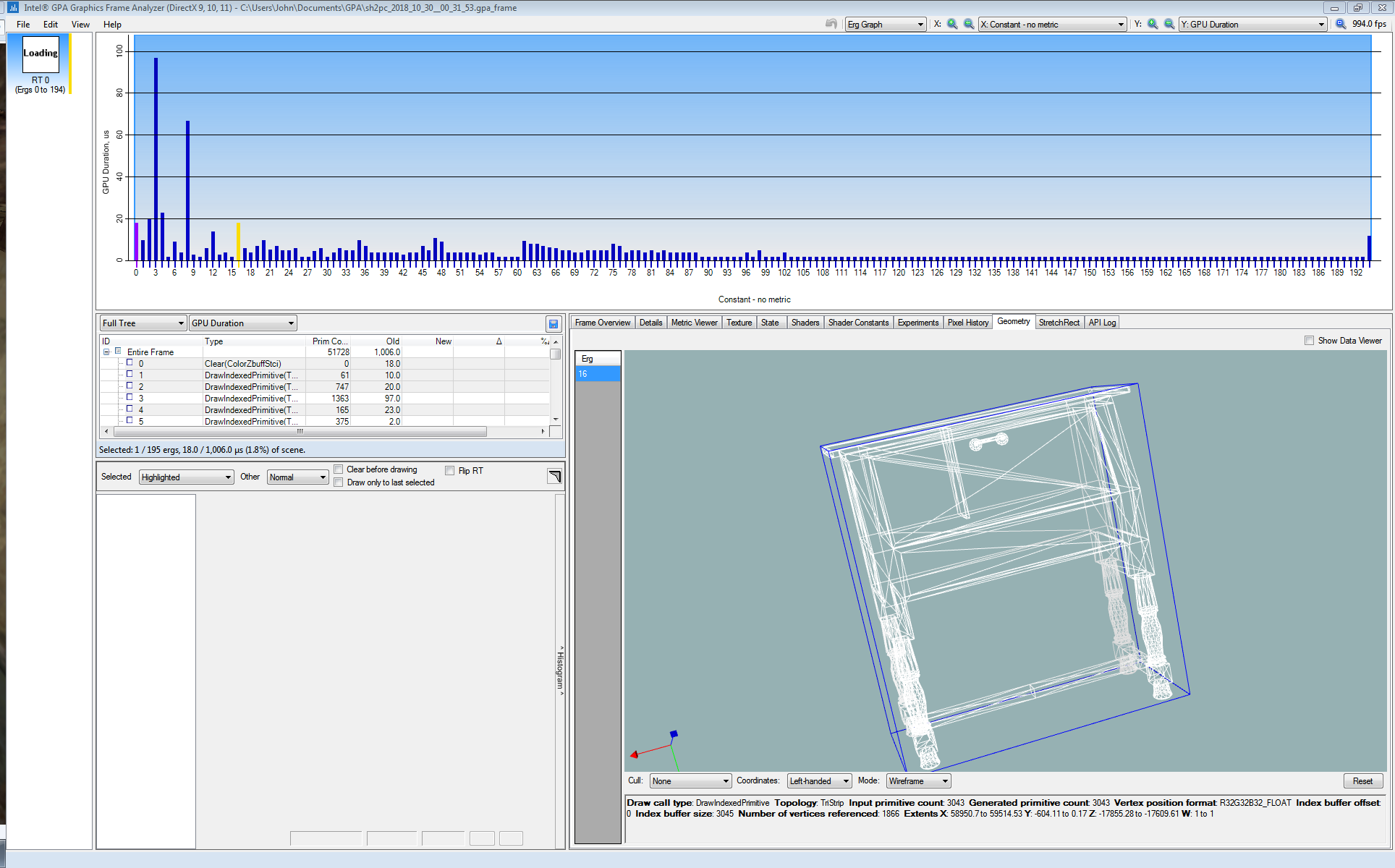
Have you heard of the Intel Graphics Frame Analyzer? I don't know how similar/different it is compared to apitrace but it can take a snapshot of the current scene. Then, you can review that snapshot with the Intel software and can study specific pieces of geometry, shaders, Direct3D calls, textures, etc.
I'm mostly suggesting this because I think it may be able to at least pin-point you to what specific Direct3D/vertex shader calls are being used for specific geometry pieces. I believe you can also edit shaders/states through this software and it will update the "live" 3D preview image in the bottom left corner with your changes. Is that something that would further help any? I am grossly ill-equipped to talk much more about this kind of work, not being a programmer and all.
I don't have my main PC with the software at hand but here's a snapshot of the Blue Creek room you helped us fix that I took some weeks/months back:
And a general snapshot of the software showing more of the programming side of things (screenshot looks to be of an older version of the software):

Polymega
on 27 Nov 2018
Going off of memory here but, I believe I got this software to work by removing any ReShade/WineD3D (d3d9.dll) files but ensuring d3d8to9 is active in the d3d8.ini file.
Polymega
on 27 Nov 2018
Cool! That looks like it will be extremely helpful. I'll have a mess around with it tomorrow when I get the chance.
FrozenFish24
on 27 Nov 2018
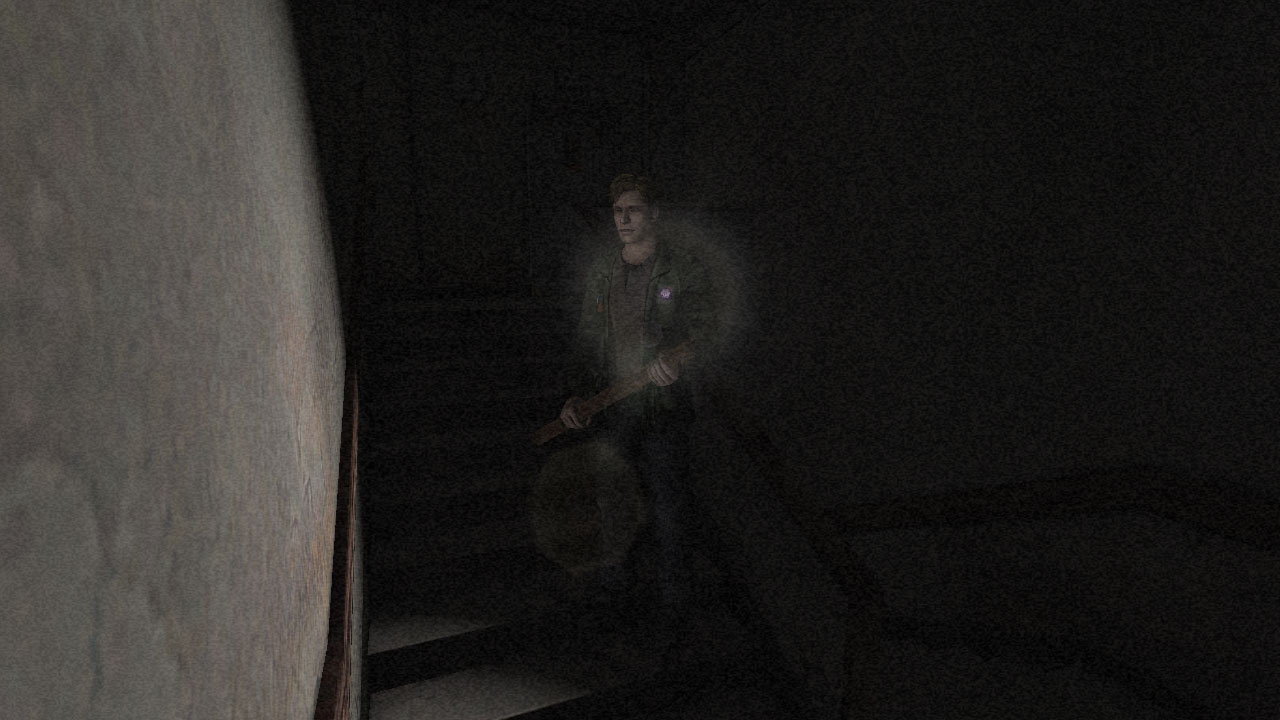
Haha, so it turns out I was completely off base. The actual problem seems to be how nvidia deals with fog. With the following change to m_IDirect3DDevice8::SetRenderState the wall chunks no longer disappear:
HRESULT m_IDirect3DDevice8::SetRenderState(D3DRENDERSTATETYPE State, DWORD Value)
{
    if (State == D3DRS_FOGTABLEMODE)
        Value = D3DFOG_LINEAR;

    return ProxyInterface->SetRenderState(State, Value);
}
I'll keep investigating to make sure this is the least invasive way to implement the fix.
Here's a compiled dll if you'd like to try it out yourself:
sh2e-test.zip
FrozenFish24
on 28 Nov 2018
Well done!! Congrats! I'll be happy to give your test .dll a playthrough as well in the near future; playing both campaigns to completion to ensure everything is smooth sailing. Thanks again for your support on this fix!
Polymega
on 28 Nov 2018
Nice work @FrozenFish24! How did you figure out it was an issue with fog?
elishacloud
on 29 Nov 2018
@elishacloud great timing here, by the way. I'm about to start a play test with this fix. Assuming everything works great could I ask you to push out a release that includes all three WineD3D fixes sooner than later? I know you're taking some time for yourself as a refresher for the moment, so apologies in asking, but I'd love to push WineD3D out of the picture ASAP. (As you can tell, many support tickets on this repository are related to WineD3D!)
Polymega
on 29 Nov 2018
@FrozenFish24 some bad news, unfortunately. I booted up some random spots first and it seems to have negative effects on the "fog-of-war" fade/cut-off point:
Correct:
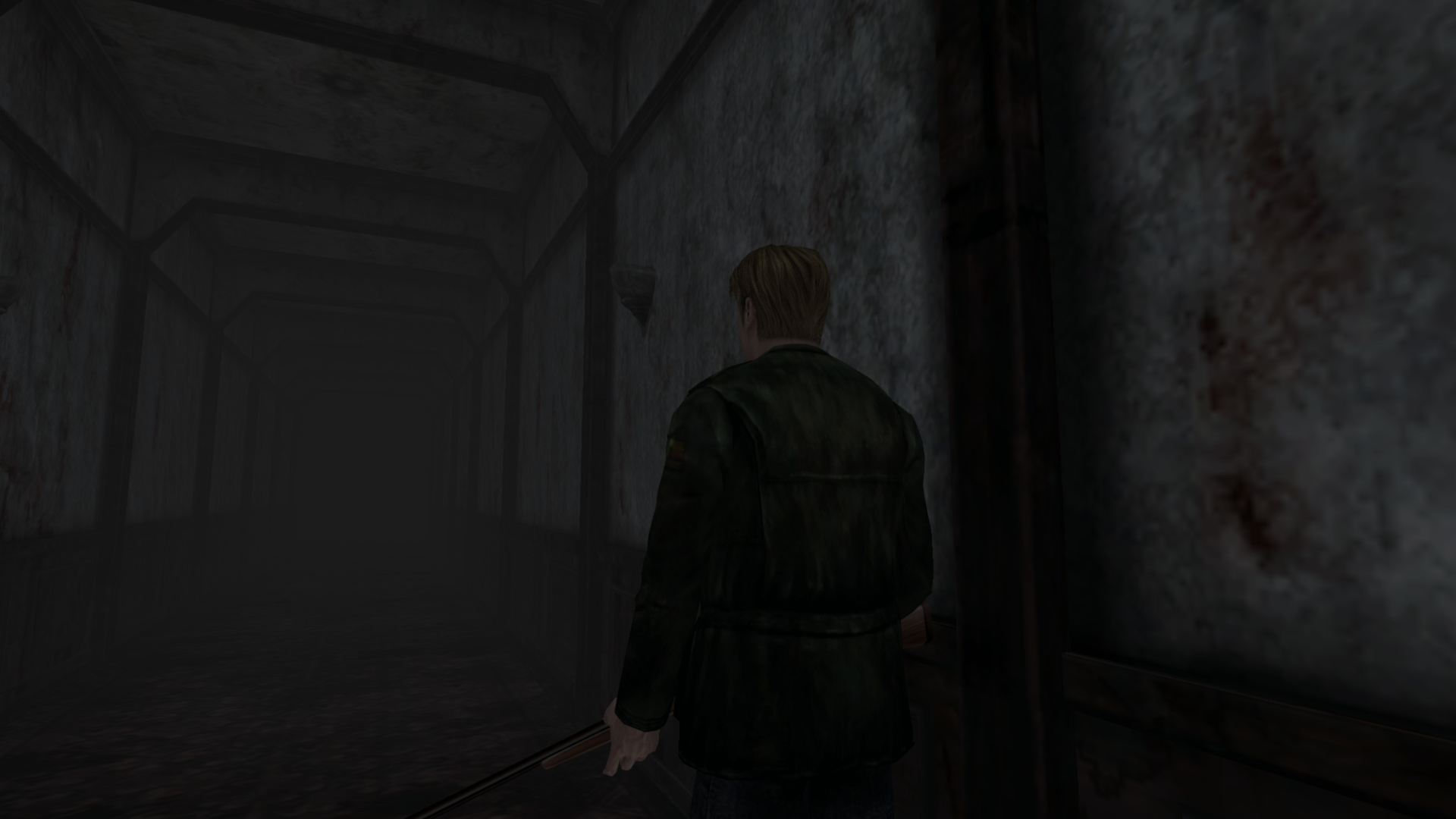
Incorrect:

Correct:
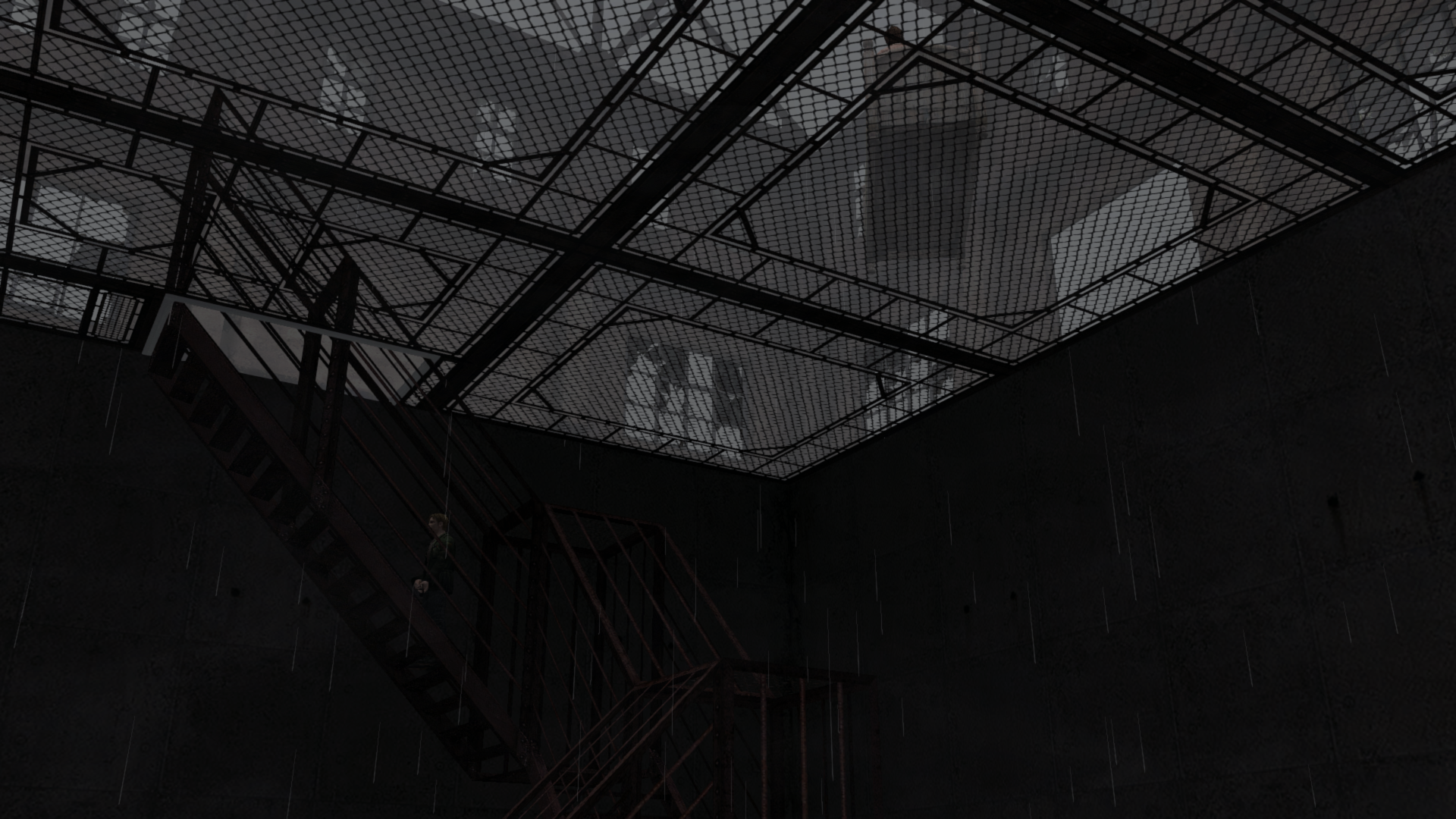
Incorrect:
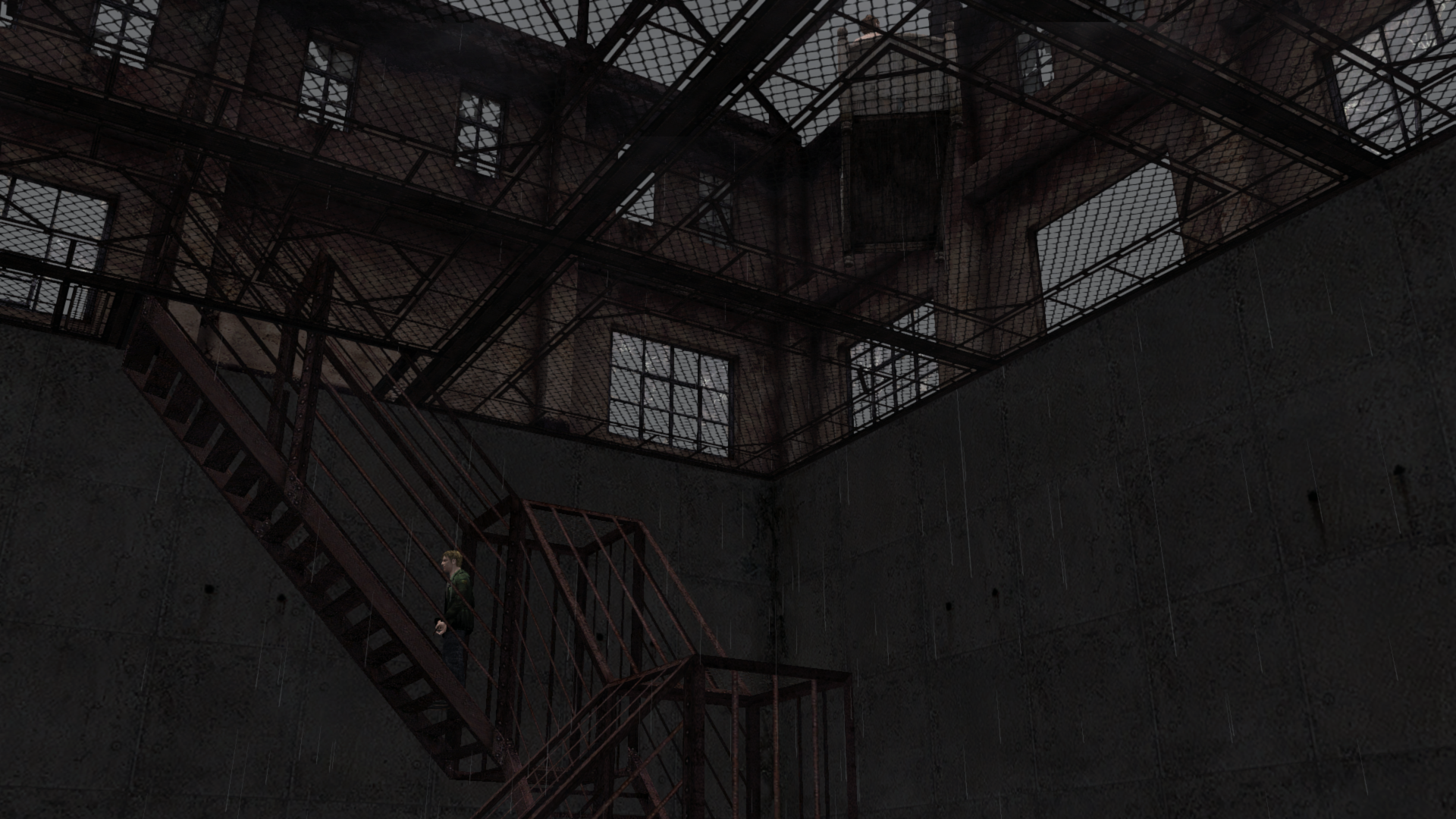
Correct:
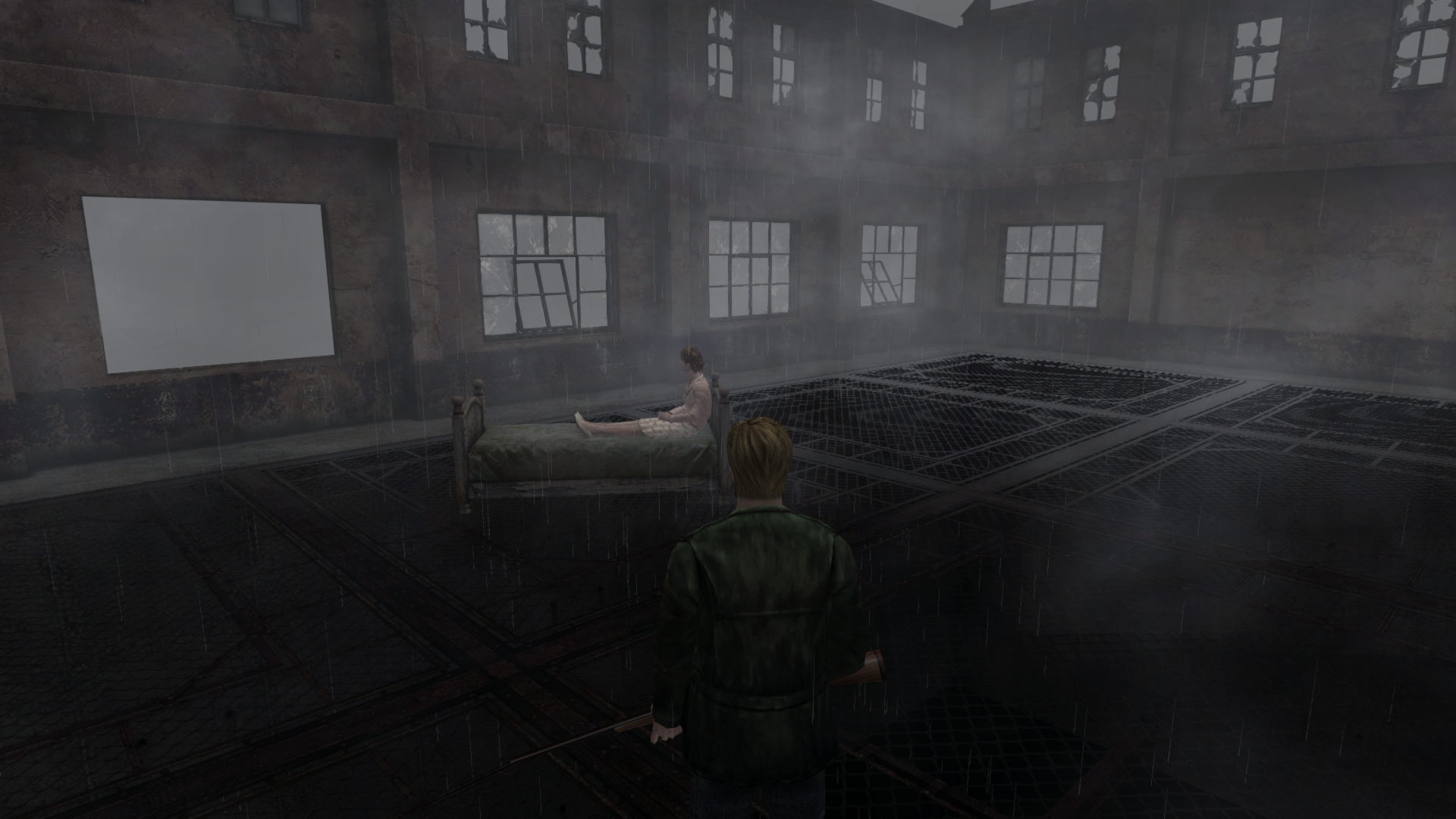
Incorrect:
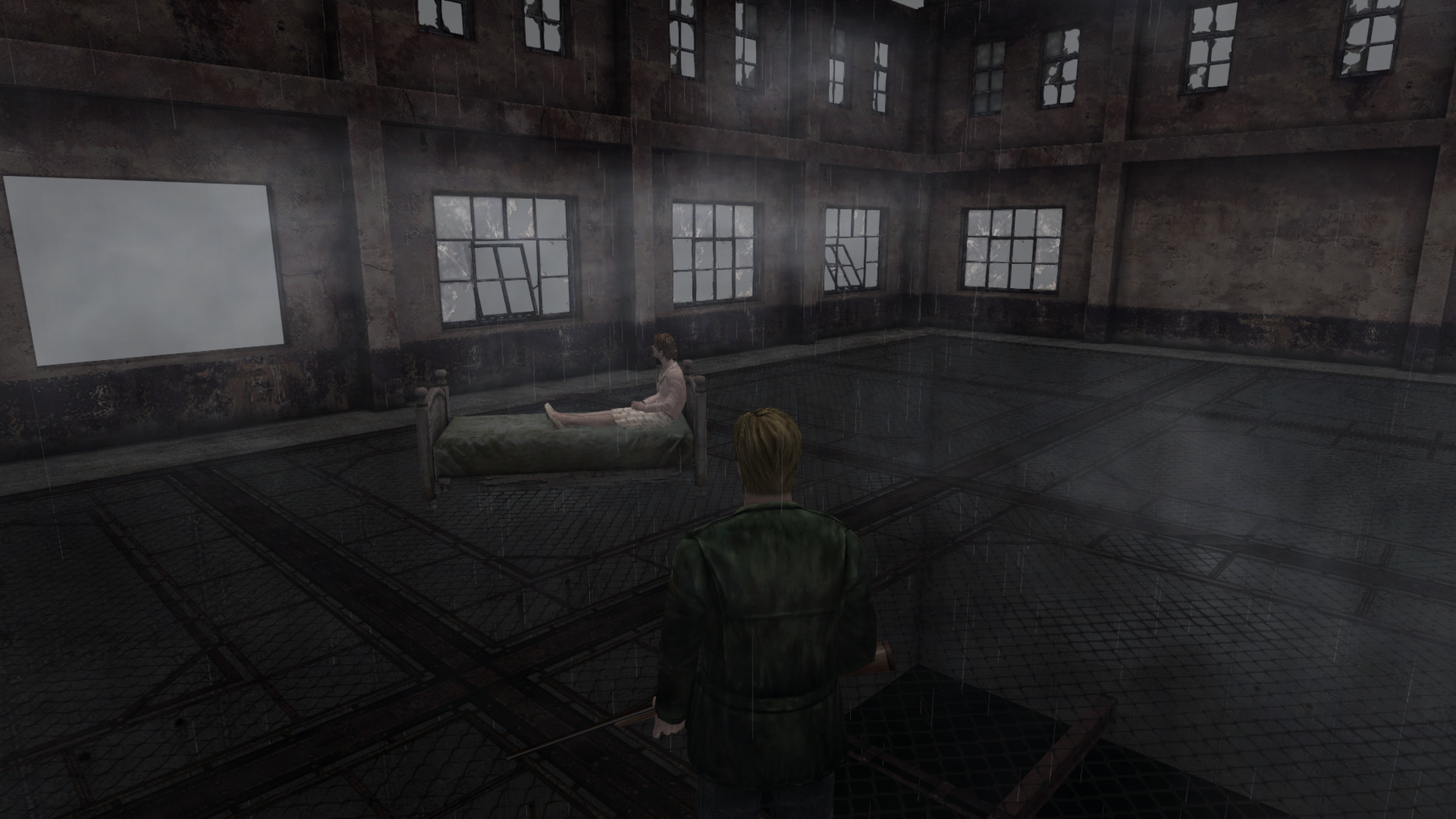
Correct:
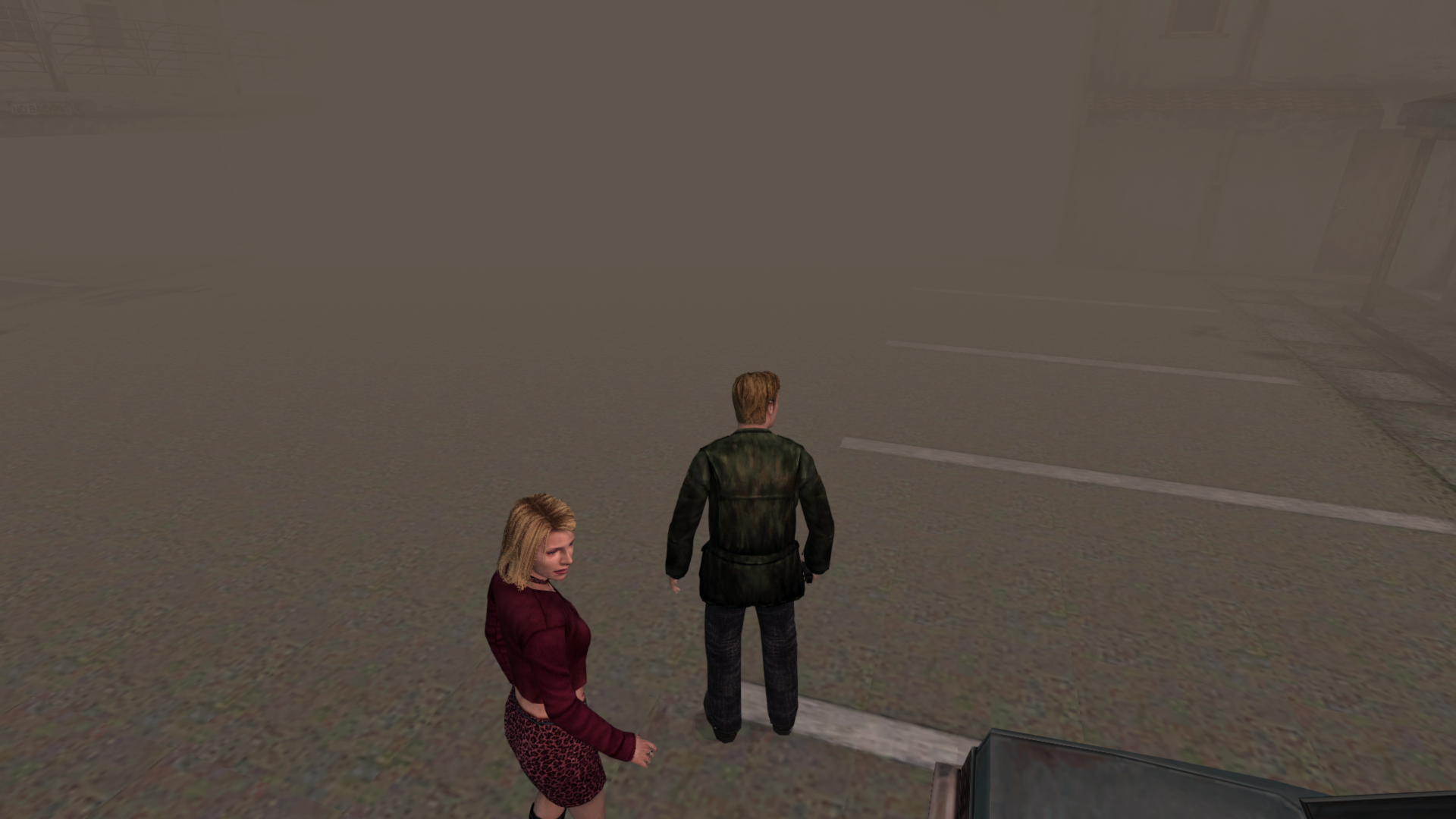
Incorrect:
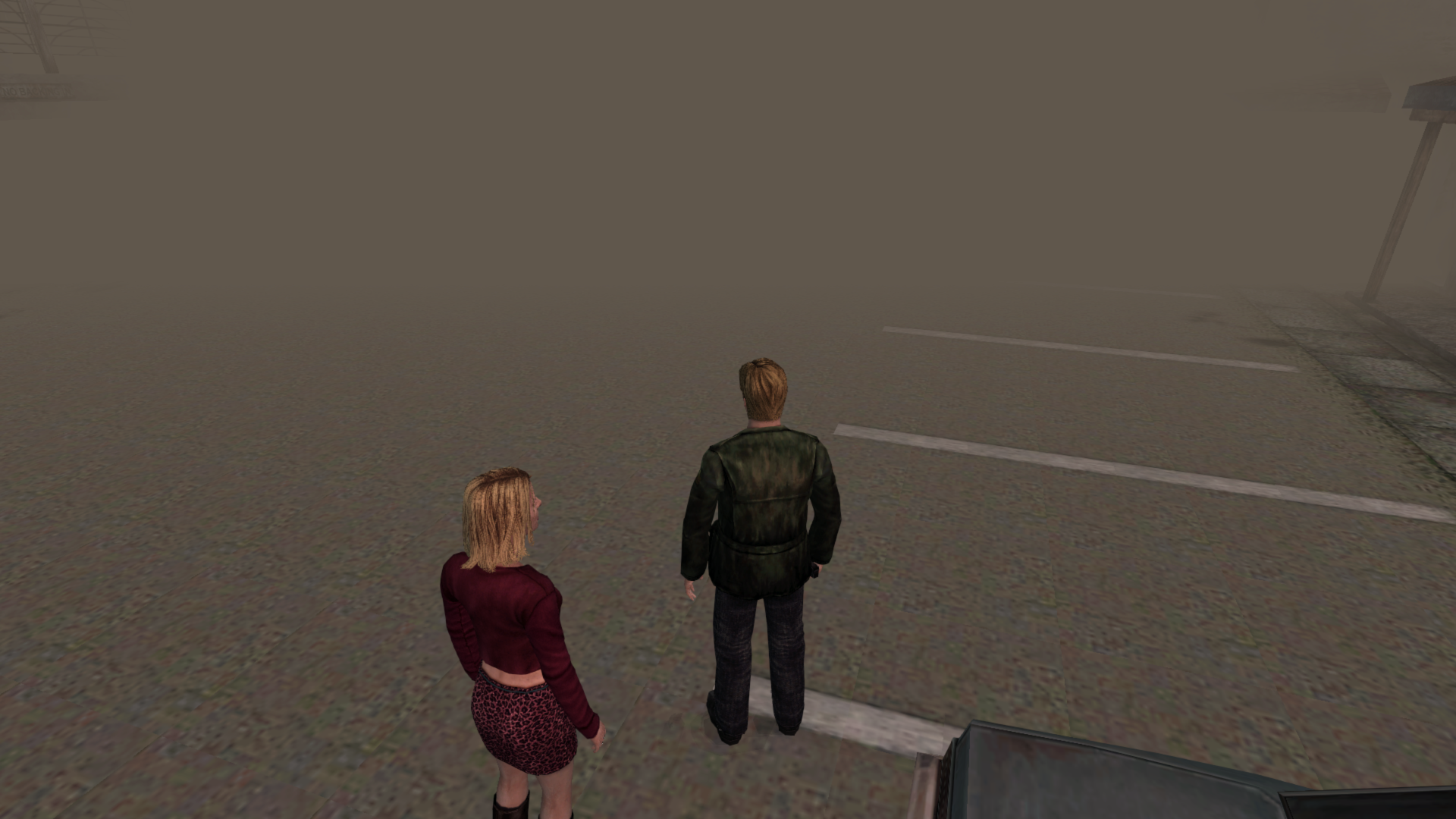
Polymega
on 29 Nov 2018
@Polymega, since there is a limited number of places in the game where chunks of the wall are missing if I can find the exact API call that causes the missing wall chunks I can use @FrozenFish24's fix but just hard code it to those API calls.
I have already found the API call for one of these locations. If you can get me the locations of the other missing wall chunks I should be able to find the API's for those also and put a patch that has no side effects (I hope).
elishacloud
on 29 Nov 2018
Sure thing. Do you want the locations in reference to their .map files or their hex ID numbers (the latter would be easier on my end).
Also, do you want to test your theory for one of the locations I took a snapshot above just to see if it works there or not? (Even though those areas might not have missing wall chunks.)
Polymega
on 29 Nov 2018
I need a save location for each spot so I can load the game and view the APIs that are called at that location. This is assuming that there are not too many locations with this issue.
I already created a fix for the one location (the save at the beginning of this thread). You can test it out if you want: d3d8.zip
Edit: I just need locations of the places where chunks of wall are missing. I don't need save locations for any of the "fog-of-war" issues you mention above.
elishacloud
on 29 Nov 2018
Sure thing. Give me this weekend to do that then as I'll need to play the game nice and slow and making custom saves as I play.
How many would be too many spots for this fix approach? I'm already guessing it's going to be a decent little amount.
Polymega
on 29 Nov 2018
There is no real limit to the number I can add, but I am hoping it is not much more than a dozen. If there is more than several dozen then this many not be the best fix, albeit this is the only fix we have so far.
elishacloud
on 29 Nov 2018
Is this any better?
sh2e-vsfix.zip
I went back to my original idea of intercepting and modifying vertex shaders. Seems to work for the Apt Stairway and starting bathroom. Also ran through the beginning of the game and didn't notice any oddities.
Basically if it sees an instruction in the form of max rXX.w, rXX.w, cXX.x it changes it to max rXX.w, rXX.w, cXX.w. This is probably a bit of a hack, so just treat it as a proof of concept for now.
Here's the code I added to Direct3DDevice8::CreateVertexShader at line 1450:
if (SourceCode.find("vs_") != std::string::npos) {
    std::string reg = "(max r\\d{1,2}\\.w, r\\d{1,2}\\.w, c\\d{1,2}\\.)x\\n";
    while (std::regex_search(SourceCode, std::regex(reg))) {
        SourceCode = std::regex_replace(SourceCode, std::regex(reg), "$1w /* sh2e wall fix */\n");
    }
}
@elishacloud
How did you figure out it was an issue with fog?
Brute force approach :stuck_out_tongue: I captured a frame with Intel Graphics Frame Analyzer, found the broken wall's draw call and started messing with the render states until it fixed itself
FrozenFish24
on 29 Nov 2018
Thanks FrozenFish24! I'll give this a playtest over the weekend and report back. :)
Polymega
on 29 Nov 2018
I was really hoping that the fix would not require any shader changes. Since this is not a generic fix we cannot add it into the d3d8to9 code. But if this fix works well, I will find a way to put it in the code.
elishacloud
on 29 Nov 2018
@elishacloud I'm happy to play test either approach for this. I can also do both, of course, but would just take longer to do. Ultimately, you are most intimately familiar with how the fixes/solutions will work/integrate with this project so I'll be on standby until this Saturday awaiting your call on the matter.
Polymega
on 30 Nov 2018
@Polymega, in order to implement FrozenFish24's shader fix as is I need to either:
- Modify d3d8to9, which I don't want to do.
- Figure out a way to recompile DX8 shaders, which I don't know how to do.
- Or, add a Direct3D9 wrapper to SH2EE and implement the solution in this, which has a bunch of down sides.
It would be really great to know if FrozenFish24's shader fix works without any side effects. I might be able to figure out how to recompile DX8 shaders.
Also one other possible solution would be to figure out where the shader code is and modify the ASM code directly in the game (rather than trying to decompile and recompile the shader). I will probably look into this more if FrozenFish24's fix works without any side effects.
So I guess it is best to test with FrozenFish24's solution first and see if that works.
elishacloud
on 30 Nov 2018
@elishacloud Good point, everything in sh2e currently works with or without d3d8to9 active so this would be the only dependent fix. Tracking down the shader code on disk is the better solution, I'll look into this too.
FrozenFish24
on 30 Nov 2018
Sounds good guys, I'll give you a play test report on this fix solution by this weekend (probably Saturday).
Polymega
on 30 Nov 2018
@FrozenFish24, after thinking about this a bit more, we probably don't need to find the shader code in the game directly because the shader code is given to us in the m_IDirect3DDevice8::CreateVertexShader API. It is passed to us in the pFunction variable. We can probably just modify the memory there before passing it to DX.
Edit: updated with the correct API.
elishacloud
on 1 Dec 2018
@elishacloud Good call, will look into that tomorrow
FrozenFish24
on 1 Dec 2018
@FrozenFish24 @elishacloud
Hi guys,
I just finished giving the game a rigorous play testing and... everything worked great! I made sure the 3D fog and "fog-of-war" was still looking the same using the fix vs. not using it, and tested various light sources within the environments as I progressed. Everything seemed to work perfectly and I never experienced even one missing wall chunk.
Brilliant work figuring out this solution, FrozenFish24! Well done!!
Polymega
on 1 Dec 2018
Great! I was worried the fix might be a bit naive in it's current form and cause problems elsewhere, good to hear that's not the case. Applying it directly to assembled shader code should be relatively straight forward then.
FrozenFish24
on 1 Dec 2018
Checked in a fix for the missing wall chunks: 0e27453
You can download the fix here: d3d8.zip
Thanks @FrozenFish24 for your help!!! It was pretty easy to find the shader code once I knew what to look for.
elishacloud
on 2 Dec 2018
Oh man, oh man... This is huge. We're on the verge of phasing out WineD3D!! The installation process; running/compatibility; the amount of support tickets... it's going to all get so much better!
Polymega
on 2 Dec 2018
@elishacloud Brilliant! Much cleaner then messing with d3d8to9.
FrozenFish24
on 2 Dec 2018
Congratulations again to you both for all your hard work! This is a big milestone for all! <3
Polymega
on 4 Dec 2018
Related issues
 snigelpasta
·
13Comments
snigelpasta
·
13Comments
 lebouffon88
·
17Comments
Polymega
·
17Comments
lebouffon88
·
17Comments
Polymega
·
17Comments
 Vare3465
·
7Comments
Polymega
·
10Comments
Vare3465
·
7Comments
Polymega
·
10Comments
Most helpful comment
Fix implemented for the 2D fog issue. You can see the code check-in here: b2f2c48
Basically what is happening is that on Nvidia graphics cards the 2D fog layer is behind the camera. The reason for this is that different graphics cards handle
D3DRS_ZBIAS(which is similar toD3DRS_DEPTHBIASin Direct3D9) differently. See this thread for an example.If I disable or remove calls to set the
D3DRS_ZBIASrender state then the 2D fog works fine but there are other minor side effects. Ultimately the solution I chose was to move the 2D fog layer slightly forward so that it is now in front of the camera on all graphics cards.