Signal-desktop: Feature Request: Ability to Forward Attachments
- [X] I have searched open and closed issues for duplicates
Bug Description
Hello,
I observed that I can easily forward any document (image, file, etc ...) on the Android Signal app.
Unfortunately, I cannot do the same from MacOS Signal Desktop app.
Neither the right nor the ellipsis provide this option :(
Could you please enable the forward document feature on Signal Desktop app?
Thanks in advance for your help,
Steps to Reproduce
- open Signal Desktop app
- select a media file (e.g. image)
- try to forward it to another Signal contact
Actual Result:
The feature is missing, so here's the workaround:
- you must download first the file from the 1st channel
- then open the other contact channel
- Finally attach the file on the 2nd channel.
Expected Result:
Display the forward option (button or link) directly on the message like on the Android app.
Screenshots
No screenshot
Platform Info
Signal Version: v1.33.4
Operating System: MacOS 10.15.4
Link to Debug Log
 ptitpied
All 6 comments
Hi there,
I' m missing that feature severly, too. Writing on a keyboard at the pc is much faster and easier.
Platform: Ubuntu 20.04.1, 5.4.0-40-generic x86_64, Desktop: Gnome 3.36.3
Signal-Desktop: 1.34.4
Regards Speedy-10
 speedy-10
on 27 Jul 2020
speedy-10
on 27 Jul 2020
same as #4428
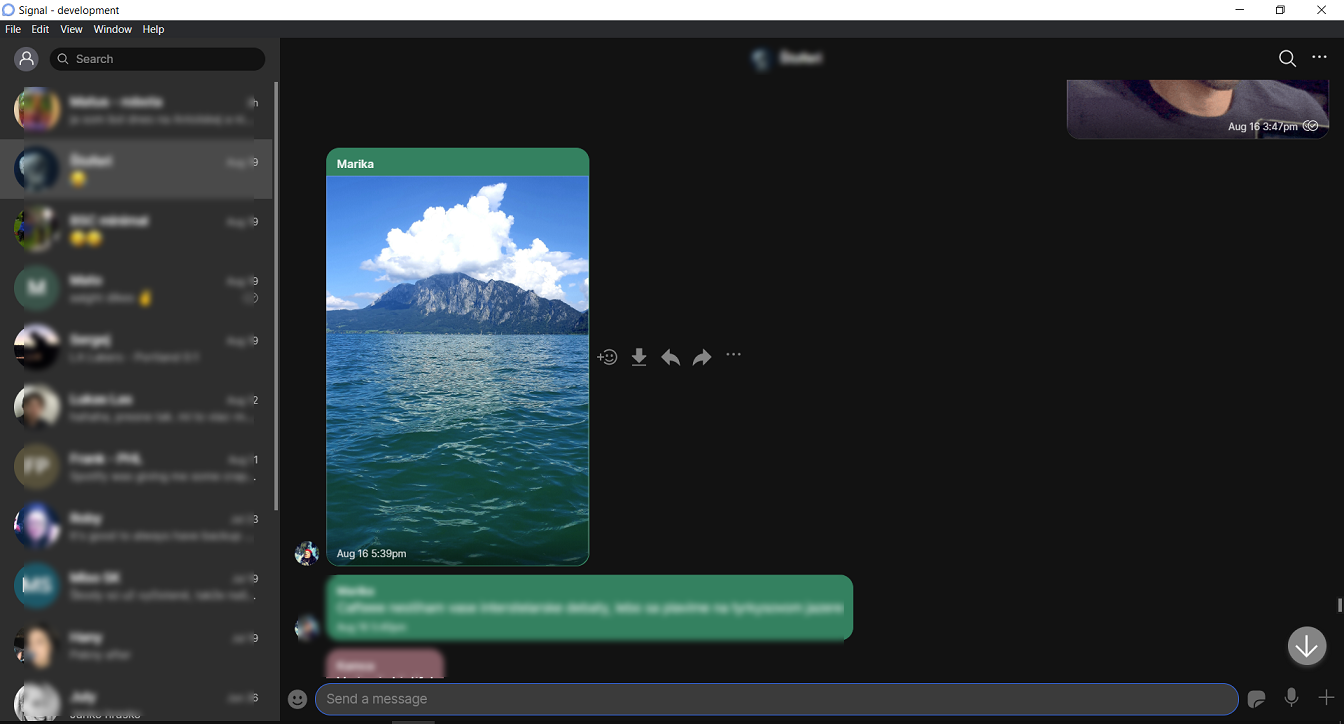
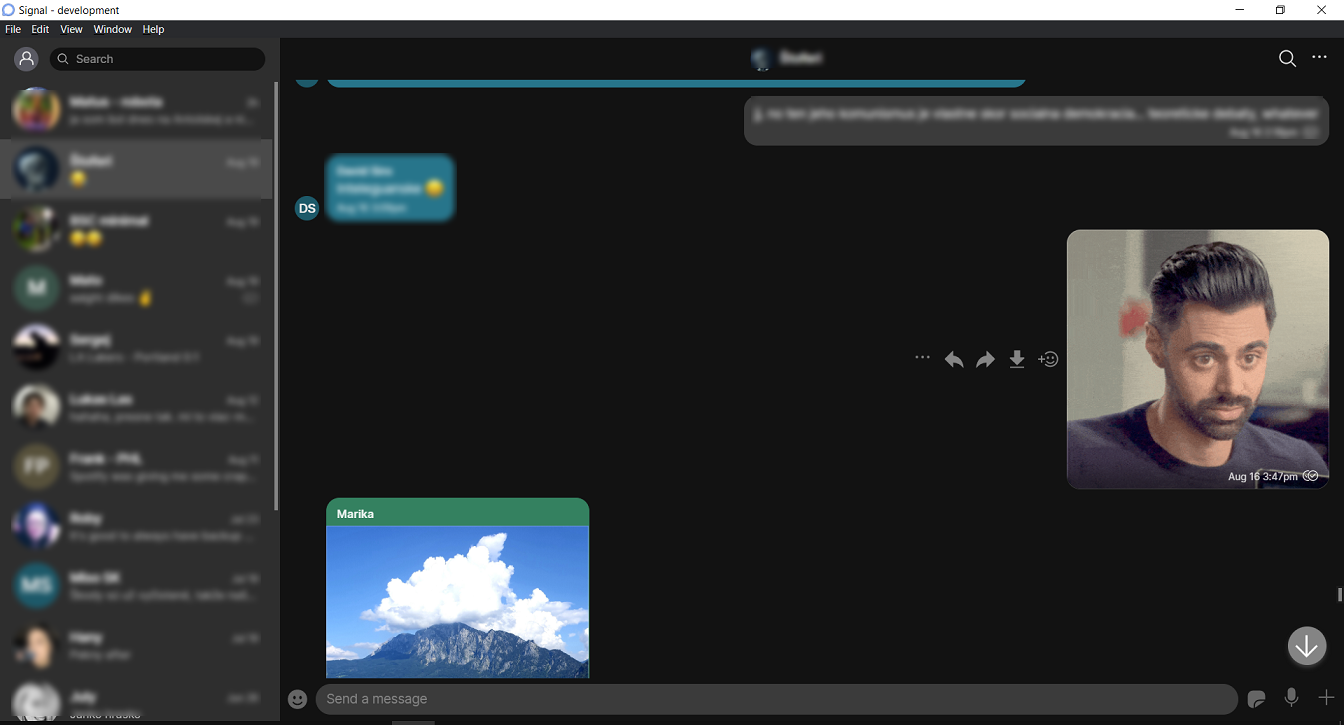
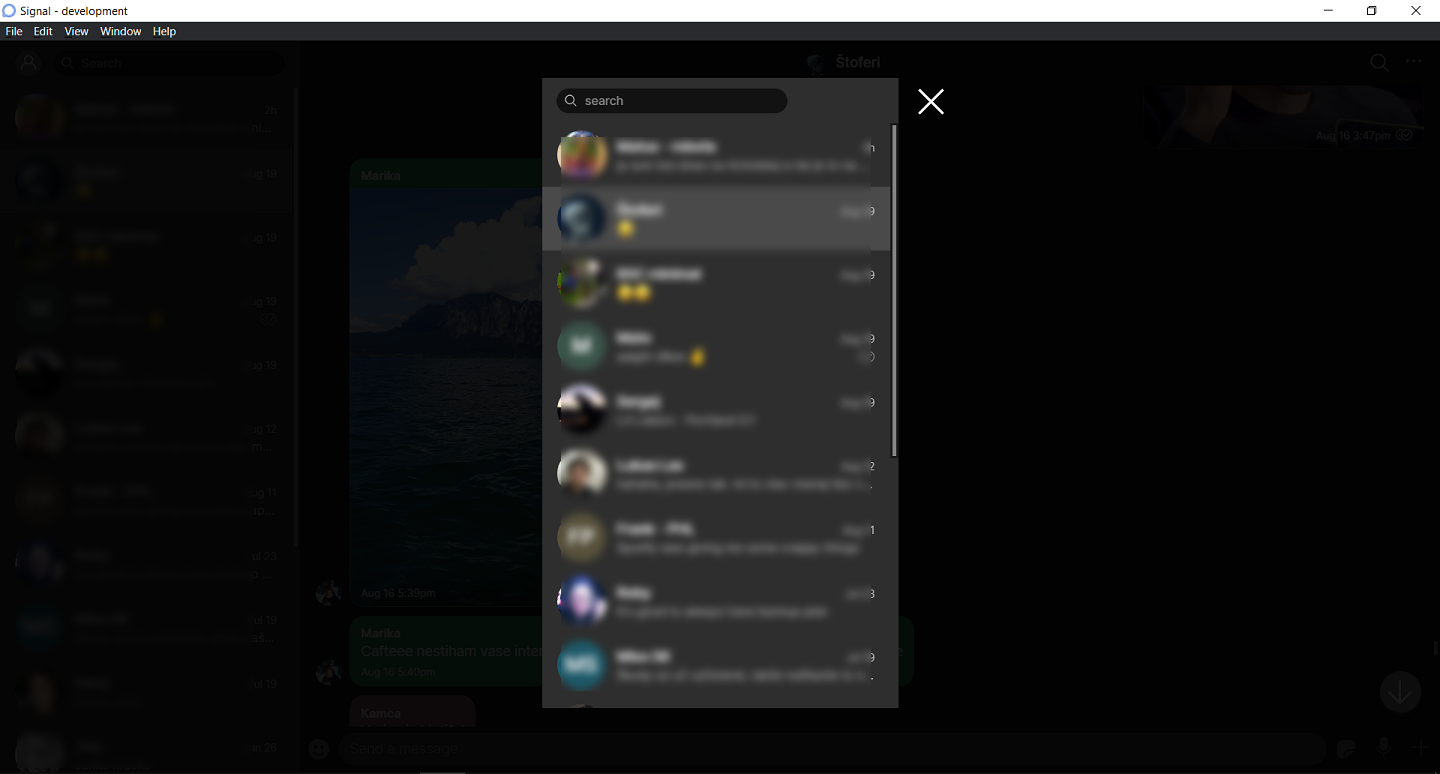
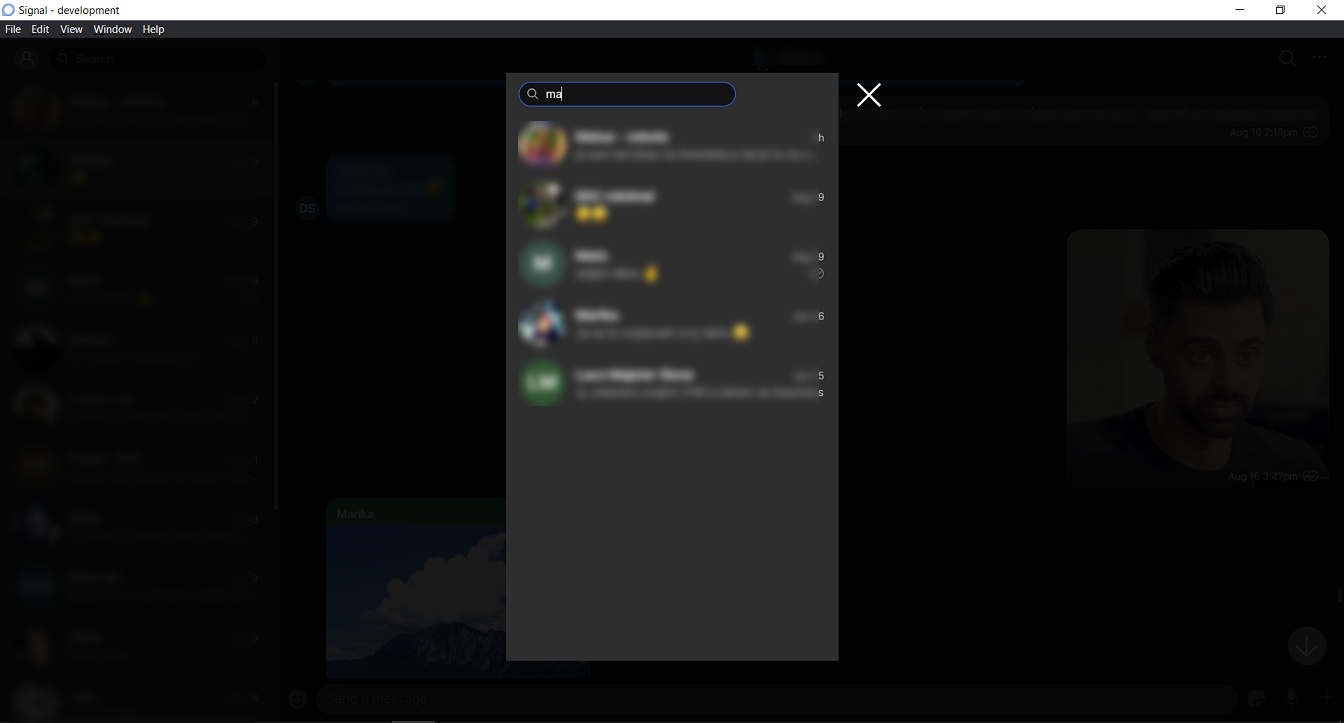
I would like to work on this. As a matter of fact, I already came up with a working solution. Here are some screenshots (had to blur out some parts because I have imported my real contacts and messages for testing):
forward btn on incoming message:
forward btn on outgoing message:
select conversation to forward to (after the user clicks on the forward button; uses the Lightbox component):
select conversation with some search input
once a conversation is selected, it is opened and the message + the attachment are stored in the draft (here I used a message with only an attachment and no text, so no text in the draft here)
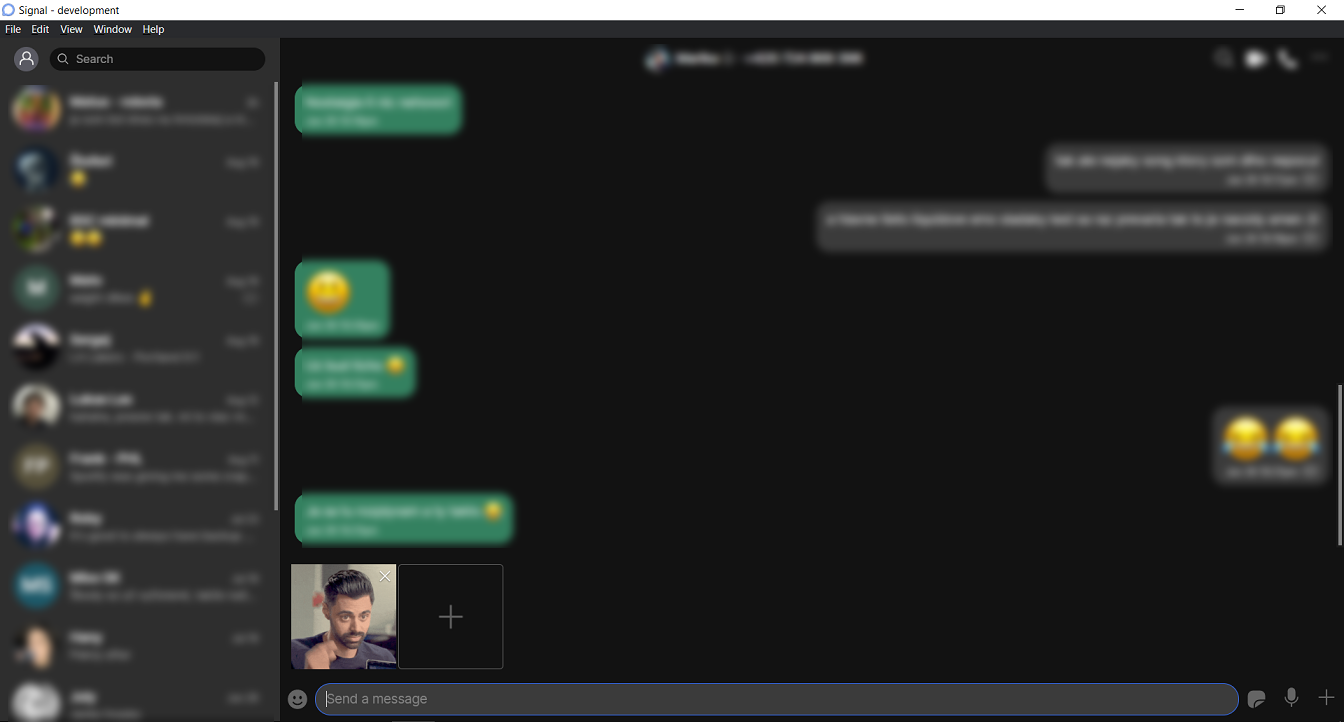
As said, I have this currently working. I still need to do some cleanup and then unit tests, so it is going to take a little more. In the meantime I would be happy to get some feedback, would this be acceptable? @kenpowers-signal
 11janci
on 27 Aug 2020
11janci
on 27 Aug 2020
Hi, looks nice. I'd like to use 1., 2. und 5. in future
Thanks for your work!
speedy-10
on 27 Aug 2020
I think screens 3 and 4 have a real potential to be confusing, since they are in the middle of a user flow. How does the user know that they're still in that flow, if they leave and come back? Ideally we probably want some sort of popup in the middle of the screen, a modal popup, with a cancel button and a header explaining what's going on, that forces the decision before they do anything else.
 scottnonnenberg-signal
on 27 Aug 2020
scottnonnenberg-signal
on 27 Aug 2020
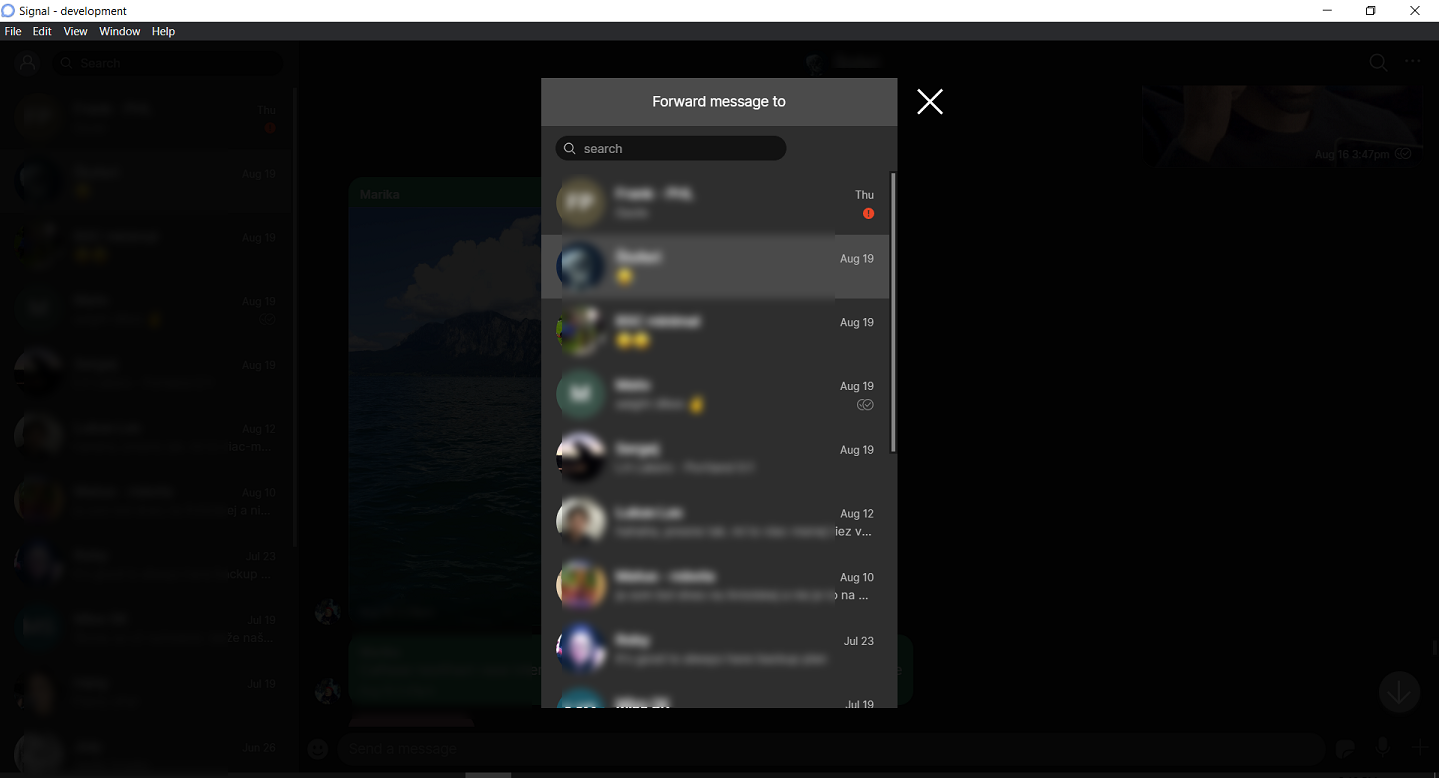
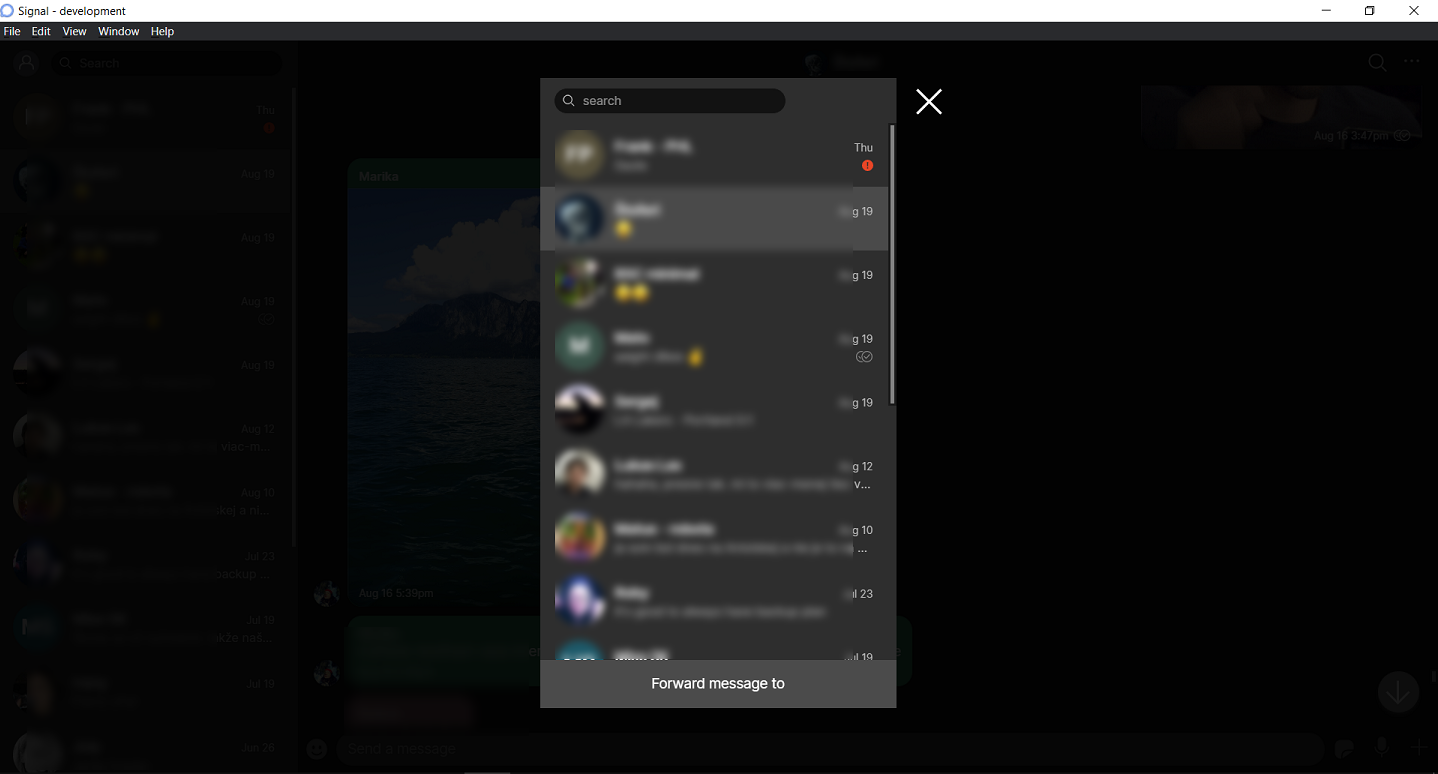
@scottnonnenberg-signal thank you for your comment. I agree about the caption - I actually had it in there but then removed it as it was causing some CSS issues. I resolved those now and am attaching screenshots with the caption below. Otherwise, I'm going to argue that it is exactly what you described - a popup in the middle of the screen (that darkens the rest of the application window), the cancel button is there, and now the caption too.
Here is the caption at the top:
And here on the bottom:
I know the app also has modal dialogs, haven't investigated those. But it would be both functionally and visually very similar to the above. Anyways, please let me know what you think.
11janci
on 30 Aug 2020
Hi, from my point of view I prefer starting to read at the top, if it was a mistake, the "x" to cancel the action is close.
Regards
speedy-10
on 30 Aug 2020
Related issues
 bcsga
·
3Comments
bcsga
·
3Comments
 petcap
·
3Comments
petcap
·
3Comments
 hanzei
·
3Comments
hanzei
·
3Comments
 jeremymasters
·
3Comments
jeremymasters
·
3Comments
 halb9
·
3Comments
halb9
·
3Comments
Most helpful comment
same as #4428
I would like to work on this. As a matter of fact, I already came up with a working solution. Here are some screenshots (had to blur out some parts because I have imported my real contacts and messages for testing):
forward btn on incoming message:

forward btn on outgoing message:

select conversation to forward to (after the user clicks on the forward button; uses the Lightbox component):

select conversation with some search input

once a conversation is selected, it is opened and the message + the attachment are stored in the draft (here I used a message with only an attachment and no text, so no text in the draft here)

As said, I have this currently working. I still need to do some cleanup and then unit tests, so it is going to take a little more. In the meantime I would be happy to get some feedback, would this be acceptable? @kenpowers-signal