Shell: Resolution change reconnects display, which moves windows to a new workspace
Distribution (run cat /etc/os-release):
Pop!_OS 20.04
Related Application and/or Package Version (run apt policy pop-shell or provide the latest commit if building locally):
https://github.com/pop-os/shell/commit/8ee8268f282b7951c2adf15992661c462450b875
Issue/Bug Description:
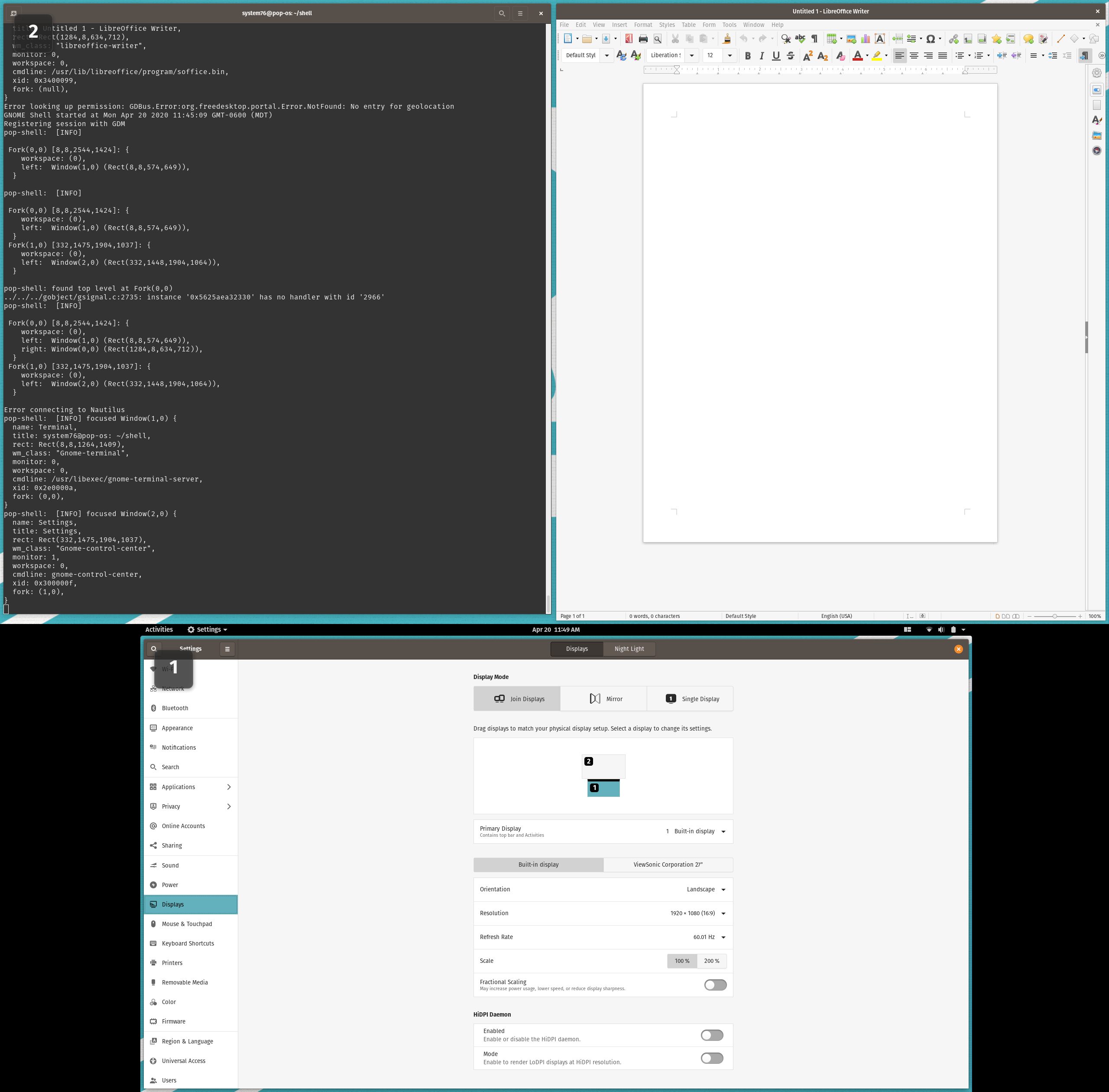
I have 2 displays set up: the laptop's internal 1920x1080 and a 2560x1440 set up above it. Here is a screenshot of what this looks like:
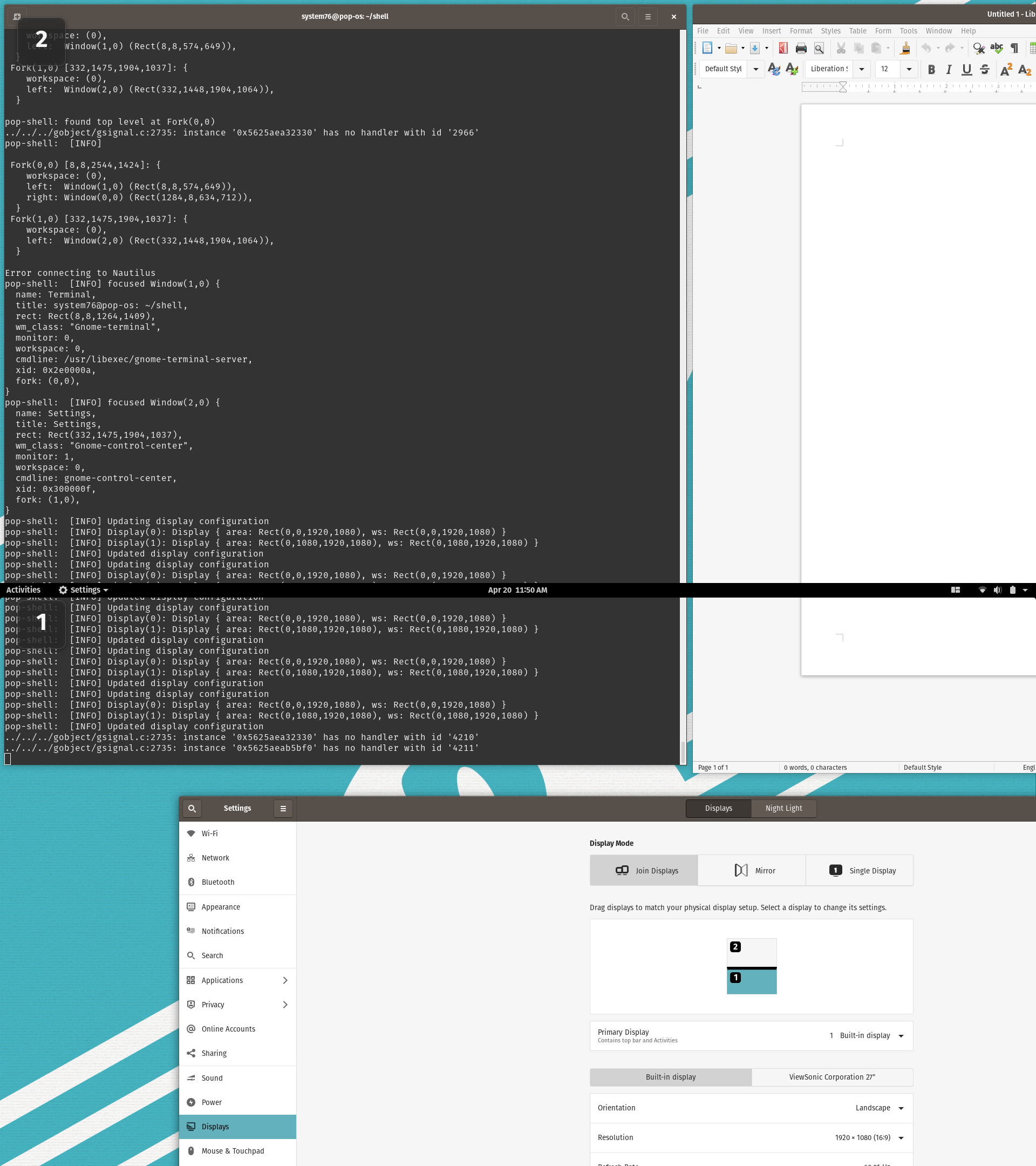
Now if I reduce the resolution of the top display to 1920x1080, the window grid stays the same size and spills off the edges.
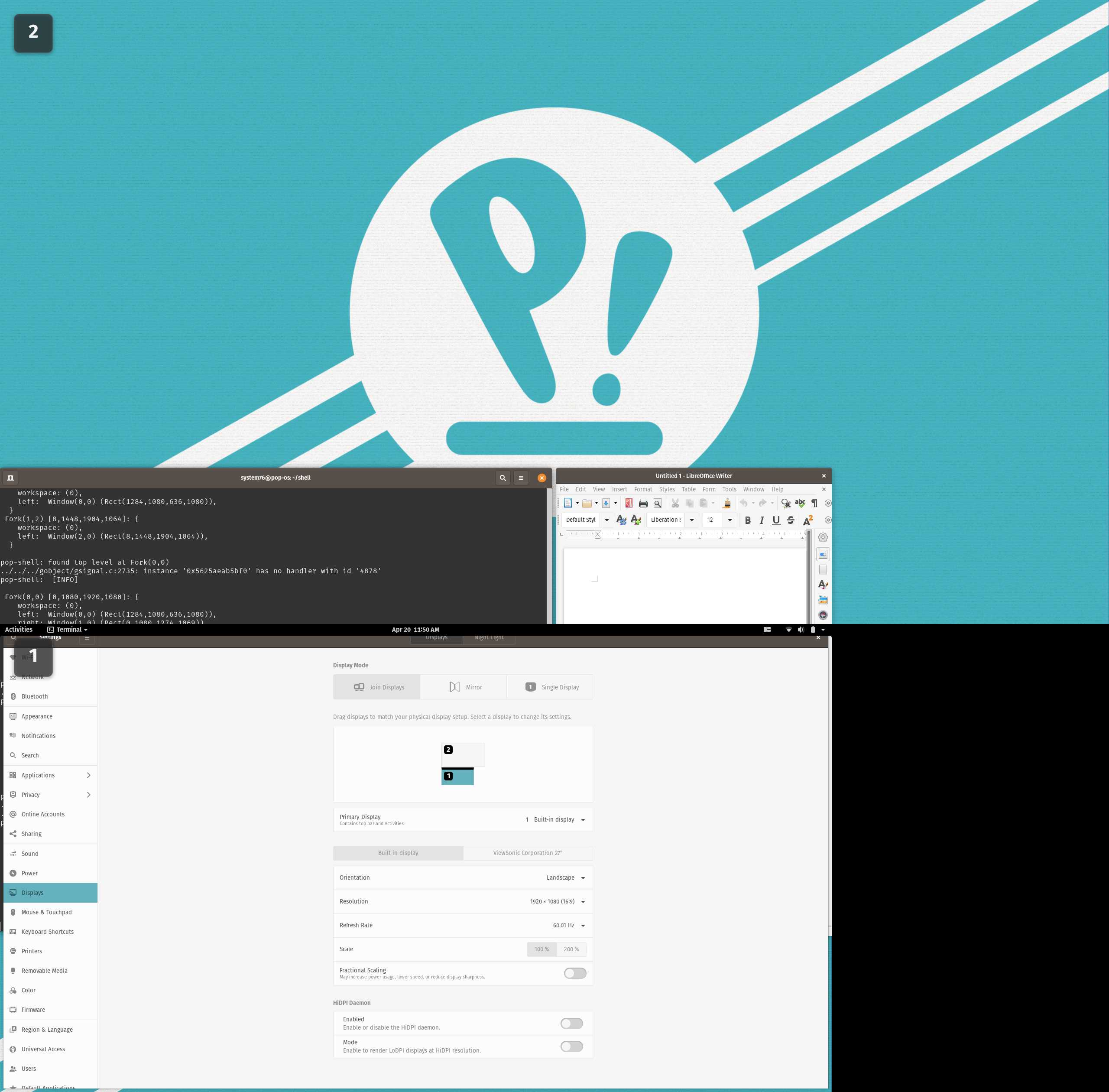
And then if I increase the resolution of the top display back to 2560x1440, it gets even scarier:
Steps to reproduce (if you know):
See above
Expected behavior:
If a resolution change triggered a re-tile, it might take care of the issue.
Other Notes:
I also noticed some similar weirdness when switching the scaling factor, but it seemed less reproducible. It may be worth investigating since it seems like the same sort of issue.
 leviport
All 7 comments
Is this still an issue?
 mmstick
on 21 Apr 2020
mmstick
on 21 Apr 2020
It looks like it now re-tiles the windows to the correct size, but the two that were on the external display get moved to a separate workspace. I wonder if a resolution change triggers the same thing that detects when a display gets removed.
leviport
on 21 Apr 2020
That sounds like what's happening. Perhaps there needs to be a timeout when displays are disconnected and reconnected after a display change.
mmstick
on 21 Apr 2020
Oh also, the part where the window on the bottom monitor gets covered by the top bar is still present. Forgot to mention that.
leviport
on 21 Apr 2020
I also see this when I leave a laptop w/ external monitor locked for an extended period.
 WatchMkr
on 21 Apr 2020
WatchMkr
on 21 Apr 2020
Is this still an issue?
mmstick
on 15 May 2020
It appears to be fixed now
leviport
on 15 May 2020
Related issues
 JoelMon
·
4Comments
JoelMon
·
4Comments
 Dark-Matter7232
·
7Comments
Dark-Matter7232
·
7Comments
 carlwgeorge
·
8Comments
carlwgeorge
·
8Comments
 ahoneybun
·
6Comments
ahoneybun
·
6Comments
 derpmatt
·
7Comments
derpmatt
·
7Comments