Scratch-gui: Control-clicking the green flag should mute the project
Expected Behavior
As in 2.0, holding control while clicking on the green flag should cause the project to run in a "muted" mode (with no sound).
Actual Behavior
The green flag does not do anything different when pressed while control is held.
Steps to Reproduce
Hold control and click on the green flag, on some project which makes sound.
Operating System and Browser
Firefox 58.0, Linux (Debian Testing).
What's the best behavior for this? This is absolutely a "hidden" feature in 2.0, so breaking or changing it is probably okay. I do think there should be a way to mute a project (whether the user is in the editor or the player view). It's a fairly popular suggestion, and I do find myself having to mute tabs frequently while listening to my own music playlist; a clearer way to turn off the sound of a project (perhaps a "mute" button near the green flag) would be useful.
May also be worth considering discussion in #332, which contains the design details for a turbo mode indicator. Scratch 2.0 has no indicator for the project being muted.
 towerofnix
All 10 comments
Here is an idea:
Shift clicking the green flag should bring four more buttons between the green flag and stop button
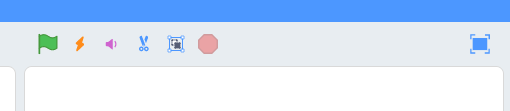
From left to right, the buttons are:
- Green flag
- Turbo mode
- Mute/unmute
- Save picture of stage to download
- Save picture of stage as sprite, costume or backdrop
- Stop
 kyleplo
on 29 Dec 2017
kyleplo
on 29 Dec 2017
I like that idea a lot, but while we're at it why not make this "turbo menu" easier to find? Perhaps also put the option to toggle it in a button up there? Or a dropdown menu?
 mrjacobbloom
on 29 Dec 2017
mrjacobbloom
on 29 Dec 2017
@mrjacobbloom It is there, you can toggle it with the second button.
kyleplo
on 31 Dec 2017
Sorry I was unclear, I meant a way to show/hide the turbo menu that's more discoverable than shift-click, like a button
mrjacobbloom
on 1 Jan 2018
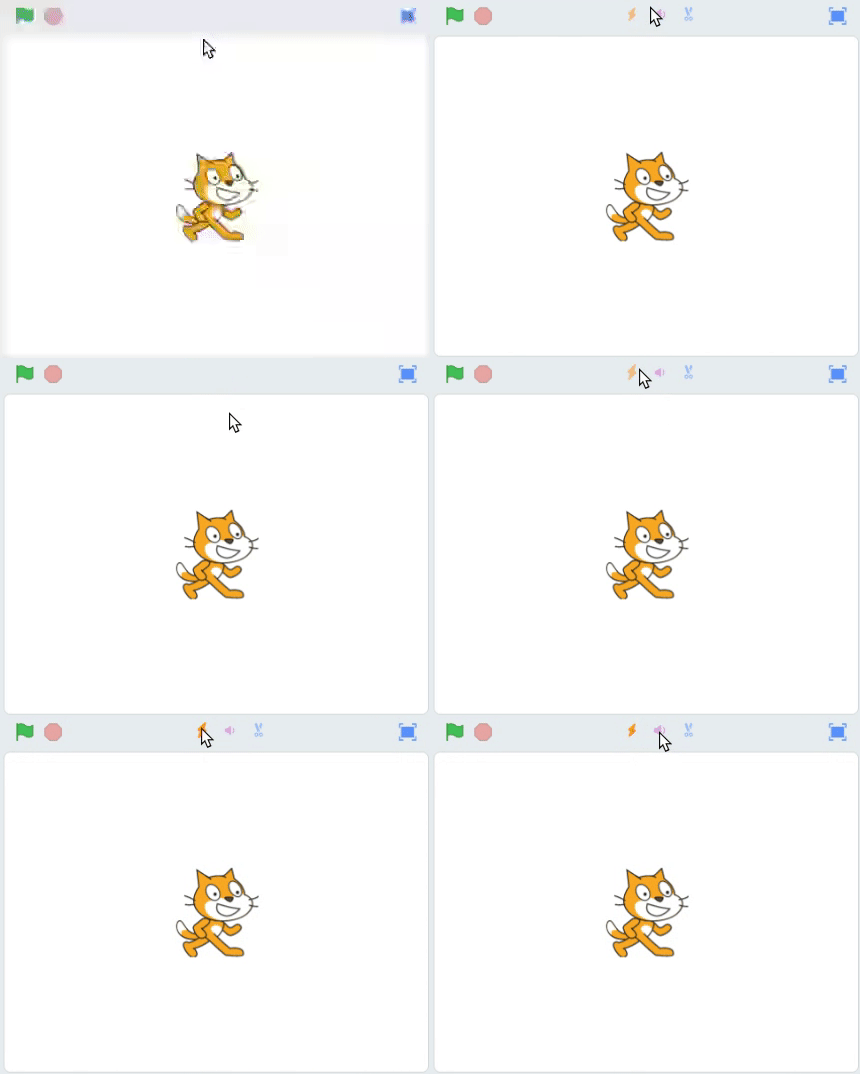
I don't know, maybe a menu somewhere. Here is another idea:
kyleplo
on 2 Jan 2018
Here is another idea:
@kyleplo that looks "secret" :) -- I mean, not that shift/ctrl-clicking the green flag is any better, but still! (Also this isn't helpful for screen readers or people tabbing to elements - how would they know to look there? And it would be surprising to find that tabbing twice from the green flag lands you on the turbo button rather than the fullscreen button.)
towerofnix
on 3 Jan 2018
I don't want this because tablets don't have "Ctrl" key
 apple502j
on 27 Jan 2018
apple502j
on 27 Jan 2018
@apple502j tablets don't have the Shift key either, not when tapping. It'll take some thought to figure out how to support this for everything.
 Kenny2github
on 27 Jan 2018
Kenny2github
on 27 Jan 2018
Double-tapping?
On Jan 26, 2018 9:47 PM, "Ken" notifications@github.com wrote:
@apple502j https://github.com/apple502j tablets don't have the Shift
key either, not when tapping. It'll take some thought to figure out how to
support this for everything.—
You are receiving this because you were mentioned.
Reply to this email directly, view it on GitHub
https://github.com/LLK/scratch-gui/issues/1028#issuecomment-360954085,
or mute the thread
https://github.com/notifications/unsubscribe-auth/AeKzQFcX4dpqn774hjItnptbMOoTwQUMks5tOo42gaJpZM4Q_D5p
.
kyleplo
on 28 Jan 2018
How about a "More" icon (for example, represented with an ellipses), which, upon selection, would expand into @kyleplo'd proposed menu. shift and ctrl clicking should probably still work.
This makes it not-secret, compact, and mobile-friendly.
 joker314
on 14 Aug 2018
joker314
on 14 Aug 2018
Related issues
 rschamp
·
3Comments
apple502j
·
4Comments
kyleplo
·
4Comments
rschamp
·
3Comments
apple502j
·
4Comments
kyleplo
·
4Comments
 TaiAurori
·
3Comments
TaiAurori
·
3Comments
 ericrosenbaum
·
4Comments
ericrosenbaum
·
4Comments
Most helpful comment
Here is an idea:

Shift clicking the green flag should bring four more buttons between the green flag and stop button
From left to right, the buttons are: