Scratch-gui: List is placed out of stage in Fullscreen
Expected Behavior
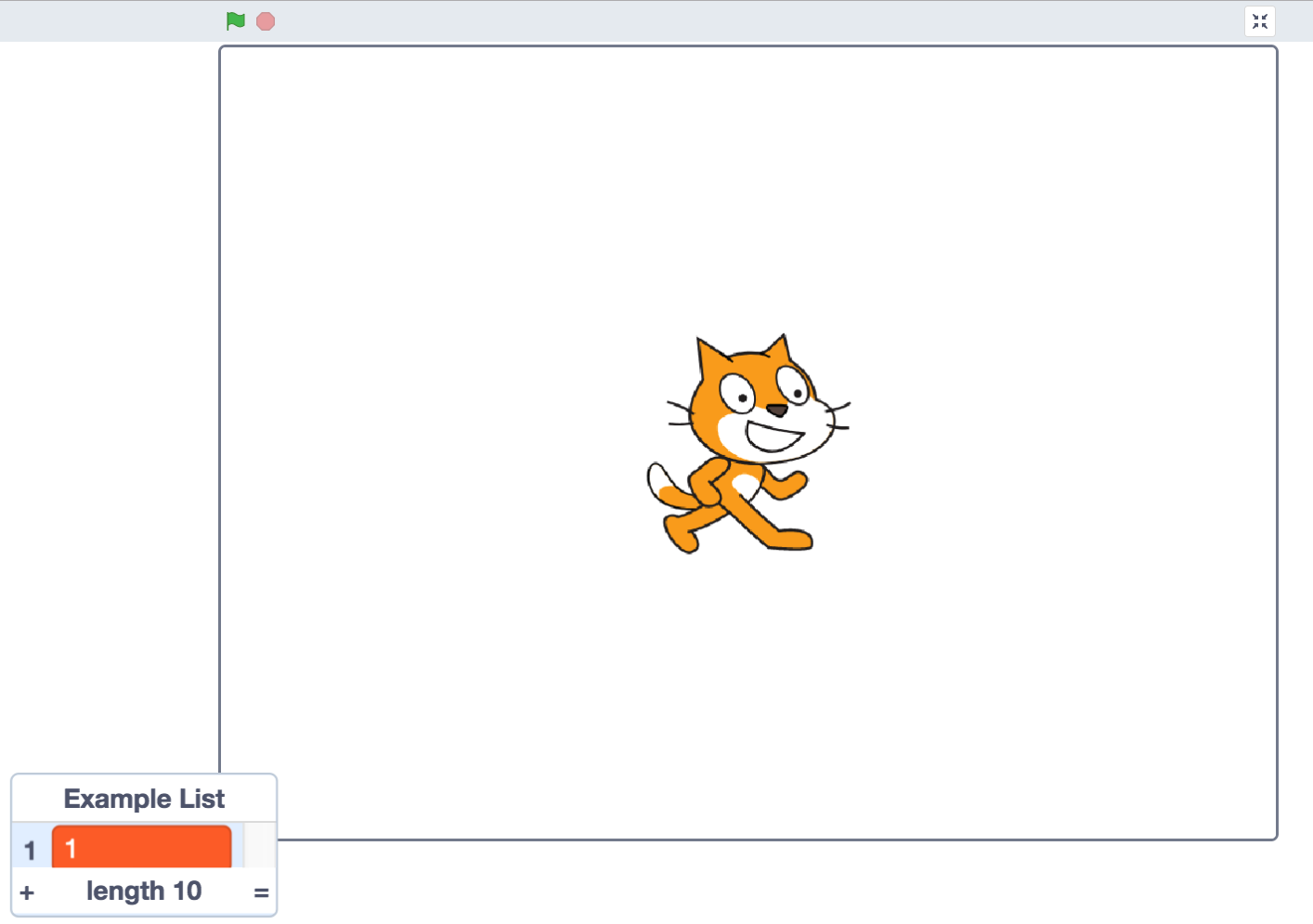
List monitor should be in the stage
Actual Behavior

List is out of stage
Steps to Reproduce
Open https://llk.github.io/scratch-gui/develop/#170126832
and https://scratch.mit.edu/projects/170126832/
Go to fullscreen
Operating System and Browser
Windows 7 HomePremium 64bit SP1
Firefox 61.0.1
 apple502j
All 4 comments
/cc @rschamp @BryceLTaylor
I'm fairly certain this is a regression.
 thisandagain
on 20 Aug 2018
thisandagain
on 20 Aug 2018
This is fairly easy to reproduce:
Create a new project in 2.0
Create a new list
Add some elements to the list
Drag the list to the bottom left corner of the screen so it sticks out past the left edge and the bottom edge.
Save the project
Open the project in 3.0
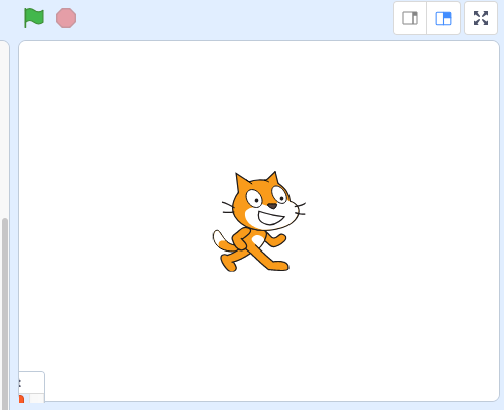
Note: the rounded corner of the stage does not block the monitor, causing the monitor to be drawn with a sharp point on the corner
Click the full screen button
Note: the monitor is drawn off both edges of the screen.
If you shrink the browser window before going into full screen and then make the browser window bigger you can see the whole monitor.
Here is another project that I made to repro this:
https://scratch.mit.edu/projects/239680602/#editor
In 3.0 you can not drag the monitor off the edge of the screen, so you need to create the project in 2.0 to see this. Should this be a compatibility issue?
 BryceLTaylor
on 20 Aug 2018
BryceLTaylor
on 20 Aug 2018
I think this is fixed @BryceLTaylor
 LiFaytheGoblin
on 24 Aug 2018
LiFaytheGoblin
on 24 Aug 2018
@LiFaytheGoblin Nope. I can definitely repro with the above project today.
BryceLTaylor
on 27 Aug 2018
Related issues
 MrBlockCat
·
4Comments
MrBlockCat
·
4Comments
 luchotc
·
4Comments
luchotc
·
4Comments
 ericrosenbaum
·
3Comments
ericrosenbaum
·
3Comments
 Richienb
·
3Comments
Richienb
·
3Comments
 chrisgarrity
·
4Comments
chrisgarrity
·
4Comments
Most helpful comment
This is fairly easy to reproduce:
Create a new project in 2.0
Create a new list
Add some elements to the list
Drag the list to the bottom left corner of the screen so it sticks out past the left edge and the bottom edge.
Save the project
Open the project in 3.0
Note: the rounded corner of the stage does not block the monitor, causing the monitor to be drawn with a sharp point on the corner
Click the full screen button
Note: the monitor is drawn off both edges of the screen.
If you shrink the browser window before going into full screen and then make the browser window bigger you can see the whole monitor.
Here is another project that I made to repro this:
https://scratch.mit.edu/projects/239680602/#editor
In 3.0 you can not drag the monitor off the edge of the screen, so you need to create the project in 2.0 to see this. Should this be a compatibility issue?