Rss-bridge: Anything special/dynamic about Facebook Feeds?
I use RSS Bridge to create feeds for a few Facebook pages, and a few Twitter pages and a few Instagram pages. Then I use FreshRSS as the feed reader. And then I'm using Rssgoemail to get notified via email when there are updates to any of my feeds.
Everything works fine for Twitter and Instagram, but for some reason when I have Facebook posts in my feed then Rssgoemail sends me an email every hour that there are new Facebook posts, even though there aren't any. Like this:
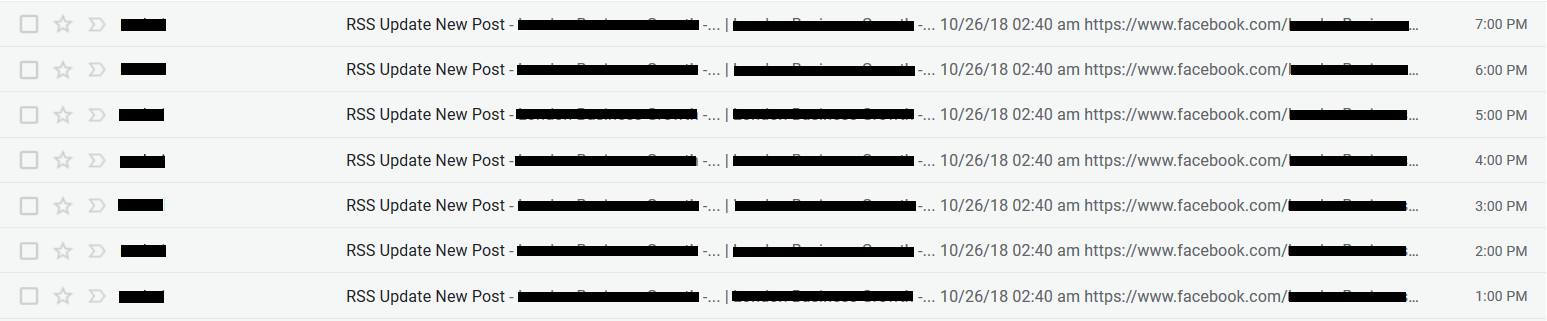
It only happens for Facebook posts, not for Instagram and not for Twitter.
I raised an issue over at Rssgoemail and the guy told me:
the detection of new entries is based on the SimplePie get_id() function, which uses the title, the permalink and the content:
return call_user_func($fn, $this->get_permalink().$this->get_title().$this->get_content());
So I removed the $this->get_permalink(). bit there to see if maybe it's the Facebook permalinks that are causing the problem. Maybe the Facebook post URLs are dynamic; that long string of characters that's appended to every Facebook post, like this:
facebook.com/xxxxxxxx&__xts__%5B0%5D=68.ARDjVQlhBi-1bSDePCXSx9aJLdFdqdSTQGSYQT3gxJcuWlchMlT8XWnjHdijL_LkS4nacEBRKXFecOust0RowPTdk9CUTastcNz-A2MSUXH5MgCQOIJ3G2LfRXsDlWtohKxgsJVHPHunQcZDfsVKk26RClJCIZXqNBmkFyhe1bon-Xk-VOzPJSSrMzECQwlN_wbDTOYuGLjonPGn3A7ZlgFpQh0&__tn__=-R
I am also asking here because FreshRSS is just the feed reader, and Rssgoemail just monitors the feeds. But RSS Bridge is what creates the feeds. You guys created the Facebook Bridge which creates the Facebook feeds.
Any idea why this is happening? What changes in the posts in the Facebook feed every 30-60 minutes? I mean it's not the post title, it's not the post content, is it the permalink, or something else?
Thank you 😃
 Legalien
All 35 comments
Facebook's URI were indeed having junk parameters added. However, since PR #806, it should be fixed.
What version of RSS-Bridge are you running ?
 teromene
on 6 Nov 2018
teromene
on 6 Nov 2018
Hey Teromene,
I'm running the latest version of RSS Bridge. I just started using it like a week ago.
I actually tried both my RSS Bridge Facebook feed and my FreshRSS Facebook feed in my Rssgoemail script, and in both feeds the Rssgoemail script recognizes the old Facebook posts as new posts all the time. I can't for the life of me figure out why 😞
I even tried removing $this->get_permalink(). from my Rssgoemail script, and this is supposed to stop detecting new entries based on the permalink, but again the old Facebook Posts are recognized as new.
Any ideas?
Legalien
on 6 Nov 2018
In theory, the detection of a new item should only be based on the uri of the element.
In most of the bridges, the content never changes if the uri is similar, but with Facebook Bridge, it changes due to Facebook adding a tracking code to every URL.
teromene
on 6 Nov 2018
Okay. So it's the content that changes then? I mean, I'm going based on what I was told over at Rssgoemail:
the detection of new entries is based on the SimplePie get_id() function, which uses the title, the permalink and the content:
return call_user_func($fn, $this->get_permalink().$this->get_title().$this->get_content());
So if I remove $this->get_content() from the code, thus preventing Rssgoemail to track changes using the content, should that fix my problem? Fixing my problem would mean that Rssgoemail doesn't detect old Facebook posts as new, but it detects the new posts as new.
Legalien
on 6 Nov 2018
Both RSS-Bridge and Rssgoemail share the culprit:
- The
get_idfunction should only base itself on the URI - The content should not change if the URI is similar.
I have pushed an update that should remove Facebook's tracking codes from their URIs. This should fix your problem.
teromene
on 6 Nov 2018
Wow, thank you so much. I mean, you don't have to do it just for me. I mean, no one else has complained about this so maybe it's just a very specific problem in my case and you pushing this update will do more hard than good (harm to a number of other people but only good for me and a few others).
I mean, you know best. I'm not gonna tell you your business. So what should I do?
Legalien
on 6 Nov 2018
It should not cause any problem, as the only thing that this update does is remove Facebook's tracking code, which is always good. We already remove these code from the URI without problems removing them from the content should not change anything. To update, you just need to pull via git or re-download the zip via Github
teromene
on 6 Nov 2018
This is Fantastic! You know, i worked so hard in the past week to set up RSS Bridge and understand it as much as possible, then to set up FreshRSS and understand it, then to set up RSSgoemail and understand it, and to make everything functional. Countless hours and hours and headaches. And then when it was all said and done and I was happy, Facebook decided to throw some hate at me 😢 😋
Wonderful, thank you so so much. So I will download the zip file via Github (I'm not sure what "pull via git" means to be honest) and then take and remove my FacebookBridge file from my server and upload the new file. Is that it? That should be all I have to do, right?
Legalien
on 6 Nov 2018
Yes, you only need to update the FacebookBridge file.
teromene
on 6 Nov 2018
Sweet 😃 I did it. Now I will re-run the Facebook Pages on RSS Bridge, just, you know, semantics. Then I will re-add the links on FreshRSS, and sit tight and see if Rssgoemail is still emailing me the old posts as new constantly.
Will report back on success or fail. Thank you thank you thank you! 😃
Legalien
on 6 Nov 2018
So here's what happened. I implemented the FacebookBridge update and set up my 2 Facebook feeds like before. That's 2 Facebook feeds each containing 5 posts on it. Before the update I would receive an email every hour with all 5+5=10 posts in it. Like so:
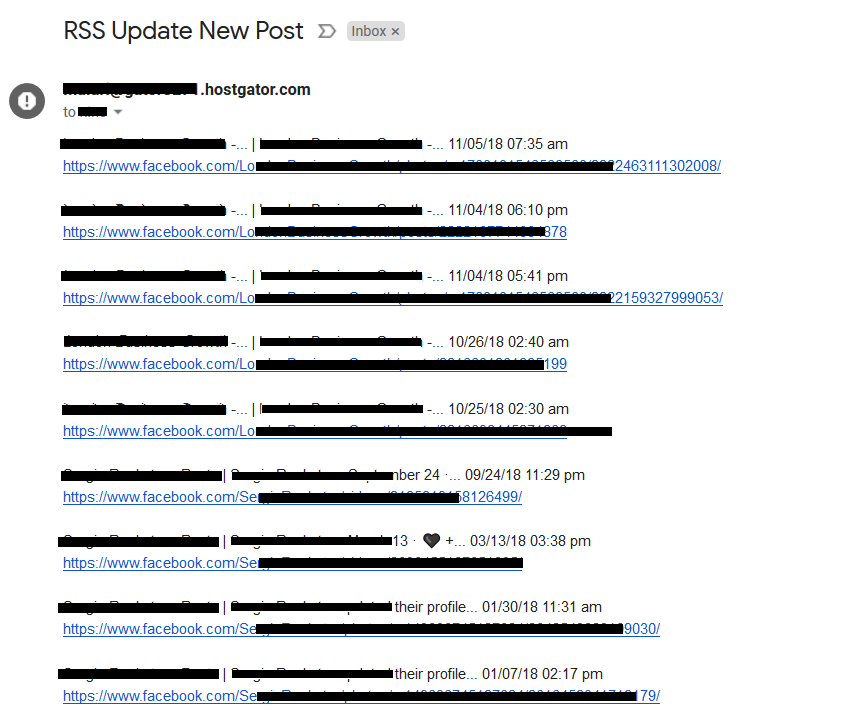
One post is missing from the screenshot... no matter...
After the update I'm still receiving the email every hour, but now it only has 1 post in it. It's the latest post from one of the pages. Like so:
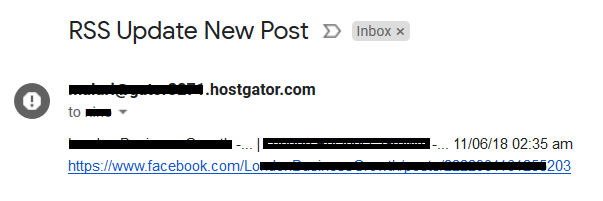
And that's not a pinned post or anything weird. It's just a normal regular post.
So now I'm thinking the update you did @teromene worked, but not all the way. But I didn't want to come bother you before I tested it some more, so what I did was I created 2 new feeds of different Facebook pages and I added them to Rssgoemail. The first run happened and the new feeds content was loaded and cached. Then on the hour I received the email again, containing only that 1 post from that same 1 Facebook feed as before. Then another hour went by, and again the same thing happened.
By the way, just for testing purposes, the 2 new feeds I added, one of them has a Pinned post and the other doesn't. You know how you can pin a post to always be on top of the Facebook page. But no, everything works fine on all feeds except that one feed and that one post.
I hate it when it doesn't make sense. I don't have much coding/rss/magic knowledge to fall back on, so when it doesn't make sense then there's nothing I can try. That one Facebook page/post that's being problematic, that page tends to update once per day. So when it updates again today or tomorrow I'll see if it continues sending me that same email/post every hour or not - at this point it wouldn't be the latest post, but the second in line - or if it now starts sending me the latest post every hour, or if it stops doing this.
That's all I've got. I mean, the problem is basically solved, but for that one little annoying page that seems stuck in some weird loop. Any ideas?
Legalien
on 6 Nov 2018
Could you give me the link to the facebook page that is generating this faulty feed ? It will help me investigate what's going on
teromene
on 7 Nov 2018
Yes of course. So here's how things went last night for the past 10 hours. I continued to receive an email every hour.
- The same old post
- The same old post
- The same old post
- The same old post
- The same old post
- The same old post + another old post (same page)
- The same old post + new post published today (it correctly sent me the new post)
- New post published today + old post from one of the other FB feeds I have in rotation (post published in March)
- New post published today
- New post published today
So it seems it always keeps sending me the last post published on that one page, and on occasion it picks up a post from one of the other pages too.
The page (I removed link after this was completed)
The RSS Bridge Feed (I removed link after this was completed)
The FreshRSS Feed (I removed link after this was completed)
Other page (I removed link after this was completed)
Other page RSS Bridge Feed (I removed link after this was completed)
Other page FreshRSS Feed (I removed link after this was completed)
Maybe Facebook sometimes adds a tracking code to some posts differently or something. I have no idea why this is happening. Because the update you did yesterday certainly worked. Before the update I would receive in the email ALL posts from ALL Facebook pages I am using every hour. After the update I'm only receiving in the email 1 post from 1 page, and on occasion a random post from another page.
So let me know if you need anything else from me or if there's anything I can do.
Thanks 😃
Legalien
on 7 Nov 2018
Another hour just went by. Again I received an email like in Point 8. Like so:
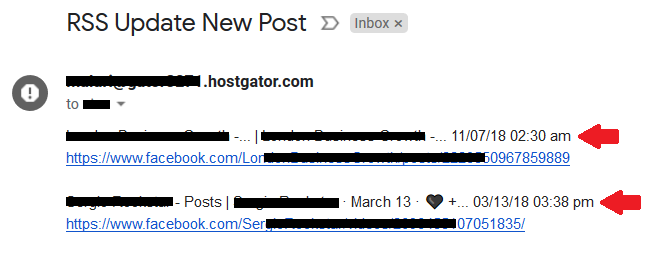
Legalien
on 7 Nov 2018
So the next email arrived. It has only the latest post from that same page as usual.
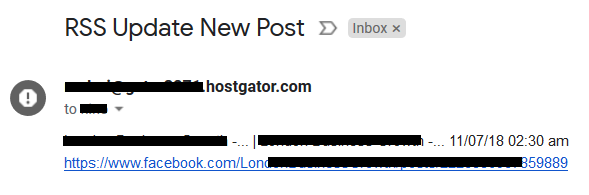
EDIT: Since the screenshot above I received another one just like it, and now I received another one, like so:
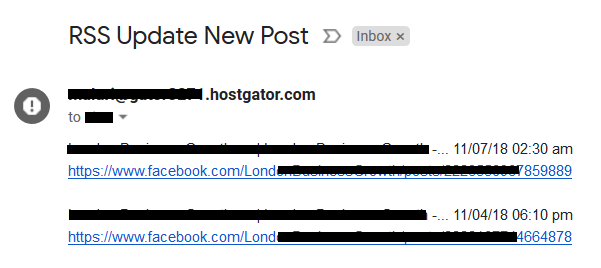
That's the same latest post, plus another random old one 😕
It's technology - https://www.youtube.com/watch?v=NN1ctbKoXTc 😢 😄
Legalien
on 7 Nov 2018
The problem is with the tag in the Instagram link. The problem is that we can't remove the parameters for every link, as some may be legitimate and whitelisting all the links that need cleaning is an endless task.
An easier solution for you would be to modify this line that you mentionned earlier:
return call_user_func($fn, $this->get_permalink().$this->get_title().$this->get_content());
would become
return call_user_func($fn, $this->get_permalink().$this->get_title());
This should fix your problem.
teromene
on 7 Nov 2018
You're the man man! Um... unless you're a woman... in which case you're the woman girl!!! 😃
Okay I'll go implement that now and will report back with results.
This is not likely to render my Rssgoemail non functional or semi-functional, right? I mean, even if it doesn't call on the content in order to spot differences, I believe title and permalink is more than enough. I mean any new post on any blog or social network will always have a different title... and in the rare case where it doesn't, the permalink is unique 100% of the time.
I'm glad we touched on Instagram though. You know, on occasion Rssgoemail also sends me an email with older Instagram posts from an Instagram feed I added. You think this will fix it? Or would a solution require something similar to the update you did on the FacebookBridge, to where the tracking codes are removed from their URIs? I suspect perhaps Instagram also has tracking codes in the URLs, because Instagram and Facebook are the same company basically, so it would make sense that they would be implementing the same crap 😋
Legalien
on 7 Nov 2018
It shouldn't break anything: As I previously mentioned, the RSS specification clearly mentions that every element must have a different URI if they wanna be considered different elements
About the tracking from instagram, it may also be that the image's signature are different.
teromene
on 7 Nov 2018
Awesome, thank you. I will test it out thoroughly in the next few hours and I'll let you know how it goes.
The cron just ran a minute ago after I implemented the change, and it sent me an email with a few posts from each feed (all of them - Instagram, Twitter, Facebook). I'm assuming it's just "restarting" because of the change I made. And now that the new cache is created under the current settings, well, I shouldn't receive any more "wrong" emails.
I'll let you know how it goes. Thanks again 😃
Legalien
on 7 Nov 2018
@teromene it's working PERFECTLY now!!!!! 💘 ❤️ 😍
So after I removed $this->get_content() I waited and no false emails arrived. Then I added another Facebook page, and after it was cached I made a post. On next cron run I got an email informing me of the new post. Fantastic! Then I added another Instagram feed and Twitter feed, and after they were cached I made a post on each and waited. On the next cron run I received an email about the new posts. Fantastic!
Then I waited a few hours to see if any false emails arrive, and nothing, it's perfect now, it's everything I've been working to achieve for the past 10 days or so 👍 💯 🥇
By the way, I couldn't have completed this without you in a million years. And it's my birthday today, so thank you so much for the gift 😃
That said (last thing, seriously, promise), in one of the emails I received I got this:

And I checked on FreshRSS and it had this:
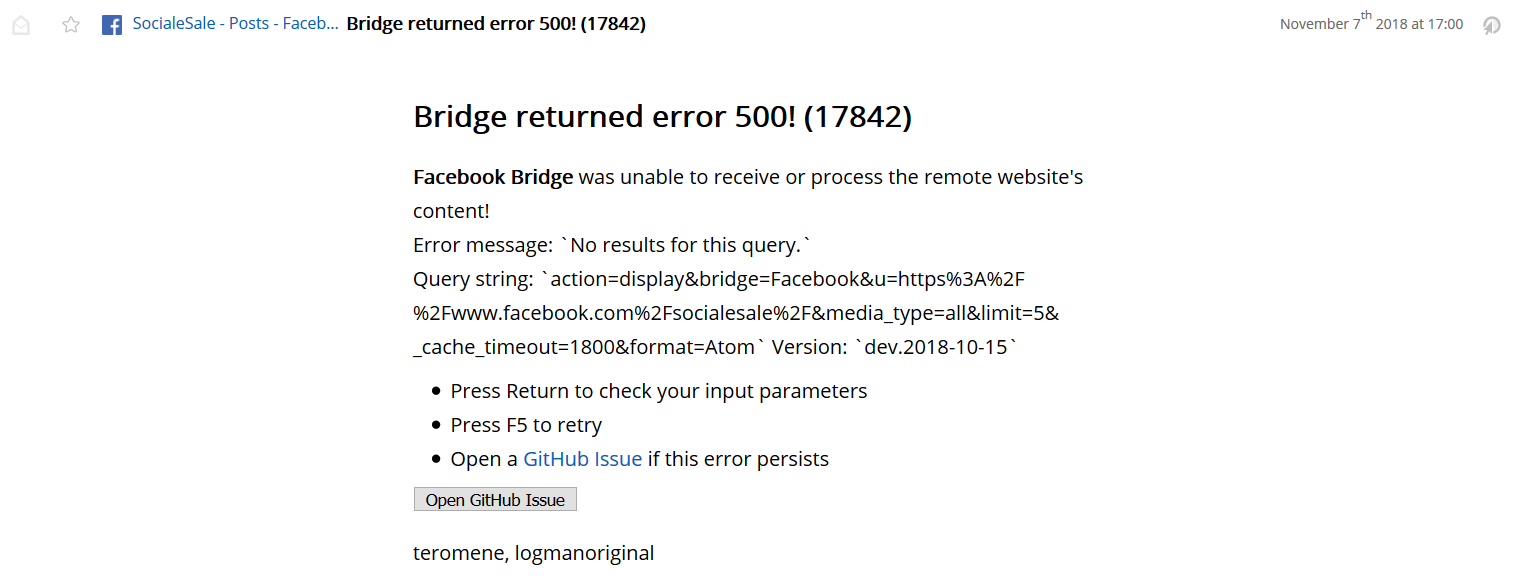
I did a bit of research on RSS Bridge and saw others had this problem because of captchas. But I think I read that you guys solved it by changing the way that RSS Bridge scrapes the posts. It may have been just a momentary glitch. It hasn't happened ever before or since.
But let me ask. I have the cache for my Facebook feeds at 1800 = 30 minutes. You think I should increase it just to be on the safe side or is that good enough? I think it's not too fast at 30 minutes. But you would know better.?
Legalien
on 8 Nov 2018
The problem with captcha is not solved, but is not very frequent and should happen only occasionally.
About the timeout: as long as you don't post more than 10 posts every 30 minutes, it should be fine.
teromene
on 8 Nov 2018
The problem with captcha is not solved, but is not very frequent and should happen only occasionally.
About the timeout: as long as you don't post more than 10 posts every 30 minutes, it should be fine.
Awesome. No biggie, it's no problem. Everything is working perfectly. Keep up the great work! 😃
Legalien
on 8 Nov 2018
I guess we can close this ?
teromene
on 10 Nov 2018
Hey guys,
So here I am again :)
About 2-3 months the same thing started happening. Old Facebook posts keep getting recognized as new over and over again.
Last time you told me:
"In theory, the detection of a new item should only be based on the uri of the element.
In most of the bridges, the content never changes if the uri is similar, but with Facebook Bridge,
it changes due to Facebook adding a tracking code to every URL."
Also:
"Both RSS-Bridge and Rssgoemail share the culprit:
The get_id function should only base itself on the URI
The content should not change if the URI is similar.
I have pushed an update that should remove Facebook's tracking codes from their URIs. This should fix your problem."
Was there a new fix implemented for this in the plugin?
Thanks
Legalien
on 27 Jul 2019
Maybe Facebook added a new tracking code that we don't remove
I'll check
teromene
on 29 Jul 2019
Can you share the link to the page that you are using ? Cause I can't reproduce
teromene
on 29 Jul 2019
Hey Teromene,
Thanks for replying. I was wondering if you would :)
Let me just say that I haven't updated anything since November 2018. Not that I didn't want to, but things worked and worked well, and I didn't have to. And I'm always worried I'll update something and it won't work, and then I'll restore the backup and that won't work either, and I'll have a mess on my hands. So I'm not very friendly to updating things generally speaking, especially when I didn't create them and have no idea how to fix them 😄
Okay, here are 2 pages (these are the latest post on each page that keep getting recognized as new):
http://bit.ly/2Yfb5Ef
http://bit.ly/2KhW36U
What happens is I have Rssbridge to create feed, and Freshrss to refresh feed, and Rssgoemail to send me email every time there is a new post. And it works well for Twitter and Instagram and even Facebook, but since about 2 months ago some Facebook posts just keep getting recognized as new and then I keep getting emails. But I have to always check each email in case there's also an actual new post inside, and it's just such a waste of time, you know.
I hope you can help. Let me know if you need anything else from me.
Thanks 😄
Legalien
on 31 Jul 2019
You should update to the latest release, as I cannot reproduce on my side.
teromene
on 31 Jul 2019
Okay let me try that.
Would it be enough to update the "FacebookBridge" file, or should I update the entire thing (so remove everything from my hosting and upload the entire Rssbridge again)?
Legalien
on 31 Jul 2019
Depending on the version you are updating from. If the version is relatively recent, updating just the file might be enough.
Otherwise, I recommend reuploading the full source
teromene
on 31 Jul 2019
Well, then I'll probably have to update the full source. I haven't updated since November 2018.
Is there any way for me to update and still keep the active feeds, or would I have to update and then insert the feeds I need all over again?
Thanks for your help 😄
Legalien
on 31 Jul 2019
You can backup the whitelist.txt and config.ini.php files. You will be able to keep all your feeds
teromene
on 31 Jul 2019
Okay. Let's do this thing 🔋 ✊
Legalien
on 31 Jul 2019
Ooooookay.
I downloaded Whitelist.txt and config.ini.php
Then I backed up the folder just in case and downloaded the zip
Then I deleted the folder and uploaded the new freshly downloaded file of Rss-bridge
Then I uploaded Whitelist.txt and config.ini.php in the folder
Well all right.. the feeds seem to all still be there and functional. Sweet 😄
Let's see if it solves the problem. I'll report back soon.
Legalien
on 31 Jul 2019
It seems that did it. All is well with the world now. Thank you :)
Legalien
on 1 Aug 2019
Related issues
 cmsitee
·
7Comments
teromene
·
5Comments
cmsitee
·
7Comments
teromene
·
5Comments
 devianlee
·
4Comments
devianlee
·
4Comments
 captn3m0
·
10Comments
captn3m0
·
10Comments
 WebworkrNet
·
8Comments
WebworkrNet
·
8Comments
Most helpful comment
It shouldn't break anything: As I previously mentioned, the RSS specification clearly mentions that every element must have a different URI if they wanna be considered different elements
About the tracking from instagram, it may also be that the image's signature are different.