Prusa-firmware: MMU 2.0 load / unload issue
Firmware version:
3.4.0 final
Tested:
Provided Gcodes for the MMU v2.0
Filaments used:
Prusa / fillamentum filaments
I have tested several times the provided Gcodes and have recognized several issues with the load / unload sequence which causes that I cannot even run one print without any issue. Most problematic is the missing layers.
Issue 1:
Finda detects filament but get`s stuck in the orange PTFE tube (the longer one to the extruder) which causes the filament to never reach the extruder and I get missing layers in the print
The above mentioned issue can happen for several reasons, the main problem is, that the filament sensor on the extruder is not used and this leads to an not detected loading issue
Solution:
Optional enable the filament sensor, for most of the materials it works as it is supposed to work only for some filaments this cannot be used, but without the filament sensor it will be never stable!
Issue 2:
Sometimes it can happen because of stringing on the filament that the finda detects too early the filament and the filament does not reach the extruder far enough, which causes missing layers.
Solution:
Move the extruder gears synchron with the MMU gear to load to filament farer which can reduce the faults by a significant factor.
Issue 3:
The filament cannot be unloaded from the extruder (because of a small clog which could be fixed with some hand force when the extruder is hot). The problem is after the messagebox appears on the printer the extruder temperatur is switched off. When I try to unload the filament now, I cannot get it out of the extruder because preheat is not possible. The MMU message needs the possibility to preheat before trying to fix the issue otherwise there is only a cold pull possible.
Solution:
Preheat possibility at the MMU message.
Already tested and checked:
- MMU idler screws force (tested different forces)
- Extruder idler screws force (tested different forces)
- Print temperatur changed +-5°
- Center of the gears (the filament passes perfectly in the middle)
- Checked the assembly of the MMU (bearings etc. moves freely)
This issues mentioned above are not only detected from me, there are several other people with the same / similar issues and we cannot use the MMU as it is supposed at the moment.


 danielegger1
All 147 comments
I am experiencing the same issues
 gblairza
on 18 Sep 2018
gblairza
on 18 Sep 2018
I have the same problems. The suggested solutions sounds good.
 drmaettu
on 18 Sep 2018
drmaettu
on 18 Sep 2018
I had alot of issues when I first got my MMU2. Most were stringing issues. I have greatly reduced stringing by lowering print temps and increasing ramming settings. I also calibrated my bowden length, which has also helped (please add bowden length calibration to setup guide)
One of the problems that remain is MMU2 + MK3 is unable to detect a lack of filament in MK3 extruder. It seems like the mmu2 can only detect that filament is loaded or missing from mmu unit (finda). But it cant detect a lack of filament moving/being feed into mk3 extruder.......this leads to entire colors/filament missing in mmu prints. Just because filament feeds from mmu doesnt mean the extruder has filament.....
Is the filament sensor in mk3 extruder disabled, when mmu is in use??
 mylife4aiurr
on 18 Sep 2018
mylife4aiurr
on 18 Sep 2018
Same issues here. Latest from support was to re-flash the firmware, but I have already done this 4 times already. The MMU is no where near the state it needs to be in for me to feel comfortable leaving it alone, and expecting a print to finish with no issues!
Has a very beta testing feel to it.
 darrellcfol
on 19 Sep 2018
darrellcfol
on 19 Sep 2018
I just had another fail. I dont know, what can i try yet. This is not even beta testing, this is in alpha state. I'm very frustrated right now. Since 12 days and minimum 1 kg of filament i was never able to have one single successful print
drmaettu
on 19 Sep 2018
Slice it and forget it index -
MK3: - A to A+
MK3 with MMU2: F to D-
I'll try and help you. But I'm still getting the issue I mentioned above myself.
1st step calibrate your bowden length.
Use filament prusa has tested. Prusa, hatchbox, etc - any filament in MMU2 profile.
If you are still getting stringing with prusa tested filaments, reduce temps....
If that doesn't work, increase ramming settings also.
For Inland pla which isn't a Prusa tested filament I had to lower temps and increase ramming. That's reduced stringing, but I'm still having failures because of problem mentioned above....
mylife4aiurr
on 19 Sep 2018
Yeah, i love the mk3. Its a wonderful machine. But the MMU2 is just not ready. At least it isnt for me.
What and where is ramming?
drmaettu
on 19 Sep 2018
I truly understand prusa as the first units which goes to new users will bring up new issues. I am sure that the bugs will be fixed soon. The most important thing from development point of view is, that they will get as much details as possible, so it will be easier for them to analyze and develope it. I am also disappointed about my MMU at the moment, as it does not work as it is supposed to work, but I am also sure that they will release a new firmware soon that we can get our prints out of the MMU as they are supposed to be.
Please all of you if you see posts about MMU problems let them know to insert some comments here.
From my side I have hopefully explained as much as I can but please guys put in some more picture, details, informations about your problem for the developers.
danielegger1
on 19 Sep 2018
Yeah, i love the mk3. Its a wonderful machine. But the MMU2 is just not ready. At least it isnt for me.
What and where is ramming?
There is a better, more accurate explanation in slic3er of what ramming is/does.
Pulling hot filament from extruder and then moving it back and forth thru bondtech gears to shape it better for later reinsertation when that color/filament is needed again. If ramming isn't done filament tip may be to big or to stringy to go back into extruder later. But ramming adds to total print time. Also this is going to be very very filament specific. Some filaments need more ramming, some need less. Similar to retraction tweaking, temperature plays a big role.
Ramming settings are active if mmu printer profile is active. Then goto filament tab, then advanced.
mylife4aiurr
on 19 Sep 2018

MK3 + MMU2 has no idea the green isnt feeding into extruder. As you can see in the photo the yellow is higher then the green. So yellow is feeding correctly, green is not. But finda says there's green filament. so it will continue with print.
Eventually it may self correct but thats a maybe. Layers skipped = Print is trashed. And I have to babysit printer because it cant catch this condition.
mylife4aiurr
on 20 Sep 2018
Has anyone here experienced the retraction difference on occasion?
What I have seen (with the same tension on the MMU idler door) sometimes the MMU will retract the filament where it’s tucked in the body and sometimes the filament is sticking out of the body just a little.
I’ve had a busy week and shelved it, but I will try the ramming in Slic3r tomorrow. Really not looking for more failed prints though because it’s very frustrating.
Glad I stumbled upon this because I don’t feel alone anymore though I had a feeling since they have been shipping for weeks and I haven’t seen many people bragging and showing off prints. If the “thousands” that have shipped surely I should have seen more posting completed prints.
darrellcfol
on 20 Sep 2018
@PavelSindler @XPila
This is another attempt at printing this fidget cube, requested by my son. This time I got farther - yes. The point however is the mk3 + mmu2 cant detect when filament is present in mmu but not mk3 extruder. This leads to missing layers. On this particular print it happened in the green and yellow. (This is not the quality I'm accustomed to from my MK3, please address this)
Especially if end user isn't the best at building or tweaking despite excellent instructions and build videos, the mk3 + mmu2 needs to be able to catch this condition.


mylife4aiurr
on 20 Sep 2018
I know the feeling... My daughter wants an Om Nom and my son wants a Batman

darrellcfol
on 20 Sep 2018
That is brutal. I am so sorry that you are struggling so hard to fulfill the kid's wishes:-(
 stahlfabrik
on 20 Sep 2018
stahlfabrik
on 20 Sep 2018
I think I downloaded all those same models from thingiverse...... hope a fix is released soon.
At 1st I thought I was the only 1 having issues. Your failures make me sad for us all.
But still no acknowledgement of this issue here or Prusa's forums
mylife4aiurr
on 20 Sep 2018
I was told to email them with videos of what was happening and after days of waiting all I got back was to re-flash the firmware which I have already done multiple times.
I also hope a fix is in place soon!
darrellcfol
on 20 Sep 2018
Thank you for these information. We will look on it closer.
 PavelSindler
on 20 Sep 2018
PavelSindler
on 20 Sep 2018
Looks like we need to buy some Prusament urgently :D
danielegger1
on 20 Sep 2018
Just placed an order
darrellcfol
on 20 Sep 2018
So i had one single print that wasnt failing in each day, several hours, lots of filament, huge amount of swearing, fiddling, taking it apart, reassemble. I think, for now im done with it. I don't have the patience, willing, energy anymore for one failure after another. I will put it aside, until prusa can solve this problems
drmaettu
on 20 Sep 2018
Trying the Om Nom again now.
1)Tweaked the ramming to 3.5 and print temp from 205 to 200.
2)Re-flashed the MK3 and MMU boards.
3)Set the Bowden length again.
4)Cold pull on nozzle
5)First Layer calibration
6)Cut New tips
7)Load all for Filament
Filament sensor is on, but I have not had a layer change yet. Will post an update later!
darrellcfol
on 21 Sep 2018
Failed to load on one layer, then it was able to load on the next layer. Filament sensor didn’t care.

darrellcfol
on 21 Sep 2018
Chris Warkocki shared some useful tips to get good tips 😉
https://www.youtube.com/watch?v=v1h-S7bxPEE
 murphy2712
on 21 Sep 2018
murphy2712
on 21 Sep 2018
Issues also, I have good points by messing with ramming and retraction but the issue I'm having is the "bowden length" programming. Since you can only set it with number 1 I have to set it to skip 3 times to make #2,#3 and #4 to work properly, they will barely grab. Then #5 makes 3 skips also. I don't know if somehow vibration makes the filament slide back when another one is being used or when positioning. I aligned everything with a 2 mm gage pin and checked tensions over and over, alignments are good and smooth. I tried 3 ways of setting the spools, all side by side, spaced out and elevated with the same exact results. I twisted the PTFE tubes made them straight as possible, put a loom on them a few inches down from the MMU with same results. I also notice that the "bowden length" changes. It will start with the #1 3 skips but about an hour in it will not be skipping anymore and then the other 3 filaments will not hand off which means you are printing air because there is no sensor at that point. I would rather have an option to turn the filament sensor on or off or placing a FINDA at the extruder might be another solution. I can get through a test I do that goes through all 5 colors in about 22 minutes but once you go to a real print something always goes wrong :(

 xStolix
on 21 Sep 2018
xStolix
on 21 Sep 2018
Great video linked above. It helped me with two areas of friction that was causing the main issues.
Still think that a proper “handshake” between the FINDA and the filament sensor at the extruder is a must and it would practically make it indestructible.
Slight bleed because I didn’t mess with the purge out length from blue, but we have a happy dad and very happy little girl in the house currently!!!


darrellcfol
on 21 Sep 2018
@Blanchard3d looks like your FINDA is lower than mine in the picture but it could be the angle of the picture. I’ll check mine when I get back home.
Maybe not... might just be the angle

darrellcfol
on 22 Sep 2018
@darrellcfol I used my tips to set the FINDA now that I have consistent good ones. I also left a little clearance in case it flares a little bit.

xStolix
on 22 Sep 2018
I think the key is to get your ramming points good and then adjust the FINDA to drop off the filament where you want it. You can then calibrate the length from the drop off to the extruder in the service menu. It works but after awhile it seems to reset the calibrated length back to default or the driver is re-zeroing somehow. I look at the filament dropoffs and they are still the same as before but I have to add a bunch of steps to the calibration length again. It will work for awhile then the same thing happens, again the dropoff locations are still where I had them. I even flashed the MMU a couple of times but same thing.
Is anyone else seeing it load the correct filament number then unload it, move to the front and up in Z and load the wrong filament, purge in the air and then print with it like it was the correct filament number?
xStolix
on 22 Sep 2018
Same problem for me, seems the bowden calibration reset sometimes...
Tried flash different time mmu firmware but not working.
 DavaD85
on 22 Sep 2018
DavaD85
on 22 Sep 2018

Yesterday i had, finally, my first successful print. After that, i started a new print, sliced with the exact same settings, printed with the exact same filaments on the exact same setup.

This is so sad. And a waste of filament. Please Prusa, fix this
drmaettu
on 23 Sep 2018
Must be something in the firmware that tells it to kick out a extruder # if it doesn't like something about it and go to the next extruder # and use it instead?
All the white in this print was supposed to be red.
It loads the red and I hear it reach the extruder gear but immediately it lifts up in Z, moves to the front of the bed and unloads it. Then it goes to extruder #1 (white) and loads it, extrudes in the air a bit then continues to the purge block and prints as normal.
It also lost the gold (extruder #3) the last few layers in this print that was aborted but when I open the MMU the filament is sitting in the correct place and the point looked OK.
I will reflash and check alignments, tensions, ramming and FINDA again. I have only been printing with the SD card also.


xStolix
on 24 Sep 2018
I got a little farther than you @Blanchard3d. I thought I had my filament tips "ok - not perfect". But "ok" is not good enough for a 15 hour print. Orange solutech3d and true black hatchbox have ramming settings that are tweaked good enough to not string this entire print. The white almost made it. I have to work on the white solutech3d profile.


I will not give up. I think I'm really learning to optimize this mmu2.
However excepting the user to use only Prusa tested filament that has good ramming settings with mmu2 isnt reasonable, especially since there is no ramming guide. On the same token hoping the end user has a perfectly tuned, resistance free filament path to avoid jams and layer skips is no substitute for actively detecting if filament is in the extruder. I mean there is a laser filament sensor in extruder...
mylife4aiurr
on 24 Sep 2018
I see there are a few values what are possible to change can you explain which obe did you modified?
Side note:
I am using prusa PLA and it also does not work with the provided settings
Meanwhile I can eliminate mechanical issues as most of the times a print failes because of strings which blocks loading / unloading.
danielegger1
on 24 Sep 2018
I got my first 5 color print to finally go the entire way. It took 20 hours but was only supposed to be 14. Reason it took so long was I had the temp to high on the eSun filament and the string was long enough to keep the ball bearing from dropping from the FINDA so the Hobbes gears in the MMU2 just ran the filament our the back so it didn’t engage on the next round.
That error is easy to recover from and I fixed it the next morning when I woke up. I think I have the eSun PLA+ printing just fine now.
I think going forward I’m going to find a small common model I can test the filaments when buying new filament colors or even brands, so that I can check the tips and temps to dial it in before starting a bigger print.
darrellcfol
on 24 Sep 2018
I did loose one today because of power loss, but wasn’t home to see exactly what happened but the parts that were white had started to print as layers of blue. Kind of like the selector didn’t know where it was in the print.
Since I wasn’t home I don’t know what it did, but I might just trip the power manually on a test print to see what happens and if I can replicate it I will report it to the Prusa team.
darrellcfol
on 24 Sep 2018
@danielegger1 Try different retraction speeds to get your points good. I made a single line 10mm long and imported it 5 times, gave each one a different color and sliced it. This lets it prime and make the point on each filament and takes about 10 minutes to run through the program for all 5 filaments. I just set each filament up 5 higher on retraction from the next until I saw good points and got them close that way. They are not perfect every time but mostly are good. The small PTFE tube on the extruder has a smaller ID and a string folded over might not pass through.
I did bodwen length calibration tests eliminating the spool holders and the spools of filament themselves, eventually I also eliminated the PTFE tubes in the back. Since the printer does not know if it has material in it or not (why I have a sensor there?) I used that to my advantage and unscrewed the bowden tube connector on the extruder to use as my measuring 0 point. Test results with no bowden tubes on the back and bowden tubes are the same, test results with the spool holders attached vs just the bowden tubes on the back vary.
I decided to get rid of the spool holders and hang the spools in the air. Bowden length calibrations come out the same every time I measure them this way. So now that I feel the friction problem is solved.
I cut the ends flush with the bodwen connector after the MMU finished pushing them and used them as my measurement to verify each test to make sure the length was not changing. I've repeated this test over and over with the same exact results.
Resulting test conclude that #1 and #5 are much longer than #2,#3 and #4. the difference in my case is 50mm! This means it will go into the extruder for sure but will also grind your filament, will cause more problems down the road. The results are in the picture.
To sum it up if you are having varying bowden calibration lengths and have lined everything up on the MMU (I used a 2mm drill bit) and everything is smooth in the unit to the extruder you might want to check the spool holders.
The difference on #1 and #5 compared to the rest is 50mm, it seems to be in the firmware. On purpose?
Even after re-flashing the MMU I get the same results.

xStolix
on 25 Sep 2018
@Blanchard3d measure your hobbed gears in the MMU, mine had quite a discrepancy in diameters, which leads to different feed lengths among positions.
 bozzzzo
on 25 Sep 2018
bozzzzo
on 25 Sep 2018
I had this as well, swapping who's on first halved my error, but I still can fall short by over a CM when feeding.
 AbeFM
on 26 Sep 2018
AbeFM
on 26 Sep 2018
@bozzzzo this is true, I measured the OD of the hobbs and 3 are the same 2 are oversized by .016" this sixteen of an inch translates to 50 mm over the entire length of the bowden length. I rearranged them to be sure and it follows the hobbed gear.
Shane at Prusa is sending me a new set of hobbed gears.
xStolix
on 27 Sep 2018
+1 I have extended the feed until the left button no longer responds and am still short of the extruder.
Edit: I believe I'm not getting good traction between the bearings and the gears. Filament movement frequently does not match motor movement.
Edit 2: I swapped the gears in positions 1 and 5 and the problem was immediately solved.
 FasterThanLlamas
on 28 Sep 2018
FasterThanLlamas
on 28 Sep 2018
Guys I found out today. (Thanks PJR)
We should be posting mmu2 specific firmware issues:
https://github.com/prusa3d/MM-control-01/issues
They are working on individual pulley calibration, idk when it will be ready. but good news
mylife4aiurr
on 2 Oct 2018
""They are working on individual pulley calibration, idk when it will be ready. but good news""
How do you know this?
You know cause of this:
They added a calibration for each filament: 4d7d513
AbeFM
on 2 Oct 2018
Can someone tell me how to go from that link to flashed firmware?? I cloned the repository, but the target processor isn't the same (32U4 vs 328P) so I'm a little unclear if I should plug my MMU into the laptop and hit "compile" in Arduino.
AbeFM
on 2 Oct 2018
@AbeFM I don't think it's ready to flash yet, cf. https://github.com/prusa3d/MM-control-01/issues/24
murphy2712
on 2 Oct 2018
1st error.
let it create a folder "MM-control-01" then move all files from zip into that folder
- compiling
from MM-control-01.ino
_// MM-control-01
// HW arduino Leonardo_
For me that complied no issues.... no I didnt try to flash it... not that brave
mylife4aiurr
on 2 Oct 2018
I renamed the folder the zip was in. Probably it should be named that before it is zipped, then the unzipping program will more likely default to the right one.
I had no issues compiling under Leo.
AbeFM
on 2 Oct 2018
Wow things are a lot better with the new firmware.
It seems like it handles jams better, too - reloading filament through a filament change as I used to do manually (after "finishing movements").
I compiled it as shown above. I had a lot of issues getting the com port to work right - hitting reset at JUST the right time... But in the end it worked and I've got all the lengths calibrated!
AbeFM
on 7 Oct 2018
When do you think it will be ready for distribution?
On Oct 6, 2018, at 21:22, AbeFM notifications@github.com wrote:
Wow things are a lot better with the new firmware.
It seems like it handles jams better, too - reloading filament through a filament change as I used to do manually (after "finishing movements").
I compiled it as shown above. I had a lot of issues getting the com port to work right - hitting reset at JUST the right time... But in the end it worked and I've got all the lengths calibrated!
—
You are receiving this because you commented.
Reply to this email directly, view it on GitHub, or mute the thread.
FasterThanLlamas
on 7 Oct 2018
Wow things are a lot better with the new firmware.
It seems like it handles jams better, too - reloading filament through a filament change as I used to do manually (after "finishing movements").
I compiled it as shown above. I had a lot of issues getting the com port to work right - hitting reset at JUST the right time... But in the end it worked and I've got all the lengths calibrated!
Awesome. I have my smaller gears on 1&2 already. I’ll wait for them to post the easy flash because I’m sure I would screw something up trying to monkey with it. 😆
darrellcfol
on 7 Oct 2018
I take it back. I've had to abandon a bunch of prints because the selector and the drum are rarely in the same place. When the MMU needs work, you can never use the buttons to get it into a state the printer wants it in.
We need to be able to load and unload filament, not just when the printer tells the MMU to - or else the printer needs to be a LOT more aware of what the MMU is doing.
Similarly, homing the MMU anytime things aren't 100% as expected should be done - it gets off a high percentage of the time, and there's just not harm in doing it.
Explicitly rehome and put the MMU in the state it needs to be in (move the selector and drum).
I'm not sure how to write this up as a topic, but it's a big one. I'm staring at the printer, it says "loading filament 2", before the drum was on 3, the selctor on 5, the light on 4. After a reset, I can move the selector to the right spot, but I can't move the process forwards at all, just move the selector around and "preload" the filament. I think after 2 or 3 minutes it times out, asks if it loaded (with all filament sensors empty) and if you say no it tries again.
But it would be GREAT if I could tell either the printer or the MMU to gets it state from the other device
AbeFM
on 10 Oct 2018
@AbeFM I see this issue also.
I don't have this issue a lot now, but when you do it sucks, especially because the print times are so high and wasted filament. One thing I do before each print is clean out the MMU and even out the tension in the springs when putting the cover back on.
I can get good prints now that I have the same diameter hobbed gears but it seems the rotating drum and selector only knows home position.
When the drum gets out of sync you can take off the top 2 screws, open the MMU and rotate the drum where it will match the hobbed gear when closed. There is no resistance to hold the drum in position and moves too easily.
The selector will not move though because the stepper is activated, so only a reset can help. Once you reset the machine will happily go about printing air and MMU will be on filament 1 even though the printer thinks its on a different filament station.
The other problem I see is with the MMU is in the help me state the hotend is off and the extruder motor is activated. There needs to be a way to heat up the hotend and move the E axis.
xStolix
on 10 Oct 2018
I move the drum (thankfully I didn't get dad's fat fingers) with it all closed up, I can either reach in from the rear-left or front right.
You can manhandle selector the stepper, but it's too hard to know if you're in just the right spot. Sort of the same with the drum.
Mostly I reset it over and over and over until it happens into a mode where I can move the selector. Most of the time, this just gets the printer printing with an empty extruder, but once it's doing that I can get to the menus, select "change filament", let it leave a half a missing layer (hopefully in the purge tower) then there's a 70% chance I can get it to feed.
I believe the MMU needs a screen, or the printer needs a massive amount more control over the MMU, so we can control it from something with contextual feedback. A light that blinks after a light that was solid is hard to remember/interpret, and even then you can't actually instruct the machine to do something useful.
It feels like a premature baby. Once another 50 pages of code gets written (error handling, manual control, resting steppers, actually using current sensing, using filament sensors... OK, a few hundred pages of code), it'll be pretty sweet.
AbeFM
on 10 Oct 2018
Looks like we need to buy some Prusament urgently :D
Hmmmm... conspiratorial thoughts ;)
 JohnSvensk
on 14 Oct 2018
JohnSvensk
on 14 Oct 2018
After adjusting the five different filament lengths With the mmu 2.0 firmware update. The feeding issues drop somewhat. I'm still get feed issues that cause the filament to never reach the extruder. Sometimes this is caused by the tip having a bit of thin wisp string that folds over in jams the orange Bowden tube. Other times I'm just not sure why it did not feed enough.
On a print there always be at least one failure to load that causes a layer skip(average on the lizard it's about five or six). Generally the filament that cause the layer skip the next time it is fed into the extruder as a pretty good chance that it will load the next time and print correctly except for the fact that were there is no layer underneath.
It seems like the best solution would be to enable the filament sensor on the Mark 3 extruder. If the filament sensor is causing too many problems or can't be use it due to the filament properties. It might be worth adding a menu option to try to reload the filament and start that colors section of the print again. So the load failure and layers skip if caught can be recovered from.
 BlindSniper35
on 24 Oct 2018
BlindSniper35
on 24 Oct 2018
I received and installed my MMU a couple of weeks ago, and as many of you I was a wee bit frustrated at how difficult or seemingly impossible it was to get consistent prints, However I persisted to look at how this was put together in as much detail possible, as the design in general seemed to be pretty sound (as you would expect from Prusa),
I found that my main issue was inconsistent feeding which lead to missed layers, but it seemed strange that this could be the case if all the filaments were relatively equal in diameter and composition, so why No2 would feed OK a No1 wouldn't (consistently) could only mean an alignment or tension issue.
I found that the issue was indeed alignment (or to be more precise, tension), as there was a hairline crack in the idler to stepper shaft interface. The idler that is supplied is PTEG and is (in my opinion) just not strong enough to handle the forces being applied if the unit is assembled by a normal person, It would probably be adequate as long as you are (as you should be) extremely careful that you do not over tighten the clamping screws on the idler shaft and you ensure that the idler cover tension screws are no more than 1 - 1.5 mm below the surface . I must have slightly over tightened both (and I do mean slightly).
In my case I decided to re-print the idler in ABS. and paid close attention to the above when re-assembling.
My MMU is now very reliable and I feel comfortable leaving it on its own to do multi color prints using all 5 positions. (which has been up to 24hrs a day for the last week.
Of course I still have the usual issues from time to time with stringing causing the FINDA to trigger and halt, but that is easily remedied (though slightly frustrating). and I think I will find a way of limiting this with slicer tweaks for various filaments eventually, but in general it is very reliable.
So in summery (for my issues)
I have made no adjustments, calibrations or modifications from stock apart from some Slic3r settings and an ABS idler.
The assembly has been put together absolutely to the letter of the instructions but with and care and attention to the screw tensions (Remember this is only plastic).
All alignments are spot on.
I use all kinds of filament and a lot of cheap stuff as well (with no issues).
So I believe that if correctly assembled, the MMU 2 can work out of the box very well and I really like a lot of the benefits it brings with it (very easy now to change filaments e.g.)
I trust that Prusa has put a lot of time and investment into producing this so I would say that if there is an issue the first thing to check is the assembly and not that there is something fundamentally wrong with it. However im sure there are many improvements that can (and will) be made.
J.C..
 johnnycope
on 26 Oct 2018
johnnycope
on 26 Oct 2018
I posted some weeks ago a simple fix for the hub - trying to hold large torques with a few mm level arm is ridiculous.
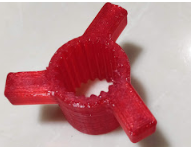
Adding a cut out like this lets you apply large forces with weak materials - this is a TPU knob that lets me feed filament into my CR-10 through a long bowden tube and it NEVER slips. A gear is a matter of pennies and could fix that issue.
AbeFM
on 26 Oct 2018
I also had pieces cracked due to them not being strong enough or holes being under sized(most of the cracks were in press-fit pieces for bearings). The pieces that cracked I replaced with higher number of perimeter printed in pet (also use calipers to double check dimensional accuracy). That seem to solve a most of of the inconsistency I was having. that did not fix failing to feed enough filament sometimes. It did fix feeding the wrong filament and repeated jamming due to misalignment.
BlindSniper35
on 28 Oct 2018
It's just not a great design.
"How much do I turn the screw"
*I can't tell you
"What happens if it's too loose"
*The printer won't work occasionally
"What happens if it's too tight"
*You break the printer and have to make new parts
It just doesn't seem like a good approach if you can accomplish reliability with a small/simple/cheap change. Sometimes you're backed into a design corner, but not here.
AbeFM
on 29 Oct 2018
Issue 1:
Finda detects filament but get`s stuck in the orange PTFE tube (the longer one to the extruder) which causes the filament to never reach the extruder and I get missing layers in the print....
Check. I've had that happen multiple times.
Issue 2:
Sometimes it can happen because of stringing on the filament that the finda detects too early the filament and the filament does not reach the extruder far enough, which causes missing layers....
Check. I've had that happen multiple times.
Issue 3:
The filament cannot be unloaded from the extruder (because of a small clog which could be fixed with some hand force when the extruder is hot). The problem is after the messagebox appears on the printer the extruder temperatur is switched off. When I try to unload the filament now, I cannot get it out of the extruder because preheat is not possible...
Check. I've had that happen multiple times. ... Wow.. This one is pretty stupid too. Turning off the heater but requiring it to be on to the fix issue, yet giving no way to turn it on!!!
 dancorrigan1
on 2 Nov 2018
dancorrigan1
on 2 Nov 2018
Issue 1:
Finda detects filament but get`s stuck in the orange PTFE tube (the longer one to the extruder) which causes the filament to never reach the extruder and I get missing layers in the print....Check. I've had that happen multiple times.
Issue 2:
Sometimes it can happen because of stringing on the filament that the finda detects too early the filament and the filament does not reach the extruder far enough, which causes missing layers....
MMU2 has its own firmware github. I have a github about this same issue here:
https://github.com/prusa3d/MM-control-01/issues/67
mylife4aiurr
on 2 Nov 2018
The problem with the FINDA probe seems to be pretty common, however it is also relatively easy to fix. The FINDA adjustment should be just touching the filamen, there should really be no resistance between the filament and the ball, the ramming setting can also be tweaked to get a nice point. When setup right it is mostly trouble free , the heater will switch off but does give you a minute or so to give a bit of time to clear the error (possibly not long enough) . There is still a bit of tweaking to do with this design and implementation. But my one works absolutely fine.
johnnycope
on 2 Nov 2018
When I walk away for 3 hours..like I do every single day with normal
prints, The printer will have already cooled down the hotend by that time.
If I have to babysit the entire print to watch out for this behavior.. this
defeats the purpose of having the MMU.
On Fri, Nov 2, 2018 at 9:51 AM johnnycope notifications@github.com wrote:
The problem with the FINDA probe seems to be pretty common, however it is
also relatively easy to fix. The FINDA adjustment should be just touching
the filamen, there should really be no resistance between the filament and
the ball, the ramming setting can also be tweaked to get a nice point. When
setup right it is mostly trouble free , the heater will switch off but does
give you a minute or so to give a bit of time to clear the error (possibly
not long enough) . There is still a bit of tweaking to do with this design
and implementation. But my one works absolutely fine.—
You are receiving this because you commented.
Reply to this email directly, view it on GitHub
https://github.com/prusa3d/Prusa-Firmware/issues/1163#issuecomment-435405472,
or mute the thread
https://github.com/notifications/unsubscribe-auth/AUWrXtNLSGgCSLGIuavoj4FRQtDqK56Rks5urFwIgaJpZM4WrZdW
.
dancorrigan1
on 2 Nov 2018
The hot end shutdown is a standard feature of the original firmware and will turn off if the printer is idle regardless. This feature could be disabled in the firmware as could enabling the filament sensor but doing so would disable an important safety feature.
I think it is more important to stop it happening in the first place . For this I the ramming and retraction settings can be adjusted to do the job.
johnnycope
on 2 Nov 2018
How about an option to reheat when I’m ready to work on it, rather than locking up the LCD/knob
Thanks,
Dan
On Nov 2, 2018, at 10:45 AM, johnnycope notifications@github.com wrote:
The hot end shutdown is a standard feature of the original firmware and will turn off if the printer is idle regardless. This feature could be disabled in the firmware as could enabling the filament sensor but doing so would disable an important safety feature.
I think it is more important to stop it happening in the first place . For this I the ramming and retraction settings can be adjusted to do the job.—
You are receiving this because you commented.
Reply to this email directly, view it on GitHub, or mute the thread.
dancorrigan1
on 2 Nov 2018
Not sure about the safety protocol, my extruder melted because of the filament sensor while running a multicolor print on the mmu2 mk3.
xStolix
on 2 Nov 2018
Recovery from predictable error states makes sense. There's a couple print-ruining things that happen that are logically NOT complex.
But who's been talking on here other than dissatisfied customers? It's been weeks since anyone at Prusa cared about anything - right about the time they took my (our) money, they disappeared.
AbeFM
on 4 Nov 2018
AbeFM, I can relate to your frustration, but we are members of a community, rather than simply customers. Please try, for everyone's sake, to avoid comments that are not constructive.
 Pathogenius
on 4 Nov 2018
Pathogenius
on 4 Nov 2018
AbeFM, try buying an Apple product and see if they care. Prusa is doing a great thing researching and developing and making it open source for everyone.
 cimoalpacino
on 4 Nov 2018
cimoalpacino
on 4 Nov 2018
I agree cimoalpacino , the open source aspect of Prusas business means that development is carried out by everybody, Prusa do most of the hard work, that’s why it is important to keep it constructive. I don’t believe they are ignoring any of this, they are doing what any sensible developer does and waiting for the dust to settle, it needs time not knee jerk fixes to what may or may not be an isssue.
I was not happy that I had to re-make an idler from stronger material after paying over £250 for a piece of hardware. However in doing so it cured every issue I had with the MMU ,this conclusion taking only one day with it. So I am positive that from all the fall out that Prusa will come out with a new revision taking on board all the feedback. But it may not be for a while yet.
For me it is worth the money just to have the ease of changing filaments without heating the hot end 😀
johnnycope
on 4 Nov 2018
Being myself another member of the "Lost Layers Club", and being just about to give up with this damn thing, I will try to be constructive and suggest a possible firmware solution. I cannot program it (and it is not my job, I am a f*ing customer!!) and I do not know even if it is possible. You developers could probably tell me.
I can deal with the unloading problems. They just pause the print (typically, when you go to bed) and convert a 10 hours print into an 18 hours print. They are bad, but they do not completely ruin the task.
But loading failures lead to skipped layers and this means time and filament waste, and the little reliability to obtain a good part is what finally renders this MMU2 device as useless. Some of you have suggested the two motors working in tandem during the load and this looks look like it is a good idea. The main problem then seems to be the filament sensor in the extruder not working. Not only it should work, but it should detect movement. This would mean the load had been successful.
My idea is: Why not use the MMU filament motor to detect if the filament has been correctly loaded? Stepper motors generate current when they are turned, so in exchange of a little bit of drag during the second step of loading (this is: once the extruder motor starts pulling the filament) using the motor as a sensor could be a smart way to detect if the filament has been grabbed by the extruder motor, and that it is advancing.
MMU2 motor should start this second step working as a motor and pulling the filament together with the extruder motor, and then after a second or so, turn into a "sensor" mode, where it no longer pulls, but rotates dragged by the moving filament, and therefore can detect if the filament is actually being pulled by the extruder motor. If the load was successful, then the MMU2 barrel would rotate to the normal no drag position. If it wasn't maybe retry and pause? The idea is not to lose the print.
It's just an idea. I only know that I know nothing, but I do know that my MMU2 does not really work.
 raavhimself
on 4 Nov 2018
raavhimself
on 4 Nov 2018
@raavhimself
Nice idea with the 'motor current'. In the case of the stepper motors with Trinamic drivers this would correspond to the stall guard value, which could be monitored.
3 thoughts about that:
- I don't think, there is a real problem with the laser sensor itself. At least I haven't read anything about it from Prusa, what's the exactly problem despite 'reliability issues'.
- The stall guard value makes only sense for a minimum speed. For very low speeds (about 2 turns per second, which is about 35mm/s filament speed) it's not usable.
- Using the pulley motor in the MMU2 as a rotation sensor seems to be impossible with given hardware.
 KarlZeilhofer
on 4 Nov 2018
KarlZeilhofer
on 4 Nov 2018
To the general audience: I would completely agree with you if I'd seen ANY effort in weeks.
Indeed I've waited for the dust to settle a few days here and there. And what do I see? Others bringing up problems from weeks ago as if they are new.
There are some very talented people on the dev team - but they are NOT showing interest in fixing the issues.
My hope is perhaps the community can pressure them into doing what the community is already doing: Developing hardware and firmware fixes for the issues. Part time hobbyists have made most if not all of the improvements from the past month.
I waited the "better" part of a year for this to show up, I've been helpful posting videos and data and pictures are reinstalling and testing - the sort of thing that should save the dev team time so they can focus on improving things.
There's a difference between working on stuff and ignoring it - I've not heard one squeak or one request for clarification, and I haven't SEEN ANY FIXES COME OUT.
So what ARE they doing? This shouldn't be a place for pleasant chatting, it's a place for compactly reporting issues and determining which have a known cause and fixing them. That hasn't happened here in a month.
As an example: There were issues with support some months ago. People talked about it, shared experiences, and it was theorized about and a couple tests were done. Now the updated firmware has that fix.
Anytime the MMU has issues: You get ignored for a week then told to shut up. This thread has been here well over a month - do you see ONE post asking for clarification or explaining their approach? Nope - I just see people telling me not to point out that nothing happens here but people with broken printers killing their empty time discussing how someday maybe fixes will drop.
I'd like a place to note issues with the product where the developers note/rate/rank/and-fix them.
AbeFM
on 4 Nov 2018
@raavhimself
Nice idea with the 'motor current'. In the case of the stepper motors with Trinamic drivers this would correspond to the stall guard value, which could be monitored.3 thoughts about that:
- I don't think, there is a real problem with the laser sensor itself. At least I haven't read anything about it from Prusa, what's the exactly problem despite 'reliability issues'.
I believe there's unreliable readings, some filaments don't reflect the wavelength of light the sensor uses, so you don't get a signal.
I'm VERY curious (I've asked here, does anyone know?) if we can get the raw values recorded to SD or dumped on serial? I've got this idea that you could get better data by averaging multiple samples - I think they do some of this but we could also wiggle the filament in both directions to double check it.
- The stall guard value makes only sense for a minimum speed. For very low speeds (about 2 turns per second, which is about 35mm/s filament speed) it's not usable.
I had the same thought - it would be cool but it's a small signal.
AbeFM
on 4 Nov 2018
@KarlZeilhofer
Sorry to insist in my completely baseless (and probably idiot) idea but:
I'd say that in this critical period (that couple of seconds from the moment the extruder motor pulley grabs the filament until the tip reaches the hot end) the extruder motor rotates much faster than 2 turns/s. This is just the period that has to be watched.
I do not know about this stepper motor, but I believe the other ones of the device do detect changing currents. I think this is what the machine uses to know its range instead of end of way switches.
raavhimself
on 4 Nov 2018
There's a difference between working on stuff and ignoring it - I've not heard one squeak or one request for clarification, and I haven't SEEN ANY FIXES COME OUT.
What about the individual gear calibration in MMU Firmware 1.0.1?
I share your frustration, though. The MMU reliability really has to improve a lot. Still, I'm willing to give Prusa the benefit of the doubt - I have no reason to believe that they are lazy or have for some reason abandoned MMU development - much more likely they are simply at the limit of their current capacity.
 fnordsh
on 4 Nov 2018
fnordsh
on 4 Nov 2018
much more likely they are simply at the limit of their current capacity.
perhaps, but then they should post somewhere some sort of schedule to fix the problems, or at least admit, that there are still some problems to be fixed.
KarlZeilhofer
on 4 Nov 2018
@fnordsh
Gear Calibration just fixed the low quality manufacturing problem of the pulley gears. Not two were the same size... but it has not fixed the engineering of the device
raavhimself
on 4 Nov 2018
Gear Calibration just fixed the low quality manufacturing problem of the pulley gears. Not two were the same size... but it has not fixed the engineering of the device
Yes, I guess you can see it that way. But still it is a fix that improved matters a lot for me.
fnordsh
on 4 Nov 2018
much more likely they are simply at the limit of their current capacity.
perhaps, but then they should post somewhere some sort of schedule to fix the problems, or at least admit, that there are still some problems to be fixed.
Agreed. The lack of communication is even more frustrating than the current lack of fixes.
fnordsh
on 4 Nov 2018
It would be really nice if someone at PR decided to simply make a post on the thread simply stating that they acknowledge the issue and are working on a fix. I mean a single post would let us know we are NOT being ignored.
Don't know how many people saw this but a possible fix to the skipping is to use a longer screw on the selector and add springs. So far in my little experience with the MMU2, my issues come from the filament grinding when it hits the extruder gear, even when the length is properly adjusted. This ends up grinding the filament and tumbles into a layer skip or failure. The springs would put a tolerance length of a few mm, which help with success. I haven't installed this on my printer yet, but I will after my next print finishes.
Regardless, use of the laser sensor and the extruder spinning at the same speed as the MMU unit would likely fix most issues. I might be wrong though.
 jzkmath
on 5 Nov 2018
jzkmath
on 5 Nov 2018
I think I've made my point. A day or two to respond to an issue, and we all get it.
Fingers in their ears for WEEKS on end, when hobbyists are able to fix the same issues in a matter of days, well it kills the motivation of the community. Instead of taking two paid employees and 20 fans to fix the issues, they have 20 people arguing about God's Intent and a whole community of people whos' stuff doesn't work.
The firmware that "fixed" the gear issue wasn't a third as good as the other firmwares fans have written. I had to reset the printer an average of 8 times to get a print to work, and it got MORE buggy with the "fix". And that came out >125 work-hours ago. Has NOTHING been fixed since then? >20 full work days - how many of you could get a call from a customer and ignore them for a month?
People here have come up with solutions and improvement in a single night. I can understand if a business takes 4 or 5 days to do what a hobbyist does in a day, but a month to even admit there's a problem?
If Prusa wants to see people stop bad-mouthing their development, how about developing?
AbeFM
on 5 Nov 2018
Please stop spamming my inbox with criticism of how Prusa does things, Perhaps do that on Prusa forums. Thanks in advance!
Pathogenius
on 5 Nov 2018
The easy way not to get GitHUB posts is to unsubscribe.
The easy way to ensure the posts are about development issues is to HAVE
THE DEV TEAM RESPOND.
If I were the only person on here with issues, I'd bow out. But there are
about half of us on here saying "What is going on?".
If you want to see a list of the 30+ posts with people posting issues AND
complaining there's no response, go to the forums, they are already there.
3 "issues" responded to by developers in a way that tells us we're working
on things would restore all of this flame war back into development. Most
of these threads start with a sane, normal issue report with firmware
versions and examples. They get sideways when after a week of being ignored
someone asks if more information is needed and someone else bites their
head off for not being content with the printers they got.
On Mon, Nov 5, 2018 at 11:03 AM Pathogenius notifications@github.com
wrote:
Please stop spamming my inbox with criticism of how Prusa does things,
Perhaps do that on Prusa forums. Thanks in advance!—
You are receiving this because you were mentioned.
Reply to this email directly, view it on GitHub
https://github.com/prusa3d/Prusa-Firmware/issues/1163#issuecomment-435995120,
or mute the thread
https://github.com/notifications/unsubscribe-auth/AAClkQFXb6z5K044DiFtc4vQnS8fXJvzks5usIuIgaJpZM4WrZdW
.
AbeFM
on 5 Nov 2018
@AbeFM You made your point.
Reiterating it over and over is only going to piss people off on all sides.
Let's return to discussing the issues here.
Maybe you can open a new issue about the (lack of) Prusa's communication policy?
fnordsh
on 5 Nov 2018
"The easy way not to get GitHUB posts is to unsubscribe." -AmeFM
You are a bully.
Pathogenius
on 5 Nov 2018
Let's return to discussing the issue here.
Devs: Could you post an update?
AbeFM
on 5 Nov 2018
Let's return to discussing the issue here.
Devs: Could you post an update?
You are in the incorrect place for this type of communication.
 JohnOCFII
on 5 Nov 2018
JohnOCFII
on 5 Nov 2018
Click on a users icon or name - for example @AbeFM. Click on 'Block or report user'. Click 'Block user'. Done.
 AnHardt
on 6 Nov 2018
AnHardt
on 6 Nov 2018
I suggest getting back to the issue, that is, seeing if it is possible to make this device work reliably, with or without PRUSA's help.
I suppose a fair share of the 3D printers users are, like me, mechanical engineers, and when we face a situation like this, we tend to think of possible solutions that we can design.
I have thought of two, both rather cheap (I guess under 20€ each). I would like some one with knowledge of the MMU2 electronics board tell me if any of them could be implemented and programmed.
1- Using the MMU2 filament axis drag to detect if the load has been successful. Ok, stall guard current of the motor cannot be used for this (they say it will not turn fast enough), but an optical sensor could be used attaching a spinner to the back of the MMU2 filament motor. This optical sensor is pretty easy to design. Could it be connected?
2- Modifying the selector part of the MMU2. It would have two bowden tubes, one leads to the extruder, the other one either to a tip sharpener (much like a pencil sharpener) with a rotating cutting blade and a small DC motor with reduction gears, or to a tip cutter with a servo and a sort of scissors. I suppose this "tip fixing" solution would still oblige to a more or less hairless tips, because if the bowden tube gets filled with strings during an unload, jam is unavoidable. In any case, a perfect tip to load fixes half of the problem.
I could mechanically design any of these solutions in a couple of days. Unfortunately, I know nearly nothing of the electronics and programming, but yes, I know, PRUSA should have hired me before marketing this mess.
raavhimself
on 6 Nov 2018
I think if you are going down the road of mods to this extent I would send the MMU back for a re-fund and get a palette+ ? I’m surely not unique in the fact that I have a trouble free MMU 2? Yes I have re-printed the idler in ABS and tweaked the ramming settings but those two things have resolved all issues that I had.
Of course many improvements can be made not least being the filament sensor but there is a reason why this was initially disabled.
I still have faith that Prusa will move forward with this. But it does work , in fact very well, as it is designed.
johnnycope
on 6 Nov 2018
nice, @raavhimself
There is a I²C Interface on the controller board, which would perfectly fit to an optical sensor. On my printer i just reconnected the sensor from the extruder to the MMU2 controller board with success.
I've also thought about something like a tip sharpener - it's the straight forward way of engineering. Of course it's not the cheapest way - which Prusa had in mind.
With an additional board, the exposed and unused I²C connector can do nearly everything. Also driving a DC or stepper motor, communicate with further sensors, ... just what you like. It's only a matter of development time and production costs. If I knew, we could sell 5000 pieces of them, for about 30€, nearly everything is possible.
But I'm not sure, if that workaround fixes the problem completely. If the string goes the whole bowden tube from the Bondtech gears up to the MMU, a pencil sharpener wouldn't help here.
KarlZeilhofer
on 6 Nov 2018
@johnnycope
So if your device works flawlessly, what are you doing in a troubleshooting forum? That's really suspicious... The way you talk you sound more like a PRUSA marketing agent...
raavhimself
on 6 Nov 2018
@johnnycope You give me hope. :-)
Could you share your ramming settings, please?
fnordsh
on 6 Nov 2018
@KarlZeilhofer
Would you like to team?
Mechanics design for Solution1 (optical sensor+spinner to detect if the MMU2's filament axis turns) is very, very simple for me to do. How difficult would it be to write the code?
raavhimself
on 6 Nov 2018
@raavhimself
I'm here too, but I don't even have an MMU. Which secret agenda am I part of?
PEOPLE, can we PLEASE leave GITHUB for discussions about the tech, and not the people? PLEASE!
Pathogenius
on 6 Nov 2018
I understand your suspicions Rav. But I am a genuine user and not associated with Prusa. I cane on this topic to offer the fix that made my MMU work which were as stated previously but seem to have been largely ignored?
johnnycope
on 6 Nov 2018
@Pathogenius
I'm here too, but I don't even have an MMU. Which secret agenda am I part of?
Why did you subscribe to this issue, then?
fnordsh
on 6 Nov 2018
@fnordish
The bigger question is, why would you even care?
Pathogenius
on 6 Nov 2018
@Pathogenius @johnnycope
It makes very little sense that in this troubleshooting technical forum, someone writes to say that his machine works reliably, so I beg your pardon if all of rest of us who are in this forum find this hard to believe.
But, as reality always improves fiction, I cannot deny that you made the miracle and your machine works. In this case, please do share your settings. In fact, we should have a database with settings for different materials, brands and colors that really work to get perfect tips.
If anyone is interested I can share my settings for SunLu PLA (bought in Amazon) colors black, orange and white. With them, I got an aprox average of one layer skipped each 400 filaments changes, which is very good, but just not good enough
raavhimself
on 6 Nov 2018
@Pathogenius
@Fnordish
The bigger question is, why would you even care?
Good point, actually.
fnordsh
on 6 Nov 2018
@raavhimself
@Pathogenius @johnnycope
so I beg your pardon if all of rest of us who are in this forum find this hard to believe.
Please don't imply that I didn't believe him.
[...] In this case, please do share your settings. In fact, we should have a database with settings for different materials, brands and colors that really work to get perfect tips.
I agree.
If anyone is interested can share my settings for SunLu PLA (bought in Amazon) colors black, orange and white. With them, I got an aprox average of one layer skipped each 400 filaments changes, which is very good, but just not good enough
Yes, please do. Have you tried different kinds of PLA? If so, did you notice any significant differences?
fnordsh
on 6 Nov 2018
Since I am waiting for my stock MMU2 to arrive (mid-December), I decided to build a MMU2 from scratch using an arduino mega2560 + Ramps shield (started in mid-September and fully operational by mid-October). The mechanical bits of my 'home-brew' MMU2 are the same as the stock MMU2 - just different firmware. I made one improvement that has really helped reliability - I added a 2nd sensor to the top of the mk3 (it's just a dumb microswitch for filament detection). I use multiple filament types (fillamentum, hatchbox, 3d solutech, CC3D) at the same time and run at 200C. Having good success and I don't have skipped layers or any filament load/unload issues that appear to be plaguing others. You can see some of my results on this forum (https://www.facebook.com/groups/prusacommunity/), just search on my last name 'kozlowski'.
 cskozlowski
on 6 Nov 2018
cskozlowski
on 6 Nov 2018
I use Sunlu a lot and many others, I notice slightly more stringing in some of the cheaper filaments but the sunlu is very good as the tolerance is 0.02mm .
I will post my ramming settings when I have a minute.
In answer to why I should care, the answer is that I do and would always like to help where possible. I can only apologise for the fact that my printer works ok after relatively minor revision! I should send it back and ask for a dodgy one.
johnnycope
on 6 Nov 2018
@cskozlowski is talking of this modification.
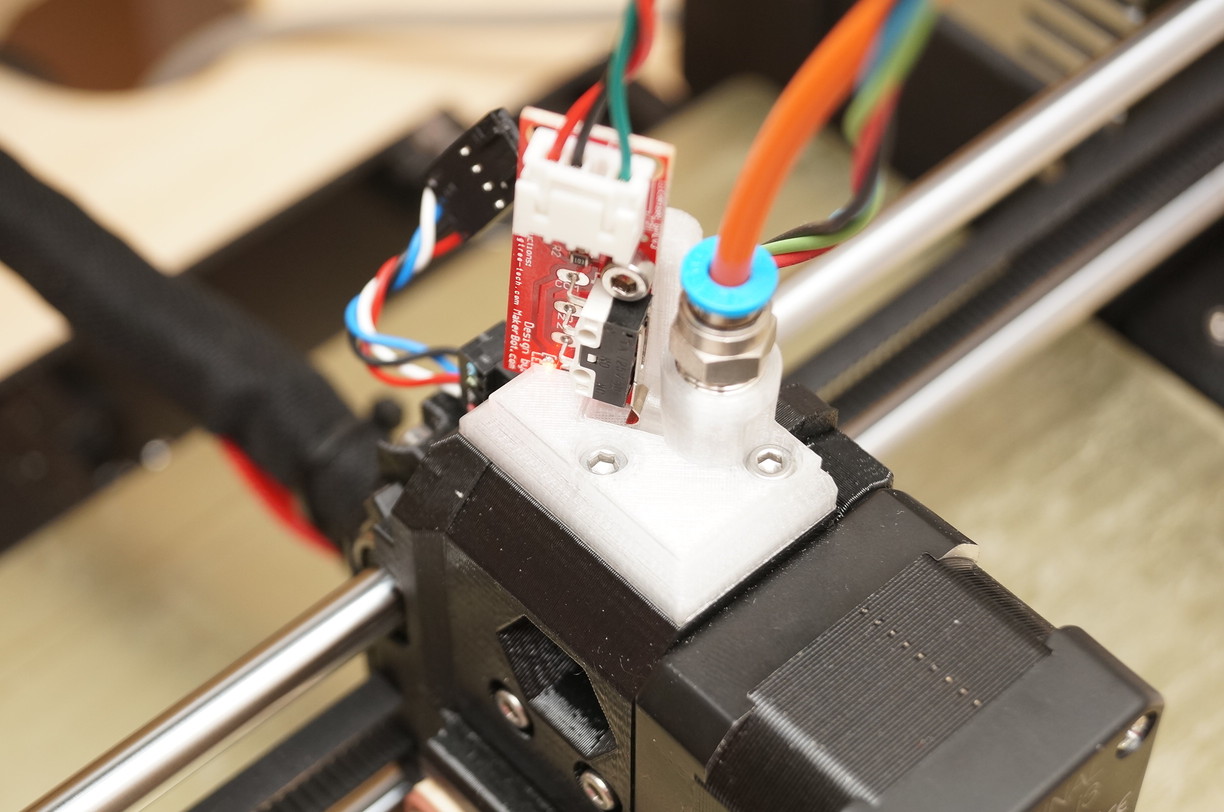
In my rare spare time I'm trying to get his code running on the stock Prusa board: https://github.com/KarlZeilhofer/mmu2
KarlZeilhofer
on 6 Nov 2018
@fnordsh
As I said, you can expect missing layers with these settings, but if you want them here they are. Please let me know if you make it better than my 1/400 rate of failure.
For some reason, I never got good tips in the first change (when the machine test the filaments and then beeps), but there were always good afterwards.
First a hardware mod: Adjust bowden feeding length (for each of the five filaments) to the bottom of teeth of the pulley in the extruder (not to the top of the teeth like PRUSA says, but to the bottom). Also check that the teeths of all the pulleys are clean. If they have grinded filament they will surely be messy. You must also check that the springed bolts in the MMU2 and more important, in the extruder, have just the right torque.
Filament Settings, I did not need to tweak a lot from PRUSA's stock settings, but I'll write all the lines of the slicer just in case. Here they are:
SunLu PLA+ orange
(https://www.amazon.es/gp/product/B073P9JW8C/ref=oh_aui_detailpage_o01_s00?ie=UTF8&th=1)
Filament: Extruder Temp First Layer 215 Other layers 210
BedTemp 60 60
Cooling: Fan On
Enable Auto cooling
100 100
100
1
100
20
15
Advanced: Max vol. Sp. 15
Loading Sp: 19
22
110
20
12
11
0
1
2
1
15
Ramming 2.5 sec as stock
Needs little Volume Purge (50) working against a darker color (black)
SunLu PLA+ white
https://www.amazon.es/gp/product/B07BF65RTH/ref=oh_aui_detailpage_o01_s00?ie=UTF8&th=1)
Filament: Extruder Temp First Layer 215 Other layers 210
BedTemp 60 60
Cooling: Fan On
Enable Auto cooling
100 100
100
1
100
20
15
Advanced: Max vol. Sp. 15
Loading Sp: 19
22
118
20
12
11
0
1
2
1
15
Ramming 2.5 sec as stock
Needs little Volume Purge (70) working against a darker color (black)
SunLu PLA+ black
(cannot find the link)
Filament: Extruder Temp First Layer 215 Other layers 210
BedTemp 60 60
Cooling: Fan On
Enable Auto cooling
100 100
100
1
100
20
15
Advanced: Max vol. Sp. 15
Loading Sp: 19
22
125
20
12
11
0
1
2
1
15
Ramming 2.5 sec as stock
Needs a big Volume Purge (200-220) working against a clearer color (orange - white)
raavhimself
on 6 Nov 2018
sorry but i have to say the MMU2 seems to be nice but it is not working,
and it is not only the firmeware the hardware has problems too. (20
tries / 1 success / 19 times problems while load/unload)
1) It is to short you miss to plan a parkinglot for the moving head that
is outside the filling area 1 of the 5 tubes is always concealed with
the moving head. You don't have an overview over all 5 feeding tubes.
2) The blade is useless in this position and the holder for the blade is
an absolute disaster. I agree to Raavhimself
every filament need to be cut off or sharpen after retraction (i got it
by my selfe more than one time after Houres of printing 1 off the
filament tips was to big (that filament was used in this print before)
and stuck in the tube between MMU and bontechgear and the printer tries
to print without filament, houres of printing for the Trashcan).
it need definitely more sensores to ensure that the filament is loaded.
The filament sensor is still not working and it need to work together
with the f.i.n.d.a for loading: after the finda react fast push in the
filament till the filament sensor react than slow down the push in and
start the bontechgear.
Problems in unload if the filament stuck while unloading the MMU2 motor
still run and rip off the filament so you have to pull out the filamnet
and cut off a big piece of the filament course the filament is to thin
were the MMU motor try to pull back the filament and has no longer grip
to be transportet.
Software
If you start up the printer while a filament is Loaded you get an error.
Why you get an error and other problems, Why the printer pullout the
filament by it self (preheat the nozzle and make a full unload) but no
you'r even not able to unload the filament you have to heat up the
nozzle and pull it out by hand course if the MMU is not fully startet and
initialized the unload option is missing in the menue there is only the
eject option as in singel mode (only eject the filament from the
bontech) (sorry if it is named wrong i use german language and there is
"Filament entladen" (eject? only from the bontech) and
"Filamentauswerfen" (unload? full unload upto the MMU) i gues, so i use
eject and unload), but this is a regular problem every time i start up
the printer the unload appear after the MMU is done if it is pluged it
should be there directly after powering on the printer. so you get the
option to preheat the nozzle and try to unload if something get wrong at
startup.
if you get an error while changing the filament and fix it,it places the
extruder outside of the print load the filament untill some filament
came out and ask is the right filament loaded after that the MMU makes
it self the next problem it makes a big blurp of filament on the
purgetower (why it makes that real hard overextrusion on the purgetower
after asking is the rigth filament loaded a normal wipe should suffice)
next time it use to purgetower it has an crash detected for the next x
layers or it leads to an absolute disaster it tear off the purgetower.
question. why i have to calibrate Z layer? You make a headbed mesuring
before every print isn't it posible to use the P.i.n.d.a. or Z Motor
position to calculate the first layer hight, i don't know how it works
but it sounds like the nozzel touches the headbed and use some kind of
crashdetection, so you have the position of o,oooooooo...mm take it and
add first layer hight e.g. 0,2mm and you got the perfect hight for the
first layer and a first layer calibration is no more needed. even if the
heatbed is not 100% plane you can use all 9 mesuring points to calculate
a linear hight from point to point. that should work better as estimate
with the eye. that i can't see while printing course the extruder is
exactly where i have to see something.
Am 06.11.2018 um 11:24 schrieb raavhimself:
>
I suggest getting back to the issue, that is, seeing if it is possible
to make this device work reliably, with or without PRUSA's help.
I suppose a fair share of the 3D printers users are, like me,
mechanical engineers, and when we face a situation like this, we tend
to think of possible solutions that we can design.
I have thought of two, both rather cheap (I guess under 20€ each). I
would like some one with knowledge of the MMU2 electronics board tell
me if any of them could be implemented and programmed.
1- Using the MMU2 filament axis drag to detect if the load has been
successful. Ok, stall guard current of the motor cannot be used for
this (they say it will not turn fast enough), but an optical sensor
could be used attaching a spinner to the back of the MMU2 filament
motor. This optical sensor is pretty easy to design. Could it be
connected?
2- Modifying the selector part of the MMU2. It would have two bowden
tubes, one leads to the extruder, the other one either to a tip
sharpener (much like a pencil sharpener) with a rotating cutting blade
and a small DC motor with reduction gears, or to a tip cutter with a
servo and a sort of scissors. I suppose this "tip fixing" solution
would still oblige to a more or less hairless tips, because it the
bowden tubes get filled with strings, jam is unavoidable.
I could mechanically design any of these solutions in a couple of
days. Unfortunately, I know nearly nothing about the electronics or
the programming—
You are receiving this because you are subscribed to this thread.
Reply to this email directly, view it on GitHub
https://github.com/prusa3d/Prusa-Firmware/issues/1163#issuecomment-436203993,
or mute the thread
https://github.com/notifications/unsubscribe-auth/AE8VBgBGuMKaRhKrRtjJFDUGpeUzZf1Pks5usWN1gaJpZM4WrZdW.
 sheinrichs
on 6 Nov 2018
sheinrichs
on 6 Nov 2018
@KarlZeilhofer
Chuck's modification will not detect if the filament has been loaded. It only detects if it has reached the extruder
raavhimself
on 6 Nov 2018
@KarlZeilhofer
Chuck's modification will not detect if the filament has been loaded. It only detects if it has reached the extruder
My 2nd sensor actually is used for both the 'load filament' and 'unload filament' steps. I can tell where the filament is stuck using two sensors (in the mmu2 or between the mmu2 and the mk3). My sensor is on top of the mk3 extruder (clearly seen in Karl's image) and during a load step, I move the filament an additional 31mm past the microswitch sensor to get it into the middle of the bondtech gears - I can say that my system works quite well (I have ZERO filament load issues with this solution). Even the laser filament in the mk3 (currently disabled) has to let the filament move past it (about 10 mm) to get to the middle of the bondtech gear. After the filament is loaded, there is an additional command that comes from the mk3 einsy board (C0 command) where I do an 'aggressive' load past the bondtech gear and actually match the speed of the bondtech gear (controlled by the mk3 firmware) and the mmu2 gear (controlled by the MMU2 firmware) exactly. This final filament load (in response to the C0 command) is critical to always loading the filament - my loop runs for 1.6 seconds at 30 mm/sec - and it works every time. I post almost daily a new MMU2 print on the FB forum for those who desire to see some 'proof'. I wish I could find a spot to put a sensor right after the bondtech gear - that would be nifty !!! (https://github.com/cskozlowski/mmu2)
cskozlowski
on 6 Nov 2018
@cskozlowski
You made it work then. Please share!! STL, electrics schematics, code, links to parts that must be bought. I need everything!!
raavhimself
on 6 Nov 2018
Chucks progress has been better than any I've seen on the mmu2. I would like to adapt the second sensor myself.
xStolix
on 6 Nov 2018
@cskozlowski
You made it work then. Please share!! STL, electrics schematics, code, links to parts that must be bought. I need everything!!
See my post above yours, I added my github link to my response.
cskozlowski
on 6 Nov 2018
@cskozlowski
I understand your mod will not work with a standard MMU2 board, even if the switch is installed, so we are back to square one
raavhimself
on 7 Nov 2018
I might suggest that a thread on the Prusa forums would make a lot of sense to discuss the more-heavily modified set ups.
It makes sense here on the Firmware Issues GitHub to talk about what we can fix through Firmware Alone. I've tweaked some accessories, but I've had several multi-hundred-change prints work just fine without changing anything beyond the filament slack device.
I am excited to see those developments, but we might get more sign-on from the devs if we try to keep this about modifications to the firmware which fix the issues - and there are some fixes.
If you disagree with me, don't post about how right you are, just ignore this.
AbeFM
on 7 Nov 2018
I would say, this issue is tagged as discussion anyway - it's definitely not a normal bugreporting issue any more.
@raavhimself: you could fork my code, which is a fork of @cskozlowski 's code but for Prusa's controller board. You could then get the drivers up and running. it seems this is a matter of one or two days of programming.
KarlZeilhofer
on 7 Nov 2018
@KarlZeilhofer
One or two days for you. One or two years for me.
raavhimself
on 7 Nov 2018
I agree with most comments here. I was happy with my MK3, and now completely frustrated with my MMU2. It is taking too much time to me make this thing work, and I'm starting to accept that it will never be a reliable product.
 pedruntu
on 7 Jan 2019
pedruntu
on 7 Jan 2019
Not sure if they will ever change / improve the MMU
use this firmware:
https://github.com/TheZeroBeast/MM-control-01/releases
A lot of users are already using this firmware which is much faster, smoother, with filament sensor, action commands etc. etc.
I am really happy with that firmware and printing multi color things without any worry about missing / skipped layers
danielegger1
on 7 Jan 2019
Not sure if they will ever change / improve the MMU
use this firmware:
https://github.com/TheZeroBeast/MM-control-01/releasesA lot of users are already using this firmware which is much faster, smoother, with filament sensor, action commands etc. etc.
I am really happy with that firmware and printing multi color things without any worry about missing / skipped layers
I would like to try it, I need only to enable filament sensor before flash mmu and prusa? nothing more than this?
DavaD85
on 8 Jan 2019
You also need to rerun mmu calibration as the filament should be only to the end of the tube not to middle of the gears.
Keep us updated, I hope that Prusa will finally take the chance and grab the zero beasts code and continue to work on that one. As I said, since I am on that firmware I have had no issues anymore, he also brings new versions every couple of weeks with massive improvements (unfortunately we cannot say that about prusas firmware)
danielegger1
on 8 Jan 2019
You also need to rerun mmu calibration as the filament should be only to the end of the tube not to middle of the gears.
Keep us updated, I hope that Prusa will finally take the chance and grab the zero beasts code and continue to work on that one. As I said, since I am on that firmware I have had no issues anymore, he also brings new versions every couple of weeks with massive improvements (unfortunately we cannot say that about prusas firmware)
Great, this evening i'll try it.
DavaD85
on 8 Jan 2019
@danielegger1 Thank you for that hint. I'll try that too
Darn, just noticed, no firmware for the MK 2.5...
 EddyMI3d
on 8 Jan 2019
EddyMI3d
on 8 Jan 2019
Very happy with TheZeroBeast code, but for some reason my filament sensor stopped working. Flashed original PRUSA firmware to check and yes. the sensor is dead. Contacted PRUSA and they already sent me one. No discussion at all, so I guess it must be a common occurrence. Anybody else? Anything that can be done to prevent it?
raavhimself
on 8 Jan 2019
Same problem for me, I flash mmu and prusa by leaving filament sensor on, after flashing the zerobeast, my filament sensor on prusa is N/A
DavaD85
on 9 Jan 2019
I've had two optical sensors mechanically break. And one mmu-ball-sensor.
Check to see a bad load didn't break the sensor.
              Thanks!
                      -Abe.
Sent from my "smart"phone, please excuse brevity and Swype-oes
On Tue, Jan 8, 2019, 3:40 PM DavaD85 <[email protected] wrote:
Same problem for me, I flash mmu and prusa by leaving filament sensor on,
after flashing the zerobeast, my filament sensor on prusa is N/A—
You are receiving this because you were mentioned.
Reply to this email directly, view it on GitHub
https://github.com/prusa3d/Prusa-Firmware/issues/1163#issuecomment-452492086,
or mute the thread
https://github.com/notifications/unsubscribe-auth/AAClkYgkBVMElK6gwR8a1A-fSivsAzU2ks5vBSxdgaJpZM4WrZdW
.
AbeFM
on 9 Jan 2019
Nope. No mechanical damage. Sensor worked well for 10 hours (out of a 13h print), then died. Filament in the correct place (in the extruder, waiting for the sensor signal to start the extruder motor)
raavhimself
on 9 Jan 2019
I've heard of them burning up when plugged in backwards (Something the
Skelestruder doesn't key for, an odd oversight in an otherwise well thought
out design), and mine have both had shattered glass (one kept working fine,
one not), now I only use indirect sensing, though I've gotten many false
triggers since I started with that.
It's unlikely, but checking the board over for burnt bits seems reasonable
before you toss it?
On Wed, Jan 9, 2019 at 12:59 AM raavhimself notifications@github.com
wrote:
Nope. No mechanical damage. Sensor worked well for 10 hours (out of a 13h
print), then died. Filament in the correct place (in the extruder, waiting
for the sensor signal to start the extruder motor)—
You are receiving this because you were mentioned.
Reply to this email directly, view it on GitHub
https://github.com/prusa3d/Prusa-Firmware/issues/1163#issuecomment-452620677,
or mute the thread
https://github.com/notifications/unsubscribe-auth/AAClkUuXgbfTOZI_RfCjq0j3O7gQrEfoks5vBa-AgaJpZM4WrZdW
.
AbeFM
on 9 Jan 2019
I found a solution that has worked for me. Much like everyone in this thread, I was nearing the point of giving up on my MMU2. I got to the point where, through ramming, I'd either get tips that were too fat and jam up, or tips that were too stringy and jam up.
I remembered someone mentioning that the heatbreak was different on the MK3. What I have is an MK2S, upgraded to MK2.5, with the MMU2. I bought and installed the MK3 heatbreak, and boom! Jamming problems solved. I now get perfect tips every time.
Details along with pictures in the thread here: https://shop.prusa3d.com/forum/hardware-firmware-and-software-help-f56/success-how-i-resolved-my-mmu2-issues-mk2s-gt-mk2--t27173.html#p124846
Here is a side by side of the heatbreaks. MK3 on the left. The one that came with my MK2S on the right. The MK3 heatbreak has about a 2.2mm hole, while the MK2S heatbreak is about 2.6mm.
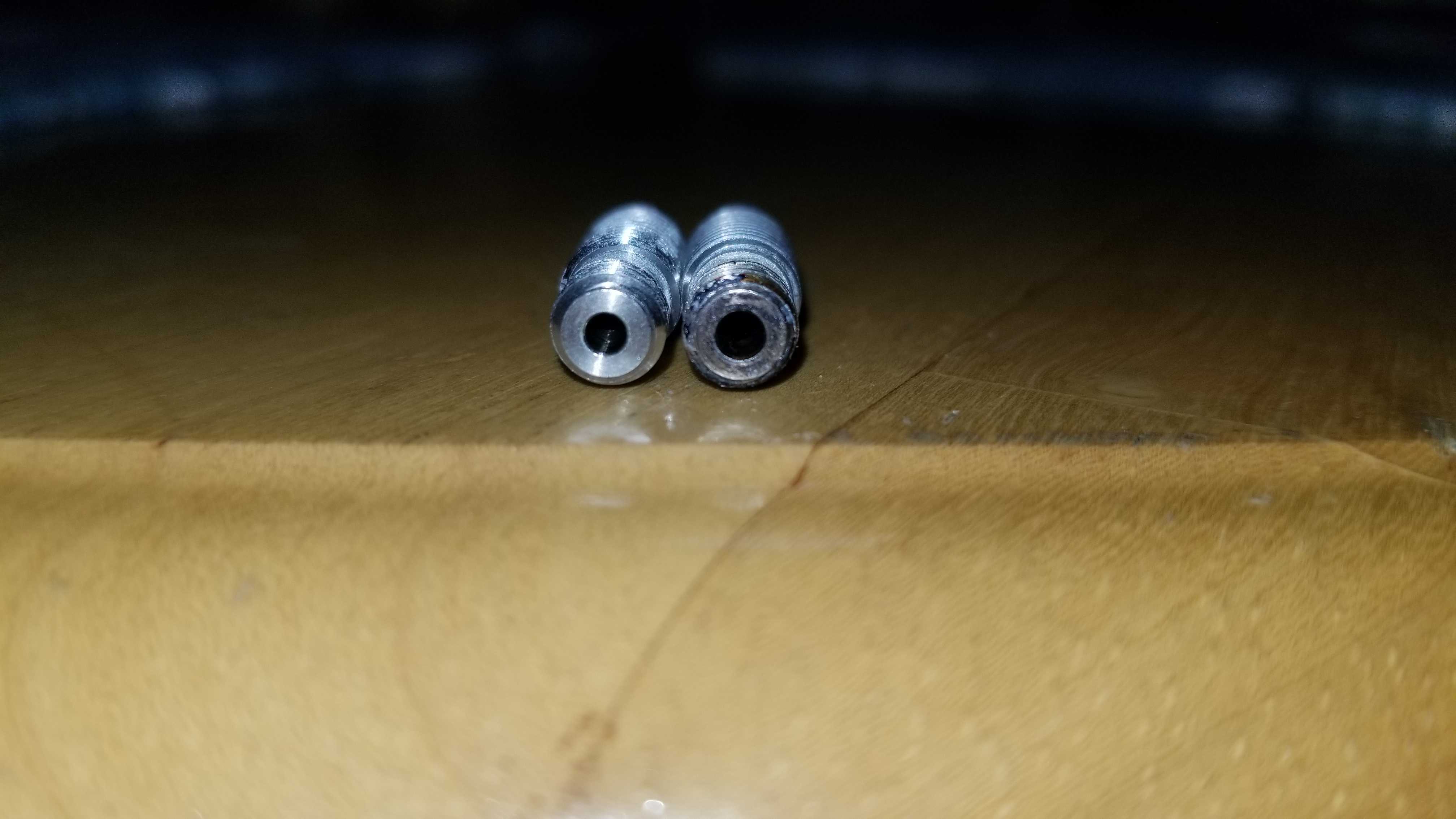
I saw no other obvious differences though:
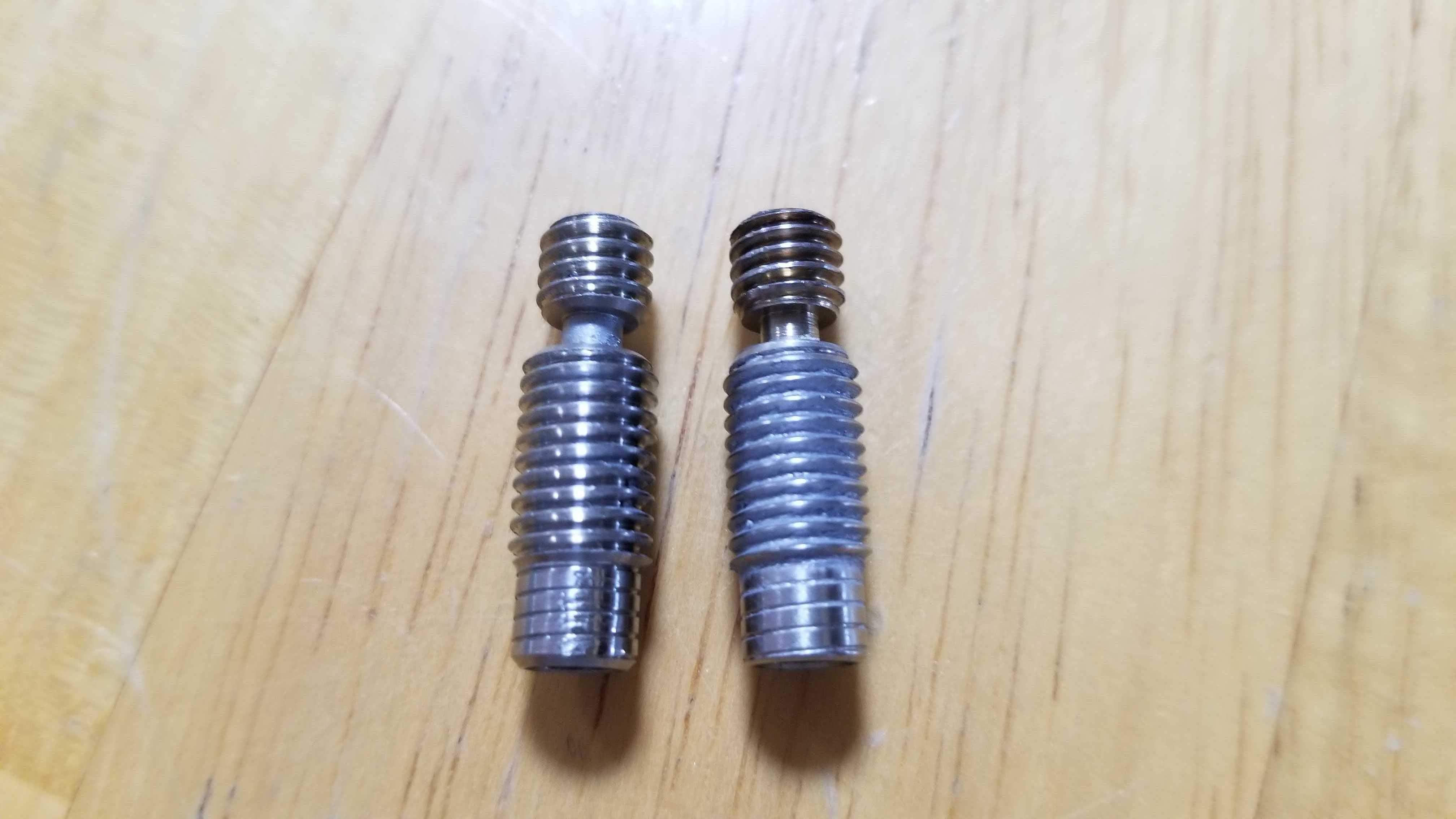
 eschlenz
on 20 Jan 2019
eschlenz
on 20 Jan 2019
Hi All,
I am planning to flash the TheZeroBeast firmware for my MMU. I saw the messages from two weeks ago mentioning about the filament sensor on prusa becoming N/A. Is this still an issue? @raavhimself
, @AbeFM , @DavaD85
 xepost
on 23 Jan 2019
xepost
on 23 Jan 2019
If anyone has a favorite material that they can't get working due to long stringy tips, here's something that is working very well for me. https://github.com/domesticatedviking/skinnydip
 domesticatedviking
on 13 Mar 2019
domesticatedviking
on 13 Mar 2019
Hi @eschlenz, I own an MK2S (now MK2.5S/MMU2S), and the heat break seems too tight to the heat sink that I actually think they are one piece... I have inspected it after a good clean so haven't tried to unscrew it.
The output hole has 2.2mm (actually, only the last ~2mm, the 2.2mm rod I've tried gets stuck after inserted)
I found this PDF that seems to be a Prusa Specific heat break, not the original E3D heat break. Are your measures in fact 2.2mm to the "mk3" version?
edit: my heatbreak seems to be like the original E3D, not "prusa specific"
edit2: finally got to unscrew the heatbreak from the sink :)
 franzbischoff
on 27 Apr 2019
franzbischoff
on 27 Apr 2019
Just finished setting up my MMU2S upgrade to MK3. This new filament sensor setup is absolute garbage. Every filament change has a 95% chance of just not working. If you're LUCKY, the printer will detect it.
So right now, around 1% of trivial MMU prints are completing successfully.
How do I downgrade, and get back my old MK3 that worked so well?
 xoxota99
on 24 May 2019
xoxota99
on 24 May 2019
Check your heat break. You must have the new "Prusa specific". If you don't have it, ask for the customer support. This only thing solved all my problems (except the financial problems).
franzbischoff
on 24 May 2019
Just finished setting up my MMU2S upgrade to MK3. This new filament sensor setup is absolute garbage. Every filament change has a 95% chance of just not working. If you're LUCKY, the printer will detect it.
Have you calibrated the filament sensor? Moving the "chimney" a bit to the right brought mine from not working at all to working perfectly every time.
fnordsh
on 24 May 2019
Yeap +1 to what @fnordsh said; I had loading issues until I RTFM'd and set the filament sensor as far right as I could without it reading '1' in the menu. It's been perfect since then.
 dalgibbard
on 24 May 2019
dalgibbard
on 24 May 2019
Can confirm there are problems with the IR sensor on the Mk3S/Mk2.5S. When I was assembling my Mk2.5S I ran into the problem of always triggered sensor. My solution was putting a ziptie between the sensor pcb and the plastic part and screwing the sensor in. Maybe something similar is happening to the mmu2s?
 leptun
on 24 May 2019
leptun
on 24 May 2019
I had the same issue. Solution: I filed away some portion (0.5 mm or so) of the end of the lever that triggers the IR sensor. Since then it works like charm.
EddyMI3d
on 24 May 2019
I calibrated the sensor, but the chimney is such a tight fit that it's hard to adjust accurately. Without grinding away a bit of the inside of the chimney, my only options are "all the way left", or "all the way right".
I followed the instructions in the manual, using the allen key to trigger the sensor, and confirmed that "all the way left" works fine in that case.
But apparently it only works about fifty percent of the time for actual filament loads from the MMU.
Maybe my idler tension is too tight?
xoxota99
on 24 May 2019
I have been 3D printing for a year and a half near two years. I have utilized hictops, markerbots, makergears, and other systems.
I have been utilizing the I3 MK3SMMU2.5S For the past 3-4 months. In the time period, I have accumulated ≅8lbs/4kg '(100$ worth) of waste pla for prototyping prior to moving onto more expensive filaments, with ≅7lbs/3kg. This presents a ≅1:1 failure to success ratio.
As an planetary scientist trying to make environmental sensors, I find this plastic waste to be appalling compared to other cheaper, older systems that rarely fail. The increase in the potential points of failure aside, the gcode for the mmu is problematic to say the least. I find this thread is disheartening considering I have been trying every potential repair and work around possible from the handbook, youtube, forums, and personal trouble shooting. It seems the issues are all systemic issue with the printer in terms of hardware, software, and design from poor engineering conception.
Problems
1) Under-extrusion for no reason
2) Lack of Idler rotation
3) Print Fan cable snapping from cable tension
4) > "to what @fnordsh said; I had loading issues until I RTFM'd and set the filament sensor as far right as I could without it reading '1' in the menu. It's been perfect since." 👎
5) I have all the sensors at 0 and the system will not load the filament from the mmu to the e axis.
6) MMU PTFE tube obstruction of the e axis.
7) Firmware errors/glitching with detection of the MMU
8) PTFE tubing entrapment of filament en route to the e axis
9) Lack of e axis collet
10) lack of x carriage strain reliever
11) ineffective mmu blade for filament cutting
12) > Just finished setting up my MMU2S upgrade to MK3. This new filament sensor setup is absolute garbage. Every filament change has a 95% chance of just not working. If you're LUCKY, the printer will detect it.
So right now, around 1% of trivial MMU prints are completing successfully.
How do I downgrade, and get back my old MK3 that worked so well?
13) > Hi @eschlenz, I own an MK2S (now MK2.5S/MMU2S), and the heat break seems too tight to the heat sink that I actually think they are one piece... I have inspected it after a good clean so haven't tried to unscrew it.
The output hole has 2.2mm (actually, only the last ~2mm, the 2.2mm rod I've tried gets stuck after inserted)I found this PDF that seems to be a Prusa Specific heat break, not the original E3D heat break. Are your measures in fact 2.2mm to the "mk3" version?
edit: my heatbreak seems to be like the original E3D, not "prusa specific"
edit2: finally got to unscrew the heatbreak from the sink :)
Solutions
1) RTFM until it no longer corrects the problems
2) Keep a vigilant watch over ever print in person to pause and reload the filament almost every 10mm
3) decreased print speeds
4) increased flow
5) stare at a pile of filament for recycling
6) purchasing and construction of a filastruder and filawinder
7) potentially buying an all metal heat break and element
8) potentially buying a ruby nozzle
9) downgrade to the i3 and leave the mmu to collect dust
10) final stratagem revert to older reliable printers

 daire43
on 8 Jul 2019
daire43
on 8 Jul 2019
@daire43 I did option 9 and it seems to eliminate all the bs and stress 😂
xStolix
on 8 Jul 2019
Same here too, option 9 and I lost all confidence and respect over Prusa. Yet I loved the company before such crap, and I loved my MK3 (now an MK3S). Don't make same mistake blowing up €300!
 tokamac
on 11 Aug 2019
tokamac
on 11 Aug 2019
As @eschlenz found out and recommended: it is the heatbreak with the smaller ID. Since then my MK2.5S + MMU2S runs like charm!
EddyMI3d
on 11 Aug 2019
@EddyMI3d I doubt for my own case as my printer is an MK3 (now MK3S as it has been upgraded with the MMU2S). So I already have the MK3 heatbreak, no?
tokamac
on 11 Aug 2019
In the end I had 3 heatbreaks and get confused about it. I've torn apart the hotend multiple times. For I have no MK3, I'm not sure what delivered with it. It should be, but: Who knows...
EddyMI3d
on 11 Aug 2019
Someone made a taller chimney on Thingiverse. Not the most graceful design, I/someone should make a here one with adjustment, but the flag moves several times as far and is much more reliable. I recommend trying it.
AbeFM
on 12 Aug 2019
The MMU2 really is not up to the level the Prusa i3 MK3S.
The MMU2 idea is good, it is excellent when printing logo on first layers of a print, when it works.
There is just too many problems with it, the design is really not good and the SW is very beta.
The buttons and LEDs are badly documented and on failure situation it is just confusing trial and error.
The Slicer MMU2 functionality is no good either. Terrible waist of material and time, and over all it feels very Alfa, not even Beta.
Prusa has all the resources now with their success. I hope they use them right and fix this and really they should not release this badly designed and working products like the MMU2 is.
I would not mind paying 600 euro for MMU3 if it is reliable and well working. And I do not mind building it my self, I build the printers too, but it would be good to have option to have it ready build, then Prusa can not claim user for the failing product.
 LeViteZer
on 15 Aug 2019
LeViteZer
on 15 Aug 2019
Hope is our only hope? But this is not product for free, so... You wrote, that 600E for MMU3 you will not pay. But I thing, that Prusa should return your 300E for MMU2, MMU2s and - your time, of course. Prusa didn't sell this as alpha/beta or rc - Prusa sell this as functional product, which is not absolutely. It's good, that you (or someone else) give money to Prusa and then, give him result of your tests, your solutions, for example here, on github. That's great marketing. You pay for bad product in alpha state, you give time into find solutions and then give info, what to repair. What Prusa could want more ? Nothing. And what want we ? I thing, that product, which do, what described. And is MMU2(s) it ? No. It's time to get money back, and also money for users time. Users is not the one, which deceive, users absolutly not.
 tomas-raul
on 15 Aug 2019
tomas-raul
on 15 Aug 2019
If they would release MMU3 that is well thought of, tested and works great 600 euro, I would just pay and move on. They are doing pioneering work anyway, and sometimes you fail and anyway as I see the MMU2 is sold more like a DIY self kit for first pioneers.
The multi color printing feature is great for something like this, the only problem that MMU2 fails too often, it is not reliable.
LeViteZer
on 15 Aug 2019
Related issues
 3d-gussner
·
4Comments
3d-gussner
·
4Comments
 mike-wi
·
3Comments
mike-wi
·
3Comments
 ulab
·
3Comments
ulab
·
3Comments
 anilrobo90
·
3Comments
anilrobo90
·
3Comments
 gusdleon
·
5Comments
gusdleon
·
5Comments
Most helpful comment
Great video linked above. It helped me with two areas of friction that was causing the main issues.
Still think that a proper “handshake” between the FINDA and the filament sensor at the extruder is a must and it would practically make it indestructible.
Slight bleed because I didn’t mess with the purge out length from blue, but we have a happy dad and very happy little girl in the house currently!!!

