Prometheus: Timezone support in the display layer
Hi all,
Is there a way configure a timezone ? I'm always in gmt time... i try to change with a new build with a dockerfile like this :
FROM prom/prometheus
RUN echo "Europe/Paris" > /etc/timezone && dpkg-reconfigure -f noninteractive tzdata
Not the good way ?
 LordFPL
All 50 comments
Hi, since servers usually run on GMT and that is the common time for correlating things from monitoring, logs, etc. with another, we do everything explicitly in GMT at the moment. I'm open for suggestions on how time zones could/should be configurable...
 juliusv
on 2 Feb 2015
juliusv
on 2 Feb 2015
I guess we should have an FAQ about the timezone issue.
 beorn7
on 2 Feb 2015
beorn7
on 2 Feb 2015
@LordFPL To clarify, this is mainly a display issue, right? I.e. in the UI you want to be able to choose between GMT and local time?
juliusv
on 2 Feb 2015
@juliusv Yes, it's only a display issue. Choose between gmt/local will be a very good solution, or at least, take the host config. Thx in advance :)
LordFPL
on 2 Feb 2015
@LordFPL Well, it's a valid feature request, but low priority for us at the moment. But we welcome contributions :) Or maybe I'll get bored one weekend and do it...
juliusv
on 3 Feb 2015
@juliusv This is just a minor feature yes.
My message initially trying to see if it was possible to do it now.
The end result is mainly cosmetic ;)
LordFPL
on 3 Feb 2015
any follow up?
 jack230230
on 24 Dec 2015
jack230230
on 24 Dec 2015
As before, we are open to review and help with contributions but currently do not have capacity to spend time on it ourselves.
 fabxc
on 24 Dec 2015
fabxc
on 24 Dec 2015
I'm tempted to file a bug against several governments on this planet and add it as a blocker to this feature request: "Your timezone has a fatal design error: The time inexplicably has a gap of 3600s once per year, and at another time once per year, it jumps back 3600s, breaking monotonicity. That renders your timezone unusable for most purposes of time measurement and display."
beorn7
on 28 Dec 2015
Hi @beorn7 , there is same issue with GMT if I am not wrong. But that one is irregular and smaller scale. It is called leap second. How do you deal with that? I know that visualization of "time going backward" is an issue, but I would also like prometheus charts in local time (optionally) and I could live with some error message like "In selected period of time, time has stepped back and thus effectively making graph with non-monotonous X-axis unrendable. To visualize things, please switch back to GMT time visualization.".
PS: Use-case for local time is correlating things with people calling to support (they are referring always to local time) or to kibana/elasticsearch.
 LuboVarga
on 17 Jan 2017
LuboVarga
on 17 Jan 2017
The leap second issue is problematic on a much different level. As we concluded elsewhere, it's not even clear how the time package in the Go standard library is supposed to handle it. Unix time usually ignores it, and the de-facto standard is to "smear out" leap seconds over about a day. The same will effectively apply to Prometheus, as it is Unix-time basedp
beorn7
on 17 Jan 2017
@LuboVarga: It's not an issue with GMT; GMT does not observe any kind of daylight savings time. Britain uses GMT only during the winter; during the summer it uses BST, which is one hour forward of GMT.
But in general, you ought not use the term GMT because the meaning attributed to it varies (some systems even consider it to be equivalent to BST during the summer, contrary to the actual definition of BST). Instead use UTC, which unambiguously does not observe any sort of daylight savings time.
 0cjs
on 12 Jul 2017
0cjs
on 12 Jul 2017
Docker in the time zone is still wrong to amend
 jackyliusohu
on 15 Dec 2017
jackyliusohu
on 15 Dec 2017
Hope this can be resolved soon.
 kevinniu666
on 15 Apr 2019
kevinniu666
on 15 Apr 2019
Hope this to be done soon,it's really unconvenient to just only use UTC
 NicholasLuo666
on 15 Apr 2019
NicholasLuo666
on 15 Apr 2019
Finally I get timezone supported by adding some script changes to "prometheus/web/ui/static/js/graph/index.js".
I intercepted the call to this script and redirect to my changed version with a reverse proxy. It is just for display layer and works fine.
Hope it inspire you.
 squ
on 6 Jun 2019
squ
on 6 Jun 2019
Finally I get timezone supported by adding some script changes to "prometheus/web/ui/static/js/graph/index.js".
I intercepted the call to this script and redirect to my changed version with a reverse proxy. It is just for display layer and works fine.
Hope it inspire you.
can you provider your config?
 NaturAlex
on 19 Jul 2019
NaturAlex
on 19 Jul 2019
+1
 slzzz
on 8 Aug 2019
slzzz
on 8 Aug 2019
@NaturAlex
Hi!,
Can you explain how to change time zone of prometheus, example form UTC + 00:00 to UTC + 07:00. I'm feel difficult and I tried to change but it's doesn't work.
Please!
 miennt17
on 24 Aug 2019
miennt17
on 24 Aug 2019
I made some experiments and got the configuration below for nginx and few custom strings for index.js.
NGINX configuration for host (I have a reverse proxy configuration)
location ^~ /prometheus/ {
proxy_pass http://localhost:9091/;
rewrite ^/prometheus/static/js/graph/index.js$ /static/index.js permanent;
}
static/index.js: https://gist.github.com/vkanevska/b3f6965611d36afd9f6db2bd4348dfc6
 vkanevska
on 2 Sep 2019
vkanevska
on 2 Sep 2019
@vkanevska Thank you very much. I'm new beginner with Prometheus. I want to display alert via email with time zone local of my server (UTC + 07:00). If I do as you support, I revise timezone from Europe/Helsinki to my timezone local server. And I have to download file index.js and revise, then config it in Nginx. That is right?
I look forward to hearing from you soon!
miennt17
on 2 Sep 2019
@miennt17 I am not sure it works for alerts. I had some restrictions for my setup (to install Prometheus from binary) and this configuration helps me to have view graphs with localtime. I am also a very beginner with Prometheus and I have just started. If I find a way how to add feature globally I will share. But to have a view with localtime you need need to save index.js and modify only 'Europe/Helsinki' to your timezone. and of course you need to put your custom path to new script location.
vkanevska
on 3 Sep 2019
mark
 hehuapei
on 17 Oct 2019
hehuapei
on 17 Oct 2019
@juliusv @bwplotka should we tag that are react ui ?
 roidelapluie
on 16 Dec 2019
roidelapluie
on 16 Dec 2019
@roidelapluie Yeah, did so, but I think we can delete the component/react-ui label soon in favor of just component/ui, since I think anything new should be implemented in the new UI anyway.
juliusv
on 17 Dec 2019
I like the solution of @vkanevska and it works fine with the classic ui.
I made two changes to it:
- extract the three static strings 'Europe/Helsinki' to a reusable variable ath the beginning of the js-file:
var DISPLAY_TIMEZONE = 'Europe/Helsinki';=> set the desired timezone only once - instead of using a manual set string I use a Browser function:
var DISPLAY_TIMEZONE = Intl.DateTimeFormat().resolvedOptions().timeZone;
(should be available in most browsers)
 sfxn
on 3 Jan 2020
sfxn
on 3 Jan 2020
I'm looking into this for the new UI now (cc @greenrover).
Here's what I'd be going for initially, along with some open questions:
- Only handle the
/graphpage and ignore other pages with timestamps (/targets,/alerts, etc.). - Add a global time zone selector to the
/graphpage that is valid for all panels (so no per-panel TZ picking). Initially this could just be a binary toggle between UTC and the local browser timezone, then we can think about whether we want to offer arbitrary TZ selection (or maybe I'll do that right away). - The user's current TZ selection would be kept in browser local storage (like some of the other global options), so that it persists across page refreshes for a given Prometheus server.
- Things affected by the TZ change:
- X axis in graphs (this is easy, just tell Flot the desired timezone).
- The series hover detail (string should show selected TZ, not UTC).
- The end time picker and datetime parsing code around that. This should always display and allow selection within the chosen timezone, so the current string format
2020-01-23 10:28:48that is lacking a timezone would be interpreted differently depending on which timezone was picked. - The end time stored in the URL. This currently does not have TZ information in its string (it's just e.g.
2020-01-23 10:28:48), but we want links that are sent between people to point to the same time, while not breaking support for the old format. The question is what to do here: - a) Always keep storing UTC in the URL, no matter what the locally selected timezone is.
- b) Introduce an additional new string format in the URL that contains TZ info, but keep legacy support for the old one and always interpret that one as UTC.
- Things not affected:
- The table view, as any timestamps displayed there are shown as Unix timestamp numbers, not formatted dates.
What do people think, especially about the URL bit? I'm tending towards a) because the user rarely interacts with the URL format directly, and as an interchange format between different machines it's better to keep it always in UTC.
juliusv
on 23 Jan 2020
I would say that the timestamp in the URL is always UTC and there is a &tz= option with the timezone.
roidelapluie
on 23 Jan 2020
I wouldn't be passing around TZ information at all, what happens if the target user is in neither UTC or the timezone of the person who generated the URL? I'd say UTC or browser local time only.
 brian-brazil
on 23 Jan 2020
brian-brazil
on 23 Jan 2020
So let's just pass UTC and use what is in the local storage to display the timezone
roidelapluie
on 23 Jan 2020
Yup, that makes sense.
juliusv
on 23 Jan 2020
Since PR got merged, anything to be done here or just close the issue?
 solerman
on 13 May 2020
solerman
on 13 May 2020
@juliusv does it make sense to keep it open for other pages?
roidelapluie
on 13 May 2020
I think we can keep it open, but we need to decide whether we want it on other pages, or whether it would add more UI clutter than value there.
juliusv
on 14 May 2020
How is this implemented? Shouldn't this be a per-user setting, rather than a per-page setting? If it's in user settings there shouldn't be any UI clutter concerns.
 pdf
on 14 May 2020
pdf
on 14 May 2020
I think it'd mostly cause confusion. Graphs are one thing, but I'd be surprised if seemly static tables of information could vary in this way.
brian-brazil
on 14 May 2020
You don't think it's confusing if time is displayed in various timezones throughout? That kind of inconsistency causes mistakes.
pdf
on 14 May 2020
Displaying in different timezones (i.e. not UTC) is inconsistency, especially as there's only user settings on one page.
brian-brazil
on 14 May 2020
I don't understand what you're trying to say here, surely it's better to have all times displayed in a single timezone?
ETA: If it wasn't clear, I was originally responding to the suggesting that this should possibly be applied throughout, hence the suggestion that it should be a user setting.
pdf
on 14 May 2020
So far we don't have the concept of cross-page user settings, but we do save some parameters that are saved in local storage - like the time zone and query history settings on the graph page, or the filter settings on the targets page. If we made the time zone a global user setting, we would need to introduce a global settings menu that is visible and active for all pages, and that's where I'm wondering if it'd be worth it. If we did decide to localize times shown in various tables, they should still always include the time zone name, to reduce confusion.
juliusv
on 14 May 2020
Wouldn't you just expose an API that provides user settings, and consume that from the frontend, or something along those lines?
Sorry, I should pay closer attention, it's been a long day. If all settings data is stored client-side, are there shared template elements where the settings could live, like in the nav bar, that could be used to persist to localstorage?
pdf
on 14 May 2020
It'd be easy enough to code this to put settings into a global place like the navbar, yes - but the question is whether it is worth introducing a global settings menu for effectively a single global setting (the time zone). For me that feels a bit awkward, so I'm not convinced yet.
juliusv
on 14 May 2020
What about just pinning the dropdown or whatever for this one setting there by itself?
pdf
on 14 May 2020
It's a possibility, it would look like this:
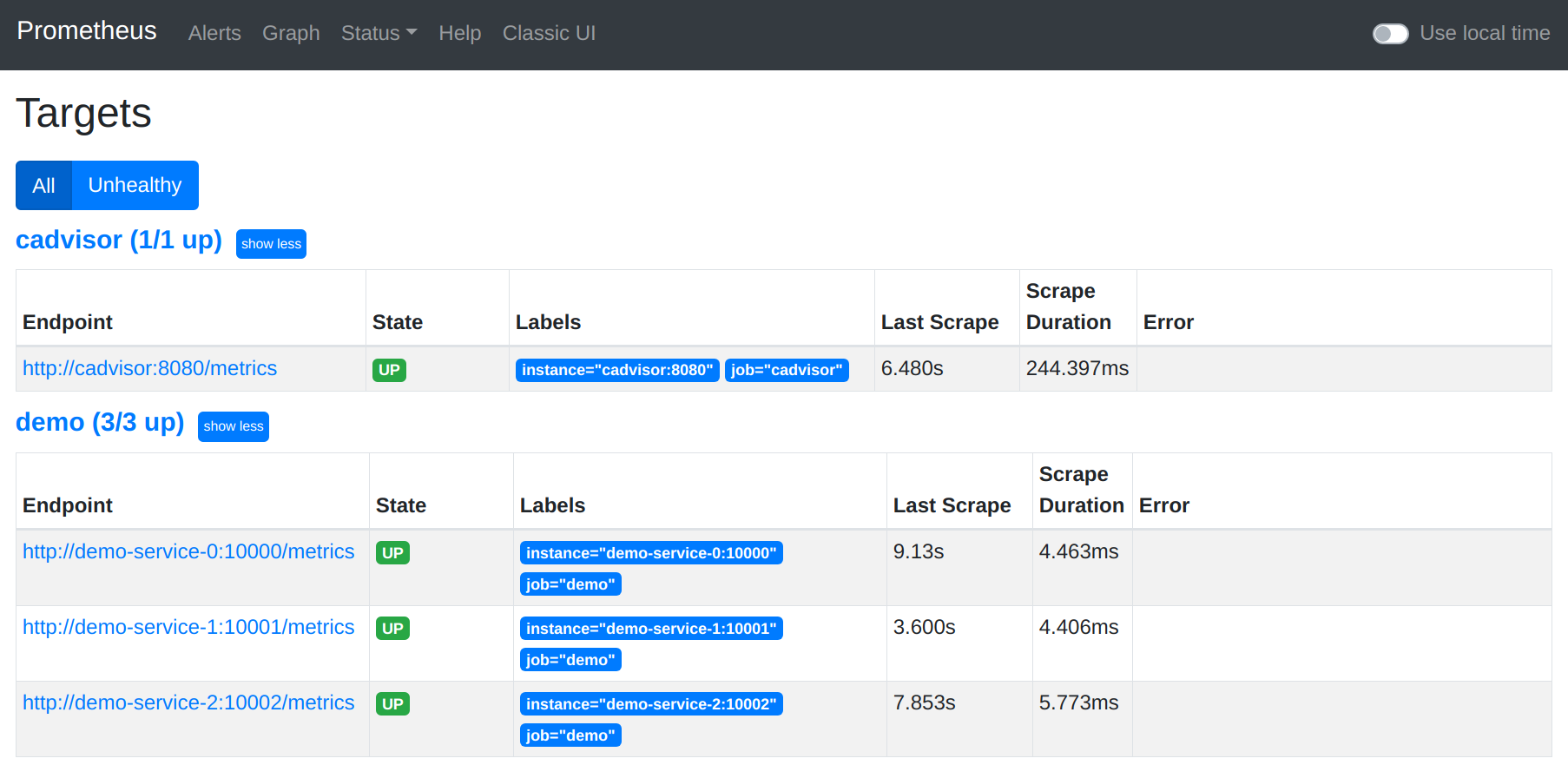
Would love to hear more -team opinions on whether this is worth it though (another UI element which is always there, but not always relevant).
juliusv
on 14 May 2020
I think that looks pretty awkward, and would also make support harder.
brian-brazil
on 14 May 2020
Agree on the awkwardness.
Would it make support harder because we wouldn't know what TZ people were talking about when sharing screenshots / times? At least any written-out times should still contain TZ indicators, so that would help.
juliusv
on 14 May 2020
Yes. As it's a per-user setting which can kinda-make sense with graphs as it's yourself looking at them for data inside the tsdb, but all the other status pages are about debugging Prometheus.
brian-brazil
on 14 May 2020
I am happy with the current situation (only local time in graph).
:+1: on closing this.
roidelapluie
on 14 May 2020
Ok, closing this for now until there's strong sentiment the other direction.
juliusv
on 15 May 2020
Pardon my ignorance but isn't this something usually handled by the browser itself? IE the timestamps should remain in a consistent ISO/UTC/Linuxtime or whatever till the last moment, ie when the labels are rendered by the browser - so even the HTML source should still contain the same time for everyone.
I feel this is something that belongs in a stylesheet or something and set via a cookie. But again, I'm ignorant about how these things work so look forward to being shot down ;).
 sshaikh
on 29 Sep 2020
sshaikh
on 29 Sep 2020
Related issues
 VR6Pete
·
44Comments
VR6Pete
·
44Comments
 bandesz
·
50Comments
brian-brazil
·
102Comments
bandesz
·
50Comments
brian-brazil
·
102Comments
 ajalab
·
47Comments
ajalab
·
47Comments
 hgranillo
·
59Comments
hgranillo
·
59Comments
Most helpful comment
I'm tempted to file a bug against several governments on this planet and add it as a blocker to this feature request: "Your timezone has a fatal design error: The time inexplicably has a gap of 3600s once per year, and at another time once per year, it jumps back 3600s, breaking monotonicity. That renders your timezone unusable for most purposes of time measurement and display."