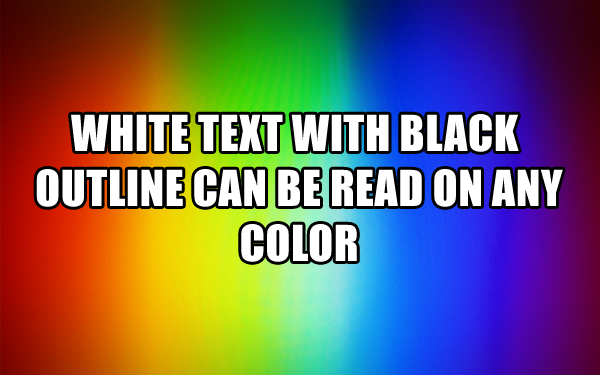
It would be very helpful to be able to add outlines to text layers. This allows for text to be legible on any background (eg white text with black outline, or black text with white outline).
Also, though not strictly related, there does not seem to be any documentation of the options "familysrc", "sizesrc", or "colorsrc" anywhere.
https://plot.ly/javascript/reference/#bar-textfont
https://plot.ly/r/reference/#scatter-textfont
 Alanocallaghan
All 8 comments
Also, though not strictly related, there does not seem to be any documentation of the options "familysrc", "sizesrc", or "colorsrc" anywhere.
Those shouldn't even be displayed in the docs pages. Thanks for pointing this out.
 etpinard
on 14 Apr 2017
etpinard
on 14 Apr 2017
No worries, fyi there are a few similar things hanging around in the documentation, eg
https://plot.ly/javascript/reference/#bar-marker-colorbar-tickvalssrc
Alanocallaghan
on 14 Apr 2017
It would be very helpful to be able to add outlines to text layers.
About this here, can you share a screenshot to help us understand what you're looking for?
etpinard
on 17 Apr 2017
Google maps uses dark text with a white outline, while white text with a dark outline also works. It's the most effective way to make text readable on any background

Alanocallaghan
on 17 Apr 2017
A note on implementation: for SVG, it requires two copies of the text element with different stroke-width properties (that is, it's possible but not just a simple property, which means it requires a bit more effort)
 rreusser
on 17 Apr 2017
rreusser
on 17 Apr 2017
Our much-neglected polar charts do this with the text-shadow style:

<text dy="0" y="0" x="0" dx="0" transform="rotate(45) translate(0,15)" style="
  text-anchor: start;
  font-size: 15px;
  font-family: Tahoma, sans-serif;
  fill: gray;
  text-shadow: white -1px 0px 0px, white 1px -1px 0px, white -1px 1px 0px, white 1px 1px 0px;
">0</text>
Might cease to look good at a greater thickness though, as that's not going to increase the radius of curvature. But it at least avoids having to copy everything. Kind of an odd collection of offsets, I wonder if that was intentional...
I'll also note that applying this to mathjax will require a completely distinct implementation regardless, as it generates its own SVG paths.
 alexcjohnson
on 18 Apr 2017
alexcjohnson
on 18 Apr 2017
Oh wow, I stand corrected! Thanks for that. I missed that in my googling.
rreusser
on 18 Apr 2017
From https://github.com/plotly/plotly.js/pull/3191#issuecomment-434676329
Definitely an improvement! I'm just wondering if we want to go one step further and make a new attribute (
tickshadow?) that defaults topaper_bgcolorbut people could set it to whatever they want (including transparent).
etpinard
on 31 Oct 2018
Related issues
 n-riesco
·
3Comments
n-riesco
·
3Comments
 WG-
·
3Comments
WG-
·
3Comments
 boleslawmaliszewski
·
3Comments
boleslawmaliszewski
·
3Comments
 jonmmease
·
3Comments
jonmmease
·
3Comments
jonmmease
·
3Comments
jonmmease
·
3Comments
Most helpful comment
Our much-neglected polar charts do this with the text-shadow style:

Might cease to look good at a greater thickness though, as that's not going to increase the radius of curvature. But it at least avoids having to copy everything. Kind of an odd collection of offsets, I wonder if that was intentional...
I'll also note that applying this to mathjax will require a completely distinct implementation regardless, as it generates its own SVG paths.