Plotly.js: Unstable panning behavior when updating trace during pan
codepen: https://codepen.io/jonmmease/pen/xvPzVg?editors=1010
When I update the position of an image (in data coordinates) while panning using the new plotly_relayouting event, everything works very smoothly. To do this, I'm using Plotly.react with layout.uirevision: true.

But, if I update the position of a trace using the same approach, I get an unstable panning behavior.

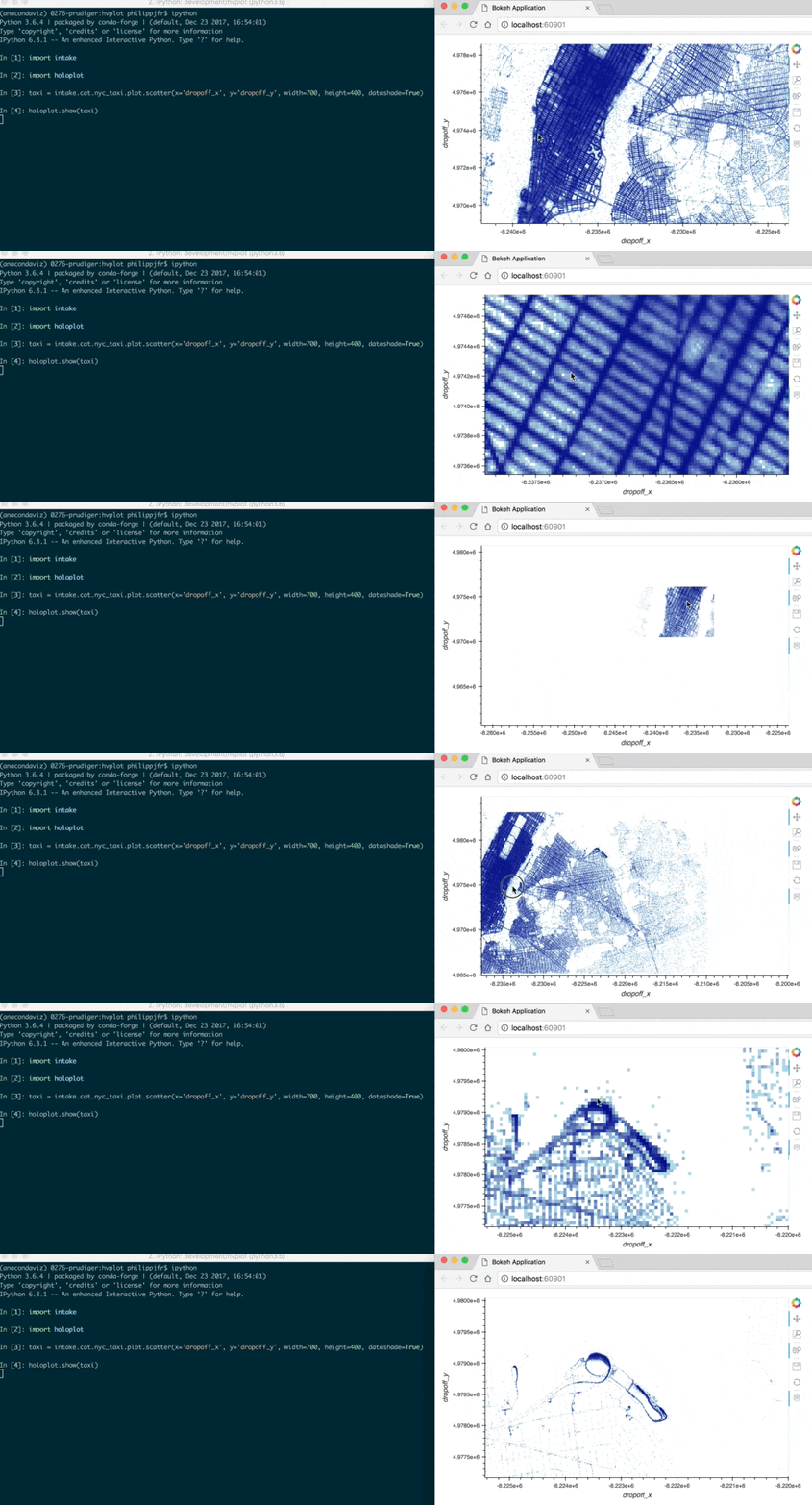
I ran into this while working on updating the display of images/heatmaps while panning using Datashader.
Here's the kind of thing with Bokeh that I'm working towards with Plotly.js:
 jonmmease
All 3 comments
Thanks very much for the report! I'll investigate this further at some point today.
 etpinard
on 5 Aug 2019
etpinard
on 5 Aug 2019
I couldn't find the exact cause to the problem, so in the meantime here are two working examples:
- https://codepen.io/etpinard/pen/KOZKYy?editors=1010 (using
react) - https://codepen.io/etpinard/pen/wVpMLX?editors=1010 (using
updatewhich should perform the best)
etpinard
on 5 Aug 2019
Thanks for taking a look! After playing around with your working react example, I think a key difference is that the xrange/yrange that I was passing into react came from gd._fullLayout, but yours ends up coming from gd.layout. It looks like gd._fullLayout updates during the drag while gd.layout does not. So to work around the issue, it looks like the axis ranges getting passed to react need to be the ranges at the start of the drag, not the current ranges.
If I add
newLayout.xaxis.range = gd.layout.xaxis.range.slice();
newLayout.yaxis.range = gd.layout.yaxis.range.slice();
right before the call to react my example works as well.
jonmmease
on 5 Aug 2019
Related issues
 hashimmoosavi
·
3Comments
etpinard
·
3Comments
hashimmoosavi
·
3Comments
etpinard
·
3Comments
 danielsamuels
·
3Comments
danielsamuels
·
3Comments
 mithi
·
3Comments
mithi
·
3Comments
 taybart
·
4Comments
taybart
·
4Comments