Papirus-icon-theme: Icons of Flatpak apps not showing in other applications
I've noticed that all the icons of Flatpaks do not show in other applications and just a blank image is shown in place.
To understand this better, please have a look at the following screenshots:
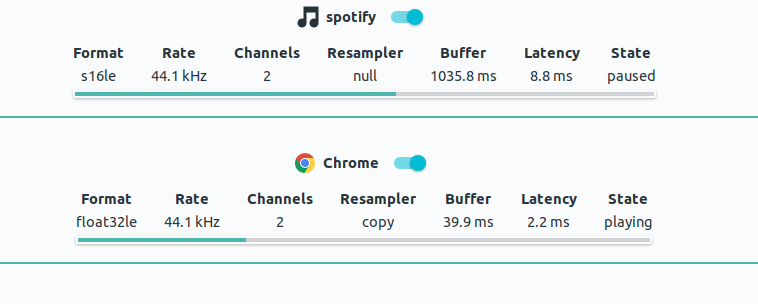
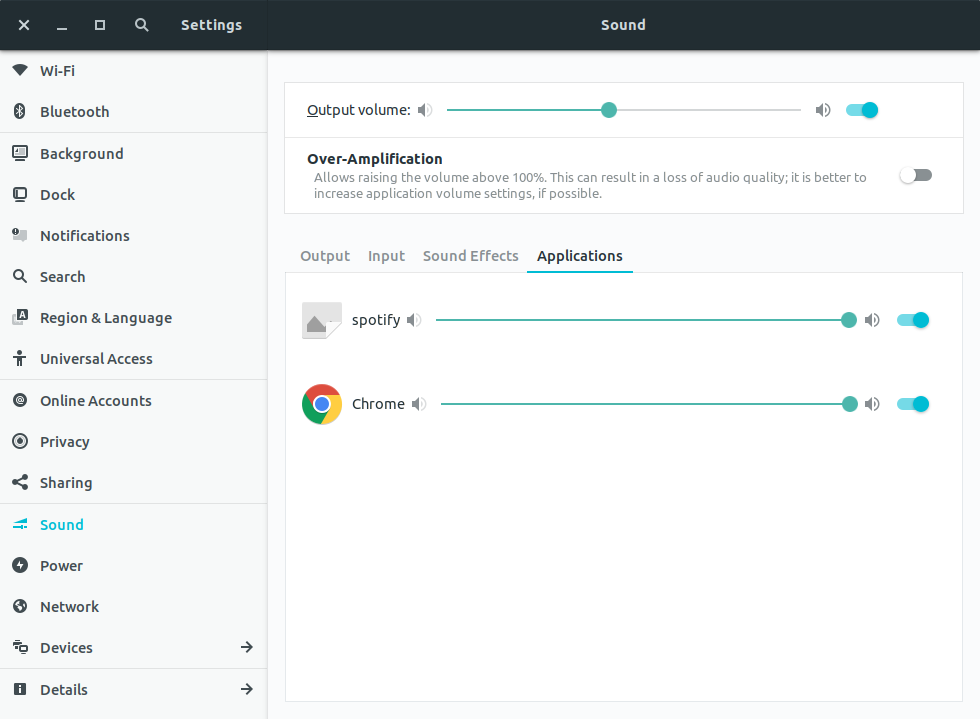
(please note that here Spotify is a flatpak, and Chrome is a .deb)
 swingcake
All 13 comments
Spotify installed from flathub doesn't have this issue. Did you install from another repo?

 SmartFinn
on 25 May 2018
SmartFinn
on 25 May 2018
I installed it from flathub.org with flatpak install flathub com.spotify.Client

swingcake
on 25 May 2018
I have installed with user option. Could you try to install the flatpak package with regular user?
sudo flatpak uninstall com.spotify.Client/x86_64/stable
flatpak install --user flathub com.spotify.Client
flatpak run com.spotify.Client/x86_64/stable
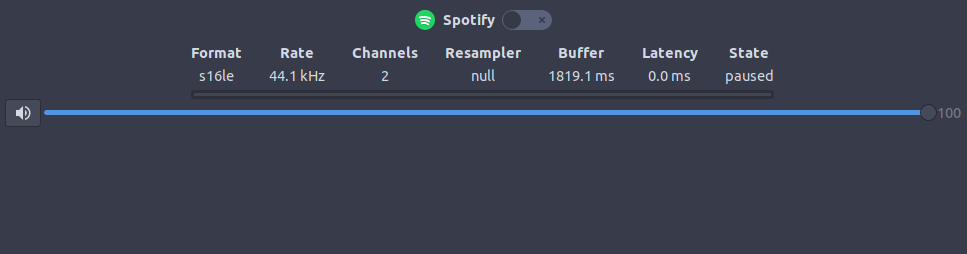
Hmm. I uninstalled the native spotify-client package and now I have the same issue:

SmartFinn
on 25 May 2018
gawd@tushbox:~$ flatpak install --user flathub com.spotify.Client
error: Unable to load summary from remote flathub: Remote "flathub" not found
gawd@tushbox:~$ flatpak remotes
Name    Options
flathub system
I don't have a clue.
swingcake
on 25 May 2018
You have to add the remote for your user:
flatpak remote-add --user --if-not-exists flathub https://flathub.org/repo/flathub.flatpakrepo
But now it doesn't have sense.
SmartFinn
on 25 May 2018
But now it doesn't have sense.
Sorry?
swingcake
on 25 May 2018
I just want to say what you don't need to install the flatpak package from a normal user. The icon will be missing until spotify-client deb package was installed.
I mark this issue as upstream bug because it is not related to papirus-icon-theme, but I still don't know what it is related to.
SmartFinn
on 25 May 2018
Ah yes, I didn't see your comment above with the screenshot. This _issue_ is seen with all the flatpak apps. Can you submit this as an issue to them?
swingcake
on 25 May 2018
Just noticed that this does not happen with VLC(also a flatpak). So it might be particular to Spotify.
swingcake
on 26 May 2018
@swingcake Must be an issue with the flatpak packaging of Spotify. https://github.com/flathub/com.spotify.Client It must uses "copy-icon": true in the manifest to fix this issue.
 bilelmoussaoui
on 4 Jun 2018
bilelmoussaoui
on 4 Jun 2018
@SmartFinn Is it resolved by flatpak? Why is it closed?
swingcake
on 10 Sep 2018
@swingcake because it's not related to the icon theme. I don't see a sense to keep the issue open.
SmartFinn
on 10 Sep 2018
Related issues
 Chamrosh
·
25Comments
Chamrosh
·
25Comments
 varlesh
·
113Comments
varlesh
·
113Comments
 jEsuSdA
·
48Comments
varlesh
·
285Comments
varlesh
·
37Comments
jEsuSdA
·
48Comments
varlesh
·
285Comments
varlesh
·
37Comments