Papirus-icon-theme: [Hardcode Tray Icon Request] - SimpleScreenRecorder, Gnome-Pie, EasyStroke
The below applications doesn't have an icon designed for its tray(panel). Please consider this.
Applications:
- SimpleScreenRecorder
- Gnome-Pie
- EasyStroke

 NusryNizam
All 25 comments
Why you again request about FlareGet? Icon for tray available and worked with hardcode-tray script. You install hardcode-tray and patched sni-qt?
 varlesh
on 12 Jul 2017
varlesh
on 12 Jul 2017
Oh, sorry I didn't get your response. I'll edit it out.
NusryNizam
on 12 Jul 2017
But I applied using hardcode-tray and i have sni-qt latest version installed. But still the problem persists.
NusryNizam
on 12 Jul 2017
What distro you use?
varlesh
on 12 Jul 2017
varlesh
on 12 Jul 2017
I use Ubuntu 16.04 LTS with XFCE
NusryNizam
on 12 Jul 2017
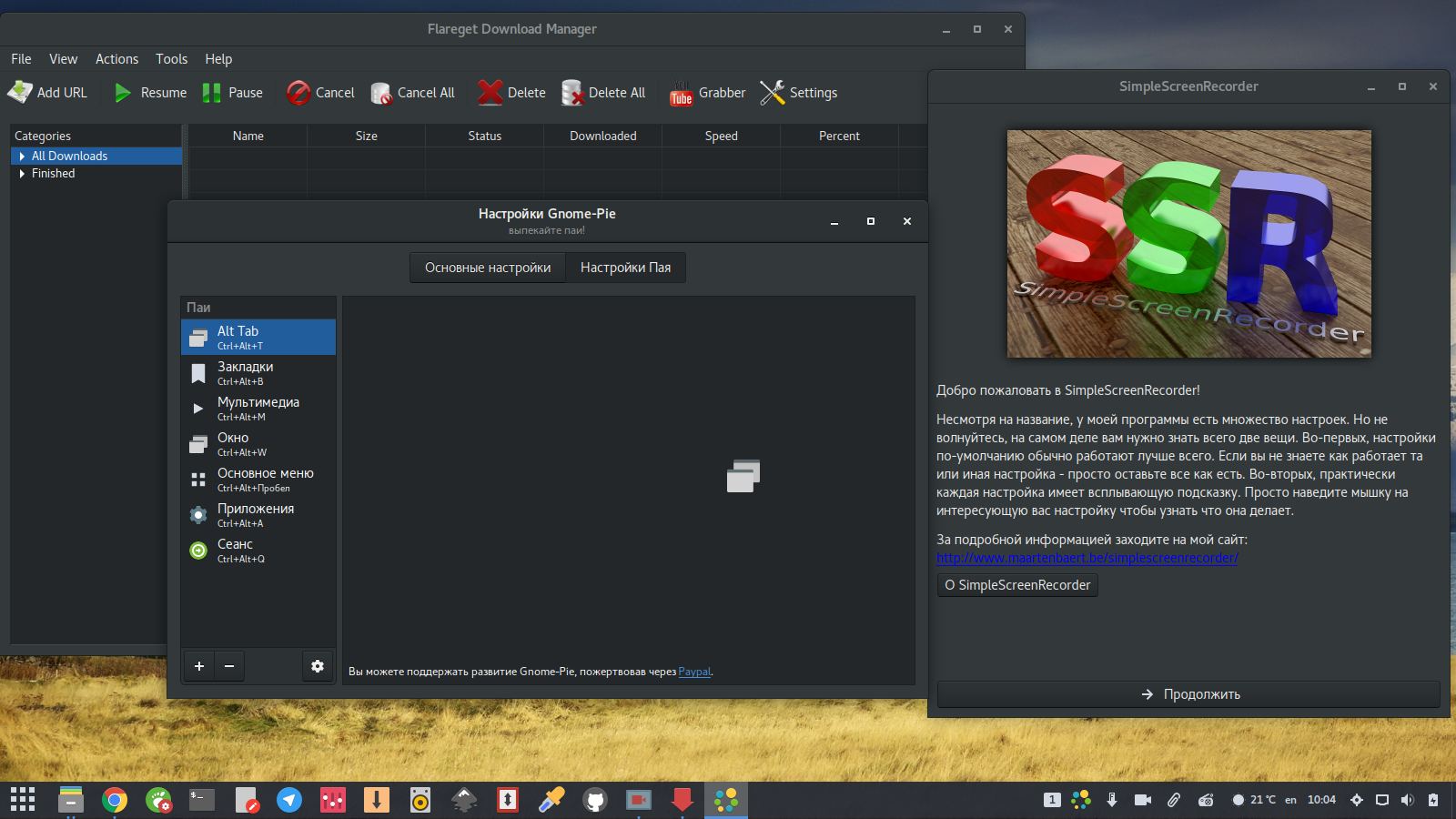
See my screen, ssr and flareget use papirus icons on tray.
See you screen - icons not use icon theme. Because you NOT install PATCHED sni-qt.
sudo add-apt-repository ppa:andreas-angerer89/sni-qt-patched
sudo apt update
sudo apt install --reinstall sni-qt libqt4-svg
I installed the patched sni-qt and applied hardcode-tray again. But still it won't work.
NusryNizam
on 12 Jul 2017
I installed the patched sni-qt and applied hardcode-tray again. But still it won't work.
Sorry i'm not use XFCE, try open issue on hardcode-tray.
Gnome Pie now worked.

Easystroke not possible change icon, because icon used from binary file. But you can didsable tray icon on preferencies.
varlesh
on 12 Jul 2017
With hardcode-tray changed only flareget icon. ssr and gnome-pie worked in box with Papirus.
varlesh
on 12 Jul 2017
Also try qtconfig-qt4, maybe on your system not used GTK theme and icon theme for Qt4-apps.
sudo apt install qt4-qtconfig
varlesh
on 12 Jul 2017
Even qtconfig-qt4 latest version installed.
NusryNizam
on 12 Jul 2017
run qtconfig-qt4 Set GUI Style - GTK and save options on File-Save. Restart Qt-app and check
varlesh
on 12 Jul 2017
Still doesn't work (It is already set to GTK+ anyways) :(
NusryNizam
on 12 Jul 2017
Oh i'm remember this bug.
It's upstream bug xfce4-session:
https://bugzilla.xfce.org/show_bug.cgi?id=12012
It's happened because xfce4-session compiled with flag --disable-legacy-sm - that breaks qt4 integration on xfce.
I try compile without flag --disable-legacy-sm and Qt-4 apps looking fine and use icon theme. You can install this package:
64bit:
https://launchpad.net/~varlesh-l/+archive/ubuntu/test/+files/xfce4-session_4.12.1-3ubuntu2_amd64.deb
32bit:
https://launchpad.net/~varlesh-l/+archive/ubuntu/test/+files/xfce4-session_4.12.1-3ubuntu2_i386.deb
Install package and restart system.
Also if you use non-English language on OS maybe you have trouble with this package, because without --disable-legacy-sm not applied another languages - used only English. See this:
https://bugzilla.xfce.org/show_bug.cgi?id=13685
varlesh
on 12 Jul 2017
It says failed to install package. I mean the .deb file you gave.
NusryNizam
on 12 Jul 2017
sudo dpkg -i PACKAGE
varlesh
on 12 Jul 2017
the package installed, but still it won't work.
NusryNizam
on 12 Jul 2017
reboot OS
varlesh
on 12 Jul 2017
Yeah, I rebooted.
NusryNizam
on 12 Jul 2017
hm it's strange, for me this worked and qt4-apps use gtk-icon theme.
I don't know anymore how help... maybe try another distro, for example manjaro or another DE
varlesh
on 12 Jul 2017
Thanks for your help though. Much appreciated. :+1:
NusryNizam
on 12 Jul 2017
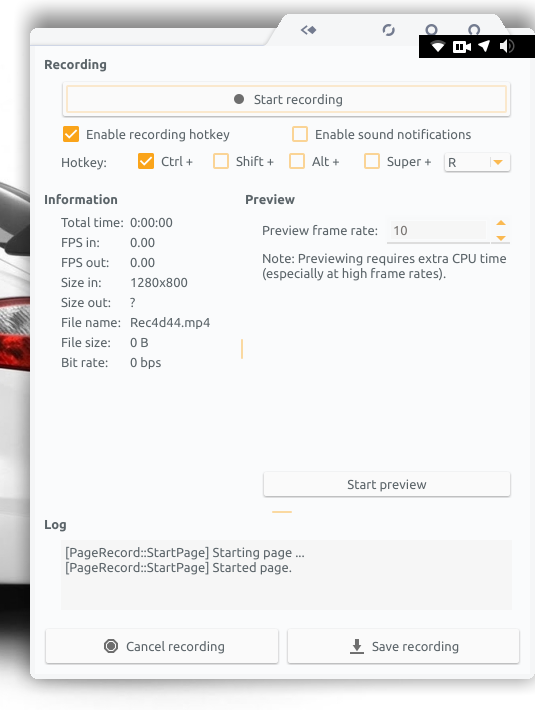
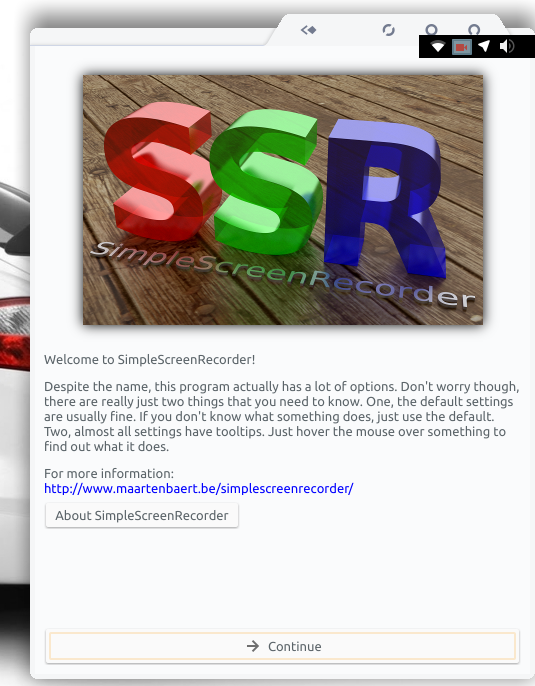
Now it works, But only SimpleScreenRecorder. Others don't work.
But simplescreenrecorder icon is colored at startup, and becomes white in next screens, and when i click back, it becomes colored. (Screenshot below)
NusryNizam
on 12 Jul 2017
sorry, but i don't know why... on Gnome all fine:
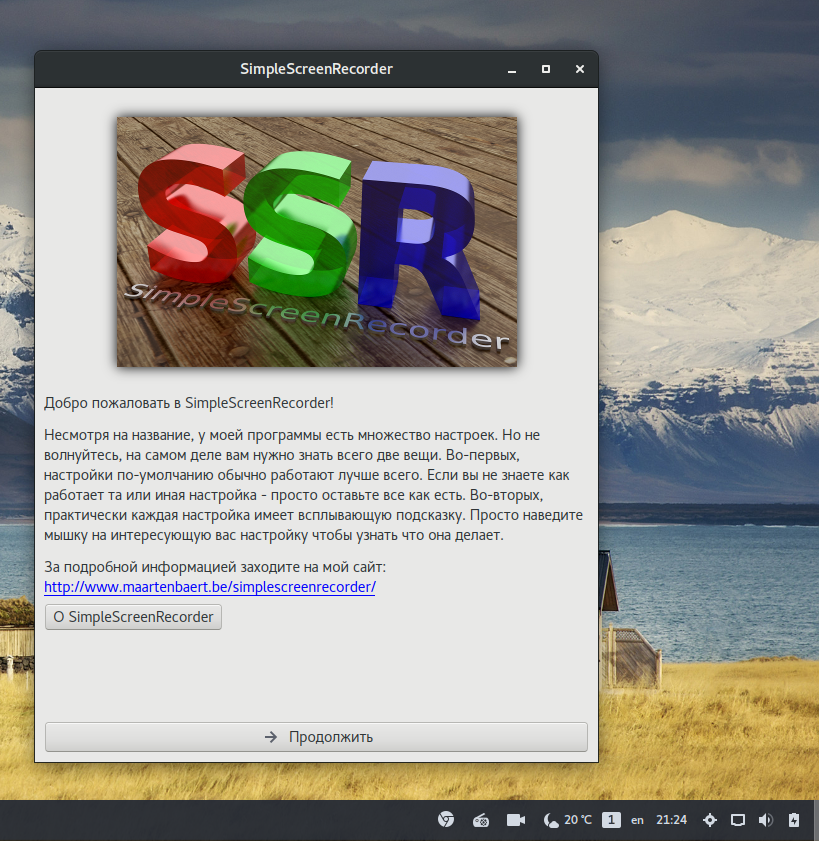
If you want good and not bugged DE for tray i recommend Unity 7, because mostly apps use appindicator and write for this desktop
varlesh
on 12 Jul 2017
Related issues
 acutbal
·
40Comments
acutbal
·
40Comments
 Ste74
·
22Comments
Ste74
·
22Comments
 orschiro
·
23Comments
varlesh
·
76Comments
orschiro
·
23Comments
varlesh
·
76Comments
 Hofer-Julian
·
25Comments
Hofer-Julian
·
25Comments