Openshot-qt: missing file even in case of good path
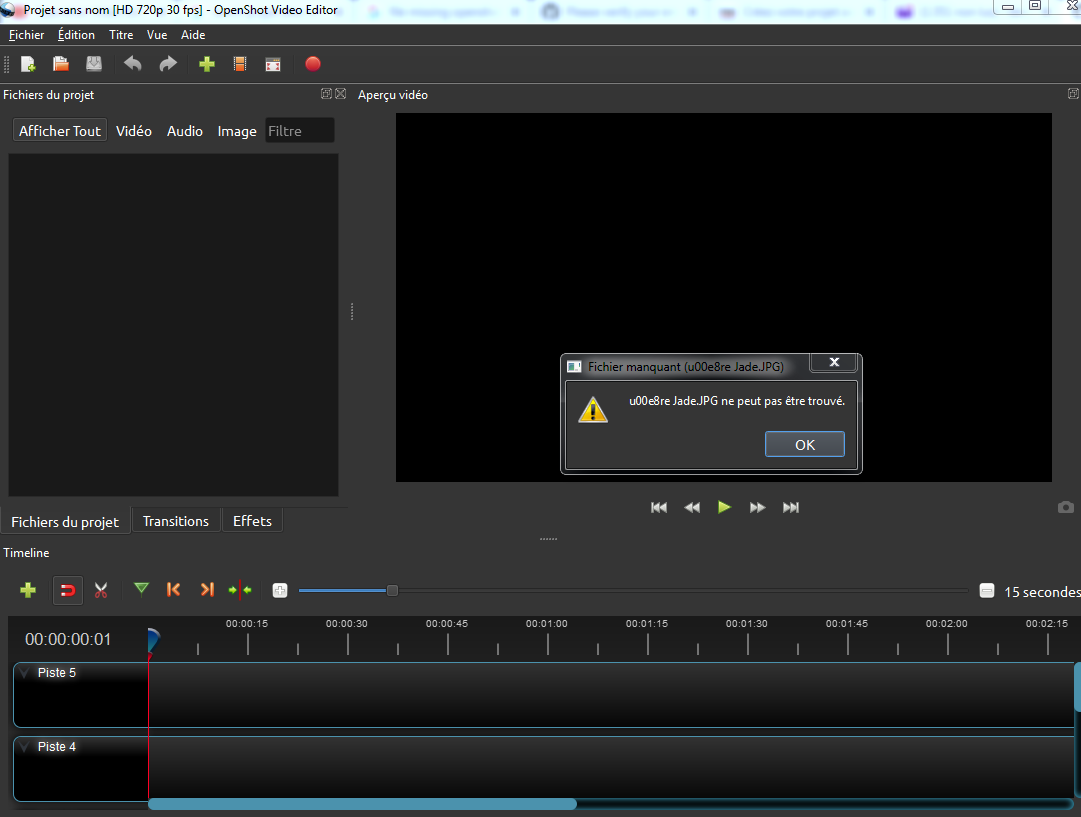
I have created a openshot video file but when I try to open it, there is always the same error " file misisng". I haven't changed anything on the path of the file. I have tried to delete ".openshot_qt" and opened again the file but still the same error message. Something is strange because the name of the files (from the error message) are not the same than in the folder (I changed nothing when I imported them, for example "museliereNoodle" in the folder became "u00e8reNoodle" in the error message).
I really don't understand what is happening, do you have an idea?
I am sorry, I hope this will be clear (I am french...)
Thanks for your help because I am really not an IT expert...
System Details:
OpenShot-v2.5.1-x86_64
 snoopy8612
All 26 comments
This is project file saved in v2.5.0 or similar build, where non-English letters in paths not saved correctly. It may be caused by auto-saving enabled in _Preferences_ of OpenShot - I recommend to disable it. When it enabled, it's just enough to open the project file once in the v2.5.0 to get it damaged...
See for details: https://github.com/OpenShot/openshot-qt/issues/3227
Try to reinstall the 2.5.1 application, start new project and make backups manually time to time.
 SuslikV
on 3 May 2020
SuslikV
on 3 May 2020
@snoopy8612 I agree this is clearly caused by the 2.5.0 pathname issues, though it's disappointing that the repair code built into OpenShot 2.5.1 wasn't able to correct the problems. (It's _supposed_ to fix bad names automatically, though of course nothing is foolproof.)
It's also strange that "museliereNoodle" would be corrupted, as it doesn't contain any non-ASCII characters. Are you sure the filename wasn't "muselièreNoodle"?
Regardless, if you have significant work invested in the project and don't want to lose it, repairing your project file "by hand" is likely to succeed where the automated repair code failed. If you'd like me to try, just create a ZIP file containing the OpenShot .osp project file and attach it to a comment on this report, and I'll take a look.
Only projects that were saved from OpenShot 2.5.0 are affected by this issue, fortunately, and for the most part they seem to be detected and fixed by the auto-repair code. Once the data is repaired (manually, in the case of your project), there shouldn't be any problems working with it using OpenShot 2.5.1.
 ferdnyc
on 4 May 2020
ferdnyc
on 4 May 2020
thanks a lot @ferdnyc fir your help
- It's also strange that "museliereNoodle" would be corrupted, as it doesn't contain any non-ASCII characters. Are you sure the filename wasn't "muselièreNoodle"? I dont't think so because other files without any special character are also concerned
If you'd like me to try, just create a ZIP file containing the OpenShot .osp project file and attach it to a comment on this report, and I'll take a look. that's very nice! I don't know how to repair by hand, if you can show me how to do it I'll repair myself. I attach the .zip with the .osp . The file "u00e8reNoodle" occurs line 31486 . Thank's a lot!!!
snoopy8612
on 4 May 2020
Got it, thanks. Oh! Interesting. This file actually indicates that it's from OpenShot 2.4.4, which may be why auto-repair didn't attempt to fix it. However, it does contain Unicode characters — properly-escaped, but without their slashes doubled — which are probably being damaged by our path processing.
Anyway, fortunately that meant that reformatting it was just a matter of running it through the JSON formatter json_pp with the right options, so it could convert the escaped Unicode into actual utf-8 glyphs. (Those "right options" were, for the record...)
json_pp -json_opt pretty,indent_length=1,ascii \
< le\ confinement\ avec\ Noodle\ et\ Jade\ forum.txt > le_REINDENTED.osp

json_pp -json_opt pretty,indent_length=1 < le_REINDENTED.osp > le2.osp
As you can see I actually ran it through _twice_, once preserving the ASCII escaping, then again without. The first run was to let json_pp reorder the keys, since it was insisting on doing that. By letting it get that out of the way, when I ran the second conversion it changed only the escaped text, and I could produce a minimal diff of its changes. That diff is:
--- "le_REINDENTED.osp" 2020-05-04 05:17:47.004204832 -0400
+++ le2.osp 2020-05-04 05:18:24.990964400 -0400
@@ -12955,7 +12955,7 @@
     "height" : 1080,
     "interlaced_frame" : false,
     "metadata" : {},
-    "path" : "H:\\photos\\Jade et Noodle\\le confinement\\assets\\activit\u00e9s.svg",
+    "path" : "H:\\photos\\Jade et Noodle\\le confinement\\assets\\activités.svg",
     "pixel_format" : -1,
     "pixel_ratio" : {
      "den" : 1,
@@ -13042,7 +13042,7 @@
      }
     ]
    },
-   "title" : "activit\u00e9s.svg",
+   "title" : "activités.svg",
    "volume" : {
     "Points" : [
      {
@@ -31294,7 +31294,7 @@
     "height" : 708,
     "interlaced_frame" : false,
     "metadata" : {},
-    "path" : "H:\\photos\\Jade et Noodle\\le confinement\\museli\u00e8re Noodle.JPG",
+    "path" : "H:\\photos\\Jade et Noodle\\le confinement\\muselière Noodle.JPG",
     "pixel_format" : -1,
     "pixel_ratio" : {
      "den" : 1,
@@ -31381,7 +31381,7 @@
      }
     ]
    },
-   "title" : "museli\u00e8re Noodle.JPG",
+   "title" : "muselière Noodle.JPG",
    "volume" : {
     "Points" : [
      {
@@ -31725,7 +31725,7 @@
     "height" : 619,
     "interlaced_frame" : false,
     "metadata" : {},
-    "path" : "H:\\photos\\Jade et Noodle\\le confinement\\musli\u00e8re Jade.JPG",
+    "path" : "H:\\photos\\Jade et Noodle\\le confinement\\muslière Jade.JPG",
     "pixel_format" : -1,
     "pixel_ratio" : {
      "den" : 1,
@@ -31812,7 +31812,7 @@
      }
     ]
    },
-   "title" : "musli\u00e8re Jade.JPG",
+   "title" : "muslière Jade.JPG",
    "volume" : {
     "Points" : [
      {
@@ -35217,13 +35217,13 @@
     "height" : 360,
     "interlaced_frame" : false,
     "metadata" : {
-     "album" : "\u00c0 la claire fontaine - KARAOK\u00c9 (Paroles & Musique) - Comptines & Berceuses",
+     "album" : "À la claire fontaine - KARAOKÉ (Paroles & Musique) - Comptines & Berceuses",
      "comment" : "Other",
      "date" : "2013",
      "encoder" : "Lavf58.26.101",
-     "title" : "\u00c0 la claire fontaine - KARAOK\u00c9 (Paroles & Musique) - Comptines & Berceuses"
+     "title" : "À la claire fontaine - KARAOKÉ (Paroles & Musique) - Comptines & Berceuses"
     },
-    "path" : "H:\\photos\\Jade et Noodle\\en balade confinement\\\u00c0 la claire fontaine - KARAOK\u00c9 (Paroles & Musique) - Comptines & Berceuses.mp3",
+    "path" : "H:\\photos\\Jade et Noodle\\en balade confinement\\À la claire fontaine - KARAOKÉ (Paroles & Musique) - Comptines & Berceuses.mp3",
     "pixel_format" : 12,
     "pixel_ratio" : {
      "den" : 96,
@@ -35310,7 +35310,7 @@
      }
     ]
    },
-   "title" : "\u00c0 la claire fontaine - KARAOK\u00c9 (Paroles & Musique) - Comptines & Berceuses.mp3 (tous les canaux) (tous les canaux)",
+   "title" : "À la claire fontaine - KARAOKÉ (Paroles & Musique) - Comptines & Berceuses.mp3 (tous les canaux) (tous les canaux)",
    "volume" : {
     "Points" : [
      {
@@ -35686,13 +35686,13 @@
     "height" : 360,
     "interlaced_frame" : false,
     "metadata" : {
-     "album" : "Georges Brassens Les copains d\u00b4abord",
+     "album" : "Georges Brassens Les copains d´abord",
      "comment" : "Other",
      "date" : "2013",
      "encoder" : "Lavf58.26.101",
-     "title" : "Georges Brassens Les copains d\u00b4abord"
+     "title" : "Georges Brassens Les copains d´abord"
     },
-    "path" : "H:\\photos\\Jade et Noodle\\en balade confinement\\Georges Brassens Les copains d\u00b4abord.mp3",
+    "path" : "H:\\photos\\Jade et Noodle\\en balade confinement\\Georges Brassens Les copains d´abord.mp3",
     "pixel_format" : 12,
     "pixel_ratio" : {
      "den" : 96,
@@ -35779,7 +35779,7 @@
      }
     ]
    },
-   "title" : "Georges Brassens Les copains d\u00b4abord.mp3 (tous les canaux) (tous les canaux)",
+   "title" : "Georges Brassens Les copains d´abord.mp3 (tous les canaux) (tous les canaux)",
    "volume" : {
     "Points" : [
      {
@@ -42049,7 +42049,7 @@
    "interlaced_frame" : false,
    "media_type" : "image",
    "metadata" : {},
-   "path" : "H:\\photos\\Jade et Noodle\\le confinement\\assets\\activit\u00e9s.svg",
+   "path" : "H:\\photos\\Jade et Noodle\\le confinement\\assets\\activités.svg",
    "pixel_format" : -1,
    "pixel_ratio" : {
     "den" : 1,
@@ -42350,13 +42350,13 @@
    "interlaced_frame" : false,
    "media_type" : "video",
    "metadata" : {
-    "album" : "\u00c0 la claire fontaine - KARAOK\u00c9 (Paroles & Musique) - Comptines & Berceuses",
+    "album" : "À la claire fontaine - KARAOKÉ (Paroles & Musique) - Comptines & Berceuses",
     "comment" : "Other",
     "date" : "2013",
     "encoder" : "Lavf58.26.101",
-    "title" : "\u00c0 la claire fontaine - KARAOK\u00c9 (Paroles & Musique) - Comptines & Berceuses"
+    "title" : "À la claire fontaine - KARAOKÉ (Paroles & Musique) - Comptines & Berceuses"
    },
-   "path" : "H:\\photos\\Jade et Noodle\\en balade confinement\\\u00c0 la claire fontaine - KARAOK\u00c9 (Paroles & Musique) - Comptines & Berceuses.mp3",
+   "path" : "H:\\photos\\Jade et Noodle\\en balade confinement\\À la claire fontaine - KARAOKÉ (Paroles & Musique) - Comptines & Berceuses.mp3",
    "pixel_format" : 12,
    "pixel_ratio" : {
     "den" : 96,
@@ -42764,13 +42764,13 @@
    "interlaced_frame" : false,
    "media_type" : "video",
    "metadata" : {
-    "album" : "Georges Brassens Les copains d\u00b4abord",
+    "album" : "Georges Brassens Les copains d´abord",
     "comment" : "Other",
     "date" : "2013",
     "encoder" : "Lavf58.26.101",
-    "title" : "Georges Brassens Les copains d\u00b4abord"
+    "title" : "Georges Brassens Les copains d´abord"
    },
-   "path" : "H:\\photos\\Jade et Noodle\\en balade confinement\\Georges Brassens Les copains d\u00b4abord.mp3",
+   "path" : "H:\\photos\\Jade et Noodle\\en balade confinement\\Georges Brassens Les copains d´abord.mp3",
    "pixel_format" : 12,
    "pixel_ratio" : {
     "den" : 96,
@@ -44017,7 +44017,7 @@
    "interlaced_frame" : false,
    "media_type" : "image",
    "metadata" : {},
-   "path" : "H:\\photos\\Jade et Noodle\\le confinement\\museli\u00e8re Noodle.JPG",
+   "path" : "H:\\photos\\Jade et Noodle\\le confinement\\muselière Noodle.JPG",
    "pixel_format" : -1,
    "pixel_ratio" : {
     "den" : 1,
@@ -44064,7 +44064,7 @@
    "interlaced_frame" : false,
    "media_type" : "image",
    "metadata" : {},
-   "path" : "H:\\photos\\Jade et Noodle\\le confinement\\musli\u00e8re Jade.JPG",
+   "path" : "H:\\photos\\Jade et Noodle\\le confinement\\muslière Jade.JPG",
    "pixel_format" : -1,
    "pixel_ratio" : {
     "den" : 1,
So, those are the only changes of any significance that were made. Even though all of the keys have been shuffled around and the indentation changed, so the file _appears_ to be completely different now, there are very few changes to the actual data.
If there are still missing files with this repaired project data, especially in paths with full-ASCII names, the only thing I can suggest is perhaps they _have_ actually been moved from their original location or name. If a file has been _renamed_ you'll have to rename it back, we don't currently support recovery from a different filename. If it's merely been moved, then indicating what directory the file now lives in should be enough to reconnect it.
Here's the reformatted file, named just le2.osp because I am very lazy. :wink:
ferdnyc
on 4 May 2020
Regardless, if you have significant work invested in the project and don't want to lose it
I would say so, considering the project file is over 44,000 lines _without_ any saved history! (Usually giant files like that are attributable to a long undo history stored in the project.) Your file, though, has _no_ history, but it does contain — if I counted correctly — 142 project files, which sounds like a record. And then a similar number of clips, making use of those 142 files on the timeline.
Point is, it seems like a lot of effort went into it and I certainly hope the recovered version works properly for you. I'd hate it if you having to do all that over again! (If it doesn't work, definitely please let us know what failed. Hopefully we'll be able to address any remaining issues as well.)
ferdnyc
on 4 May 2020
Thanks a lot for your prompt reply!
To use json_pp I have found that on is that ok? which parameters do I have to enter in JasonTemplate and Jason parameter? because I have other projects having this problems...
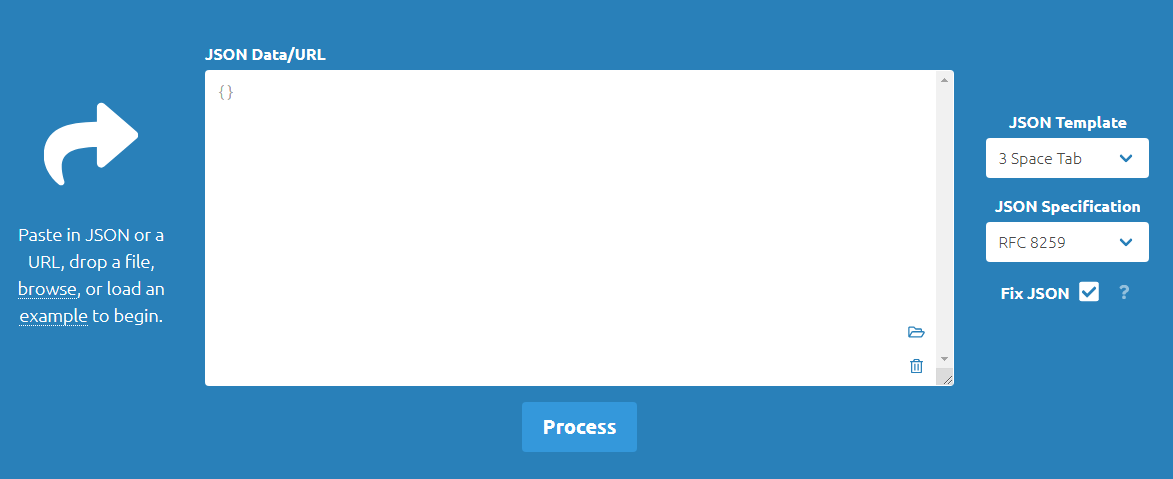
apprently each issue comes from an ' or an é Next time I won't use these characters...
It seems to work ! but I can't still open the project because I always have the same error. do you have an idea how to solve this systematic crash?
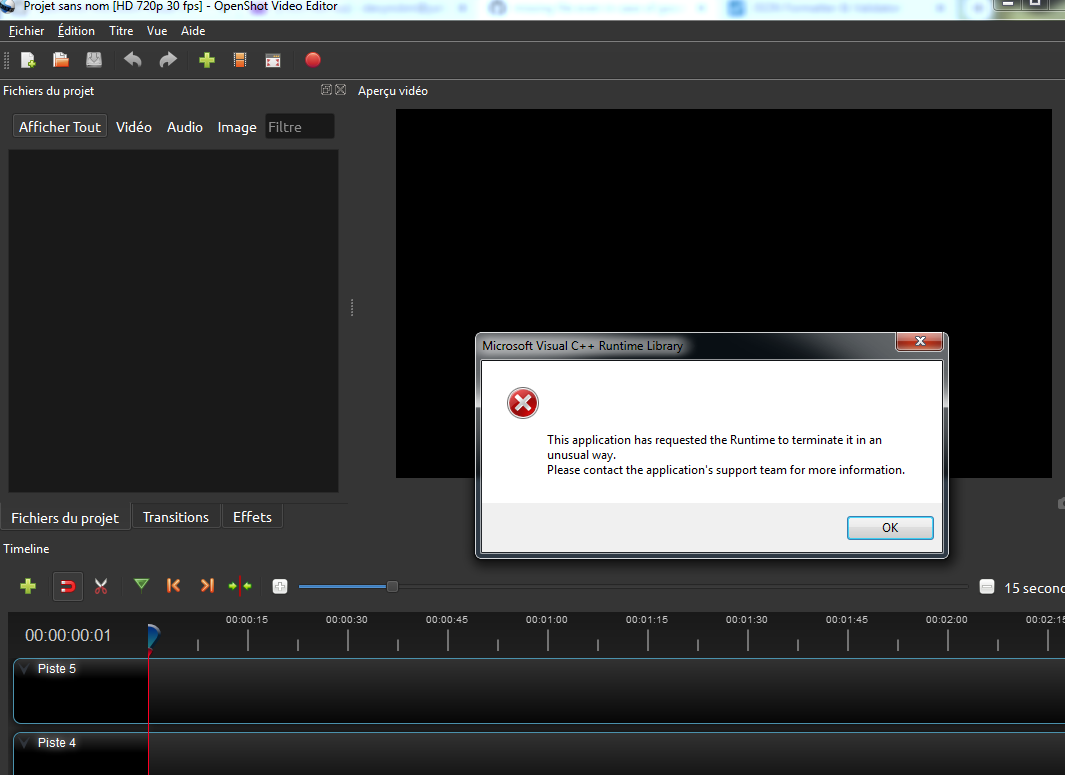
I am damned ....
Yes my project is quite big but it is for work and I've spent a lot of times on it. Your file, though, has no history what do you mean ? because I regularly saved it
snoopy8612
on 5 May 2020
@ferdnyc the line has pair of " inside string, compare:
"path" :"@transitions/common/fade.svg", - rises error in reader of effects (transitions)
"path" : "@transitions/common/fade.svg", - rises error in reader of effects (transitions)
"path":"@transitions/common/fade.svg", - no error, casual key-value pair
"path": "@transitions/common/fade.svg", - no error, casual key-value pair
Repaired file incorrectly formatted, that causes mentioned error (see above).
SuslikV
on 7 May 2020
@snoopy8612 try to load this repaired file:
about 30KB to download, CRC of the zip archive MD5:3A009CCD54E5ADFCD467F64F7289270E
le2_fixed.zip
Again,
- Make backups of the project when you are working on something huge and important for you.
- Disable auto-saving in _Preferences_ of OpenShot (in case of trouble - it can overwrite your working file silently, leaving you with broken project).
SuslikV
on 8 May 2020
many thanks I could finally open the project and save it !
snoopy8612
on 8 May 2020
@snoopy8612 json_pp is a command-line tool on Linux systems (at least), I'm sure a web-based utility could process the files as well but you'd have to either search for all of the bad strings and individually process them, or copy the project file's entire contents into the tool — which, given that this project was 1.4 _million_ characters of text, probably wouldn't work very well.
I'm sure there must be a wide variety of JSON processing tools available for Windows, but I wouldn't know anything about them, sorry.
Yes my project is quite big but it is for work and I've spent a lot of times on it. Your file, though, has no history what do you mean ? because I regularly saved it
OpenShot has the _ability_ to store project history, so that undo/redo work even across saves and across sessions. (A feature I don't consider the slightest bit useful, because who loads a project they were working on however long ago and immediately wants to Undo the last action from their previous session? Who can _remember_ their last action from a previous session? ...But I lost that argument.)
Project history data is usually a source of additional problems when opening or processing files like yours, though. We typically start any type of repair by removing history data from the project file, to bring it down to a more manageable size. Sometimes we'll also advise users with complex projects to select the "Clear history" menu option right before saving their work, to keep the project data from getting too bloated.
So, the fact that your file _didn't_ have any history isn't a problem — it was a pleasant surprise. (But also meant that the file's length _wasn't_ even the slightest bit inflated, an even bigger surprise. I wasn't joking when I said that 140+ project files might be a new record, we rarely see projects that complex.)
ferdnyc
on 8 May 2020
@ferdnyc the line has pair of
"inside string, compare:
"path" :"@transitions/common/fade.svg",- rises error in reader of effects (transitions)
"path" : "@transitions/common/fade.svg",- rises error in reader of effects (transitions)
"path":"@transitions/common/fade.svg",- no error, casual key-value pair
"path": "@transitions/common/fade.svg",- no error, casual key-value pairRepaired file incorrectly formatted, that causes mentioned error (see above).
If true that sounds like a bug in Python's json.loads() implementation, white space around the : shouldn't affect the parsing (which is why json_pp added it automatically). The RFC 8259 JSON spec clearly states (page 5):
Insignificant whitespace is allowed before or after any of the six
structural characters.
ferdnyc
on 8 May 2020
(To be more explicit, all four of those lines _should_ be processed identically, as they all satisfy the formal grammar for a JSON name/value pair in the exact same manner. JSON requires only that each pair consist of a string, followed by a colon, followed by a second string a value (in all of these cases, another string). A string is defined as a series of Unicode characters that begins and ends with a double quotation mark. And arbitrary amounts of whitespace are optionally permitted around or between any of the structural components.)
ferdnyc
on 8 May 2020
I just tested the json module from Python 3.7.7, with this input:
[{
    "a" : "a test"
},
{
    "b": "b test"
},
{
    "c" :"c test"
},
{
    "d":"d test"
}
]
It parsed all forms identically, as expected:
>>> import json
>>> with open('test.json', 'r') as f:
...     json.load(f)
...
[{'a': 'a test'}, {'b': 'b test'}, {'c': 'c test'}, {'d': 'd test'}]
Parsing as a string was also no issue:
>>> with open('test.json', 'r') as f:
...     lines = f.readlines()
>>> all_lines = "".join(lines)
>>> print(all_lines)
[{
    "a" : "a test"
},
{
    "b": "b test"
},
{
    "c" :"c test"
},
{
    "d":"d test"
}
]


>>> json.loads(all_lines)
[{'a': 'a test'}, {'b': 'b test'}, {'c': 'c test'}, {'d': 'd test'}]
So, I'm not sure what the issue is, but it appears it may be limited to Windows, or a particular Python release, or something.
ferdnyc
on 8 May 2020
Too strange, @ferdnyc ,this release available under the daily builds of openshot. @ferdnyc can you try to open this project file in OpenShot?
Click to expand
{
 "id": "UQ0SU97IWM",
 "fps": {
  "num": 30,
  "den": 1
 },
 "display_ratio": {
  "num": 16,
  "den": 9
 },
 "pixel_ratio": {
  "num": 1,
  "den": 1
 },
 "width": 1280,
 "height": 720,
 "sample_rate": 44100,
 "channels": 2,
 "channel_layout": 3,
 "settings": {},
 "clips": [],
 "effects": [
  {
   "id": "Z57YRIHAVQ",
   "layer": 1000000,
   "title": "Transition",
   "type": "Mask",
   "position": 0,
   "start": 0,
   "end": 10,
   "brightness": {
    "Points": [
     {
      "co": {
       "X": 1,
       "Y": 1
      },
      "handle_left": {
       "X": 0.5,
       "Y": 1
      },
      "handle_right": {
       "X": 0.5,
       "Y": 0
      },
      "handle_type": 0,
      "interpolation": 0
     },
     {
      "co": {
       "X": 301,
       "Y": -1
      },
      "handle_left": {
       "X": 0.5,
       "Y": 1
      },
      "handle_right": {
       "X": 0.5,
       "Y": 0
      },
      "handle_type": 0,
      "interpolation": 0
     }
    ]
   },
   "contrast": {
    "Points": [
     {
      "co": {
       "X": 1,
       "Y": 3
      },
      "interpolation": 2
     }
    ]
   },
   "reader": {
    "acodec": "",
    "audio_bit_rate": 0,
    "audio_stream_index": -1,
    "audio_timebase": {
     "den": 1,
     "num": 1
    },
    "channel_layout": 4,
    "channels": 0,
    "display_ratio": {
     "den": 4,
     "num": 5
    },
    "duration": 3600.0,
    "file_size": "1658880",
    "fps": {
     "den": 1,
     "num": 30
    },
    "has_audio": false,
    "has_single_image": true,
    "has_video": true,
    "height": 576,
    "interlaced_frame": false,
    "metadata": {},
    "path" : "@transitions/common/fade.svg",
    "pixel_format": -1,
    "pixel_ratio": {
     "den": 1,
     "num": 1
    },
    "sample_rate": 0,
    "top_field_first": true,
    "type": "QtImageReader",
    "vcodec": "",
    "video_bit_rate": 0,
    "video_length": "108000",
    "video_stream_index": -1,
    "video_timebase": {
     "den": 30,
     "num": 1
    },
    "width": 720
   },
   "replace_image": false
  }
 ],
 "export_path": "",
 "import_path": "",
 "files": [],
 "duration": 300,
 "scale": 15,
 "tick_pixels": 100,
 "playhead_position": 0,
 "profile": "HD 720p 30 fps",
 "layers": [
  {
   "id": "L1",
   "label": "",
   "number": 1000000,
   "y": 0,
   "lock": false,
   "skip_audio": false,
   "skip_video": false
  }
 ],
 "markers": [],
 "progress": [],
 "history": {
  "undo": [],
  "redo": []
 },
 "version": {
  "openshot-qt": "2.5.1-dev2",
  "libopenshot": "0.2.5-dev2"
 }
}
I hope it would be platform independent, daily build shows python version: 3.7.4 on Windows. Example file fails in libstdc++-6.dll lib on "load" action for _classes.timeline.TimelineSync_ object during dispatch_action() call of updates.py. Nature of the error points to some invalid operation in c++ code of libopenshot.
Exact place where algorithm stops:
https://github.com/OpenShot/openshot-qt/blob/38be10411756cbc76447afb0a1d1b202ededddde/src/classes/timeline.py#L85-L86
Turns out that this was caused by @ in path that is dumped as literal symbol in the example above. And I obviously seen same error with the repaired file (first version) because fade.svg was missing, and which path was set as absolute - the path was different on my system, so transition file was missing for me (see https://github.com/OpenShot/openshot-qt/issues/2735).
Finally, I found it. This is regular expression bug:
https://github.com/OpenShot/openshot-qt/blob/38be10411756cbc76447afb0a1d1b202ededddde/src/classes/json_data.py#L42
it doesn't allows spaces and skips "path" : constructions... and not only.
SuslikV
on 8 May 2020
@ferdnyc maybe there the:
path_regex = re.compile(r'\"(image|path)\"[ ]*:[ ]*\"(.*?)\"')
would work a bit better. What you can say about it?
Edit: I'm going to change second part of it too:
(.*?) to (..*) (kind of "at least one symbol")
SuslikV
on 8 May 2020
@SuslikV Yeah, if it only affects the paths, that's definitely it. I should've thought of that.
@ferdnyc maybe there the:
path_regex = re.compile(r'\"(image|path)\"[ ]*:[ ]*\"(.*?)\"')would work a bit better. What you can say about it?
Something like that. To correctly implement the JSON grammar we should use \s instead, which will match any whitespace character.
Edit: I'm going to change second part of it too:
(.*?)to(..*)(kind of "at least one symbol")
"1 or more symbols" would be written (.+), but that's different from (.*?) which is a non-greedy match. The difference comes when you have something like:
"My name is Neil.", he said. "I went to the moon."
The regular expression r'"My name is (.*)"' would end up matching this string:
Neil.", he said. "I went to the moon.
Whereas r'"My name is (.*?)"' will match only Neil. as probably intended.
(You can also use (.+?) for a non-greedy match of 1 or more characters, greediness is independent of match count.)
ferdnyc
on 9 May 2020
(For why the match needs to be non-greedy, remember that project data used to be, and theoretically still could be, written all on one line.)
ferdnyc
on 9 May 2020
The other change I'd make to the original regex, personally, is that none of the double-quotes need to be escaped. In fact, it's the whole _point_ of an r'...' raw string literal that you don't need to escape what's inside it. So, yeah:
path_regex = re.compile(r'"(image|path)"\s*:\s*"(.*?)"')
would be the way to go.
(Edit: You don't want to do (.+?) there, still. If there _is_ a value containing only an empty pair of double quotes, the (.+?) will be forced to match the _closing_ double-quotes, and then will extend out trying to find the next double-quote character on the same line (if there is one) so it can complete the expression. IOW, "(.+?)" doesn't make "image": "" instantly fail to match, it makes the regular expression engine work _way_ harder trying to find a successful match.)
ferdnyc
on 9 May 2020
other variant:
path_regex = re.compile(r'"(image|path)"\s*:\s*"([^"]+.*?)"')
will withstood the empty strings and it faster:
"path" : "" "path": "image" "path" : "/home/dif.txt" "path" : "v:\\image.jpg"
SuslikV
on 10 May 2020
You wouldn't want a match based on exclusion to be non-greedy, since you _do_ want to match every character that's not a quotation mark, until the next quotation mark. (Non-greedy and greedy matches have the same definition, in that context.) But you could do this, yeah:
path_regex = re.compile(r'"(image|path)"\s*:\s*"([^"]+)"')
That's sort of the workaround version of the non-greedy match, for regular expression implementations where they aren't supported. There's no reason the [^"] version would be significantly faster, though. Non-greedy matches optimize well — especially when you're talking about pre-compiled regular expressions.
(If you think about it, other than the first one not matching on an empty value string (""), these two expressions really have exactly the same meaning:
re.compile(r'"(image|path)"\s*:\s*"(.*?)"')
re.compile(r'"(image|path)"\s*:\s*"([^"]+)"')
Non-greedy matching, when it's used for a pattern bordered by specific characters, is basically just an implicit way to say "every character that's not the one required to follow this match" — which is exactly what the explicit version says. A good regular expression engine should optimize those into virtually identical algorithms, with no measurable differences in performance.)
ferdnyc
on 10 May 2020
@ferdnyc I'mused the https://regex101.com/ site to test the regular expression "steps" count and this:
"(image|path)"\s*:\s*"([^"]+)"
takes less steps than:
"(image|path)"\s*:\s*"(.*?)"
on string like this:
"path": "image" "path" : "/home/dif.txt" "path" : "v:\\image.jpg"
SuslikV
on 11 May 2020
@SuslikV But that's not a very representative string, is it?
I created one out of an existing project file I have using json_pp --json_opt canonical (which will remove all whitespace and newlines), then used it as the test string for both of those alternatives.
"(image|path)"\s*:\s*"([^"]+)": 4 matches, 18888 steps (~28ms)"(image|path)"\s*:\s*"(.*?)": 4 matches, 19128 steps (~28ms)
virtually identical algorithms, with no measurable differences in performance.
(Edit: Where "measurable... performance" is the execution time of the algorithm. If there isn't even a millisecond difference between them, one having 2% more or fewer steps than the other is meaningless.)
ferdnyc
on 11 May 2020
@ferdnyc Because this boost cost nothing - I'll rather accept it, than ignore. Also, this skips empty strings (that not needed for processing in OpenShot).
It feels like you against this changes?
SuslikV
on 11 May 2020
I'm against needlessly changing the algorithm, yes. As you can see I just submitted the PR to _fix_ the algorithm, since that's a different issue entirely.
ferdnyc
on 11 May 2020
@ferdnyc "needlessly"? There is no issue in OpenShot itself in this part. But when data was formatted wrongly Openshot was unable to accept them (it wasn't application's bug). Improvement - not a FIX!
For real fix, ^_^ I have a task for you: https://github.com/OpenShot/openshot-qt/issues/3471#issuecomment-626494147
SuslikV
on 11 May 2020
Thank you so much for submitting an issue to help improve OpenShot Video Editor. We are sorry about this, but this particular issue has gone unnoticed for quite some time. To help keep the OpenShot GitHub Issue Tracker organized and focused, we must ensure that every issue is correctly labelled and triaged, to get the proper attention.
This issue will be closed, as it meets the following criteria:
- No activity in the past 180 days
- No one is assigned to this issue
We'd like to ask you to help us out and determine whether this issue should be reopened.
- If this issue is reporting a bug, please can you attempt to reproduce on the latest daily build to help us to understand whether the bug still needs our attention.
- If this issue is proposing a new feature, please can you verify whether the feature proposal is still relevant.
Thanks again for your help!
![stale[bot] picture](https://avatars3.githubusercontent.com/in/1724?v=4&s=40) stale[bot]
on 7 Nov 2020
stale[bot]
on 7 Nov 2020
Related issues
 ppkakkar
·
3Comments
ppkakkar
·
3Comments
 LadyReader
·
3Comments
LadyReader
·
3Comments
 Obed9
·
3Comments
Obed9
·
3Comments
 Geoff0627
·
3Comments
Geoff0627
·
3Comments
 ghost
·
3Comments
ghost
·
3Comments