Openshot-qt: Cannot Open .osp file "invalid load key, '{'."
I had an open shot file project and the next day I was unable to open it! I tried reinstalling the program, but it still will not open. I have even tried the daily build and deleting the log files, as Open Shot's website instructed when troubleshooting.
The message given when trying to open the file is:

I will do anything to fix this issue. I can even attach the file into a zip if needed. Please, someone help me because I have spent hours onto this project.
 briannamu
All 64 comments
@briannamu I'm going to transfer this issue to the openshot-qt project, since libopenshot doesn't handle .osp files — that support is all provided by OpenShot itself. But please do attach the project file to the transferred issue, it should be easy enough to fix up. Also, it would be helpful if you could provide information on what version of OpenShot you're running, where it was installed from, etc.
 ferdnyc
on 10 Dec 2019
ferdnyc
on 10 Dec 2019
But please do attach the project file to the transferred issue, it should be easy enough to fix up.
Also, having an example of a damaged project file will help us solve this problem, if we haven't already fixed it. (If the damaged file was originally created under OpenShot 2.4.4 release, it's likely the bug has already been fixed. But it can't hurt to make sure.)
ferdnyc
on 10 Dec 2019
100 reasons to go vegan.zip
I am using Windows 10 and version 2.4.4
Hope this helps!
briannamu
on 10 Dec 2019
Devs: This is a strange one. The .osp file is ~13MB, making it _look_ like an exploded history file, but on examination the file turns out to be truncated in the history block (causing the load error), and approximately 60-70% filled with zeroes! Everything past this point is 00 bytes:
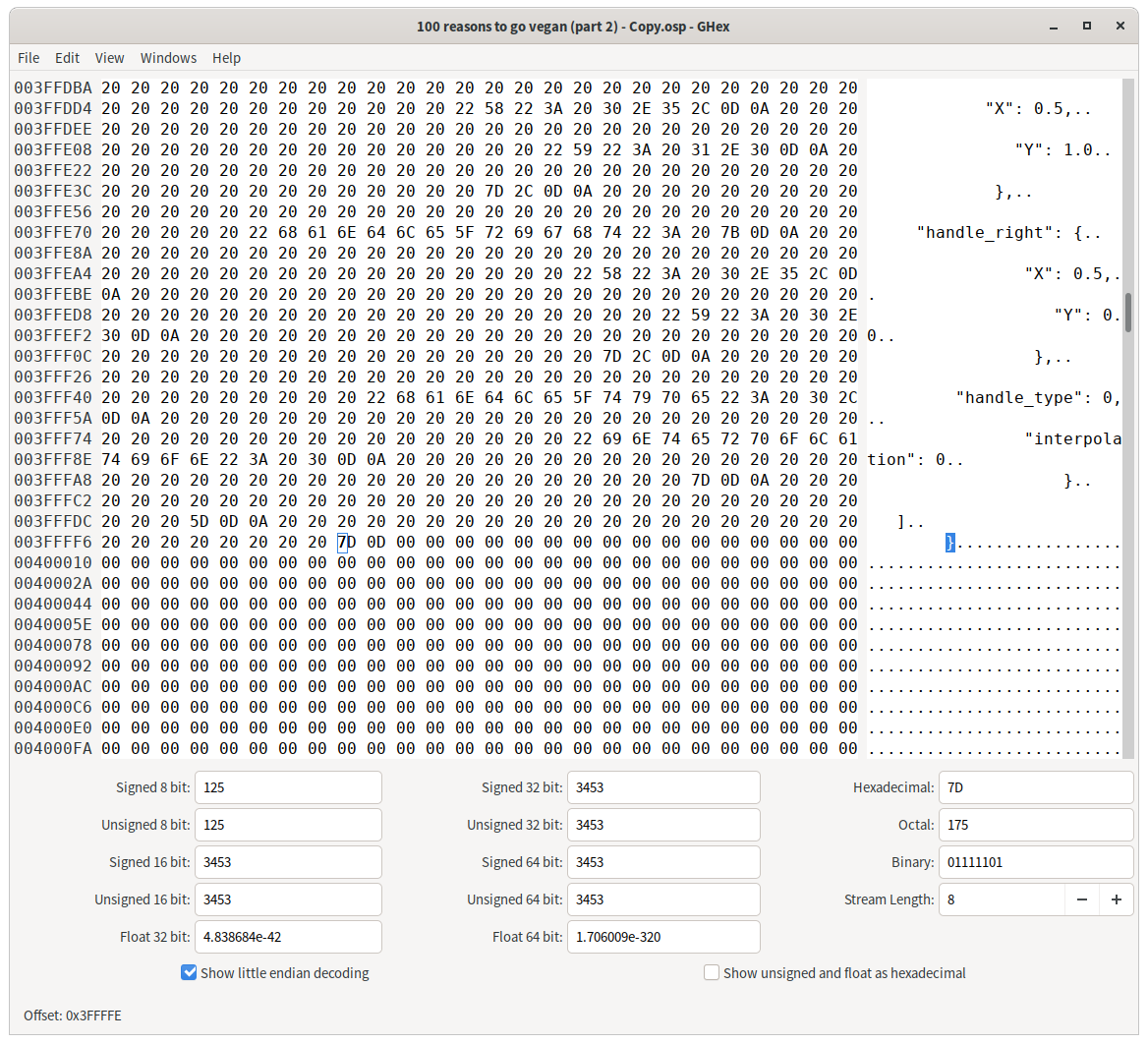
After trimming off the entire (truncated) "history" block (along with all of the empty space after) and adding on a "version" block, the file size is reduced from 13MB to 3.6MB, and it passes JSON validation:
$ ls -l 100\ reasons\ to\ go\ vegan\ \(part\ 2\)*
-rw-r--r--. 1 ferd ferd  13M Dec  9 19:29 100 reasons to go vegan (part 2) - Copy.osp
-rw-r--r--. 1 ferd ferd 3.6M Dec 10 15:47 100 reasons to go vegan (part 2)_REPAIRED.osp
$ tail -n10 100\ reasons\ to\ go\ vegan\ \(part\ 2\)_REPAIRED.osp
    "progress": [],
    "history": {
    "undo": [],
    "redo": []
    },
 "version": {
  "openshot-qt": "2.4.4",
  "libopenshot": "0.2.3"
 }
}
$ json_verify -su < 100\ reasons\ to\ go\ vegan\ \(part\ 2\)_REPAIRED.osp
JSON is valid
@briannamu Here's the repaired file, it _should_ load in OpenShot for you, and hopefully everything is present and working, though without the media files I obviously can't test it. It's much smaller than your original file [appears to be], but the only missing items hopefully are the stored undo history, not the project data.
The way the original file was cut off and the blank space at the end is very strange, to be honest, and not something we've seen before. Two thoughts:
- I notice that the filename ends in
- Copy, is it possible there was an error copying the original file? (Probably not, as the error I got trying to load it into OpenShot was the same error you got. But I just want to rule that out.) - Is it possible the disk you were saving to ran out of space while OpenShot was saving the _original_ file, or while it was being transferred from one disk to another at some point? That's one scenario I can think of where the file might end up in the state it was in, with a long area of completely blank space at the end.
ferdnyc
on 10 Dec 2019
Always make intermediate backup copies of the project when working on something huge or complex. Do not use auto-saving features...
The file damaged due to history undo writing fault (special feature of OpenShot where each undo action is written into the project no matter of).
 SuslikV
on 10 Dec 2019
SuslikV
on 10 Dec 2019
The file damaged due to history undo writing fault
I don't know that that's strictly true, or at least up until now we haven't seen any kind of bug that causes _blank_ space to be written to a file like that. It's _possible_, certainly, but it really seems to me like an out-of-space issue or something must've been involved.
Sure, you could say that if OpenShot _hadn't_ been saving history to the project, then the file would've been smaller and it wouldn't have gotten cut off, but that's kind of reductive. No matter how small the data, it can always run out of space on a disk.
ferdnyc
on 10 Dec 2019
(That being said, backups are always good advice!)
ferdnyc
on 10 Dec 2019
OH MY GOD THANK YOU! IT WORKS I LIERARLY CANNOT THANK YOU ENOUGH.
Seriously thank you, I had a major panic attack from thinking I lost all my progress... If I was rich I'd give you $1,000 right now, swear to god. <3
briannamu
on 11 Dec 2019
So, I put together some experiments. I converted the repaired project file into one I could load, by creating dummy files for all of the paths referenced in it. Then I created a small filesystem, one I knew would be too small to save everything, in a tempfile and mounted it:
$ df -h /mnt/testdisk
Filesystem      Size  Used Avail Use% Mounted on
/dev/loop0      7.9M  160K  7.1M   3% /mnt/testdisk
Then I loaded the file into the latest OpenShot, and tried to resave it to the full disk.
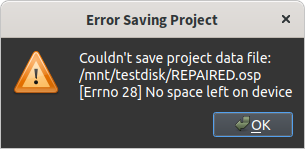
Whether it ran out of space copying asset files, or saving the project file itself, OpenShot 2.4.4-dev2 noticed the full disk and displayed an error dialog:
Then I tried the same thing with OpenShot 2.4.4 release from the AppImage. Same result:
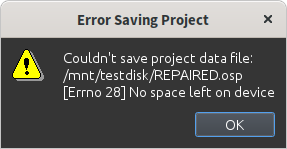
(Wow, that icon is horrible.)
So, it could be that I'm wrong about the disk-full issue, as it seems that we'd at _least_ catch that when it happens. But this does mean that whatever happened to the project file is still a mystery, unfortunately. I suppose it could be an out-of-_memory_ error, storing the undo list in the first place. The project is VERY complex, my (underpowered) system has trouble even loading it.
ferdnyc
on 11 Dec 2019
@briannamu Glad I could help! Good luck with the project. Given the complexity of what you've got there so far, I can't stress the advice @SuslikV gave enough: Backups, backups, backups.
I'm a little worried that you might run into trouble exporting under OpenShot 2.4.4, it has some memory issues that mean it will require a pretty beefy system to create a video from that project. If that's the case, you may need to install the latest daily build version and use it for export instead.
One caution, though: Right now projects saved from the Daily Builds aren't fully compatible with OpenShot 2.4.4 (the release version). So you'll want to keep a copy of the version saved from 2.4.4 as well, if you do go that route.
ferdnyc
on 11 Dec 2019
Will do! Again, Thank you so much!
briannamu
on 11 Dec 2019
(Oh, and if you've been doing a lot of editing to the project, Edit > Clear history is always a good idea right before a save, or an export. It'll free up a lot of memory, make the save file smaller, and make the export go faster.)
ferdnyc
on 11 Dec 2019
I have this same exact issue with the same invalid load key "{" Below is the .osp file if that helps. If anyone could help that would be great.
TheGameAwardsSummedUp.zip
 deanl3
on 17 Dec 2019
deanl3
on 17 Dec 2019
@deanl3 try this one (change profile if needed, re-save it), maybe it will work for you:
TheGameAwardsSummedUp (2)_repaired.zip
The project file is heavily damaged. Make backup copies during your work.
SuslikV
on 17 Dec 2019
@SuslikV @deanl3
Hrm. Now this one is especially troubling:
- Once again, no
"history"at all, the JSON serialization aborts in the project data proper. - This time, the data successfully written was only 32,000 lines / 1.1 MB, much smaller than the previous two.
- This time, the project media (based on the available JSON data, at least) consists solely of audio/video files, not still images.
We're actually getting farther away from a pattern. :confounded: (Other than, I note, that all three damaged files so far have come from Windows users. That could possibly be significant, if the issue is somehow confined to the frozen Python implementation bundled with OpenShot.)
ferdnyc
on 17 Dec 2019
Thank you so much @SuslikV I've been saving my projects quite frequently but never thought to make backups of the .osp files. I appreciate you getting back to me so quickly! @ferdnyc all I know is that when OpenShot stopped responding I simply closed the application and restarted my laptop. Every single time I just open back up my project and everything Is fine but this time it had that error. Once again thank you for such a quick response. I appreciate all the hard work!
deanl3
on 17 Dec 2019
@deanl3 the "stopped responding" was during: 1) preview playback, 2) timeline navigation, 3) keyframe edit 4) file add or 5) video export?
Is your auto-saving feature of OpenShot was enabled (main menu _Edit>Preferences>Autosave tab>Enable Autosave_) the last time?
SuslikV
on 17 Dec 2019
@SuslikV it was during a preview playback. It froze up but the audio kept going on the video. Also yes the auto save feature was enabled the last time.
deanl3
on 18 Dec 2019
@deanl3 Mmm, if OpenShot froze up _during_ an autosave attempt, that's a definite possibility for how the file might've been corrupted.
The good news on that front is that the _current_ develop / Daily Build code includes new autosave logic, which first copies the previous save file to a recovery directory before overwriting it with the autosave. So, autosave should be a safer operation in the next release of OpenShot.
But with 2.4.4, given that it saves directly over the existing save file, I'd recommend turning it off. OpenShot will still write crash-recovery backups even with autosave turned off (and attempt to restore the recovery data on relaunch, if it finds a crash-recovery backup), and since those backups don't overwrite your existing project file they're actually the safer option for protecting against project data loss.
ferdnyc
on 18 Dec 2019
@ferdnyc That might have been a possibility. I know whenever Openshot triggers an autosave the video playback freezes up/ buffers for a few seconds. I'll keep autosave off and make sure to create backup copies. I managed to finish the video which I'm thrilled about if you guys want to check it out. Youtube
deanl3
on 18 Dec 2019
@deanl3 funny video! uhm...
 mikelacsa
on 19 Dec 2019
mikelacsa
on 19 Dec 2019
@ferdnyc can this ticket be considered solved and closed?
mikelacsa
on 19 Dec 2019
I am having the same problem with the invalid load key on a project of mine. Can anybody help me?
Tour.zip
 ryanzguitarz
on 29 Mar 2020
ryanzguitarz
on 29 Mar 2020
@ryanzguitarz unfortunately, no useful data is left in your project - it is completely damaged. If you are user of the v2.5.1 then you may try to find some copies on your PC (if any were made of course) - look for files with the .osp extension on the system drive.
Make backup copies time to time if you working on something huge.
SuslikV
on 29 Mar 2020
We have Ubuntu 18.04, a laptop Lenovo ideapad320, and OpenShot 2.4.1 and we have the same problem with "invalid load key '{'...". Unfortunately, we have not found a solution.
 nodoambiental
on 16 Apr 2020
nodoambiental
on 16 Apr 2020
I also have this issue
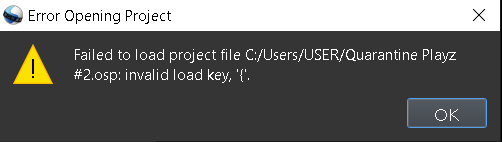
I read this and also couldn't find a solution...
And I saved the file in .osp and I couldn't drag drop the file here so please help...
 Troprism
on 29 May 2020
Troprism
on 29 May 2020
@Troprism Use 7-zip program and compress the file into .zip format first (to upload it here) or use google drive and post shared link to the file.
SuslikV
on 29 May 2020
https://drive.google.com/file/d/1kVxKcIauW2wZde4_cFanlHdAzRejW_kI/view?usp=sharing
Here you go hope this helps... Thanks
Troprism
on 29 May 2020
@Troprism Can you make the link available to everyone?
SuslikV
on 29 May 2020
Troprism
on 29 May 2020
@Troprism Repaired file:
Quarantine Playz #2_repaired.zip
about 43 KB to download, CRC of the .zip archive MD5:5B1F80023CF36A68421BDF56A0A82735717AD0AE
The project is huge. Should work well, but the project file is heavily damaged. Please, make backup copies during your work.
SuslikV
on 29 May 2020
Yeah i spent 2 weeks making that
For sure Im gonna make backups for these from now on...
Thanksss so muchhh!!!
Not all heroes wear capes
Hope you have a good weekend!
Troprism
on 29 May 2020
Hello, I've had the same issue as the original post.
FOOTBALL CLIPS - Copy.zip
 PO28
on 30 May 2020
PO28
on 30 May 2020
Hello, I've had the same issue as the original post.
FOOTBALL CLIPS - Copy.zip
For context the application froze up on an attempt to save, I had to restart my pc afterwards, has too much memory built up in it?
PO28
on 30 May 2020
@PO28 unfortunately, no useful data is left in your project - it is completely damaged. If you are user of the v2.5.1 then you may try to find some auto-backup copies on your PC (if any were made of course) - look for files with the .osp extension on the system drive.
Make backup copies time to time if you working on something important for you.
SuslikV
on 30 May 2020
Will do, thank you regardless.
PO28
on 30 May 2020
@Troprism Repaired file:
Quarantine Playz #2_repaired.zip
about 43 KB to download, CRC of the
.ziparchive MD5:5B1F80023CF36A68421BDF56A0A82735717AD0AEThe project is huge. Should work well, but the project file is heavily damaged. Please, make backup copies during your work.
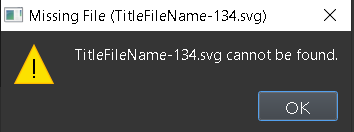
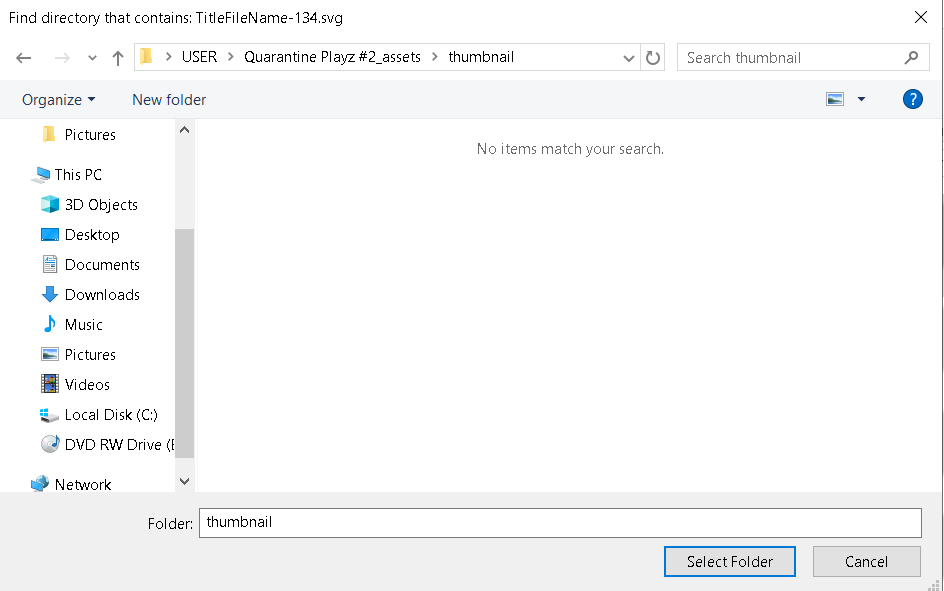
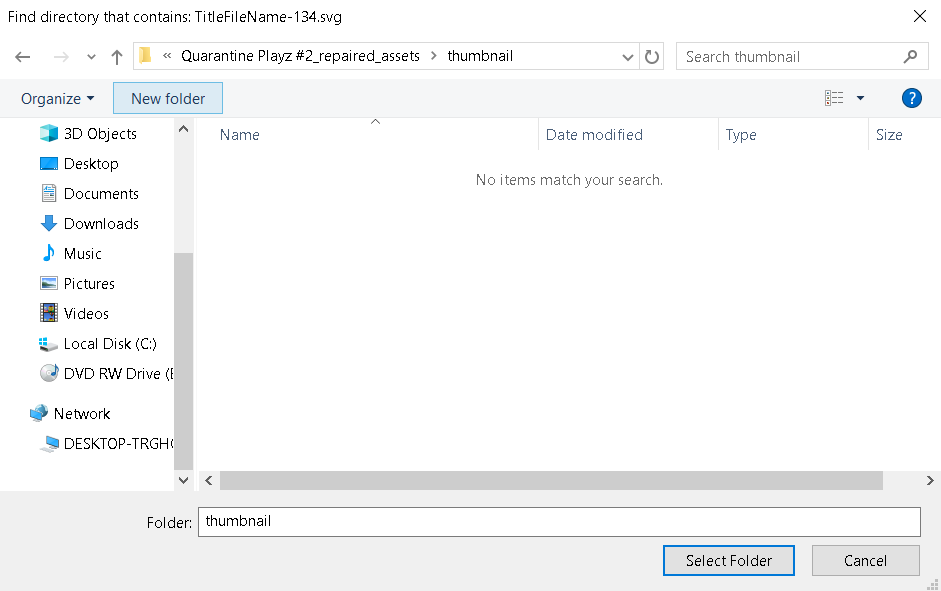
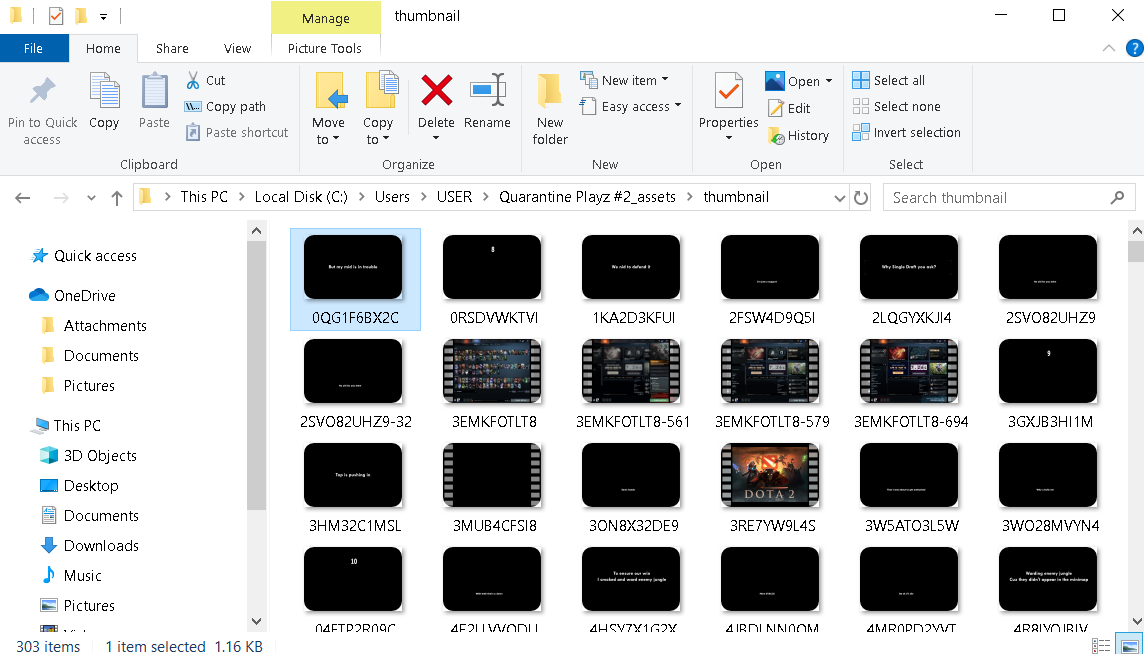
Sorry to bother you again but now it keep saying that all my .svg (Titles) are gone but when I open the assets folder outside of openshot I can see all of my videos, effects and titles that I used... Is there anyway to tix this please?
I tried deleting the openshot-qt folder too but didn't work...
1st picture stating the error message
2nd and 3rd picture stating that My titles etc etc are gone (in openshot)
4th picture stating that I actually still have the Titles etc etc (but outside of openshot)
Sorry to bother again...
Troprism
on 30 May 2020
@Tropism the "thumbnails" is the folder that contains icons in .png format. This is not actual .svg source files. Look for the folder that contains actual files (with .svg extension).
The project file keeps only description (of layers compositions) and path to actual sources that are in use. So, your files are still in the folder of the broken project, like Quarantine Playz #2_assets\title\ for .svg titles files or similar.
SuslikV
on 30 May 2020
Devs: This is a strange one. The
.ospfile is ~13MB, making it _look_ like an exploded history file, but on examination the file turns out to be truncated in the history block (causing the load error), and approximately 60-70% filled with zeroes! Everything past this point is00bytes:
After trimming off the entire (truncated)
"history"block (along with all of the empty space after) and adding on a"version"block, the file size is reduced from 13MB to 3.6MB, and it passes JSON validation:$ ls -l 100\ reasons\ to\ go\ vegan\ \(part\ 2\)* -rw-r--r--. 1 ferd ferd 13M Dec 9 19:29 100 reasons to go vegan (part 2) - Copy.osp -rw-r--r--. 1 ferd ferd 3.6M Dec 10 15:47 100 reasons to go vegan (part 2)_REPAIRED.osp $ tail -n10 100\ reasons\ to\ go\ vegan\ \(part\ 2\)_REPAIRED.osp "progress": [], "history": { "undo": [], "redo": [] }, "version": { "openshot-qt": "2.4.4", "libopenshot": "0.2.3" } } $ json_verify -su < 100\ reasons\ to\ go\ vegan\ \(part\ 2\)_REPAIRED.osp JSON is valid@briannamu Here's the repaired file, it _should_ load in OpenShot for you, and hopefully everything is present and working, though without the media files I obviously can't test it. It's much smaller than your original file [appears to be], but the only missing items hopefully are the stored undo history, not the project data.
The way the original file was cut off and the blank space at the end is very strange, to be honest, and not something we've seen before. Two thoughts:
- I notice that the filename ends in
- Copy, is it possible there was an error copying the original file? (Probably not, as the error I got trying to load it into OpenShot was the same error you got. But I just want to rule that out.)- Is it possible the disk you were saving to ran out of space while OpenShot was saving the _original_ file, or while it was being transferred from one disk to another at some point? That's one scenario I can think of where the file might end up in the state it was in, with a long area of completely blank space at the end.
Can I get some help with this issue plz. I'm in the middle of an important video edit and woke up with this problem on the project. Plz plz S.O.S help
 mrtripledot
on 5 Jun 2020
mrtripledot
on 5 Jun 2020
@mrtripledot share your project file please.
SuslikV
on 5 Jun 2020
hey guy here it is
On Fri, Jun 5, 2020 at 8:03 AM SuslikV notifications@github.com wrote:
@mrtripledot https://github.com/mrtripledot share your project file
please.—
You are receiving this because you were mentioned.
Reply to this email directly, view it on GitHub
https://github.com/OpenShot/openshot-qt/issues/3123#issuecomment-639440167,
or unsubscribe
https://github.com/notifications/unsubscribe-auth/AP3EEOOLJCCLTUUHYFETUKDRVDNI7ANCNFSM4JZDH46A
.
mrtripledot
on 5 Jun 2020
@Troprism Repaired file:
Quarantine Playz #2_repaired.zip
about 43 KB to download, CRC of the
.ziparchive MD5:5B1F80023CF36A68421BDF56A0A82735717AD0AEThe project is huge. Should work well, but the project file is heavily damaged. Please, make backup copies during your work.
I emailed it to ya
mrtripledot
on 5 Jun 2020
@mrtripledot the mails is only for notification - not for reply. The mail itself has recommendation (at the bottom) to reply directly from the github.com site. So, use the site if you want to say or share something.
SuslikV
on 5 Jun 2020
@mrtripledot the mails is only for notification - not for reply. The mail itself has recommendation (at the bottom) to reply directly from the github.com site. So, use the site if you want to say or share something.
New Yoppa.zip
here it is
mrtripledot
on 6 Jun 2020
@mrtripledot the mails is only for notification - not for reply. The mail itself has recommendation (at the bottom) to reply directly from the github.com site. So, use the site if you want to say or share something.
New Yoppa.zip
here it is
dont ask me what happen to the old yoppa @_@
mrtripledot
on 6 Jun 2020
@mrtripledot the mails is only for notification - not for reply. The mail itself has recommendation (at the bottom) to reply directly from the github.com site. So, use the site if you want to say or share something.
<_<
_>
<_<
mrtripledot
on 6 Jun 2020
@mrtripledot unfortunately, no useful data is left in your project - it is completely damaged. If you are user of the v2.5.1 then you may try to find some auto-backup copies on your PC (if any were made of course) - look for files with the .osp extension on the system drive.
Make backup copies manually time to time if you working on something important for you.
SuslikV
on 6 Jun 2020
Hi @SuslikV - I have the same issue and was trying to use GHex like you did to look at the binary, but I don't see the pattern of repeating zeros like you did. I dual boot with Windows and Linux. The Linux version for 2.5.1 kept crashing and things of that nature (different issue entirely), so I downloaded it for Windows and was able to edit it. However, exports stalled at about 53%, so I just decided to try and open the project in Linux and see if maybe it would export there, and now I get this error. What am I looking for, exactly? The error seems to indicate malformed JSON, but I don't know how I would determine where the JSON became malformed. Do you have any ideas? Here's my project file if you want to take a look:
gradvideo.zip
 allensutton
on 6 Jun 2020
allensutton
on 6 Jun 2020
@allensutton Unfortunately, the OpenShot's project files not cross-platform interchangeable. The reason it crashes in Linux from saving in Windows - is different path to effects ("missing" Transition files, see: https://github.com/OpenShot/openshot-qt/issues/2735 ) that now are saved as absolute path in your project:
To resolve the OpenShot crash issue (libstdc++-6.dll or libstdc++-6.so lib crash on "load" action), just change all paths C:\\Program Files\\OpenShot Video Editor\\transitions\\common\\ to @transitions/common/.
Example.
From:
"path": "C:\\Program Files\\OpenShot Video Editor\\transitions\\common\\fade.svg"
to:
"path": "@transitions/common/fade.svg"
The repaired file with transitions paths changed (no history):
CA-2020-Grad-Video-2_repaired02.zip
about 92 KB to download, CRC of the .zip archive MD5:BA76E36460D8EC731A325C7BD1130BF1
As for the "stuck at the some percentage" during the export - give to it more time, maybe scheduled task is too demanding. Wait for 20-30 minutes (or so), if progress is still not moving - look at the same percentage on the Timeline - maybe scene can be simplified.
SuslikV
on 7 Jun 2020
Thanks @SuslikV - that at least appears to have fixed that particular issue. But being that the issue is really just a problem I encountered while trying to work around my main issue, which is the stalling of the export, I kept trying to find a solution to that one in the meantime. My project would always stall around 53% or so. I noticed in one of your other posts on a different issue that you indicated that the percentage directly coincides with the spot on the timeline where the problem likely is. With that in mind, through trial and error by pulling segments of the project into their own projects and attempting to export, I think I've identified the exact spot where the problem is. After some research, I believe it's related to the issue described in the comments of #3126 where OpenShot seems to have issues with projects that contain a lot of still images. Would it be helpful to comment on that issue and add my project file, or do you recommend opening a new issue entirely?
allensutton
on 7 Jun 2020
@allensutton disable auto-saving feature of OpenShot (in _Preferences_) and monitor amount of RAM that is in use during the _Export_. And report the bug separately.
SuslikV
on 7 Jun 2020
Hi @ferdnyc were you able to solve this issue at all? The same just happened in my project and I copied the file tried looking into the it's hex code but it was all 00 :S . Do you mind having a look I might be missing something here https://drive.google.com/file/d/13Lpg8Mp0TavcifEWdTfi71_f2oPw1Fdk/view?usp=sharing
TIA
 sarynahlawy
on 22 Jun 2020
sarynahlawy
on 22 Jun 2020
@sarynahlawy your project file is completely damaged.
Make backup copies manually time to time if you working on something important for you.
SuslikV
on 23 Jun 2020
Hello, here's something a bit new for this, I'm a mac user who just had this issue. Honestly I have no ideal how to change the .osp into a .zip on Mac so an explanation to that would be great as well and due to me using Mac would I have to restart the project altogether?
https://drive.google.com/file/d/1be749TP62-uhT6czj3vDGiASAbJkXk9n/view?usp=sharing
Edit: The autosave feature was on, however the last save was manual. This happened after I went to continue editing today after I manually saved it yesterday when everything was running smoothly. After reading the rest of this thread I have autosave turned off now, however the mistake was still there @SuslikV
 Claustica
on 21 Jul 2020
Claustica
on 21 Jul 2020
I did a bit more testing and it seems that the only file that's causing this is this audio file, I went through a series of the files in the video and only this one alone gave the error message, the file name is
Link's Memories - "Despair".mp3
I'm not sure why this file kills the edit and causes an error but hopefully that helps
File for the test with only the file, all other files are fine
https://drive.google.com/file/d/1AZ6GKVH2Dmh2ThE1Ep7kfO-ZD1gtHS-Z/view?usp=sharing
Claustica
on 21 Jul 2020
I've been working on this for many hours, and I saved it quite a few times. However, I over-wrote my previous file every time I saved it. When I was finally completed with it, I saved it one last time and started exporting it. While it was getting imported, a person shut down my computer, and when I tried to open the save file, I got the same error. I've attached the file.
 xn3ep
on 23 Jul 2020
xn3ep
on 23 Jul 2020
I already redid and remade my project that got corrupted, but I hope my data still helps, have a good day and thank you for helping people here to recover what they've lost!
Claustica
on 23 Jul 2020
I already redid and remade my project that got corrupted, but I hope my data still helps, have a good day and thank you for helping people here to recover what they've lost!
I'm glad that you've provided the data, but I'm still not quite sure what to do. Could you help me recover my project?
xn3ep
on 23 Jul 2020
Can you please help me get my file back? I worked hard on it and really need it back.
xn3ep
on 25 Jul 2020
Please?
xn3ep
on 26 Jul 2020
I'm waiting for someone to help me with my file. If someone can help me, I'd appreciate it, but if not, then please inform me so I can get over it and do the work again.
xn3ep
on 29 Jul 2020
Alright man, listen. I don't know how to fix it, if I did I wouldn't have remade my video. The people who (by looking at the thread) fixed other peoples projects haven't done one in awhile. I'd recommend you go through your project and look for a problem file that corrupted it and turn that in so if they do return they might try to decipher this and help other people, but for now I'd recommend you get ready to buckle down and do the video again or abandon it because I don't think they're going to recover it for awhile.
Claustica
on 31 Jul 2020
I also find myself having this issue. I've already gone into a Binary Code Editor and deleted all of the zeros at the end, but I'm not sure as to what to do beyond this. Does anyone know what to do? This is the file by the way
Kan vs Kak.zip
 BakiHanma18
on 20 Aug 2020
BakiHanma18
on 20 Aug 2020
I'm having the same problem. Interestingly I got this on one project file, started again with the same video, saved it and got the same problem (strongly regretting that I didn't export it in between). I've attached the file with the extension changed to .txt to suit GitHub's sensibilities.
I see that running it through DuckDuckGo's JSON validator suggests
Error: Parse error on line 31:
... "path": "./Daisy /"Giggling Babelfish\"
-----------------------^
Expecting 'EOF', '}', ':', ',', ']', got 'undefined'
I figured it's upset by the use of " marks in a file/directory name. This is in Linux Mint, btw.
Confirmed: renaming the directory and doing a search-replace on the .osp file fixed the problem.
Giggling Babelfish edit.txt
 oolong
on 26 Dec 2020
oolong
on 26 Dec 2020
Related issues
 GrandpaBill3006
·
3Comments
GrandpaBill3006
·
3Comments
 BofingerRick
·
3Comments
BofingerRick
·
3Comments
 lukashajek78
·
3Comments
lukashajek78
·
3Comments
 Emma3993
·
3Comments
Emma3993
·
3Comments
 ghost
·
3Comments
ghost
·
3Comments
Most helpful comment
Devs: This is a strange one. The
.ospfile is ~13MB, making it _look_ like an exploded history file, but on examination the file turns out to be truncated in the history block (causing the load error), and approximately 60-70% filled with zeroes! Everything past this point is00bytes:After trimming off the entire (truncated)
"history"block (along with all of the empty space after) and adding on a"version"block, the file size is reduced from 13MB to 3.6MB, and it passes JSON validation:@briannamu Here's the repaired file, it _should_ load in OpenShot for you, and hopefully everything is present and working, though without the media files I obviously can't test it. It's much smaller than your original file [appears to be], but the only missing items hopefully are the stored undo history, not the project data.
issue_3123_repaired.zip
The way the original file was cut off and the blank space at the end is very strange, to be honest, and not something we've seen before. Two thoughts:
- Copy, is it possible there was an error copying the original file? (Probably not, as the error I got trying to load it into OpenShot was the same error you got. But I just want to rule that out.)