If I leave the options as the default, I get an empty tab bar. If I set "tabs.showVimTabs" to true, the current buffer is shown in the single tab that is created.
To get more than one tab to be opened, I have had to manually do :tabnew [file]. All I want is my open buffers to be shown in the tab bar, what am I missing?
I saw this: https://github.com/bryphe/oni/issues/835 and have neovim version 0.2.1, but I don't have the :help ui-ext-tabline setting, although I have installed neovim-git which resolved that thread.
It's probably worth mentioning I use my own vim config, with https://github.com/thaerkh/vim-workspace but I've tried without that plugin running and still no luck.
I also get the same behaviour if I don't use my config, leading me to believe that I'm completely misunderstanding the tab bar? The documentation states that the standard behaviour is for all open buffers to be displayed in the tab bar, but I'm not seeing this.
 CameronDiver
All 12 comments
Hi @CameronDiver ,
Thanks for trying Oni, and for the detailed issue!
Your understanding of the tab bar is correct to me - the default & intended behavior, with tabs.showVimTabs set to false, should be to show buffers in the tabline. So seems like there is a problem here.
A couple questions to help clarify:
- Which version of Oni are you using? Did you build from source, or download the latest release (0.2.15)?
- I'm assuming you're on Linux - which distro are you using?
In addition, would it be possible to get a screenshot of what you're seeing? I'm curious if Oni is rendering the tab bar at all (or if it is being rendered in vim, as in #835).
It'd be great to see the output of :CheckHealth as well from within Oni - that might help identify if Oni is picking up the nvim binary from the wrong place.
 bryphe
on 3 Nov 2017
bryphe
on 3 Nov 2017
Thanks for the reply @bryphe !
Sure thing,
Distro: arch linux
oni version (installed from yaourt/aur): 0.2.12.1
Apologies, github file uploading is not working for me, so I've added screenshots to imgur:
https://imgur.com/a/1CuCY
First image shows vim-tabs disabled, second image shows vim-tabs enabled, third image shows vim-tabs still enabled, and another buffer opened with ctrl+p (the single tab changes name).
Output of checkhealth:
health#deoplete#check
========================================================================
## deoplete.nvim
  - OK: has("nvim") was successful
  - OK: has("python3") was successful
  - INFO: If you're still having problems, try the following commands:
    $ export NVIM_PYTHON_LOG_FILE=/tmp/log
    $ export NVIM_PYTHON_LOG_LEVEL=DEBUG
    $ nvim
    $ cat /tmp/log_{PID}
    and then create an issue on github

health#nvim#check
========================================================================
## Configuration
  - OK: no issues found

## Performance
  - OK: Build type: RelWithDebInfo

## Remote Plugins
  - OK: Up to date

## terminal
  - INFO: key_backspace (kbs) terminfo entry: key_backspace=\177
  - INFO: key_dc (kdch1) terminfo entry: key_dc=\E[3~

health#provider#check
========================================================================
## Clipboard (optional)
  - OK: Clipboard tool found: xsel

## Python 2 provider (optional)
  - INFO: `g:python_host_prog` is not set.  Searching for python2 in the environment.
  - INFO: Multiple python2 executables found.  Set `g:python_host_prog` to avoid surprises.
  - INFO: Executable: /bin/python2
  - INFO: Other python executable: /usr/bin/python2
  - INFO: Python2 version: 2.7.14
  - INFO: python2-neovim version: 0.1.13
  - OK: Latest python2-neovim is installed: 0.1.13

## Python 3 provider (optional)
  - INFO: `g:python3_host_prog` is not set.  Searching for python3 in the environment.
  - INFO: Multiple python3 executables found.  Set `g:python3_host_prog` to avoid surprises.
  - INFO: Executable: /bin/python3
  - INFO: Other python executable: /usr/bin/python3
  - INFO: Python3 version: 3.6.3
  - INFO: python3-neovim version: 0.1.12 (outdated; from /usr/lib/python3.6/site-packages/neovim)
  - WARNING: Latest python3-neovim is NOT installed: 0.1.13

## Ruby provider (optional)
  - INFO: Ruby: ruby 2.4.2p198 (2017-09-14 revision 59899) [x86_64-linux]
  - WARNING: Missing "neovim" gem.
    - ADVICE:
      - Run in shell: gem install neovim
      - Is the gem bin directory in $PATH? Check `gem environment`.
      - If you are using rvm/rbenv/chruby, try "rehashing".
Interestingly, running :CheckHealth does open a new tab :laughing:
CameronDiver
on 3 Nov 2017
Hi @CameronDiver ,
Sorry for the late reply! Appreciate you posting the screenshots, and all the details that's helpful.
That's pretty bizarre - I would expect in your first screenshot to see a tab with config.js at the top, because the buffers should be listed. I just tried on my arch machine and see this:
The other two screenshots you posted seem like the expected behavior for that mode.
I would recommend updating to the latest version (Oni 0.2.16 + neovim 0.2.1) - the tab situation probably won't change, but I noticed you do some typescript work and there were some bug fixes around completion and linting.
Oni does hook up some special autocmd for buffers, in order to track them to show them in the tabstrip. I'm not sure if it handles all cases of hidden or listed, so depending on what your config does, there could be an issue there.
If we open the debug tools (
JSON.stringify(UI.store.getState().buffers)
That might give us some clues - that's basically the data source for the tab strip UX - I'd be curious if it's empty (no buffers listed), or if there is some flag set that is keeping it from showing up.
bryphe
on 11 Nov 2017
@bryphe, i've also noticed this issue I had a go with the above command after loading oni and then restarting a session using the startify plugin which handles session management. It seems that the buffers object only contains the active and visited buffers if the others are set to hidden which I have as a default (i'd imagine this is fairly common since you cant switch between unsaved buffers without this setting) heres a screen shot.
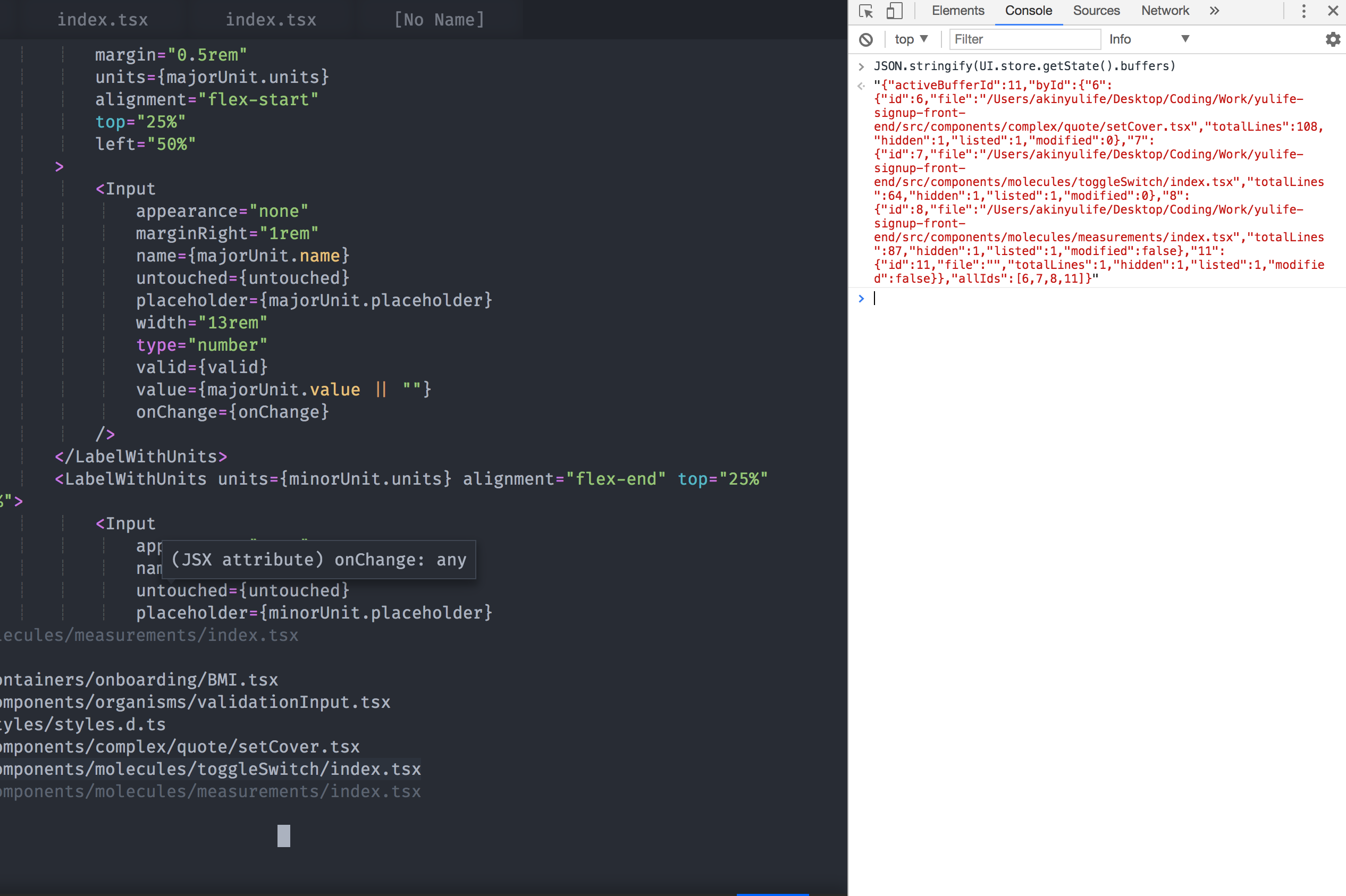
I have a split at the bottom showing a list of my buffers using a vim-plugin (there's a few missing from the oni bufferline)
When I do :bnext and swap buffers the new buffer gets added and show up in the bufferline.
Finally when I remove a buffer using :bd to delete a buffer it remains in the bar until it is clicked.
 akinsho
on 15 Nov 2017
akinsho
on 15 Nov 2017
Cool, thanks for the details @Akin909 ! That is really helpful see the buffers in our UI.store side-by-side with the buffer list.
I think I do see a problem - looking through the code, we never explicitly ask Neovim for all buffers - we only learn about buffers when we visit them. This means that in some cases, if buffers are opened prior to attaching (or editing without BufEnter being hit), Oni won't know about them..
bryphe
on 16 Nov 2017
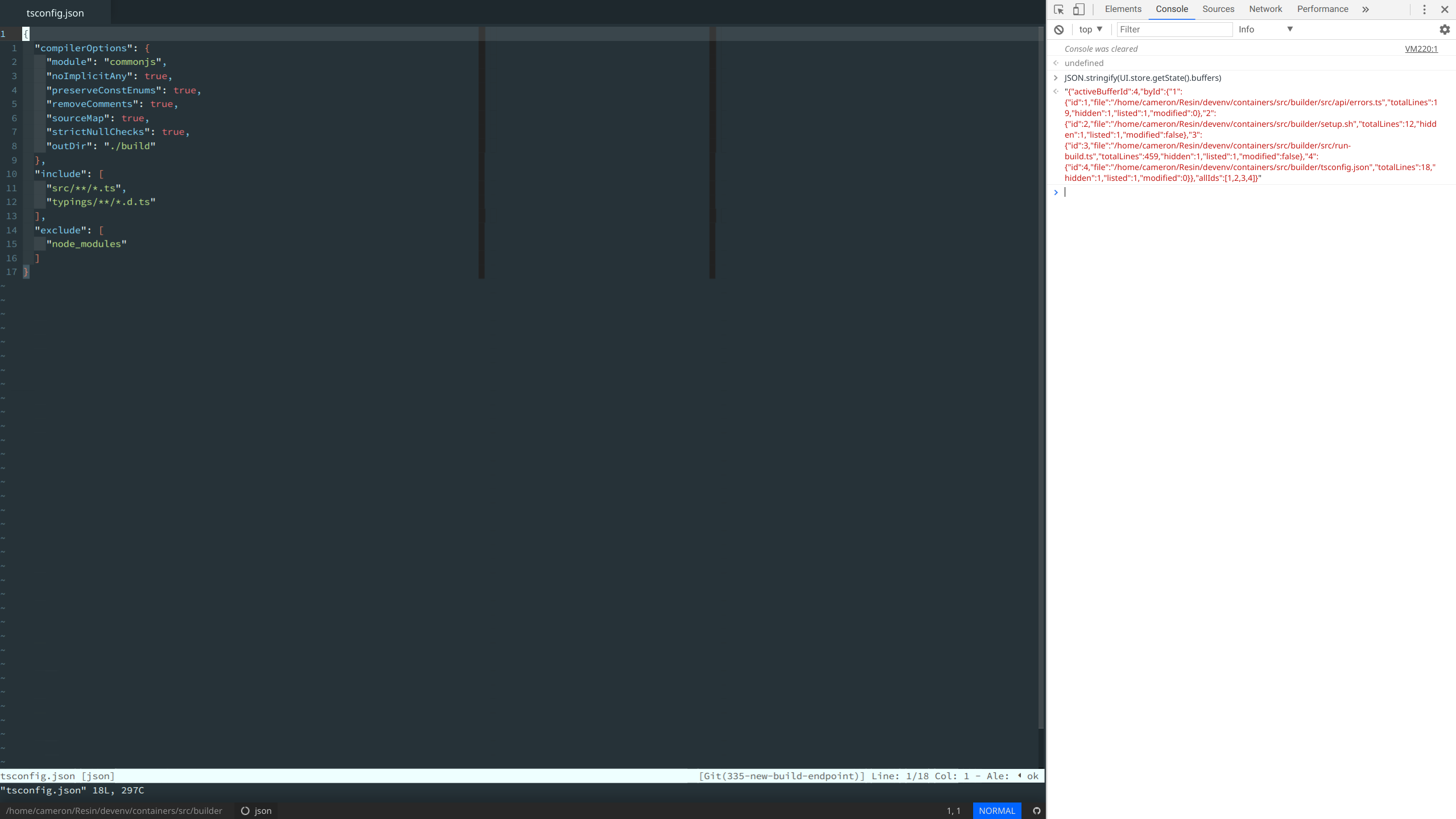
@bryphe Sorry for the delay, running that command also provides something similar, except without the tabs.
CameronDiver
on 16 Nov 2017
@CameronDiver I see you used the aur package for Oni. Current version is at 0.2.17, perhaps you could confirm that this bug is happening on the last stable version?
Also, it's not explicit but Oni depends on Neovim being at least 0.2.1, this is important for tabs to work, we also removed the dependency from neovim-git once the stable repositories were updated to use the recently released version (the previous installation method could have had an incompatibility).
This is a long shot, but it's low effort and huge benefit if it solves the issue.
 badosu
on 21 Nov 2017
badosu
on 21 Nov 2017
@bryphe @badosu I'm happy to look into this (if no else is already looking at it) and have done a bit of digging already (I'm using neovim @2.1 on MacOS), I've had a look at some of how buffers are managed and as you say not all buffers are present when checking the redux store. I'm wondering if either of you can point me towards where buffers are initially populated. I was thinking that there needs to be a check on VimEnter,BufWinEnter,BufEnter and BufRead and perhaps at other points as if for example I run bd! which i commonly do this does not update the bar as well although I don't know where would be a good place to check as im not sure what event is fired if any following an excommand in which case I don't know which event to hook into.
EDIT: Forgot to mention as I think that this relates to this issue rather than a separate issue since buffers for plugins like nerdtree, undotree etc are shown (but I think should be hidden as the the plugins, i think, do not intend for them to be referenced after for example you close a nerdtree split) if you click on the buffers oni crashes showing the neovim installation error.
akinsho
on 28 Nov 2017
Awesome, that'd be great to have help here, @Akin909 !
The main points today where we update the state of the buffer are in NeovimEditor (where it handles the Vim events, as you alluded to):
This is where the BufEnter event is handled:
https://github.com/onivim/oni/blob/488a686e518188e58ed5d3c883ca0716426d830a/browser/src/Editor/NeovimEditor.tsx#L448
And then this is where we try and handle the BufDelete case:
https://github.com/onivim/oni/blob/488a686e518188e58ed5d3c883ca0716426d830a/browser/src/Editor/NeovimEditor.tsx#L459
I think what we'll need to do is have more in-depth synchronizing from Neovim (like get the full list of buffers + names) in some of these cases. Right now, we're relying on getting a BufEnter event to populate the buffer in the store. The BufDelete event tries to be more robust, by getting the set of buffer ids and then clearing them from the store - but it seems like there are still cases that are missing there too.
Hope that was useful - let me know if you have any other questions. Really appreciate the help!
bryphe
on 30 Nov 2017
@bryphe I've started looking into this and having googled a bit and read the docs for the msgpack api I couldn't quite find the answer to a problem which I'm facing which is with the nvim_list_bufs api method.
The method returns a result which still includes the deleted buffer, would you happen to know if there's another poorly documented/ less visible method, or different mechanism you've used to get the current list of buffers as my thoughts are moving towards trying to create a viml function that would return this info although I realise you're trying to reduce reliance on the vim layer, however when I run ls for example it always returns a correct list which could possibly be packaged up, as I noticed a method to execute an excommand or a function.
Having an up to date list seemed like something I'd hoped the api would do well 😟 or at least more info in case there is a clue as to if a buffer has just been deleted but is still being referenced.
akinsho
on 30 Nov 2017
@CameronDiver Do you still have issues with vim-workspace?
Now Oni has workspace management, tab management in the works, also the tab presentation is configurable between buffers, files, and native vim tabs. I have not seen any issue with buffers missing in the tabs for a long time as well.
If there's something new, or we decide to track vim-workspace compatibility we can reopen this.
badosu
on 21 May 2018
@badosu - thank you for your help going through the issues and triaging / closing - really appreciate it! 💯
bryphe
on 23 May 2018
Related issues
 bfulop
·
3Comments
bfulop
·
3Comments
 Canop
·
3Comments
badosu
·
3Comments
Canop
·
3Comments
badosu
·
3Comments
 grz8
·
3Comments
grz8
·
3Comments
 magopian
·
3Comments
magopian
·
3Comments