Oni: Syntax highlighting fails when the buffer text is replaced using set lines
Whilst working on #1540 I noted that when calling the oni API method setLines the lines put into oni were not being syntax highlighted, the effect or lack of effect is not constant and seems to apply only when the layout of the lines is changed.
@bryphe noted in #1540 that this might relate to buffer updates not being trigger on setting Lines
 akinsho
All 3 comments
Will mention on discord but I've done some logging based on the path @bryphe pointed out on discord and discovered that buffer events are triggered and set off a syntaxHighlightingJob an issue that I've discovered that explains some maybe all of the highlighting issues is that some lines are being set to dirty: false so are not being re-painted
Screens
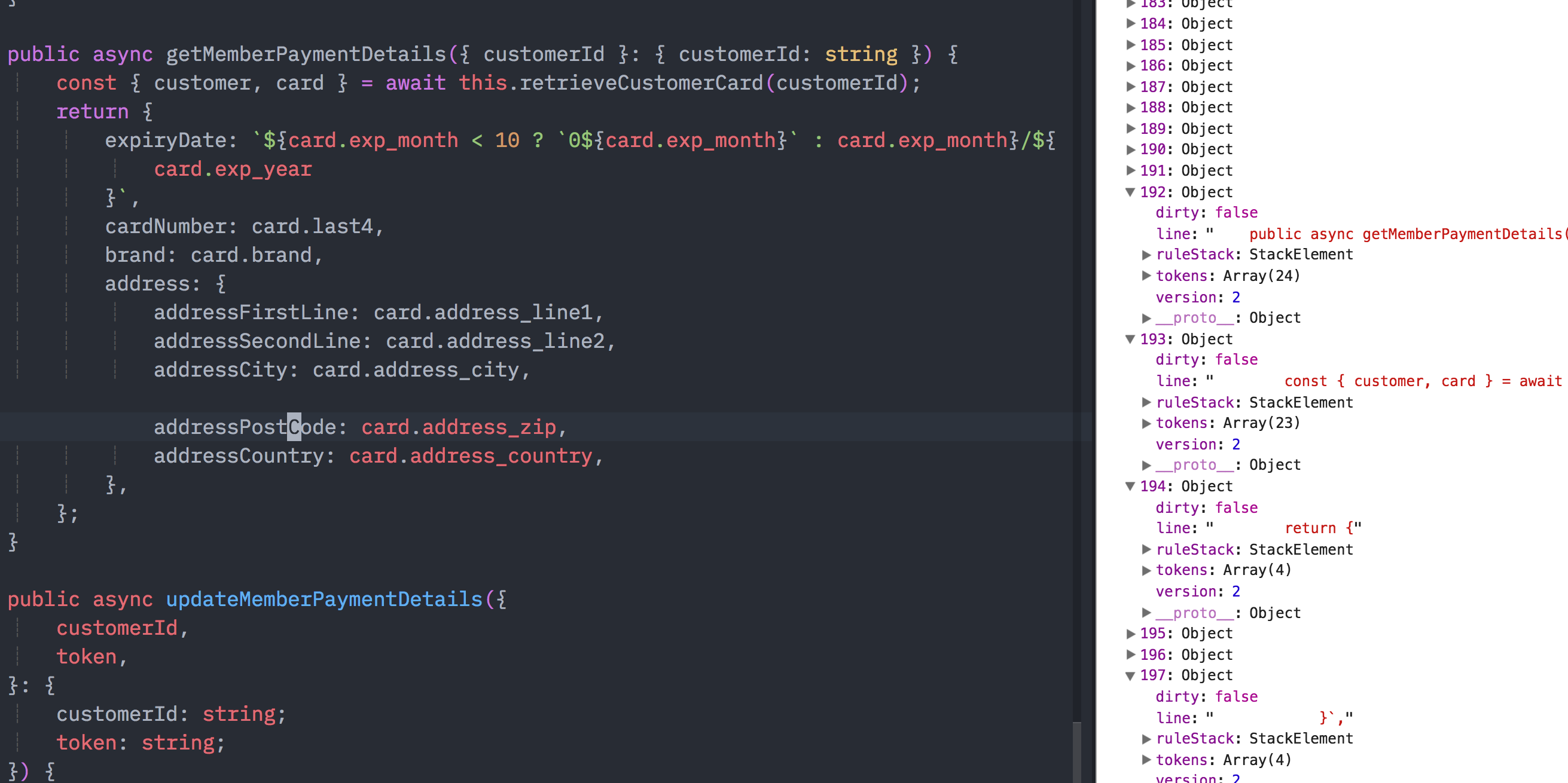
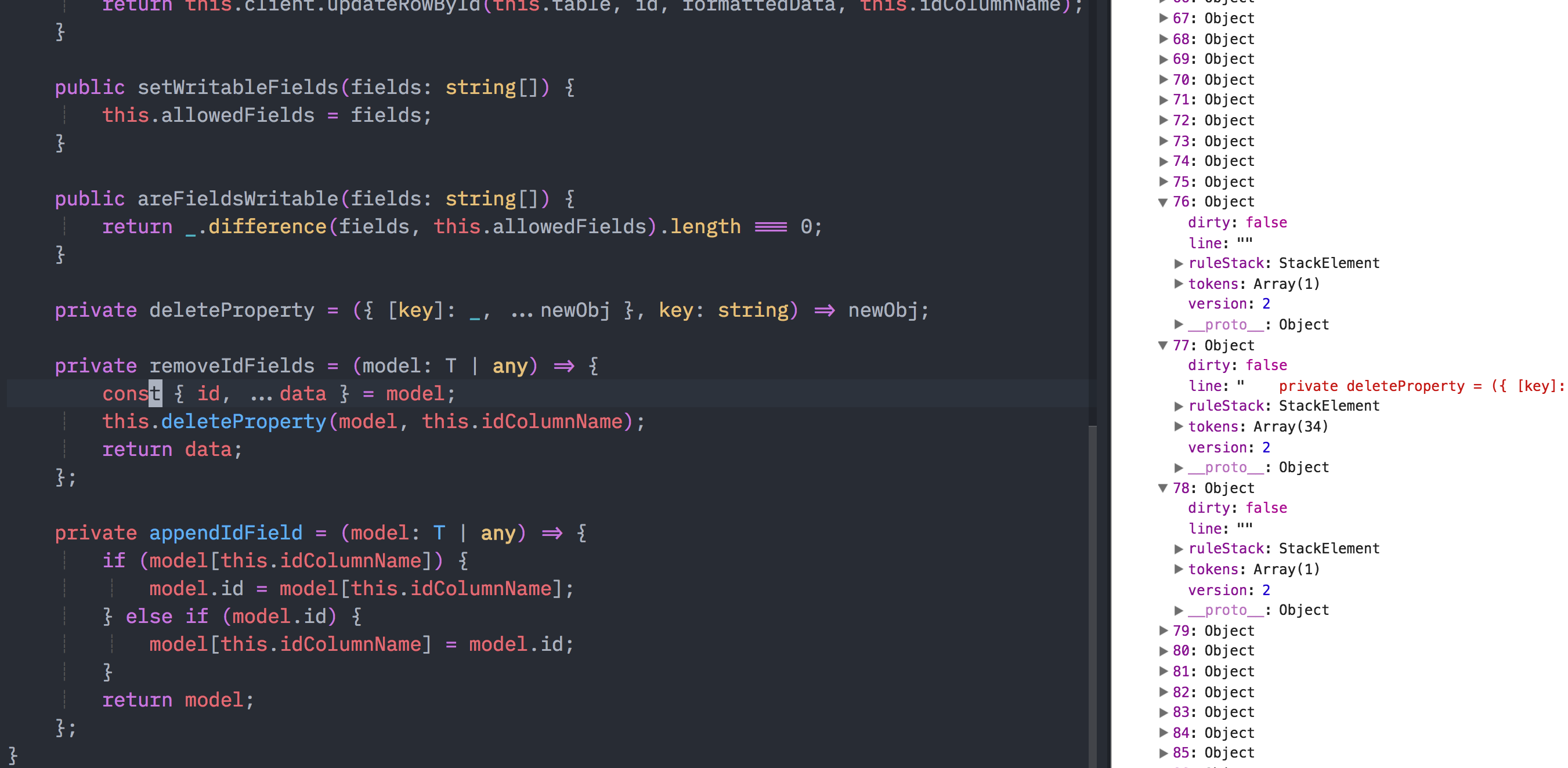
The screenshots I hope (on close inspection) show that the lines lacking highlighting seem to have been set to dirty = false, not sure how or when this gets set but seems to possibly be causing things to not be repainted correctly
akinsho
on 4 Apr 2018
Removing this block seems to fix the issue i.e. the check to see if a line is old and so skipping updating the line, seems to occasionally be incorrect
akinsho
on 4 Apr 2018
Interesting, thanks for the investigation @Akin909 👍
Yes, I think that line could be wrong or out-of-date. I think I assumed originally that if the line was the same, it wouldn't need to be updated, but it seems like there might be cases where things change from underneath (like setLines) which clear highlights, but we wouldn't update because we don't see the line as being changed.
A better check would be to check the line version here:
if (oldLine && oldLine.version >= action.version) {
    continue;
}
The version is the latest state of the buffer version, and we set when we apply tokens. It seemed to work correctly when I tried this out - I found a really simple repro - just call this method:
Oni.editors.activeEditor.activeBuffer.setLines(8, 9, ["const something = 1"])
For a specific line (and make sure that the string is exactly the same as the line you are changing). The highlighting will disappear.
Once I made the change, it would get re-highlighted (I had to move the cursor, but that seems like a separate bug..)
Let me know if that change works for you too, @Akin909 ! Thanks again for the investigation, helped a ton 👍
 bryphe
on 5 Apr 2018
bryphe
on 5 Apr 2018
Related issues
 grz8
·
3Comments
grz8
·
3Comments
 IvRRimum
·
3Comments
IvRRimum
·
3Comments
 magopian
·
3Comments
magopian
·
3Comments
 timeyyy
·
3Comments
timeyyy
·
3Comments
 chopfitzroy
·
4Comments
chopfitzroy
·
4Comments