Office-js: Outlook add-in OfficeOnline IE11: Office.context.mailbox.item.body.setAsync not work on IE11
var options = {coercionType: Office.CoercionType.Html};
Office.context.mailbox.item.body.setAsync("1234",  options, function (result) {
    console.log(result);
});
execute above code for ie11 outlook office365 online on add-in, it can't set any body to the mail invitation body.
 hello-chenchen
All 13 comments
Thank you for reporting this @hello-chenchen,
Assigning to @exextoc for investigation.
 AlexJerabek
on 12 Mar 2020
AlexJerabek
on 12 Mar 2020
@hello-chenchen We tried to reproduce this in-house with IE11 and OWA. We are not able to reproduce this. We are able to set the body "1234" in the email.
- Can you please share with us test account to try out this?
- Can you please share console logs if there are any errors on it?
 exextoc
on 12 Mar 2020
exextoc
on 12 Mar 2020
catlog.mp4.zip
this is the video for how to reproduce this problem. And this is a problem for all the add-ins, as you can see that, i use the owa default add-in(My Templates), it still not work.
- sorry i can't share my account to you, i think this is not the account problem, cause it worked well on the last week.
- the logs is on the video, but there is no any errors on it.
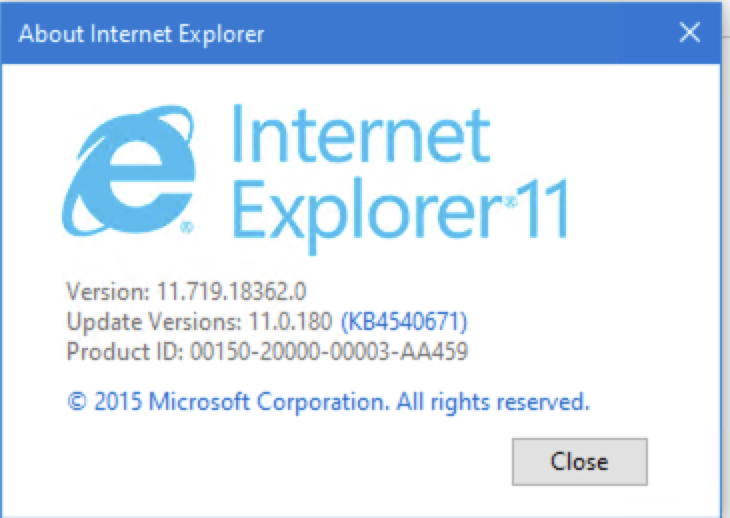
My 2 ie11 have the same problem.
this is the one which i record the video.

this is the another one:
hello-chenchen
on 13 Mar 2020

My account licenses
hello-chenchen
on 13 Mar 2020
this is also happened on my other colleagues
hello-chenchen
on 13 Mar 2020
Thanks for the reporting this issue. It has been put on our backlog. We unfortunately have no timelines to share at this point
exextoc
on 13 Mar 2020
Our Team is also facing the similar issue where setAsync has stopped working out of nowhere.
To get around it I have replaced setAsync with prependAsync.
There is one catch though. prependAsync only works if body is getting updated for the first time. if you delete everything from body and tried to prepend again it will not work.
There needs to be at least one letter in the appointment body to work it correctly for subsequent updates.
One thing I have observed while debugging this issue is that Chrome returns <span><br></span> after clearing the body of an appointment whereas IE11 does not return anything and that might be causing the issue.
 hmistry-lz
on 18 Mar 2020
hmistry-lz
on 18 Mar 2020
Could you please confirm if you are still facing this issue?
exextoc
on 7 May 2020
yes, I am still facing this issue unless fix has been released?
hmistry-lz
on 7 May 2020
yeah, still the same behavior.
hello-chenchen
on 7 May 2020
Fix for this issue has been deployed now and should be available. Can you all please check if this issue is resolved for you? Thanks.
exextoc
on 27 May 2020
Yes, it is resolved. thank you so much!
hmistry-lz
on 27 May 2020
Closing the issue since problem is resolved for atleast one user. Let us know if it is not fixed for some users.
exextoc
on 29 May 2020
Related issues
 kushwahav
·
3Comments
kushwahav
·
3Comments
 sshukurov
·
4Comments
sshukurov
·
4Comments
 jacobx1
·
4Comments
jacobx1
·
4Comments
 leoseccia
·
3Comments
leoseccia
·
3Comments
 tido-ms
·
3Comments
tido-ms
·
3Comments
Most helpful comment
Fix for this issue has been deployed now and should be available. Can you all please check if this issue is resolved for you? Thanks.