Office-js: GeneralException on insertContentControl()
I am having issues with insertContentControl() for some (but not most) of the ranges returned by search().
Essentially, I search for various terms and then for each find, I attempt to create a content control. This mostly work, however every so often I get a GeneralException that looks like this:
{code: "GeneralException", message: "Sorry, something went wrong. Check the OfficeExtension.Error.debugInfo for more information. ", errorLocation: "Range.insertContentControl", statement: "var insertContentControl=v.insertContentControl();", toString: ƒ, …}
code: "GeneralException"
errorLocation: "Range.insertContentControl"
fullStatements: (7) ["var v=context.root._getObjectByReferenceId("{4a645…31b06a1e8cb}{205}") /* originally getItem(28) */;", "var insertContentControl=v.insertContentControl();", "// Instantiate {insertContentControl}", "insertContentControl.title="TypeOne";", "insertContentControl.color="yellow", "insertContentControl.tag="someTag";", "insertContentControl.appearance="Tags";"]
message: "Sorry, something went wrong. Check the OfficeExtension.Error.debugInfo for more information. "
statement: "var insertContentControl=v.insertContentControl();"
surroundingStatements: Array(9)
0: "var v=context.root._getObjectByReferenceId("{4a64573e-3807-4278-a22d-131b06a1e8cb}{205}") /* originally getItem(...) */;"
1: "// >>>>>"
2: "var insertContentControl=v.insertContentControl();"
3: "// <<<<<"
4: "// Instantiate {insertContentControl}"
5: "insertContentControl.title=...;"
6: "insertContentControl.color=...;"
7: "insertContentControl.tag=...;"
8: "insertContentControl.appearance=...;"
lastIndex: (...)
lastItem: (...)
length: 9
Here is a simplified version of my code:
//This object may contain thousands of terms across multiple entity types
let entities = {
    EntityType1:{
            Term1: [],
            Term2: []
    }
}

await Word.run(async (context) => {

    // search for terms
    for(let entityKey in entities) {
        let terms = entities[entityKey]
        for(let termKey in terms){

            let searchResults = context.document.body.search(termKey, {matchWholeWord:true, matchCase: true});
            searchResults.load(["text", "parentContentControlOrNullObject"]);

            _.extend(terms[termKey], ({"searchHits": searchResults}))
        }
    }

    await context.sync()

    //add content controls for each found term

    for(let entityKey in entities) {
        let terms = entities[entityKey]

        for(let termKey in terms){
            let term = terms[termKey];
            let searchHits = term.searchHits.items;

            for (const hit of searchHits) {

                //this always works
                //hit.font.highlightColor = EntityColors[entityKey]

                try {
                    let cc:Word.ContentControl = hit.parentContentControlOrNullObject

                    if(cc.isNullObject || cc.tag != appId){
                        cc = hit.insertContentControl()
                    }

                    cc.title = entityKey
                    cc.color = "yellow"
                    cc.tag = "someTag"
                    cc.appearance = "Tags"

                    //NB. this is here only for debugging - it really slows everything down
                    await context.sync()

                } catch (error) {
                    if (error instanceof OfficeExtension.Error) {
                        console.log(error.debugInfo)
                        console.log(error.innerError)
                    }
                }
            }
        }
    }

    await context.sync()

})
I closely examined the document ooxml to see if there was something in common with the failing ranges but I can't see anything obvious.
I am mainly testing on Word Online but Word desktop seems to display the same issue.
Expected Behavior
insertContentControl() does not throw a GeneralException
Current Behavior
insertContentControl() initially work but then throw a GeneralException
Steps to Reproduce, or Live Example
Here is a repro Gist for ScriptLab: gist.github.com/leoseccia/bef0207eff3bea6bbeb39f0cb1100cff
Will only work with this document
NB: The data is hardcoded so it will only work with this document: leoseccia.github.io/files/LD%20EE%20Demo.docx
Will only work with this document
Context
I search for various terms and then for each find, I attempt to create a content control.
Your Environment
- Platform [PC desktop, Mac, iOS, Office Online]: PC Desktop & Office Online
- Host [Excel, Word, PowerPoint, etc.]: Word
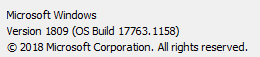
- Office version number:

Operating System: Win10
Browser (if using Office Online): Chrome
Useful logs
Asked this on StackOverflow: https://stackoverflow.com/questions/61510311/generalexception-on-insertcontentcontrol?noredirect=1#comment109035470_61510311
 leoseccia
All 3 comments
ok I was able to modify your code snippet a bit to find the issue, load in script lab from here.
My snippet basically stops, red-highlight and selects the culprit range. And here is the error:

Basically, you are trying to do an invalid CC operation: create a content control in a range who is intersecting with an existing content control (ie. a portion of the range out of the content control boundary). You try this in the UI and it will fail, and so the API :)
You can solve this problem by verifying how the content control range is related to the range you are trying to wrap, and for that we use range.compareLocationWith
 JuaneloJuanelo
on 15 May 2020
JuaneloJuanelo
on 15 May 2020
Yeah, only that this is inconsistent on different platforms. We are currently solving this exact issue for our Addin. While this does not error on Firefox and Chrome on linux and even Safari on MacOs plays well, it does error in Edge, other Browsers on Windows10 and Office Word on MacOs as well as Windows10.
 calbrecht
on 4 Jun 2020
calbrecht
on 4 Jun 2020
LOL
if (Office.context.platform === "OfficeOnline") {
    wordRange = wordRange.getRange("Start").expandTo(spanRange.getRange("End"));
} else {
    wordRange = wordRange.parentContentControl.getRange("Before").expandTo(spanRange.getRange("End"));
}
Related issues
 tido-ms
·
3Comments
tido-ms
·
3Comments
 Alturos
·
4Comments
Alturos
·
4Comments
 gordonmleigh
·
3Comments
gordonmleigh
·
3Comments
 dgrudenic
·
4Comments
dgrudenic
·
4Comments
 wsoccorsi-yw
·
4Comments
wsoccorsi-yw
·
4Comments
Most helpful comment
Yeah, only that this is inconsistent on different platforms. We are currently solving this exact issue for our Addin. While this does not error on Firefox and Chrome on linux and even Safari on MacOs plays well, it does error in Edge, other Browsers on Windows10 and Office Word on MacOs as well as Windows10.