Office-js: In Outlook-Office365, Addin Icons fail to load with some IE settings enabled.
@kbrandl sorry for the mention, but this is another issue we are experiencing right now with Outlook-Office365, with certain settings enabled for IE. Please let me know if this is the wrong channel to submit this issue and I will move it to the right channel. Thanks!
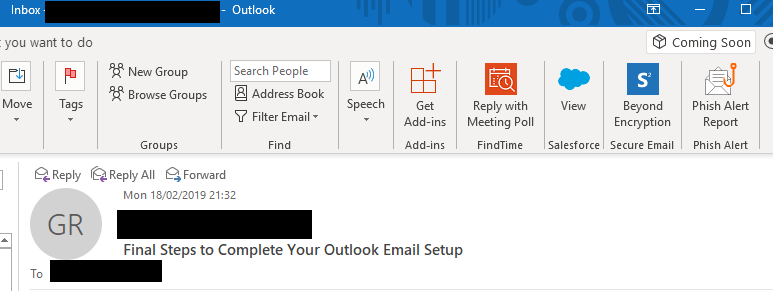
Currently, we are seeing issues with icons in Outlook Office365. Our Outlook office365 is not showing the right icons for any of our command button add-ins. The image below shows the issue we are seeing :
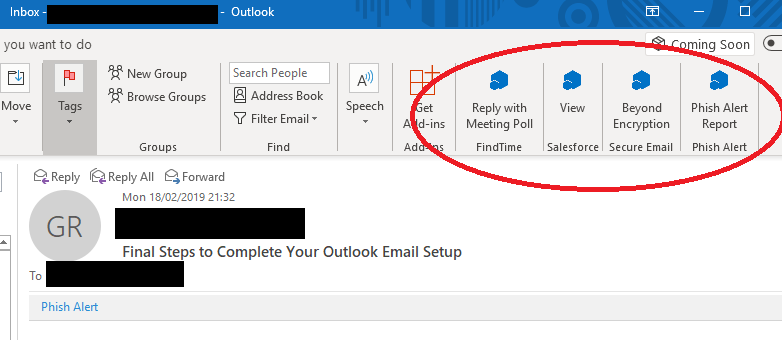
After several tests and investigation, we have found out that this behaviour is actually caused by settings in IE (Internet Explorer). To reproduce this problem, one needs to do the following.
Delete all files in the Office WEF/resources in %localappdata% like the image below shows :
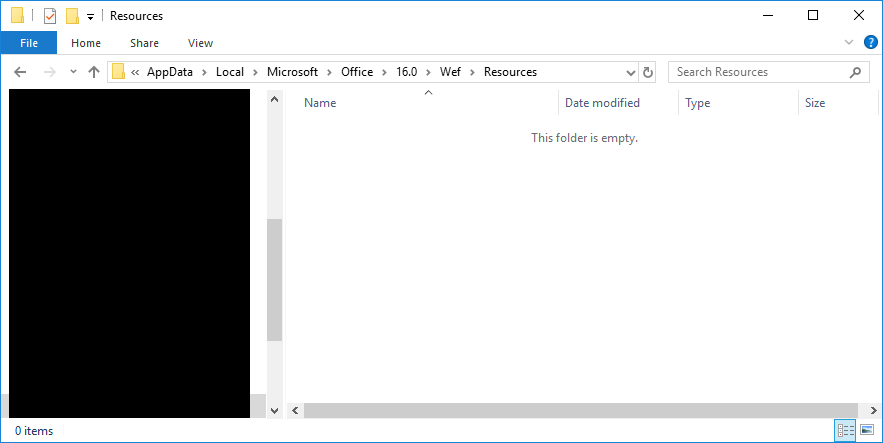
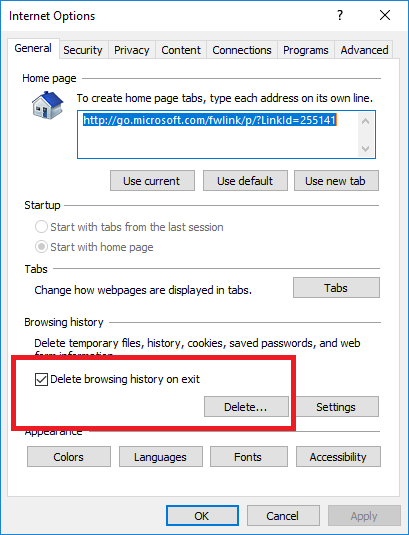
Once all files are deleted, launch IE, click on the gear icon and then set it to delete browsing history.
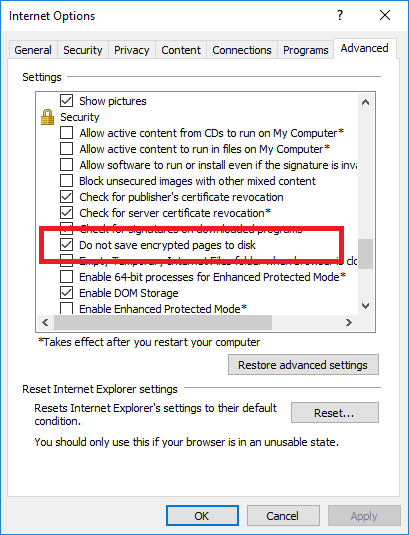
Click on the "Advanced" tab of Internet options, check the box for "Do not save encrypted pages to disk" under security, and then click "apply".
Close all running instances of IE, and outlook365.
- Launch Outlook365 and wait for some time for Outlook to load the icons for the add-ins.
Note, the EXPECTED behaviour is shown in the image below :
(related content in the docs: Office Add-ins XML manifest)
 glr0221
All 6 comments
@glr0221 thanks for reporting this issue, and sorry that you've run into this problem. I'm going to transfer this issue to the OfficeDev/office-js repository, which members of the product team monitor for product issues like this (related to the Office Add-ins platform and/or Office JavaScript APIs).
 kbrandl
on 19 Feb 2019
kbrandl
on 19 Feb 2019
@exextoc can you please investigate this issue?
kbrandl
on 19 Feb 2019
@kbrandl thank you so very much for responding to my inquiry. @exextoc Thank you in advance for your support.
glr0221
on 20 Feb 2019
This is a current limitation that icons used for addins must be cached. The IE setting applies system wide in Windows, instead of just IE and so the setting prevents the icons from being saved locally by Outlook. The workaround, as you found, is to disable "Do not save encrypted pages to disk".
 exextoc
on 20 Feb 2019
exextoc
on 20 Feb 2019
Thank you @kbrandl @exextoc. Is there any time frame for fixing this limitation?
glr0221
on 21 Feb 2019
This is in our backlog. Currently, however, we do not currently have a timeline to share.
exextoc
on 22 Feb 2019
Related issues
 KantilalJadav
·
4Comments
KantilalJadav
·
4Comments
 kushwahav
·
3Comments
kushwahav
·
3Comments
 leoseccia
·
3Comments
leoseccia
·
3Comments
 rvanlaak
·
4Comments
rvanlaak
·
4Comments
 tido-ms
·
3Comments
tido-ms
·
3Comments