Notepad3: Status Bar: Occurrences not updating for some selections until Find(/Replace) dialogue opened
Notepad3 (x64) v5.21.218.2 rc
Windows 10 Enterprise 20H2 x64
When highlighting a selection that begins with a "$", the Occurrences element on the Status Bar does not update:
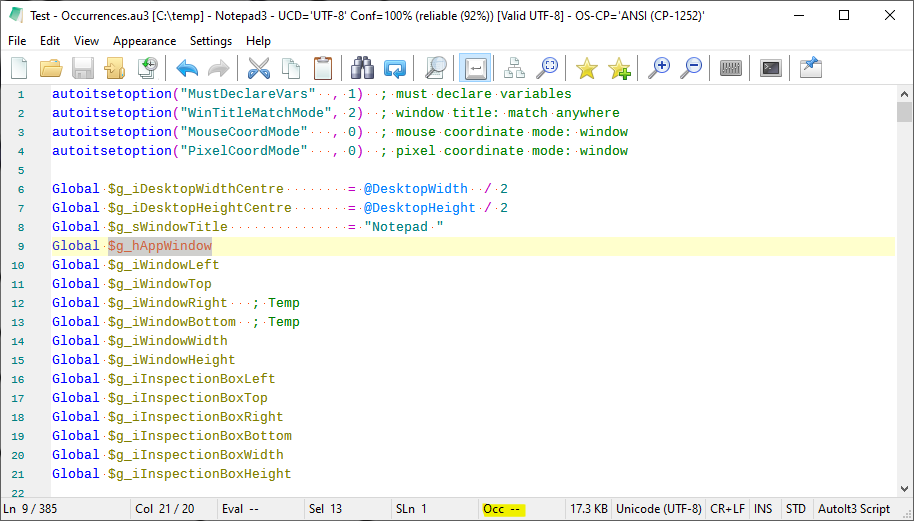
It does update when opening the Find or Find/Replace dialogue:
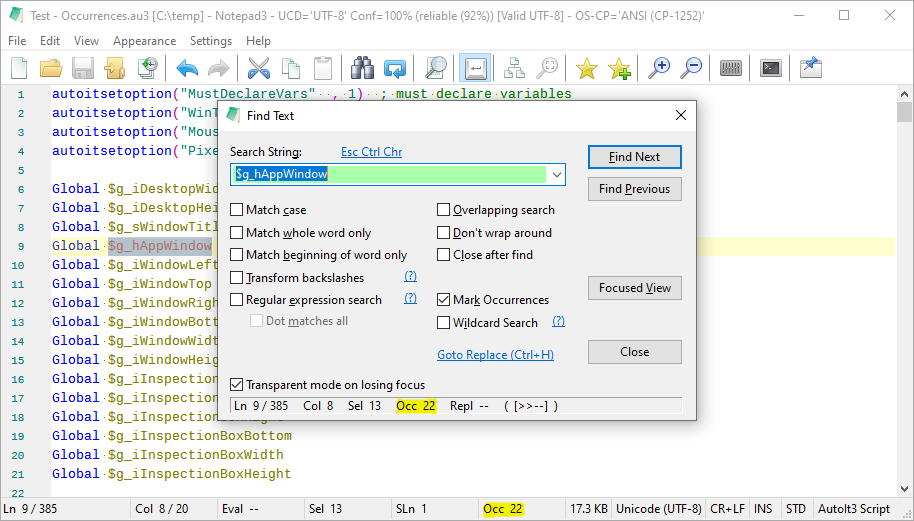
...but the occurrences reverts to the original behaviour when the Find(/Replace) dialogue is closed.
NB: this behaviour is not new; it happens as far back as version 5.20.915.1 (the earliest version I have at hand).
As a related aside, double-clicking on the string results in a selection that excludes the "$", and the Occurrences element reads correctly:
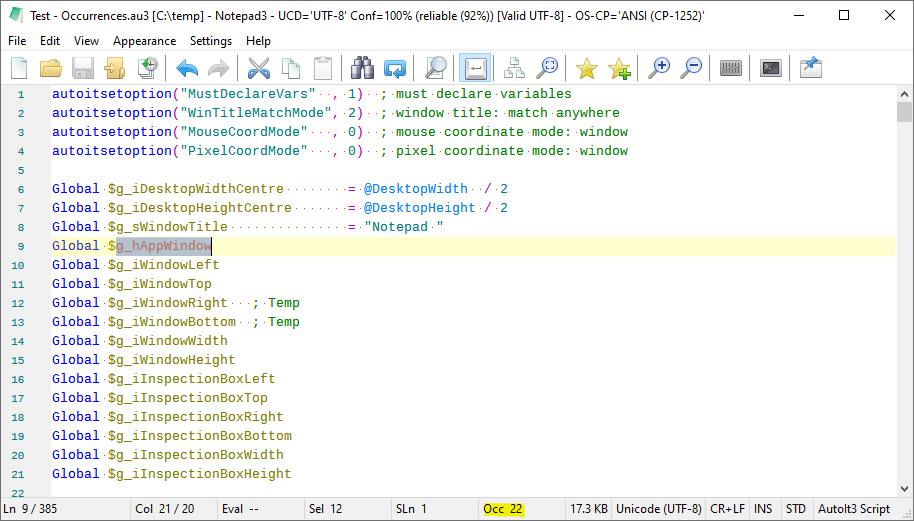
Should a double-click exclude the leading "$"? Is there a setting that when changed would lead it to be included?
 craigo-
All 2 comments
This is caused by Mark Occurrences mode Match Whole Word Only for the editor view.
The '$' sign is not part of a normal word (test: double-click the word, the '$' sign is not selected), so the complete selection does not fit the criteria of being a word to find occurrences for Match Whole Word Only. ✔️
While in F/R-Dialog mode, the Match Whole Word Only the Mark Occurrences mode (if checked in the dialog) is switched to mode Match Search Pattern (according to selected options), which now finds your occurrences. ✔️
You can switch to Accelerated Word Navigation (Menu->Settings->Accelerated Word Navigation Ctrl+Alt+A), where the only word separator is space (blank or tab or line-break). This will recognize your complete expression as a "word"and find your occurrences in Match Whole Word Only mode. ✔️
Additional word separators (additional to blank, tab or line-break) can be defined in[Settings2] ExtendedWhiteSpaceChars=... for the word separation in Accelerated Word Navigation mode.
Unfortunately, regarding your last question, you would need the "reverse" setting (a la _ExtendedWordCharacter=_) and add the '$' sign to it. We don't have this settings option. Maybe you can live with defining some usual word separators like !",;:/|\+*=§&()[]{}# etc. , for Accelerated Word Navigation 🤔
Or you can switch off Match Whole Word Only mode (Menu->View->Mark Occurrences->Match Whole Word Only->OFF), which activates a mode similar to the F/R-Dialog mode based on current selection. ✔️
This can be a bid annoying, cause even a selection of a single character triggers the occurrences marking for the complete document.
 RaiKoHoff
on 19 Feb 2021
RaiKoHoff
on 19 Feb 2021
Thanks... Still digesting this and figuring out the best way forward for me.
craigo-
on 21 Feb 2021
Related issues
 vvyoko
·
3Comments
vvyoko
·
3Comments
 tzleon
·
3Comments
craigo-
·
4Comments
tzleon
·
3Comments
craigo-
·
4Comments
 rizonesoft
·
4Comments
rizonesoft
·
4Comments
 zb-z
·
3Comments
zb-z
·
3Comments
Most helpful comment
Thanks... Still digesting this and figuring out the best way forward for me.