Notepad3: Empty file becomes ISO-8859-1
In Notepad 2, an empty file (0 bytes) was read with the specified default encoding.
However, in Notepad 3, the character code of the empty file is ISO-8859-1. Even when assuming a specific character code, it is necessary to specify each time.
On the other hand, in File> New, it becomes the specified character code. Because the behavior does not match, I think that the behavior is not reflected in the empty file.
I want the same behavior as Notepad 2.
 maboroshin
All 9 comments
Please test development beta version _develop_4.18.809.1049.
Keep in mind: Once a(n) (empty) file with (wrong) encoding has been saved, and the File-History is active, the (wrong) encoding is stored within the History and used on (re-)loading this file.
So for testing, please discard it from History, to test the bug-fix.
 RaiKoHoff
on 9 Aug 2018
RaiKoHoff
on 9 Aug 2018
Thank you @RaiKoHoff. I've confirmed. This fix is useful. 😃
Can I report more and more? Should I take a day off?
Also I can do it. It is to translate the string ("" type) of the resource file (.rc) into Japanese language.
maboroshin
on 9 Aug 2018
Sure, report as much as you like 😄
If you vote in, I can prepare a "ja-JP" language project with corresponding .rc files for you to translate 👍 😄
RaiKoHoff
on 9 Aug 2018
All right.
Then, I want to translate it into Japanese.
maboroshin
on 9 Aug 2018
It was repaired by the current 4.18.919.1110. No problem now. It had relapsed.
maboroshin
on 20 Sep 2018
As far as I am concerned, this issue may be closed....
 hpwamr
on 10 Dec 2018
hpwamr
on 10 Dec 2018
It is okay to close it.
There were actually two topics.
- Fixed topic.
RaiKoHoff 's fix works on "File -> New". Maybe this fix was made. I did not know well until October.
- Remaining another topic.
When creating "new text file" on Windows. Behave for This file, is a specification change from Notepad 2.
* Notepad 2 sets default encoding for this empty file. Probably so.
* In Notepad 3, because character code analysis was improved, it became ISO-8859-1.
We may later create a new Issue.
maboroshin
on 11 Dec 2018
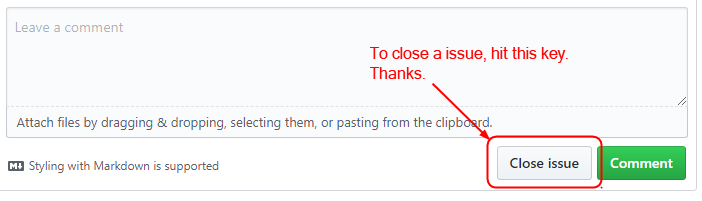
It is okay to close it.
Hello @maboroshin , (Please, see picture)
hpwamr
on 11 Dec 2018
@hpwamr I did not know that button 😂 Thank you.
maboroshin
on 11 Dec 2018
Related issues
 kofifus
·
53Comments
kofifus
·
53Comments
 MelchiorGaspar
·
31Comments
MelchiorGaspar
·
31Comments
 craigo-
·
79Comments
kofifus
·
33Comments
craigo-
·
79Comments
kofifus
·
33Comments
 zmx01403137
·
33Comments
zmx01403137
·
33Comments
Most helpful comment
All right.
Then, I want to translate it into Japanese.