Notepad3: Pasting long line over short line gives different highlight depending on selection direction
Notepad3 Xperimental build 3.18.411.970.
__Problem 1: Pasting Long Line Over Short Line__
Consider the following:
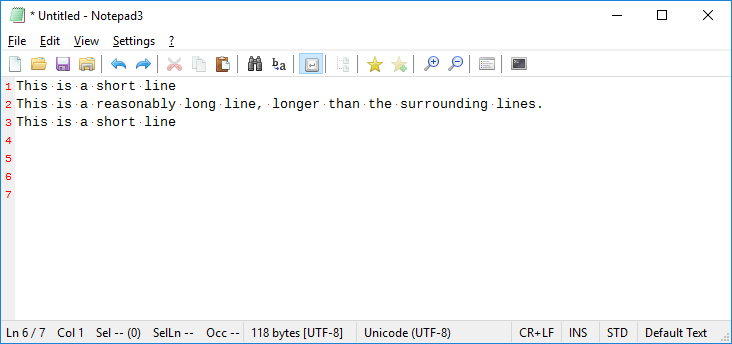
I highlight the long text on line 2 (either direction) and copy:
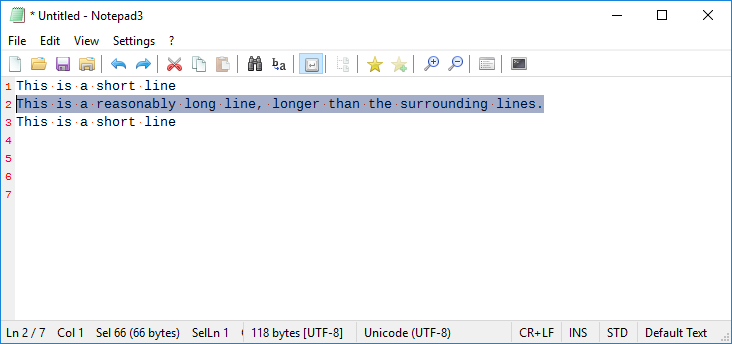
I then highlight the short text on line 3 (left to right) and paste:
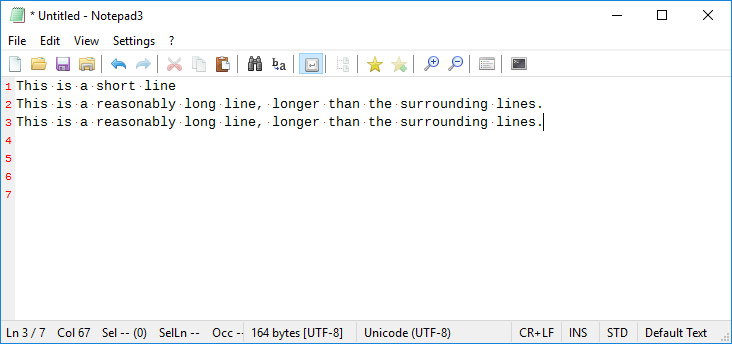
...Line 3 has no highlight and the caret is at the end of the line.
I undo the previous step, repeat the copy step, then highlight the short text on line 3 (right to left) and paste:
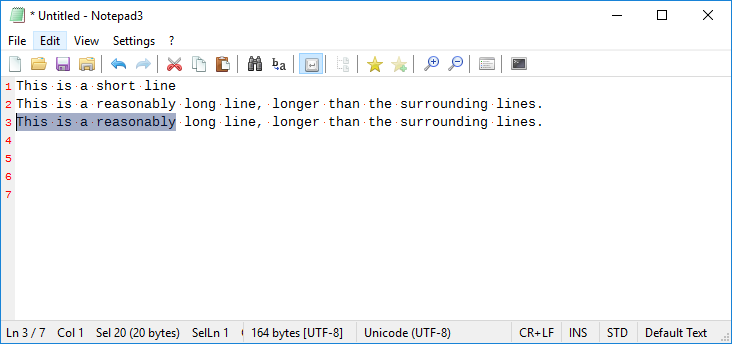
...Line 3 has a highlight equal in length to the original short text length.
I don't quite remember what should be the expected behaviour, but I do believe it should be the same regardless of the highlight direction.
__Problem 2: Pasting Short Line Over Long Line__
Using the same example:
I highlight the short text on line 1 (either direction) and copy:
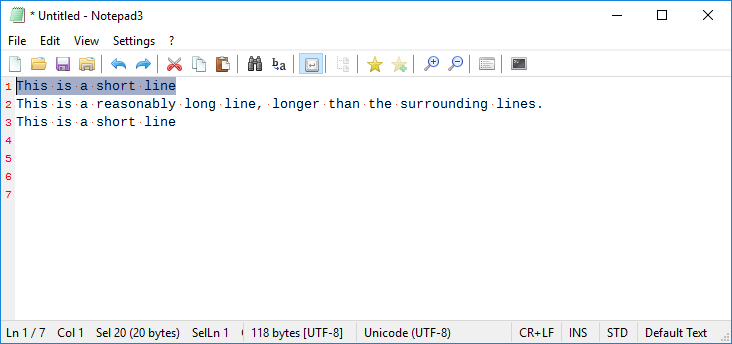
I then highlight the long text on line 2 (left to right) and paste:

...Line 2 has no highlight and the caret is at the end of the line.
I undo the previous step, repeat the copy step, then highlight the long text on line 2 (right to left) and paste:
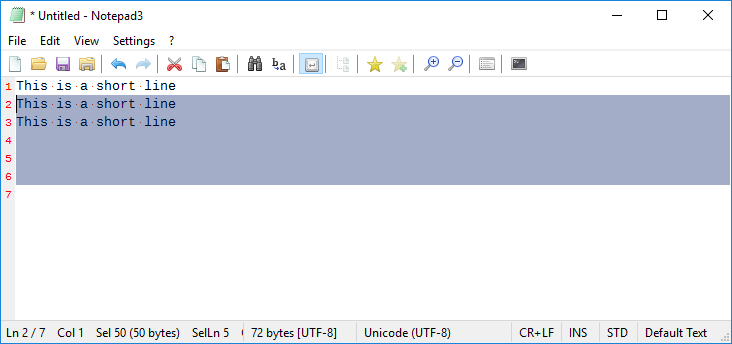
...Line 2 has a highlight that spans 5 lines. Very odd.
 craigo-
All 3 comments
Please test experimental beta version "_Xperimental_3.18.411.971".
 RaiKoHoff
on 11 Apr 2018
RaiKoHoff
on 11 Apr 2018
Xperimental build 971 and 972: fixed. Thanks.
Issue resolved, ready to close.
craigo-
on 13 Apr 2018
Closing by https://github.com/rizonesoft/Notepad3/issues/444#issuecomment-380964302.
RaiKoHoff
on 26 Apr 2018
Related issues
craigo-
·
4Comments
 ggordon-vispero
·
3Comments
ggordon-vispero
·
3Comments
 bravo-hero
·
3Comments
bravo-hero
·
3Comments
 blackcrack
·
3Comments
blackcrack
·
3Comments
 omega32
·
3Comments
omega32
·
3Comments
Most helpful comment
Please test experimental beta version "_Xperimental_3.18.411.971".