Material-theme-jetbrains: dotCover highlight not working
Summary
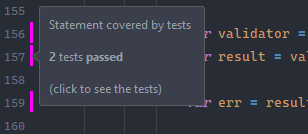
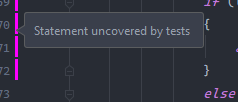
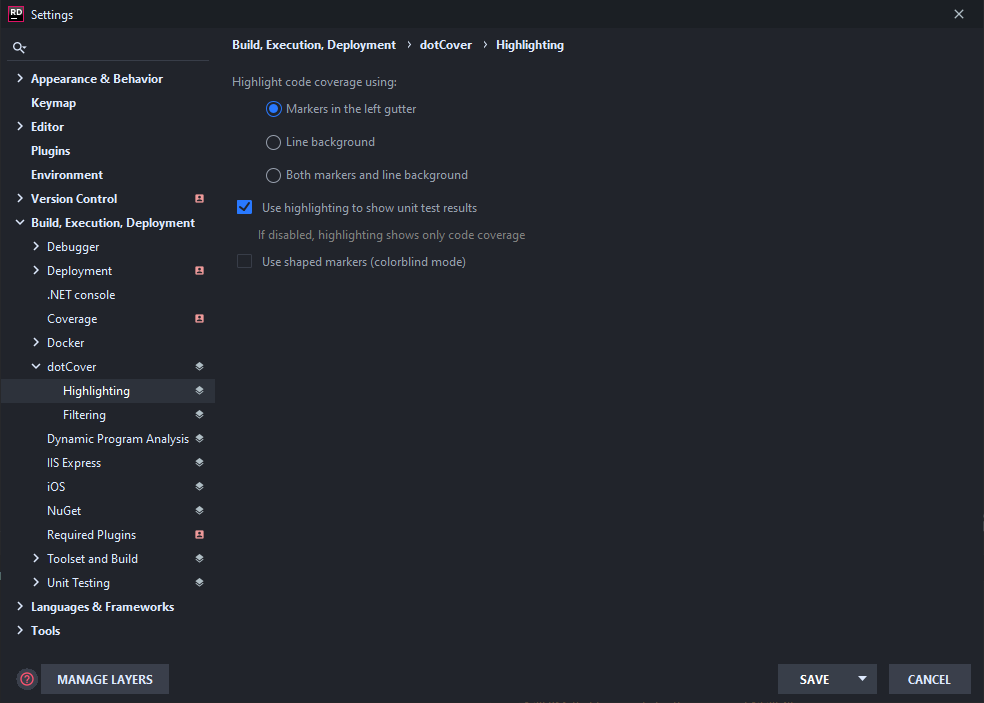
In Rider, dotCover highlight for both code and gutter doesn't work.
Expected behavior
Gutter has a different color for the unit test coverage status : covered, not covered etc.
Line background changes color if is covered or not.
Actual behavior
Gutter is always pink
Line background turns the code gray.
Steps to reproduce (if needed)
- Use Atom One Dark theme
- Run unit tests with code coverage information
- Third step
Environment
Rider 2020.1
on Windows 10,
plugin v5.2.2
 frederikstonge
All 7 comments
Tested this on a Mac, got this:
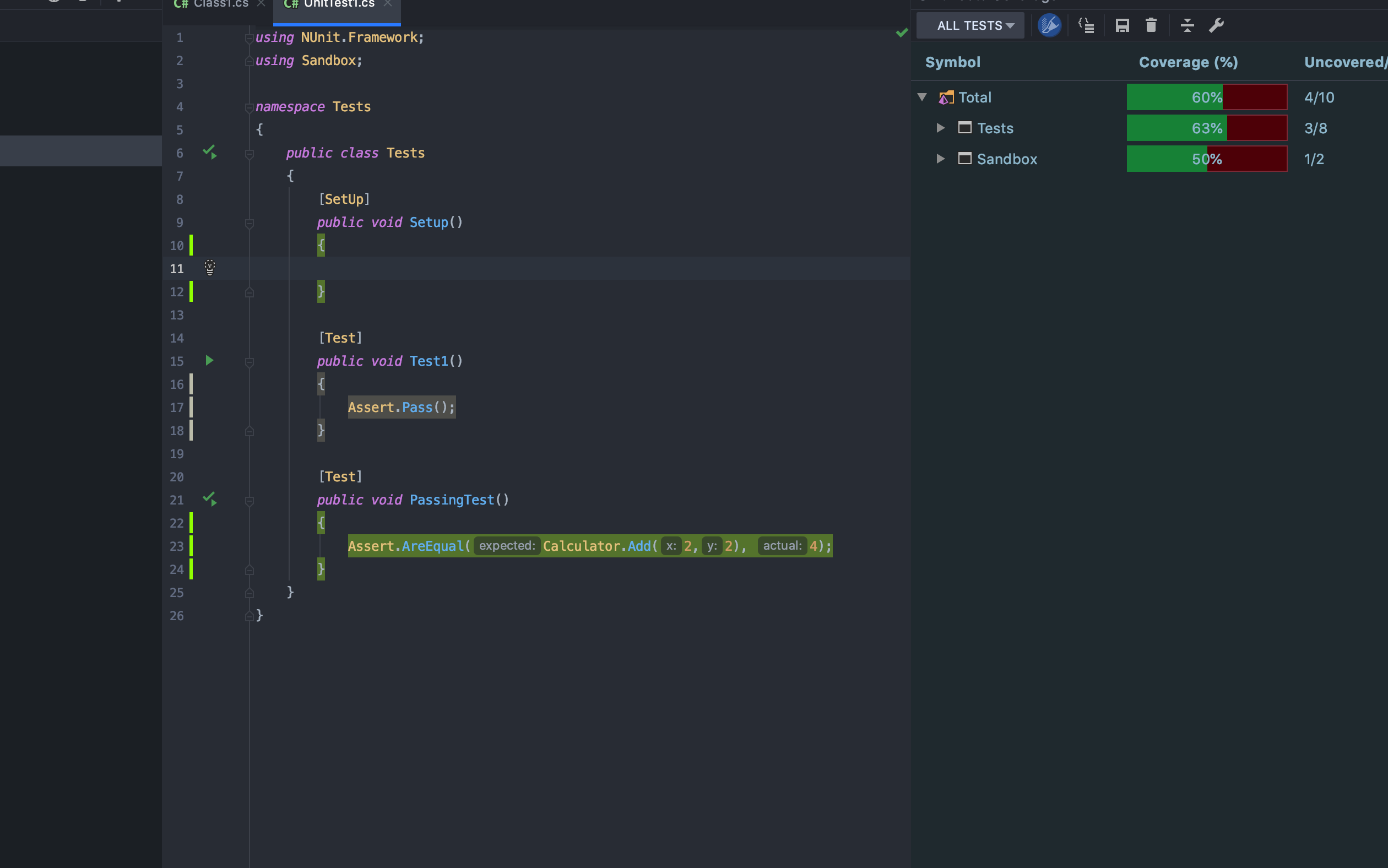
I suppose there's something wrong with your config. Are you sure you're using the bundled, non-modified color schemes?
 mallowigi
on 18 Apr 2020
mallowigi
on 18 Apr 2020
Hmm I can't tell, I didn't edit the config file if this is what you are asking. Is there a way to reset it?
frederikstonge
on 19 Apr 2020
I am facing the same issue. If I change my theme to Jetbrains light/dark themes, colors appear correctly. However as soon as I change it back to Material Oceanic, the gutter color changes to pink.
 salmanbabri
on 20 Apr 2020
salmanbabri
on 20 Apr 2020
Can confirm, this was happening also before 2020.1
WIndows 10
Clearing my ics files fixed it
 cheng93
on 21 Apr 2020
cheng93
on 21 Apr 2020
Can confirm, this was happening also before 2020.1
WIndows 10Clearing my ics files fixed it
Thanks, clearing mine fixed it too.
%appdata%RoamingJetBrainsRider2020.1colors
frederikstonge
on 21 Apr 2020
Can confirm, this was happening also before 2020.1
WIndows 10Clearing my ics files fixed it
Thank a lot. I've been facing this time for quite some time. For me, the mentioned .icls were found at the following path:-
%appdata%JetBrainsRider2020.1jba_configcolors
salmanbabri
on 21 Apr 2020
Faced this issue on Mac OS after update to 2020.1.
Before update i used latest Rider EAP.
 BrHubbard
on 22 Apr 2020
BrHubbard
on 22 Apr 2020
Related issues
 cryzed
·
4Comments
cryzed
·
4Comments
 wolf99
·
3Comments
wolf99
·
3Comments
 ddnexus
·
3Comments
ddnexus
·
3Comments
 sanderboom
·
4Comments
sanderboom
·
4Comments
 nammaianh
·
3Comments
nammaianh
·
3Comments