Material-theme-jetbrains: Panel tab height is too tall
The tab height in Darkula have a more functional height that does not waste real estate.
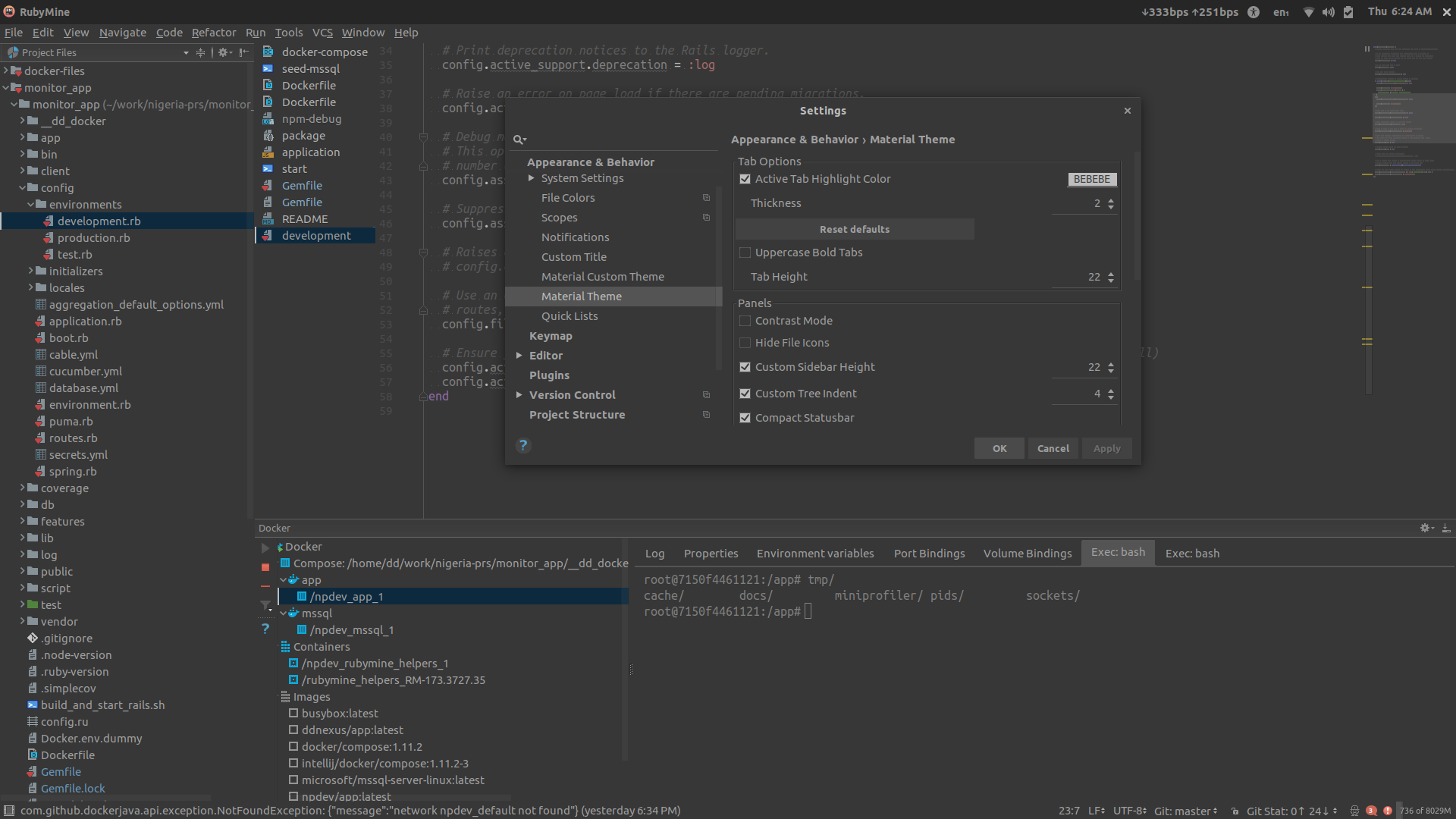
The tabs styled by the theme have a quite tall look, which may be just a cosmetic problem in the settings for example, but become a real problem in some of the panes (e.g. Docker). They are a lot taller than needed, wasting quite a lot of precious real estate there.
The height of the tabs should not change from the original, only the background color should change.
 ddnexus
All 3 comments
This is not an easy feat to do, as the height of the tabs are linked to each other, e.g editor tabs and code style tabs for example share the same height.
If that really bothers you you can reduce the tab height in the settings, but that will also influence the editor tabs.
 mallowigi
on 22 Nov 2017
mallowigi
on 22 Nov 2017
That is absolutely not the case! I thought about that before posting the issue, and there is no relation whatsoever between the panel tabs and the editor tab height.
ddnexus
on 22 Nov 2017
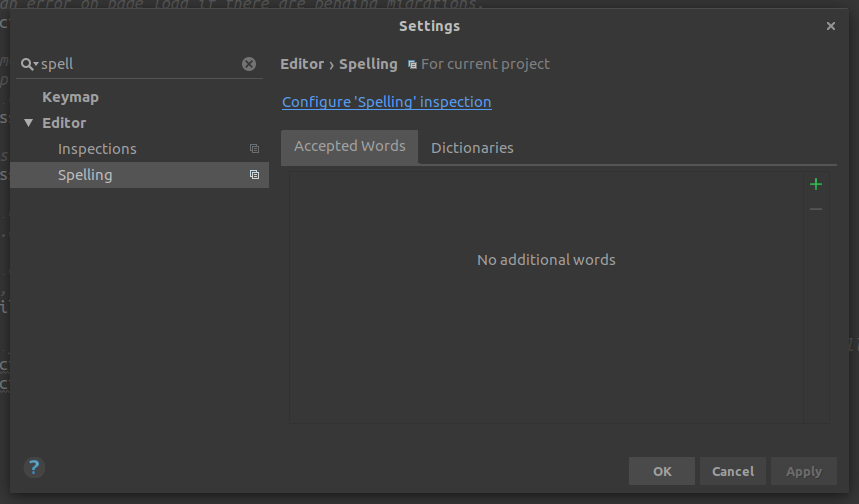
The theme-styled tabs have their fixed hard-coded height in both the UI Panels and Settings, and are not affected by the Tab Height set in the Material Theme Settings:
ddnexus
on 23 Nov 2017
Related issues
 vbasem
·
4Comments
vbasem
·
4Comments
 NikoGrano
·
4Comments
NikoGrano
·
4Comments
 Izopi4a
·
4Comments
Izopi4a
·
4Comments
 sanderboom
·
4Comments
sanderboom
·
4Comments
 ovr
·
3Comments
ovr
·
3Comments
Most helpful comment
The theme-styled tabs have their fixed hard-coded height in both the UI Panels and Settings, and are not affected by the Tab Height set in the Material Theme Settings: