Material-theme-jetbrains: Material UI file-icons are not showing
Summary
Material UI file-icons are not showing. Phpstorm uses default icons for files instead of Material UI icons.
...
Expected behavior
Load Material UI icon for the files.
...
Actual behavior
Load default icons for the files.
...
Workaround
By going to Settings → Appearance & Behavior → Material Theme → Icons
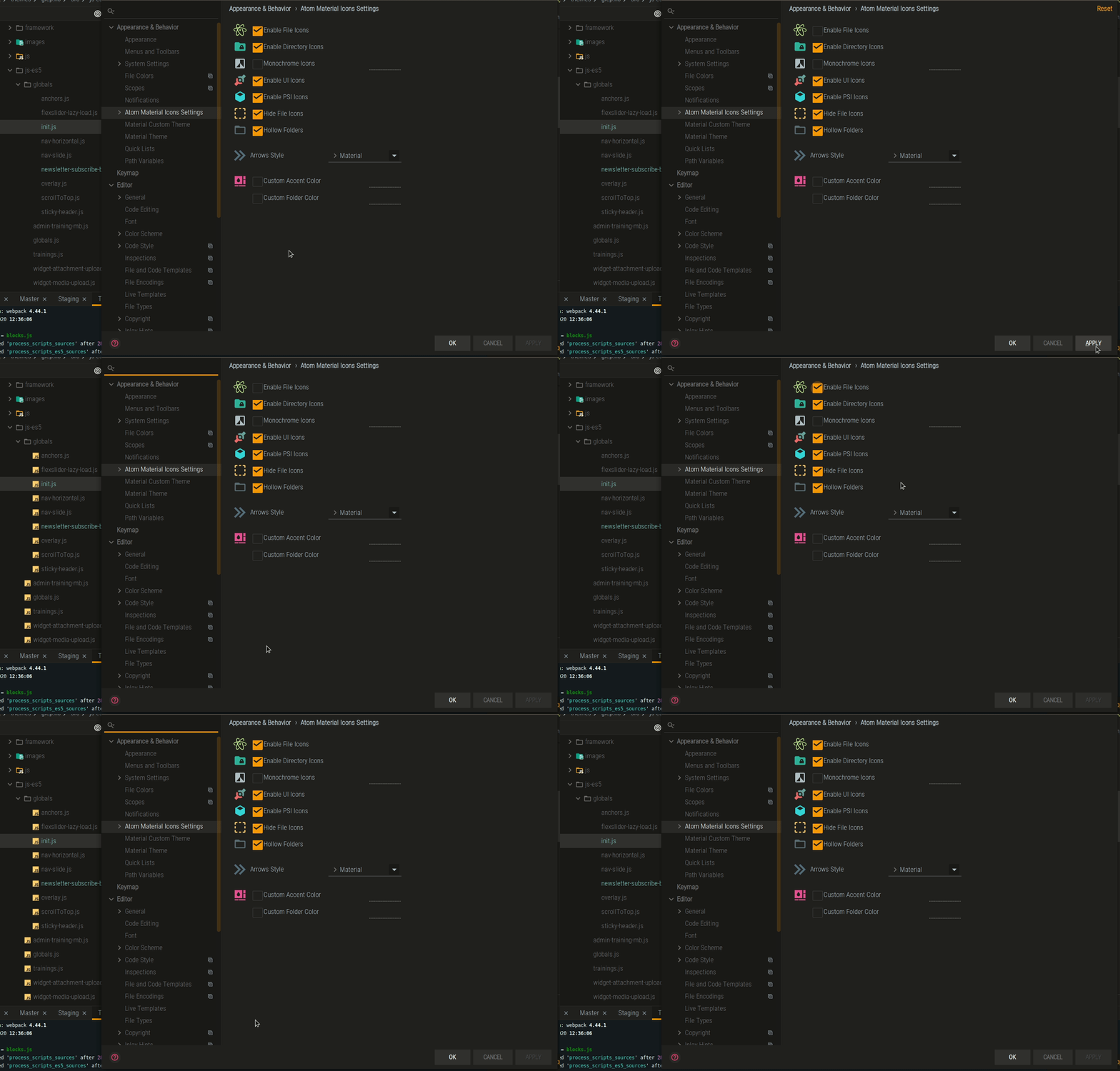
Unchecking box "Enable Material icon" and pressing apply (without restart) and then repeating by checking same box and pressing apply and again skipping restart, the icons start showing again until next IDE restart.
Environment
Info:
- OS
Ubuntu 18.04.1 LTS4.15.0-32-generic #35-Ubuntu SMP x86_64 GNU/Linux - IDE
PhpStorm 2018.2.1 Build #PS-182.3911.43, built on August 8, 2018 - JRE:
1.8.0_152-release-1248-b8 amd64 - Plugin version:
2.8.2 - Plugin configuration (couldn't find)
 NikoGrano
All 4 comments
I am not able to reproduce on Windows, can you provide screenshots?
 mallowigi
on 28 Aug 2018
mallowigi
on 28 Aug 2018
It was reported on Ubuntu, please download VM and start using same build. Screenshots are not required for this. Confirmed with multiple different PCs running Ubuntu.... Get over yourself... seriously..
NikoGrano
on 31 Aug 2018
I need screenshots to make sure that's a wanted behavior and not a bug.
mallowigi
on 1 Sep 2018
I can confirm. Also if I disable "hide file icon" file icons are showing. Indeed. But the icon of that option always made me think it was related to "hidden" files icons.
 loxK
on 18 Sep 2020
loxK
on 18 Sep 2020
Related issues
 sheinfeld
·
4Comments
sheinfeld
·
4Comments
 ovr
·
3Comments
ovr
·
3Comments
 dg00GT00
·
3Comments
dg00GT00
·
3Comments
 CeramicTitan
·
3Comments
CeramicTitan
·
3Comments
 timrspratt
·
3Comments
timrspratt
·
3Comments