Material-theme-jetbrains: No Way To Accept/Refuse Request To Collect Usage Stats
Summary
The notification to request collection of usage stats provides no way to respond to it. Thus, it displays every time you open the IDE and it never goes away.
Help Make Material Theme UI Better: We are asking your permission to send information about your configuration (what is enabled and what is not) and feature usage statistics (e.g. how frequently you are using a feature). This data is anonymous, does not contain any personal information, collected for use only by the Material Theme Plugin Team and will never be transmitted to any third party.
Expected behavior
User should be able to click a link in the request to either approve or deny it and then the notification should not be shown anymore.
Actual behavior
See summary.
Steps to reproduce (if needed)
- Open IDE
- See notification.
Environment
PhpStorm 2019.2.1 RC
Build #PS-192.6262.47, built on August 16, 2019
Licensed to Antergos / Dustin Falgout
Subscription is active until October 4, 2019
For non-commercial open source development only.
Runtime version: 11.0.3+12-b304.39 amd64
VM: OpenJDK 64-Bit Server VM by JetBrains s.r.o
Linux 5.2.9-arch1-1-ARCH
GC: ParNew, ConcurrentMarkSweep
Memory: 2997M
Cores: 8
Registry: run.processes.with.pty=TRUE, editor.transparent.scrollbar=false, bigger.font.in.project.view=true, debugger.watches.in.variables=false, ide.tooltip.initialDelay=997, ide.tree.ui.experimental=false, vcs.annotations.preload=true, ide.balloon.shadow.size=0, suppress.focus.stealing=false
Non-Bundled Plugins: GrepConsole, String Manipulation, andrewbents, cn.yiiguxing.plugin.figlet, com.adrian.dima.theme.monkai.pro, com.arcticicestudio.nord.jetbrains, com.berzanmikaili.intellij.monokai_pro, com.chrisrm.idea.MaterialThemeUI, com.codermirror, com.codestream.jetbrains-codestream, com.herokuapp.vuesion, com.hiberbee.intellij.hiberbee-theme, com.intellij.ideolog, com.intellij.plugin.copy.options, com.intellij.stats.completion, com.ivanovych666.intellij.plugin.jsonsorter, com.jetbrains.grayTheme, com.jetbrains.lightThemePreview, com.jinsihou.react.snippets, com.karateca.jstoolbox, com.markskelton.one-dark-theme, com.ppolivka.plugin.gitcleaner, com.softwareco.intellij.plugin, design.verybeautiful.onedarkmonokai, hu.aradipatrik.onedarknative, krasa.nonProjectFilesUnlocker, name.kropp.intellij.makefile, net.codestats.plugin.atom.intellij, net.sjrx.intellij.plugins.systemdunitfiles, net.vektah.codeglance, org.intellij.plugins.hcl, com.github.shiraji.findpullrequest, com.kalessil.phpStorm.phpInspectionsEA, lv.midiana.misc.phpstorm-plugins.deep-keys, net.king2500.plugins.PhpAdvancedAutoComplete, com.wix.eslint, send2terminal, lermitage.intellij.extra.icons, zielu.gittoolbox
 lots0logs
All 12 comments
This is because this is supposed to happen inside a notification at the bottom right. Verify that you have notifications enabled, do your choice, and disable them again if you want.
 mallowigi
on 27 Aug 2019
mallowigi
on 27 Aug 2019
Do you not think this is a bug? I mean come on. Regardless of what my configuration is your plugin should not be displaying this event in the event log every time the app starts.
lots0logs
on 28 Aug 2019
It’s a bug but this is not an easy fix and I have other priorities than such an issue with an easy workaround
mallowigi
on 28 Aug 2019
Why is it that no other plugin has this issue if its difficult to fix? Other plugins that ask for permission for stuff work perfectly fine without me touching my configuration.
lots0logs
on 28 Aug 2019
Which one for instance? I can use a fix.
mallowigi
on 28 Aug 2019
Its been a while since I've had one. I can't recall which plugins but its possible they were official JetBrain plugins. The next time I get one I will post the details here.
lots0logs
on 28 Aug 2019
I'm actually using the same notification that Jetbrains uses (or used, I don't know), so theoretically this bug should happen for them too. The only difference is that this popup shows for new installs so people don't have the possibility to hide notifications at this point
mallowigi
on 28 Aug 2019
True, I can also create a basic notification with links, and call it a day, but again I don't want to work on such a small feat at this time. Maybe I'll leave open to the backlog.
mallowigi
on 28 Aug 2019
A successful theme for an IDE should not draw one's attention to it. May I suggest that you suppress the "Help Make Material Theme UI Better" message for now? I see it every time my IDE starts in the notification bar, and it is really bugging me. I'm happy to raise a PR for this if you think this is an acceptable solution for now.
 g105b
on 23 Sep 2019
g105b
on 23 Sep 2019
I’m currently on hiatus so this will wait. Again this is in my backlog so I’ll get to it but again you can still enable notifications, accept it and turn it off.
What you can also do is manually insert the settings in your configuration file. Check in http://www.material-theme.com/docs/settings
--
Elior
On 23 Sep 2019, 6:36 -0400, Greg Bowler notifications@github.com, wrote:
A successful theme for an IDE should not draw one's attention to it. May I suggest that you suppress the "Help Make Material Theme UI Better" message for now? I see it every time my IDE starts in the notification bar, and it is really bugging me. I'm happy to raise a PR for this if you think this is an acceptable solution for now.
—
You are receiving this because you modified the open/close state.
Reply to this email directly, view it on GitHub, or mute the thread.
mallowigi
on 23 Sep 2019
OK, thanks I'll look at disabling it myself.
Sorry to add something else to your to do list, but ...
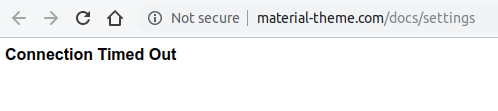
g105b
on 23 Sep 2019
Yes I know, well I don’t know the links by heart :)
mallowigi
on 23 Sep 2019
Related issues
 nammaianh
·
3Comments
nammaianh
·
3Comments
 MiracleWisp
·
3Comments
MiracleWisp
·
3Comments
 wolf99
·
3Comments
wolf99
·
3Comments
 vbasem
·
4Comments
vbasem
·
4Comments
 CeramicTitan
·
3Comments
CeramicTitan
·
3Comments