Material-theme-jetbrains: No title bar on most recent EAP (All idea-besed platform) plugin: v4.0.3
Summary
No title bar on most recent EAP.
Expected behavior
with title bar
Actual behavior
no title
Steps to reproduce (if needed)
- First step
install most recent EAP(for example IDEA 192.5118.30) - Second step
install material-theme-plugin - Third step
restart EAP
You can also add Screenshots for a better understanding.
Environment
Please go to IntelliJ IDEA -> About IntelliJ IDEA (Mac) or Help -> About IntelliJ IDEA (Windows) and copy the infos
to the clipboard and paste it here.
IntelliJ IDEA 2019.2 EAP (Ultimate Edition)
Build #IU-192.5118.30, built on June 13, 2019
IntelliJ IDEA EAP User
Expiration date: July 13, 2019
Runtime version: 11.0.3+12-b304.2 x86_64
VM: OpenJDK 64-Bit Server VM by JetBrains s.r.o
macOS 10.14.5
GC: G1 Young Generation, G1 Old Generation
Memory: 750M
Cores: 4
Registry: ide.mac.allowDarkWindowDecorations=true, ide.tree.ui.experimental=false, ide.balloon.shadow.size=0
Non-Bundled Plugins: Key Promoter X, Lombook Plugin, com.chrisrm.idea.MaterialThemeUI, izhangzhihao.rainbow.brackets
This issus occurred on IDEA, pycharm, clion(what I am using)
Material Theme Plugin version: 4.0.3
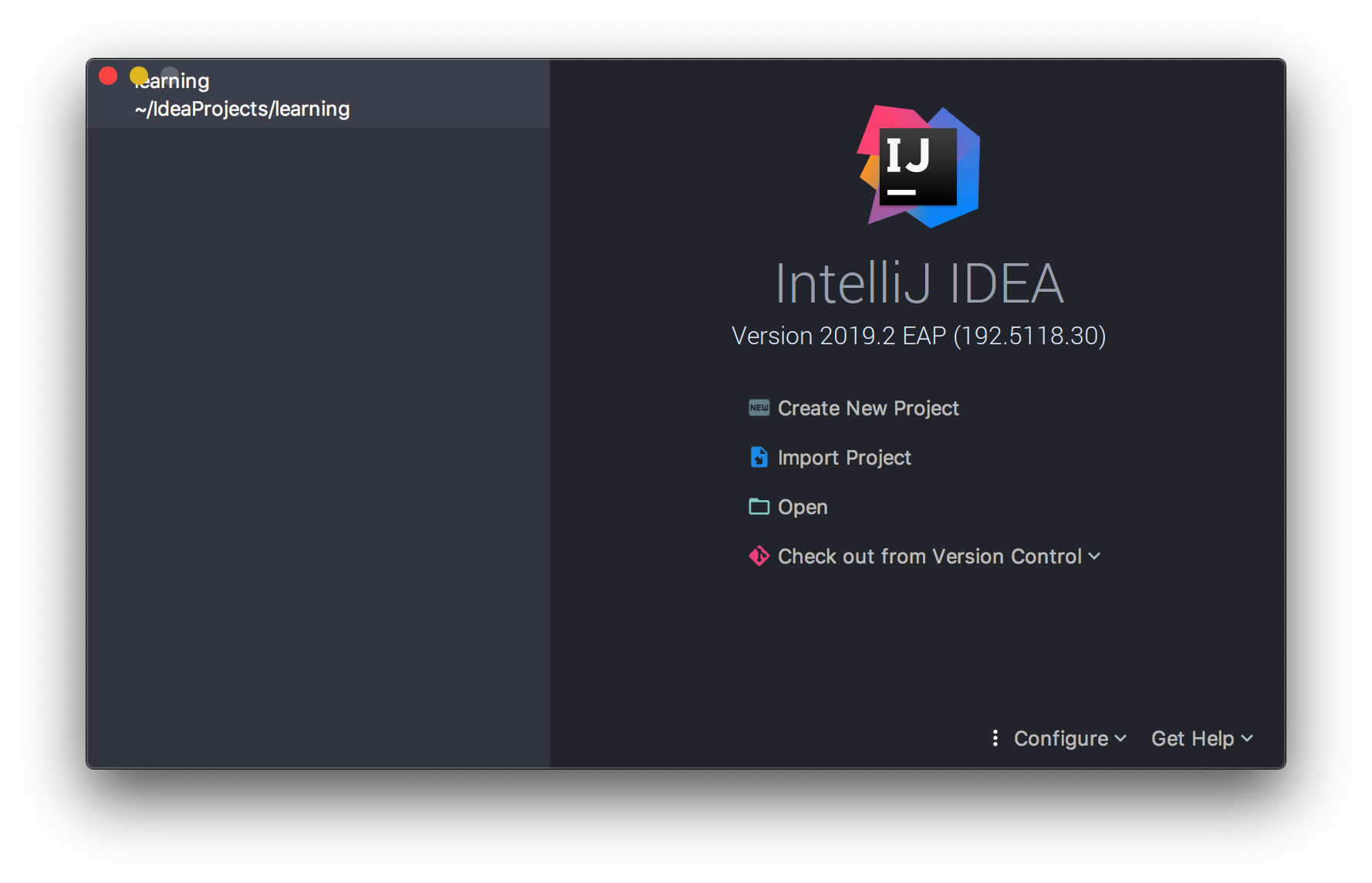
 yyyreal
All 10 comments
damn.............. what have they done
 mallowigi
on 14 Jun 2019
mallowigi
on 14 Jun 2019
@mallowigi Thanks for your hard work. Do you need more info? I can provide whatever I can get.
yyyreal
on 14 Jun 2019
There's no fix for that, see there: https://youtrack.jetbrains.com/issue/JBR-1569
mallowigi
on 14 Jun 2019
when I disable the plugin from the setting, title bar comes back.
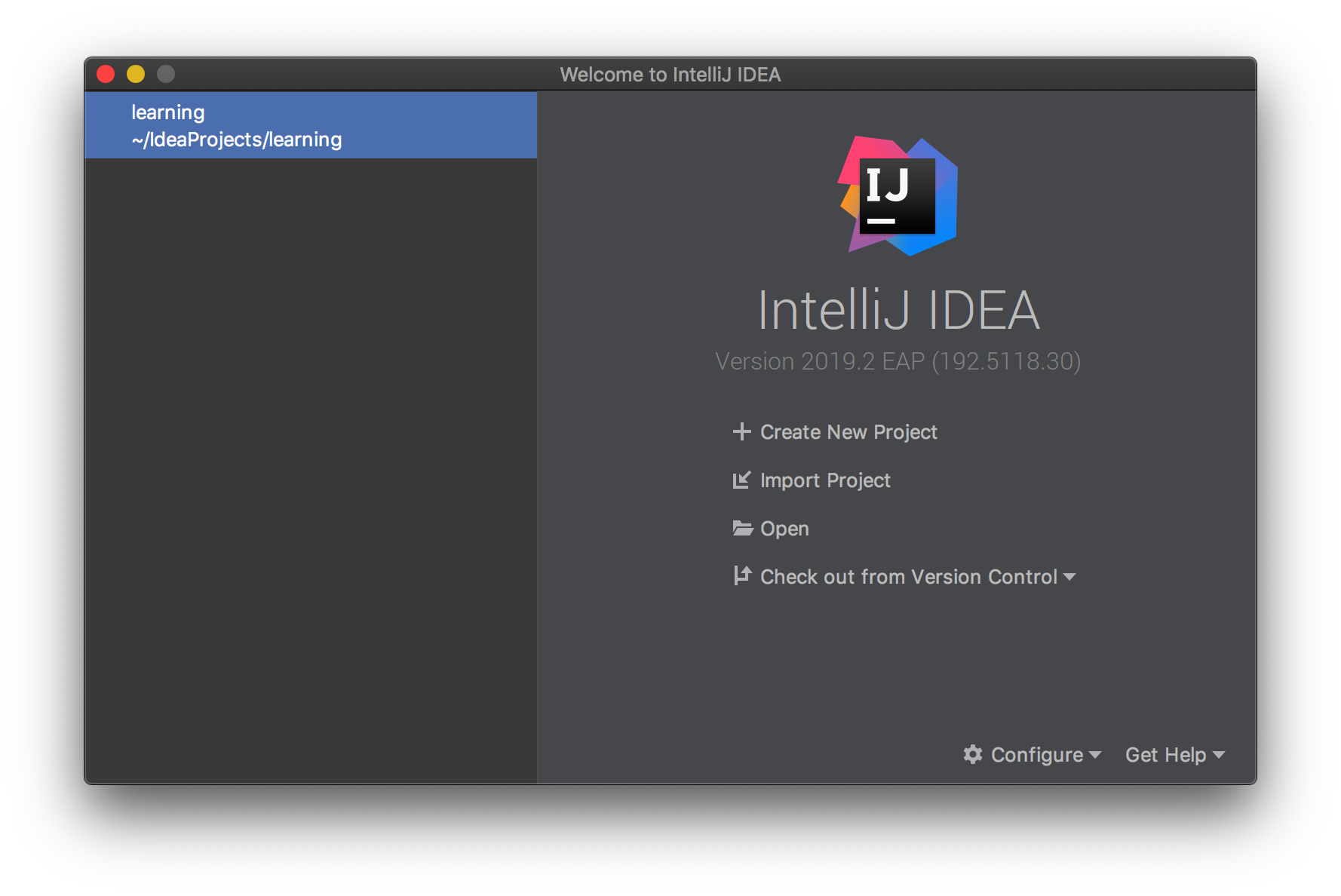
yyyreal
on 14 Jun 2019
I've issued a hotfix that disables the titlebar altogether. I've created a PR to fix the titlebar, and I hope they'll merge it, but anyway it would not be available until the next release of JDK11
mallowigi
on 14 Jun 2019
@mallowigi hi! The latest version of plugin (v4.1) occurs the previous problem.(2019.2RC)
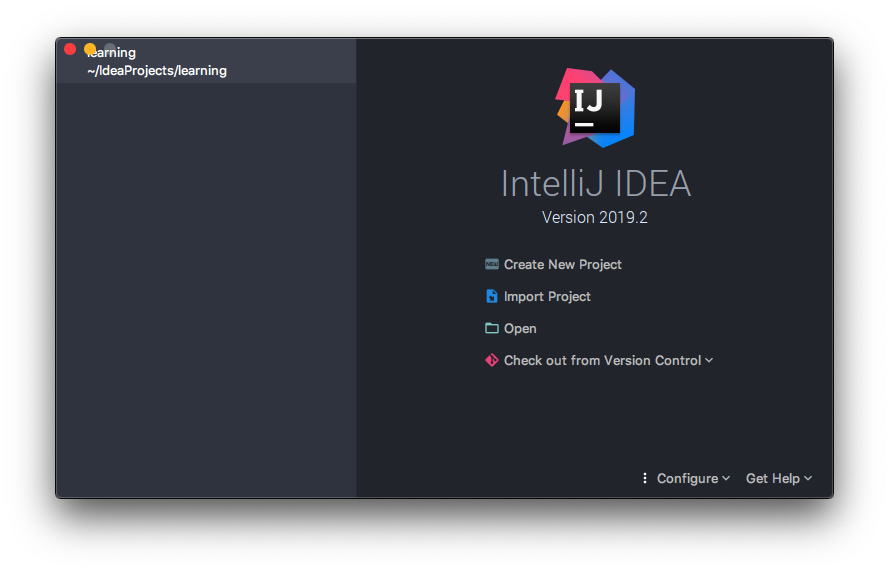
Would you please investigate it? THX
yyyreal
on 22 Jul 2019
I know and it will stay like this until the transparent title bar is merged in the source code
mallowigi
on 22 Jul 2019
Thanks
yyyreal
on 22 Jul 2019
@yyyreal If you disable "Themed Title Bar" and then restart WebStorm, it won't overlap.

 taylorgoolsby
on 23 Jul 2019
taylorgoolsby
on 23 Jul 2019
Experienced this same behaviour today on Intellij IDEA CE 2019.2, found the fix to be similar to the fix mentioned above, but I couldn't change the Themed Title Bar setting in Preferences as it was greyed out. The fix was to toggle it under the Tools heading, then restart Intellij.
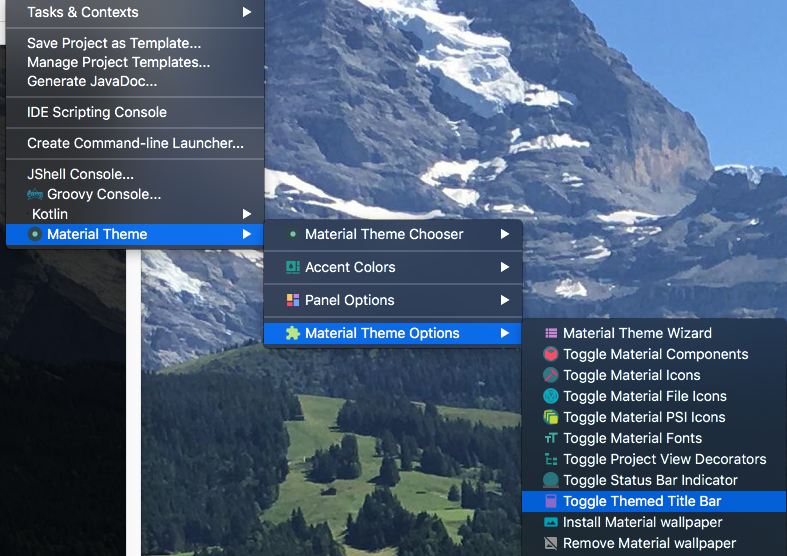
 jgreenemi
on 20 Aug 2019
jgreenemi
on 20 Aug 2019
Related issues
 nammaianh
·
3Comments
nammaianh
·
3Comments
 CeramicTitan
·
3Comments
CeramicTitan
·
3Comments
 uar-zlatko-alomerovic
·
3Comments
uar-zlatko-alomerovic
·
3Comments
 ddnexus
·
3Comments
ddnexus
·
3Comments
 ovr
·
3Comments
ovr
·
3Comments
Most helpful comment
@yyyreal If you disable "Themed Title Bar" and then restart WebStorm, it won't overlap.
