Manageiq-ui-classic: ManageIQ Navigation design
Purpose
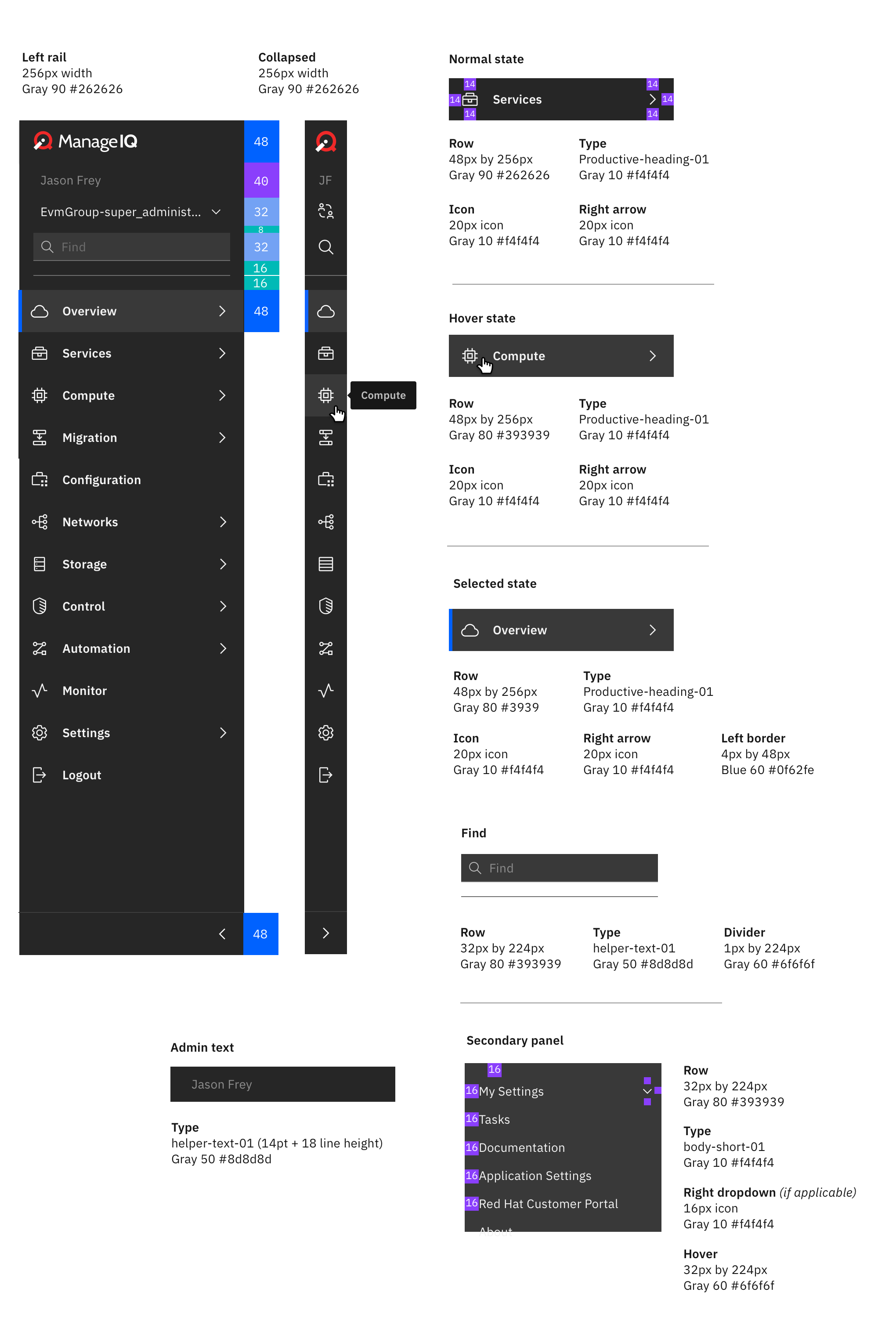
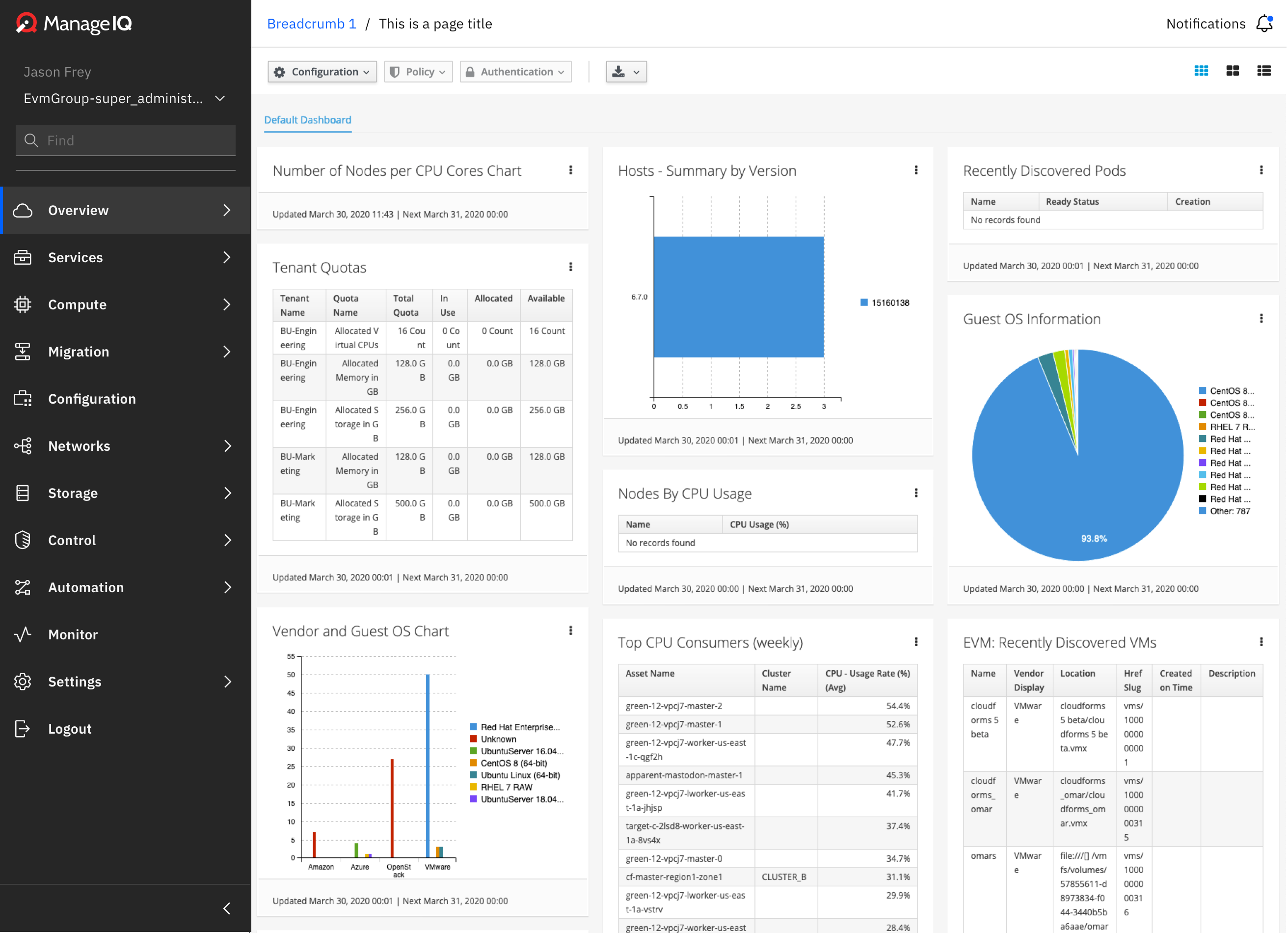
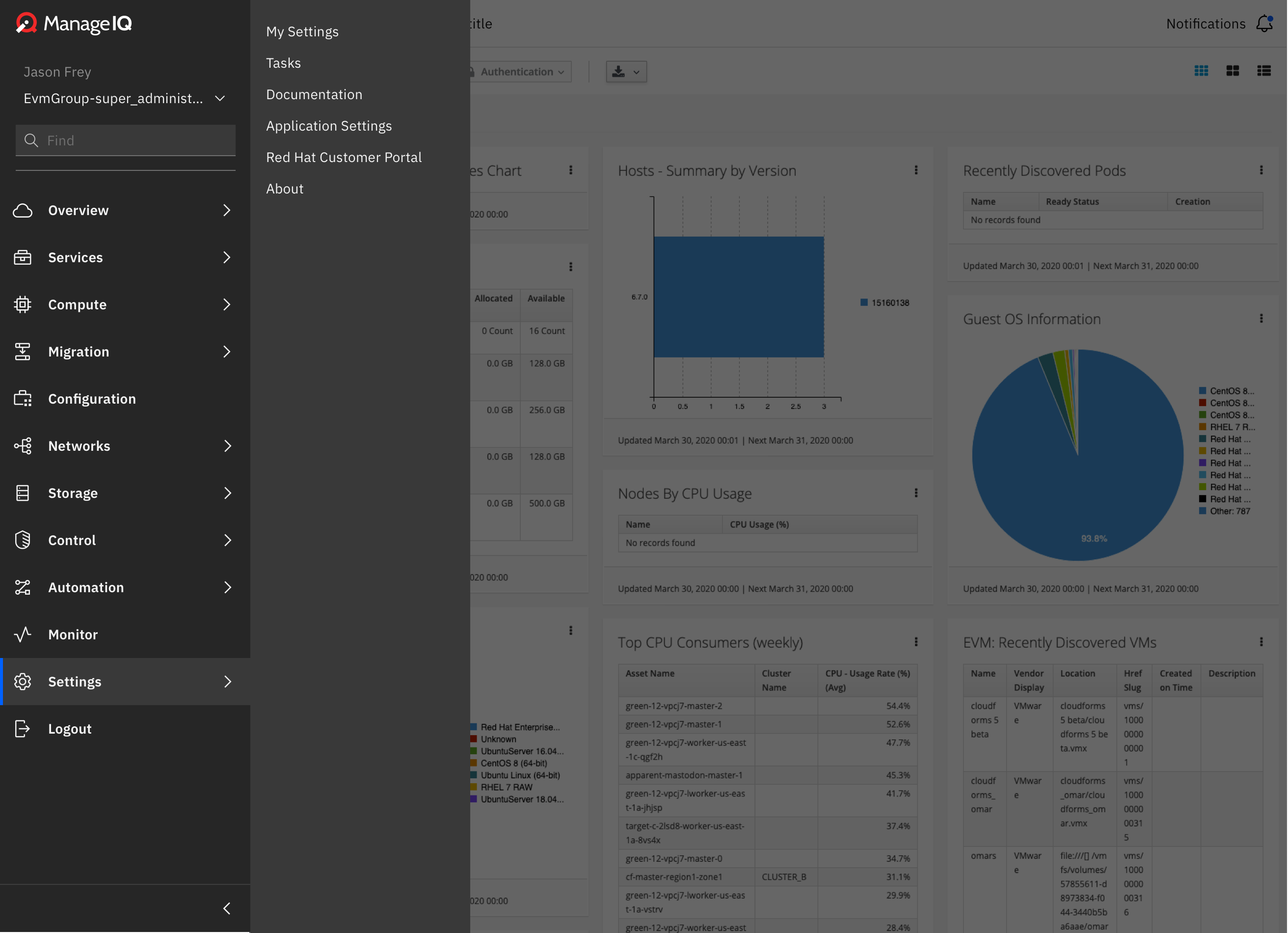
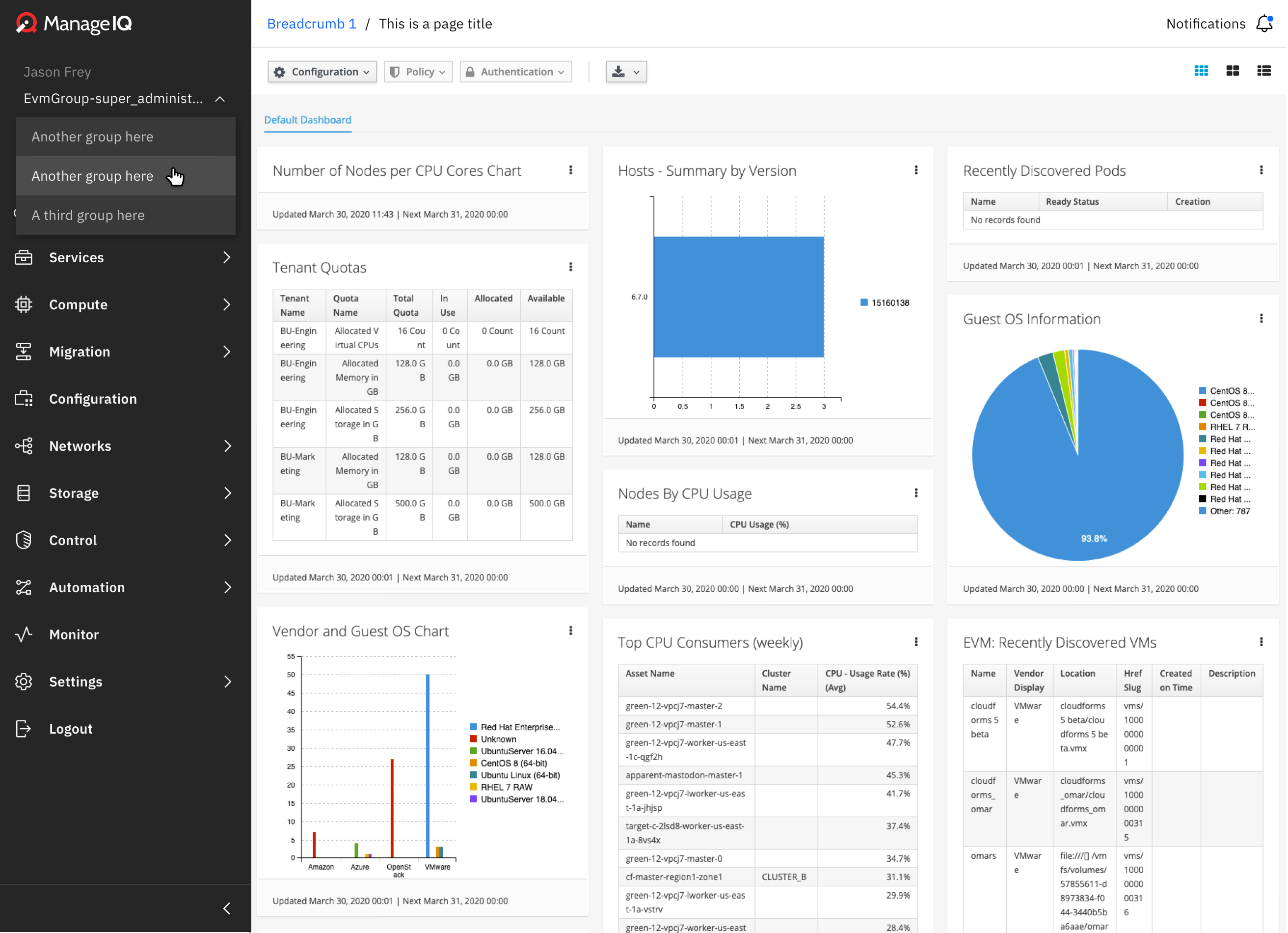
Designs discussed to align upstream + downstream user experience. (This is probably more of a 'feature request' rather than a bug/issue).
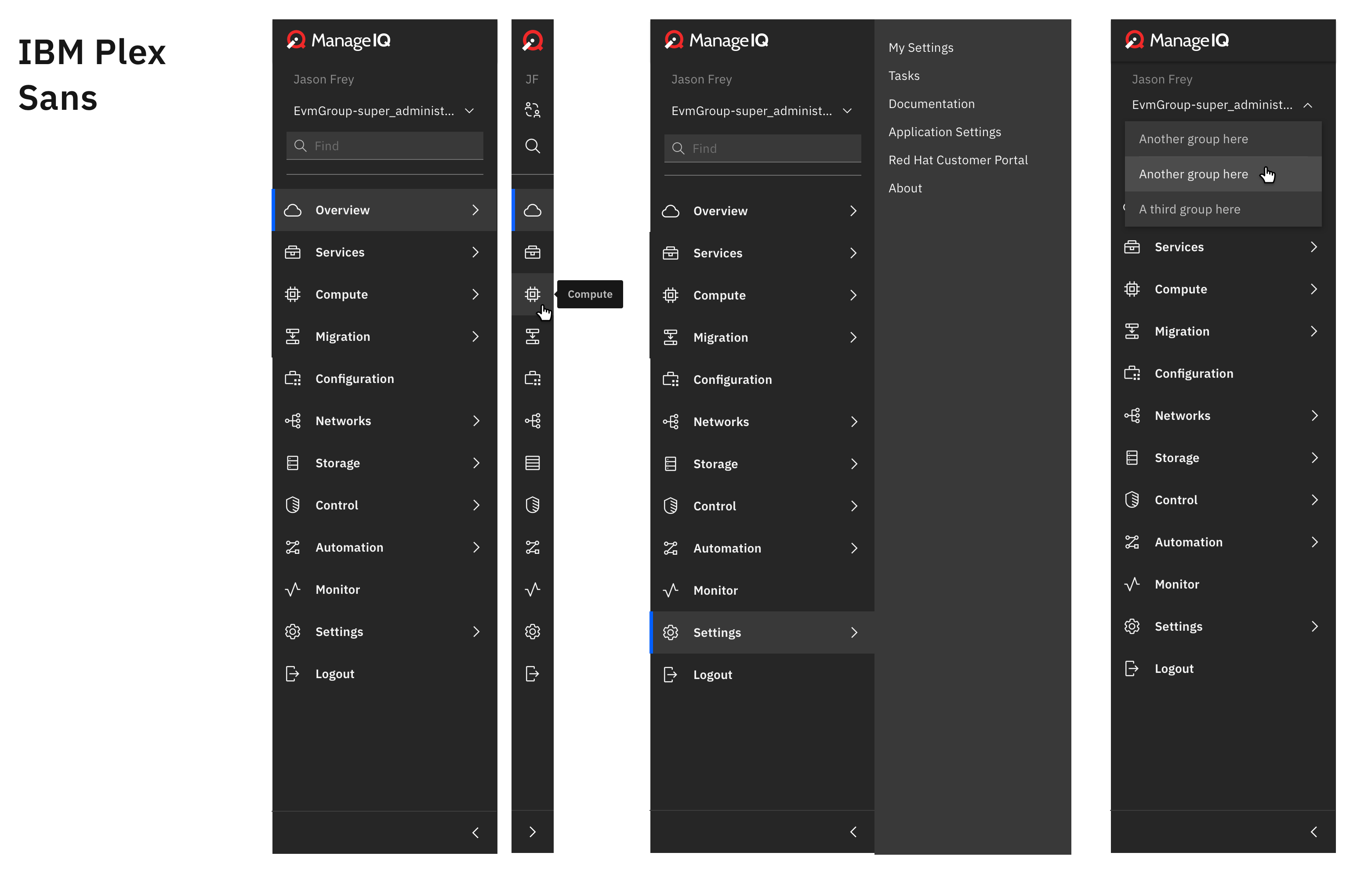
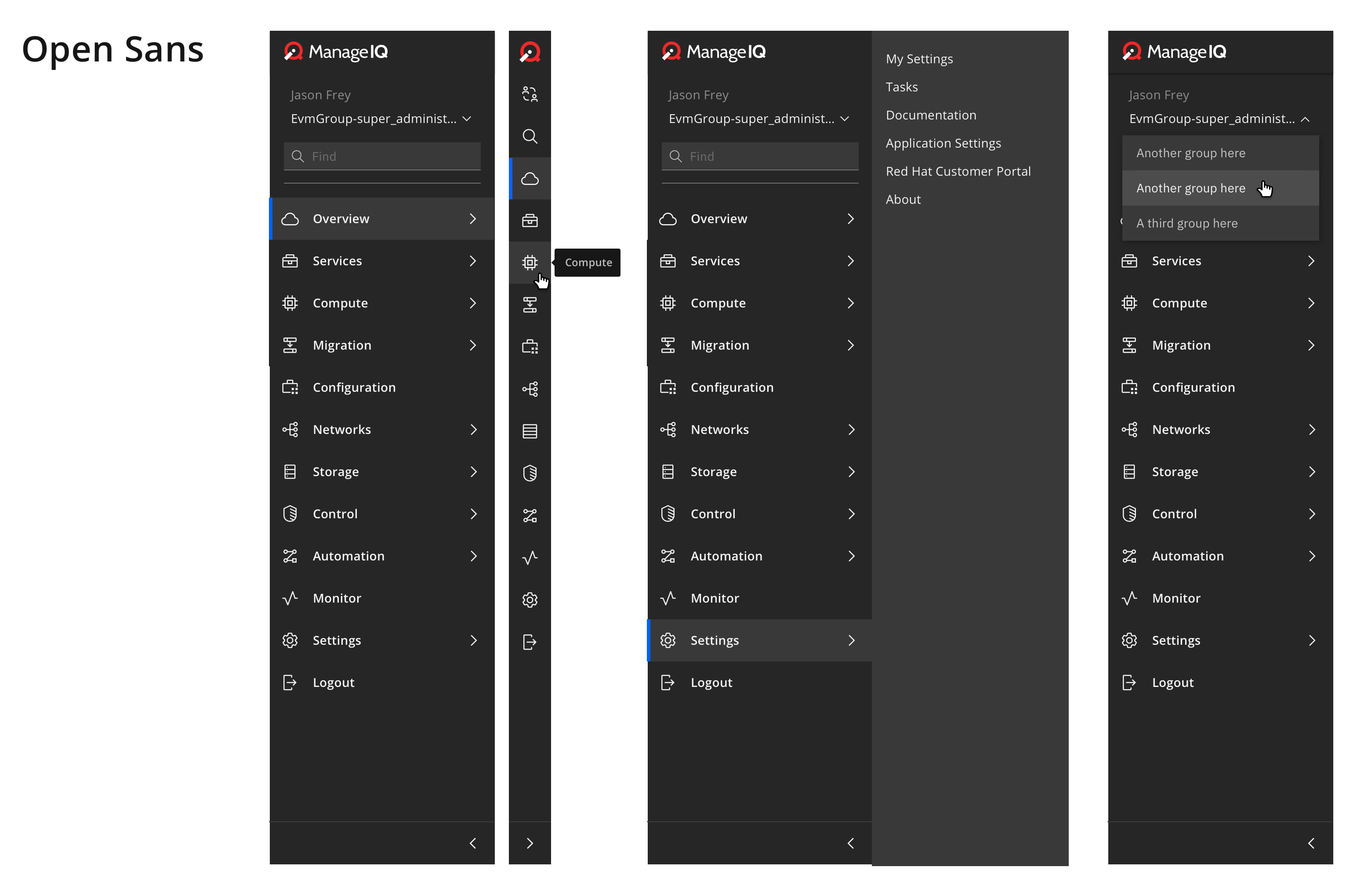
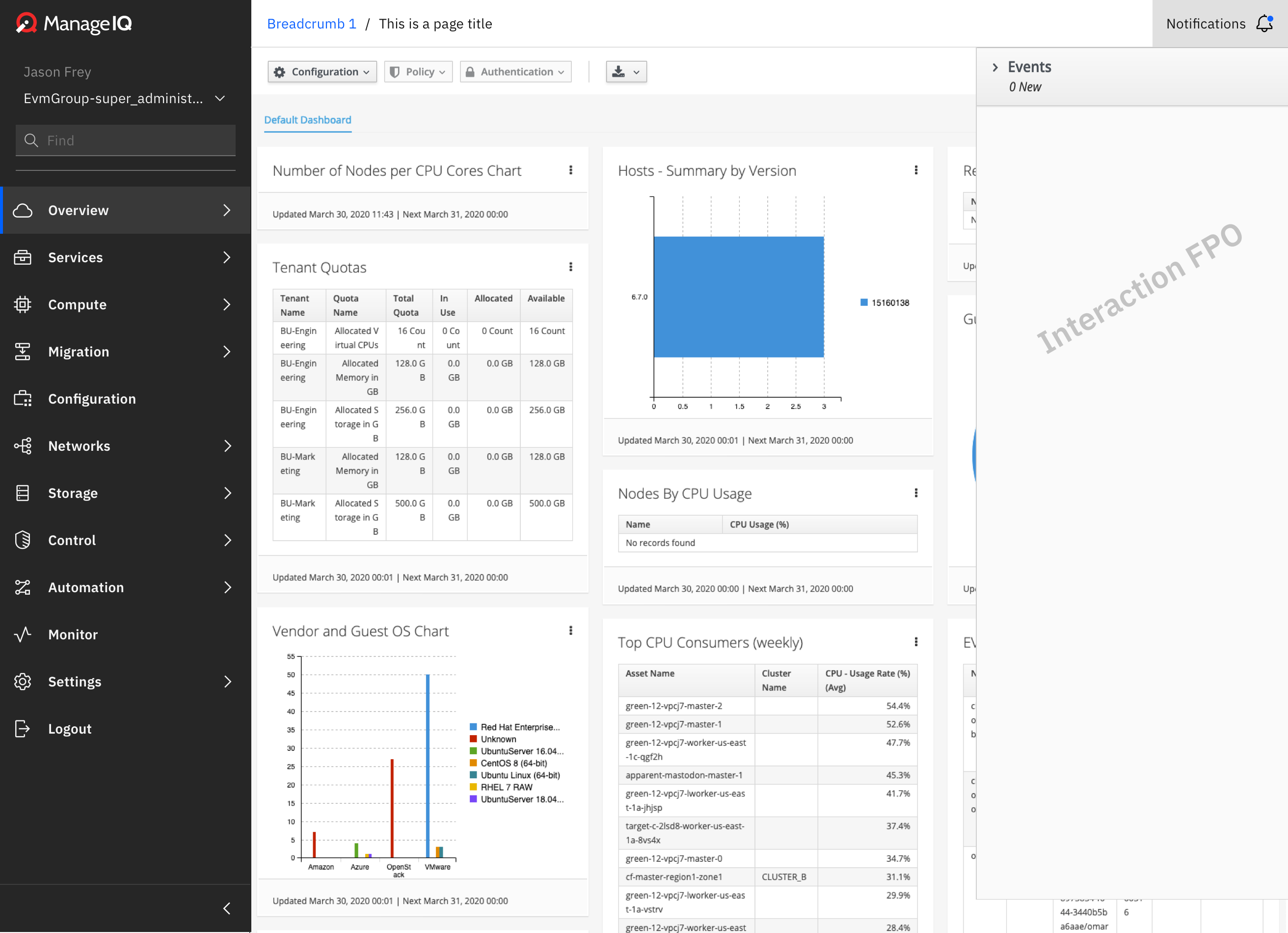
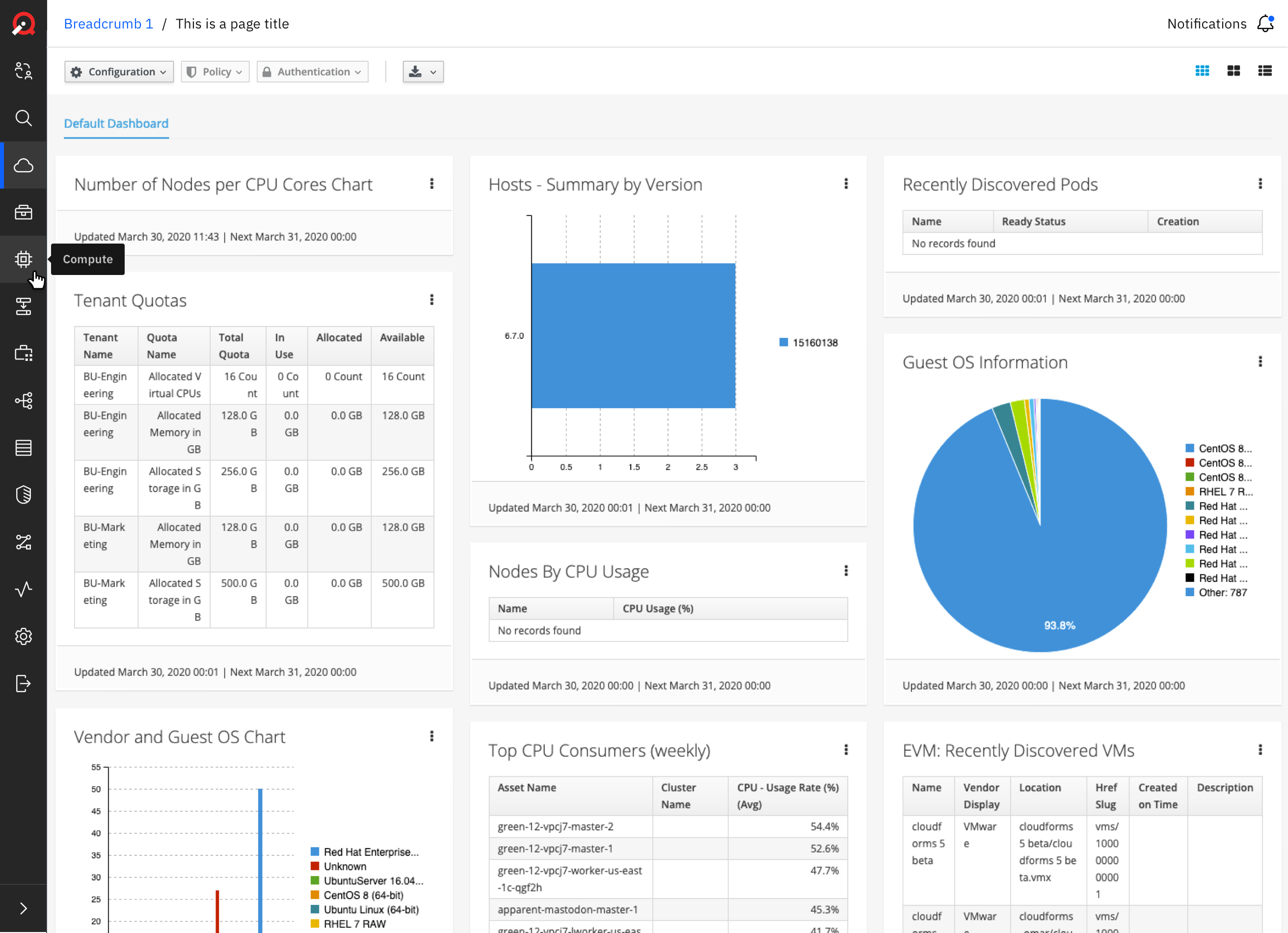
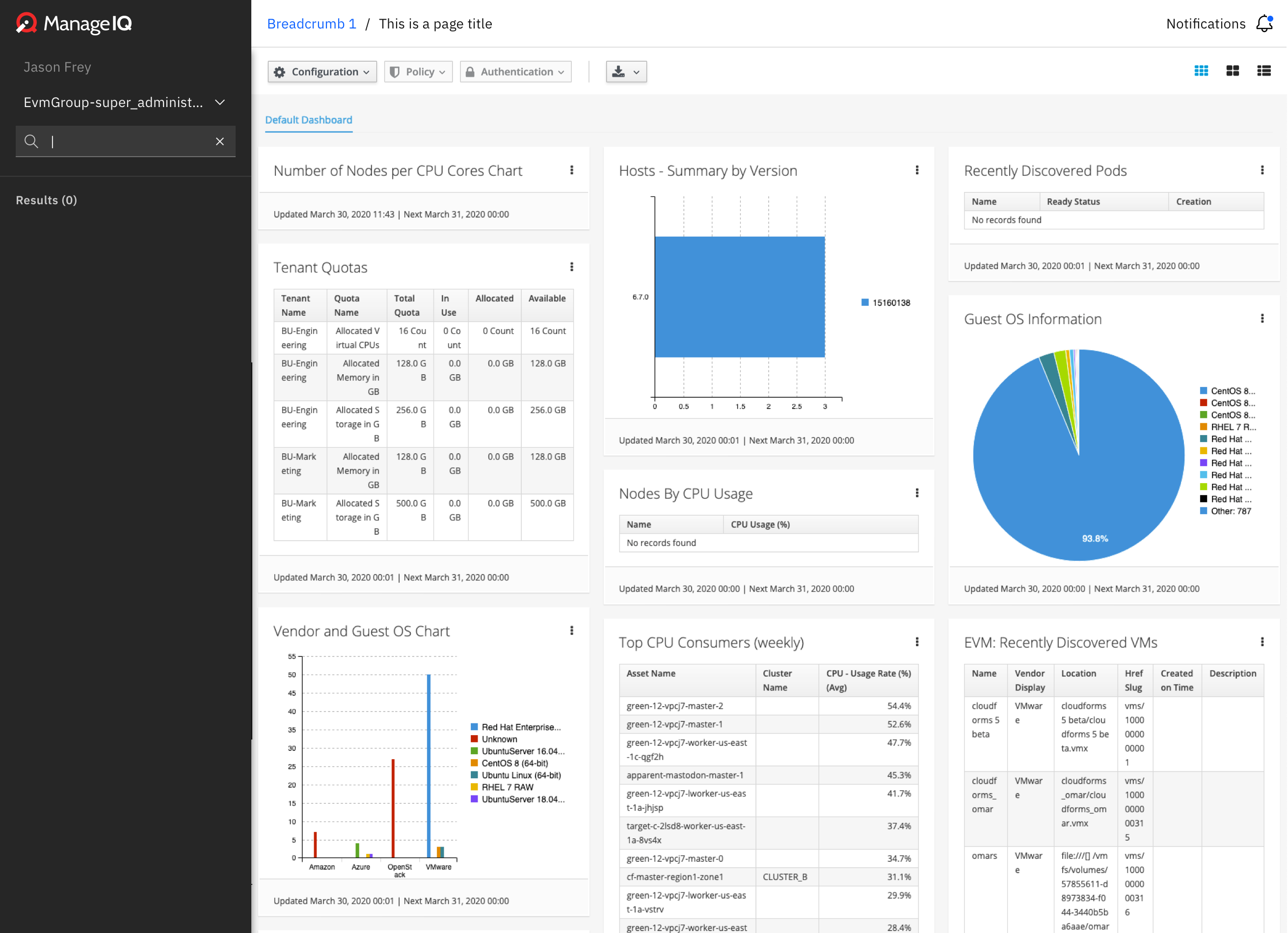
Hifi designs
Prototype: https://ibm.invisionapp.com/share/XZNZY4ICYNQ
*Disclaimer: Designs were made with IBM Plex Sans font but can be switched out with Open Sans (what Manage IQ is using) if needed.
Redlines: https://ibm.invisionapp.com/share/XZNZY4ICYNQ#/319509741_MiQ_Redlines
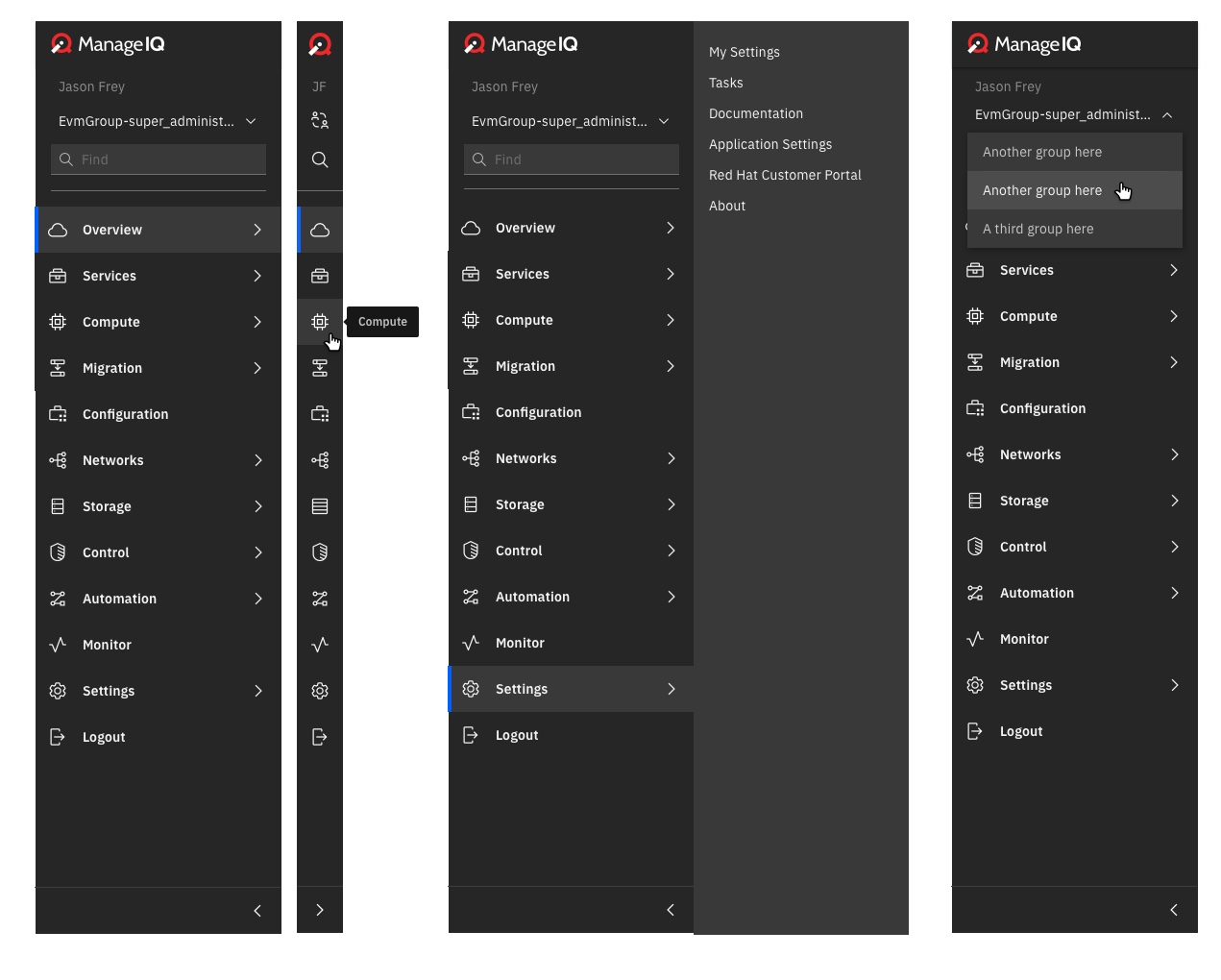
Carbon color tokens can be found here:
https://www.carbondesignsystem.com/guidelines/color/usage/
Carbon Type tokens can be found here: (see disclaimer; heights + weights still apply) https://www.carbondesignsystem.com/guidelines/typography/productive
Carbon Icons can be found here:
https://www.carbondesignsystem.com/guidelines/icons/library
Carbon spacing guidelines:
https://www.carbondesignsystem.com/guidelines/spacing
 Ashley-Johnson28
All 24 comments
@himdel @Fryguy @h-kataria
Ashley-Johnson28
on 20 Apr 2020
Related to #6963 and #6817
 Fryguy
on 20 Apr 2020
Fryguy
on 20 Apr 2020
Just talking out loud maybe Tasks belong under Overview main tab, better than having it under Settings
 h-kataria
on 20 Apr 2020
h-kataria
on 20 Apr 2020
One detail, I don't think Monitor or Configuration can be without children,
we now have...
Monitor > Alerts > Overview
Monitor > Alerts > All Alerts
(maybe we can drop the Alerts bit in the middle there)
and (as of https://github.com/ManageIQ/manageiq-ui-classic/pull/6782 ) ..
Configuration > Providers
Configuration > Profiles
Configuration > Configured Systems
 himdel
on 23 Apr 2020
himdel
on 23 Apr 2020
@Ashley-Johnson28 what would the expected behaviour when the user clicks the Find icon when the menu is in the collapsed state?
Uncollapse the menu, and focus find, or a popup find?
himdel
on 23 Apr 2020
One detail, I don't think
MonitororConfigurationcan be without children,
we now have...Monitor > Alerts > Overview
Monitor > Alerts > All Alerts(maybe we can drop the Alerts bit in the middle there)
and (as of #6782 ) ..Configuration > Providers
Configuration > Profiles
Configuration > Configured Systems
That's fine. I was just trying to show if the item does not have children it would sit without a carrot icon + no panel.
Ashley-Johnson28
on 23 Apr 2020
@Ashley-Johnson28 what would the expected behaviour when the user clicks the Find icon when the menu is in the collapsed state?
Uncollapse the menu, and focus find, or a popup find?
Yes it would uncollapse the menu and focus on find. I will mock that up now and add to the proto!
Ashley-Johnson28
on 23 Apr 2020
Thanks! :)
himdel
on 23 Apr 2020
Icons from design:
Carbon Icons.zip
Can also be found on the Carbon icon site: https://www.carbondesignsystem.com/guidelines/icons/library
Redlines updated with 1:1 sizing for expand + collapse: https://ibm.invisionapp.com/share/XZNZY4ICYNQ#/319509741_MiQ_Redlines
Ashley-Johnson28
on 23 Apr 2020
@Ashley-Johnson28 can you link the ibm issue here please?
Also,
one more issue with not having the navbar anymore, we have a "big_iframe" layout used by some product screens to show an external webpage with our header.
That's the only manageiq page that never displays the menu.
But without a menu and a navbar, there's no way back.
I'm thinking for that situation, we should keep the menu but auto-collapse it, WDYT?
himdel
on 1 May 2020
@himdel IBM issue: https://github.ibm.com/IBMPrivateCloud/CP4MCM/issues/6985
Ashley-Johnson28
on 1 May 2020
Not sure I understand the layout issue...could you possibly send a screenshot of the error thats happening? I'm wondering if we could have the top header remain since it is creating issues... @himdel
Ashley-Johnson28
on 1 May 2020
Thanks :)
And never mind, I was wrong. big_iframe used to hide the menu. It doesn't anymore so there may be no issue.
himdel
on 1 May 2020
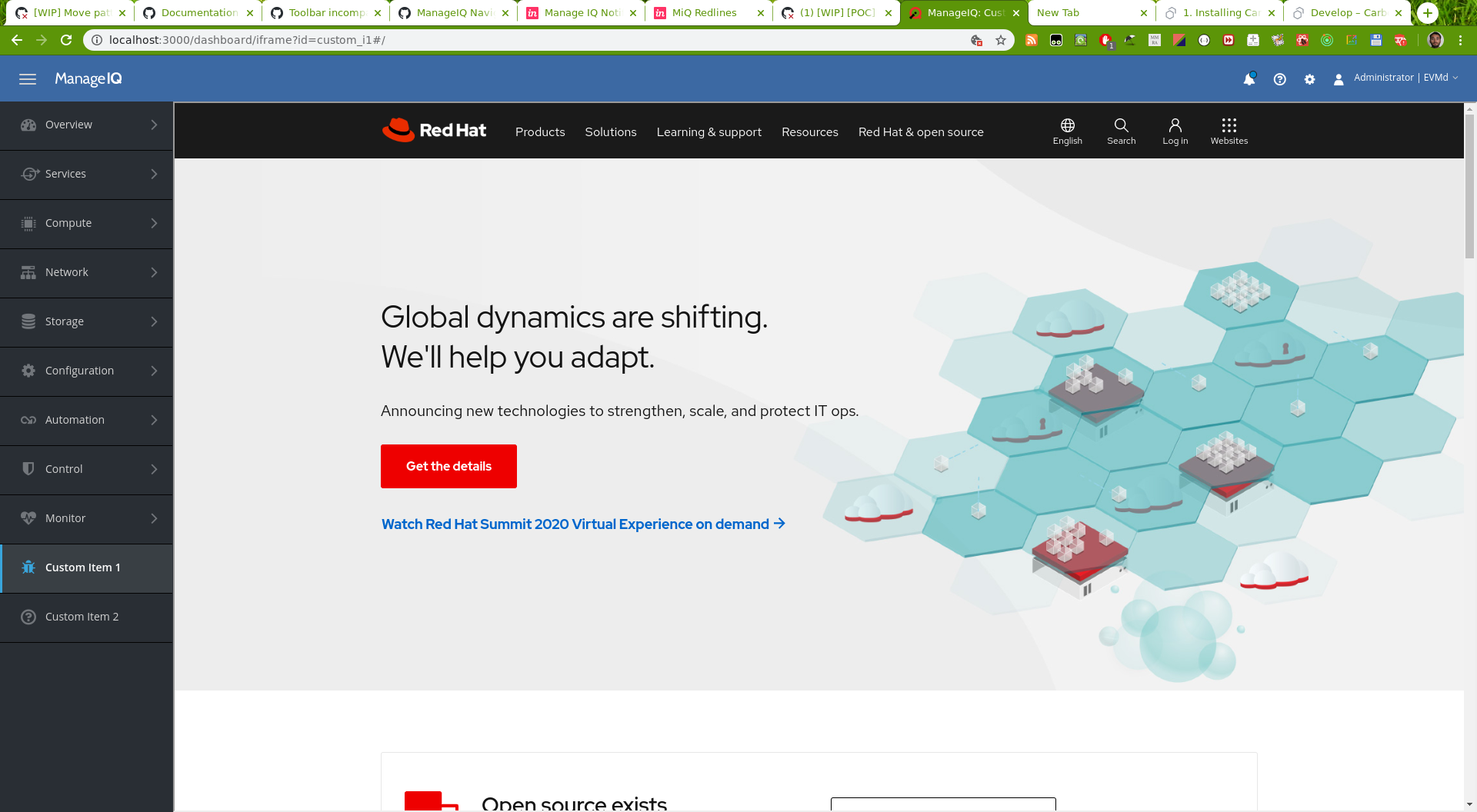
This is an example of a custom menu link using the big_iframe layout:
himdel
on 1 May 2020
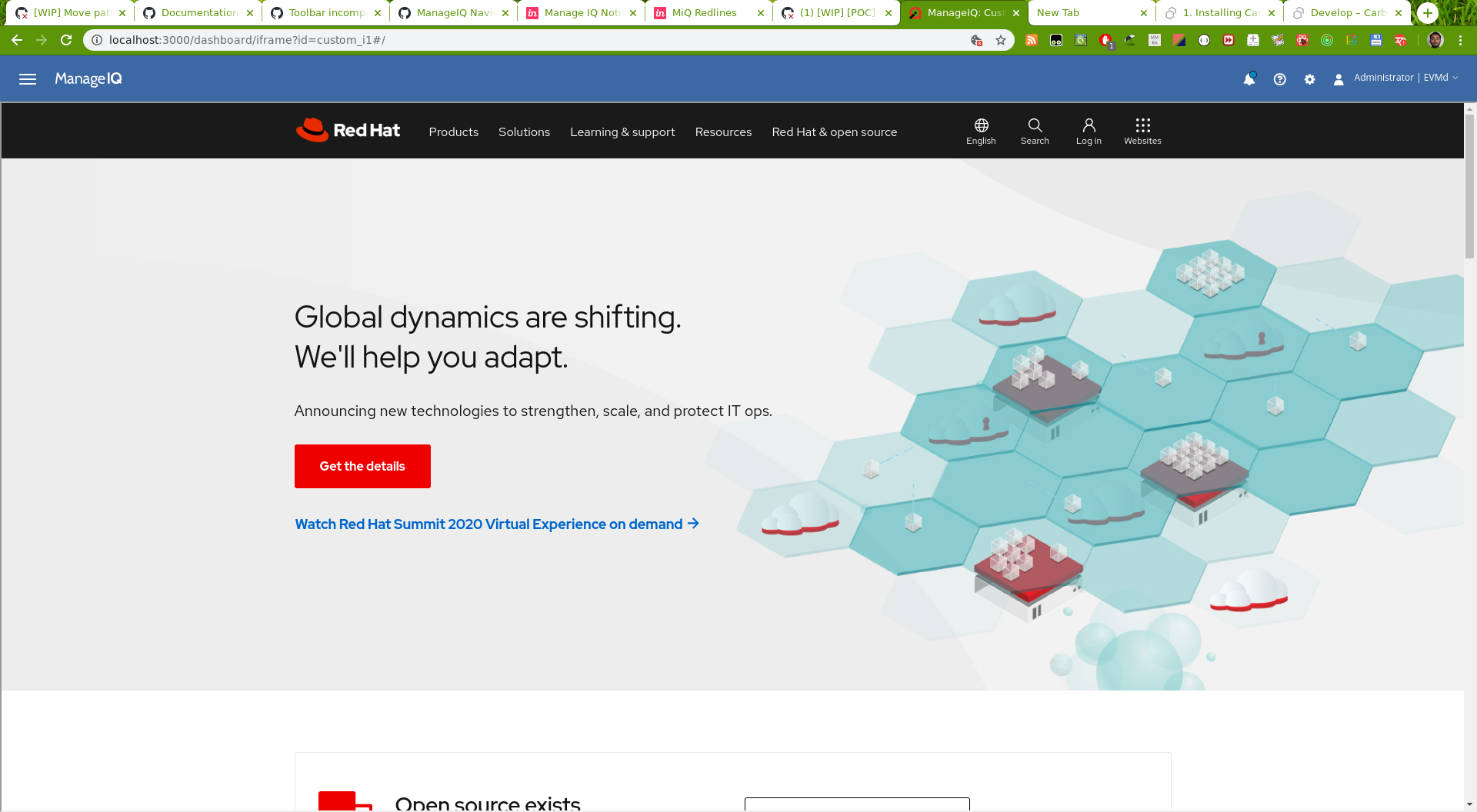
The same screen when it worked as intended:
himdel
on 1 May 2020
The change happened in https://github.com/ManageIQ/manageiq/pull/8114, looks like it was deliberate.
So, we do have the menu on all screens now.
himdel
on 1 May 2020
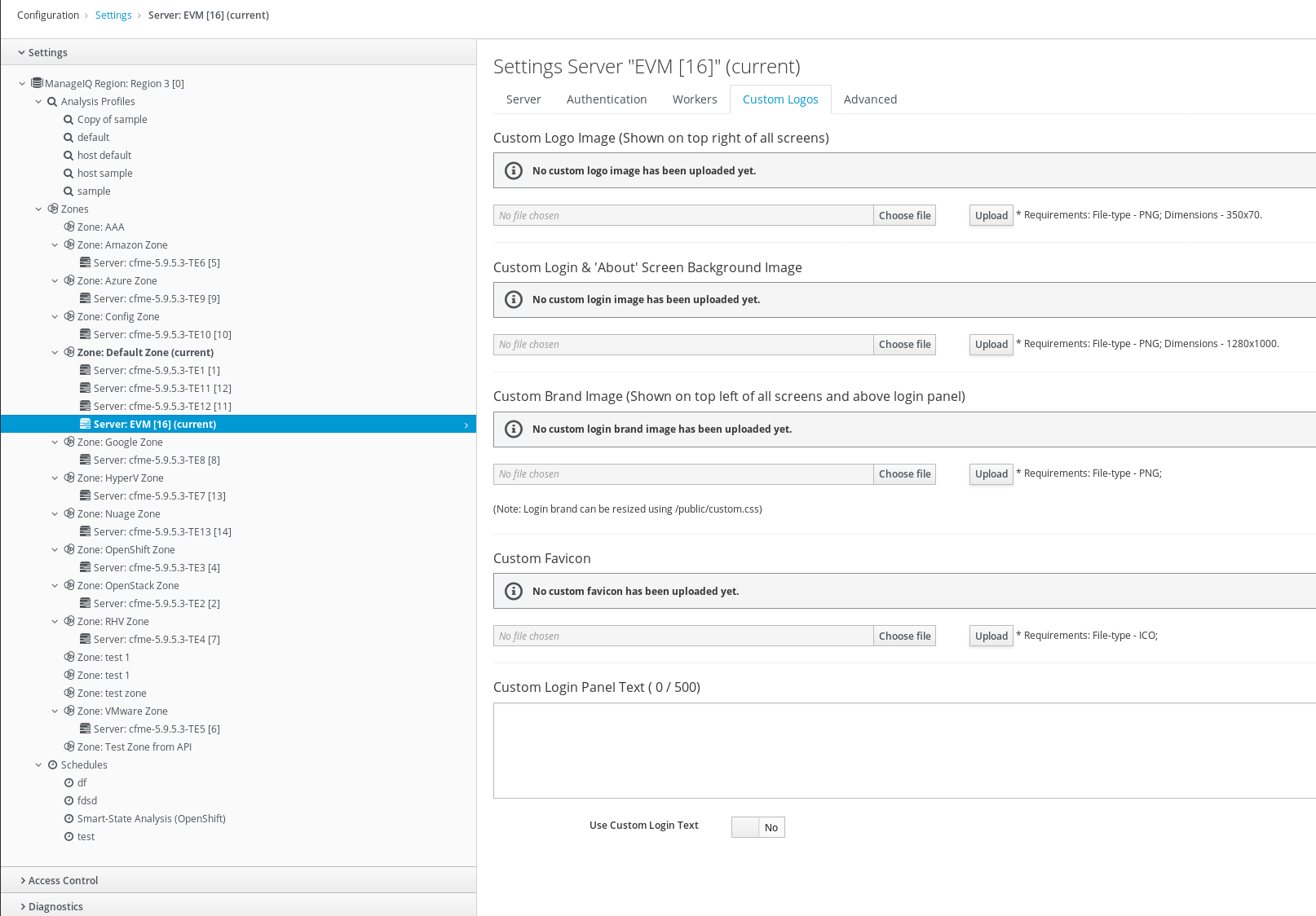
We also have the "custom brand" and "custom logo" functionality...
"custom brand" is the icon that would replace the manageiq icon in the menu when present,
but "custom logo" used to go in the navbar:

(from https://github.com/ManageIQ/manageiq-ui-classic/pull/6197)
(Maybe we can just drop "custom logo" and only keep "custom brand"? Or move it to the bottom of the menu?)
himdel
on 1 May 2020
icons...
| item | iconfile | carbon name |
|-|-|-|
| Automation | flow-data.svg | FlowData |
| Compute | chip.svg | Chip |
| Configuration | Management.svg | InventoryManagement |
| Control | security.svg | IbmSecurity |
| v2v:Migration | migrate.svg | Migrate |
| Monitor | Activity.svg | Activity |
| Network | Network.svg | Network_2 |
| Overview | cloud.svg | Cloud |
| Services | tool-box.svg | ToolBox |
| Settings | Settings.svg | Settings |
| Storage | data table.svg | Table |
| collapse | - | ChevronLeft |
| expand | - | ChevronRight |
| find | search.svg | Search |
| groupswitch | collaborate.svg | Collaborate |
| logout | Logout.svg | Logout |
| notification | - | Notification, NotificationNew |
himdel
on 2 May 2020
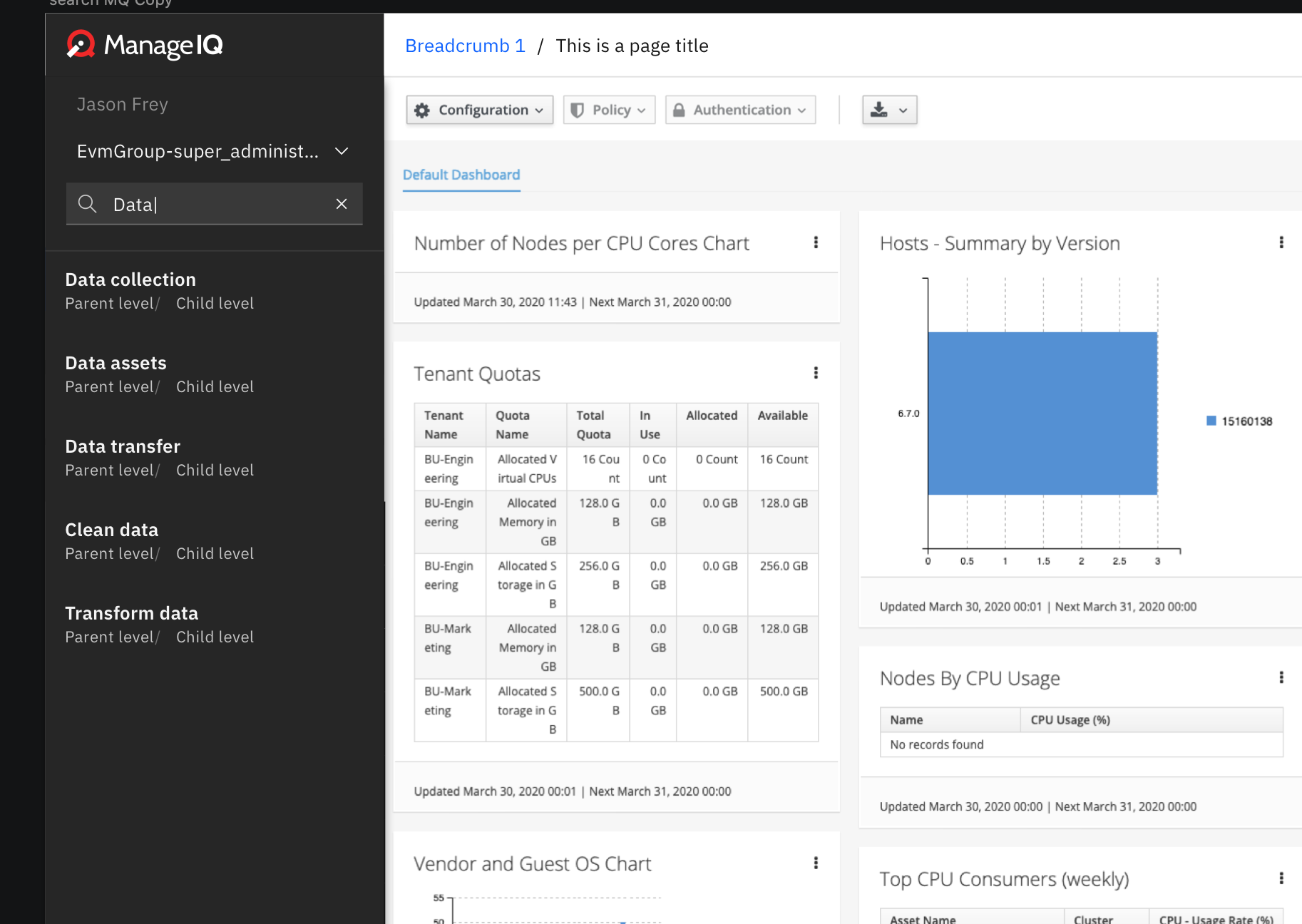
@Ashley-Johnson28 there used to be an image of the search, now I only see the 0 results screen. Do you still have the original image please?
himdel
on 7 May 2020
@himdel sorry about that! I must have forgotten to upload. Will do so soon but here is screenshot.
Ashley-Johnson28
on 7 May 2020
We also have the "custom brand" and "custom logo" functionality...
"custom brand" is the icon that would replace the manageiq icon in the menu when present,
but "custom logo" used to go in the navbar:
(from #6197)
(Maybe we can just drop "custom logo" and only keep "custom brand"? Or move it to the bottom of the menu?)
Just now seeing this... I think we should drop 'custom logo' but I am also not sure where it would appear if we didn't? We could already change the 'custom brand' so I'm thinking there shouldn't be a need for a second logo mark. Can you think of an option that you might?
Ashley-Johnson28
on 14 May 2020
@Ashley-Johnson28 you can see information in the screesnhot below about where each of these custom logo/images appear in the UI
h-kataria
on 14 May 2020
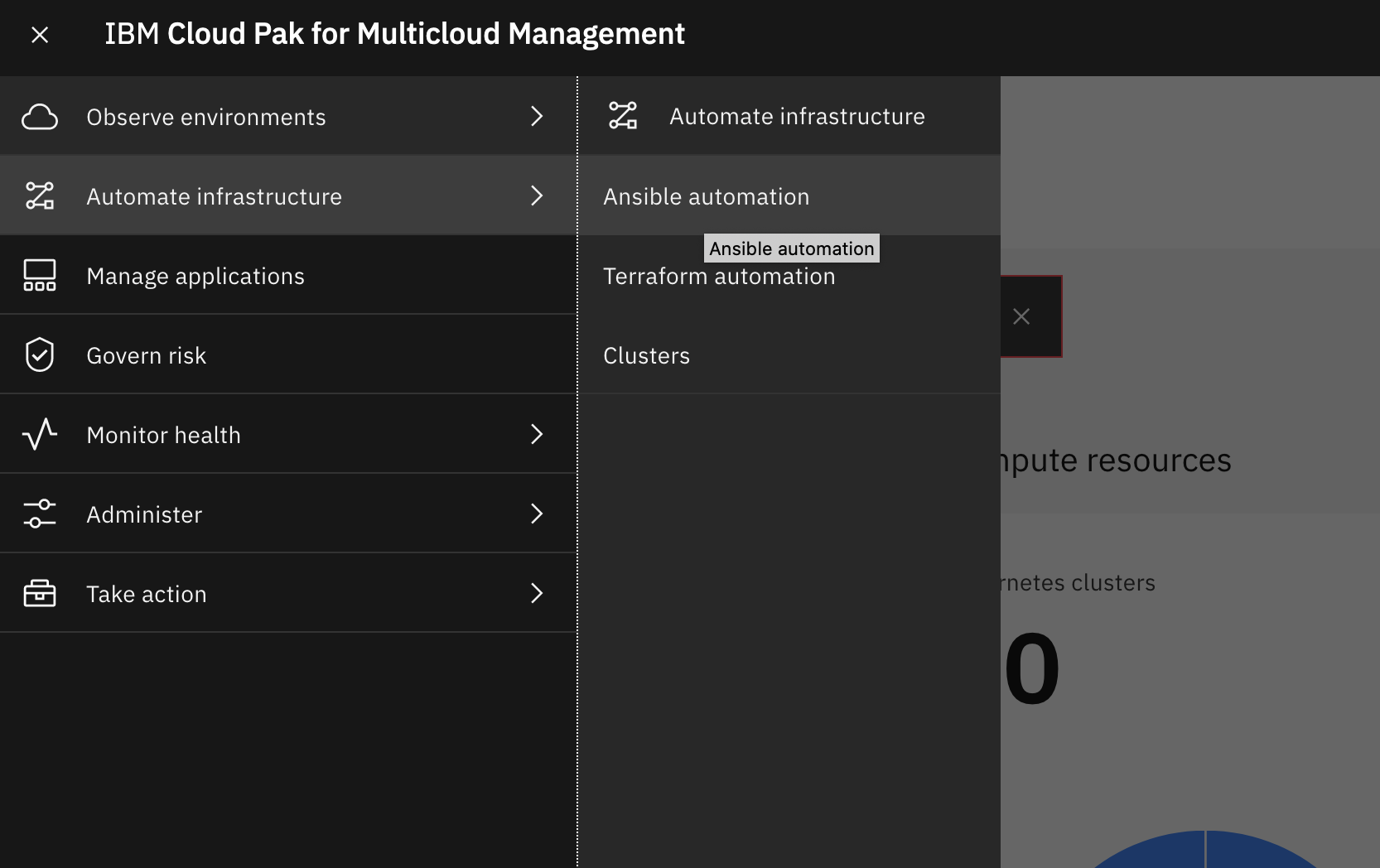
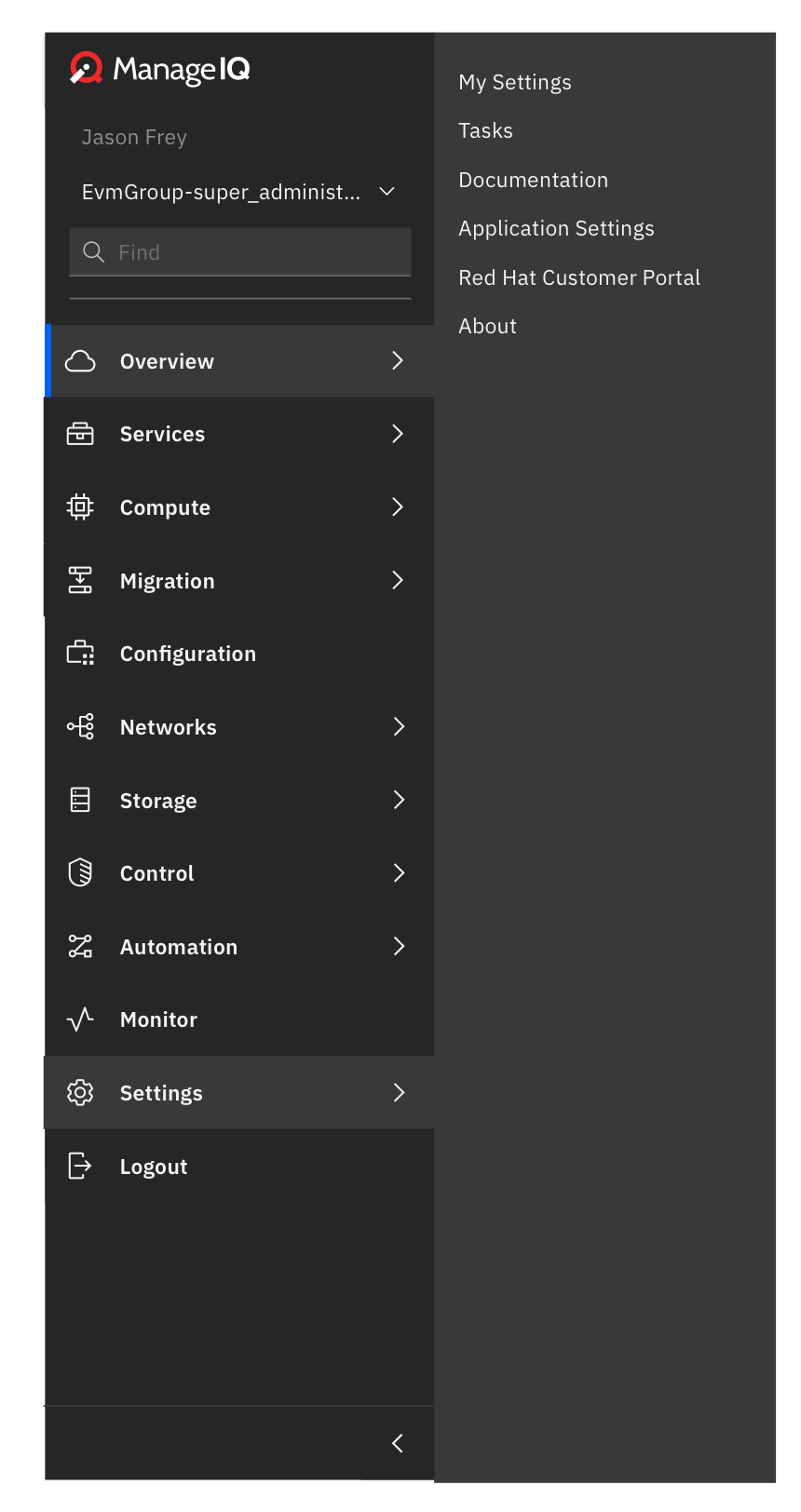
@himdel screenshot of what we talked about and current pak experience...
Ashley-Johnson28
on 28 May 2020
Invision backup if it ever becomes needed:
himdel
on 11 Jun 2020
Related issues
 hstastna
·
9Comments
hstastna
·
7Comments
hstastna
·
5Comments
hstastna
·
9Comments
hstastna
·
7Comments
hstastna
·
5Comments
 skateman
·
11Comments
skateman
·
11Comments
 romanblanco
·
8Comments
romanblanco
·
8Comments
Most helpful comment
Just talking out loud maybe
Tasksbelong underOverviewmain tab, better than having it underSettings