Manageiq-ui-classic: Wrong redirects for some actions on selected Host Aggregate
There is a "wrong" redirecting after clicking on _Add_ or _Cancel_ button,for actions as adding/removing Host from Host Aggregate, editing selected Host Aggregate: we end up in a different controller to where we were before providing the action, different breadcrumbs, title etc.
Also if there are no Hosts available to be added or removed from selected Host Aggregate displayed through provider's summary, we end up in the list of providers!
See also the comment.
Steps:
- _Compute > Clouds > Providers_ (you need some provider there)
- Display some provider's Summary
- In _Relationships_ (Summary View), click on _Host Aggregates_
- Check some Host Aggregate in the list
- _Configuration > Add Host to Selected Host Aggregate_
- a) Select some Host from the drop down and click on _Add_ button
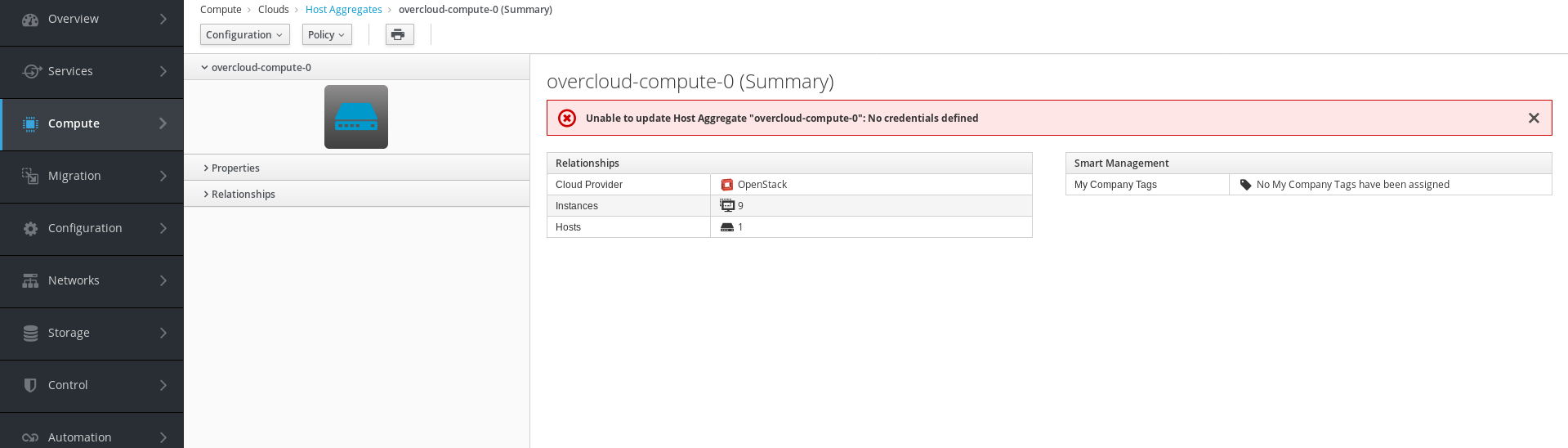
=> redirects to the Textual Summary of selected Host Aggregate! :(
vs.
b) Click on _Cancel_ button
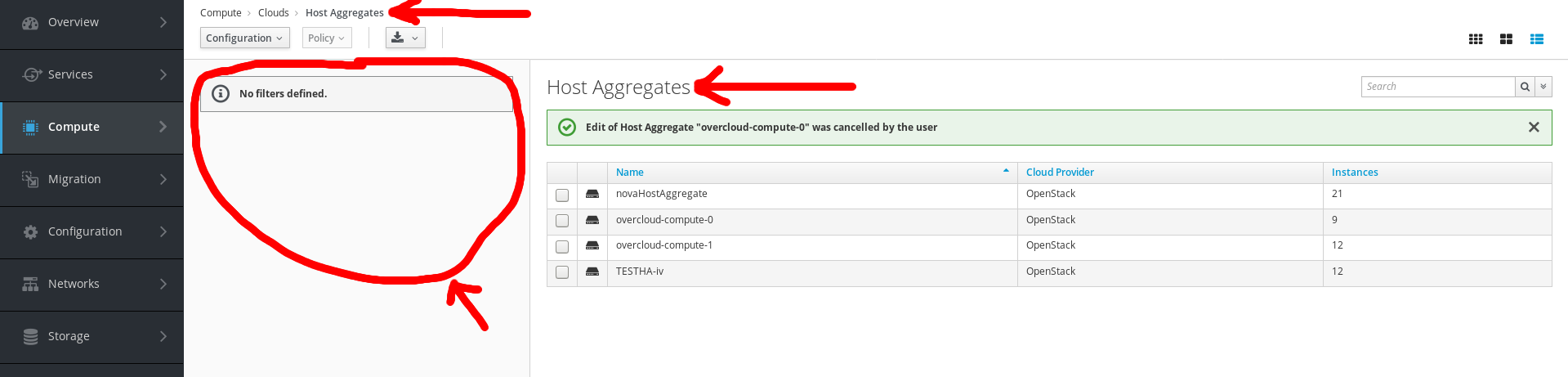
=> redirects to the original list of Host Aggregates (GTL) as expected, but title, accordion and breadcrumbs are different to those before step 5 (different controller -host-aggregate, not the original one -ems_cloud)
Actual result:
After clicking on _Add_: (textual summary)
After clicking on _Cancel_: (list view)
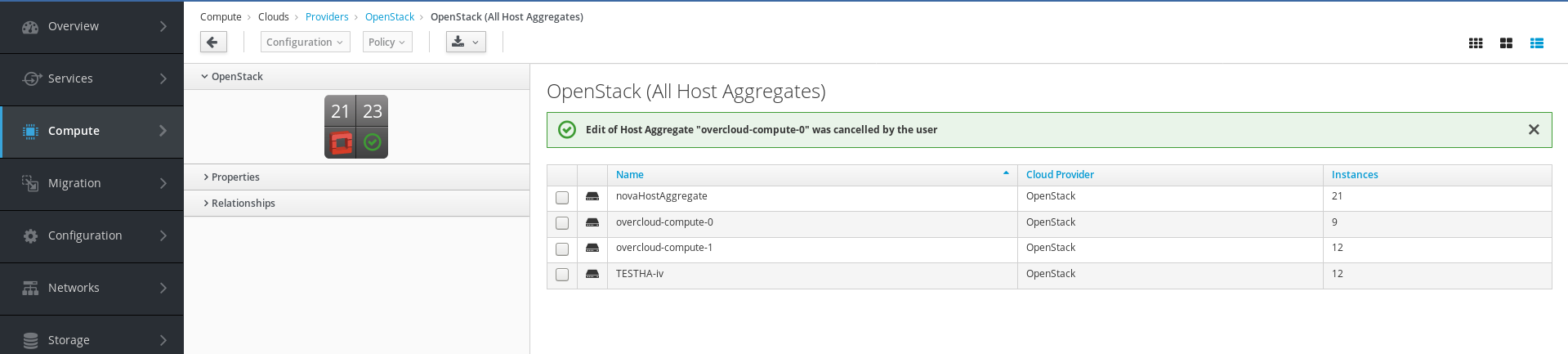
Expected result: (no matter if clicking on _Add_ or _Cancel_)
 hstastna
All 5 comments
@hstastna was this already fixed in a PR?
 mfeifer
on 15 Nov 2019
mfeifer
on 15 Nov 2019
I don't see any PR associated with this issue, so I would say: no, it is not fixed. But maybe somebody fixed that together with some other issue. I will test once I fix my problems with my developer setup, because I cannot test it right now due to the problems I have.
hstastna
on 15 Nov 2019
Note that I've checked this and the issue is still actual.
hstastna
on 15 Nov 2019
WIP PR regarding the issue: https://github.com/ManageIQ/manageiq-ui-classic/pull/6649
hstastna
on 4 Feb 2020
 h-kataria
on 17 Feb 2020
h-kataria
on 17 Feb 2020
Related issues
hstastna
·
9Comments
 himdel
·
8Comments
himdel
·
8Comments
 epwinchell
·
6Comments
hstastna
·
7Comments
hstastna
·
7Comments
epwinchell
·
6Comments
hstastna
·
7Comments
hstastna
·
7Comments