Manageiq-ui-classic: Middleare Manager - Advanced search: Search Filter is not created after saving and applying the advanced search option
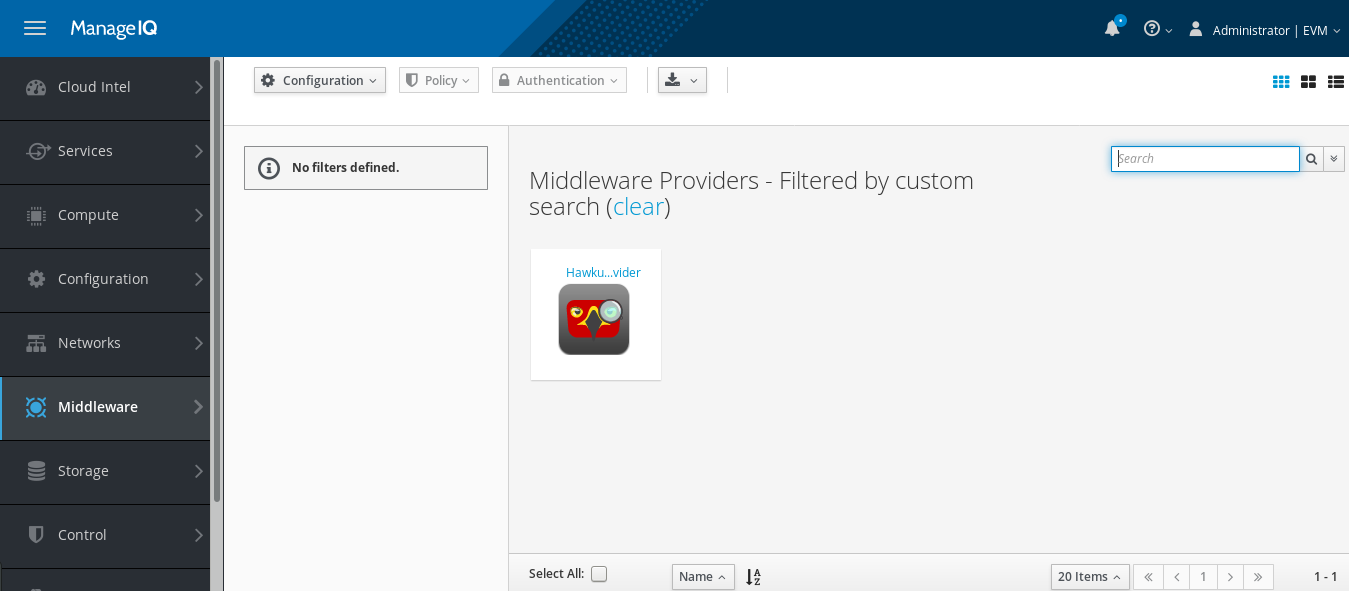
Using below steps to create advanced search does not create the search filter in Middleware entity
Please refer the attached screenshot.
MIQ version: Version master.20170808074803_
Steps:
-Login to MIQ
-Navigate to the Middleware->Providers
-Select Field from the first dropdown
-Select 'Middleware Provider : Name from the second dropdown
-In the 'input the value' text box, enter the name of hawkular provider ( Ex: Hawkular-Provider )
-Click on the icon for 'Commit expression element changes'
-Click on 'Save' button
-Click on 'Apply' button
-Navigate to the left filter pane of the middleware providers and see if there is any saved filter in My filters->Filter name
-It shows - No filters defined.
This issue was moved to this repository from https://github.com/ManageIQ/manageiq/issues/15765, originally opened by @skondkar
 miq-bot
All 12 comments
@miq-bot add_label middleware
 abonas
on 10 Aug 2017
abonas
on 10 Aug 2017
@miq-bot assign @mtho11
abonas
on 10 Aug 2017
@mtho11 is there any progress with this issue?
abonas
on 22 Aug 2017
@abonas no, I thought the rearch effort was priority?
 mtho11
on 22 Aug 2017
mtho11
on 22 Aug 2017
@abonas no, I thought the rearch effort was priority?
yes, but not the only priority :)
abonas
on 23 Aug 2017
Got it, I'm working this in ;)
mtho11
on 23 Aug 2017
@mtho11 did you make any progress with this? didn't see any related PR, perhaps it was missed?
abonas
on 17 Oct 2017
@abonas no work on this has been done.
mtho11
on 17 Oct 2017
@tumido please work on this
abonas
on 20 Oct 2017
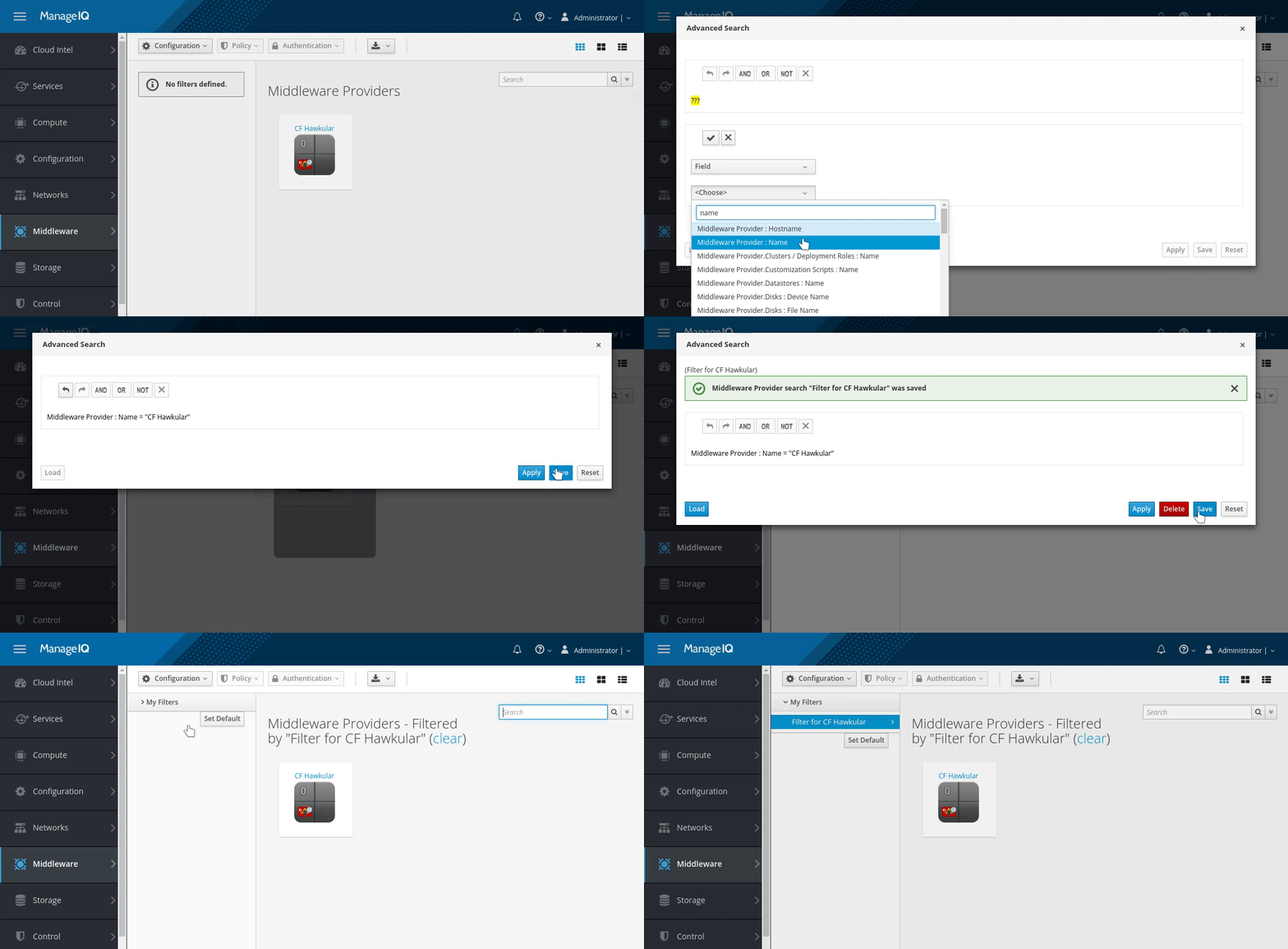
I can't reproduce this behavior in current master, the filter is saved for me like it should be. I agree the workflow with advanced search/custom filters is not as user friendly as it should be. However this bug is not present for me. @skondkar please let me know, if I'm missing any step when I'm trying to reproduce it:
 tumido
on 23 Oct 2017
tumido
on 23 Oct 2017
Tested on latest master - Version master.20171024092948_
Verified that the filter is saved successfully and I can see the filter on the middleware providers list page. The bug does not exist on latest master.
 skondkar
on 24 Oct 2017
skondkar
on 24 Oct 2017
@miq-bot close_issue
tumido
on 24 Oct 2017
Related issues
 romanblanco
·
8Comments
romanblanco
·
8Comments
 hstastna
·
11Comments
hstastna
·
9Comments
hstastna
·
5Comments
hstastna
·
11Comments
hstastna
·
9Comments
hstastna
·
5Comments
 agrare
·
5Comments
agrare
·
5Comments