Hi,
after updating my SM-N975F (Note 10+) to the latest firmware, i cant get magisk canary running. After patching the firmware it always stuck at the step, where you need to do the additional setup after running the Manager for the first time. It just stuck there until i close the app. This step usually requires seconds and not 15 minutes or longer. When i change to the stable/beta Manager, everything works but i cant change back to Canary so i have to uninstall stable and install canary again. After that i still need to rename the Manager again which also fails on the canary Version.
On the firmware before everything worked fine.
I dont have any logs unfortunately and i need the canary version because of my banking apps. The stable is not an option. Im using no magisk atm and i just want to ask if this is a known issue and just want to let you guys know.
Maybe someone has the same problem like me. 👍
 DeltaOn3X
All 48 comments
Yes it is, just name magisk the next time you hide it, Manage, yes without r and it worked for me (sm-p610 / tab s6 lite)
 mu198
on 28 Jul 2020
mu198
on 28 Jul 2020
Yes it is, just name magisk the next time you hide it, Manage, yes without r and it worked for me (sm-p610 / tab s6 lite)
Tank you for the reply, ill try it later or maybe i wait for an update. But still a huge thank you !
DeltaOn3X
on 28 Jul 2020
Yes, the problem itself was listed in # 2975, so I found the solution😉
mu198
on 28 Jul 2020
So ill give it a try with patching and seting up magisk with the stable manager, after that i switch to the canary manager and try to hide it with the name "manage" without "r"
DeltaOn3X
on 28 Jul 2020
FYI i still didnt try the "workaround".i will wait for an update for this. Should this be open until it got fixed?
DeltaOn3X
on 29 Jul 2020
Noticed this on my Nexus 7 when I updated to Android 10 with wiped /data. Basically it downloads the zip but then fails to do the setup.
I found rebooting again sometimes works, and flashing the Magisk zip in recovery definitely works.
Looks like another issue from the recent Kotlin changes in Manager.
 osm0sis
on 30 Jul 2020
osm0sis
on 30 Jul 2020
Noticed this on my Nexus 7 when I updated to Android 10 with wiped /data. Basically it downloads the zip but then fails to do the setup.
I found rebooting again sometimes works, and flashing the Magisk zip in recovery definitely works.
Looks like another issue from the recent Kotlin changes in Manager.
I can reproduce consistently on a Pixel 3 xl and OnePlus 7 pro on a clean install.
Installing magisk directly works fine and gets rid of the additional setup prompt
 unixandria-xda
on 30 Jul 2020
unixandria-xda
on 30 Jul 2020
Noticed this on my Nexus 7 when I updated to Android 10 with wiped /data. Basically it downloads the zip but then fails to do the setup.
I found rebooting again sometimes works, and flashing the Magisk zip in recovery definitely works.
Looks like another issue from the recent Kotlin changes in Manager.I can reproduce consistently on a Pixel 3 xl and OnePlus 7 pro on a clean install.
Installing magisk directly works fine and gets rid of the additional setup prompt
So you mean like osm0sis said, flashin magisk zip trough recovery would skip the additional setup?
DeltaOn3X
on 31 Jul 2020
FYI, a new firmware got released for my Note 10+. Dont know if i should give it a another try
DeltaOn3X
on 31 Jul 2020
I can reproduce consistently on a Pixel 3 xl and OnePlus 7 pro on a clean install.
Installing magisk directly works fine and gets rid of the additional setup promptSo you mean like osm0sis said, flashin magisk zip trough recovery would skip the additional setup?
That's essentially the same thing as through magisk manager provided data is decrypted in recovery so yes
unixandria-xda
on 31 Jul 2020
Installing the zip via recovery (stock) doesnt work. Hiding Magisk with "manage" after disabling google play protect works fine. Safetynet still fails after hiding the manager and hiding the google play services. Hidepropsconfig doesnt fix it.
Im back to stock right now and wait for an fix. My bankin apps detected that ive rooted my phone so i have to go back to stock
DeltaOn3X
on 2 Aug 2020
Flash the Magisk zip manually in Manager's module page or using Manager's Direct install option, that's the other option that was explained.
There's a different workaround for "Manage", see its own issue thread for that.
osm0sis
on 2 Aug 2020
Flash the Magisk zip manually in Manager's module page or using Manager's Direct install option, that's the other option that was explained.
There's a different workaround for "Manage", see its own issue thread for that.
Sorry for the late reply, it doesnt matter what ive tried. Almost every workaround just failed.
The workaround with "manage" works and i already saw the post. That worked for me too :p
As Im already at stuck i still wait for an update
DeltaOn3X
on 8 Aug 2020
FYI there is a new update out, ill try it tomorrow and let you guys now if its workin again or not.
DeltaOn3X
on 11 Aug 2020
Ok i didnt get the time to root my phone with the new version, did anyone else tried it ?
DeltaOn3X
on 12 Aug 2020
I tried it again on my Nexus 7 and OP7Pro with 293, it's easy to reproduce.
mkdir /data/adb/disabled
mv /data/adb/* /data/adb/disabled/
then Force Close and reopen Manager.
It continues to appear to download the Magisk zip but then fails to unpack it into /data/adb/magisk and hangs at the Additional Setup dialog; it was broken by the recent Kotlin rewrites.
CC: @topjohnwu @diareuse
osm0sis
on 15 Aug 2020
@osm0sis I will remove this feature completely and just prompt user to reinstall Magisk
 topjohnwu
on 16 Aug 2020
topjohnwu
on 16 Aug 2020
@topjohnwu Can Manager even install Magisk in that state? I don't think it can, since there's no busybox.
You could always just fix what you broke in the rewrite. 😛
osm0sis
on 16 Aug 2020
Is there a reason why i cant install exposed zips like when i try to install edxposed canary i cant install it cuz it always fails with something like "unsupported file".
I can only install the framework from the modules but there isnt the canary one.
I know it doesnt have something to do with this issue but yh. And btw when you go into magiskhide, there is typo (i guess) cuz it says MagiskHid without e :D
DeltaOn3X
on 16 Aug 2020
@osm0sis yes it can, that's how boot image patch works: the zip itself serves the busybox
topjohnwu
on 16 Aug 2020
I just tried it with the latest Version and it still stuck at the additional setup, hiding Manager is not workin everytime
EDIT: i used the latest Canary Manager on my Note 10+, just after installation the safetynet fails, even after i hide the manager and hide every google service / app etc.
DeltaOn3X
on 16 Aug 2020
Please remember that the safety net is now hardware based... And magisk can no longer hide it on Samsung devices.
There is a magisk module which sets the hardware check to 0, this has helped with my Samsung device 😉
https://forum.xda-developers.com/showpost.php?p=83028387&postcount=40658
@DeltaOn3X
mu198
on 21 Aug 2020
Furthermore, I had to disable play protect to hide magisk
mu198
on 21 Aug 2020
Please remember that the safety net is now hardware based... And magisk can no longer hide it on Samsung devices.
There is a magisk module which sets the hardware check to 0, this has helped with my Samsung device 😉
https://forum.xda-developers.com/showpost.php?p=83028387&postcount=40658
@DeltaOn3X
Thank you, ill try it when i got the time and a update is released:)
DeltaOn3X
on 21 Aug 2020
I hope the new Update will fix this Problem. Ill give it a try and let you know when i got time
DeltaOn3X
on 23 Aug 2020
Unfortunately, no, that has @topjohnwu bei Twitter und hier schon mehrfach gesagt 😞
Oder sie haben sich schon was neues einfallen lassen
mu198
on 23 Aug 2020
Or they have already come up with something new
mu198
on 23 Aug 2020
Ok danke für die Info.
DeltaOn3X
on 23 Aug 2020
Always happy
Immer wieder gerne
mu198
on 23 Aug 2020
@mu198 where did you get the Info, that this Bug is still present ? A new update is out and i dont want to wipe my phone several times just to run into the additional setup loop. I didnt find anything on Twitter about this bug.
I honestly dont know to give it another try nor spamming this issue everytime a update got released. :/
DeltaOn3X
on 24 Aug 2020
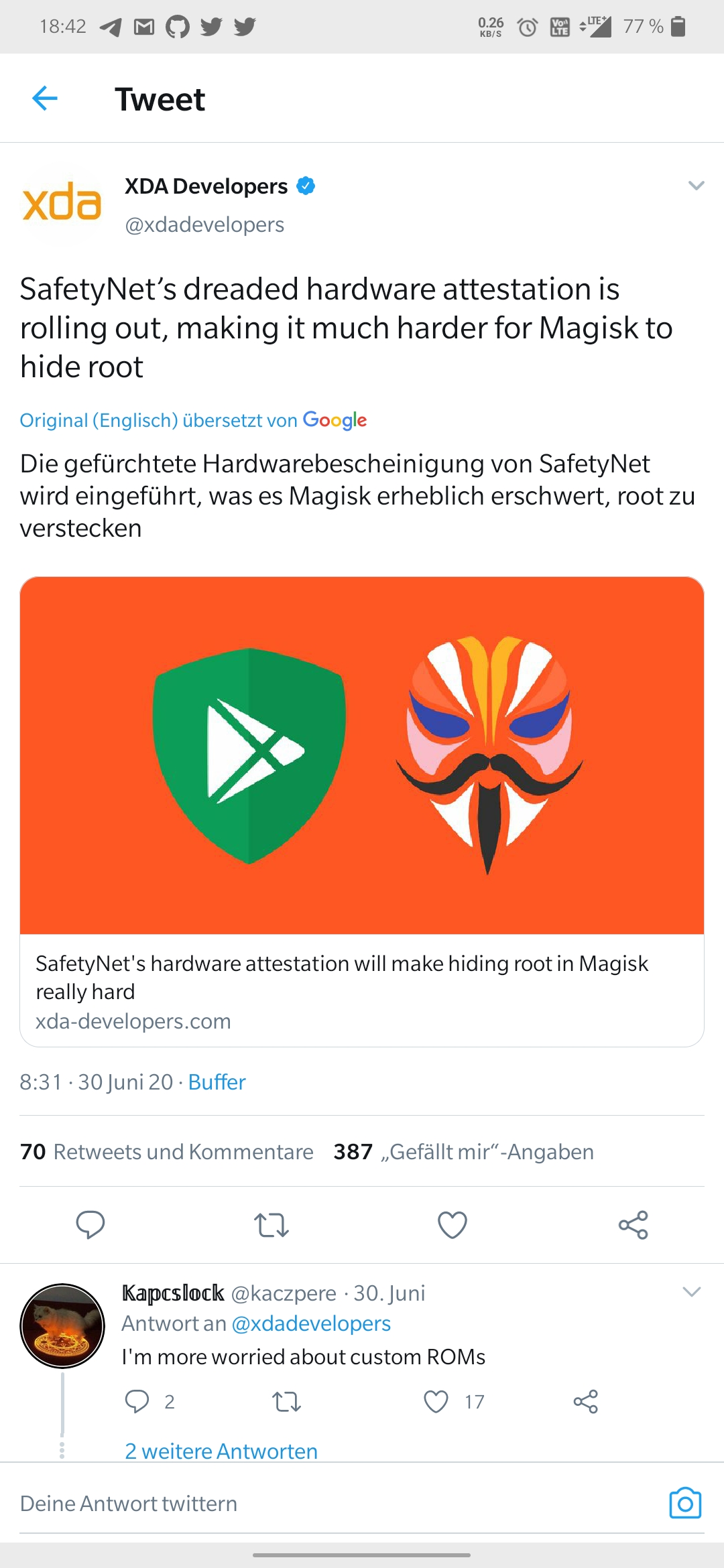
What I said was based on the hardware certificate
mu198
on 24 Aug 2020
@DeltaOn3X This tweet was posted by @topjohnwu This tweet was retweeted by @topj and he described the problem back in March
mu198
on 24 Aug 2020
Ahh yeah i already saw that and the fix you provided should work. But you also said, that the additional setup bug is still present and topjohnwu said it on Twitter :D.
I think ill give it a try when some dev here will give me the go
DeltaOn3X
on 24 Aug 2020
Oh then I unfortunately expressed myself wrong, meant ehr only the "false" safety net....
Since my setup works on all devices, if I disable play protect, I can't say anything more about iteven😉
@DeltaOn3X
mu198
on 24 Aug 2020
Have you tried it al with disable "play protect"??
mu198
on 24 Aug 2020
No but maybe it would help i dont know. I should give it a try to let you know.
DeltaOn3X
on 24 Aug 2020
Yes that would be nice 😉
mu198
on 24 Aug 2020
Play Protect would have no effect on this issue, since this issue is a failure of an already installed app to download and unzip something to a specified folder, which it had no problem doing previous to the Kotlin rewrite.
I don't believe anything has changed that would fix it yet. And no need to fully wipe to check, see my previous comment for instructions: https://github.com/topjohnwu/Magisk/issues/3030#issuecomment-674419262
@diareuse, any chance you could look at this? It might be pretty simple to fix, since it does appear to download the zip without issue.
osm0sis
on 24 Aug 2020
Play Protect would have no effect on this issue, since this issue is a failure of an already installed app to download and unzip something to a specified folder, which it had no problem doing previous to the Kotlin rewrite.
I don't believe anything has changed that would fix it yet. And no need to fully wipe to check, see my previous comment for instructions: #3030 (comment)
@diareuse, any chance you could look at this? It might be pretty simple to fix, since it does appear to download the zip without issue.
I had to wipe my device because i turned off oem unlock haha, im about to root my phone and i dont know if i should wait for an update which maybe fix this issue. Is there any difference when i use the workaround by letting the 7.5.1 manager doing the additional setup and than hide the manager with the canary version ?
DeltaOn3X
on 24 Aug 2020
Do it right away with the Canarian version....
If you get a vbmeta error because you patched the AP use this one away with the boot.img
https://forum.xda-developers.com/showpost.php?p=79902328&postcount=29
If you want to pack the patched boot.img, into a .tar file, use the normal 7zip and not the modified one.
mu198
on 24 Aug 2020
Great news, with the latest version, the additional setup works perfect. I think we can close this.
DeltaOn3X
on 24 Aug 2020
Can confirm! @topjohnwu must have fixed the issue in his further cleanups without realizing. 🎉
osm0sis
on 24 Aug 2020
Pretty happy to be rooted again, thank you guys for the hard work and @osm0sis for the answers 👍 Even my bank app on the latest version works :D
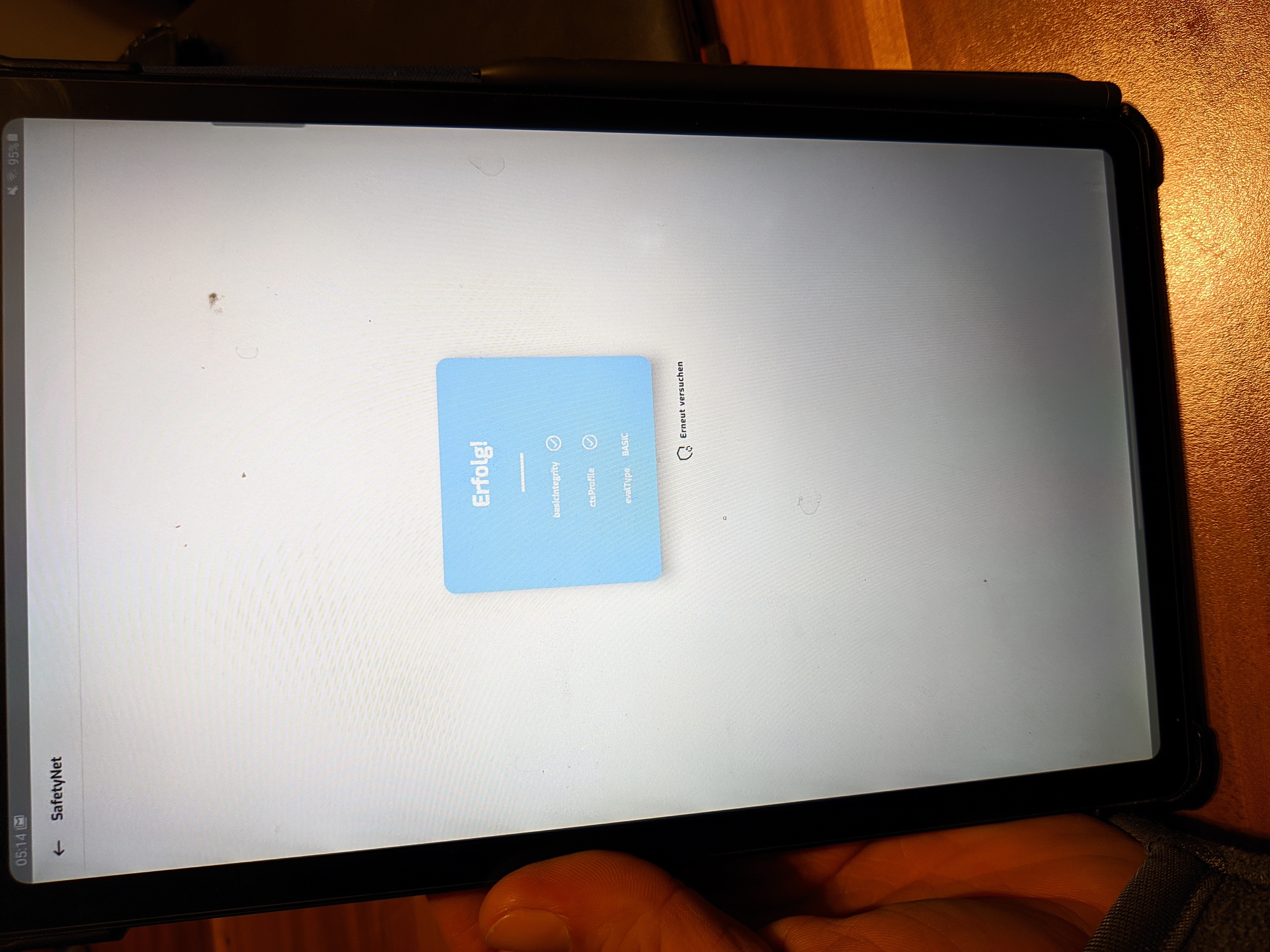
This might be offtopic but maybe usefull for @mu198. You dont need the zip file anymore, the hide props config module can do it now. Just use a terminal, su -> props -> option 2 "FORCE basic key attestation" and use the recommended model from the module. This will change hardware to basic and pass the safetynet easily.
DeltaOn3X
on 24 Aug 2020
@DeltaOn3X Yes that's nice, I'll try 😉
mu198
on 25 Aug 2020
Yes thank you has worked.... 🤟
mu198
on 25 Aug 2020
Tried the latest Canary version on my Oneplus 8 Pro and the setup fails all the time. What happened again?
 Kollachi
on 30 Sep 2020
Kollachi
on 30 Sep 2020
Try to install the zip in recovery
DeltaOn3X
on 7 Oct 2020
Try to install the zip in recovery
Yes that's what I did and it worked.
Kollachi
on 7 Oct 2020
Related issues
 vdbhb59
·
44Comments
vdbhb59
·
44Comments
 thekiefs
·
49Comments
thekiefs
·
49Comments
 SoftwareSchlosser
·
64Comments
topjohnwu
·
96Comments
SoftwareSchlosser
·
64Comments
topjohnwu
·
96Comments
 Msprg
·
83Comments
Msprg
·
83Comments