Magisk: Unable to establish socket connection with daemon
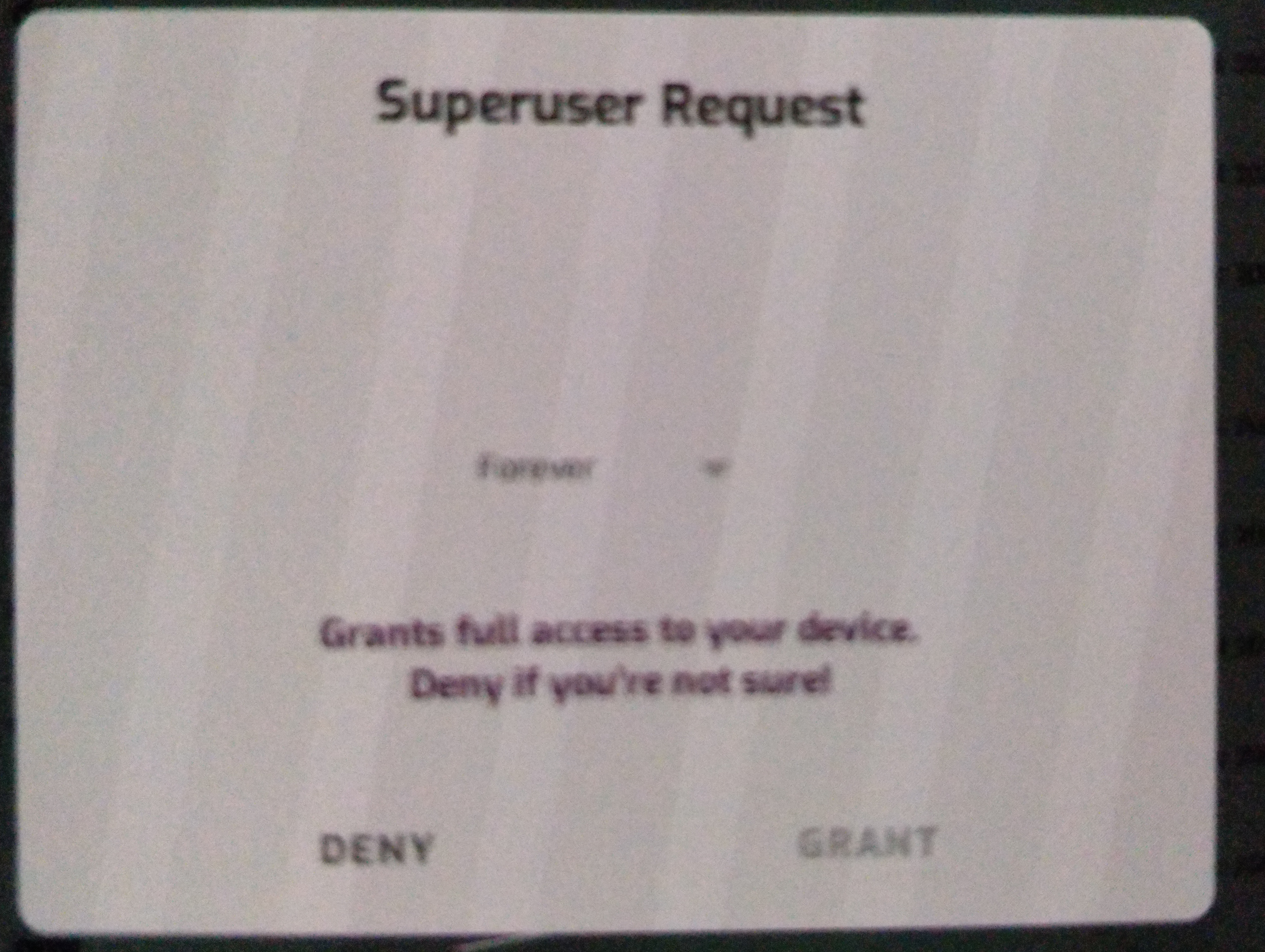
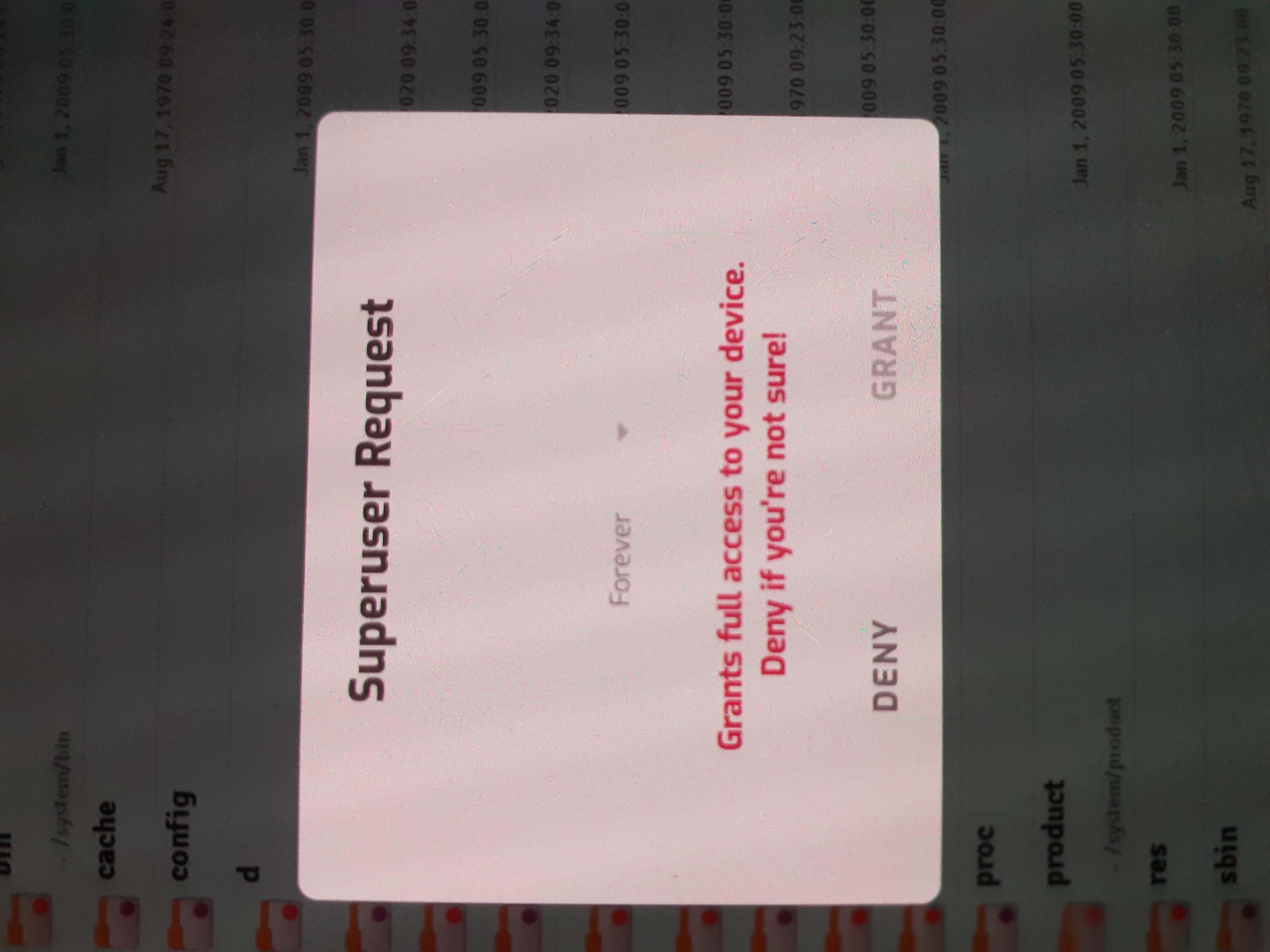
If you see the below image, this overlay root access request is like this since the last 3-4 releases of canary. Full clean flash, update, be it whatever, this BUG is there. Since Auto Grant is ON, this bug does not bother me much, but this needs looking into please.
The thing is, the overlay does not give an option of clicking, or selecting anything other than Deny button. Everything else on that overlay is a dead button ideally.
Does not allow snapshot when this overlay is there, so took snap from another mobile.
 vdbhb59
All 44 comments
Samsung Galaxy s20 Plus twrp
What? Is your comment making any sense?
vdbhb59
on 4 Jul 2020
I have a similar problem, but instead of prompt actually showing up, it pops up for 1 second and then disappears, setting default prompt answer to "grant" doesn't work either
 X1nto
on 5 Jul 2020
X1nto
on 5 Jul 2020
For me, it does not go away, unless I remove MagiskManager from recent and or I switch to other app..
vdbhb59
on 5 Jul 2020
Logs? Settings? Device info? Last working Canary Manager?
 osm0sis
on 5 Jul 2020
osm0sis
on 5 Jul 2020
Logs: None available, as clicking on Magisk Logs icon, closes Magisk Manager (this is happening on the last 4 canary releases).
Settings: Squished, Auto Grant, 30 seconds time out, toast, and nothing else.
Device: Any device, OnePlus, Samsung, Xiaomi.
OS: Any, Oreo, Pie, Q, all..
Last working Canary: Do not recall exactly, but I recall, this issue started from 4-5 releases ago.
vdbhb59
on 5 Jul 2020
Please find out the last working Canary by downloading app-debug.apk from the corresponding commits here: https://github.com/topjohnwu/magisk_files/commits/canary
osm0sis
on 5 Jul 2020
Just found out that both manager and magisk received update today, after updating everything works fine.
X1nto
on 5 Jul 2020
Please find out the last working Canary by downloading app-debug.apk from the corresponding commits here: https://github.com/topjohnwu/magisk_files/commits/canary
Following works, and the log on Manager works here too.
https://github.com/topjohnwu/magisk_files/commit/7a388abedd902a773ac803984166ecd58d5edb80
vdbhb59
on 5 Jul 2020
Just found out that both manager and magisk received update today, after updating everything works fine.
For me, it does not. I am on latest canary (289)(20418), and cannot uninstall Magisk, as Galaxy device (the one where I am replying from now).
My other phones are not with me right now.
vdbhb59
on 5 Jul 2020
Following works, and the log on Manager works here too.
topjohnwu/magisk_files@7a388ab
There's no Manager app-debug.apk in that commit, are you saying it didn't start with a Manager update but with a Magisk update instead?
osm0sis
on 5 Jul 2020
There's no Manager app-debug.apk in that commit, are you saying it didn't start with a Manager update but with a Magisk update instead?
Yes, as this one is from where I started getting issue.
vdbhb59
on 5 Jul 2020
Okay, cool. So it works with 20415/284 and breaks with 20416/285. :+1:
osm0sis
on 5 Jul 2020
Okay, cool. So it works with 20415/284 and breaks with 20416/285. +1
Right. I would have given more details, but by clicking log option on manager, closes it out (not crash or force close), but just closes it out, and the system wide logs are disabled via shell script, so no logs available.
vdbhb59
on 5 Jul 2020
Hello and many thanks guys for your great and continuous support!
I have two problems:
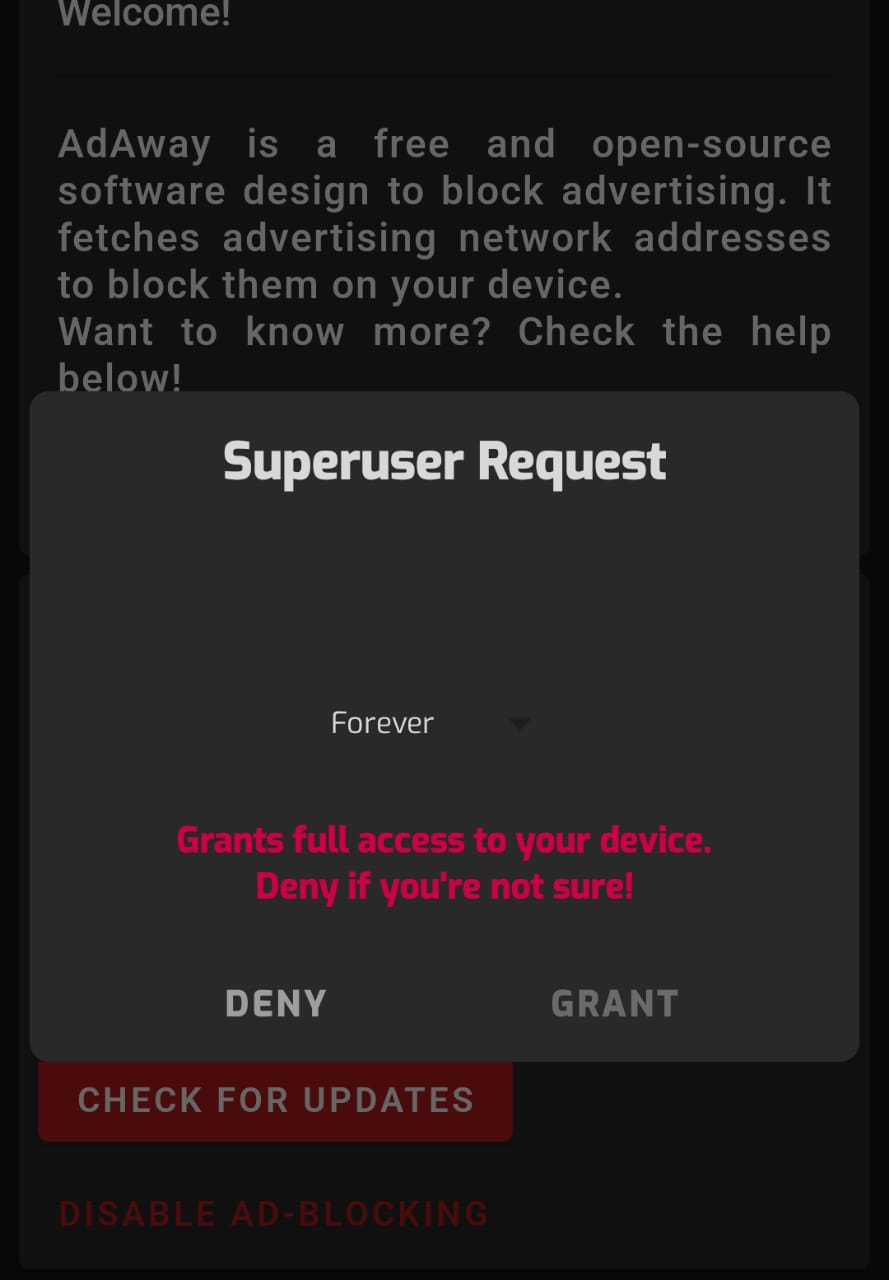
- Same as above (when you have the root option in Magisk of Automatic Response to Grant), I got stuck with an overlay window that there is no way to press on the Grant button (see attached)
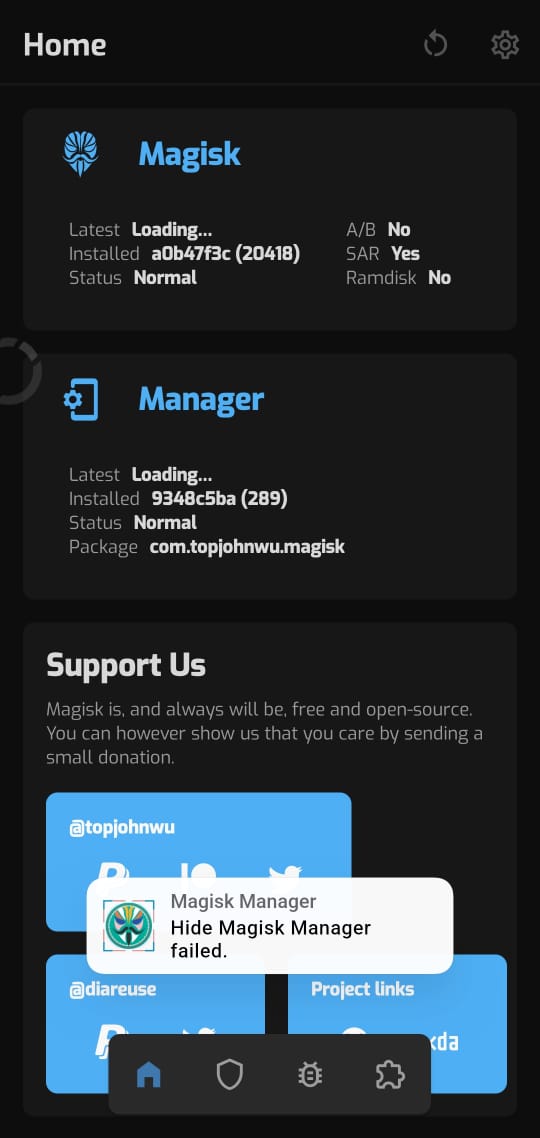
- I can't get Magisk Manager to hide itself using the "Hide Magisk Manager" (renaming / repackaging the app), I get an error message of "Hide Magisk Manager failed" (see attached).
Even after trying the latest manager apk (published today), I see the same problems. By the way, the zip file says last update 6 days ago (not sure if only the apk was updated today. You may notice under "Latest" (version of Magisk/Manager) it just says "Loading..." no status nor a button to install/update.
I don't remember when that started to happen but everything was working with Canary version a couple of months back (I haven't updated till yesterday). If I download older managers apk and try to rename/hide it, it gets stuck/failed.
Also, it doesn't show the list of downloadable modules (empty list). I can only download from local disk.
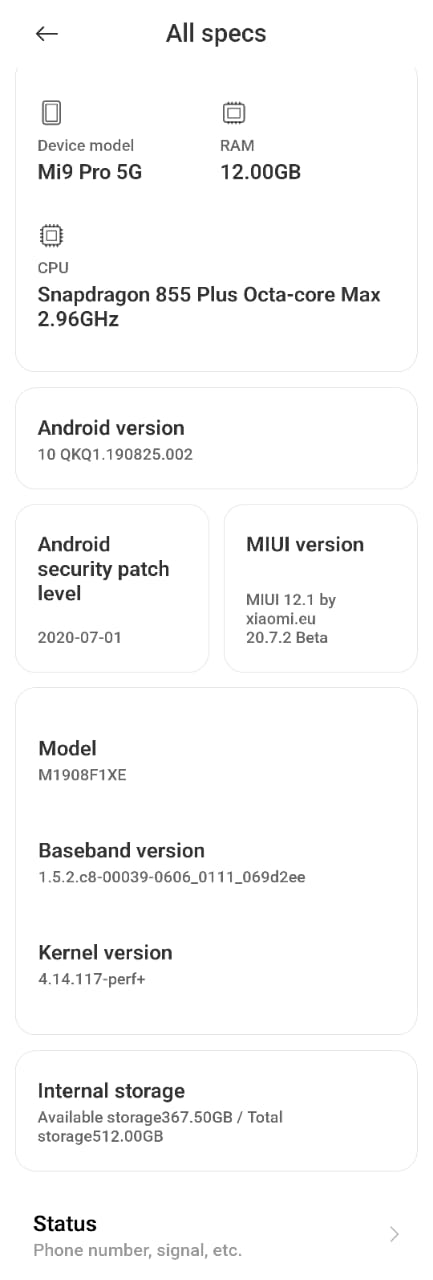
I am including a screenshot of my Magisk manager version and my HW info (see attached). There is no log produced though.
Thank you in advance
 famaTV
on 5 Jul 2020
famaTV
on 5 Jul 2020
Also @osm0sis, I am getting a lot of random reboots with Magisk. Attaching the Magisk Log. Gives full log of the last crash.
--------- beginning of main
--------- beginning of system
06-16 15:45:46.638   693   693 I Magisk  : Magisk a0b47f3c(20418) daemon started
06-16 15:45:46.639   693   693 I Magisk  : * Device API level: 29
06-16 15:45:46.647   693   694 D Magisk  : resetprop: getprop [ro.crypto.state]: [encrypted]
06-16 15:45:46.647   693   694 D Magisk  : resetprop: getprop [init.svc.vold]: [running]
06-16 15:45:46.671   693   694 I Magisk  : ** post-fs-data mode running
06-16 15:45:46.675   693   694 I Magisk  : * Initializing Magisk environment
06-16 15:45:46.719   693   694 I Magisk  : * Mounting mirrors
06-16 15:45:46.719   693   694 I Magisk  : mount: /sbin/.magisk/mirror/vendor
06-16 15:45:46.719   693   694 I Magisk  : mount: /sbin/.magisk/mirror/data
06-16 15:45:46.720   693   694 I Magisk  : link: /sbin/.magisk/mirror/system
06-16 15:45:46.720   693   694 I Magisk  : link: /sbin/.magisk/mirror/product
06-16 15:45:46.720   693   694 I Magisk  : * Setting up internal busybox
06-16 15:45:46.740   693   694 D Magisk  : resetprop: decode with protobuf [/data/property/persistent_properties]
06-16 15:45:46.743   693   694 D Magisk  : resetprop: prop [persist.sys.safemode] does not exist
06-16 15:45:46.938   693   694 I Magisk  : * Running post-fs-data.d scripts
06-16 15:45:46.940   693   694 D Magisk  : magiskdb: query magiskhide=[1]
06-16 15:45:46.940   693   694 I Magisk  : * Starting MagiskHide
06-16 15:45:46.940   693   694 D Magisk  : hide_list: initialize
06-16 15:45:46.960   693   694 I Magisk  : hide_list init: [com.google.android.gms/com.google.android.gms.unstable]
06-16 15:45:46.965   693   694 I Magisk  : hide_list init: [org.microg.gms.droidguard/com.google.android.gms.unstable]
06-16 15:45:46.972   693   694 I Magisk  : hide_policy: Hiding sensitive props
06-16 15:45:46.972   693   694 D Magisk  : resetprop: prop [ro.boot.vbmeta.device_state] does not exist
06-16 15:45:46.972   693   694 D Magisk  : resetprop: getprop [ro.boot.verifiedbootstate]: [green]
06-16 15:45:46.972   693   694 D Magisk  : resetprop: getprop [ro.boot.flash.locked]: [1]
06-16 15:45:46.972   693   694 D Magisk  : resetprop: getprop [ro.boot.veritymode]: [enforcing]
06-16 15:45:46.972   693   694 D Magisk  : resetprop: prop [ro.boot.warranty_bit] does not exist
06-16 15:45:46.972   693   694 D Magisk  : resetprop: prop [ro.warranty_bit] does not exist
06-16 15:45:46.972   693   694 D Magisk  : resetprop: getprop [ro.debuggable]: [1]
06-16 15:45:46.972   693   694 D Magisk  : resetprop: update prop [ro.debuggable]: [0] by modifying prop data structure
06-16 15:45:46.972   693   694 D Magisk  : resetprop: getprop [ro.secure]: [1]
06-16 15:45:46.972   693   694 D Magisk  : resetprop: getprop [ro.build.type]: [userdebug]
06-16 15:45:46.972   693   694 D Magisk  : resetprop: update prop [ro.build.type]: [user] by modifying prop data structure
06-16 15:45:46.972   693   694 D Magisk  : resetprop: getprop [ro.build.tags]: [test-keys]
06-16 15:45:46.972   693   694 D Magisk  : resetprop: update prop [ro.build.tags]: [release-keys] by modifying prop data structure
06-16 15:45:46.972   693   694 D Magisk  : resetprop: prop [ro.vendor.boot.warranty_bit] does not exist
06-16 15:45:46.972   693   694 D Magisk  : resetprop: prop [ro.vendor.warranty_bit] does not exist
06-16 15:45:46.972   693   694 D Magisk  : resetprop: prop [vendor.boot.vbmeta.device_state] does not exist
06-16 15:45:46.972   693   694 D Magisk  : resetprop: getprop [ro.bootmode]: [normal]
06-16 15:45:46.972   693   694 D Magisk  : resetprop: getprop [ro.boot.mode]: [normal]
06-16 15:45:46.972   693   694 D Magisk  : resetprop: prop [vendor.boot.mode] does not exist
06-16 15:45:46.972   693   694 D Magisk  : resetprop: prop [ro.boot.hwc] does not exist
06-16 15:45:46.972   693   694 D Magisk  : resetprop: prop [ro.boot.hwcountry] does not exist
06-16 15:45:46.972   693   694 D Magisk  : resetprop: getprop [ro.build.selinux]: [1]
06-16 15:45:46.972   693   694 D Magisk  : resetprop: delete prop [ro.build.selinux]
06-16 15:45:46.981   693   694 D Magisk  : bind_mnt: /sbin/.magisk/modules <- /sbin/.magisk/mirror/data/adb/modules
06-16 15:45:46.982   693   701 D Magisk  : proc_monitor: nothing to monitor, wait for signal
06-16 15:45:47.067   693   694 I Magisk  : * Running module post-fs-data scripts
06-16 15:45:47.067   693   694 I Magisk  : * Loading modules
06-16 15:45:47.067   693   694 I Magisk  : busybox-ndk: loading mount files
06-16 15:45:47.071   693   694 D Magisk  : mnt_tmp : /system/xbin <- tmpfs
06-16 15:45:47.072   693   694 D Magisk  : bind_mnt: /system/xbin/7z <- /sbin/.magisk/mirror/system/xbin/7z
06-16 15:45:47.072   693   694 D Magisk  : cp_link : /system/xbin/[ <- /sbin/.magisk/modules/busybox-ndk/system/xbin/[
06-16 15:45:47.072   693   694 D Magisk  : cp_link : /system/xbin/[[ <- /sbin/.magisk/modules/busybox-ndk/system/xbin/[[
............
06-16 15:45:47.093   693   694 D Magisk  : bind_mnt: /system/xbin/zip <- /sbin/.magisk/mirror/system/xbin/zip
07-05 21:26:37.238   693   701 D Magisk  : proc_monitor: nothing to monitor, wait for signal
07-05 21:26:37.257   693   701 D Magisk  : proc_monitor: nothing to monitor, wait for signal
07-05 21:26:38.501   693  1116 I Magisk  : ** late_start service mode running
07-05 21:26:38.501   693  1116 I Magisk  : * Running service.d scripts
07-05 21:26:38.502   693  1116 I Magisk  : * Running module service scripts
07-05 21:26:40.071   693   701 D Magisk  : proc_monitor: ptrace zygote PID=[722]
07-05 21:26:40.072   693   701 D Magisk  : proc_monitor: ptrace zygote PID=[723]
07-05 21:26:51.218   693  3331 I Magisk  : ** boot_complete triggered
07-05 21:26:51.218   693  3331 I Magisk  : hide_policy: Hiding sensitive props (late)
07-05 21:26:51.218   693  3331 D Magisk  : resetprop: prop [vendor.boot.verifiedbootstate] does not exist
07-05 21:27:01.586   693  4278 D Magisk  : su: request from pid=[4275], client=[7]
07-05 21:27:01.587   693  4278 D Magisk  : su: request from uid=[10160]
07-05 21:27:01.587   693  4278 D Magisk  : magiskdb: query su_biometric=[0]
07-05 21:27:01.587   693  4278 D Magisk  : magiskdb: query magiskhide=[1]
07-05 21:27:01.588   693  4278 D Magisk  : su: waiting child pid=[4279]
07-05 21:27:01.588  4279  4279 D Magisk  : su: fork handler
07-05 21:27:01.588  4279  4279 D Magisk  : su: use global namespace
07-05 21:27:24.304   693  5539 D Magisk  : su: request from pid=[5536], client=[11]
07-05 21:27:24.304   693  5539 D Magisk  : su: request from uid=[10166]
07-05 21:27:24.304   693  5539 D Magisk  : magiskdb: query su_biometric=[0]
07-05 21:27:24.304   693  5539 D Magisk  : magiskdb: query magiskhide=[1]
07-05 21:27:24.712   693  5539 D Magisk  : su: waiting child pid=[5566]
07-05 21:27:24.712  5566  5566 D Magisk  : su: fork handler
07-05 21:27:24.713  5566  5566 D Magisk  : su: use namespace of pid=[5536]
--------- beginning of crash
07-05 21:28:19.210   693   701 D Magisk  : proc_monitor: nothing to monitor, wait for signal
07-05 21:28:19.325   693  4278 D Magisk  : su: return code=[0]
07-05 21:28:19.395   693   701 D Magisk  : proc_monitor: nothing to monitor, wait for signal
07-05 21:28:19.487   693  5539 D Magisk  : su: return code=[0]
07-05 21:28:20.578   693   701 D Magisk  : proc_monitor: ptrace zygote PID=[5961]
07-05 21:28:20.578   693   701 D Magisk  : proc_monitor: ptrace zygote PID=[5962]
07-05 21:28:34.619   693  7154 I Magisk  : ** boot_complete triggered
07-05 21:28:34.619   693  7154 I Magisk  : hide_policy: Hiding sensitive props (late)
07-05 21:28:34.619   693  7154 D Magisk  : resetprop: prop [vendor.boot.verifiedbootstate] does not exist
07-05 21:28:41.683   693  8217 D Magisk  : su: request from pid=[8214], client=[7]
07-05 21:28:41.683   693  8217 D Magisk  : su: request from uid=[10160]
07-05 21:28:41.683   693  8217 D Magisk  : magiskdb: query su_biometric=[0]
07-05 21:28:41.683   693  8217 D Magisk  : magiskdb: query magiskhide=[1]
07-05 21:28:41.684   693  8217 D Magisk  : su: waiting child pid=[8218]
07-05 21:28:41.685  8218  8218 D Magisk  : su: fork handler
07-05 21:28:41.686  8218  8218 D Magisk  : su: use global namespace
Hope this helps..
vdbhb59
on 5 Jul 2020
Kannst du mir vielleicht helfen erstens sagt magnisk app soll nach neue magnisk hide schauen, 2 ich brauche für mein Samsung Galaxy s20 Plus twrp zum patchen mit magnisk um supersu für lucky patcher Kannst du mir vielleicht weiterhelfen?Email [email protected] vielen Dank
Please use English only
X1nto
on 6 Jul 2020
Kann mir jemand helfen brauche Samsung Galaxy s20 Plus twrp in recovery, [email protected]
 Bengel088x
on 12 Jul 2020
Bengel088x
on 12 Jul 2020
When I click Bug icon, I face manager app crashing with this error:
FATAL EXCEPTION: main
Process: com.topjohnwu.magisk, PID: 8557
java.lang.IllegalArgumentException: PrecomputedText's Parameters don't match the parameters of this TextView.Consider using setTextMetricsParams(precomputedText.getParams()) to override the settings of this TextView: PrecomputedText: {textSize=15.0, textScaleX=1.0, textSkewX=0.0, letterSpacing=0.0, textLocale=[en_GB,en_US,en_IN,gu_IN,hi_IN,es_ES,de_DE], typeface=android.graphics.Typeface@fbd82b74, variationSettings=null, elegantTextHeight=false, textDir=android.text.TextDirectionHeuristics$TextDirectionHeuristicInternal@3190d5a, breakStrategy=1, hyphenationFrequency=0}TextView: {textSize=15.0, textScaleX=1.0, textSkewX=0.0, letterSpacing=0.0, textLocale=[en_GB,en_US,en_IN,gu_IN,hi_IN,es_ES,de_DE], typeface=android.graphics.Typeface@fbd82b74, variationSettings=null, elegantTextHeight=false, textDir=android.text.TextDirectionHeuristics$TextDirectionHeuristicInternal@3190d5a, breakStrategy=1, hyphenationFrequency=0}
    at android.widget.TextView.setText(TextView.java:6731)
    at android.widget.TextView.setText(TextView.java:6649)
    at android.widget.TextView.setText(TextView.java:6601)
    at androidx.core.widget.TextViewCompat.setPrecomputedText(TextViewCompat.java:887)
    at com.topjohnwu.magisk.databinding.AdaptersGenericKt$setPrecomputedText$1$1.run(AdaptersGeneric.kt:41)
    at android.os.Handler.handleCallback(Handler.java:883)
    at android.os.Handler.dispatchMessage(Handler.java:100)
    at android.os.Looper.loop(Looper.java:237)
    at android.app.ActivityThread.main(ActivityThread.java:7807)
    at java.lang.reflect.Method.invoke(Native Method)
    at com.android.internal.os.RuntimeInit$MethodAndArgsCaller.run(RuntimeInit.java:493)
    at com.android.internal.os.ZygoteInit.main(ZygoteInit.java:1047)
They closed my thread, showed me this, and still open, what a horrible staff
Anyways, Canary also not working, same issue
 Andrew-afk
on 1 Aug 2020
Andrew-afk
on 1 Aug 2020
They closed my thread, showed me this, and still open, what a horrible staff
Anyways, Canary also not working, same issue
Closed as that was a duplicate of what has been raised in this one. Not horrible, but trying to keep the issue log clean and clear.
vdbhb59
on 1 Aug 2020
Kann mir jemand helfen brauche Samsung Galaxy s20 Plus twrp in recovery
Do you think, this is TWRP repo? Where do you people land from here?
vdbhb59
on 1 Aug 2020
They closed my thread, showed me this, and still open, what a horrible staff
Anyways, Canary also not working, same issueClosed as that was a duplicate of what has been raised in this one. Not horrible, but trying to keep the issue log clean and clear.
My issue still open, you closed it without a solution. You better keep it open so your reference can lead to this issue faster, because my issue is recent.
Also, i asked if there was a command for give root privileges to apps. Give me an answer.
Andrew-afk
on 4 Aug 2020
My issue still open, you closed it without a solution. You better keep it open so your reference can lead to this issue faster, because my issue is recent.
Also, i asked if there was a command for give root privileges to apps. Give me an answer.
I would advise against giving repo mods orders. Might not end well
 unixandria-xda
on 4 Aug 2020
unixandria-xda
on 4 Aug 2020
@osm0sis Device that works flawlessly: Le 2 with the latest LOS 16
Devices that have the same problem: Samsung A9000 Stock 6.0.1, Samsung C9000 Stock 8.0.0
Both devices shows the same logs as belows
Logs:
08-08 21:45:34.397 386 4060 D Magisk : su: request from pid=[4058], client=[10]
08-08 21:45:34.397 386 4060 D Magisk : su: request from uid=[10161]
08-08 21:45:34.397 386 4060 D Magisk : magiskdb: query magiskhide=[1]
08-08 21:45:35.237 386 3540 D Magisk : su: return code=[0]
08-08 21:45:35.237 386 4060 E Magisk : read (4 != -1) failed with 104: Connection reset by peer
08-08 21:45:35.247 386 4060 W Magisk : su: request rejected (10161)
08-08 21:45:35.317 386 4091 D Magisk : su: request from pid=[4090], client=[12]
08-08 21:45:35.317 386 4091 D Magisk : su: request from uid=[10161]
08-08 21:45:35.337 386 4091 W Magisk : su: request rejected (10161)
08-08 21:48:00.077 386 4303 D Magisk : su: request from pid=[4301], client=[10]
08-08 21:48:00.077 386 4303 D Magisk : su: request from uid=[10030]
08-08 21:48:00.077 386 4303 D Magisk : magiskdb: query magiskhide=[1]
08-08 21:48:00.087 386 4303 D Magisk : su: waiting child pid=[4304]
08-08 21:48:00.087 4304 4304 D Magisk : su: fork handler
08-08 21:48:00.087 4304 4304 D Magisk : su: use global namespace
btw, Changing the "Automatic Response" from Prompt to Grant didn't resolve the problem.
All the above devices are running with the Latest Magisk (20419/291)
 benathan
on 8 Aug 2020
benathan
on 8 Aug 2020
command for give root privileges to apps
vdbhb59
on 8 Aug 2020
I had the same problem on my Nexus 6P with LineageOS 15.1. With the latest Magisk Manager canary version the problem is gone. I get the overlay again with 6c8fe465 (292).
 f-666
on 12 Aug 2020
f-666
on 12 Aug 2020
I had the same problem on my Nexus 6P with LineageOS 15.1. With the latest Magisk Manager canary version the problem is gone. I get the overlay again with 6c8fe46 (292).
You are lucky, but I still have the issue on the current one too.
vdbhb59
on 12 Aug 2020
@vdbhb59, how about 293?
osm0sis
on 14 Aug 2020
@vdbhb59, how about 293?
Just checked, still the same. Give me a couple of days time, probably by Sunday eod. I will do a clean flash of my ROM with latest 293 in the Magisk zip to check. Though 20.4 stable is working, only canary giving error.
vdbhb59
on 14 Aug 2020
@osm0sis tried 293 on a clean and also by replacing it in the magisk zip file, still the same.
vdbhb59
on 22 Aug 2020
Fresh log? Usually if you wait a few seconds Grant becomes available, which is by design I believe.
osm0sis
on 22 Aug 2020
Grant becomes available only when Prompt is chosen, which worked earlier as well. On Auto Grant and Toast selection, Grant would not be available, that too is fine. But the trouble that still remains is, the pop up toast does not go away and one has to remove Magisk from recent to remove the toast. Also, after removal from recent, if Magisk icon is clicked to open, that toast comes up, and only force close of Magisk app makes that toast go away.
Logs, will provide on next reboot, as fresh ones. Probably in a few hours.
Edit: Logs could not get as was testing out a new ROM. Do you still need Logs?
vdbhb59
on 23 Aug 2020
vdbhb59
on 24 Aug 2020
@diareuse, any ideas? This was another thing that broke after the recent Kotlin rewrites.
osm0sis
on 24 Aug 2020
@osm0sis the issue is not in Magisk Manager, or at least not only. The title is misleading (I'll update it)
The real issue lies in the socket connection unable to establish with the daemon.
It is just that the way @diareuse setup activities made it impossible to NOT show an UI after activity start, and since no information is sent over the wire, the UI cannot do anything and it looks like it is frozen.
 topjohnwu
on 24 Aug 2020
topjohnwu
on 24 Aug 2020
@vdbhb59 any luck with the latest canaries?
topjohnwu
on 5 Sep 2020
@vdbhb59 any luck with the latest canaries?
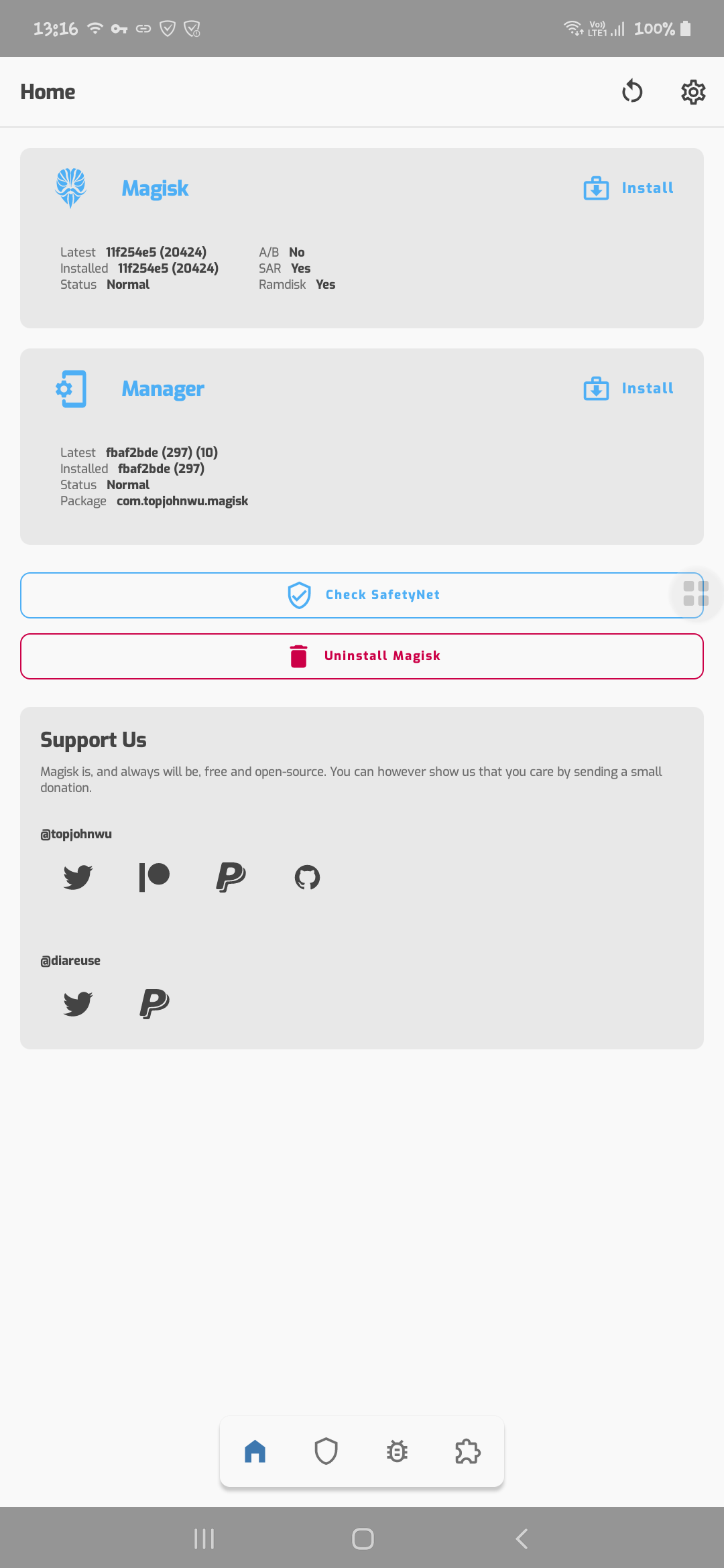
Hi Mate. Nope still the same. Attached the image. Sorry for not reverting earlier.
vdbhb59
on 5 Sep 2020
Agree with above, issue still exists. I'm on moto g7 power (a/b device) and what he sees is exactly the same as what i see
 palmbeach05
on 6 Sep 2020
palmbeach05
on 6 Sep 2020
@vdbhb59 I need full logcat, not Magisk logs to debug this issue. Start logcat record and request for su so I can see exactly what had happened.
topjohnwu
on 7 Sep 2020
Manually editing the magisk.db file works, but i dont know WHY it works...
I mean, you can't give root to new apps, but previus allowed apps still working...
There's something happening here.
Andrew-afk
on 9 Sep 2020
@Andrew-afk please STOP spamming Github issues, either you provide more info on this issue, or I will block you on Github.
topjohnwu
on 10 Sep 2020
Closing this as nobody is providing any relevant info, duping to #3159 as it is the same issue and it provides logcat for debugging
topjohnwu
on 10 Sep 2020
@topjohnwu logs as requested. Its taken from matlog rather than the adb method, but this should help. Magisk 20425 and magisk manager (298) which were released earlier today. I have it set to auto accept when permission is requested. Pop up screen does show up, then disappears. When i tap on magisk manager, popup shows up, and only way out is to hit the back button.
palmbeach05
on 10 Sep 2020
@palmbeach05 please start a new issue with that, since this one is long and getting convoluted now
osm0sis
on 10 Sep 2020
Related issues
 okij1
·
39Comments
okij1
·
39Comments
 DenyDarko
·
53Comments
topjohnwu
·
96Comments
DenyDarko
·
53Comments
topjohnwu
·
96Comments
 0xCCD
·
72Comments
0xCCD
·
72Comments
 0x192
·
40Comments
0x192
·
40Comments
Most helpful comment
@osm0sis the issue is not in Magisk Manager, or at least not only. The title is misleading (I'll update it)
The real issue lies in the socket connection unable to establish with the daemon.
It is just that the way @diareuse setup activities made it impossible to NOT show an UI after activity start, and since no information is sent over the wire, the UI cannot do anything and it looks like it is frozen.