Macpass: Cannot open a database with RIGHT password - no warnings
Bug description
When I try to open my database, I put the right password, no warning about wrong password indeed, literally nothing.
Database details
- KDBX file
- keyfile
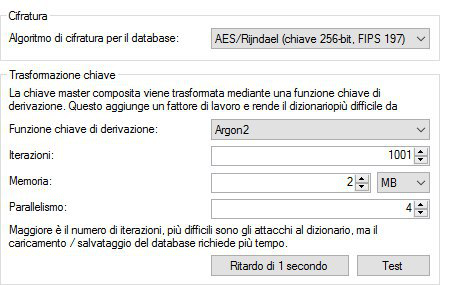
.keypaired - KDF used: Argon2
Step To Reproduce
- Open the file with the app
- Insert the DB password
- See error (no opening)
Expected behavior
Opening of the DB.
Screenshots
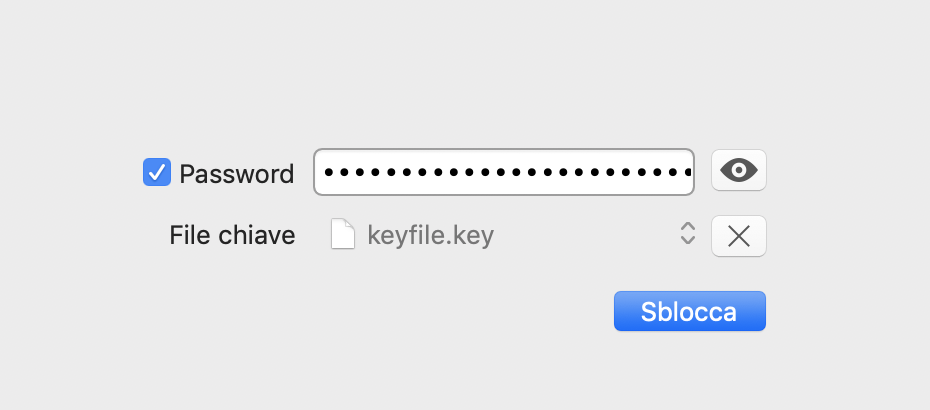
Here a screen of the issue:
Argon2 parameters:
Machine and App details:
- macOS: 10.14 - build 18A391
- App Version: build
17830of version0.7.3.
 wizard86pz
All 12 comments
The issue just vanished. DB has not changed, hash has not changed (I saved it to monitor any change) and now it started to work again, no device reboot.
wizard86pz
on 23 Oct 2018
Can you take a look at the log in Console.app? UI oddities sometimes are caused by assertions in the underlying code. If this happens again, please report it and if possible attach any logged output.
 mstarke
on 23 Oct 2018
mstarke
on 23 Oct 2018
Can you take a look at the log in Console.app? UI oddities sometimes are caused by assertions in the underlying code. If this happens again, please report it and if possible attach any logged output.
I'll be happy to give you all logs you want, but I'll need a little more help to get the info you need from Console app.
wizard86pz
on 23 Oct 2018
If assertions occured, they should turn up in the system.log. You can view the log by opening Console.app and the select system.log in the left. Search for MacPass and you might find something.
mstarke
on 26 Oct 2018
@mstarke I've found a robust pattern to reproduce the issue:
- edit the kdbx file with iOS app (App Store link)
- the file edited will have the issue on your software.
I use the kdbx file synced on cloud from iOS, macOS (your software), Windows 10 and Android (Play Store link) and every cross-opening and cross-editing is ok among all the apps/OSs, but only if I edit the DB from the iOS app, your app has that issue.
wizard86pz
on 24 Nov 2018
The issue just vanished. DB has not changed, hash has not changed (I saved it to monitor any change) and now it started to work again, no device reboot.
Here was happening because I had edited the DB from Windows 10 app. Was ok reading it from your software after to have edited it on WIndows 10.
wizard86pz
on 24 Nov 2018
Awesome to zero it in to Keepass Touch and MacPass. Can you try to test with a newly created database with the same settings as the one your having issues with? I'll try to get to test on my side too. It might be some edge case with attachments but I'll have to investigate.
mstarke
on 24 Nov 2018
Awesome to zero it in to Keepass Touch and MacPass. Can you try to test with a newly created database with the same settings as the one your having issues with? I'll try to get to test on my side too. It might be some edge case with attachments but I'll have to investigate.
Creating a new DB from the iOS App, I can choose among 3 different DB type:
- 1.x
- 2.x
- KDBX 4
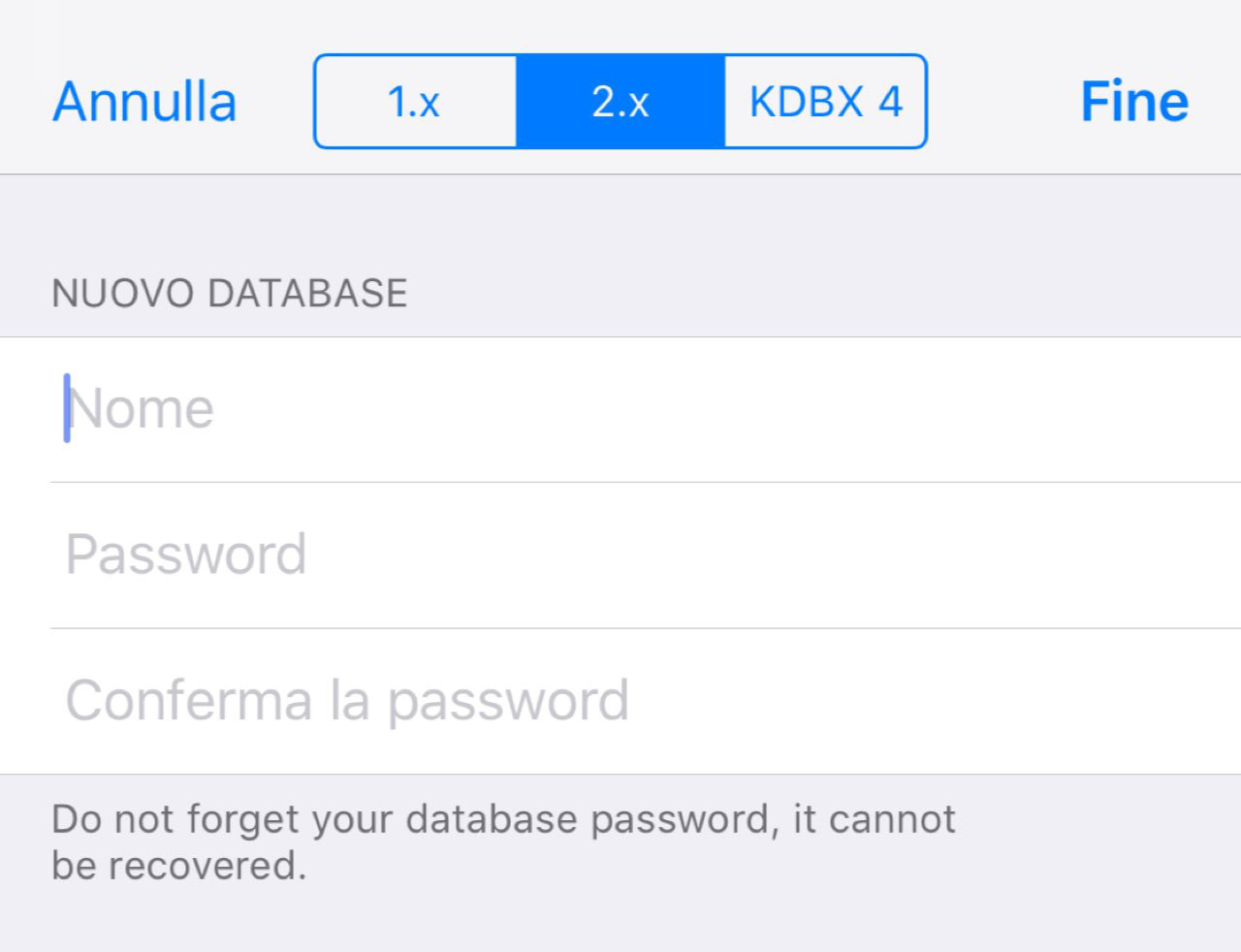
ONLY if I create a DB from iOS with KDBX 4 type, your app fails in DB opening.
I attach the DB created by iOS App here (NO LONGER AVAILABLE):
- https://mega.nz/#!9ZwknS4B
- decryption key:
kvkxCRj_5USJT625Q36zvK3iNU_C2V8iTfgQFJFd5Ao - DB key:
qwerty
The DB creation on iOS has no way to edit the DB encryption parameters, so I've left them as they are set:

About last type (KDBX 4), here you can find some info about. What I can confirm you is that my DB has been created so much time ago in KeePass 1.x. During years, KeePass for Windows has been updated to 2.x and I've always continued to edit my DB with new versions of KeePass when available.
wizard86pz
on 25 Nov 2018
Thanks for the additional information. I did already say that this is awesome, right? About KDBX4, I have implemented support for it since 0.7 so this should work. But there might be edge cases that let MacPass struggle while opening the file. With the supplied details I'll dig into the problem and a fix should be supplied ASAP.
mstarke
on 25 Nov 2018
Thank you, issue was an empty date field that fired an assertion in KeePassKit. Fix is on the way.
mstarke
on 26 Nov 2018
Hi @mstarke, still no update from nov/2018? I started to use the beta of your app, with already fixed issue :) But I cannot check the update availability for beta. So I'm here mainly for two questions:
- do you think you can give us a "prevision" about when a new stable release will reach us?
- what about the self-check of update availability for beta branch?
Thanks in advance, as always.
wizard86pz
on 22 Feb 2019
I'm very sorry for letting all you wait so long but spare time is rare to finish up a release. Dev builds are easier as they tend to not need that much polishing but I'm getting there. The main boxes are ticket so it'll be soon (but how soon is something I always estimate wrongly)
About a beta feed for Sparkle updates, this is a nice idea but requires some changes in the build setup. The goal is to push out stable releases not make betas easier accessible.
mstarke
on 27 Feb 2019
Related issues
 gagarine
·
4Comments
gagarine
·
4Comments
 trimailov
·
7Comments
trimailov
·
7Comments
 damien-list
·
3Comments
mstarke
·
3Comments
damien-list
·
3Comments
mstarke
·
3Comments
 Waldgeister
·
7Comments
Waldgeister
·
7Comments