Lottie-web: Gradient Fill Colors Not Exporting
I'm applying a gradient fill to a shape layer and it's changing it to black/white when I preview in the browser. Renderer says it's SVG in the HTML file. I can see it working fine in AE. AE File is attached.
tree.aep.zip
Mac OS Sierra / BOdymovin version 4.11.1 / AE version 14.2.1.34
 grant-rogers
All 36 comments
I see it working fine.
You need to save the .aep project when exporting gradients, since that data is being retrieved from the project file itself.
 bodymovin
on 29 Sep 2017
bodymovin
on 29 Sep 2017
Yeah I saw that too…I for sure save the file before I export…still getting the black/white.
From: hernan notifications@github.com
I see it working fine.
You need to save the .aep project when exporting gradients, since that data is being retrieved from the project file itself.
grant-rogers
on 29 Sep 2017
What version of bodymovin are you using?
bodymovin
on 29 Sep 2017
4.11.1
grant-rogers
on 29 Sep 2017
can you share the data.json file?
bodymovin
on 29 Sep 2017
grant-rogers
on 29 Sep 2017
I'm not sure what could be going on. I tried your project and it seems to work fine.
Is your OS or AE in a language other than English?
bodymovin
on 29 Sep 2017
Nope, english.
Archive.zip
Is it something in the HTML? I've attached the demo.html Bodymovin kicks out along with the data.json. I've tried previewing on different machines, and it's still black/white.
grant-rogers
on 29 Sep 2017
It's related to the exported json.
When I play yours it's black and white, which usually means that it didn't find gradient information and it defaults to a default gradient.
But if I export your animation and play it, colors look fine
bodymovin
on 29 Sep 2017
Are there any settings I should turn on/off when exporting?
grant-rogers
on 29 Sep 2017
No, you should just make sure your .aep is saved before exporting.
Can you close and open AE and export again?
bodymovin
on 29 Sep 2017
Yep, even restarted the computer. Still black/white.
grant-rogers
on 29 Sep 2017
Could it be a permissions issue?
grant-rogers
on 2 Oct 2017
Might be, is your .aep in a special location or on a different hard drive than the After Effects install?
bodymovin
on 3 Oct 2017
Same hard drive, just in my documents folder...nothing out of the ordinary.
grant-rogers
on 3 Oct 2017
I'm running out of ideas.
If you open your .aep in a text editor you'll see that the gradient info is there. So I don't know why the plugin can't get it.
I need to be able to reproduce this so I can debug it better.
bodymovin
on 3 Oct 2017
Hi !
I just got the same problem when I export gradient fill.
I've tried exporting on different machines and different AE versions including CC2014 & CC2017, but it didn't work at all . The gradient information just could not be found.
My mac’s information:Mac OS High Sierra / Bodymovin version 4.12.3 / AE version 15.0.0
And here're my files:
 Curypi
on 28 Oct 2017
Curypi
on 28 Oct 2017
@Curypi you have 2 gradients with the exact same navigation path:
"Circle" > "R_1" > "?? 1" > "???? 1"
Since boydmovin is taking the data from the .aep, it's finding the second gradient instead of the first.
If you rename one of them or delete the one that is disabled, it should work.
bodymovin
on 29 Oct 2017
Yes it works!
I renamed them in English, and all went well. Thanks so much !!👍
Curypi
on 30 Oct 2017
I’m still having the same issue. I’ve started new projects with just simple shape and a gradient, but it still only applies the gradient as black/white and not the colors I’ve chosen.
From: hernan notifications@github.com
Closed #651https://github.com/bodymovin/bodymovin/issues/651.
grant-rogers
on 9 Nov 2017
I don't know what's happening. .AEP file is on my desktop. It has a simple shape with gradient fill/stroke (not named the same). You are saying the .json file says black/white for the gradients but the .aep has the color information? So something has to be happening when I export with bodymovin.
I completely removed bodymovin, re-installed to 4.13.0..same problem.
grant-rogers
on 9 Nov 2017
I tried it on a completely different computer, same result. Gradient is still black/white.
grant-rogers
on 9 Nov 2017
I just tried it and it exported fine.
OS and After Effects language are in english?
bodymovin
on 10 Nov 2017
Yeah OS is Sierra (English) and AE CC 2018 (English)
grant-rogers
on 13 Nov 2017
I got same issue here. Don't know what affects this problem exactly.
Still looking at the problem.
Please help me if someone knows it.
My env is AE 2017 / bodymovin 5.1.13 / Windows 10 Eng
 hermet
on 26 Apr 2018
hermet
on 26 Apr 2018
@hermet is your AE version in a different language than English or does your project have layer names that are not in English?
bodymovin
on 30 Apr 2018
I'm having the same problem, all AE and all files in English. The gradient was created in AI. then imported into AE. The html preview file is black and gray.
 great-day
on 7 May 2018
great-day
on 7 May 2018
same problem here, with a german AE
 larserbach
on 17 May 2018
larserbach
on 17 May 2018
Hi,
Just to let you know something I noticed and that saved my life 👍
I had the same problem than everyone (colorful gradients that became grey gradients while exporting with bodymovin and then put in Lottie File)
After reading comments, I changed my Mac in English, and my After Effects in English, (both were in french initially) and it still didnt work.
BUT ! The thing is, initially when I started my project, my interface was in french. So all the properties (like size, rotation, opacity, ...) were in french. And changing the language didnt changed theses values, it still remained in french.
So what I did, I edited manually : every time it was written "Fond en dégradé 1" (gradient fill in french), I changed it in "Gradient Fill 1". And so it worked. It's annoying but then that's the only way I solved it ...
I hope I helped some people.
 tomsouverain
on 25 May 2018
tomsouverain
on 25 May 2018
Hey, guys, I've found another way to fix this problem.
After a deep reading of Lottie's source code in parsing the Bodymovin exported json file. I've successfully positioned the Gradient color info in the json file. If you can search patiently, you can should find a json object struct with "tr":"gf", where defined gradient color information. You can go to "g"->"k" and the number in "k" are the actual color definition.
For each four numbers in "k" array described a gradient color point with the point index(num1), red(num2), green(num3), blue(num4). For example: 0,1,0,0,1,0,1,0 describes 2 gradient color points with color FF0000 and 00FF00.
So, if your json is not too complicated, you can modify this info in json as you wish.I pasted a sample snap below.
 zhangruize
on 26 Dec 2018
zhangruize
on 26 Dec 2018
Hi everyone,
I also had this problem. One of the shapes in my animation has a gradient from blue to white. Initially the shape was created in Illustrator, but when converted to a shape layer in AE gradients are not translated. So I used the gradient ramp effect to recreate the original AI gradient. Happy that my animation was ready I tried to export with Bodymovin, however the shape with a gradient effect was just grey. I tried all the suggestions mentioned in this post but none of them worked. However, I managed to figure out what was happening..
I opened the shape layer > contents > Group. Listed within the group was > Fill 1. This fill was grey and obviously taking priority over the gradient I had applied. So I deleted the Fill, and also the gradient rampp effect. Within the group in the layer, I then went to add > Gradient Fill. I chose my gradient fill colours, hit SAVE and then exported again. This time my gradient was perfect.
Hope this helps someone !
 steph12345dml
on 11 Feb 2019
steph12345dml
on 11 Feb 2019
Привет,
Просто, чтобы вы знали, что я заметил, и это спасло мне жизнь 👍
У меня была та же проблема, что и у всех (цветные градиенты, которые становились серыми градиентами при экспорте с помощью bodymovin, а затем помещались в файл Lottie).
После прочтения комментариев я изменил свой Mac на английском языке и мой After Effects на английском языке (оба изначально были на французском языке) и это все еще не сработало.НО ! Дело в том, что изначально, когда я начинал свой проект, мой интерфейс был на французском языке. Таким образом, все свойства (например, размер, вращение, непрозрачность, ...) были на французском языке. И смена языка не изменила эти значения, она все еще оставалась на французском языке.
Итак, что я сделал, я редактировал вручную: каждый раз, когда было написано «Fond en dégradé 1» (градиентная заливка по-французски), я менял его в «Gradient Fill 1». И так получилось. Это раздражает, но тогда это единственный способ, которым я решил это ...Я надеюсь, что помог некоторым людям.
TY TY TY TY !!!!!!!!!!!!!!!!!! So how you can resolve problem with gradient: change unicode to English(USA) in settings of your OC, then change gradient effects from your lenduage to Gradient Fill 1 in your project for every layer. In my situation gradient effects called "Градиентная заливка 1", i changed to "Gradient Fill 1" and gradient start working perfectly.
 dimakasilov
on 4 Jul 2019
dimakasilov
on 4 Jul 2019
I see it working fine.
You need to save the .aep project when exporting gradients, since that data is being retrieved from the project file itself.
Thanks! Resolved my issue!
 d-korolkov
on 28 Mar 2020
d-korolkov
on 28 Mar 2020
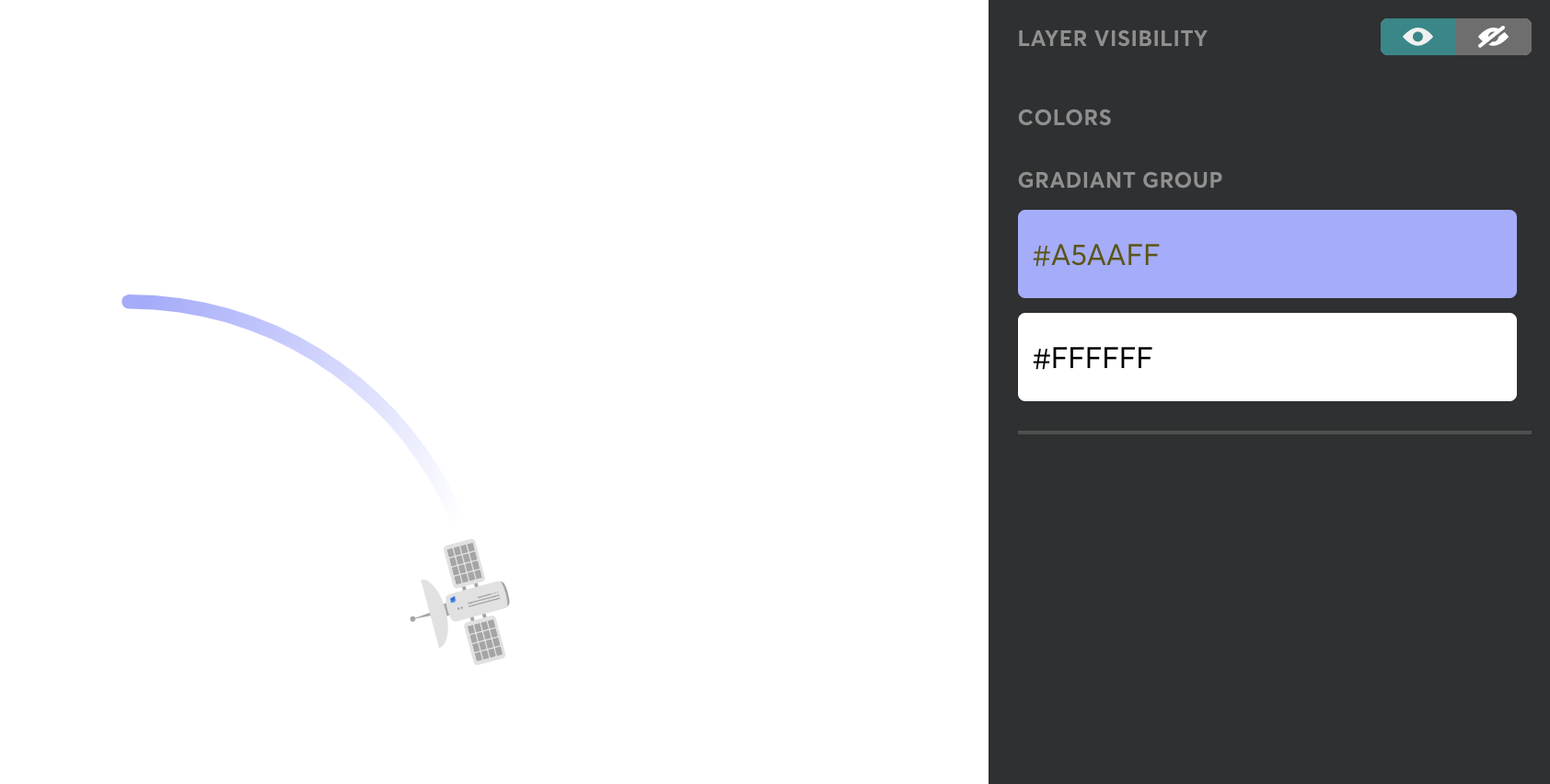
There is a feature in the Lottiefiles Preview Window (German):

There you are able to change the gradients of single objects:
 samdiener
on 31 Mar 2020
samdiener
on 31 Mar 2020
I see it working fine.
You need to save the .aep project when exporting gradients, since that data is being retrieved from the project file itself.
 akhilbaiju
on 25 Oct 2020
akhilbaiju
on 25 Oct 2020
I see it working fine.
You need to save the .aep project when exporting gradients, since that data is being retrieved from the project file itself.
Thank you so much. It works like a charm!
 doxhung
on 26 Mar 2021
doxhung
on 26 Mar 2021
Related issues
 pprochnicki
·
32Comments
pprochnicki
·
32Comments
 staytoooned
·
24Comments
staytoooned
·
24Comments
 sonaye
·
35Comments
sonaye
·
35Comments
 Ishua-issue
·
22Comments
Ishua-issue
·
22Comments
 YEMacademy
·
22Comments
YEMacademy
·
22Comments
Most helpful comment
Hi,
Just to let you know something I noticed and that saved my life 👍
I had the same problem than everyone (colorful gradients that became grey gradients while exporting with bodymovin and then put in Lottie File)
After reading comments, I changed my Mac in English, and my After Effects in English, (both were in french initially) and it still didnt work.
BUT ! The thing is, initially when I started my project, my interface was in french. So all the properties (like size, rotation, opacity, ...) were in french. And changing the language didnt changed theses values, it still remained in french.
So what I did, I edited manually : every time it was written "Fond en dégradé 1" (gradient fill in french), I changed it in "Gradient Fill 1". And so it worked. It's annoying but then that's the only way I solved it ...
I hope I helped some people.