Lottie-web: JS tool to edit JSON colors
I am trying to build a JS tool that can automate changing the colors of any color(able) shape or item or component (or whatever the technical term is in AE, developer here with 0 AE experience).
Understanding the JSON structure is not that straightforward from the research I've done, is there any documentation available that can help with this task?
What are the color properties in the JSON file exactly, and how is there placement designed? What should I look for in the JSON tree?
This tool can be helpful for using animations on Lottie Files, would make things much easier for many developers.
I would appreciate any help on this.
 sonaye
All 35 comments
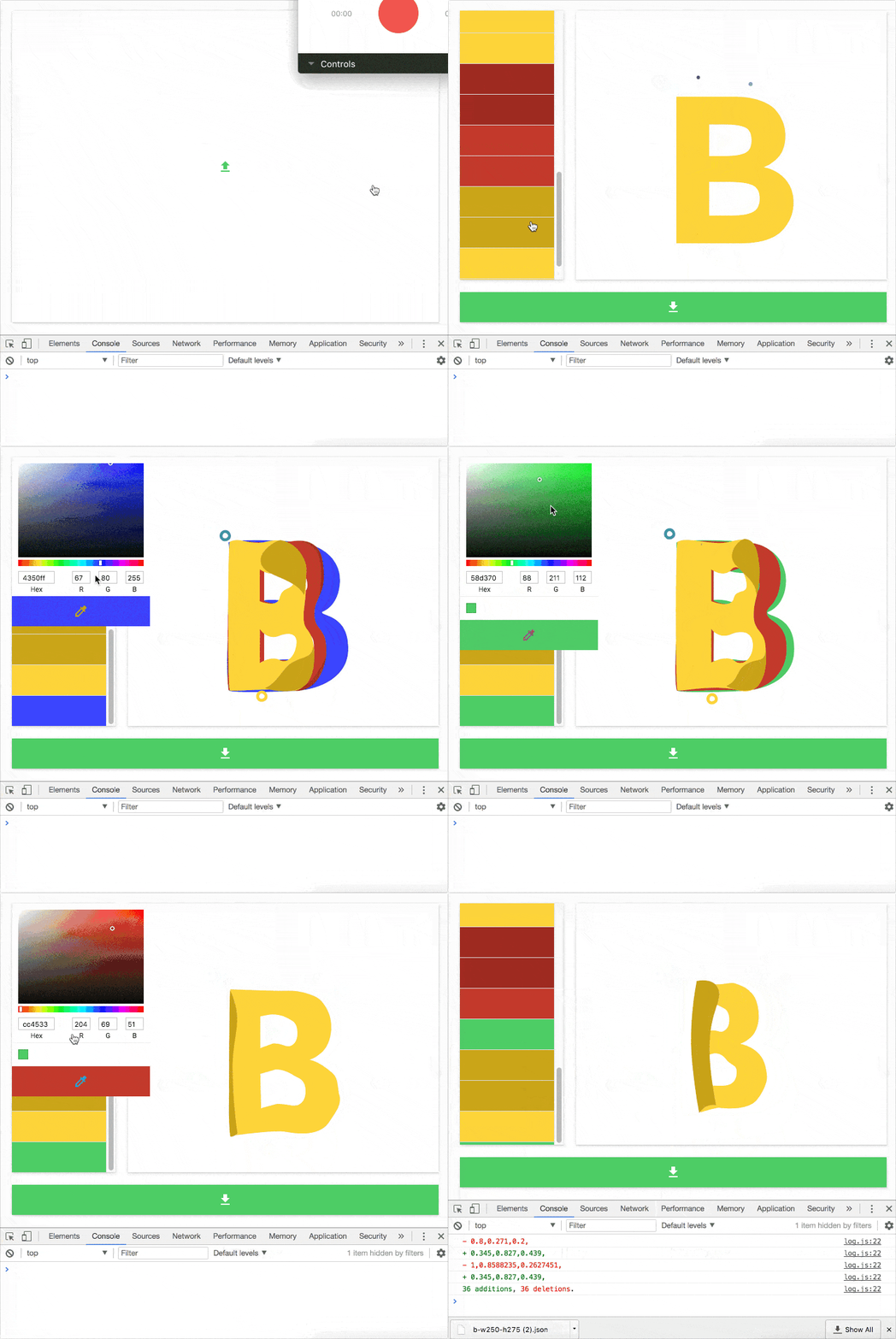
Made some progress.

sonaye
on 3 Nov 2017
Just published bodymovin-editor repo. You can find the main code I utilized here, everything else is pretty much just UI. Kindly advise on this.
sonaye
on 3 Nov 2017
looks awesome! I'm working on something similar for editing the json files and was also looking for documentation on the format itself. I think that could be really helpful for people who want to build supporting tools for bodymovin. For now I'm just figuring out the structure through trial and error. I can start working a basic form of documentation to get started, then have hernan chime in and fill in the gaps :)
 thewaterbear
on 3 Nov 2017
thewaterbear
on 3 Nov 2017
Sorry about the delay, I want to give a more thorough answer during the weekend.
But does this help for starters?
https://github.com/bodymovin/bodymovin/tree/master/docs/json
 bodymovin
on 3 Nov 2017
bodymovin
on 3 Nov 2017
BTW that tool looks awesome.
And also, if you have a good format for documenting the json, I'll check it out.
bodymovin
on 3 Nov 2017
oh man not sure how I missed that. Already looks super helpful and thorough. thanks! I'll think about formatting.
thewaterbear
on 3 Nov 2017
@bodymovin Yes that's where I started looking, although this documentation does offer a good idea on how things are structured, it doesn't provide enough details on how to integrate all of the different parts together, this is where I struggled.
So far, I found out that looking into fl and st types in json.layers.shapes.it.type and json.assets.layers.shapes.it.type are the main components responsible for colors (through type.c.k), are there any others that I should be looking for?
In additions, many animations are failing as a result of bad recursion model my guess, structures differ and the tool need to take that into account to cover all cases.
Also, I understand that the color is represented as an array of color vector units, but what's the fourth component? "k": [r, g, b, ?].
I made some great progress today, used the first customized animation in production after editing its colors with this tool (also published it online for everyone to use while the development is being done in the open, feel free to chime in).
Waiting to hear more from you about the subject, thanks.
sonaye
on 4 Nov 2017
Just tested 60 random animations from Lottie Files, 67% success rate.
sonaye
on 4 Nov 2017
@sonaye it's the alpha value but it is not used.
If animations interpolate colors, instead of a single array, you will get an array of keyframes with a starting values and end value for each.
bodymovin
on 5 Nov 2017
Made more progress, 98% success rate now on the same set (rarely fails to load). The only thing this tool needs at the moment would be to cover more edge cases, I still need to do more research on where should I be looking in the json, would appreciate some help on this.
sonaye
on 5 Nov 2017
@sonaye Nice! do you know any case that is not working so I can check it out?
bodymovin
on 5 Nov 2017
Sure
https://www.lottiefiles.com/767-crying-emoji-reaction
https://www.lottiefiles.com/175-day-night-cycle
https://www.lottiefiles.com/61-octopus
https://www.lottiefiles.com/629-empty-box
https://www.lottiefiles.com/856-thumbs-up-grey-blue
https://www.lottiefiles.com/187-fish
https://www.lottiefiles.com/159-servishero-loading
Some editing some parts of them (NaN) will cause a crash, and some have missing colors.
And this is the only animation left so far that completely fails to load https://labs.nearpod.com/bodymovin/demo/the_lady/data.json.
sonaye
on 6 Nov 2017
Main algorithm is now located here https://github.com/sonaye/bodymovin-editor/blob/0b28f2be3ec1cd4cf66129b0d4d2d349442f24bf/src/utils.js#L19-L54.
And is being utilized here https://github.com/sonaye/bodymovin-editor/blob/0b28f2be3ec1cd4cf66129b0d4d2d349442f24bf/src/app.js#L154-L160.
sonaye
on 6 Nov 2017
very cool!
you should check at line 28 if prop.c.a equals 0 or 1.
If it equals 1, it means the color has keyframes.
Eventually it would be cool to display the interpolation values and allow to edit each keyframe value separately.
bodymovin
on 7 Nov 2017
https://www.lottiefiles.com/download_public/570
can not edit the color of the explosion, just the arrow
 jiangbodev
on 30 Nov 2017
jiangbodev
on 30 Nov 2017
@jiangbodev I faced this before with this collection, look for 0,0,0 in the JSON file and change it to match your color (they are unit vectors, so divide by 255), only one should be responsible if you find many, just as a temp. workaround. I am planning to support this eventually but recently I'be been occupied with work, will get to it soon enough though.
sonaye
on 30 Nov 2017
thanks @sonaye, another thing I think would be very helpful is to crop the white spaces around the image, take 570 file as example, it has 800*800 size, but the real image inside is very small, it could be better to provide a way to cut off the white spaces around it, to reduce the size.
jiangbodev
on 1 Dec 2017
@jiangbodev I don't think it's possible, it has to do with the original design itself.
sonaye
on 1 Dec 2017
Closing this for now, will continue the work in the dedicated repo.
sonaye
on 30 Dec 2017
https://editor.lottiefiles.com
on the home page . I can't upload json through Google browser and I can't download json through Firefox browser.
 zylbiubiubiu
on 19 Apr 2018
zylbiubiubiu
on 19 Apr 2018
Same for me, tested with Microsoft Edge, Mozilla Firefox, Chrome. The only that opens the dialog to save the edited json is Chrome
 fgiacomelli
on 4 May 2018
fgiacomelli
on 4 May 2018
The next update will utilize file-saver which should fix any download issues.
sonaye
on 4 May 2018
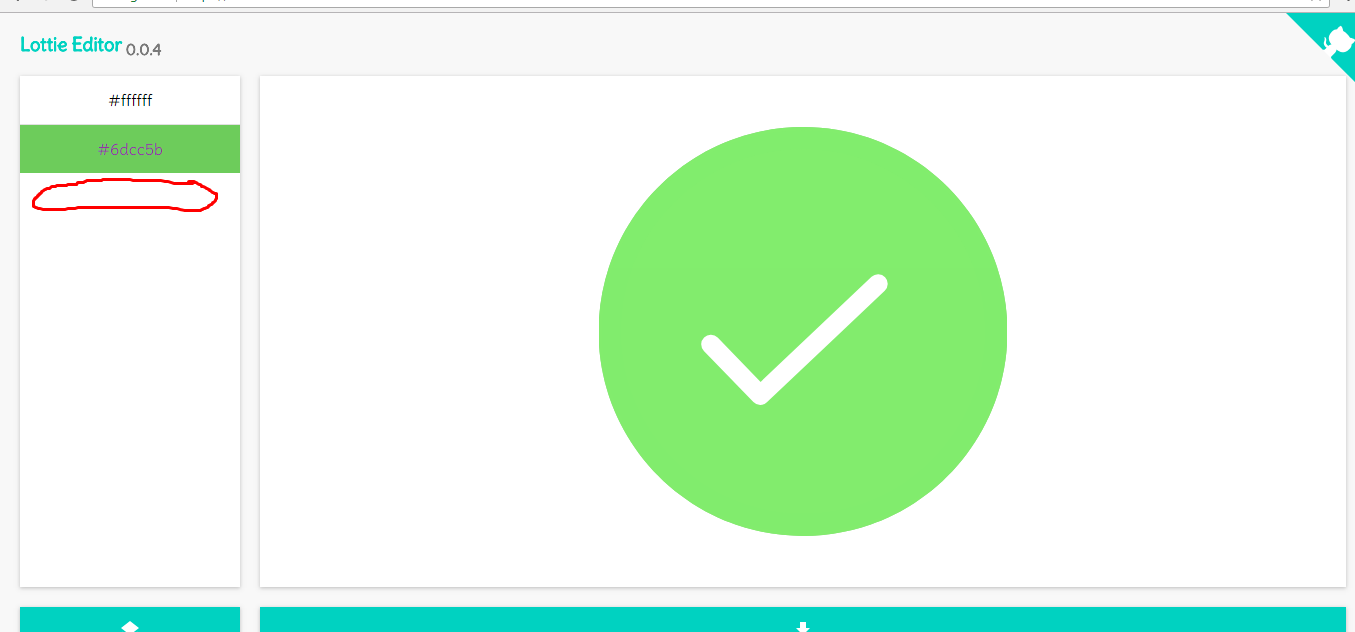
Hi, sorry for interuption, but I am wondering how can I change the bacground color of the loader?
 Aki77777
on 16 May 2018
Aki77777
on 16 May 2018
@Aki77777 Chances are the animation has a transparent background, double check on that, meaning that it would work with any background. Colors list is derived from the animation itself, if a color is not there then either the animation doesn't have it or it's an edge case that is not supported yet.
sonaye
on 18 May 2018
great tool, exactly what I needed.
It would be great for the tool to do a frame/segment count.
 Jvalal
on 27 Oct 2018
Jvalal
on 27 Oct 2018
how can i convert transparent color insted of white?
 nikunjparadva
on 21 Dec 2018
nikunjparadva
on 21 Dec 2018
It is building some improper json files ending abruptly
 shubhamverma27
on 4 Apr 2019
shubhamverma27
on 4 Apr 2019
For ex.
on this animation
https://lottiefiles.com/4761-collecting-money
shubhamverma27
on 4 Apr 2019
For ex.
on this animation
https://lottiefiles.com/4761-collecting-money
I looked into the exported json file and it's been cut off causing the error.
 cedrickbae
on 17 Apr 2019
cedrickbae
on 17 Apr 2019
Yes but if you extract directly from the website without the tool then it doesn't cut off
shubhamverma27
on 17 Apr 2019
Yes but if you extract directly from the website without the tool then it doesn't cut off
Yes, also when I checked the json of the working file, I can't find any rgb or hex color except the #f2f2f2
cedrickbae
on 17 Apr 2019
Made more progress, 98% success rate now on the same set (rarely fails to load). The only thing this tool needs at the moment would be to cover more edge cases, I still need to do more research on where should I be looking in the json, would appreciate some help on this.
Thank you. You've been a great help already.
 james1010
on 12 Aug 2019
james1010
on 12 Aug 2019
@sonaye Has filed the repo, i have some improvements to do in this tool, like highlight selected area in animation to change the color, a timeline to pause in exact frame. I love this tool! I Will fork and revive then.
 ebellumat
on 22 Aug 2019
ebellumat
on 22 Aug 2019
Hi all. I've found an animation I would like to use but I can't edit the colour codes for each square (there are four). The editor doesn't display it at all, so I have to run it locally inside my React project. It's this animation here:
https://lottiefiles.com/4188-cuadros-rojos-giran
I don't use After Effects or Bodymovin' so I have no idea what the encoded values I need to enter are. "k": [
0.86159620098,
0.057677313861,
0.057677313861,
1
],
Does anybody know what the values are if I wanted to use the following colours:
cfcfcf
d1461c
Thanks all.
 JavaJamie
on 30 Sep 2019
JavaJamie
on 30 Sep 2019
Those values are RGB but from a scale of [0,1]. Convert your hex values to RGB, divide each by 255 and you got the answer ;)
 iampava
on 23 Oct 2019
iampava
on 23 Oct 2019
Related issues
 bruroar
·
36Comments
bruroar
·
36Comments
 grant-rogers
·
36Comments
grant-rogers
·
36Comments
 wanbinkimoon
·
61Comments
wanbinkimoon
·
61Comments
 Fishfield
·
18Comments
Fishfield
·
18Comments
 Ishua-issue
·
22Comments
Ishua-issue
·
22Comments
Most helpful comment
Made some progress.