Live-share: [OAuth flow] Publisher unverified
Product and Version [VS/VSCode]: VSCode
OS Version [macOS/Windows]: Any
Live Share Extension Version: 1.0.1375
Steps to Reproduce / Scenario:
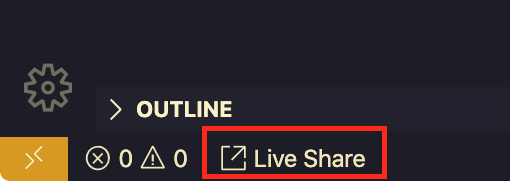
- Click the Live Share button in the bottom left
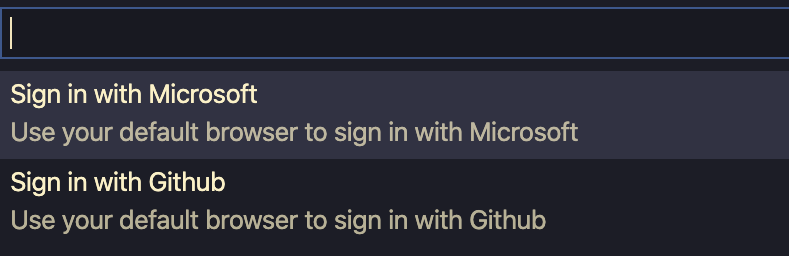
Select "Sign in with Microsoft" in the command palette
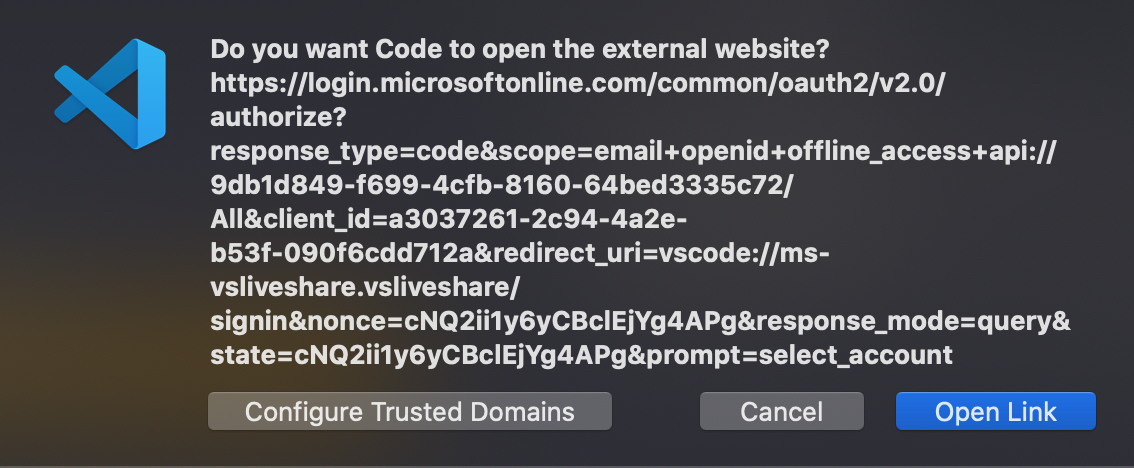
Click "Open Link" if prompted to approve the safety of the URL
Sign in to your Microsoft account if necessary
You are presented with this OAuth confirmation:
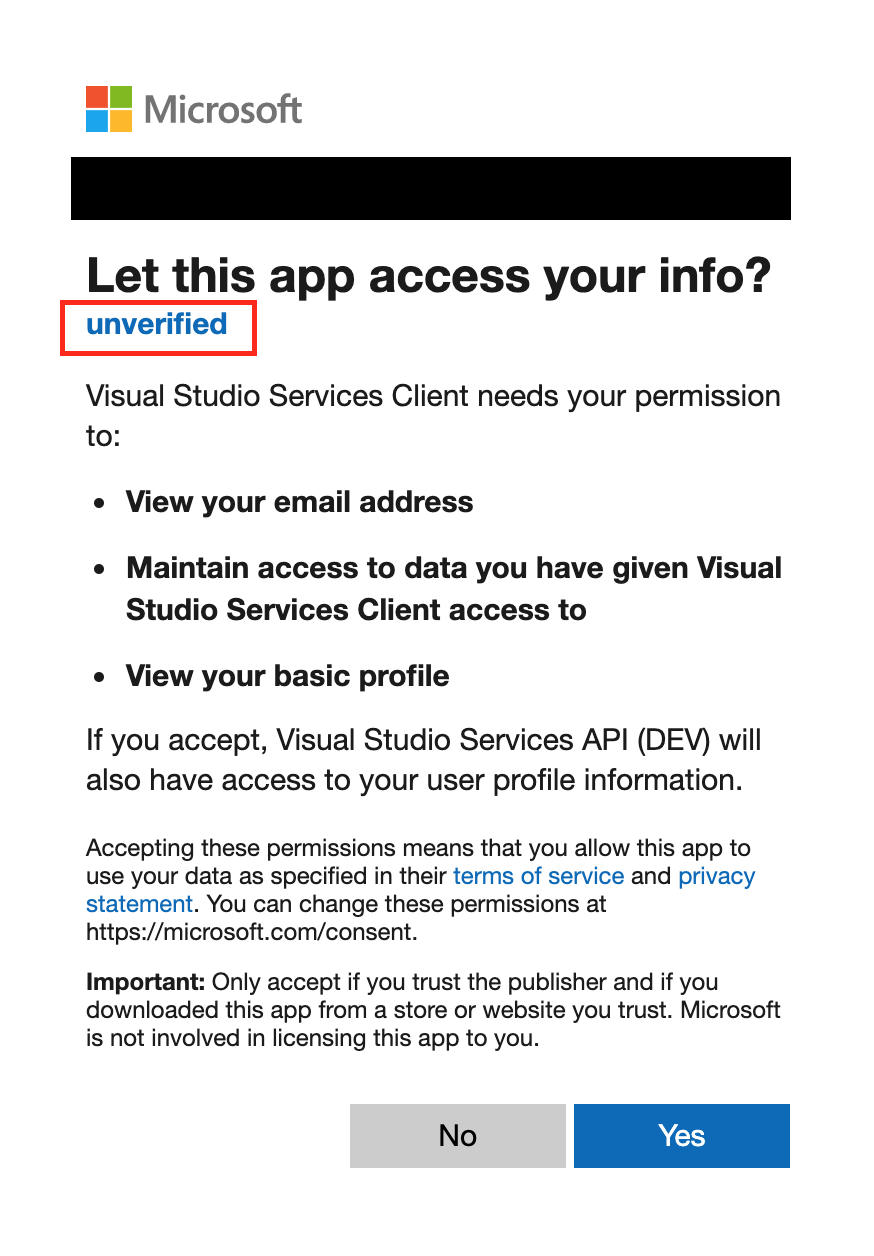
The publisher is not verified. Do not trust this OAuth flow
 jsejcksn
All 12 comments
@legomushroom @dlebu , it looks like the app here is "Visual Studio Services API (DEV)" - is that expected?
 daytonellwanger
on 11 Dec 2019
daytonellwanger
on 11 Dec 2019
I'm not saying this is a phishing or MITM attack. Rather, I'm pointing out that the user cannot verify the authenticity of the publisher. The same is true for GitHub. There is no verified affiliation with GitHub or Microsoft which assure the user that the OAuth request is safe.
For GitHub:
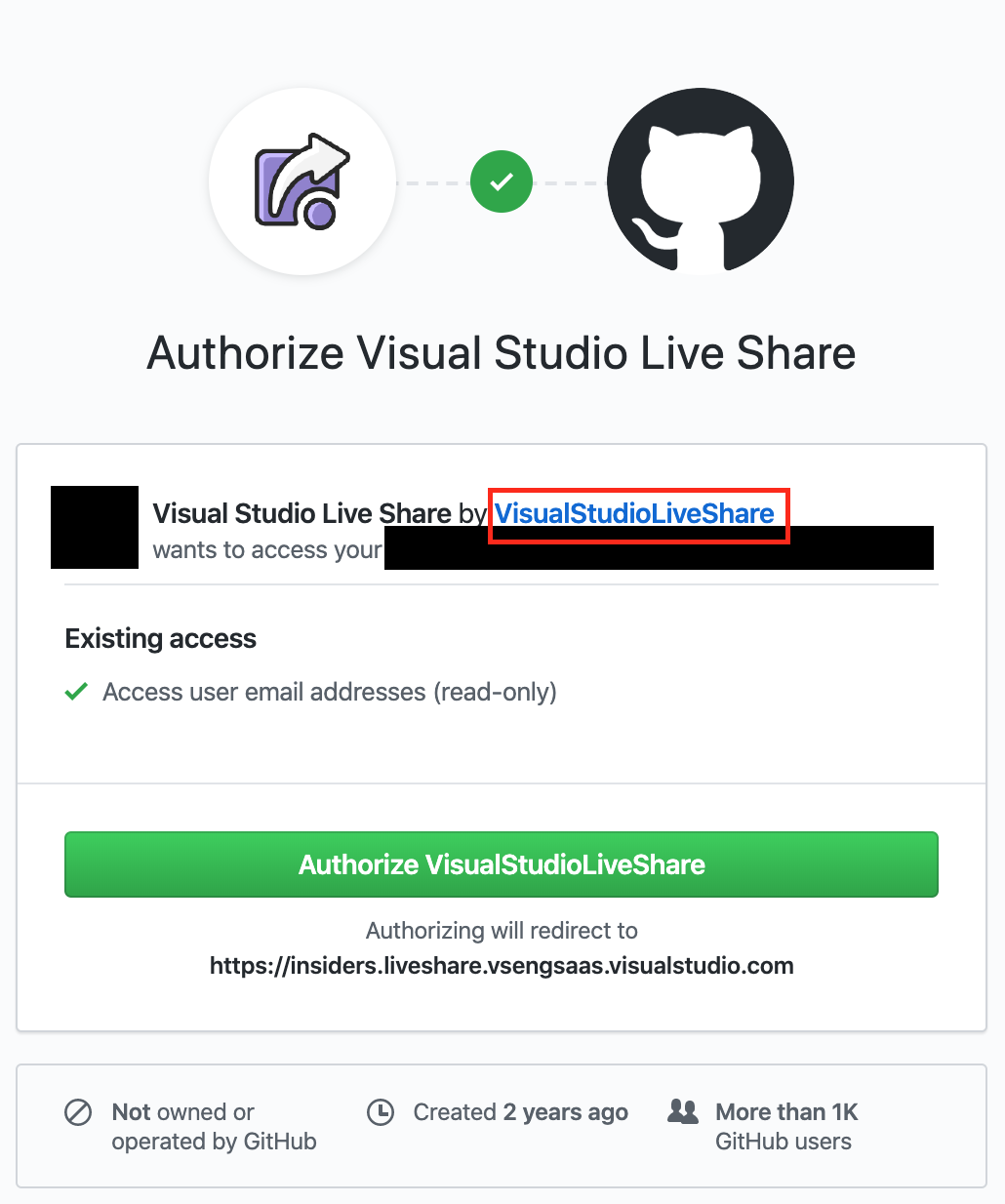
Clicking that link takes you to this page:
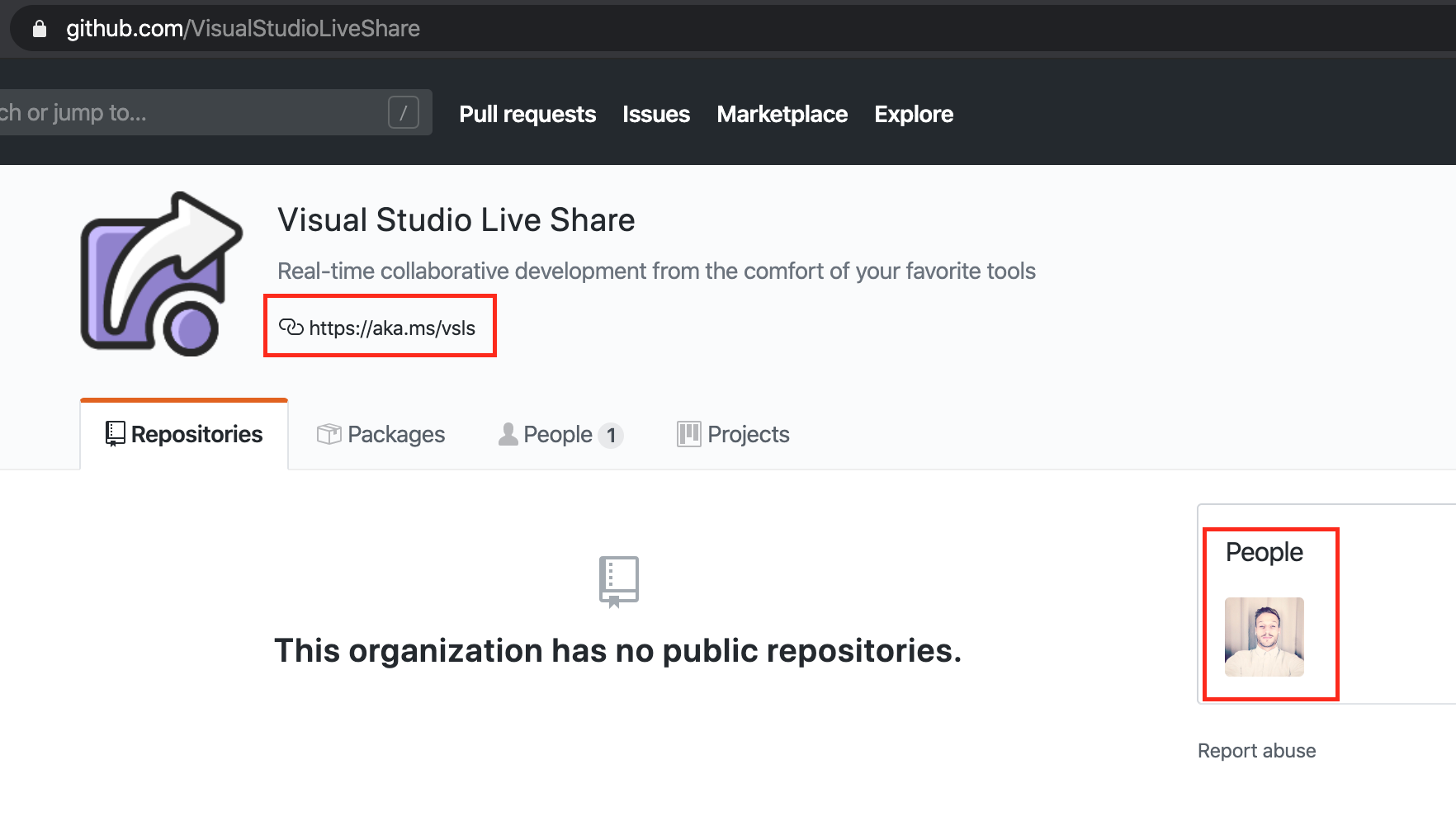
and the only pieces of information that might possibly connect the user to the ID of the publisher are
the link in the bio (which really could be added by any person to any organization), and
the ID of the single person associated to the organization @legomushroom, who appears to be employed by Microsoft at this time
but this is all way too much work for a user to verify during an OAuth flow.
We need a clear signal of authenticity that the publisher is either Microsoft or GitHub
jsejcksn
on 11 Dec 2019
Thanks for pointing this out @jsejcksn! We are in the works of getting Live Share verified and point to the correct domain.
 fubaduba
on 12 Dec 2019
fubaduba
on 12 Dec 2019
@fubaduba VSCode Online has the same issue. Not sure where to flag that, so if you could forward to the correct team for me, that'd be great!
jsejcksn
on 12 Dec 2019
Thanks @jsejcksn, they are our sister team, so will do.
fubaduba
on 12 Dec 2019
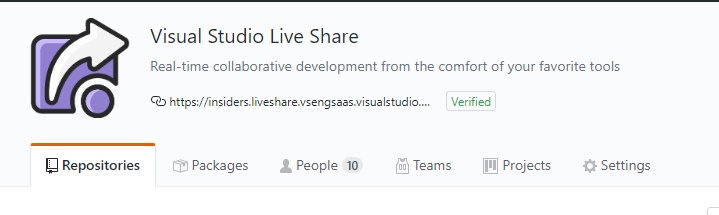
@jsejcksn, the Visual Studio Live Share GitHub app has been updated to not use an aka.ms link in the org, and the domain it uses has been verified. It uses the same url on the org that you see in the OAuth flow for the redirect.
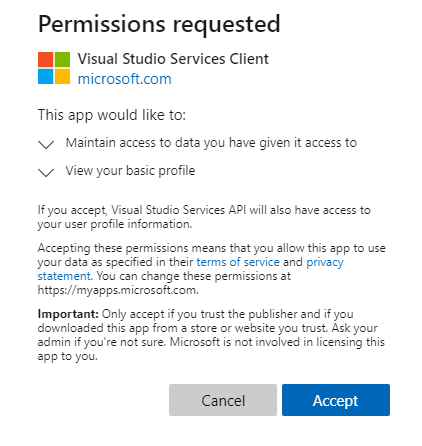
The Visual Studio Services API AAD app has also been updated to remove "(DEV)" from the display name and both the Visual Studio Services Client and Visual Studio Services API apps have switched the publisher domain to a verified domain (microsoft.com).
 jkeech
on 13 Dec 2019
jkeech
on 13 Dec 2019
I just tested it and this looks great!
Now I only see one remaining issue:
When I
- sign out of Live Share
- but don't remove the OAuth permission from my Microsoft account
- and attempt to sign back in to Live Share using my Microsoft account
I am presented with this dialog:
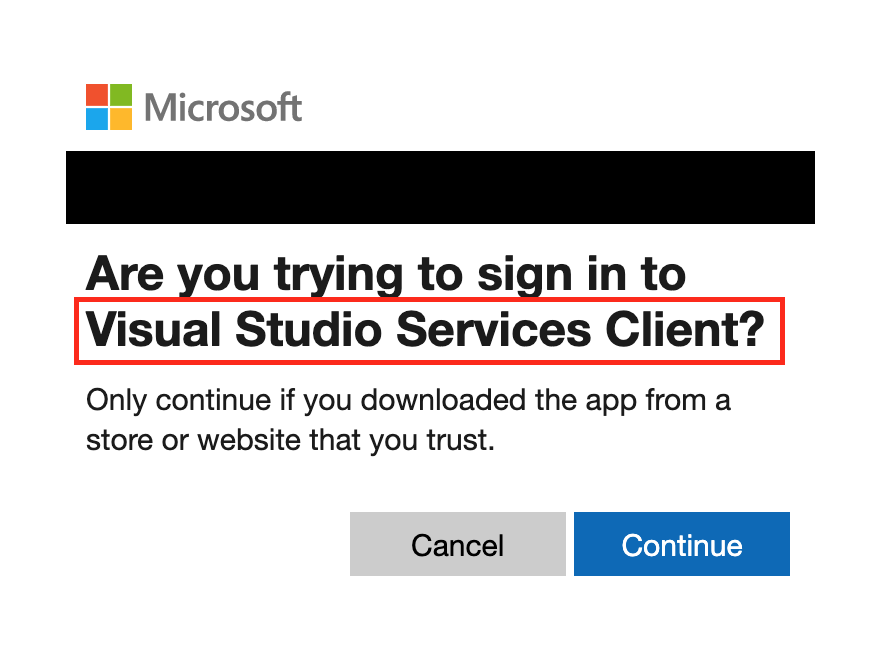
The name matches something I've seen before, but there's nothing indicating that it's the one owned/operated by Microsoft like in the original dialog. How can I be sure it's not from a malicious source using the same string of text "Visual Studio Services Client"?
jsejcksn
on 13 Dec 2019
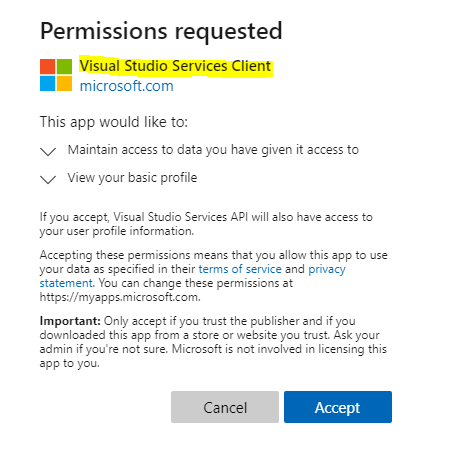
That's the same app/string as the original OAuth consent dialog (highlighted below). Unfortunately, I don't think an app has much control over the AAD dialog content. I think this is good feedback for the AAD team to provide additional links/information on the sign in dialogs when you've already consented to an app.
jkeech
on 13 Dec 2019
That being said, you would only see that simpler dialog if you have previously consented to use the app. So if you have a malicious app that is trying to impersonate the Visual Studio Client Services app, you will see a different consent dialog like the first one asking you to accept it instead of the simpler sign in button. Once you've consented, the second sign in a simpler since you already trust the app.
jkeech
on 13 Dec 2019
I think this is good feedback for the AAD team to provide additional links/information on the sign in dialogs when you've already consented to an app.
Agreed. Not sure where that feedback should go, but exposing some info about the OAuth provider and about the redirect URI would be very useful.
jsejcksn
on 13 Dec 2019
@fubaduba In which repo can I file new issues specific to VSCode Online?
jsejcksn
on 14 Feb 2020
jkeech
on 14 Feb 2020
Related issues
 Chuxel
·
4Comments
Chuxel
·
4Comments
 roblourens
·
4Comments
roblourens
·
4Comments
 YardGnomeNinja
·
3Comments
YardGnomeNinja
·
3Comments
 PranavGPR
·
3Comments
PranavGPR
·
3Comments
 csharpfritz
·
4Comments
csharpfritz
·
4Comments