Live-share: Live-Share Guest debugging
Product and Version :Vscode 1.34
OS Version :Windows
Live Share Extension Version: v1.0.123
Target Platform or Language:Python
Steps to Reproduce / Scenario:
- Start collaboration session
2.More Info
3.press "Try Joining Yourself"
4.(On participant(non host)) press debugg and start debugging - there's a sign that says: "The host doesn’t allow starting the debugger. If needed, ask them to enable it."
my question is: How do i enable it?
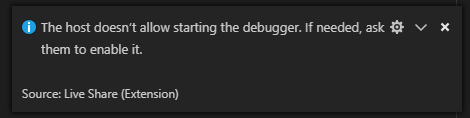
i just want to let my friend start a debugging session to test the program.
 Luchiwis
All 3 comments
@Luchiwis Apologies for the confusion! If you open the Settings window, and then search for livesharedebug, you'll find the Enable Guest Debug Control setting. If you check that, then guests can start the debugger on their own. We turn this off by default as a security mechanism.

 lostintangent
on 25 May 2019
lostintangent
on 25 May 2019
👍5
Hoping the answer by @lostintangent answered your question and unblocked your. Closing issue.
 Priya91
on 29 May 2019
Priya91
on 29 May 2019
Why don' t you make allow the default? We are developers who know what we are doing using vscode.
 xgdgsc
on 24 Aug 2020
xgdgsc
on 24 Aug 2020
👍3
😕1
👎1
Was this page helpful?
0 / 5 - 0 ratings
Related issues
 dec0dOS
·
4Comments
dec0dOS
·
4Comments
 lockoncode
·
3Comments
lockoncode
·
3Comments
 Chuxel
·
3Comments
Chuxel
·
3Comments
 jpopadak
·
3Comments
jpopadak
·
3Comments
 YardGnomeNinja
·
3Comments
YardGnomeNinja
·
3Comments
Most helpful comment
@Luchiwis Apologies for the confusion! If you open the
Settingswindow, and then search forlivesharedebug, you'll find theEnable Guest Debug Controlsetting. If you check that, then guests can start the debugger on their own. We turn this off by default as a security mechanism.