Jetpack: Jetpack Search - Instant Search - Doesn't respect currency selection in WooCommerce, defaults to $.
Steps to reproduce the issue
- Activate WooCommerce
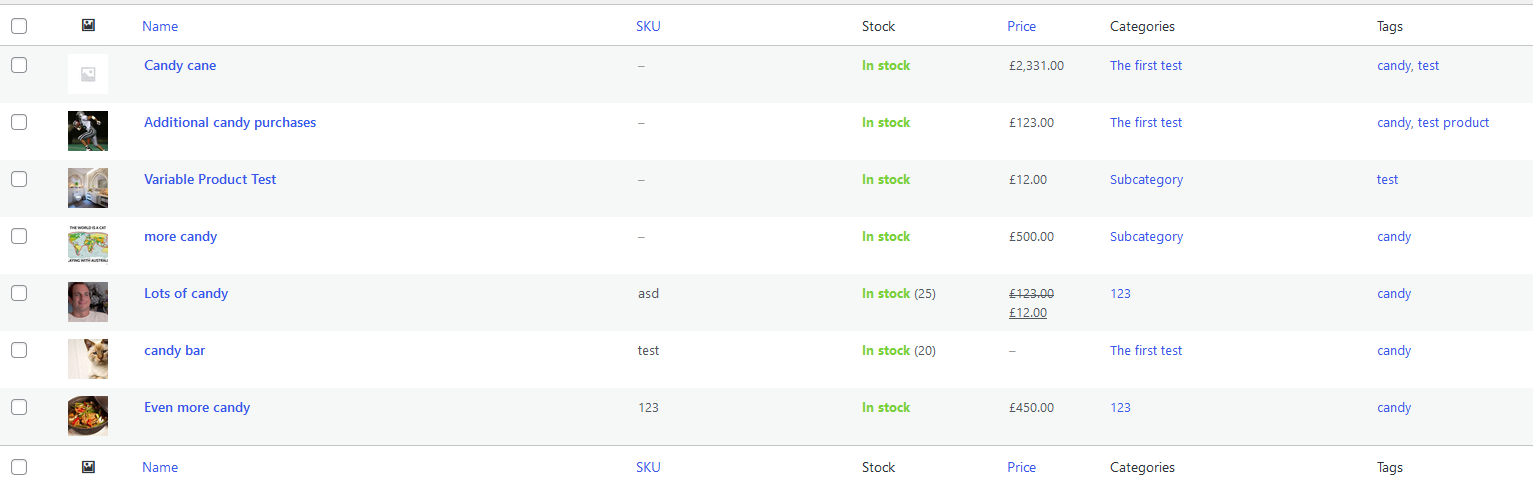
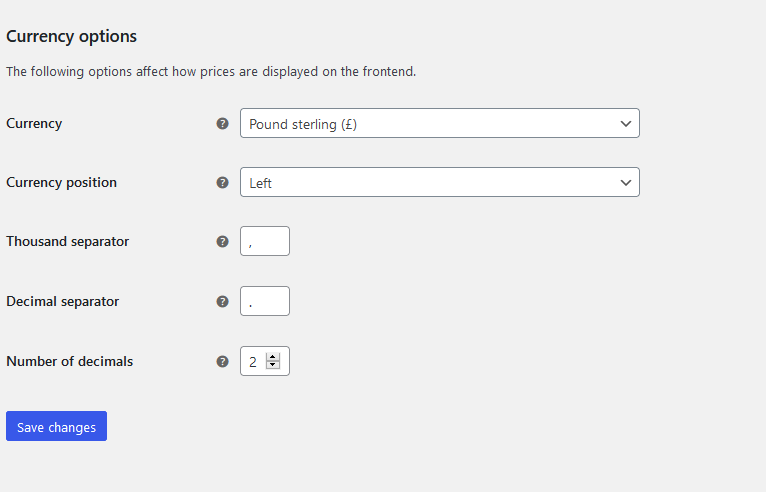
- In WooCommerce settings, set your currency to something that is not USD, or a currency that does not use the $ symbol.
- Activate Jetpack Search, and use it to search for products.
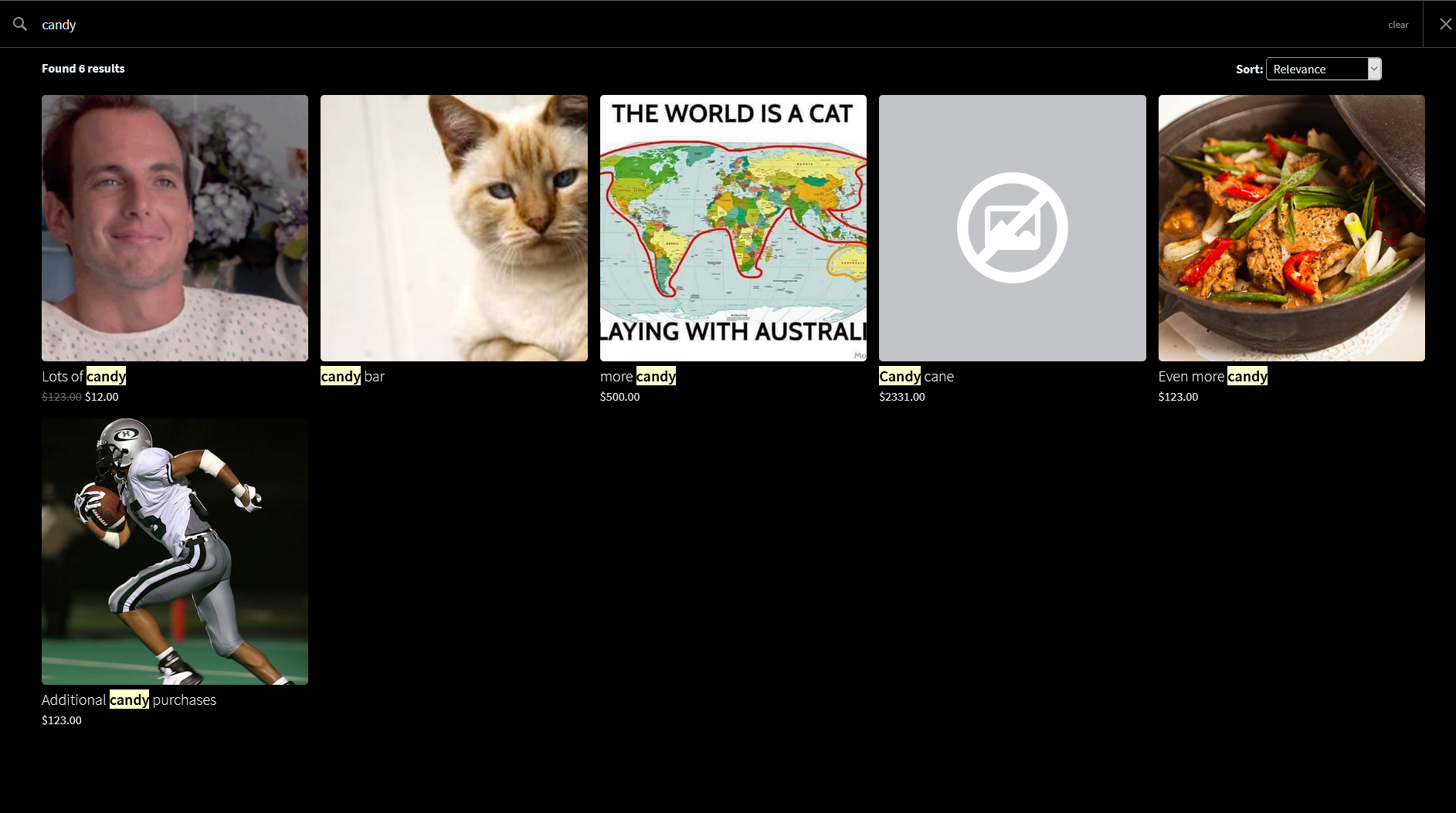
- Products that appear in the instant search will use $ by default, instead of the currency you have set in your WooCommerce settings.
Originally a user report. Screenshots from a test site (not a real store).
WooCommerce Settings:
Vs what appears in Jetpack Search:
What I expected
Jetpack Search to show WooCommerce products in the currency that the store's settings are set to.
What happened instead
Regardless of the store's currency settings, the $ appeared instead.
Screenshots
 scosgro
All 6 comments
Thanks @scosgro. We're presenting the formatted price from the API in the front end, so I suspect something must be amiss on the Elasticsearch side. I'll triage this today.
 bluefuton
on 11 Apr 2021
bluefuton
on 11 Apr 2021
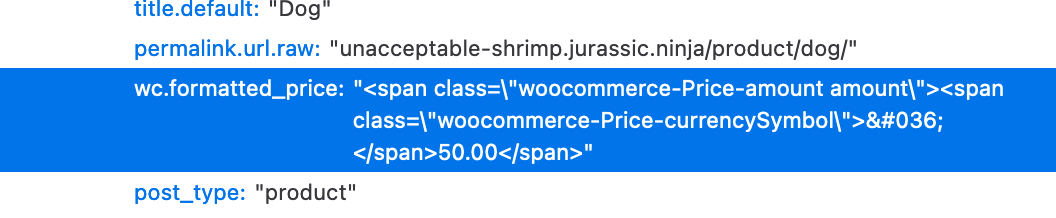
I can confirm this bug. The API is returning the $ symbol in all cases. cc @gibrown
bluefuton
on 12 Apr 2021
Looks like the woocommerce_currency option is empty, so it's defaulting to USD:
> switch_to_blog( ... );
> echo get_option( 'woocommerce_currency' );

> echo get_option( 'woocommerce_currency', 'USD' );
USD
Is it perhaps not being synced to the Jetpack shadow/cache site?
bluefuton
on 12 Apr 2021
I guess we found a bug caused by my failure to prioritize getting https://github.com/Automattic/jetpack/pull/18870 merged...
 gibrown
on 12 Apr 2021
gibrown
on 12 Apr 2021
@scosgro we're actively working on fixing this. In the meantime, in case the original reporter is interested, one of our customers has an ingenious temporary workaround using CSS:
The styles are:
li.jetpack-instant-search__search-result .woocommerce-Price-currencySymbol::before {
    content: "€";
    font-size: 15px;
}

li.jetpack-instant-search__search-result .woocommerce-Price-currencySymbol {
    font-size: 0;
}
This should be resolved in r224218-wpcom. We're now picking up the correct blog option when we index the site.
Sites will need to be reindexed for this change to take effect. This should happen the next time a product or page is changed on the user's site.
@scosgro if there are any user sites you would like me to manually reindex so this is change is instantly picked up, drop me a message with the blog IDs.
bluefuton
on 14 Apr 2021
Related issues
 NicktheGeek
·
3Comments
NicktheGeek
·
3Comments
 abidhahmed
·
3Comments
abidhahmed
·
3Comments
 ockham
·
3Comments
ockham
·
3Comments
 chrisaldrich
·
3Comments
chrisaldrich
·
3Comments
 jeherve
·
3Comments
jeherve
·
3Comments