Jetpack: (3P) External Media: Load More error separated from action
Steps to reproduce the issue
- Add an image block
- Click on Select Image
- Click on Pexels
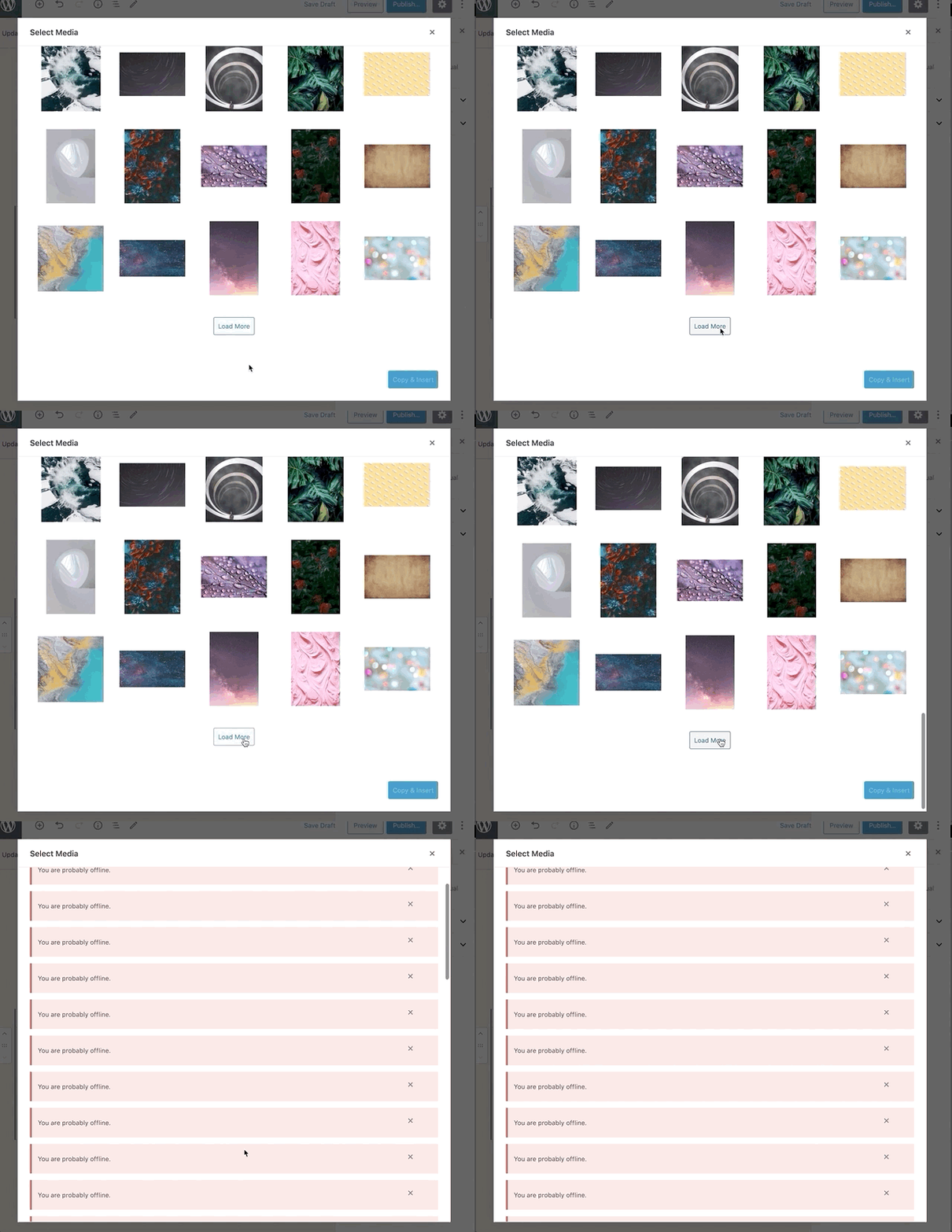
- Click Load More at the bottom of the modal
- In Network Dev Tools, set your browser to offline
- Click Load More
- There's no communication in view as to what happened. The errors are all at the top of the modal.
What I expected
An error to show that was in view (near the load more button)
What happened instead
 jeryj
jeryj
All 14 comments
Hey @jeryj — it seems that this happened on WordPress.com, can you confirm?
 keoshi
on 22 May 2020
keoshi
on 22 May 2020
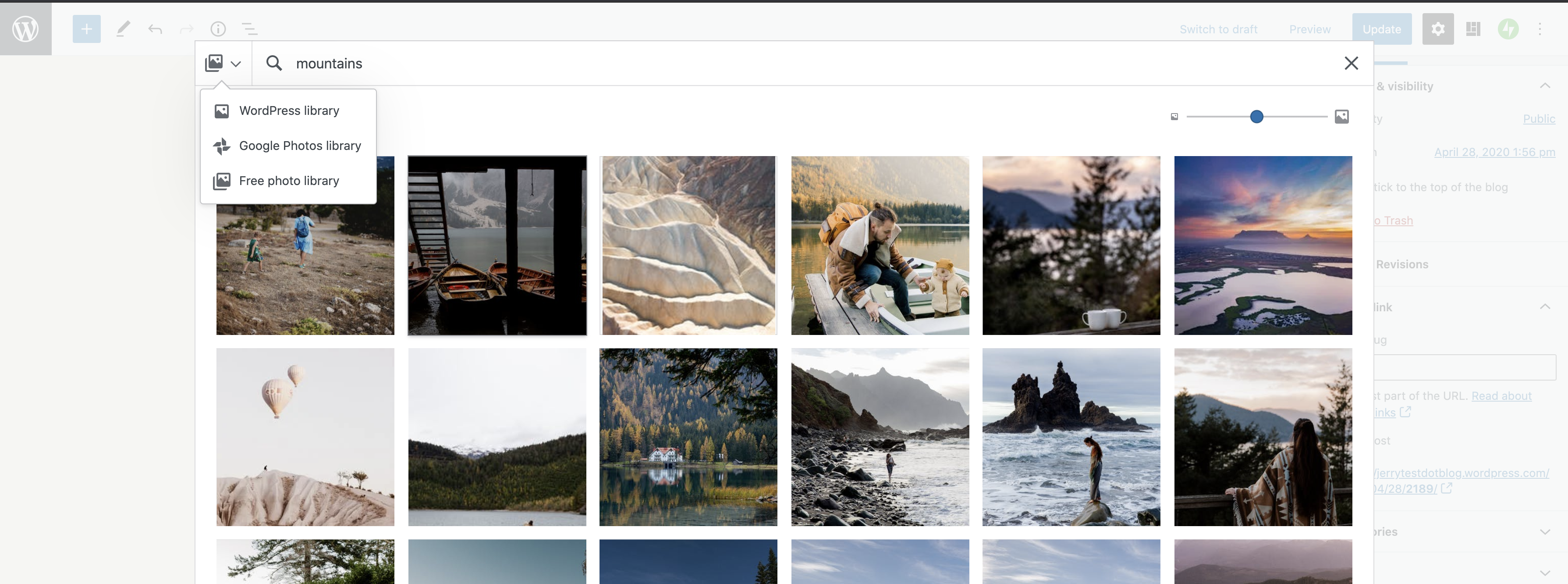
Hi @keoshi! This isn't on WordPress.com yet, but is a new feature in Jetpack. The current Media Library on WordPress.com uses the infinite scrolling pattern. You can access this Pexels library by choosing the Free Photo Library on WordPress.com, but it also uses the infinite scrolling pattern.
jeryj
on 22 May 2020
@jeryj The reason I'm asking is because from the screenshots above it seems like this is happening in Calypso rather than on a self-hosted site, even if it's a Jetpack site. If that's the case, I wonder if https://github.com/Automattic/wp-calypso would be a better place to report this issue.
Some features are shared across the different code bases, so I'm unsure — cc'ing @jeherve because he'll know it. :)
keoshi
on 25 May 2020
From the looks of it, this is the iFramed block editor, so that's about the Jetpack feature currently being worked on.
 jeherve
on 25 May 2020
jeherve
on 25 May 2020
@jeryj For that state to occur, users would need to lose connection between the initial API request that populates the modal and the Load more click?
 obenland
on 28 May 2020
obenland
on 28 May 2020
Yeah, or just have a slow connection in general and it times out. Anything that could make the request not return correctly.
jeryj
on 29 May 2020
Just tested it with Chrome's "Slow 3G" and a custom 50kb/s setting and couldn't reproduce this occurring "naturally".
How do you feel about classifying this one as nice-to-have for when we ran out of more important External Media tasks?
obenland
on 29 May 2020
Sounds fine. Are there any other potential issues that could happen with the Load More button? If so, it'd be good to have an error state near the button. I can't think of any off the top of my head though.
jeryj
on 29 May 2020
@jancavan 👋 Are you able to take a look at this from a Design point of view? Once we have this then it will be suitable for inclusion in an estimation.
 getdave
on 1 Jun 2020
getdave
on 1 Jun 2020
@jeryj Out of curiosity, are there other types of error we display within this modal other than the internet connection error?
 jancavan
on 2 Jun 2020
jancavan
on 2 Jun 2020
I think so, such as if pexels doesn't initially load any results. But for those instances, there aren't photos so you're already at the top of the modal. I'm not sure of all the possible errors though. If I had to guess, most of them will happen when the modal is initially opened, rather than when clicking "load more"
jeryj
on 3 Jun 2020
We could make the error message sticky so it's within view of the user:
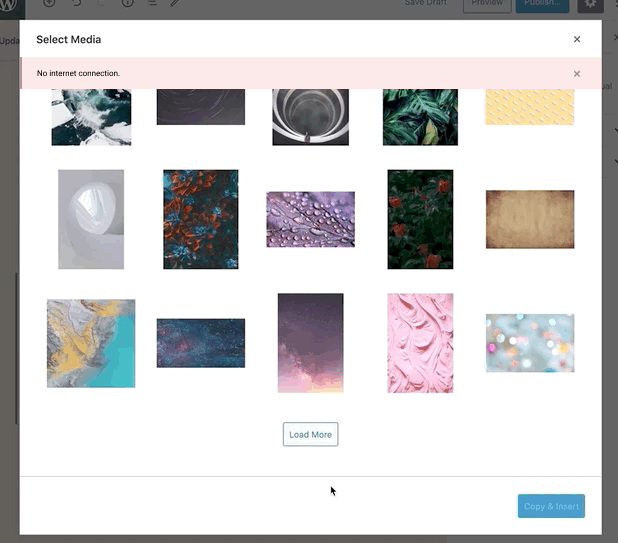
I originally thought of disabling the "Load more" button, but let's give the user the opportunity to retry. Upon re-attempt, error message should disappear, but will return if connection has still not yet been reestablished.
A couple other minor comments:
- Update copy
No internet connection.The current one (Your are probably offline.), feels as though we're unsure and a bit too cavalier. - Error message dismiss icon is misaligned. Can we align it with the modal's dismiss icon?
- A divider between the "Load more" button and primary button would be nice to create separation between the scrolling area and the other elements around it that stay in place.
@jeryj @getdave @obenland
jancavan
on 3 Jun 2020
Plus 1 for the sticky error message. That would be my suggestion!
 eeeeevon13
on 9 Jun 2020
eeeeevon13
on 9 Jun 2020
Let's close this for now, it doesn't look like it's caused any issues so far.
obenland
on 18 Jan 2021
Related issues
 MichaelArestad
·
3Comments
MichaelArestad
·
3Comments
 ockham
·
3Comments
ockham
·
3Comments
 aheckler
·
3Comments
aheckler
·
3Comments
 abidhahmed
·
3Comments
abidhahmed
·
3Comments
 NicktheGeek
·
3Comments
NicktheGeek
·
3Comments
Most helpful comment
We could make the error message sticky so it's within view of the user:
I originally thought of disabling the "Load more" button, but let's give the user the opportunity to retry. Upon re-attempt, error message should disappear, but will return if connection has still not yet been reestablished.
A couple other minor comments:
No internet connection.The current one (Your are probably offline.), feels as though we're unsure and a bit too cavalier.@jeryj @getdave @obenland