Jetpack: Connection: server port has unexpected value
Steps to reproduce the issue
- Go to Pantheon, create a site, install the plugin and activate
- Click on 'connect site',
- Go the Jetpack debugger page
- See "
{site-name}is not connected: 200" and "The server port value is unexpected."
While I know that there is a constant which can be set in order to not connect a staging environment, this also happens within the live-{site} environment as well. When connected to WordPress.com the error shows as well as seen on the screenshot here:
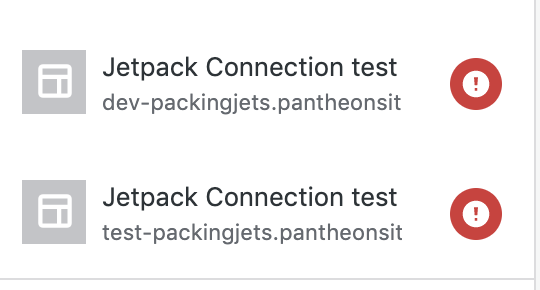
Oddly enough is that when adding posts/pages the connection is fine - just not with any media related things I noticed. The media library does not seem to connect properly.
The second part is of course the port which was the reason for this. When adding the recommended port value, the message remains and no connection is made. There was also #779 which I found through some searching and adding that $_SERVER['SERVER_PORT'] still yielded the same results as noted here:

I even tried setting the ports to 80 and 443 with no luck.
What I expected
The correct port value used when connecting
What happened instead
The port value was not used or is lost along the way :sadpanda:
The perplexing part is that it a bare site as seen from the site health log
 jocastaneda
All 9 comments
Interestingly, your live site is currently connected using connection details matching the dev URL for that same site. Could you walk me through the steps you followed to create the site and eventually connect it to WordPress.com? Did you clone / copy the database at any point to go from the Dev site to the live one?
The second part is of course the port which was the reason for this.
What happens when you use both constants like so:
define( 'JETPACK_SIGNATURE__HTTP_PORT', $_SERVER['SERVER_PORT'] );
define( 'JETPACK_SIGNATURE__HTTPS_PORT', $_SERVER['SERVER_PORT'] );
 jeherve
on 30 Oct 2019
jeherve
on 30 Oct 2019
Interestingly, your live site is currently connected using connection details matching the dev URL for that same site.
The db gets cloned when an environment gets initiated. The port value will be different in each since they are in separate containers but even adding those constants on the wp-config.php yields the same result in dev - which is what I first connected - this persists on both the Pantheon side and when looking on the WordPress.com site management side.

I removed all but the dev environment for now since that's the one I'm trying to connect. If you need more details or require more let me know, the site is just a sandbox used to help troubleshoot a customer reported issue - somewhat nice that I was able to replicate it but still not as fun 😆. We do have some who are trying to connect dev/test environments as well. :)
jocastaneda
on 30 Oct 2019
@jocastaneda Do you think you could contact us via this form and mention this GitHub issue? I think it would be beneficial if we could run some more tests on the site with you.
Thank you!
jeherve
on 31 Oct 2019
Noting that we don't only care about $_SERVER['SERVER_PORT']. We determined the 10806 from the screenshot above from:
$server_port = isset( $_SERVER['HTTP_X_FORWARDED_PORT'] ) ? (int) $_SERVER['HTTP_X_FORWARDED_PORT'] : (int) $_SERVER['SERVER_PORT'];
When contacting us, if you could visit Tools->Site Health->Info (e.g. wp-admin/site-health.php?tab=debug and copy the site info and paste that into your ticket submission. That may help us narrow things down faster.
 kraftbj
on 31 Oct 2019
kraftbj
on 31 Oct 2019
Yes, be happy to!
jocastaneda
on 31 Oct 2019
Requested Site Health data is in ticket #2461451-zen.
cc: @jeherve & @kraftbj
 a8ck3n
on 1 Nov 2019
a8ck3n
on 1 Nov 2019
How about the following instead?
define( 'JETPACK_SIGNATURE__HTTP_PORT', (int) $_SERVER['SERVER_PORT'] );
define( 'JETPACK_SIGNATURE__HTTPS_PORT', (int) $_SERVER['SERVER_PORT'] );
(Notice the additional (int) casting.)
Jetpack expects these constants to be integers, not strings: https://github.com/Automattic/jetpack/blob/fdf482d15fc9aafd1b046c0a114fd692e7d4acb9/packages/connection/legacy/class.jetpack-signature.php#L95
 mdawaffe
on 7 Nov 2019
mdawaffe
on 7 Nov 2019
The above did not work: "Still the same error. I tried passing the straight number value and
even specified 80 and 443 respectively to see if that would resolve it
and no luck :sadpanda:"
Still waiting on creds from either Pantheon or user (most recently requested today.)
 cena
on 14 Nov 2019
cena
on 14 Nov 2019
4475-gh-jpop-issues was closed. It was fixed by this PR https://github.com/Automattic/jetpack/pull/14111
I think we may need to close this issue?
A workaround here is to use constants as mentioned in this comment https://github.com/Automattic/jetpack/issues/13885#issuecomment-551254162
 htdat
on 12 Jan 2020
htdat
on 12 Jan 2020
Related issues
 MichaelArestad
·
3Comments
kraftbj
·
3Comments
htdat
·
3Comments
MichaelArestad
·
3Comments
kraftbj
·
3Comments
htdat
·
3Comments
 abidhahmed
·
3Comments
abidhahmed
·
3Comments
 BinaryMoon
·
3Comments
BinaryMoon
·
3Comments
Most helpful comment
Noting that we don't only care about
$_SERVER['SERVER_PORT']. We determined the10806from the screenshot above from:When contacting us, if you could visit Tools->Site Health->Info (e.g.
wp-admin/site-health.php?tab=debugand copy the site info and paste that into your ticket submission. That may help us narrow things down faster.