Jetpack: Jetpack Manage: skip "Jetpack Manage Enabled" confirmation
_"Jetpack Manage Enabled"_ confirmation message feels like an extra step we could skip to make following flow more enjoyable —
I want to adjust security settings, so I go to the tab in Calypso...

Yes...
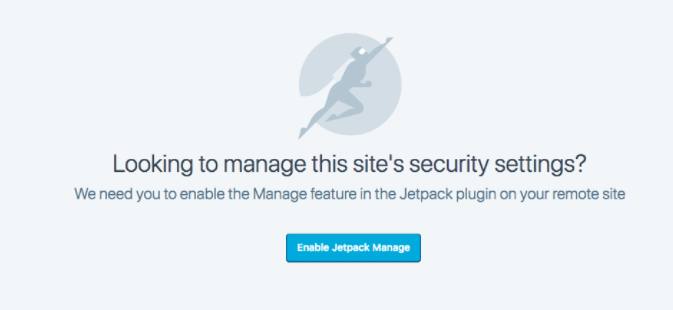
Confirmation @ wp-admin...
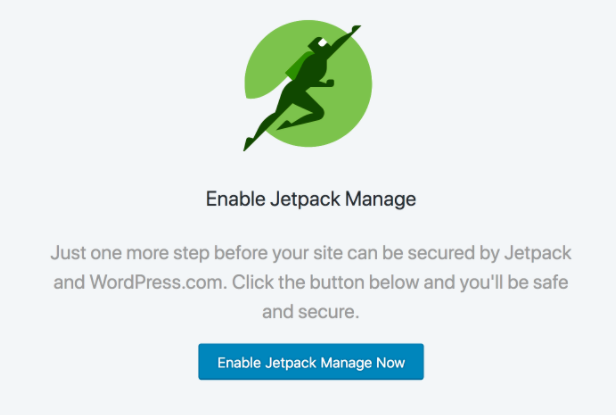
Confirmation confirmed @ wp-admin...
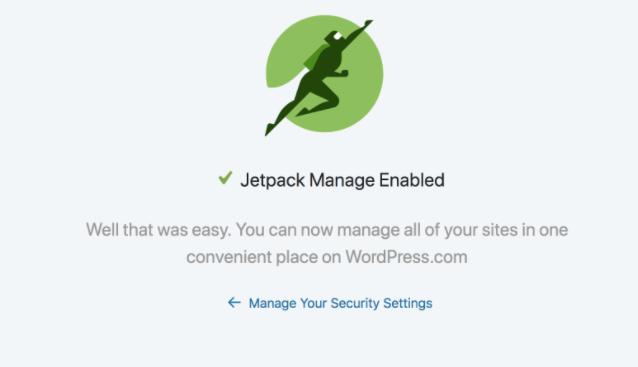
...only then:
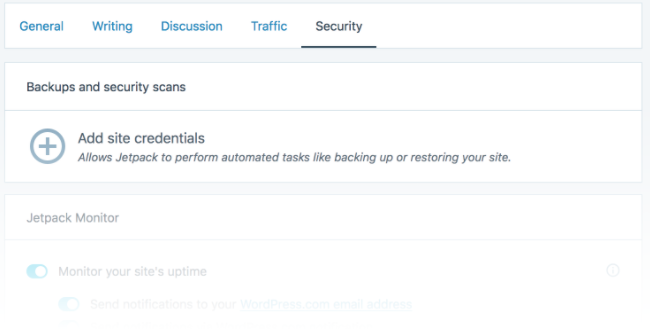
- Could be the message could be less repetitive?
- Could be there's a way to take at least last confirmation away? Since we started at Calypso, we could just redirect to Calypso at this point.
- Even better if we can remotely activate this without ever leaving Calypso.
Maybe we could just toggle that module on remotely, even without questions? - As a DIY customer I'm missing a "more info"-balloon at first step that would explain to me what is going to happen and why I have to do this.
 simison
All 5 comments
👍 #7114 should tackle that.
Maybe we could just toggle that module on remotely, even without questions?
That's the idea, yes. That's also what we do for most users today.
 jeherve
on 5 Feb 2018
jeherve
on 5 Feb 2018
@simison I'm curious how you managed to get that flow ;)
Manage is basically hard-coded as an automatic activated module for new sites and sites that have updated from older versions. Was it for a brand new site? Or a site that had filtered manage out?
 dereksmart
on 23 Feb 2018
dereksmart
on 23 Feb 2018
Was it for a brand new site? Or a site that had filtered manage out?
Oh, I wish I would've written that down! My flow-notetaking-FU wasn't very good yet then. :-)
It's either brand new Ninja-site _or_ older (~3y) site which is a subfolder install and no file permissions for WP to modify files. Probably latter, then!
simison
on 23 Feb 2018
This seems like a few issues combined, but at the root, I think skipping the success screen makes a ton of sense.
Let's try:
- Making activation work from Calypso if possible
- Removing the confirmation screen
- Replacing the confirmation screen with a global notice: "Jetpack Manage is now enabled"
- Change the view to load the view the user was originally trying to access
 MichaelArestad
on 9 Mar 2018
MichaelArestad
on 9 Mar 2018
Making activation work from Calypso if possible
Can't remotely enable manage without manage enabled!
dereksmart
on 20 Mar 2018
Related issues
 kraftbj
·
3Comments
kraftbj
·
3Comments
 tyxla
·
3Comments
tyxla
·
3Comments
 NicktheGeek
·
3Comments
NicktheGeek
·
3Comments
 beaulebens
·
3Comments
beaulebens
·
3Comments
 abidhahmed
·
3Comments
abidhahmed
·
3Comments
Most helpful comment
@simison I'm curious how you managed to get that flow ;)
Manage is basically hard-coded as an automatic activated module for new sites and sites that have updated from older versions. Was it for a brand new site? Or a site that had filtered manage out?