Jetpack: Update comment form icons, especially G+
The G+ icon especially needs some updating, as it's not even retina. Let's update it to something more Google and get it crisp.
There are more up-to-date icons we could be using for the other services as well.

 dereksmart
All 29 comments
Will see what we can do with Gridicons (probably) or SVG.
 MichaelArestad
on 3 Oct 2017
MichaelArestad
on 3 Oct 2017
Note this will actually need to be done on WP.com (and thus for all sites), since this form is embedded directly from there.
 beaulebens
on 3 Oct 2017
beaulebens
on 3 Oct 2017
Could we use the https://github.com/Automattic/social-logos here?
 enejb
on 4 Oct 2017
enejb
on 4 Oct 2017
@enejb Yes. Should we inline them or link to the SVGs? If we inline them, our users will be able to style them as they please. Perhaps we could make them pick up dark/light theme styling.
MichaelArestad
on 6 Oct 2017
Let's take a stab at making it look like this:
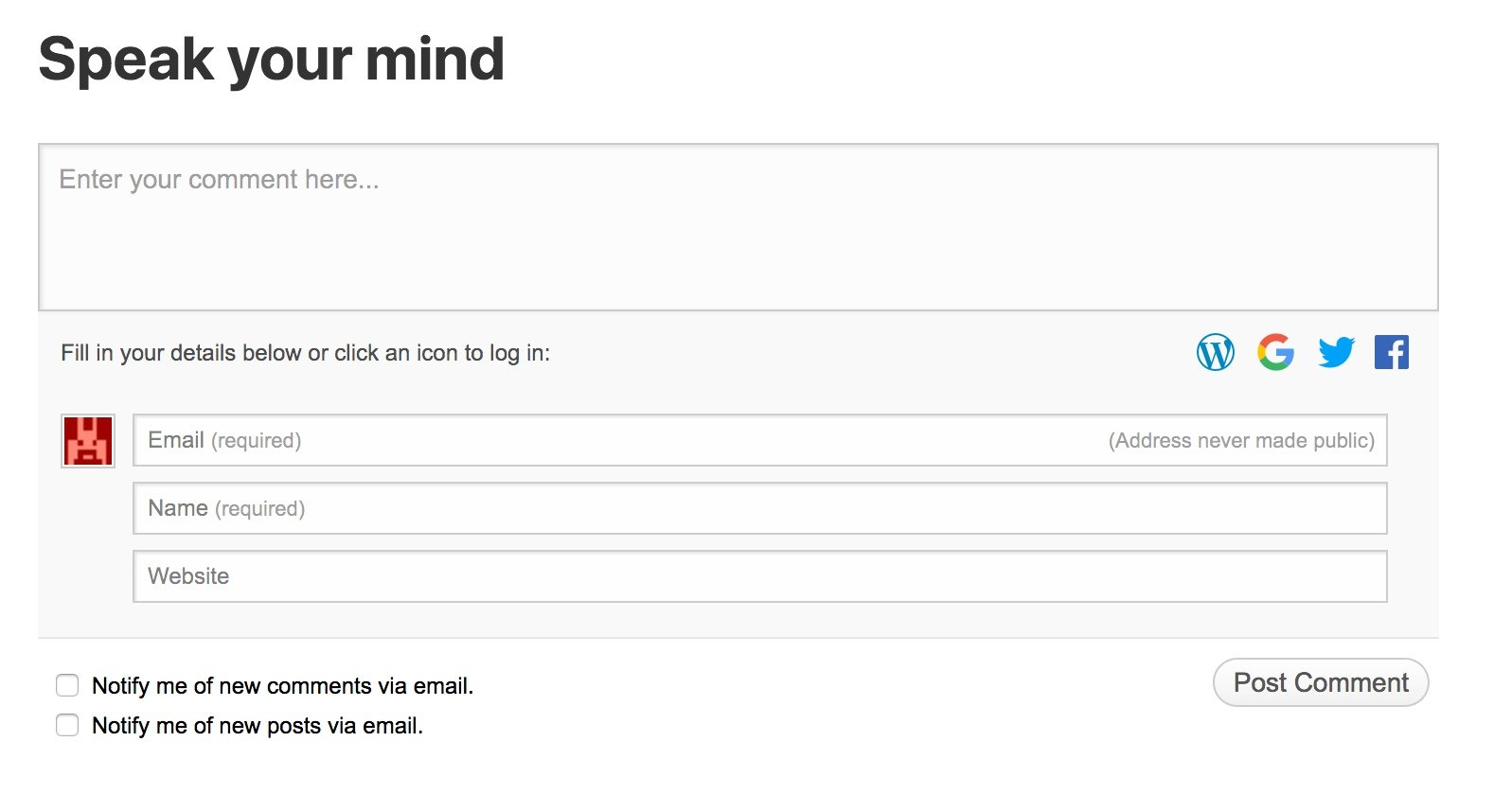
Here are the SVGs. I'll take a stab at implementation shortly.
MichaelArestad
on 7 Mar 2018
This is beyond me to implement. I started changing the images out with SVG and all was going (fairly) well when I realized the image for Google is coming from somewhere else in an iframe within an iframe. SOS!
MichaelArestad
on 7 Mar 2018
CC @stephanethomas
MichaelArestad
on 9 Mar 2018
@MichaelArestad, how can I help exactly? Do you want me to find the image source file for the Google+ icon? Do you have a Phabricator patch where I could provide that type of information?
 stephanethomas
on 12 Mar 2018
stephanethomas
on 12 Mar 2018
@stephanethomas I'm not even sure where the icon for google plus is or why it's in its own iframe. I was hoping you had some insight on either or both of those things.
MichaelArestad
on 12 Mar 2018
It looks like the google icon needs to be updated in a different way than the other icons. It would be ideal if the code could be changed so all the icons are presented in the same format. It looks like the last people to work with the code are @enejb and @lezama. I would really love either of your help with this and I will of course do what I can to help. Thanks!
MichaelArestad
on 15 Mar 2018
The code itself is not in the Jetpack or Calypso codebase. Please ping me for a link.
MichaelArestad
on 15 Mar 2018
@MichaelArestad I can try to fix this during next weeks fix the flows
enejb
on 16 Mar 2018
D11041-code fixes this issues. But needs more testing.
enejb
on 19 Mar 2018
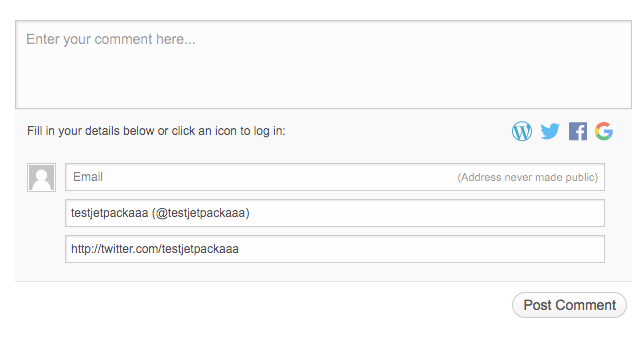
enejb
on 19 Mar 2018
Can you check the post-login versions of the icons? Most of them look okay to me, except for Facebook:

Seen at https://design5279.wordpress.com/2018/03/12/chewie/ (sandboxed with D11041-code applied) using Firefox 59.0.1 on macOS 10.13.3.
 designsimply
on 20 Mar 2018
designsimply
on 20 Mar 2018
Re-applied D11041 and re-tested and the FB icon looks ace on a WP.com Simple site after logging in now. [[screenshot](https://user-images.githubusercontent.com/1119271/37668310-c920a130-2c29-11e8-9bf1-4884551b9705.png)]
designsimply
on 20 Mar 2018
Note/aside: while logged in to wp-admin I don’t see the option for social media sign-in for comments. This seems like expected behavior.
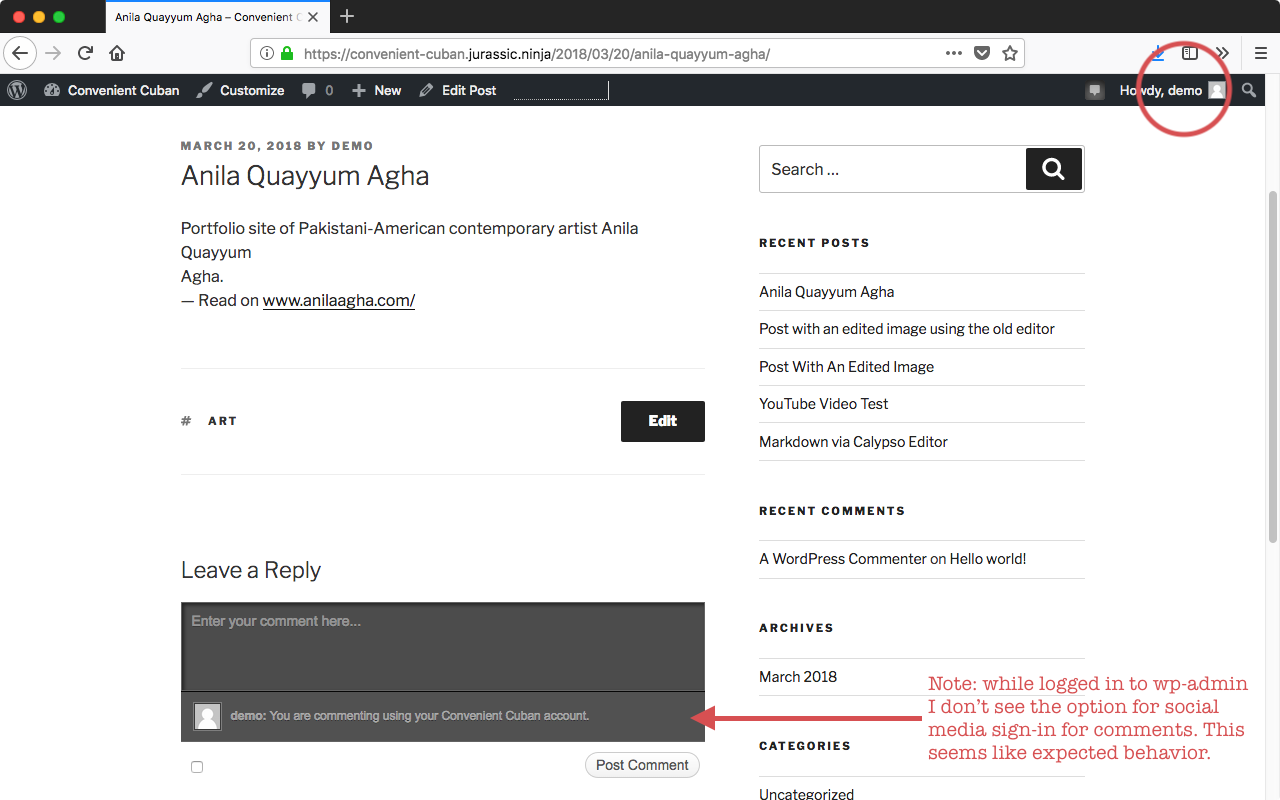
Seen at https://convenient-cuban.jurassic.ninja/2018/03/20/anila-quayyum-agha/ using Firefox 59.0.1 on macOS 10.13.3.
designsimply
on 20 Mar 2018
I tried testing this on a Jetpack site after updating the setting for comments:
- Go to WP Admin > Jetpack > Settings > {search for "comments"} and enable the option for "Let readers use WordPress.com, Twitter, Facebook, or Google+ accounts to comment."
But the WordPress, Twitter, and Facebook icons still look outdated there. I tested using Jetpack 6.0-beta-17959-cda31ab-master and WordPress 4.9.4. Should I be able to see the updated icons with that beta version or is there something else I need to do before I can test on a Jetpack site?
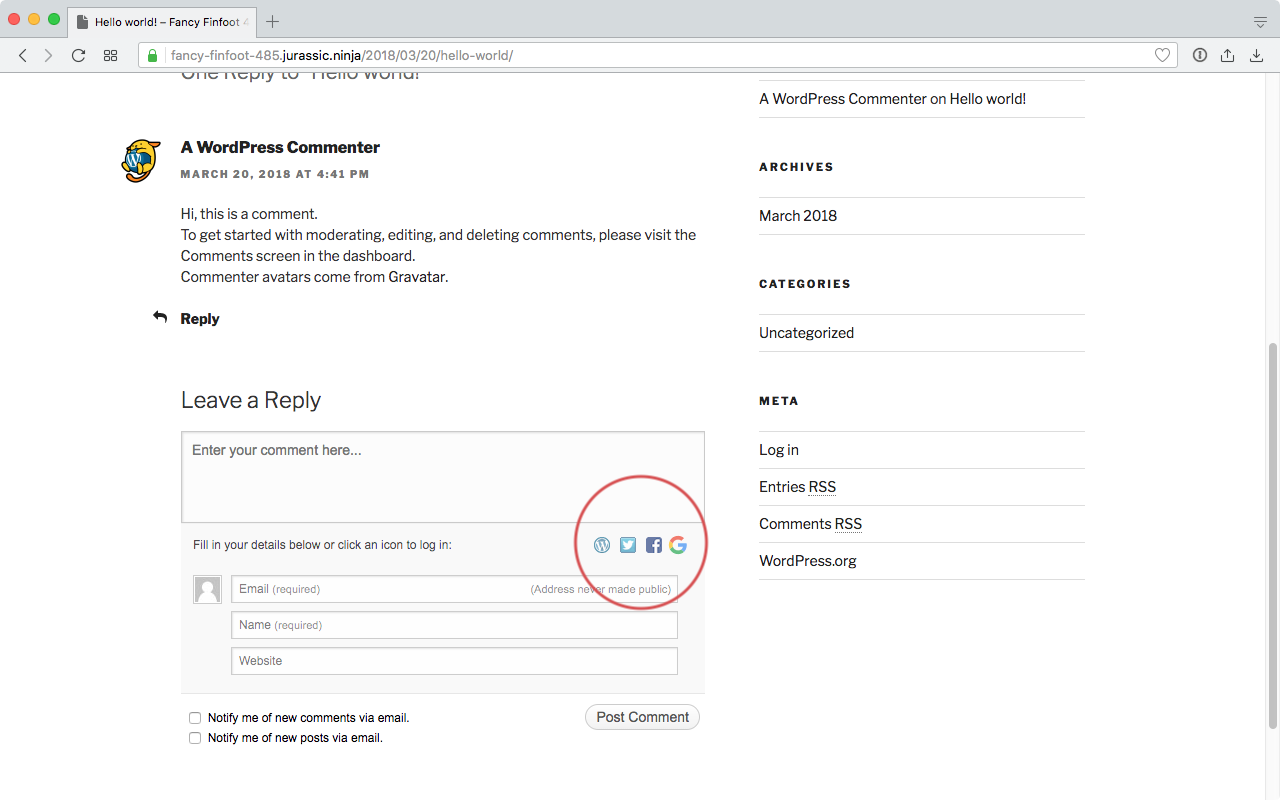
Seen at https://fancy-finfoot-485.jurassic.ninja/2018/03/20/hello-world/ using Opera 51.0.2830.62 on macOS 10.13.3.
designsimply
on 20 Mar 2018
I think you might have missed mapping the jetpack.wordpress.com domain to point to your sandbox.
Since the whole form is coming from there.
enejb
on 21 Mar 2018
while logged in to wp-admin I don’t see the option for social media sign-in for comments. This seems like expected behavior.
Just confirming that it is indeed expected behaviour.
 jeherve
on 21 Mar 2018
jeherve
on 21 Mar 2018
Does this also fix https://github.com/Automattic/jetpack/issues/5242: _"Google+ sign in button is not keyboard accessible"_ ?
Update: with small changes, it does seem to help.
 simison
on 22 Mar 2018
simison
on 22 Mar 2018
Tested with Edge 16 on Windows 10 and IE9 on Windows 7 and the icons look good logged in/out and for each service (WP, Twitter, FB, Google+). #, #
The only issue I found was that some of the icons exploded a bit (look too big) while logged in to WP using IE9:
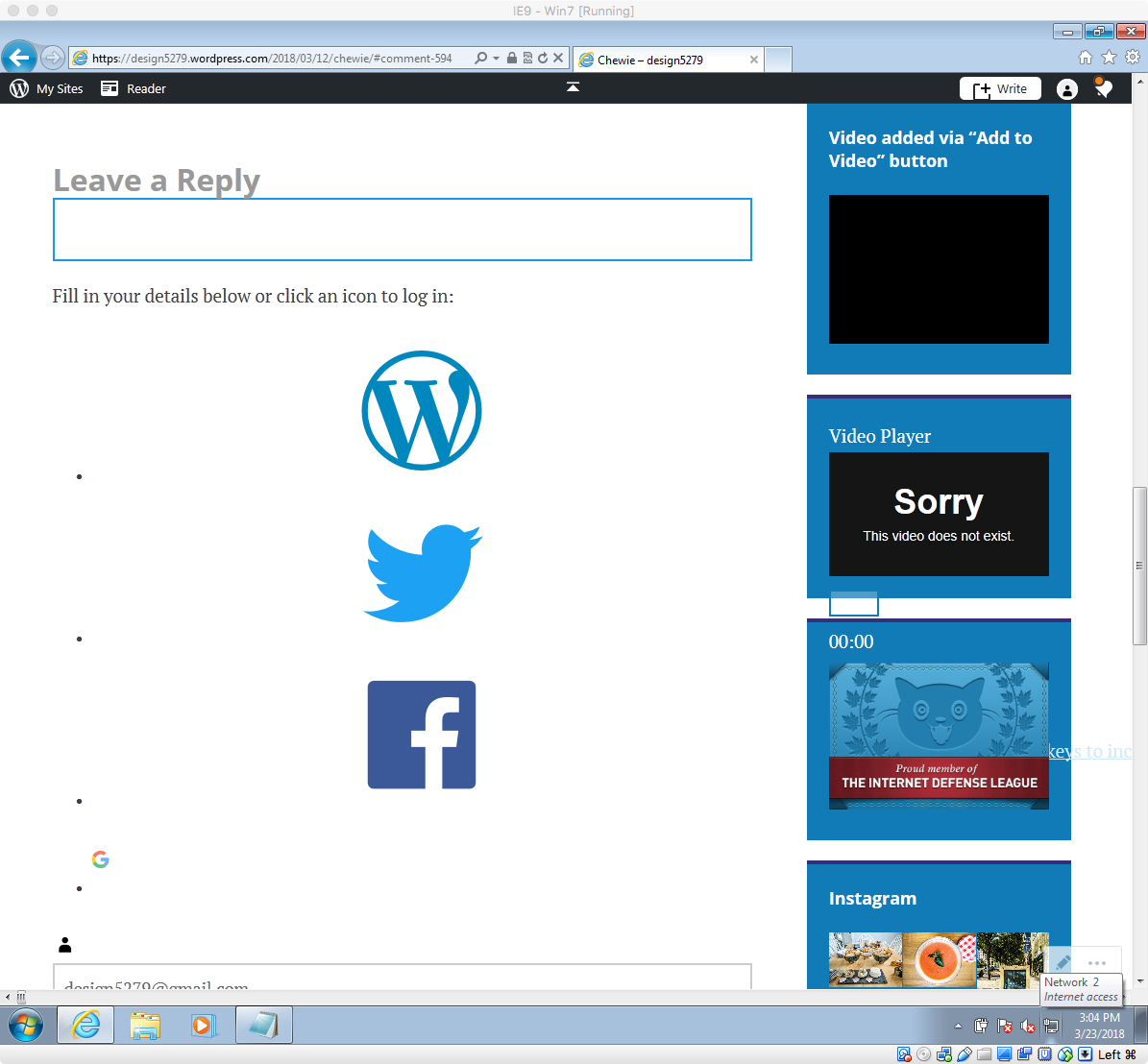
Seen at https://design5279.wordpress.com/2018/03/12/chewie/#comment-594 using IE9 on Win7 logged in as design5279 with D11041 applied and public-api.wordpress.com and design5279.wordpress.com sandboxed.
designsimply
on 23 Mar 2018
Note: I re-tested with a Jetpack site and it looked 👍
Nitpick: the icons are a bit hard to see on the the dark color scheme. #
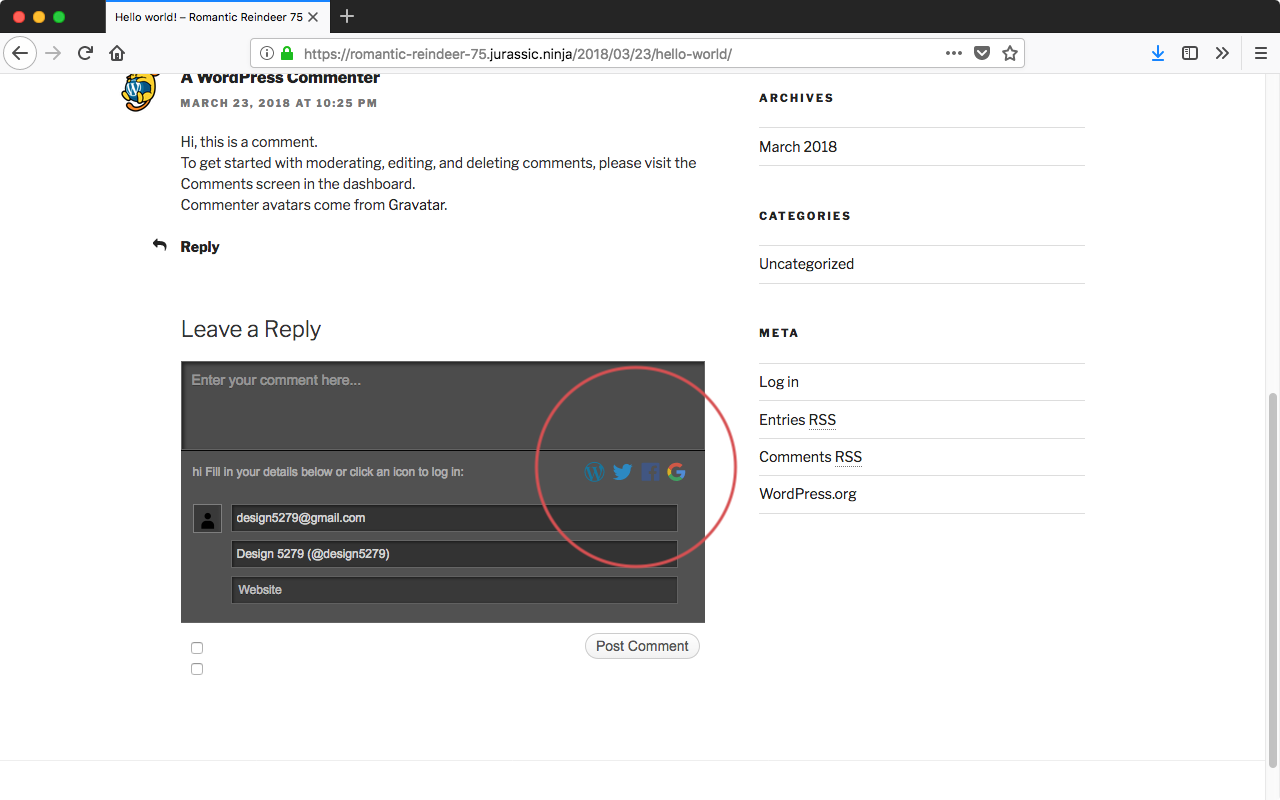
Seen at https://romantic-reindeer-75.jurassic.ninja/2018/03/23/hello-world/ using WordPress 4.9.4 and Jetpack 6.0-beta-18073-c123353-master with Firefox 59.0.1 on macOS 10.13.3.
designsimply
on 23 Mar 2018
I updated the icons so that they look good with the dark colour scheme.
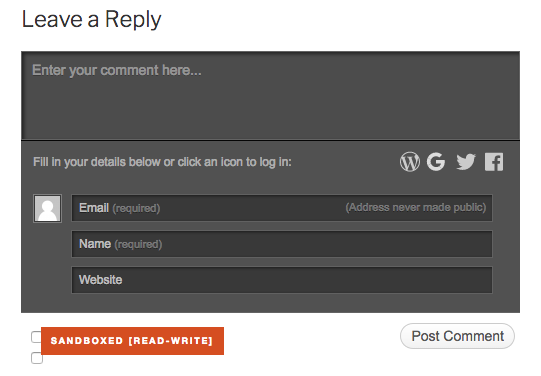
As well as tested the transparent one.
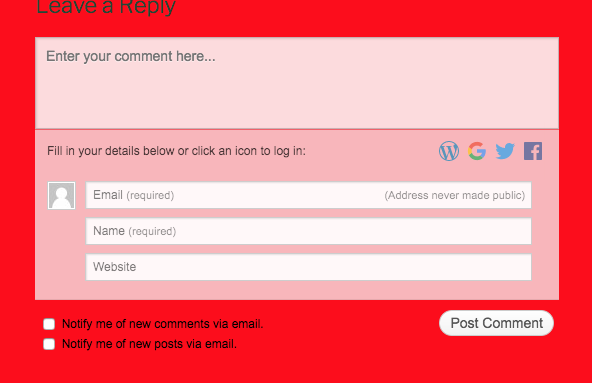
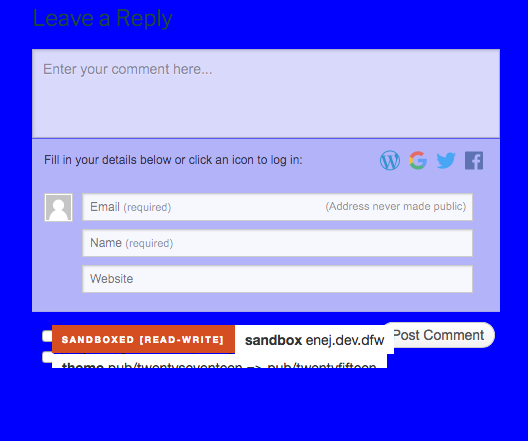
I wasn't able to replicate the issue on IE9 win7.
See
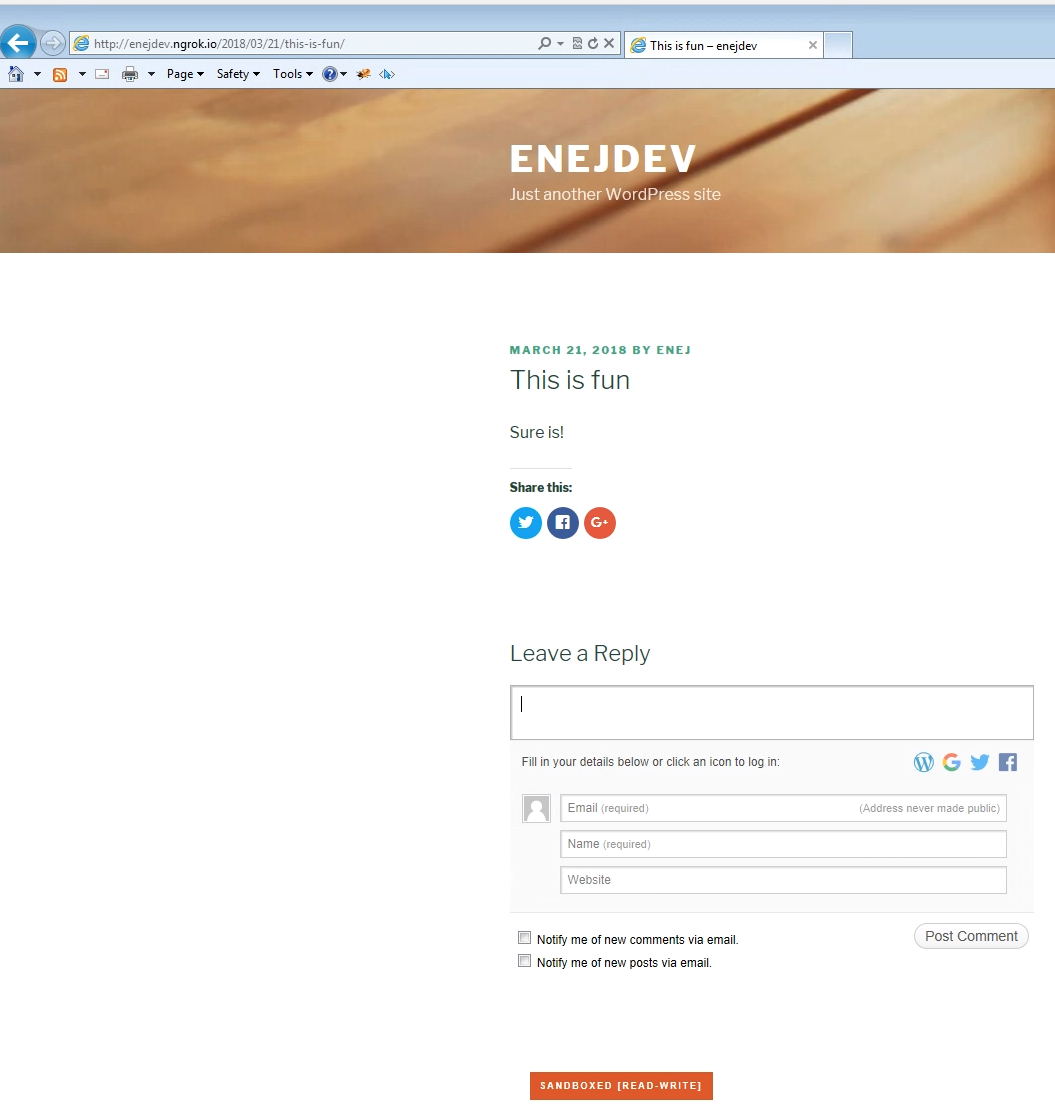
enejb
on 26 Mar 2018
This is how it looks like on IE 8
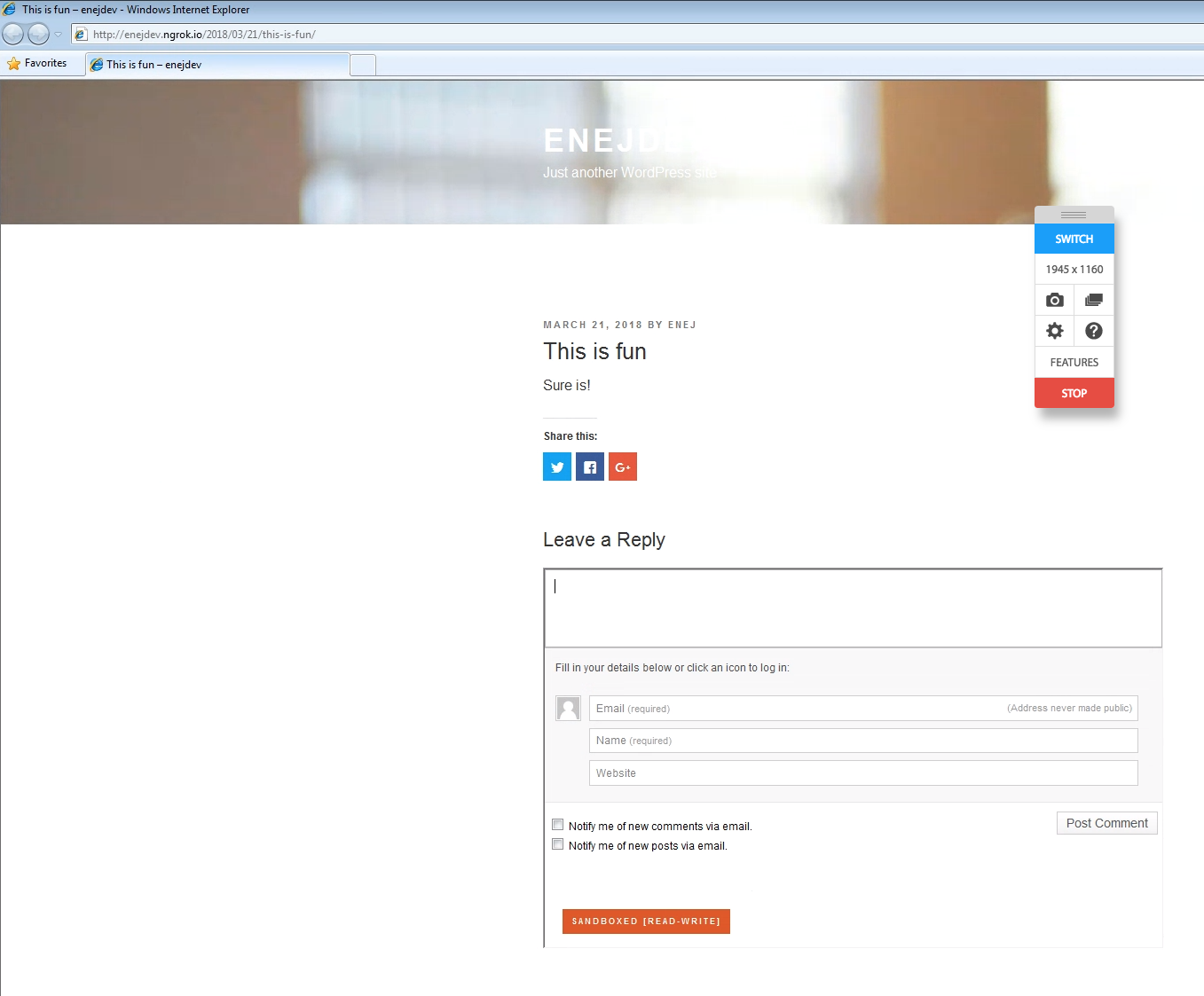
enejb
on 26 Mar 2018
I re-installed the patch, double checked that the local hosts file Windows points to my sandbox, and I still see large icons on the comment form (and it seems to be happening no matter which service I'm logged in to). I tried switching themes (from Apostrophe 2 to Twenty Seventeen) and users (from design5279 to user9979). Were you logged to WP when you checked the form? When I am logged out, the icons look fine on IE9.
Logged in view:

Seen at https://design5279.wordpress.com/2018/03/20/image-upload-test-2/ using IE9 on Win7.
Logged out view:
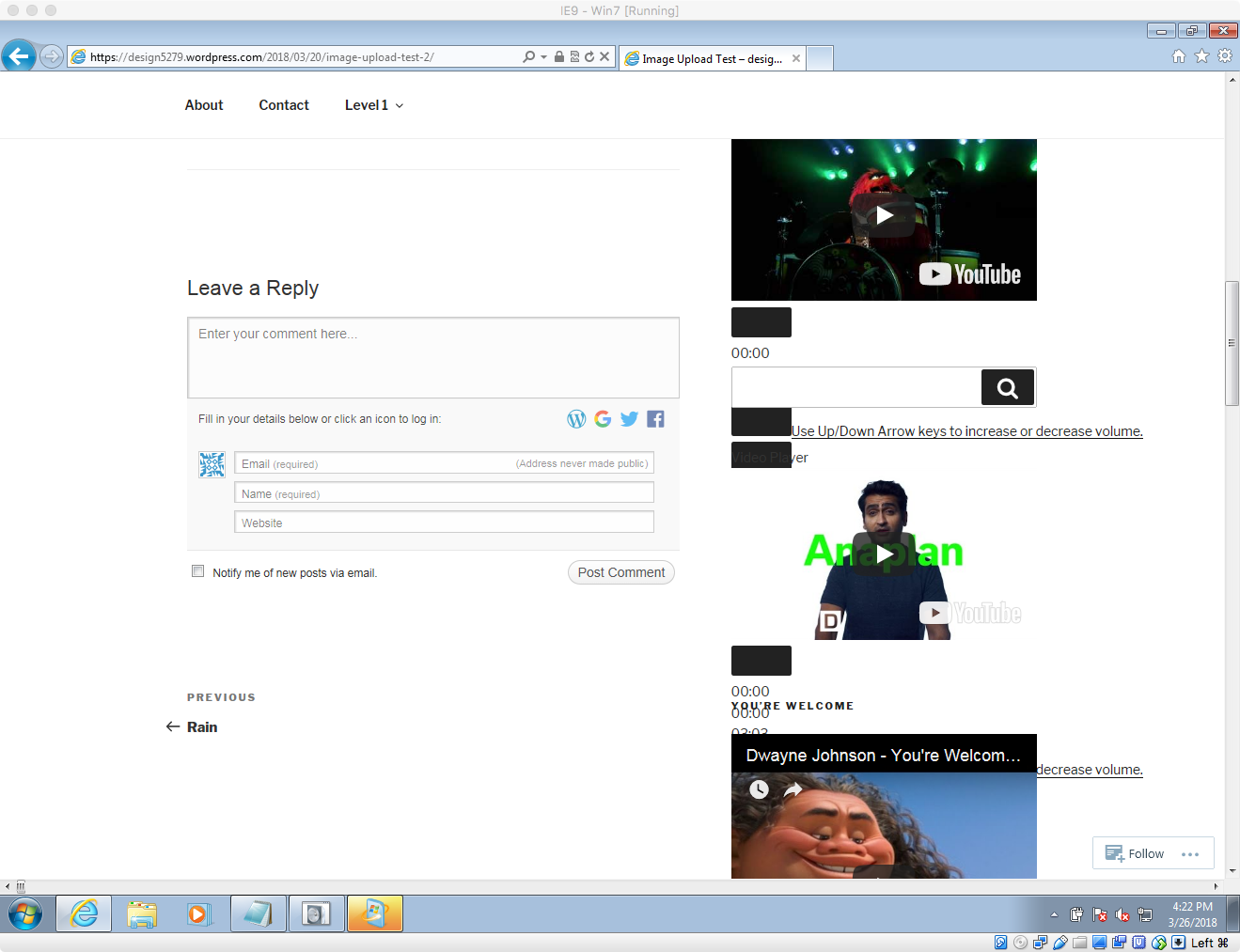
Seen at https://design5279.wordpress.com/2018/03/20/image-upload-test-2/ using IE9 on Win7.
Note: I am using the IE9 on Win7 virtual machine from https://developer.microsoft.com/en-us/microsoft-edge/tools/vms/
designsimply
on 27 Mar 2018
Thanks @designsimply
I am able to replicate this issue as well. Just not sure yet how to fix it. :/
enejb
on 27 Mar 2018
I got it working. So it turns out that IE9 has an issue with the number of style sheets that can be loaded. Adding ?concat_css=yes to the url fixes this issue.
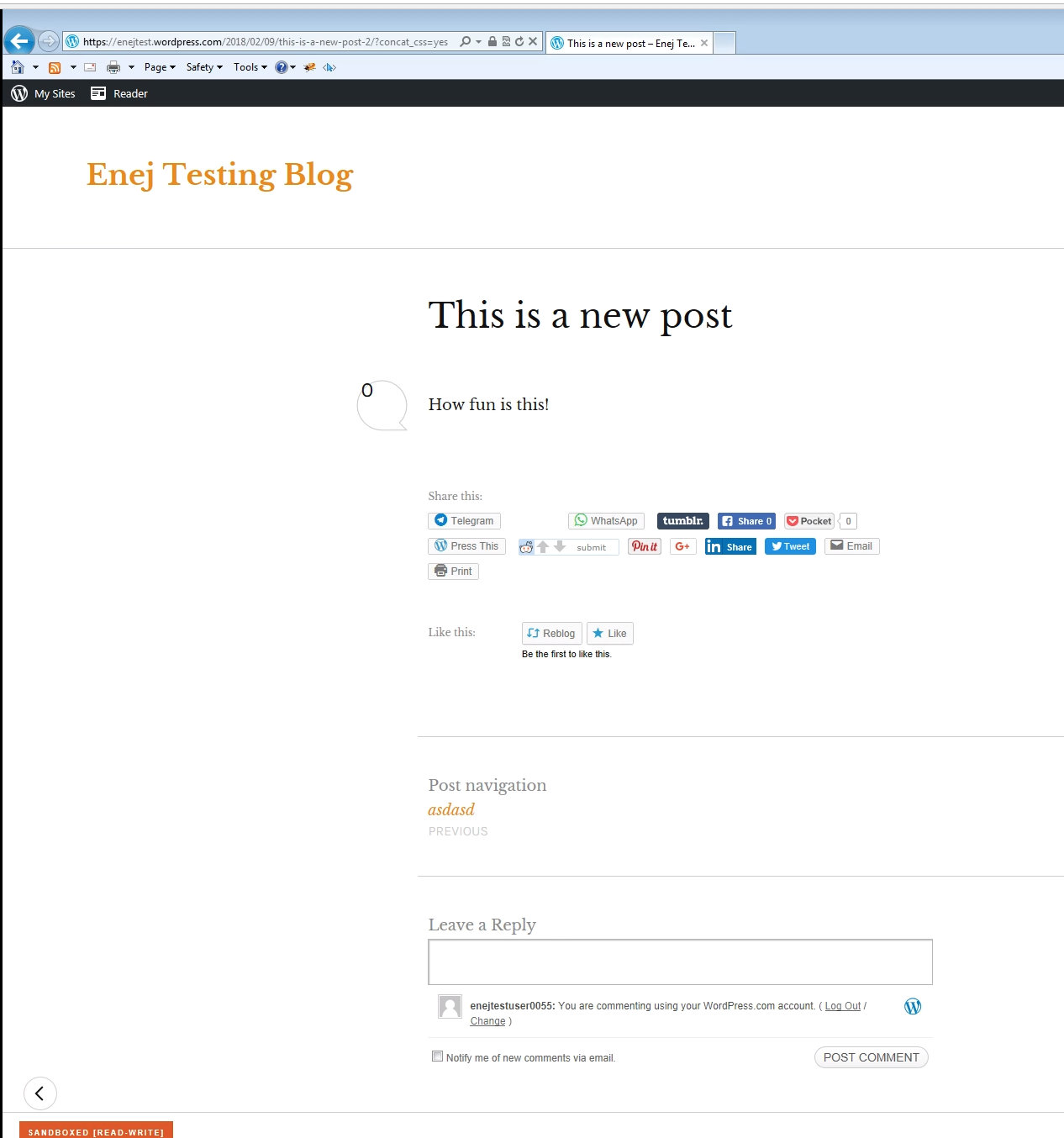
enejb
on 27 Mar 2018
The change is now live!
enejb
on 27 Mar 2018
Related issues
 ockham
·
3Comments
ockham
·
3Comments
ockham
·
3Comments
ockham
·
3Comments
 abidhahmed
·
3Comments
abidhahmed
·
3Comments
 NicktheGeek
·
3Comments
jeherve
·
3Comments
NicktheGeek
·
3Comments
jeherve
·
3Comments
Most helpful comment
The change is now live!