Jetpack: Slideshow Gallery Widget: Images now displaying very small in wide widgets on WP.com
On WordPress.com, when you add a slideshow gallery widget to a wide widget area (like one spanning the width of a theme), the images in the slideshow are displaying very small (265px wide).
Until quite recently, they would fill the available space.
From what I can tell, this was introduced in r154337-wpcom.
I believe this line is the culprit:
$attachment_image_src = jetpack_photon_url( $attachment_image_src[0], array( 'w' => $this->_instance_width ) ); // [url, width, height]
Steps to reproduce the issue
- On WordPress.com, start with a theme that has a 100% wide widget area. Good candidates are Dara and Ixion - if you only add a widget to one footer widget area, they will stretch it to fill the available space.
- Add the Gallery widget to one of the footer widget areas, and add a few large images. In the widget settings, set the Style to 'Slideshow'.
- Make sure all other footer widget areas are empty. Save and Publish.
What I expected
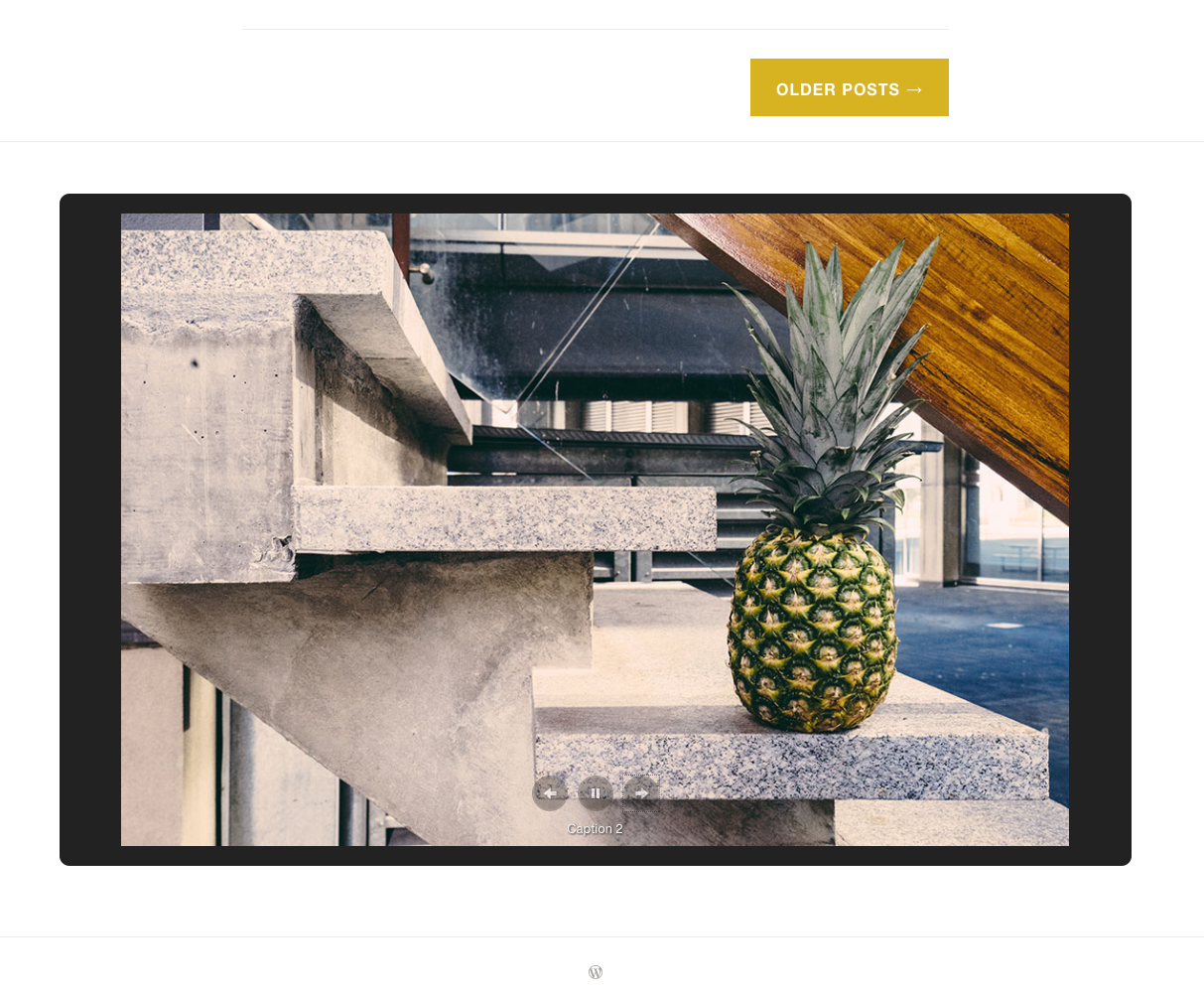
The images to fill the available space, like before r154337-wpcom:
What happened instead
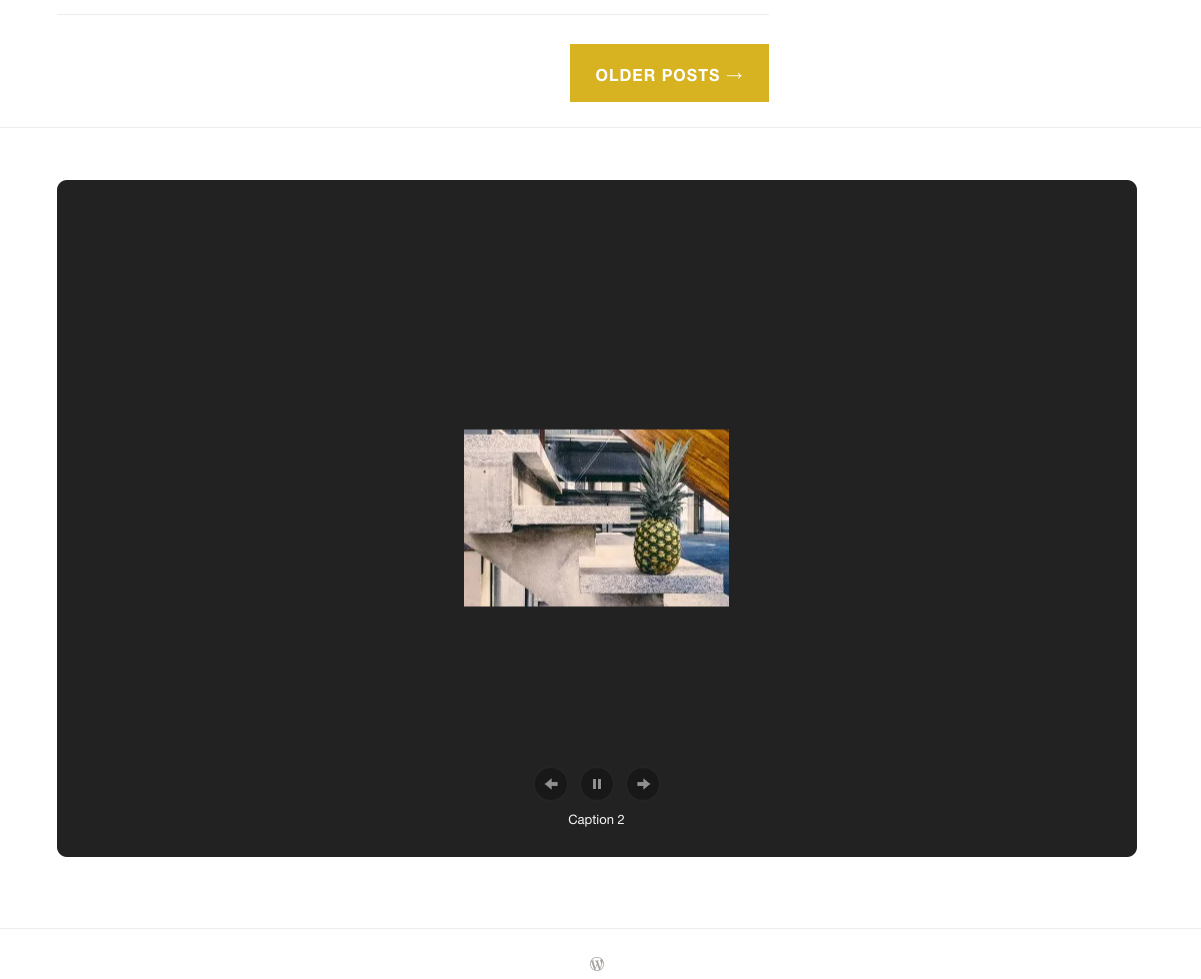
The images are 265px wide:
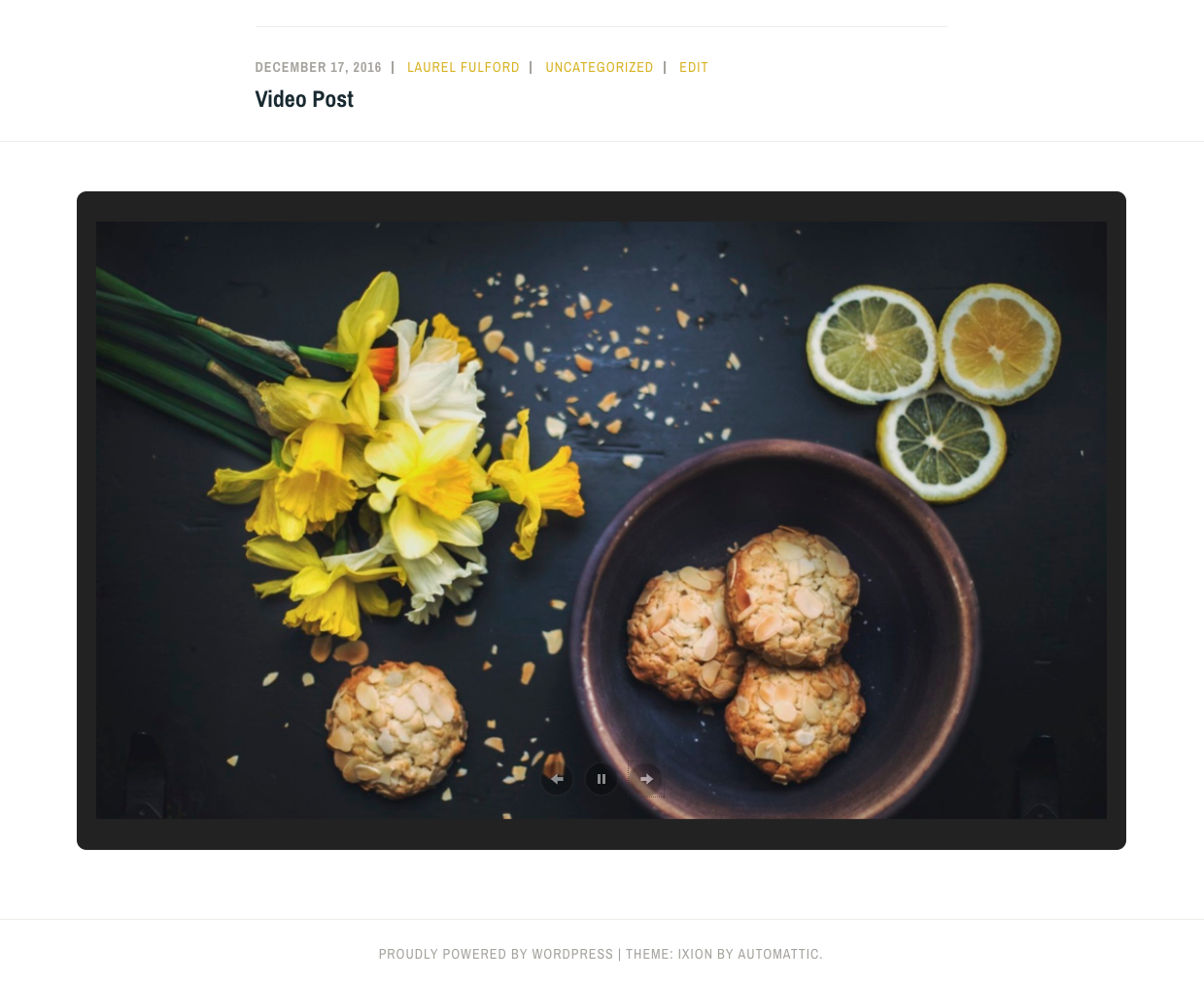
The strange bit is, on a local test site running Jetpack 4.8.2 and using the Ixion theme, I can't recreate this issue - the images are still large:
Edited to add: I can't recreate the smaller sizing _locally_, but I can recreate it on a hosted Jetpack site. So that's probably related to Development Mode.
All screenshots use the Ixion theme.
Theme tickets reporting this issue:
4508-wpcom-themes
4507-wpcom-themes
 laurelfulford
All 37 comments
Reported in 302818-hc / 3162011-t.
 designsimply
on 18 Apr 2017
designsimply
on 18 Apr 2017
Reported in 309119-hc / 3160766-t.
designsimply
on 18 Apr 2017
Reported in 311888-hc / 3164004-t.

Seen at https://berlintherapie.de/ using Chrome 57.0.2987.133 on Mac OS X 10.12.4.
designsimply
on 18 Apr 2017
One workaround that worked with Sela, is to use the gallery shortcode in a Text widget.
 kevmarsden
on 19 Apr 2017
kevmarsden
on 19 Apr 2017
Ohh, thanks for sharing that @kevmarsden!
That worked for Ixion and Dara, too - I will follow up with the users in the theme tickets.
laurelfulford
on 19 Apr 2017
265px is a default value that can be overwritten in the theme, thanks to the gallery_widget_content_width filter:
https://developer.jetpack.com/hooks/gallery_widget_content_width/
If your theme's sidebar is larger than 265px, I'd recommend using the filter.
That said, it'd be nice if we could find a way to detect the sidebar width automatically.
 jeherve
on 19 Apr 2017
jeherve
on 19 Apr 2017
If your theme's sidebar is larger than 265px, I'd recommend using the filter.
The sidebar widths vary. The cases presented so far are for full width footer widget areas on themes that also have smaller sidebar widths.
@jeherve would you say this is a theme bug or should it be fixed upstream to work like it used to?
designsimply
on 19 Apr 2017
I'd recommend fixing it in the theme with the filter until we come up with a different implementation in Jetpack, that accounts for different sidebar widths without relying on a filter.
jeherve
on 19 Apr 2017
Another report in 317986-hc. I followed-up in 3170992-t and let them know they can use the gallery shortcode as kevmarsden mentioned above.
 rwaynick
on 20 Apr 2017
rwaynick
on 20 Apr 2017
Another report in #320879-hc, this time with the Nikau theme. I followed up in #3171147-t to let them know about the shortcode workaround.
 amylaneio
on 20 Apr 2017
amylaneio
on 20 Apr 2017
I'd recommend fixing it in the theme with the filter
I can create some new theme tickets for the themes in these reports and cross-link them.
[U]ntil we come up with a different implementation in Jetpack, that accounts for different sidebar widths without relying on a filter.
@jeherve Just to verify, is this something being looked at in the near future, or a nice-to-have for further down the road? Wondering if it makes sense to start proactively adding the filter to all themes, not just those with reported issues.
laurelfulford
on 20 Apr 2017
Reported in 323661-hc
 happychait
on 20 Apr 2017
happychait
on 20 Apr 2017
is this something being looked at in the near future, or a nice-to-have for further down the road?
@laurelfulford It's not on the roadmap right now, but if you end up having to fix most of our themes to solve that issue that's probably something we should prioritize! Is the problem limited to a few specific themes right now?
jeherve
on 21 Apr 2017
Also an issue with Maxwell (303607-hc), and also makes it prohibitive to increase the size of a gallery using CSS, which I tried to do in Heart & Soul theme footer.
 kristarella
on 21 Apr 2017
kristarella
on 21 Apr 2017
Another report in #324913-hc .
This looks to be generating quite a bit of support requests. Any chance of getting it fixed and increasing the priority ?
 ehti
on 21 Apr 2017
ehti
on 21 Apr 2017
Is the problem limited to a few specific themes right now?
@jeherve Unfortunately, no -- I looked through the reports so far - right now they include eight different themes, but they involve really common patterns used in a lot of themes:
Case one is when a gallery is added to a sidebar widget area, and the site is viewed on a tablet. There was only one report with this scenario, but it'll happen in most themes - at this screen size, the sidebar is typically moved under the content area, and displayed at full width. I would say this is done in the majority of responsive themes with sidebars.
Case two is when a theme has multiple footer widget areas and only one is used. Some themes will keep each area the same width, regardless what's there; others will expand the area to fit the available space - like Ixion and Dara. I'm not sure exactly how many themes this would affect, but I can try to get some rough numbers. This is the case that's being reported the most, I think because it's visible (and really noticeable) on large screens.
laurelfulford
on 21 Apr 2017
cc @georgestephanis I'd love to get your take on this.
The change was introduced in #3680.
Somewhat related is 85447cf343e5bcd68d4ff63173559379c675739d
jeherve
on 21 Apr 2017
I did a rough count of themes that will make a footer widget span the width of the theme when there's only one. I got 21 different themes on top of the 6 different ones included in user reports.
Unfortunately, different themes will do this in different ways, so this isn't exhaustive. I searched for a couple common methods in the code to find these themes, but without manually checking every theme, I don't think we'd find them all.
laurelfulford
on 25 Apr 2017
@laurelfulford Out of curiosity, does reverting r152820-wpcom resolve this for you?
Can you post or DM me a url to a demo site it's wonky on so I can try for a fix?
 georgestephanis
on 1 May 2017
georgestephanis
on 1 May 2017
@georgestephanis here is a (temporary) example on a test site currently using the Ixion theme: https://design5279.wordpress.com/2017/04/27/ramen-%F0%9F%8D%9C/ (scroll to the bottom to see the slideshow gallery widget in the full width footer area).
designsimply
on 1 May 2017
Okay, just making notes here as I investigate -- the image in the dom is
https://i1.wp.com/design5279.files.wordpress.com/2016/03/img_2234.jpg?w=265&ssl=1
gallery markup has same width from php at:
<div class="widget-gallery-slideshow carousel">
<p class="jetpack-slideshow-noscript robots-nocontent">This slideshow requires JavaScript.</p><div id="widget-gallery-27-slideshow" class="slideshow-window jetpack-slideshow slideshow-black" data-trans="fade" data-autostart="1" data-gallery="[{"src":"https:\/\/i2.wp.com\/design5279.files.wordpress.com\/2016\/03\/img_2252.jpg?w=265\u0026ssl=1","id":"10012","caption":"mmm "},{"src":"https:\/\/i1.wp.com\/design5279.files.wordpress.com\/2016\/03\/img_2234.jpg?w=265\u0026ssl=1","id":"10009","caption":"wow, this photo makes me hungry"},{"src":"https:\/\/i1.wp.com\/design5279.files.wordpress.com\/2016\/03\/img_7075.jpg?w=265\u0026ssl=1","id":"10008","caption":""}]"></div>
</div>
@georgestephanis I tried reverting r152820-wpcom and it didn't seem to fix it for me.
laurelfulford
on 1 May 2017
As noted above, it's the gallery_widget_content_width filter that lets themes change the width from 265px to whatever the width should be -- but it's a theme-wide filter, not per-sidebar.
I don't think this is a "Jetpack works, WPCOM doesn't" issue -- I think it's a Photon issue -- Photon is what forces the image to be 265px wide with the ?w=265 argument. For local dev mode Jetpack, Photon is disabled as it's a hosted service -- so it just uses local images and would default to the full size version of it (which is probably a bad idea, and we should use large at most if in local mode)
I'm not sure what the resolution for this should be -- possibly some way to let the theme vary the width based on which sidebar the widget is in? But I'm not sure the best way to pass that data around right now.
Maybe some JS that will modify the photon args when building the widget on the front-end to be aware of size constraints?
Regardless, by examining the code, I think this is an issue for both Jetpack and WPCOM, and we should address. I'm somewhat confused why it wasn't reported on the Jetpack side previously with the same tenacity that wpcom users have been reporting it.
georgestephanis
on 1 May 2017
I have another user with this issue.
Site: http://dejahuella.tattoo
You can see the gallery on the front page. For now, I've recommended the user something that Kathryn mentioned, which is adding a text widget with a gallery shortcode.
 correliebre
on 23 Jun 2017
correliebre
on 23 Jun 2017
Also an issue on http://zedbyzoe.co.uk/
Edit Sept. 27: Theme was Zuki, they've now moved away from WordPress.com
Forum thread: https://premium-themes.forums.wordpress.com/topic/featured-content-slider-8

Will suggest test widget workaround.
 kathrynwp
on 20 Sep 2017
kathrynwp
on 20 Sep 2017
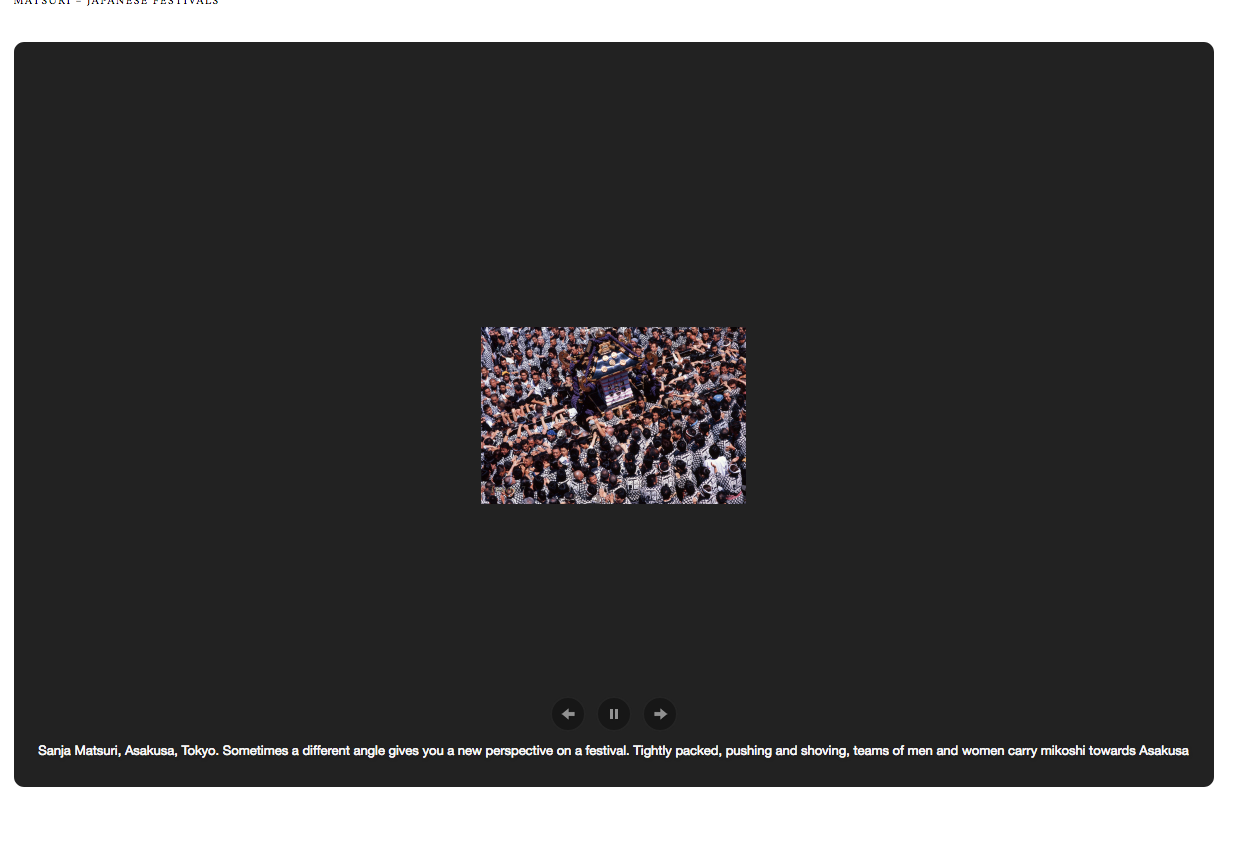
Another report: https://travel67.com/
Theme: Zuki
Forum thread: https://premium-themes.forums.wordpress.com/topic/full-width-slideshow-on-static-front-page-only-showing-thumbnail-size-images
kathrynwp
on 27 Sep 2017
@georgestephanis Heya! Would it be possible to bump up the priority of this issue from "Low"?
It's not on the roadmap right now, but if you end up having to fix most of our themes to solve that issue that's probably something we should prioritize! Is the problem limited to a few specific themes right now?
It is affecting many themes.
kathrynwp
on 27 Sep 2017
Report from https://crestviewchurch.org/
Using the Forefront theme
1082913-hc
 isocialtish
on 21 Nov 2017
isocialtish
on 21 Nov 2017
Is there a way to adjust the width using CSS alone? I'm using WP's Corporate Theme.
 jjacobatandover
on 13 Dec 2017
jjacobatandover
on 13 Dec 2017
Another report: 845487-zen
 MindyPostoff
on 13 Dec 2017
MindyPostoff
on 13 Dec 2017
It seems the gallery_widget_content_width filter solution is no longer working. Inserting a tiled gallery in a full-width footer area in Karuna (either locally or on WP.com) shows the gallery at the theme's defined $content_width rather than the filter's width. Here's the function we're using, for reference:
/*
 * Adjust content width for Tiled Galleries when using the Header or Full-Width widget areas
 */
function karuna_jetpack_gallery_widget_width( $width ) {
    if ( is_active_sidebar( 'sidebar-5' ) || is_active_sidebar( 'sidebar-4' ) ) {
        $width = 1040;
    }

    return $width;
}
add_filter( 'gallery_widget_content_width', 'karuna_jetpack_gallery_widget_width' );
The gallery is displayed at 685 rather than 1040.
Similar issue cropped up in Automattic/themes#34 which is what prompted me to comment.
 sixhours
on 8 Mar 2018
sixhours
on 8 Mar 2018
Another report of this in Automattic/themes#37
User info for follow-up:
User report: 2034075-hc
User's site: akayindustries.nl
/cc @pauljacobson
sixhours
on 12 Mar 2018
So, this is an optimization we put in to avoid using full width images on tiny sidebar galleries -- significantly improving load times on the majority of themes.
Unfortunately on larger widgets this can result in too-small images. Which is why we have the filter as noted by @jeherve above.
For themes that we can't modify and update, dropping this code into a mu-plugins file or something should do --
<?php
// if widget content width max is 987 pixels --
add_filter( 'gallery_widget_content_width', function( $width ) {
    return 987;
} );
Or if you'd like to it just use full size --
<?php
add_filter( 'gallery_widget_content_width', '__return_zero' );
but that may be dangerous for site performance as it will use the full size dimensions no matter how large the image is.
I'm about to glance deeper into @sixhours Karuna report now. I think it may be the logic needing to be simpler to just have the size set to the max and fewer conditionals in it.
georgestephanis
on 14 Mar 2018
Yeah in Karuna something is setting their width to 150 -- investigating why now.
georgestephanis
on 14 Mar 2018
Wait -- I think I'm doing a facepalm. I was investigating as though it was the Jetpack Gallery Widget -- but I think we dropped ours in favor of the Core Gallery Widget so it's a Core / Themes issue there?
At least it's not registered for me b/c of WPCOM/trunk/wp-content/mu-plugins/core-compat.php line 214
Does that make any sense, @sixhours ? Happy to dig further, but I think think this is a Jetpack Gallery Widget issue.
georgestephanis
on 14 Mar 2018
Does that make any sense, @sixhours ?
Yep, that makes sense, and explains why the function suddenly stopped working. :)
We'll have to find a different way to change the $content_width when the gallery is displayed in a widget vs. in a post/page, since there doesn't appear to be a similar filter in core...
sixhours
on 14 Mar 2018
Closing this out for the time being -- if there's anything else on our end, feel free to reopen.
georgestephanis
on 15 Mar 2018
Related issues
 kraftbj
·
3Comments
kraftbj
·
3Comments
 BinaryMoon
·
3Comments
BinaryMoon
·
3Comments
 abidhahmed
·
3Comments
abidhahmed
·
3Comments
 crunnells
·
3Comments
crunnells
·
3Comments
 tyxla
·
3Comments
tyxla
·
3Comments