Jellyfin-web: WebOS 4: Most icons are missing
Describe the bug
On WebOS 4, most icons are blank, leading to navigation issues
To Reproduce
- Start WebOS App
- Connect to server
Expected behavior
Icons should be shown
Logs
N/a
Screenshots



System (please complete the following information):
- OS: WebOS
- Browser: Chrome 53
- Jellyfin Version: Master
Additional context
None
 MrTimscampi
All 4 comments
I suspect this was caused by this change https://github.com/jellyfin/jellyfin-web/pull/582
 thornbill
on 9 Jan 2020
thornbill
on 9 Jan 2020
I'll revert it and test, thanks :)
Edit: @thornbill Didn't fix it :/ What's weird is that some work and some don't.
MrTimscampi
on 9 Jan 2020
Can confirm that this doesn't work in WebOS 4 and the reason is the #582. I changed an icon back to the unicode format and it displayed correctly.
 samcon
on 30 Jan 2020
samcon
on 30 Jan 2020
220bbb50a8f70179d905931c98be4abe759f6dc6
Looked at Network tab - almost all fonts are "pending". Only one has been downloaded.
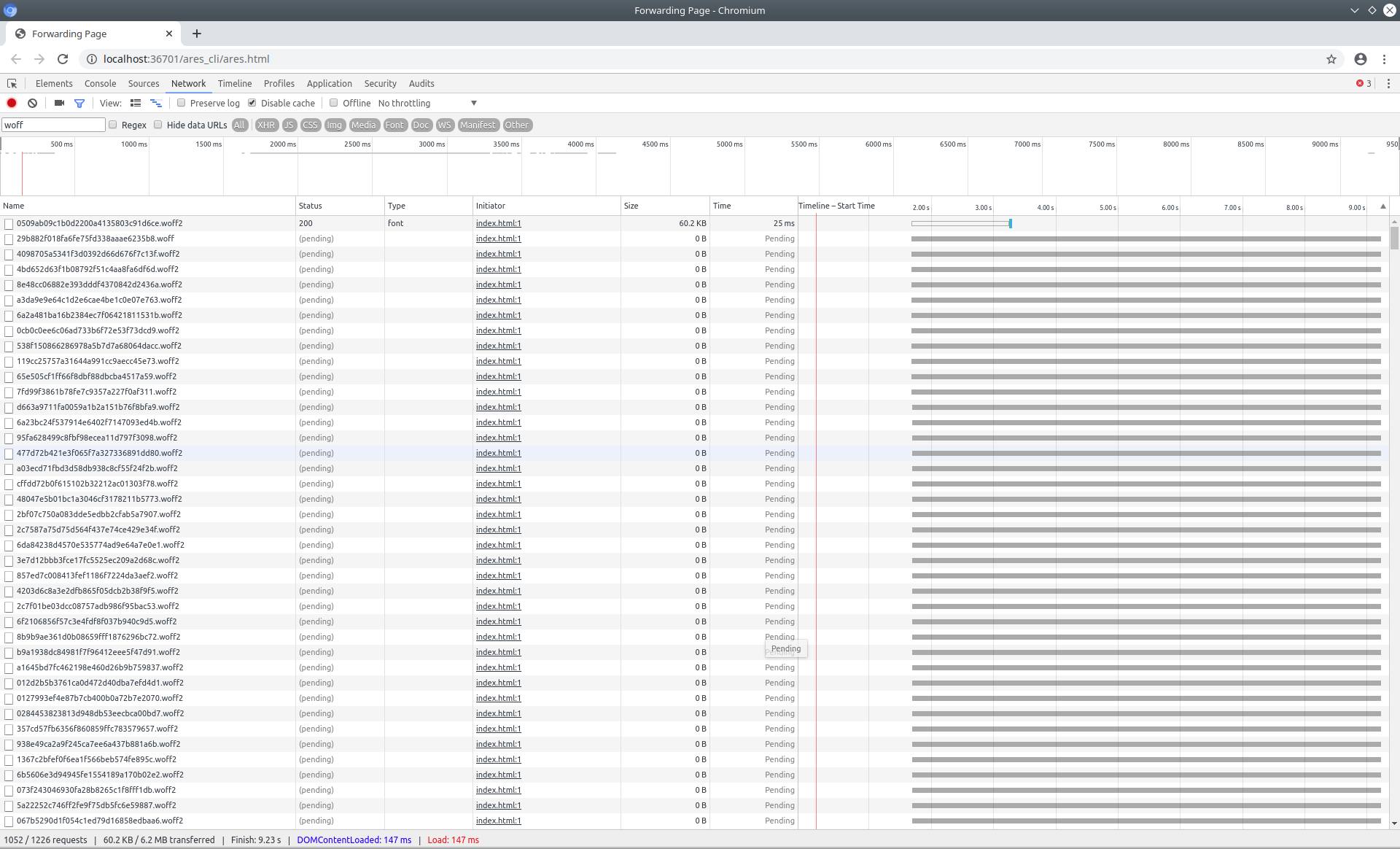
This seems to be why the icons are not displayed.
No proxy.
Also, tested the same on 51cece9c2574c40c7e81bd4e447895784f82129a
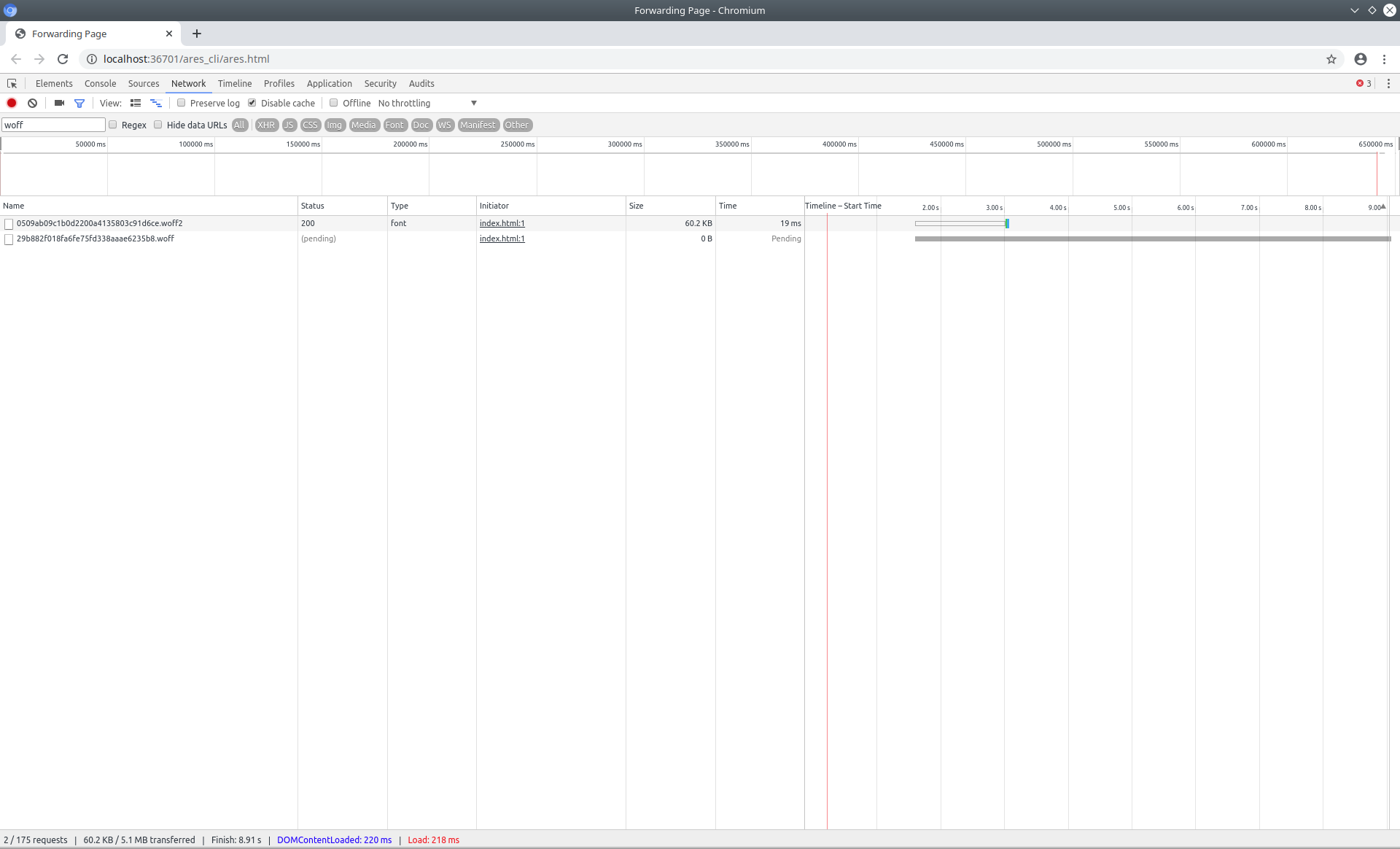
Edit:
51cece9c2574c40c7e81bd4e447895784f82129a webOS 3 loads all fonts.
Most recent master is broken for webOS 3 by swiper module with class, const, let.
 dmitrylyzo
on 12 Feb 2020
dmitrylyzo
on 12 Feb 2020
Related issues
 97carmine
·
5Comments
97carmine
·
5Comments
 majora2007
·
3Comments
majora2007
·
3Comments
 arhamqureshi
·
5Comments
arhamqureshi
·
5Comments
 hamburglar2160
·
4Comments
hamburglar2160
·
4Comments
 chnaski
·
3Comments
chnaski
·
3Comments