Godot-docs: Official Dark theme
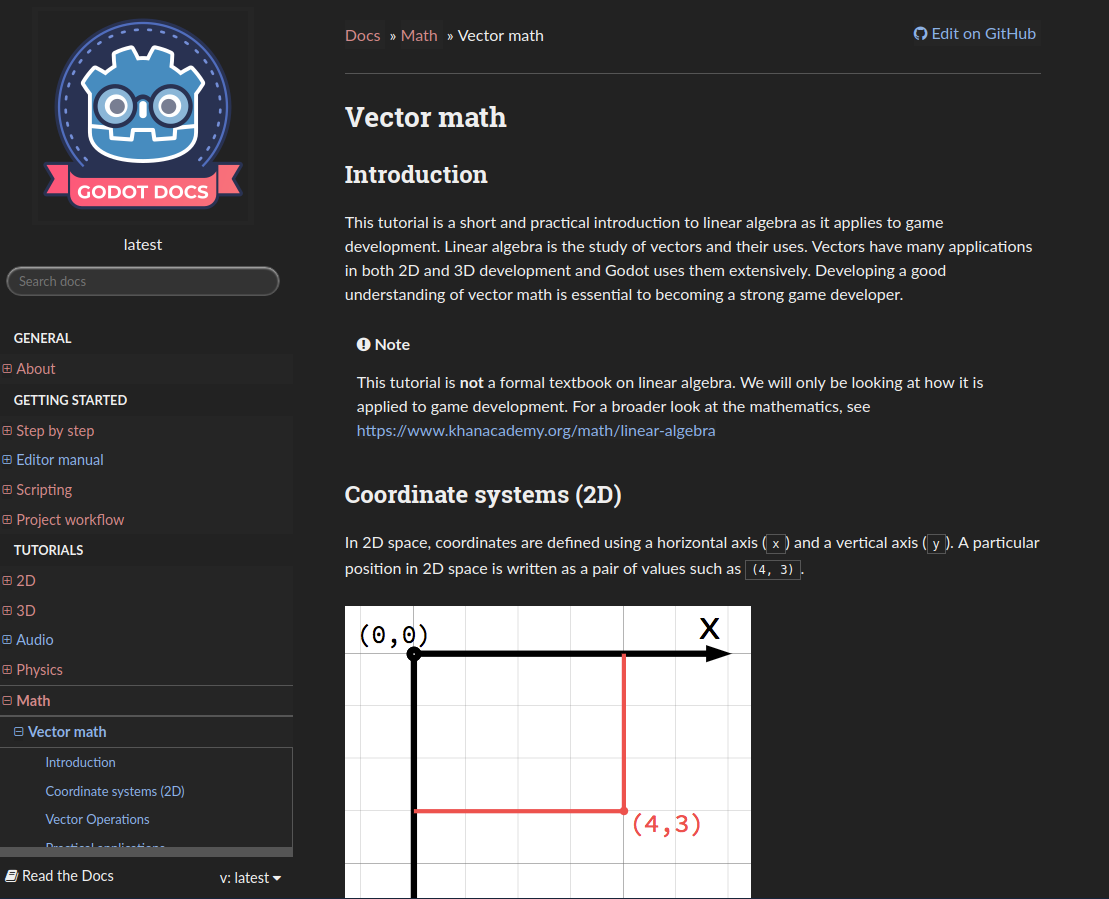
Currently its existed as one css theme for Stylish/Stylus plugins (in chromium browser), but its not good for mobile cuz its real headache to install these plugins into mobile browser(and I dont know browsers which supports it). And this theme is outdated, means it contains some incorrect colors. So, it would be good if the docs give official dark theme switch (directly inside site) without required plugins..
 Chaosus
All 16 comments
This should only be done officially if there is enough demand for it, if at all, as it requires maintaining two different themes.
 mhilbrunner
on 12 Feb 2018
mhilbrunner
on 12 Feb 2018
Sorry, I am new to Godot, so I have to ask this question :D
Can you explain to me how, where and who is able to "demand" this feature?
Since I am new here, most of the time I'm looking at the documentation and for me, the mentioned Stylish dark theme is way more relaxing.
Like @Chaosus stated, that theme is outdated and can't be used all the time, so I agree that there should be official light and dark themes for the documentation, just like there are light and dark themes for the engine.
 Iskustvo
on 12 Feb 2018
Iskustvo
on 12 Feb 2018
Well, everyone can "demand" it (by asking nicely or simply voicing their support).
If it seems this is something a large-ish part of the community wants, there is more reason to implement it.
mhilbrunner
on 12 Feb 2018
First of all, thank you for a quick reply!
But the most important part of that question was "where".
Should I just "Thumbs up" the comment or will there be some formal kind of discussion?
Iskustvo
on 12 Feb 2018
No, sure, thumb ups are enough :)
mhilbrunner
on 12 Feb 2018
[...] it would be good if the docs give official dark theme switch (directly inside site)
If I am not wrong it is only possible to use the default blueish sphinx theme instead of the rtd-theme (see rtd faq for reference). So there is no way of integrating such a theme switch into the docs rtd pages.
As a workaround to achieve this on mobile you can download the html build and alter the css files according to your needs. But this would be a tedious task I guess.
 pwab
on 12 Feb 2018
pwab
on 12 Feb 2018
I thought its possible to implement, I dont know about Sphinx/web so much, and just asking about possibility. I hope there is some experienced web-programmers that could do this at some point of time.
Chaosus
on 12 Feb 2018
From the css's standpoint it's not impossible, although sphinx's styles are complex (~5000 lines of css, half of which is font-awesome). But there's no built-in tool to let the users change the theme. As the website is static you'd probably have to embed some extra custom html/js in every single page to allow for this. I don't think it's that easy, the website couldn't remember your preference without storing some cookie... it's something that should be added upstream in the readthedocs project.
Instead it's possible to hit two birds with one stone if someone adds support for Zeal, which has a dark mode and you can change the theme (like any Qt application): see #252
 NathanLovato
on 12 Feb 2018
NathanLovato
on 12 Feb 2018
Firefox on mobile supports extensions fine, and I use a dark reader extension (both on mobile and desktop, in both firefox and chrome where possible) to flip everything to dark themed, however it also at times inverts colors on images (sometimes good, sometimes bad, depending on how the website displays the image). A properly supported dark theme would be substantially preferred, even if it is just a simple cookie switch that adds a class to body if set.
 OvermindDL1
on 12 Feb 2018
OvermindDL1
on 12 Feb 2018
Note that the Godot documentation is already available on DevDocs, which has a dark theme option. However, it hasn't been updated to 3.0 yet.
 Calinou
on 12 Feb 2018
Calinou
on 12 Feb 2018
@Calinou Thank you, but it looks like there is the same problem with dark theme and pictures in:
StepByStep -> Instancing
Iskustvo
on 12 Feb 2018
@OvermindDL1 The dark reader extension overall looking good(thanks for pointing on firefox), but I think left panel should be dark in dark theme, and not all images should be inverted(yes I understand this plugin is just color inversion of whole output)
@Calinou additionaly it does not have so nice layout as official doc.
Chaosus
on 12 Feb 2018
After searching a bit this plugin(exist both in firefox and chromium) is also interesting

Chaosus
on 12 Feb 2018
Closing this as it seems hard to do with RTD currently, support will be via Zeal (https://github.com/godotengine/godot-docs/issues/252) or browser plugins for now.
mhilbrunner
on 13 Mar 2018
Hard to do? Shouldn't it be as easy as a couple lines of javascript to set/reset a special tag on body based on a toggle anchor and a cookie along with a css that specialized based on that tag class? Writing the CSS is the hard part of course.
OvermindDL1
on 19 Mar 2018
For future reference, an official dark theme was implemented in #3056.
Calinou
on 24 Apr 2020
Related issues
 creikey
·
4Comments
creikey
·
4Comments
 fdmarcin
·
4Comments
mhilbrunner
·
3Comments
fdmarcin
·
4Comments
mhilbrunner
·
3Comments
 puthre
·
4Comments
puthre
·
4Comments
 youreperfect
·
3Comments
youreperfect
·
3Comments
Most helpful comment
From the css's standpoint it's not impossible, although sphinx's styles are complex (~5000 lines of css, half of which is font-awesome). But there's no built-in tool to let the users change the theme. As the website is static you'd probably have to embed some extra custom html/js in every single page to allow for this. I don't think it's that easy, the website couldn't remember your preference without storing some cookie... it's something that should be added upstream in the readthedocs project.
Instead it's possible to hit two birds with one stone if someone adds support for Zeal, which has a dark mode and you can change the theme (like any Qt application): see #252