Gltf-blender-io: Roundtrip normals import/export incorrect
Reported on Twitter:
I was trying to import Sponza scene from glTF Sample models repo. The thing that breaks is: if tangents w is used, then imported normals in blender (and re-exported in glTF) are broken like if w was always 1. I can provide screenshots a bit later if you want.
Possibly related to https://github.com/KhronosGroup/glTF-Blender-IO/issues/230 and https://github.com/KhronosGroup/glTF-Blender-IO/issues/309.
 donmccurdy
All 3 comments
It was me who submitted this bug. I'll provide a couple of screenshots and more description.
So, what I'm trying to do is put several gltf scenes into one, so I've taken Sponza from https://github.com/KhronosGroup/glTF-Sample-Models and imported it into Blender 2.80.
After that, I've exported it out and then noticed that normals aren't proper.
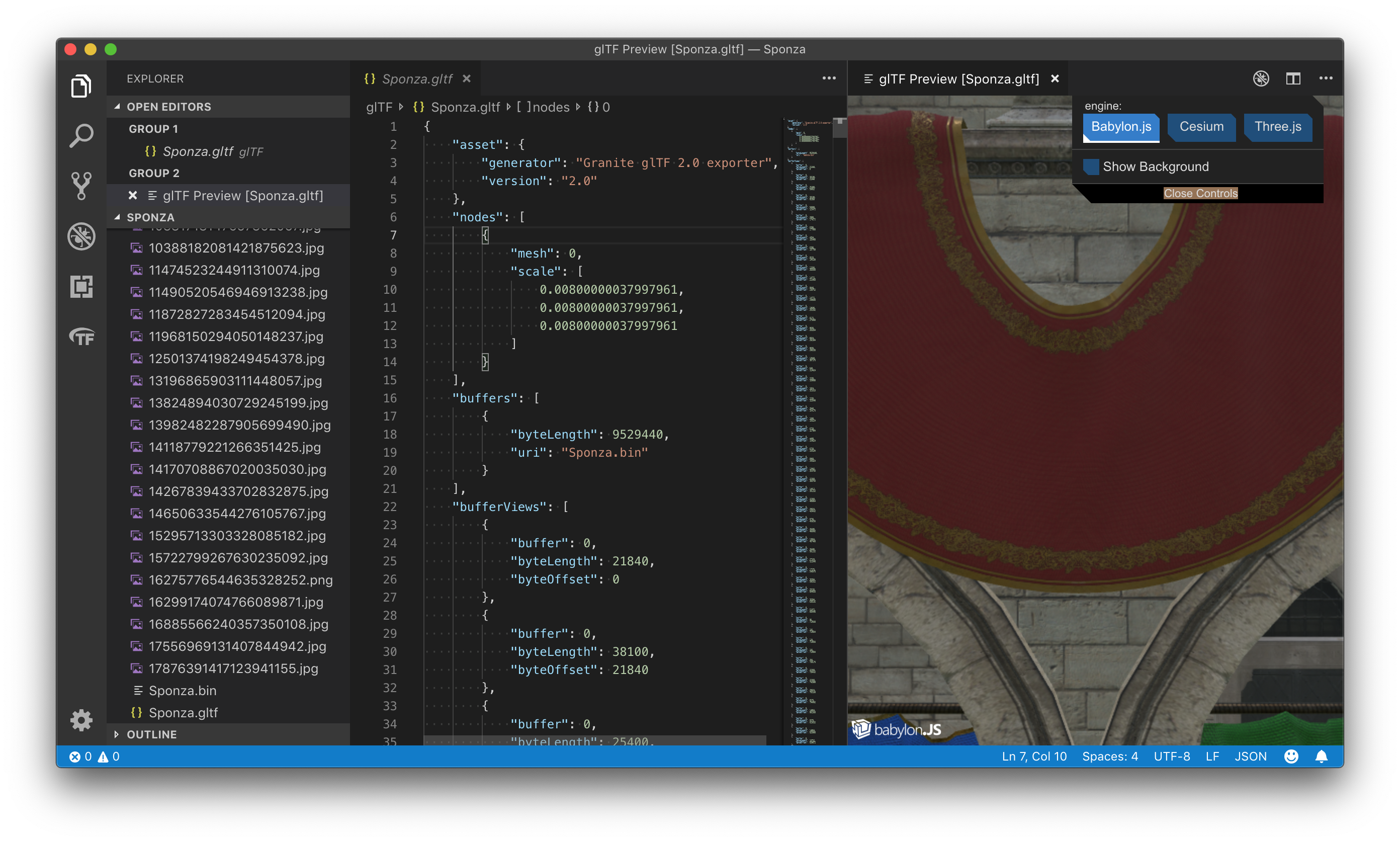
Original scene:
After export:
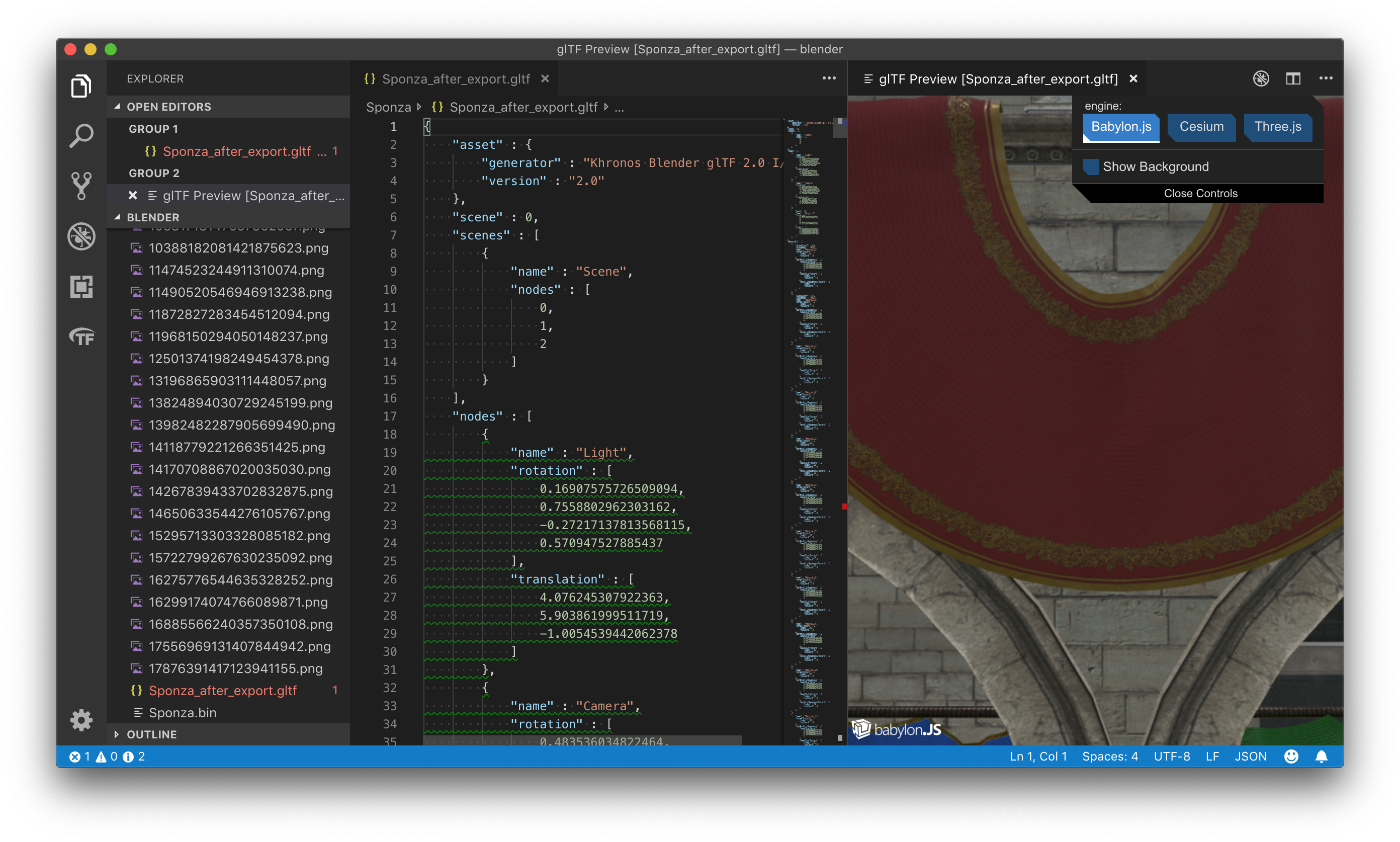
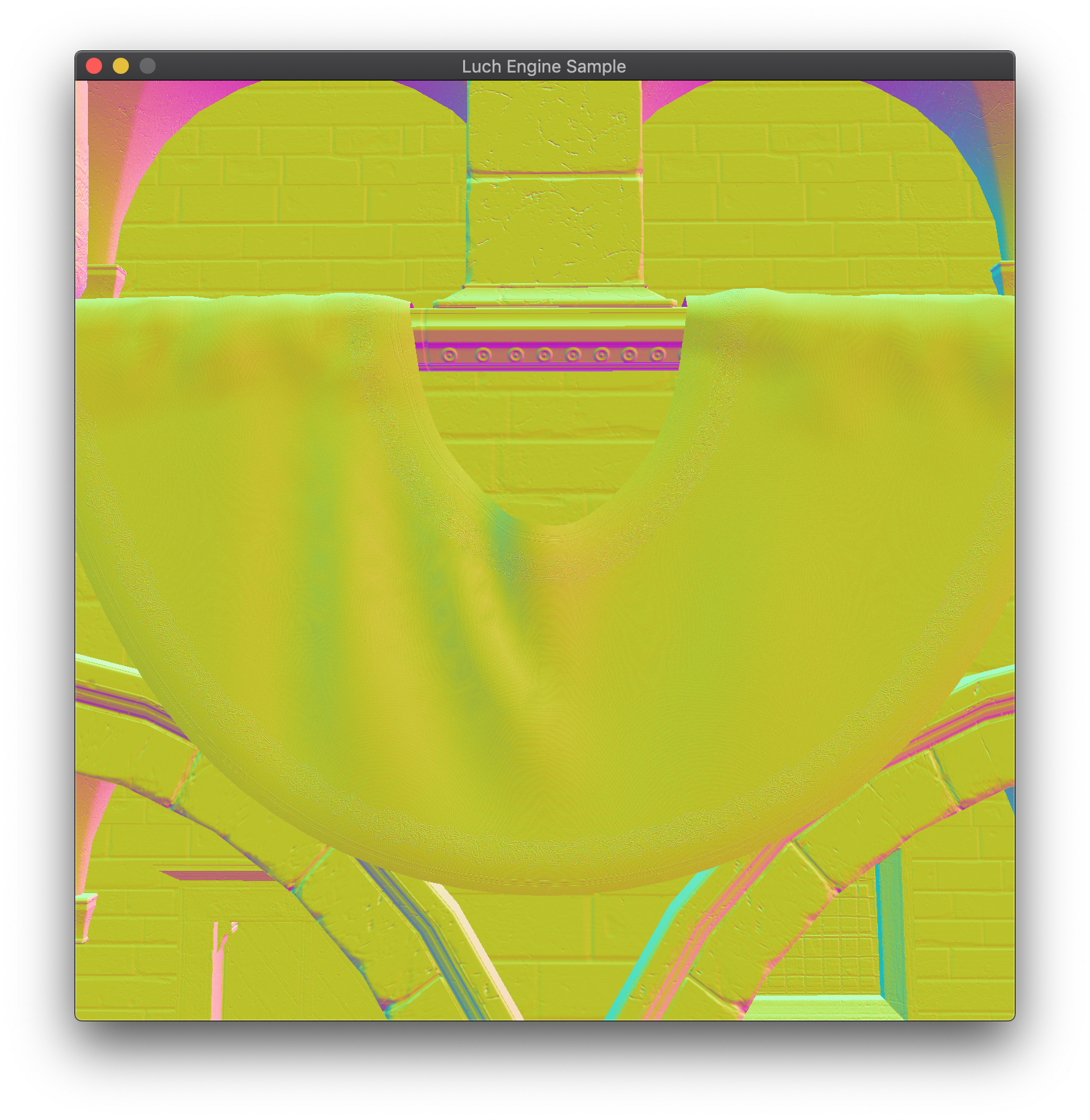
It's kinda hard to see, so I've output only the normals (viewspace) from my engine (since I have no idea how to do it in Visual Studio glTF Preview).
Original normals:
Normals after export:
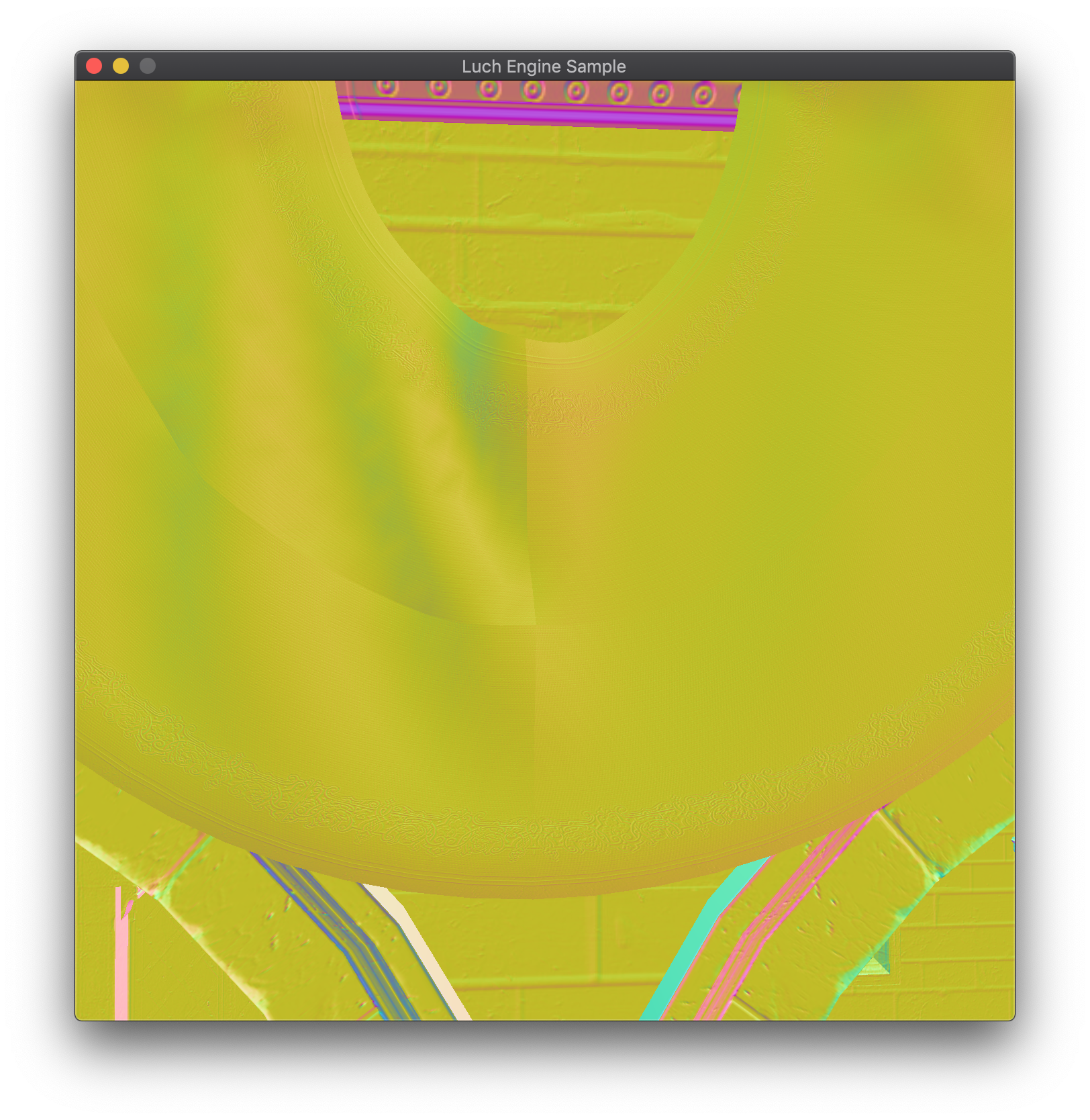
This happens when you ignore tangent w component and don't multiply the bitangent for the tangent-space construction (or if it's always the same sign).
For reference, in Blender after import it looks good:
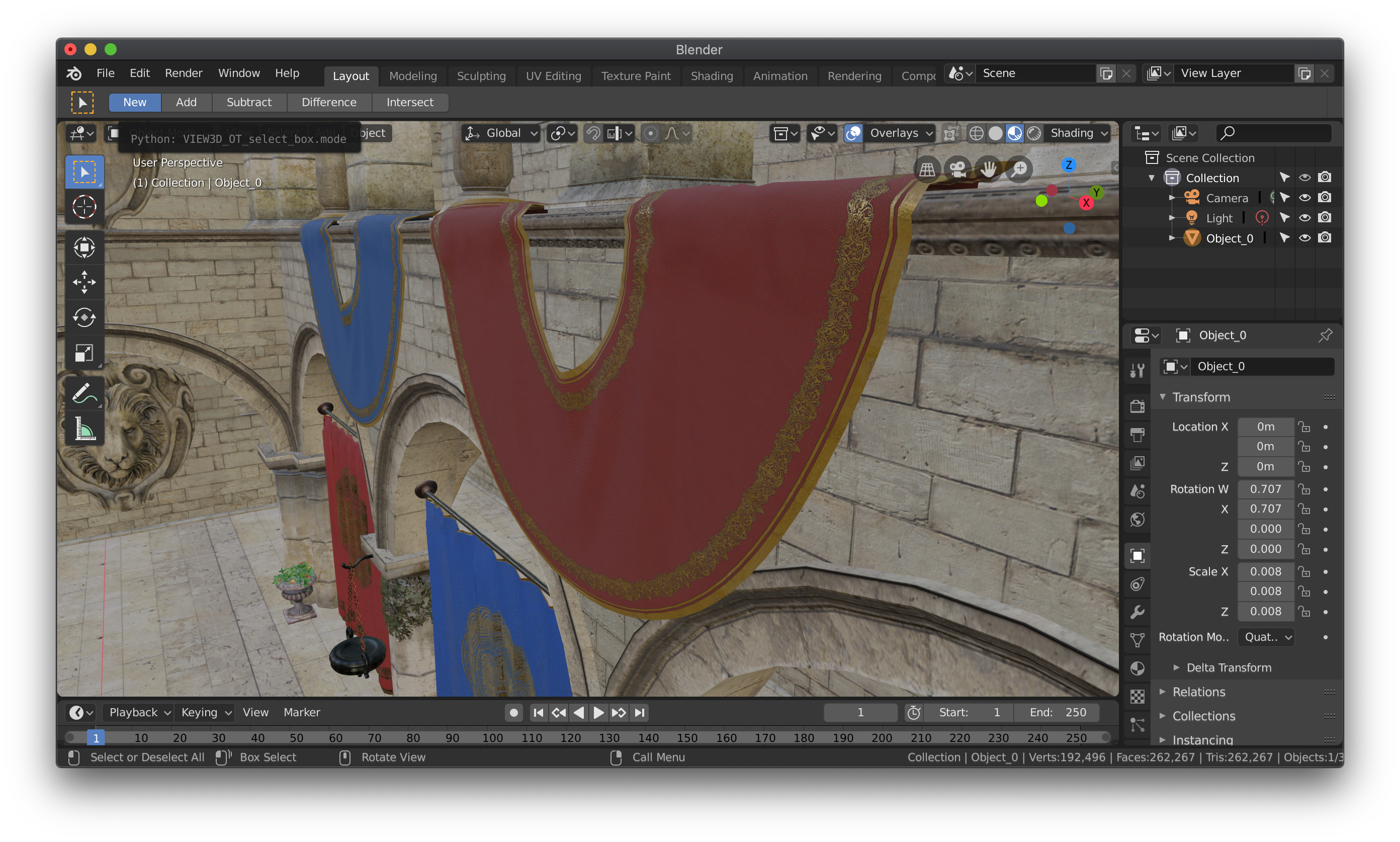
And, by the way, importing sponza takes like 5 whole minutes on my laptop, which is kinda strange, because there are plugins for 2.79 that do it almost instantly (but they also don't work that good after importing, so there's that).
 Spo1ler
on 29 Mar 2019
Spo1ler
on 29 Mar 2019
This might be fixed in #414.
 emackey
on 10 Apr 2019
emackey
on 10 Apr 2019
@Spo1ler Can you confirm this is now solved by #414 ?
I can't see any normal issue after import / export, and visualisation in blender (import again) or https://gltf-viewer.donmccurdy.com/
Closing for now, but don't hesitate to reopen / comment if you still have an issue
 julienduroure
on 16 Apr 2019
julienduroure
on 16 Apr 2019
Related issues
 spiraloid
·
3Comments
spiraloid
·
3Comments
 capnm
·
5Comments
capnm
·
5Comments
 WindyDarian
·
5Comments
WindyDarian
·
5Comments
 Quinten123
·
4Comments
julienduroure
·
5Comments
Quinten123
·
4Comments
julienduroure
·
5Comments