Gliden64: Drawing primitives with screen coordinates
I was investigating the wrong texture coordinates issue and wanted to move the vertex position a little, when I realized it was really hard due to the fact that they don't use a viewport transform in the N64. In order to adapt to OpenGL, current master uses the framebuffer size to normalize vertex position and apply its "compulsory" viewport transform.
Inspired on the investigation I did about the clip ratio, I realized that it is possible to draw without using the buffer size. The viewport transform is normally regarded as a function that maps the [-1,1]x[-1,1] rectangle into the [x_offset, x_offset + width]x[y_offset, y_offset+height] but it is really an affine transformation, i.e., a multiplication and an addition, given by the formula
(x,y) -> ((x+1)*width/2+x_offset, (y+1)*height/2 + y_offset)
This allows for "original" viewport transforms such as glViewport(-1,-1,2,2) which is in fact... the identity function!
(x,y) -> ((x+1)*2/2+ (-1), (y+1)*2/2 + (-1)) = (x,y)
 ```
This would mean that screen coordinates would map directly into screen coordinates with such awkward viewport transform.

There is an obstacle though: primitives are clipped to the `[-w,w]x[-w,w]` boundary, so the natural `w=1` doesn't work with screen coordinates. In order to overcome this, the following can be done,
- Multiply `w` by a big number such as `1024` at the end of the vertex shader, so that screen coordinates aren't clipped. After perspective division the vertex coordinates will be `(x/1024, y/1024)`.
- Use viewport transform given by `glViewport(-1024,-1024,2048,2048)` which is really a multiplication by 1024.
(x,y) ->((x+1)2048/2 +(-1024), (y+1)2048/2)+(-1024)) = (1024x,1024y)
```
All in all, screen coordinates are mapped to screen coordinates.
PROS:
- No dependence on buffer size (see the simplicity of
updateScreenCoorsViewport2()). - No divisions except for the perspective division, which may help avoid precision loss.
- N64-like values in vertex shader, which makes it easier to manipulate them.
CONS:
- Lost OpenGLs built in clipping. There should be ways to overcome this though.
I implemented the idea for rectangles and texture rectangles, and they are rendering pretty nicely. On top of that, I added an extra commit trying to correct texture coordinates to illustrate how it is simpler to move vertices, and easier to disable for incompatible features like multisampling (at least much less tangled than the glViewportIndexed() extension). It is still not polished and some features are not supported yet (test without native texrects), but this branch serves as proof of concept.
I'm trying to implement a similar idea for triangles, because it is proving much more difficult to hit correct texture coordinates. It is more difficult than for rectangles, because the vertices may or may not go through transformations in the RSP. From what I understand, they are transferred to the RDP in screen coordinates, so the idea would be to apply the viewport transform in the vertex shader when neccessary, then do the same as with rectangles.
@gonetz Can you help me understand the vertex pipeline? I need to know at least...
- What does the vertex attribute
aModifycontain exactly? - Are vertex coordinates (the ones loaded into the vertex shader) sometimes in screen space and sometimes in device coordinates? If so, how does one tell when is which one?
 standard-two-simplex
All 47 comments
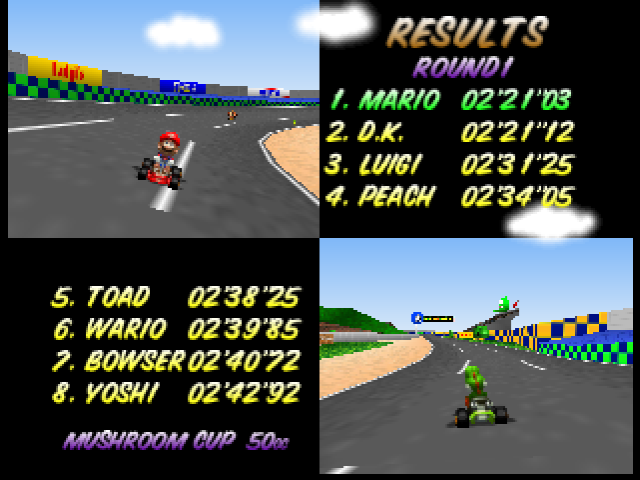
It's starting to look good! Native res looks awesome. Higher resolutions are not perfect, but at least look similar to master, I believe. There are issues with bilinearly filtered tiled textures (like in Mario Kart).
TODO
Investigate misalignments with framebuffer textures.Review texture coordinate correction in higher resolutions.Implement poligon clipping??? It seems scissoring removes any undesired geometry anyway.Check lines.Fix negative viewports.- Native texrects.
- Check framebuffer emulation off
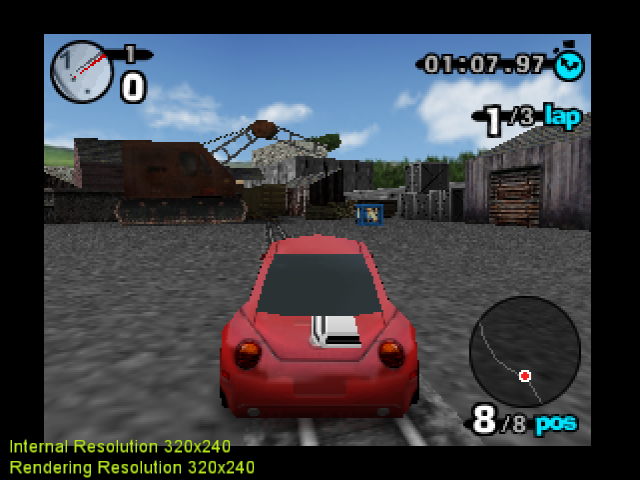
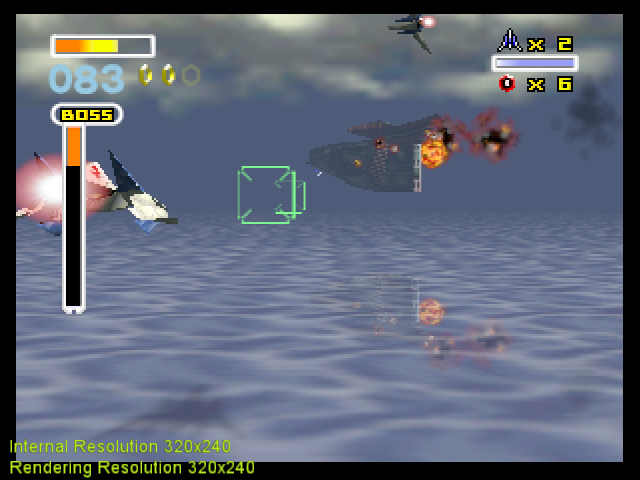
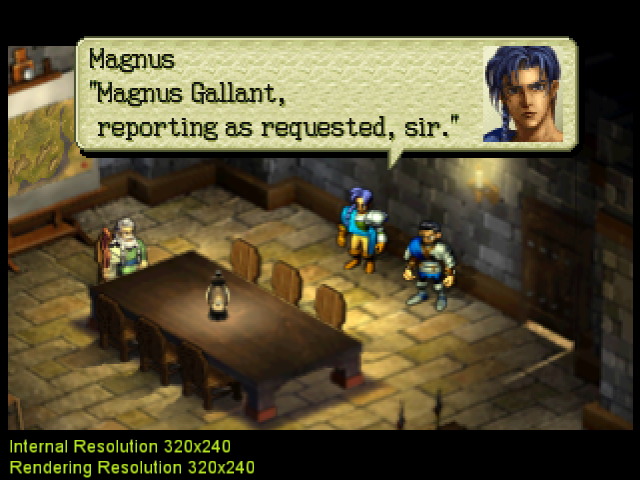
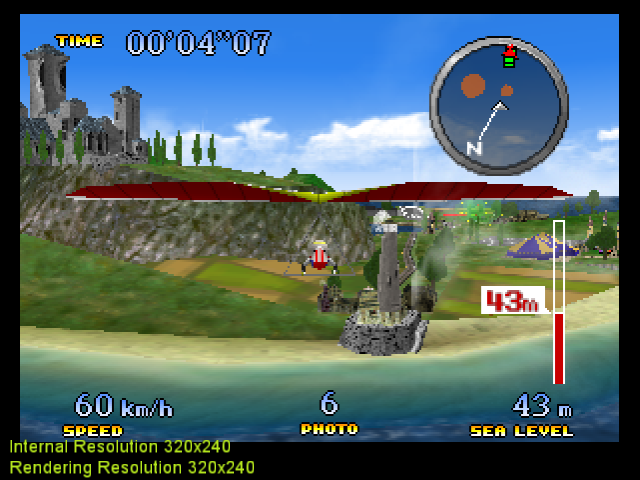
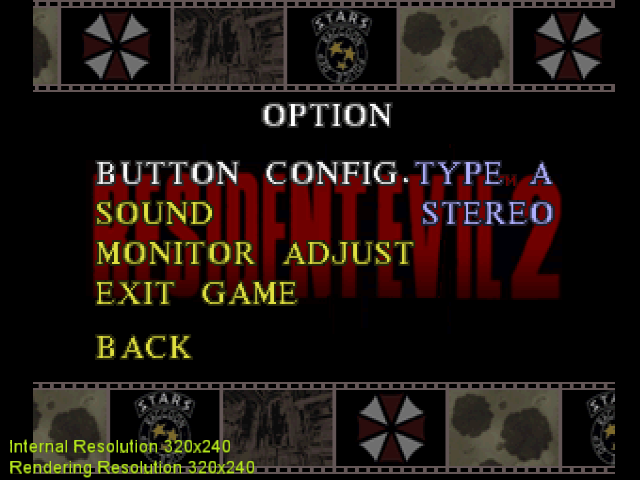
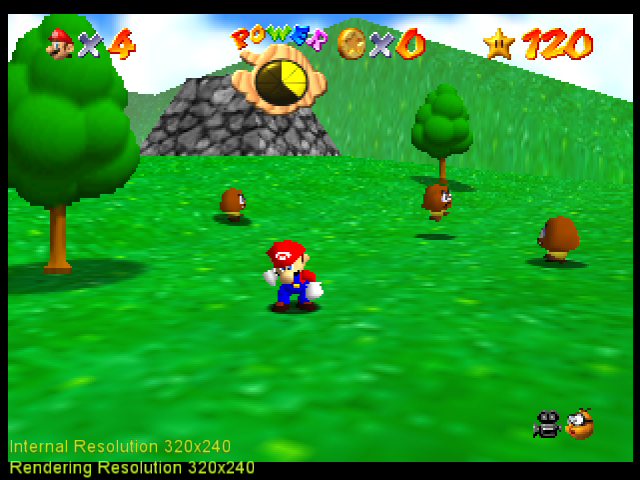
Some screenshots (native):
|
|
|
| BAR - correct HUD | Star Fox- correct HP bar | Ogre Battle - correct dialog boxes |
|
|
|
| Pilotwings - correct minimap | Resident Evil - correct options menu | SM64- correct health bar |
standard-two-simplex
on 6 Sep 2020
Review texture coordinate correction in higher resolutions.
The vertex shift doesn't seem as effective in higher resolutions, because there are more pixels and the first sample is closer to the edge anyway. Instead, I applied a texture coordinate shift and an heuristic for negative deltas to render texrects in a similar fashion to master in higher resolutions.
My intention was to apply this to every primitive, but some triangles don't seem to benefit from it, so I'm not sure whether is worth it.
Still have to check the behaviour with multisampling enabled.
Investigate misalignments with framebuffer textures.
I think there are two issues.
- For one, the textures contain garbage at the bottom and sometimes in the right. If you run the games with framebuffer emulation off, it will seem the garbage is unintended.
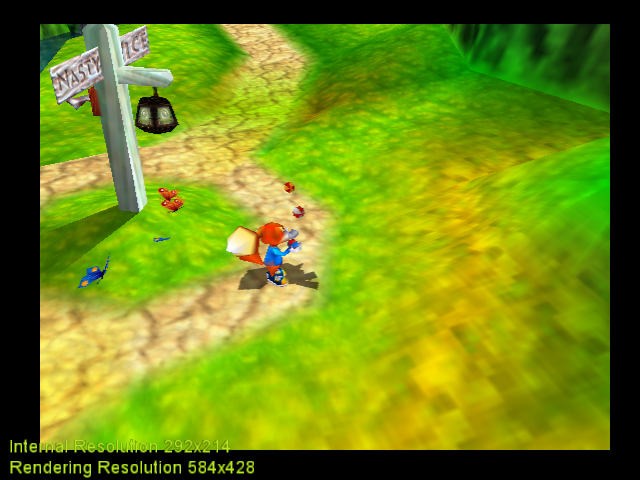
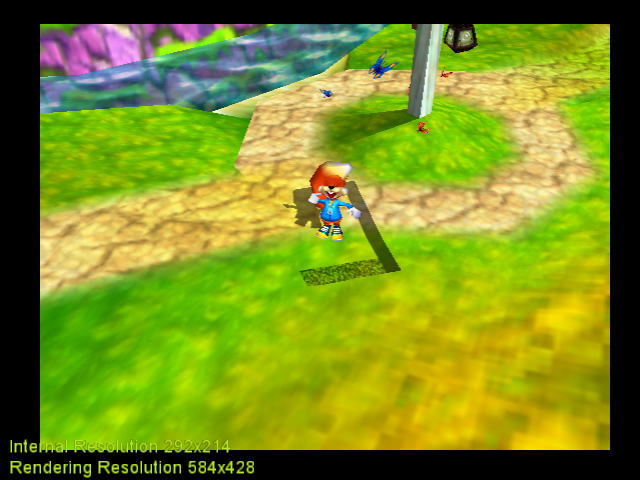
- If I subtract 10.0 from texture coordinates, a transparent pixel is clamped and the shadow is moved but shows no garbage.
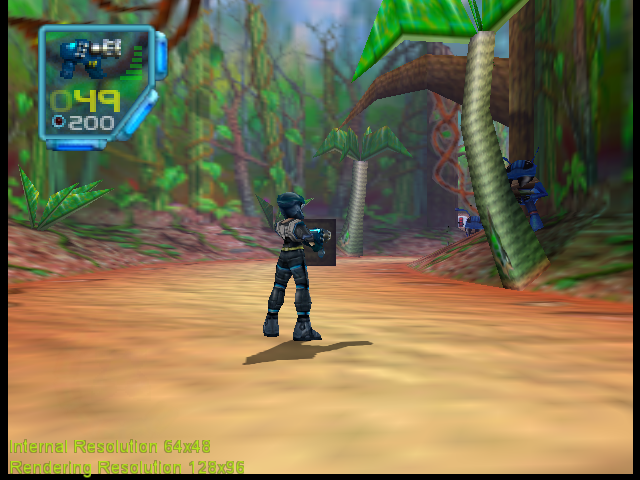
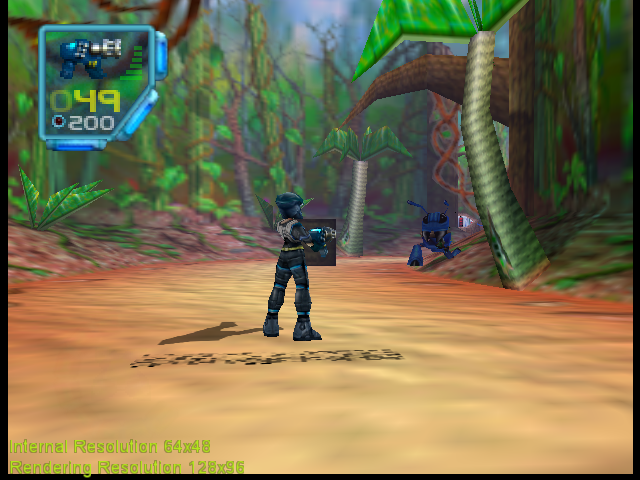
- If I add 10.0 to the texture coordinates garbage starts showing. It seems there are many lines of garbage at the bottom (y coordinate) and possibly one line of garbage is begin clamped on the right.
|
|
|
|
| Subtracting 10.0 | Adding 10.0 |
- Texture coordinates seem to be off by one in the
ydirection. This might be due to a missing line in the top left for one extra in the bottom right, but I can't be sure. It may just be that the texture coordinate has to be clamped to transparent.
Clamping to the appropiate boundary or not loading the garbage part of the texture is probably necessary to emulate framebuffer effects correctly. I believe it is unrelated to vertex positioning, so I'll add a temporary workaround (similar to an existing one) by subtracting 1.0 to texture coordinates. Garbage still appear in JFG when you jump. However, the texture boundary issue has to be examined.
Native texrects
I'm clueless here. Some rectangles seem to be in place, others completely out of place. Nothing I tried seemed to send me in the right direction.
standard-two-simplex
on 8 Sep 2020
I reviewed multisampling code, it should work as master.
There are some issues with negative viewports. This implementation performs the viewport transform in the vertex shader, which has no problem with negative values. Therefore, it should be possible to handle this situation cleanly. However, some code was added to overcome OpenGL's limitations of negative viewports, which is confilcting with the fact that I use original vscale and vtrans values. I would appreciate any help searching the code that was added for it.
About lines, I believe that _drawLine() should work as it is, but I think _drawThickLine() will need changes. However, I haven't found games that call those functions in order to test it. It seems that only games with Line3D microcode use them. If anyone knows such games, please tell me which they are.
standard-two-simplex
on 11 Sep 2020
Fixed negative viewports. I had overlooked the fact that clipping bounds were switched with negative bounds, so all geometry was being clipped away.
Some cleanup added.
standard-two-simplex
on 13 Sep 2020
Hi!
Sorry for the late answer. I'm swamped with my work :(
Your idea sounds very interesting and the results look promising.
What does the vertex attribute aModify contain exactly?
Flags, which parts of vertex are already pre-calculated.
gSP.h:
#define MODIFY_XY   0x000000FF
#define MODIFY_Z    0x0000FF00
#define MODIFY_ST   0x00FF0000
#define MODIFY_RGBA 0xFF000000
#define MODIFY_ALL  0xFFFFFFFF
gSPModifyVertex sets these flags. Also drawScreenSpaceTriangle sets MODIFY_ALL.
Are vertex coordinates (the ones loaded into the vertex shader) sometimes in screen space and sometimes in device coordinates?
Yes.
If so, how does one tell when is which one?
Set corresponding flag in vtx.modify
I'll check Native texrects after I sort out my urgent work tasks.
Good luck!
 gonetz
on 16 Sep 2020
gonetz
on 16 Sep 2020
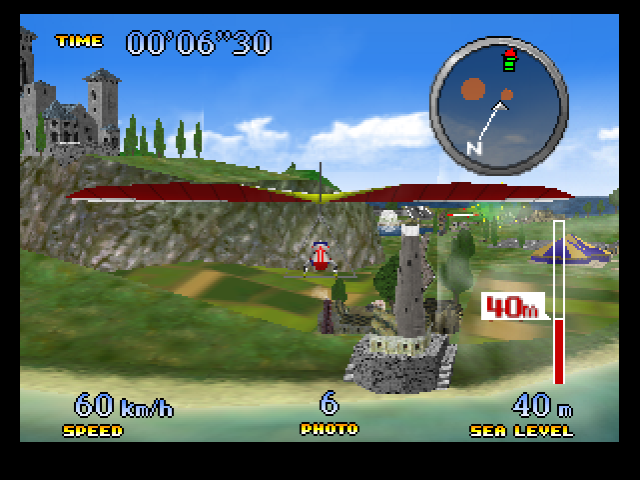
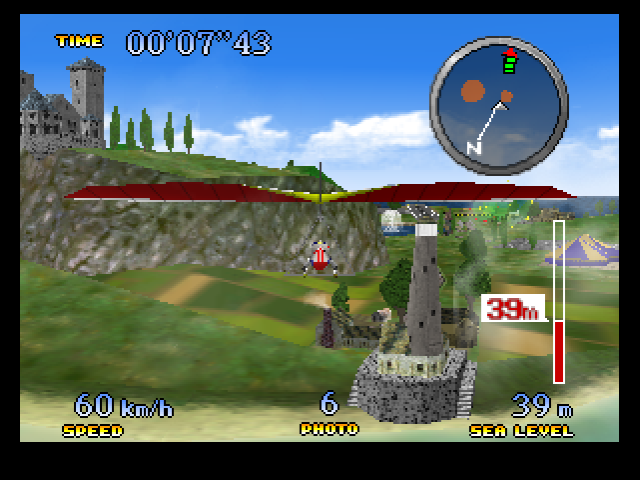
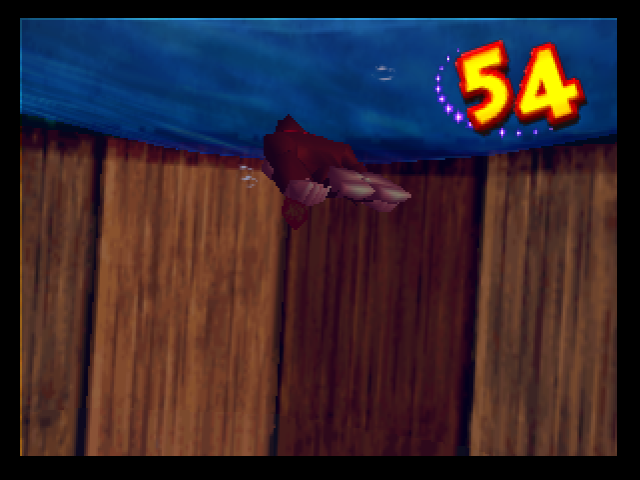
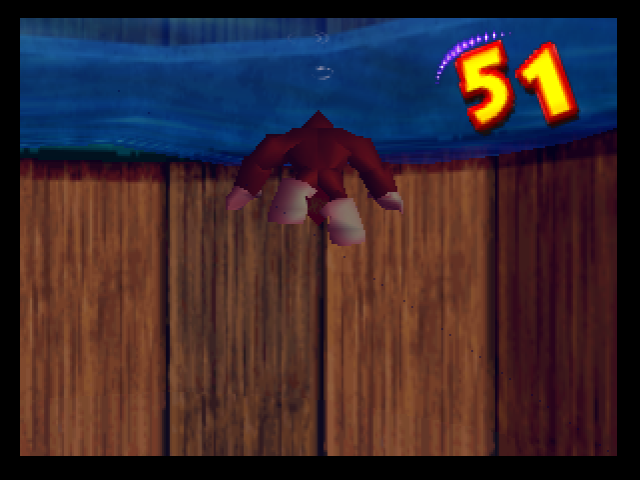
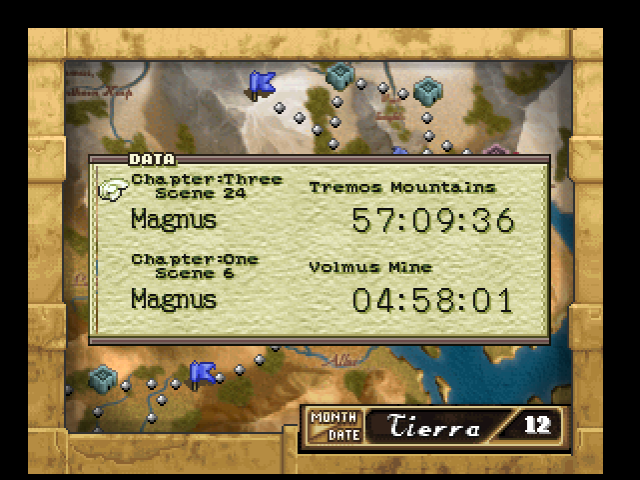
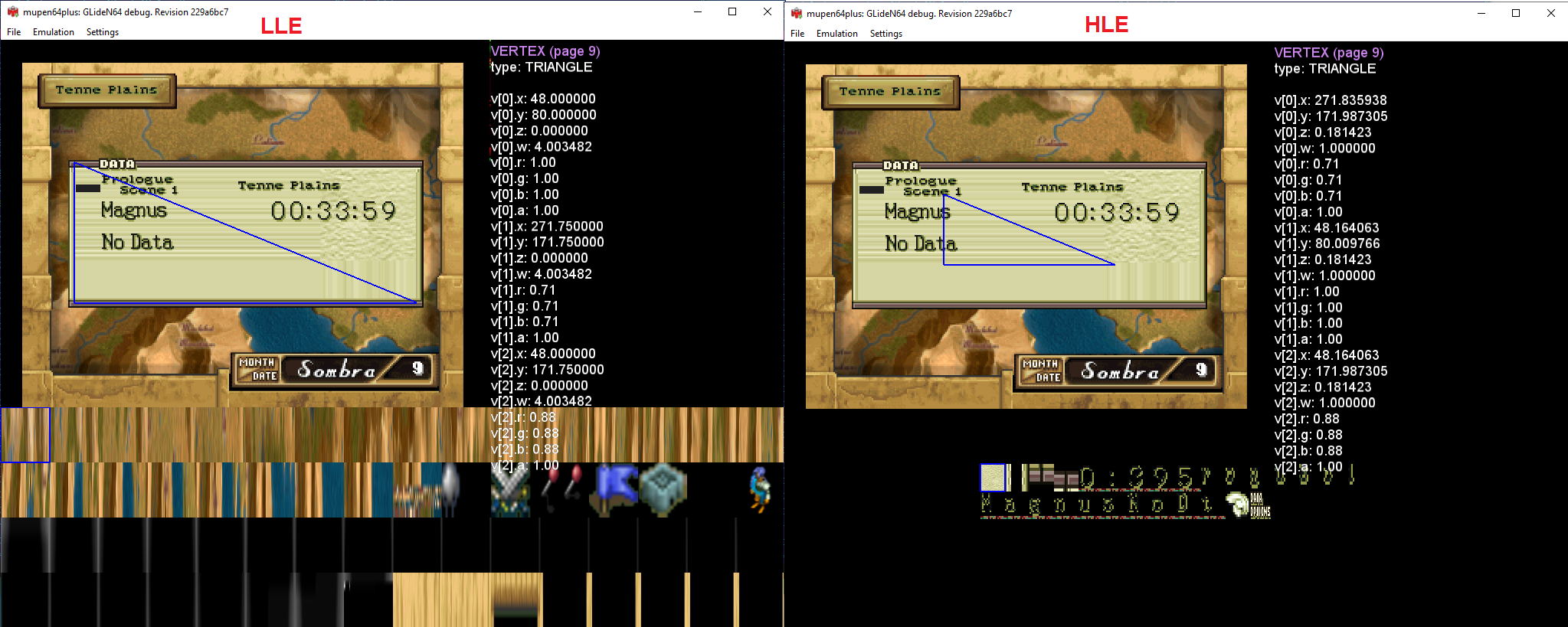
The task is nearly completed, but I have some small precision issues in HLE.
 |
 |
 |
 |
 |
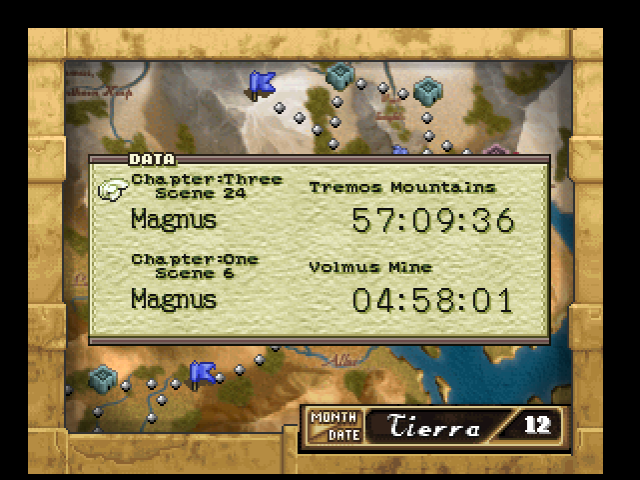 |
| HLE | LLE |
I checked Ogre Battle's case. This are the vertex position coordinates I got in HLE of one of the vertices involved.
Before matrix transformations
x: 112.000000, y: 40.000000, z:0.000000
After multiplication by combined matrix.
x: -0.6989746093750000, y: 0.3332519531250000, z:-0.6364440917968750, w:1.0000000000000000
After viewport transform
sx: 48.1640625000000000, sy:80.0097656250000000
If those were 48.0 and 80.0 the scene would render correctly. I still need to find a way to get this values in LLE. Since the scene renders correctly, the RSP plugin must get different values which are then passed via a screen coordinate draw call. However, I can't image what can possibly go wrong with the matrix multiplication.
standard-two-simplex
on 16 Sep 2020
matrix multiplication in RSP are done in 16 bits and there could be some small imprecisions.
If you give me a PJ64 save state and an accurate log of HLE commands (including the exact vtx and tri command you want to check), i can have a look to the results of the vertex processing.
 olivieryuyu
on 16 Sep 2020
olivieryuyu
on 16 Sep 2020
GLideN64 reports command gSPVertex(2150084864,4,0) and gSPVertex(2150084868,4,0)
The four vertices at that address should have the following coordinates.
gsP(2150084864,4,0)
x: -112, y: -52, z:0
x: -112, y: 40, z:0
x: 112, y: 40, z:0
x: 112, y: -52, z:0
Savestate: Ogre Battle 64 - Person of Lordly Caliber (U) (V1.0) [!].zip
I don't know the triangle call. If you need anything more, tell me and I'll try to figure it out.
standard-two-simplex
on 16 Sep 2020
this is not a log of HLE commands, I would know with that which commands are generating the bug.
@gonetz
Would u be able to help here?
olivieryuyu
on 17 Sep 2020
The background in this DATA window is rendered by this fragment of display list:
0x0028F608: CMD=0xFD W0=0xFD500000 W1=0x8024DB20
gDPSetTextureImage( G_IM_FMT_CI, G_IM_SIZ_16b, 1, 0x0024DB20 );
0x0028F610: CMD=0xF5 W0=0xF5500000 W1=0x07018060
gDPSetTile( G_IM_FMT_CI, G_IM_SIZ_16b, 0, 0, 7, 0, G_TX_NOMIRROR, G_TX_NOMIRROR, 6, 6, 0, 0 );
0x0028F618: CMD=0xE6 W0=0xE6000000 W1=0x00000000
Ignored: gDPLoadSync();
0x0028F620: CMD=0xF3 W0=0xF3000000 W1=0x073FF200
gDPSetTileSize( 7, 0.00, 0.00, 255.75, 128.00 );
gDPLoadBlock( 7, 0, 0, 1023, 512 );
0x0028F628: CMD=0xE7 W0=0xE7000000 W1=0x00000000
Ignored: gDPPipeSync();
0x0028F630: CMD=0xF5 W0=0xF5400800 W1=0x00018060
gDPSetTile( G_IM_FMT_CI, G_IM_SIZ_4b, 4, 0, 0, 0, G_TX_NOMIRROR, G_TX_NOMIRROR, 6, 6, 0, 0 );
0x0028F638: CMD=0xF2 W0=0xF2000000 W1=0x000FC0FC
gDPSetTileSize( 0, 0.00, 0.00, 63.00, 63.00 );
0x0028F640: CMD=0x01 W0=0x01004008 W1=0x8028B0E0
gSPVertex n = 4, v0 = 0, from 8028b0e0
0x0028F648: CMD=0x06 W0=0x06000204 W1=0x00000406
gSP2Triangle (0, 1, 2)-(0, 2, 3)
The whole log attached
gliden64.debug.log.zip
gonetz
on 17 Sep 2020
Vertices coordinates:
gonetz
on 17 Sep 2020
may i get a PJ64 savestate?
Mupen wont't work for me for my purpose
olivieryuyu
on 17 Sep 2020
standard-two-simplex
on 17 Sep 2020
Here what I can get about the vtx processing.
You have the 4x4 MP matrix in 16 bits
the vertices in 16 bits
after multiplication in 16 bits you get vertex structures which is then used by the tri commands to generate LLE triangles.
The vtx structures after MP matrix matches the LLE results.
Xscr and Yscr, which you want to get I believe, is from my understanding in S11.2 format.
I have the same results than you for LLE.
I clearly believe that some results are too precised compared to fixed point math and output format at various level.
olivieryuyu
on 18 Sep 2020
It is not very hard to replace floating point matrix-matrix and vector-matrix multiplication by fixed point one.
gonetz
on 19 Sep 2020
There also the multiplication of viewport structure. This is how you actually get the S11.2 format.
@standard-two-simplex
Hope it helps to understand the imprecision you have in HLE.
olivieryuyu
on 20 Sep 2020
Thanks, I'll check HLE values and compare to them.
standard-two-simplex
on 20 Sep 2020
The combined matrix in HLE is
m[0][0]: -0.0062408447265625, m[0][1]: 0.0000000000000000, m[0][2]: 0.0000000000000000, m[0][3]: 0.0000000000000000
m[1][0]: 0.0000000000000000, m[1][1]: 0.0083312988281250, m[1][2]: 0.0000000000000000, m[1][3]: 0.0000000000000000
m[2][0]: 0.0000000000000000, m[2][1]: 0.0000000000000000, m[2][2]: 0.0181732177734375, m[2][3]: 0.0000000000000000
m[3][0]: 0.0000000000000000, m[3][1]: 0.0000000000000000, m[3][2]: -0.6364440917968750, m[3][3]: 1.0000000000000000
In fact, it is the same as the projection matrix and the model matrix is the identity matrix. Observe that the values on the diagonal are close to -1.0/160.0 and 1.0/120.0 where the denominators are the scale values of the viewport transform.
@olivieryuyu How do I interpret this matrix? I'm guessing the higher 16 bits hold the integral part and the lower 16bits the fractional part. But how are they ordered?
4x4 MP matrix
--
0xFFFF0000
0x00000000
0x00000000
0x00000000
0x00000000
0x00000000
0x00000000
0xFFFF0001
0xFE670000
0x00000000
0x00000222
0x00000000
0x00000000
0x04A70000
0x00000000
0x5D120000
I believe this is explained here:
http://n64devkit.square7.ch/n64man/gsp/gSPMatrix.htm
I think this is where in GlideN64 the code generates the float matrix
https://github.com/gonetz/GLideN64/blob/master/src/RSP_LoadMatrix.cpp
olivieryuyu
on 20 Sep 2020
Xscr and Yscr, which you want to get I believe, is from my understanding in S11.2 format.
Yes, this are the ones I want to get accurately. From gonetz's pictures, it seems they should be 48.0 and 80.0 for this given vertex.
The vtx structures after MP matrix matches the LLE results.
True, so the problem lies only after the viewport transform.
Xscr and Yscr, which you want to get I believe, is from my understanding in S11.2 format.
Yes. I had tried rounding to the closest 1/4 of an integer, but it seems that I should simply drop the data after the third bit, simulating a simple bit shift. It is backed up by the fact that the other vertex with coordinate 171.983 in HLE is at position 171.75 instead of the much closer 172.0.
standard-two-simplex
on 21 Sep 2020
So rounding down to a 1/4 integer seems to solve the three issues above.
I simply applied a correction to position data.
gl_Position.xy = floor(gl_Position.xy * vec2(4.0)) * vec2(0.25);
However, it might be nicer to do all computations in integers, add the viewport transform to processVertex() and simply apply the correct subpixel mask to the result.
standard-two-simplex
on 21 Sep 2020
However, it might be nicer to do all computations in integers
All - matrix, vertex and viewport transformations?
gonetz
on 22 Sep 2020
All - matrix, vertex and viewport transformations?
Yes that's what I meant. But I'm not completely sure about the viewport transformation.
I don't know how the N64 handles perspective division. Does the RSP perform division by w and send 1/w over to the RDP for perspective corrected interpolation of attributes? Or does it send all four x, y, z and w and then the RDP performs the division and calculation of 1/w?
Currently, I am handling the viewport transform in this way in the vertex shader.
gl_Position.xy = gl_Position.xy * vec2(1.0, -1.0) * uVScale + uVTrans * vec2(gl_Position.w);
Ignore the vec2(1.0,-1.0) for now, the y coordinate seems to be inverted. The last w is necessary so that after OpenGL performs perspective division we get
(gl_Position.xy/gl_Position.w) * uVScale + uVTrans
The same could be done in processVertex() in fixed point arithmetic and the result stored in s11.2 format, but I wonder if this is the way the RSP behaves.
standard-two-simplex
on 22 Sep 2020
Vertex processing is done in this way, at least for Fast3D family ucode:
1) Multiply vertices with ModelViewProjection matrix
2) Perform lightings and texture coordinates transformation tasks.
3) Determine the outcodes of the vertex for clipping (https://en.wikipedia.org/wiki/Cohen-Sutherland_algorithm)
4) Normalized device coordinates (divide everything by W)
5) Transform clip coordinates to screen coordinates, including perspective correction (viewport transformation)
6) Calculate fog where necessary
7) Store results in the DMEM vertex buffer
All calculations are done in 16 bits
olivieryuyu
on 22 Sep 2020
- Transform clip coordinates to screen coordinates, including perspective correction (viewport transfromation)
What do you mean "including perspective correction" ?
standard-two-simplex
on 23 Sep 2020
I was concerned about perspective correct interpolation if we divided by w, so I reviewed the theory. I think it is possible to do the following.
- Multiply vertices with ModelViewProjection matrix. (operations in integers)
- Determine the clip distances
w - x,x - (-w),w-y.y- (-w)and load them as vertex attributes. OpenGL can use them in a similar fashion to the algorithm given above. Alternatively, this step can be skipped and the distances calculated in vertex shader. - Normalized device coordinates (divide everything by W) (operations in integers). (
wis 1 at this step, so perspective correction would be lost with these coordinates) - Perform the view transform (operations in integers). Apply the correct bit shift to u11.2 format, dropping some of the fractional part.
- Cast the coordinates to float to load them into the vertex shader. If perspective correction is enabled, multiply the coordinates by
w(due to the precision loss in step 5, the result is different from simply skipping step 4 and 6) (operations in floats).
OpenGL will perform division by w again, and so the vertices will end up with the expected screen coordinates. Besides, if w has the original value, perspective correction will be applied. If w is 1, perspective correction won't be applied.
I need to cleanup the current WIP history, it's a real mess. After that I'll try to implement the above idea.
standard-two-simplex
on 24 Sep 2020
may be I have expressed myself improperly on perspective correction:
Please see 11.3.3 Perspective Normalization in the N64 programming manual for explanation
olivieryuyu
on 24 Sep 2020
All - matrix, vertex and viewport transformations?
I checked the code and realize that this is a lot of work. Matrix calculations are everywhere in vertex code and changing the data to integers means changing every vertex operation.
Instead I followed the guideline I proposed above (except for clipping) but performed operations on floats. The vtx.x = floorf(vtx.x* 4.0f) *0.25f; looks ugly, but at least I managed to extract the vertex processing outside the vertex shader and all vertices (loaded via gSPVertex or gSPModifyVertex) go through the same vertex shader (no branches).
I need to review clipping. Do you guys know if/how the vertices compute new outcodes if new x,y data is loaded via gSPModifyVertex() ?
standard-two-simplex
on 25 Sep 2020
what do you mean by new outcodes?
gSPModifyVertex modifies directly a portion of the vertex previously calculated and stored in DMEM with GSPVertex.
So if you change Xscrn or Yscrn, you have directly the right info for your purpose.
olivieryuyu
on 26 Sep 2020
what do you mean by new outcodes?
In order to decide whether a vertex has to be clipped, it has to be compared to certain boundaries. Usually this happens at clipping coordinate stage, where x,y,z are compared to -w and w.
If I modify its Xscrn or Yscrn directly, I am bypassing the comparison step. I don't know what happens to such vertices. Are they assumed to be inside the clipping space?
standard-two-simplex
on 26 Sep 2020
never thought about this
the clipping is done on the base of the previous clipping data stored in DMEM for the vertex modified.
olivieryuyu
on 26 Sep 2020
the clipping is done on the base of the previous clipping data stored in DMEM for the vertex modified.
Ok, thanks. I guess this should be simple to implement then.
I was checking an issue I was having with fog and came across this piece of code.
"    if (aPosition.z < -aPosition.w && aModify[1] == 0.0)  \n"
"      fp = -uFogScale.s + uFogScale.t;                        \n"
"    else                                                      \n"
"      fp = (aPosition.z/aPosition.w)*uFogScale.s + uFogScale.t;             \n"
I can follow the else part. But what does the if part do?
standard-two-simplex
on 26 Sep 2020
that would be sergey to help out here, I dunno
@gonetz
olivieryuyu
on 26 Sep 2020
Are they assumed to be inside the clipping space?
Yes. Our code sets the corresponding flag in vtx.modify and then this modified coordinate(s) is multiplied by w in vertex shader.
gonetz
on 28 Sep 2020
I can follow the else part. But what does the if part do?
Clamps aPosition.z/aPosition.w to -1.
It is from the original glN64 code. I tried to remove that part, but it causes regressions.
gonetz
on 29 Sep 2020
I eventually computed clip distances in processVertex() and I wanted to load them as vertex attributes so that OpenGL can perform clipping via its built in clip distances.
However I am having some trouble loading the data. I mimicked other vertex attribute loading without understanding well what's going on. Could I get some help with commit 212b435176cc54749a4a792eda93023414721e50 ?
The shader links correctly with the variable IN hightp vec4 aClipDistances used, but clipping doesn't happen correctly, so the data is not being uploaded probably.
Clouds not being clipped.
standard-two-simplex
on 9 Oct 2020
I think I managed to load the data correctly. The PR is almost ready, the output image is what I was expecting in most cases. Only Native Rects and FB emulation off are unsupported. I will try to adapt them again, but I will probably need help.
It would be great if the feature were teste before it is merged into master. If you (the reader) use this plugin for casual play, I would appreciate if you tested the artifacts in the pull request and report any regression.
- Native resolution (UseNativeResolutionFactor=1) looks really accurate. I believe it should be possible to achieve perfect alignment. Therefore, any bug present in native res is considered critical.
- Non-native resolution aren't perfect. There are games that contain bugs in their code and render correctly only because the resolution they are rendering in. Therefore, bugs present only in non-native might not be solvable without hacks.
- Alignment issues which are not regressions might not be related, so better to open their own issue and simply mention them here so I can check if they are related.
Thanks for any help with the testing.
standard-two-simplex
on 15 Oct 2020
I found a few issues, and diagnosed the problems.
- Vigilante 8 has some vertices with
w=0. They are meant to be clipped before division byw, so that w of the clipped vertices will be that of the near plane. @olivieryuyu
Normalized device coordinates (divide everything by W)
Are you sure that is happening in the vertex processing? It seems to me that a primitive has to be generated and vertices clipped before division happens. Is it possible that perspective normalization is happening instead? (i.e., multiplication of x,y,z and w by a constant factor so that w is close to 1 for a point halfway between the near and far planes).
- Star Wars games seem to flip the vertex y coordinate after
processVertex()is called. Current master code goes,
template <u32 VNUM>
u32 gSPLoadSWVertexData(const SWVertex *orgVtx, SPVertex * spVtx, u32 vi, u32 n)
    {
    const u32 end = n - (n%VNUM);
    for (; vi < end; vi += VNUM) {
        for(u32 j = 0; j < VNUM; ++j) {
            SPVertex & vtx = spVtx[vi+j];
            vtx.x = orgVtx->x;
            vtx.y = orgVtx->y;
            vtx.z = orgVtx->z;
            ++orgVtx;
        }
        gSPProcessVertex<VNUM>(vi, spVtx);
        for (u32 j = 0; j < VNUM; ++j) {
            SPVertex & vtx = spVtx[vi+j];
            vtx.y = -vtx.y;
        }
    }
    return vi;
}
I want to perform the viewport transform inside of process vertex, which conflicts with the y inversion that needs to happen earlier. Is there a way to determine inside gSPProcessVertex() if it needs y inversion? Currently I rely on an ugly workaround.
- I am performing clipping in HLE by loading clip distances. However, I need to disable them for LLE because the RSP already processed the vertex. @gonetz Do you know how I can disable this piece of code? My current implementation isn't working.
    if (!RSP.LLE)
            m_part +=
            "  gl_ClipDistance[1] = aClipDistances[0];                      \n"
            "  gl_ClipDistance[2] = aClipDistances[1];                      \n"
            "  gl_ClipDistance[3] = aClipDistances[2];                      \n"
            "  gl_ClipDistance[4] = aClipDistances[3];                      \n"
            ;
In HLE:
From my understanding W is calculated with vertex processing. You can check out the source code of the microcodes if you want to get confirmation.
Perspective normalization is also done.
Clipping is working in the way:
Each vertex has some flag to define in which part of the screen or outside the screen the vertex is.
If all vertex are outside the screen, the triangle is rejected
If at least one of them is in the screen, then clipping may occur.
If all vertex is within the clipratio box, the triangle is fully drawn without any recalculation.
If one of the vertex is outside the clipratio box, then clipping occurs, meaning that vertices are somehow recalculated to be at the edge of the clipratio box, with potentiall split of the triangles into few triangles.
With those new vertices, your reprocess the vertex(es) calculations including the calculcation of W and then draw immediately those triangles (to the RDP).
This is why clipping is a heavy process on RSP and RDP.
For the Y inversion, this is a HLE matter. The "natural" coordinates of the N64 are with this Y inverted actually. Most of microcode do a small calculation to revert those coordinates to match with OpenGL. It thinks it has to do with the coordinates system of the N64.
olivieryuyu
on 26 Oct 2020
For the Y inversion, this is a HLE matter. The "natural" coordinates of the N64 are with this Y inverted actually. Most of microcode do a small calculation to revert those coordinates to match with OpenGL. It thinks it has to do with the coordinates system of the N64.
So I actually managed to perform the viewport transform correctly by checking GBI.isNegativeY() and code is much cleaner now. All games I tested are working, except SM64. It seems that GBI.isNegativeY() returns false, but the geometry is inverted. Any idea why it is not initialized to true?
standard-two-simplex
on 27 Oct 2020
So I actually managed to perform the viewport transform correctly by checking GBI.isNegativeY() and code is much cleaner now. All games I tested are working, except SM64. It seems that GBI.isNegativeY() returns false, but the geometry is inverted. Any idea why it is not initialized to true?
Actually, there are more games that were also failing. Apparently games use different methods to do the inversion (different combined matrix, negative viewport transform...). Since I changed the way the viewport transform is one, which supports negative scales, I updated the isNegativeY properties on GBI.cpp.
standard-two-simplex
on 27 Oct 2020
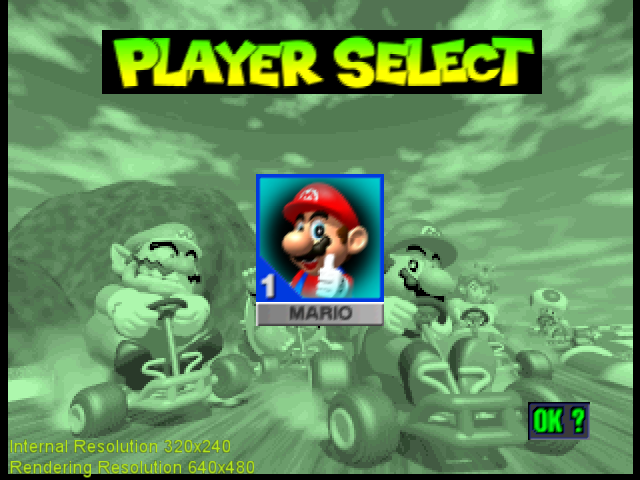
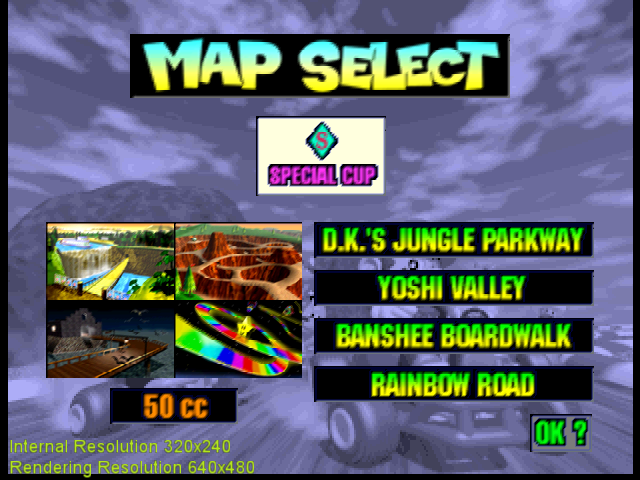
I updated on the heuristic for non-native rects: if a texture coordinate exceeds the min/max value of the values reached in native resolution, it is clamped to it. As a result, a hard edge is shown where garbage was before.
Non-tiled rectangles look good in non-native now too. Tiled textures are not perfect, but are certainly improved.
standard-two-simplex
on 22 Nov 2020
Tiled textures are not perfect, but are certainly improved.
True.
gonetz
on 2 Dec 2020
I have taken advantage of the software clipping to overcome the two difficulties I had before. On the one hand, I had dubious clipping code in place, because OpenGL clipping was being hacked (in a similar way as the slingshot hack) to prevent the screen coordinates from being clipped in unintended boundaries. On the other, I had issues with performing the viewport transform before clipping for vertices with w==0. The first problem is now simply gone and the second is overcome by performing the viewport transform in the vertex shader, when the software clipper has already done its work.
As a result, I have a much cleaner implementation. In fact, it is the first time that I am happy with the code. Currently the 6 commits do the following.
- Use screen coordinates for vertex positions: triangles processed by rsp have the viewport transform is performed in the vertex shader and rectangle positions are simply passed to the vertex shader. The vertex shader divides
xandyby 1024 and OpenGL viewport transform multiplies it back before sending to the rasterizer. - Workaround for framebuffer textures. It was added for CBFD shadow borders. I changed the hack to adapt it to the new texture coordinate handling. Obviously, it is still not the correct solution.
- Apply a vertex shift in native and texture coordinate shift otherwise. In native resolutions it is possible to shift the vertices to approximate N64 raster rules quite correctly. In higher resolutions, there are more samples than intended and this method often becomes more of a source of issued than a solution. Instead, I decided to shift texture coordinates and added a heuristic to render different texture rectangles (like the initial logo in Rocket Robot on Wheels) as in master.
- Use texture coordinate bounds for texrects in non-native resolutions. Minimum and maximum texture coorinates achieved in native are computed and used as bound for non native resolutions. It improves the visual artifacts due to magnification in most cases, but there are a few cases where it looks worse. In view of this, it could be made optional.
- Invert the viewport based on GBI.isNegative() and reasses ucodes with negative viewport. Negative viewport scales are no longer an issue because the multiplication is done in the vertex shader. Therefore, I simplified the viewport inversion and reassesed wich ucodes need inversion.
I believe everything is working fine, except for NativeRects option. I have not managed to figure out how that code should be adapted. I need some help with it. Some cleanup is also needed: for example, I didn't replace old useScreenCoordsViewport() and instead created useScreenCoordsViewport2() because I wasn't able to remove the reference in TexrectDrawer.cpp. Other than this, I believe the branch is ready for merging, if the changes are wanted.
By the way, the pull request has information about which issues it affects.
standard-two-simplex
on 3 Feb 2021
Any chance this could fix this issue?
 fzurita
on 4 Feb 2021
fzurita
on 4 Feb 2021
1952
There are so many different issues reported in that thread. I believe some are fixed in master and I know some others are not fixed in this branch.
standard-two-simplex
on 4 Feb 2021
Yeah, I know that starcraft has issues in master, at least once you get in game. The sprites have some junk in them, the pointer I think was one of them.
fzurita
on 4 Feb 2021
Related issues
 m4xw
·
15Comments
m4xw
·
15Comments
 purplemarshmallow
·
18Comments
purplemarshmallow
·
18Comments
 NurioHin
·
10Comments
NurioHin
·
10Comments
 IronYoshi64
·
18Comments
IronYoshi64
·
18Comments
 ImSpecial
·
10Comments
ImSpecial
·
10Comments
Most helpful comment
It's starting to look good! Native res looks awesome. Higher resolutions are not perfect, but at least look similar to master, I believe. There are issues with bilinearly filtered tiled textures (like in Mario Kart).
TODO
Investigate misalignments with framebuffer textures.Review texture coordinate correction in higher resolutions.Implement poligon clipping??? It seems scissoring removes any undesired geometry anyway.Check lines.Fix negative viewports.Some screenshots (native):