in front of the temple of time fog is applied on Link's model, turning him gray
correct with z64gl


 purplemarshmallow
All 18 comments
a savestate is possible?
 olivieryuyu
on 30 Jul 2015
purplemarshmallow
on 30 Jul 2015
olivieryuyu
on 30 Jul 2015
purplemarshmallow
on 30 Jul 2015
Is it just me or does the depth look wrong on the z64gl screenshot? Link seems almost pasted on. But then again, it is one of Ocarina of Time's really sh*tty pre-rendered backgrounds (thankfully they are few). Not that z64gl has anything to do with GLideN64. Just thought I'd comment...
 ghost
on 4 Aug 2015
ghost
on 4 Aug 2015
Not that z64gl has anything to do with GLideN64.
GLideN64 has cut-pasted z64gl code in it.
 AmbientMalice
on 5 Aug 2015
AmbientMalice
on 5 Aug 2015
I think that -- somehow -- z64gl isn't accurate in this effect either? What the hell?
https://www.youtube.com/watch?v=Ea1gSVzGag4#t=10m25s
Requesting real hardware high-quality image capture of this effect.
 wareya
on 5 Aug 2015
wareya
on 5 Aug 2015
Here's a screenshot from angrylion's plugin. That's usually a good reference and in the video the effect looks the same. I think z64gl emulates this effect correctly but it looks a bit strange because Link's model is rendered at a higher resolution over the low-res background

purplemarshmallow
on 5 Aug 2015
I don't know, even that looks much more colorful than the z64gl screenshot.
Not that GLide is right either.
wareya
on 5 Aug 2015
I confirm that this HLE bug still exists.
olivieryuyu
on 9 Oct 2017
Fog factor is vertex alpha. Vertex alpha is 0 in LLE mode and 1 (0xFF) in HLE. Need to check olivieryuyu's docs about lighting in Zelda. May be there is a clue, when vertex alpha becomes zero.
 gonetz
on 11 Nov 2017
gonetz
on 11 Nov 2017
With those values, it looks like a clamping issue.
olivieryuyu
on 18 Nov 2017
F3DEX and F3DEX2 does not clamp alpha in the same way.
It seems than F3DEX2 set the minimum value to 0x7F00 for the fog formula (16 bits)
Alpha becomes 0x00 in this case and not 0xFF (0x7F00)
olivieryuyu
on 10 May 2018
This is still an issue present in the newest WIP build. Screenshot for proof.
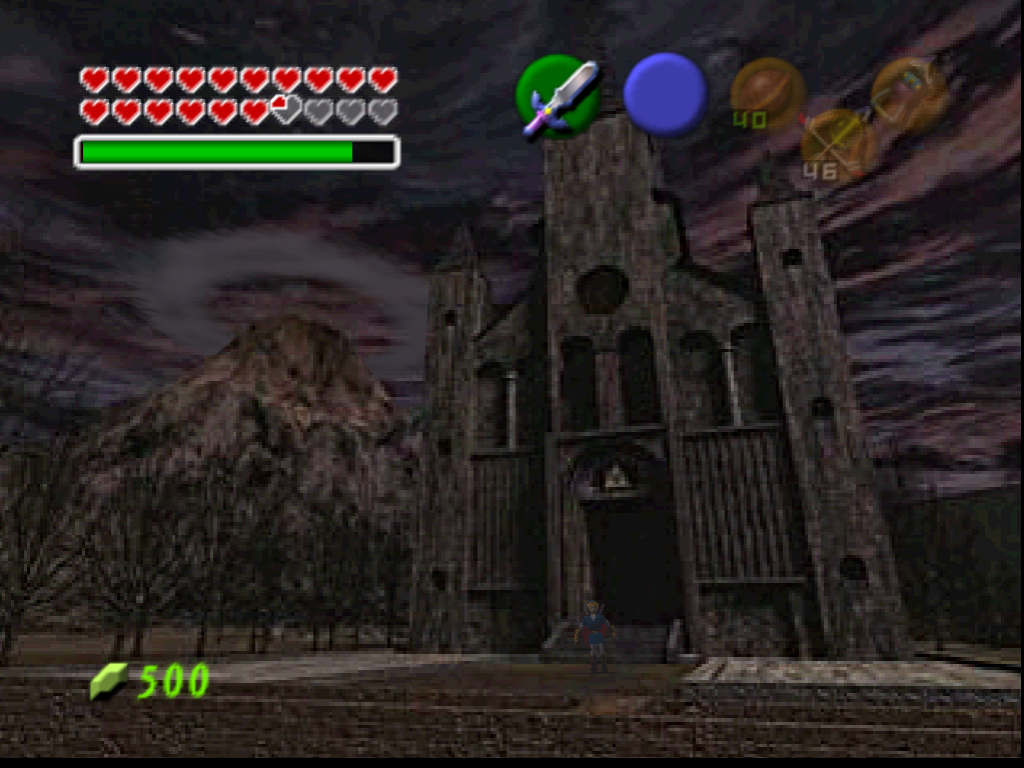
 Kidboy17
on 10 Sep 2018
Kidboy17
on 10 Sep 2018
This issue is still present in the newest WIP (Master + FB)
Kidboy17
on 1 Oct 2018
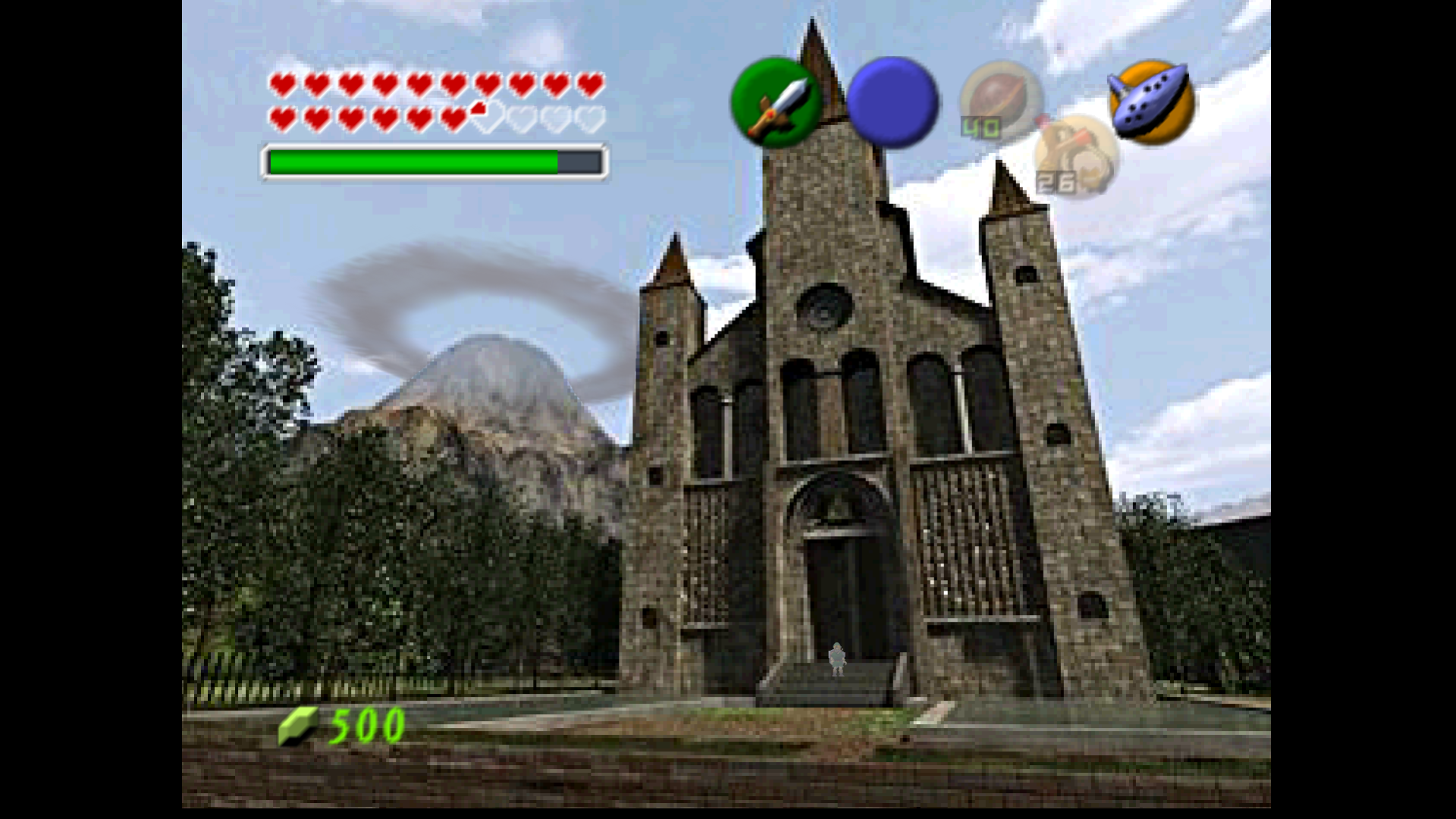
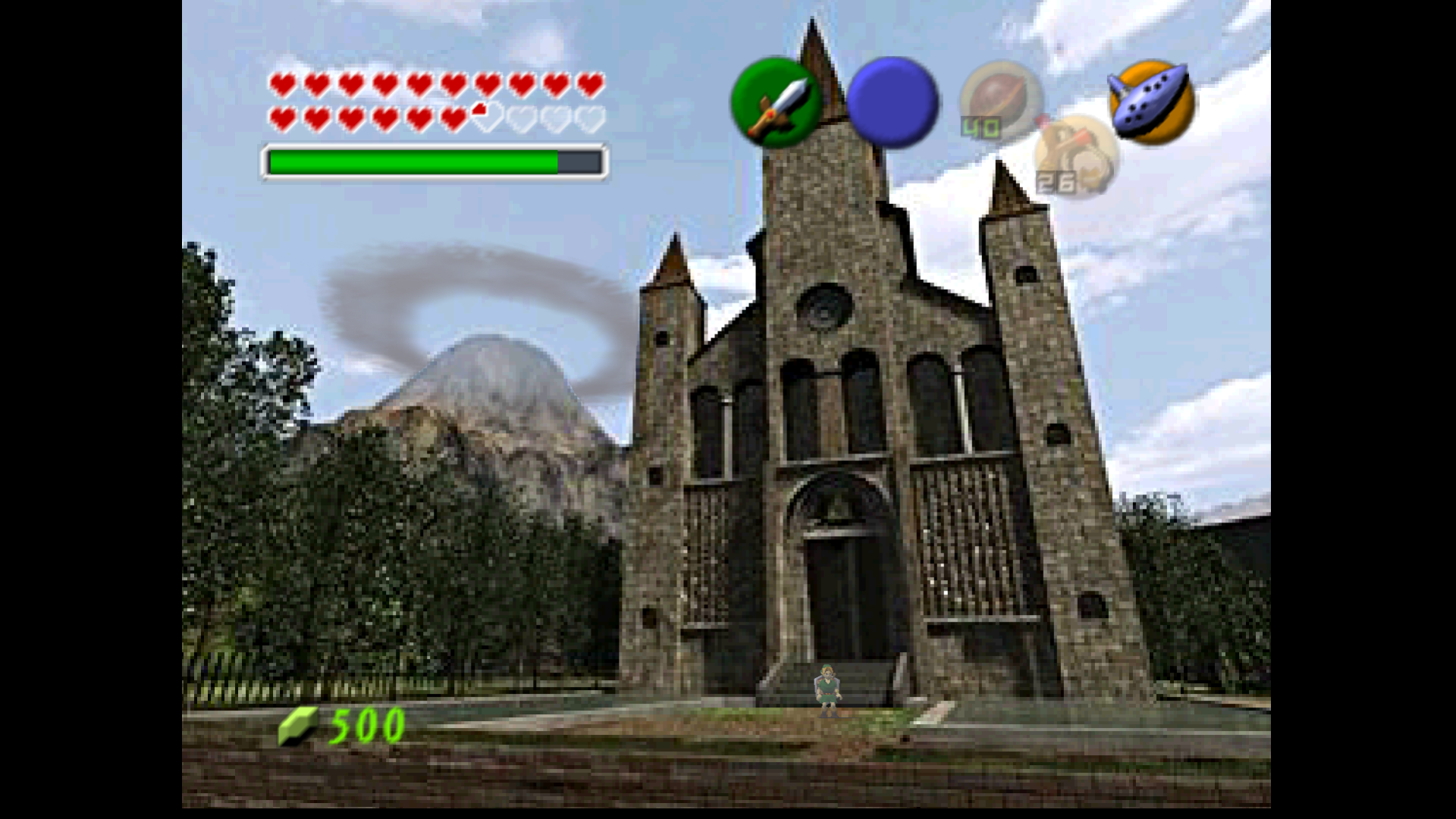
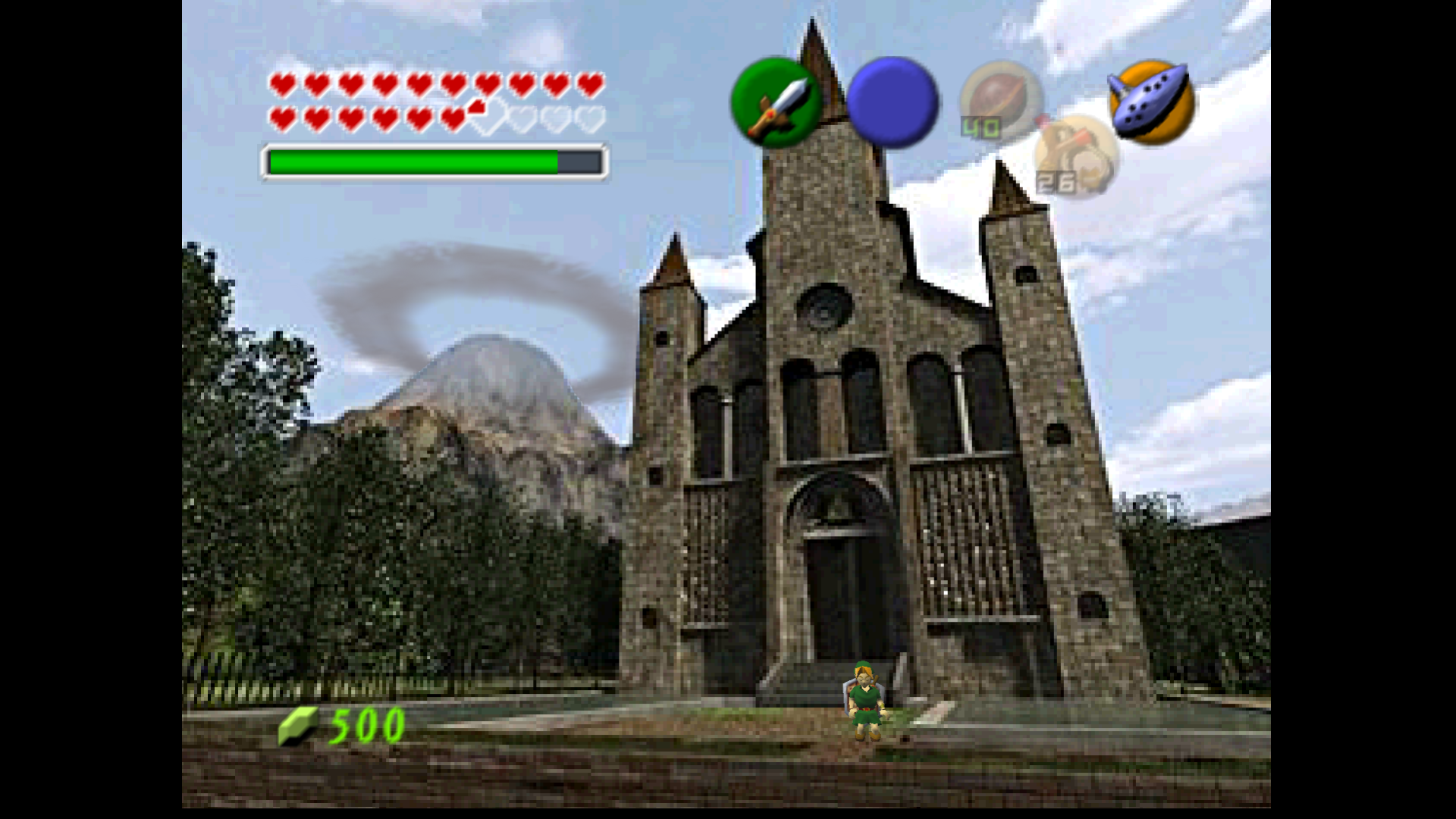
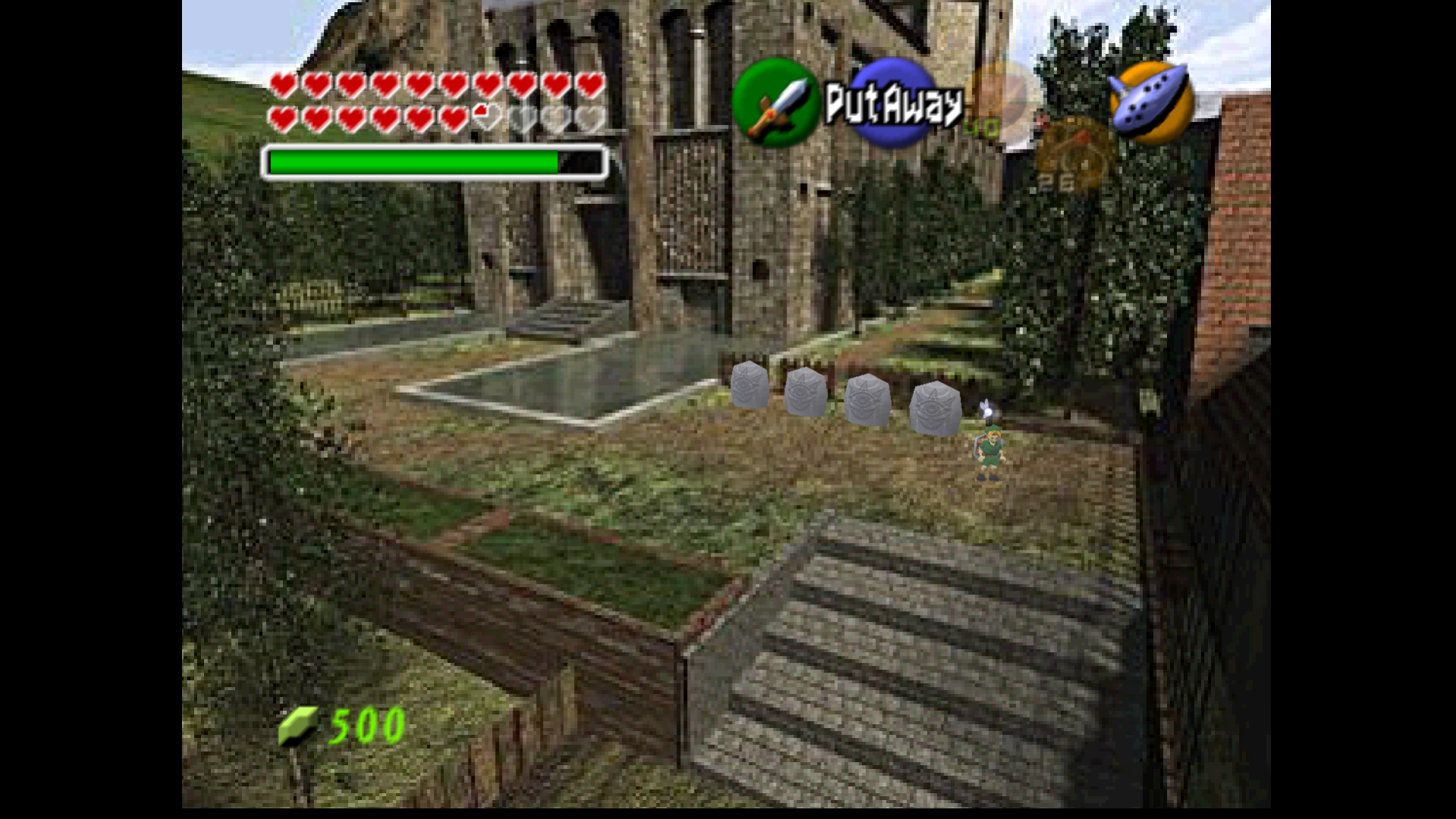
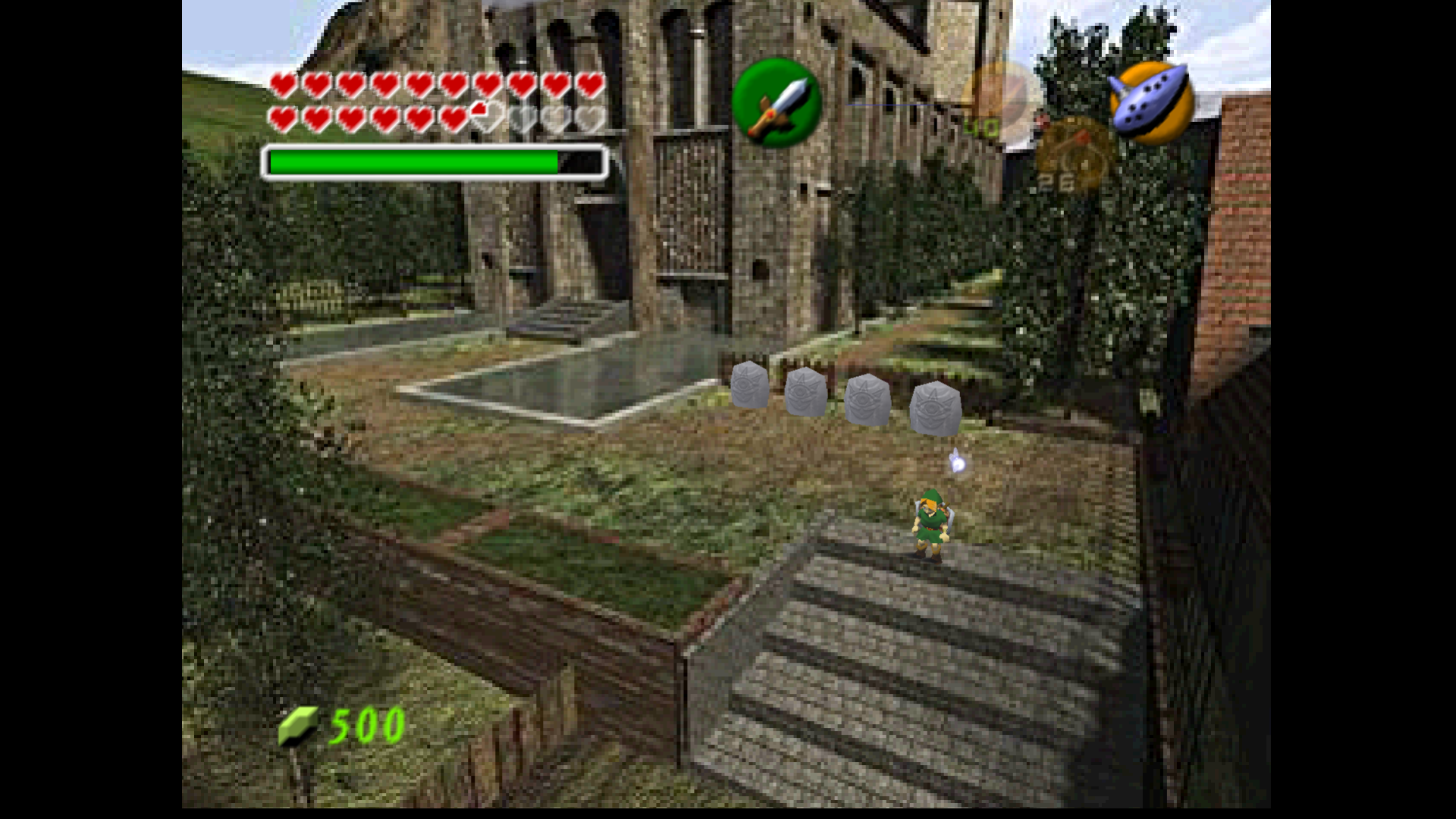
The issue is still present in newest WIP released today. Also the fog effect is applied at different strengths depending on where the model of Link is on the screen. AL does not have this issue.
At Temple Steps, Max effect:
Some distance away from temple, weaker effect:
Further distance, no effect:
Next screen, similar problem. Max effect applied:
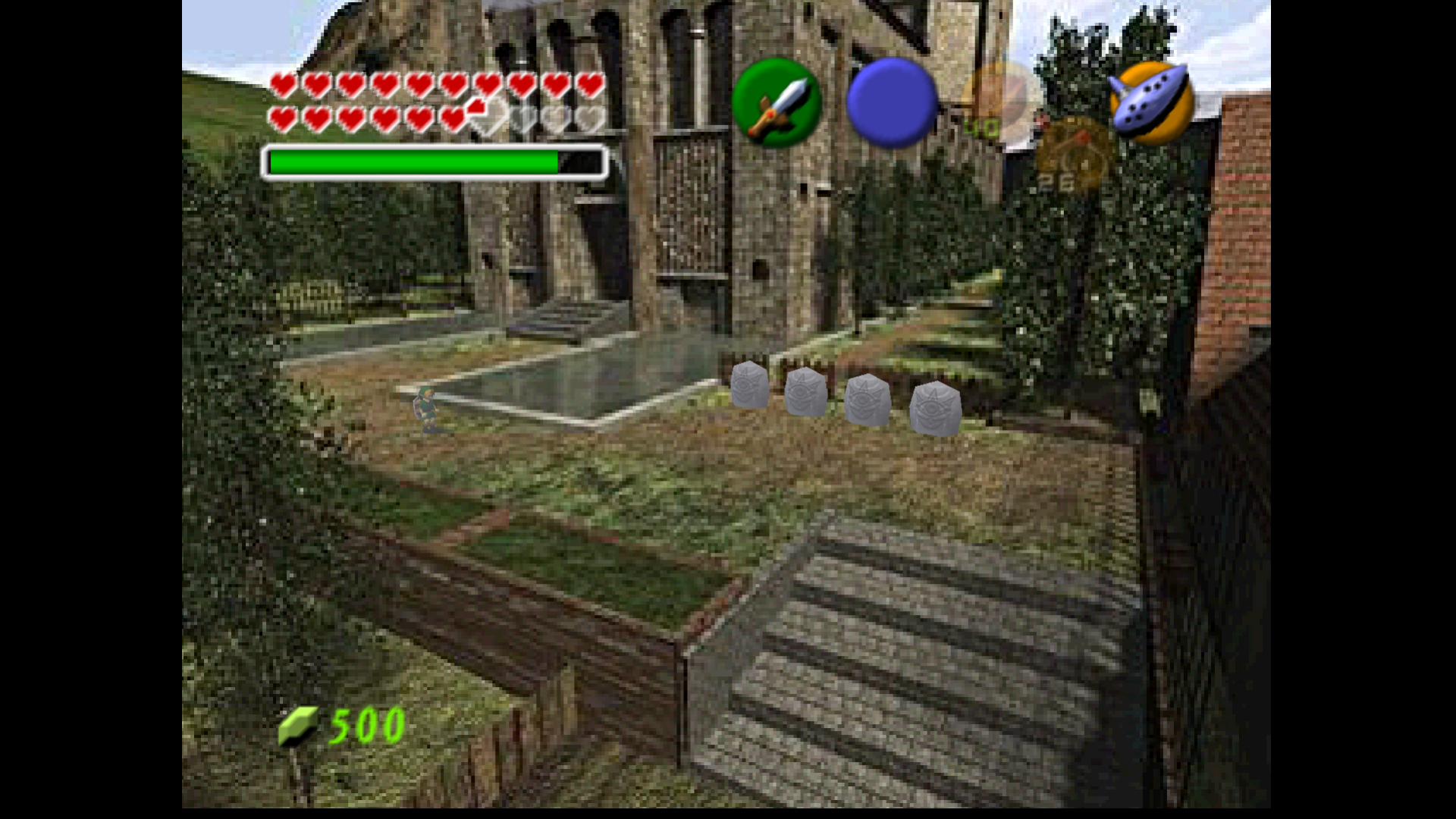
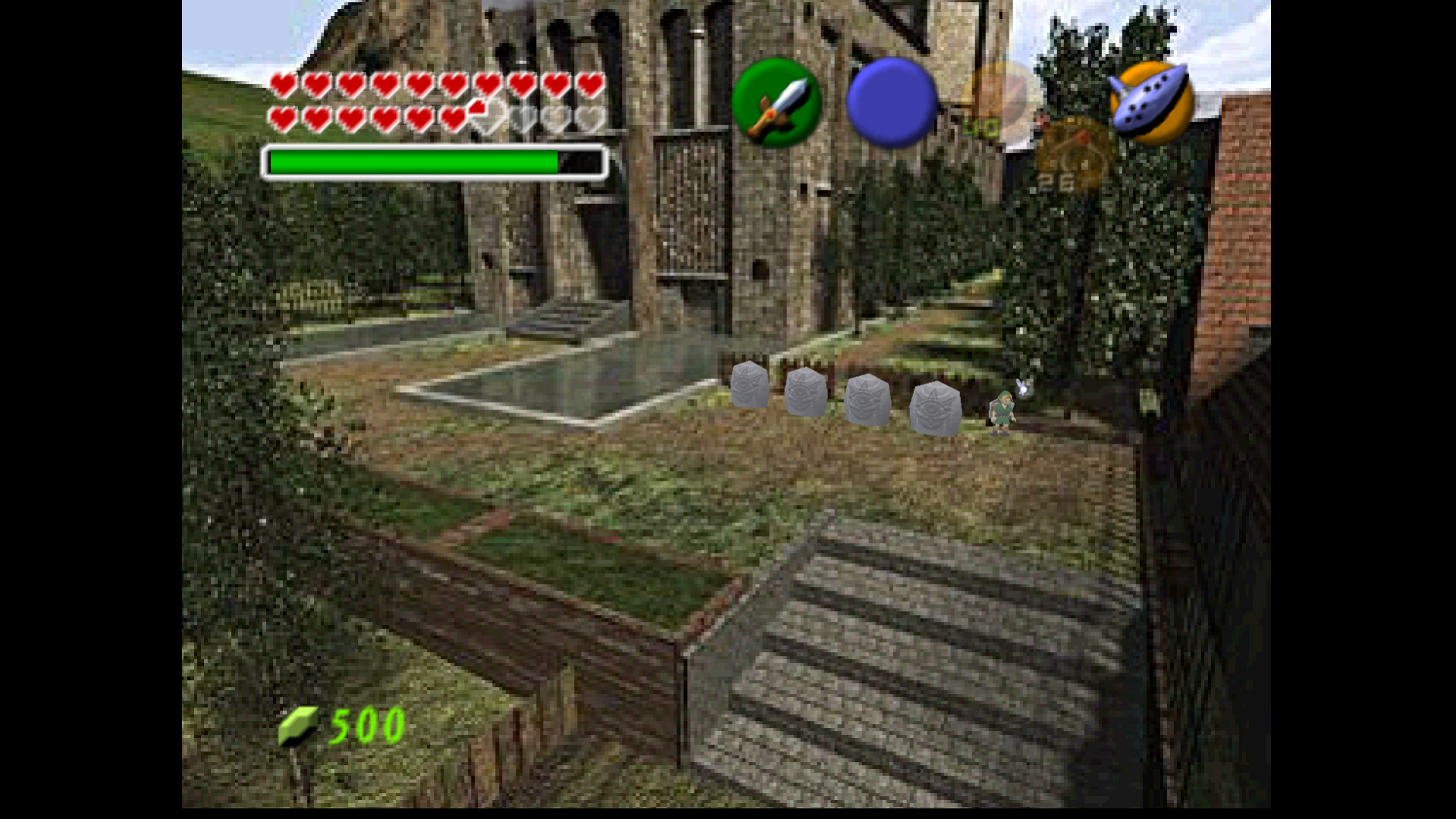
Small distance away from stones, weaker effect:
Further distance, no effect:
Kidboy17
on 21 Oct 2018
I know that it is not fixed. No need to remind about it.
gonetz
on 22 Oct 2018
Fixed.
gonetz
on 3 Nov 2018
can it be closed?
olivieryuyu
on 10 Nov 2018
Lets close.
gonetz
on 12 Nov 2018
Related issues
 m4xw
·
15Comments
m4xw
·
15Comments
 maximemoring
·
17Comments
maximemoring
·
17Comments
 ImSpecial
·
10Comments
ImSpecial
·
10Comments
 IceLancerSR
·
15Comments
olivieryuyu
·
12Comments
IceLancerSR
·
15Comments
olivieryuyu
·
12Comments
Most helpful comment
Fixed.