Game-compatibility: 425307E6 - The Elder Scrolls V: Skyrim
Tested on https://github.com/xenia-project/xenia/commit/df841acb707d869da7e1d199bef2d6f215766c5b
Issues:
Almost immediately crashes on startup due to an access violation.
Assumption: It's failing because NtAllocateVirtualMemory returns 0xC0000220 on this line, but Skyrim is expecting the function to allocate a full aligned page regardless of the requested size or base.
Taken from MSDN:
BaseAddress:
If the initial value of this parameter is non-NULL, the region is allocated starting at the specified virtual address rounded down to the next host page size address boundary
RegionSize:
The initial value of this parameter specifies the size, in bytes, of the region and is rounded up to the next host page size boundary.
Log:
Labels:
state-crash
 Nukem9
All 21 comments
that's odd because i've heard others say skyrim loads before
 Razzile
on 8 Dec 2015
Razzile
on 8 Dec 2015
Removing the "BF1943 fix" gets Skyrim back to the main menu again:

Still crashes/goes black shortly after the symbol appears.
Nukem9
on 8 Dec 2015
In that case, the main point of failure lies in it failing to load the Skyrim.esm & its connected bsa archive files.
 ShaneD53
on 9 Jan 2016
ShaneD53
on 9 Jan 2016
With the BF1943 fix removed and various "hacks" I got it to go ingame now (OGL):


Nukem9
on 19 Jun 2016
8/8/2016:
Vulkan can now load ingame without hacks/edits, but the screen is still mostly black (blurry mountains are visible in the background).
@DrChat (sorry to bother): This started happening with the commits ~14 days ago. It hits 14GB and immediately exits after nvidia's driver crashes.

Nukem9
on 7 Aug 2016
Can you please post screenshots?
 shoopdahoop22
on 10 Aug 2016
shoopdahoop22
on 10 Aug 2016
@shoopdahoop22 see above +

Nukem9
on 11 Aug 2016
During the intro, the camera spins erratically and I can hear the horses dying :|
3D objects in the loading screen look ok though-

 theoldsport
on 11 Aug 2016
theoldsport
on 11 Aug 2016
https://www.youtube.com/watch?v=UtCxzYZjm60
For me, Skyrim gets past the menus but nothing really happens after that.
 FitterSpace
on 8 Sep 2016
FitterSpace
on 8 Sep 2016
Tested on (https://github.com/xenia-project/xenia/commit/d124e1761897e681d0cd530fa979167dc0a5c910)
Seems to get ingame again :D Vision is blocked by some corrupt graphics.
 PersonalityPi
on 14 Jun 2018
PersonalityPi
on 14 Jun 2018
Tested on xenia-project/xenia@131525e4
Goes in-game . Menus work as expected. When selecting "new game", there is normally a black screen with music and the horse sounds, followed by "Bethesda Game Studios", then the game fades in. But Xenia shows a few frames of the screenshot shown above without fading in, then crashes. One time, the game progressed without crashing and I heard what can only be described as the horses flopping around and guards making pain noises. The game crashed a few seconds later. I can't replicate it, though, so you'll just have to take my word for it for now.
Logs:
Screenshot(s):

FitterSpace
on 4 Oct 2018
Tested on xenia-project/xenia@9dc7dfab
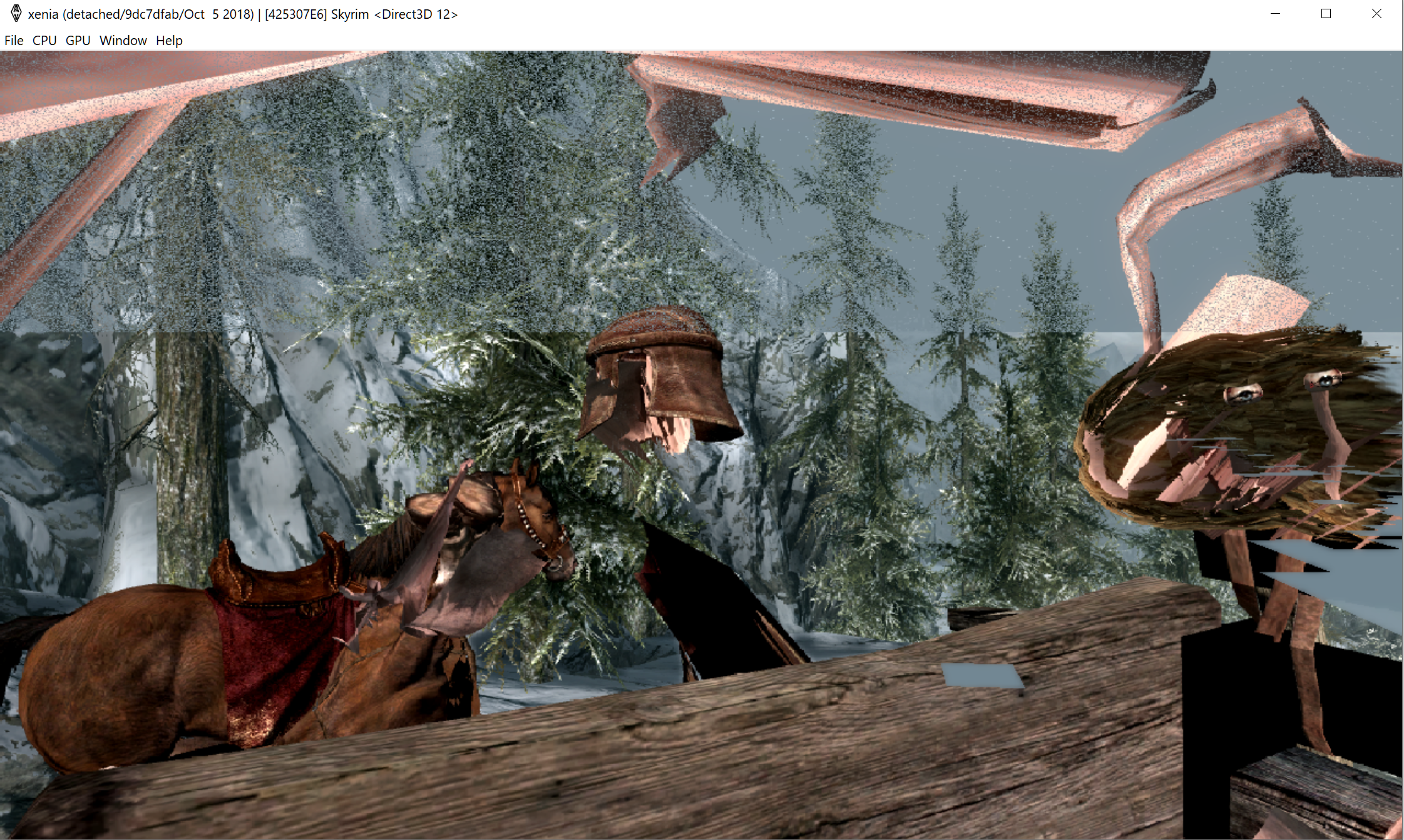
ingame and fullspeed, but we are stuck in a tree and can't go further.
 Ichigo14
on 5 Oct 2018
Ichigo14
on 5 Oct 2018
The carriage/cart spazzes out making the intro unbeatable. (https://github.com/xenia-project/xenia/issues/1236?)
Might go further with a save.
 Margen67
on 31 Oct 2018
Margen67
on 31 Oct 2018
hey um I Might know exactly why Skyrim keeps on crashing
I might be only 14 but I love Skyrim
the horses flopping that one of you said is caused by your frame rate Skyrim was made to run at exactly 60 fps or lower because of this when you're frame rate goes above 60 fps the physics break the physics engine relies on the fps being at 60 and since you using the emulator on a computer the frame rate is going above 60fps most likely causing the physics engine to break hench the broken horses flying all over the place the lag that this creates on the nivada graphics card probably crash it which causes the game to crash which is why I suggest putting an fps cap not allowing it to go above 60 because when it does it will break the physics crashing the game. So by putting a cap on the Fps Remember it needs to be 60Fps at most should keep the physics engine from breaking the physics this, in turn, should stop the game from crashing so i really suggest you try doing this it most likely will fix it
this is a link of what happens when the fps goes above 60 so here is the link if you look what happened to the horses I can guarantee you were above 60fps for a good amount of time
https://www.youtube.com/watch?v=ShK5bo5KOz0
so on pc, you'll have to use something to limit the Fps to 60 or below because the game can't handle being above it constantly this includes the emulator
the Xbox 360 version of Skyrim was designed with the Xbox 360s specs in mind which allowed them to make sure it would stay at or below 60fps but since this is an emulator and it's on pc that means you'll have to add a cap to the fps which must be 60FPS
also, I hoped I helped if so you're welcome you can contact me at dragan.[email protected] I suggest you email me once otherwise it will most like go to spam mark it important by the way
Sincerely
Dragan.spirt
 cheetahspirit
on 16 Jan 2019
cheetahspirit
on 16 Jan 2019
sorry was that to technical
what I was saying is that Skyrim runs on a physics engine that relies on the game never going above 60FPS
when Skyrim is running constantly above 60FPS THE Physics break such at the two pictures of broken horses and carts, and the dragon
youll need to add a limit to the FPS
so that It stops at 60FPS other whys the game won't work properly
if you don't understand that let me know
so a summary
Skyrim physics rely on the games FPS being 60 or below when it goes above that the game speeds up and the in-game physics break an easy solution as I said on my last comment is add either an option to limit the FPS Which is Frame Rate Per Second to 60 FPS. let me know if that clears it up
cheetahspirit
on 16 Jan 2019
sorry was that to technical
what I was saying is that Skyrim runs on a physics engine that relies on the game never going above 60FPSwhen Skyrim is running constantly above 60FPS THE Physics break such at the two pictures of broken horses and carts, and the dragon
youll need to add a limit to the FPS
so that It stops at 60FPS other whys the game won't work properly
if you don't understand that let me know
so a summary
Skyrim physics rely on the games FPS being 60 or below when it goes above that the game speeds up and the in-game physics break an easy solution as I said on my last comment is add either an option to limit the FPS Which is Frame Rate Per Second to 60 FPS. let me know if that clears it up
This makes alot of sense, as games on emulators generally do mess up when we talk about PS3, PS2, etc. For example, BTTF The Game for PS3 crashed whenever it wasn't capped to 60fps. So if the physics engine is reliant on being capped, that would make sense that it freaks out like that. Good work! If what your saying is true, you may have gave them a way to get it halfway playable.
 InwardHydra
on 17 Jan 2019
InwardHydra
on 17 Jan 2019
sorry was that to technical
what I was saying is that Skyrim runs on a physics engine that relies on the game never going above 60FPS
when Skyrim is running constantly above 60FPS THE Physics break such at the two pictures of broken horses and carts, and the dragon
youll need to add a limit to the FPS
so that It stops at 60FPS other whys the game won't work properly
if you don't understand that let me know
so a summary
Skyrim physics rely on the games FPS being 60 or below when it goes above that the game speeds up and the in-game physics break an easy solution as I said on my last comment is add either an option to limit the FPS Which is Frame Rate Per Second to 60 FPS. let me know if that clears it upThis makes alot of sense, as games on emulators generally do mess up when we talk about PS3, PS2, etc. For example, BTTF The Game for PS3 crashed whenever it wasn't capped to 60fps. So if the physics engine is reliant on being capped, that would make sense that it freaks out like that. Good work! If what your saying is true, you may have gave them a way to get it halfway playable.
Skyrim does work with a frame rate cap when you game is steadily running with more then 60 fps the physics break thx for understanding and glad I could help Inward hydra
#
oh almost forgot the cap is the systems frame rate cap that or its a cap inside of the game built in to run on the xbox 360 remember Skyrim was built with the specs of each console it was put on in mind so when you take a game built for the specs of something else and just put it in an emulator that doesn't have the same specs things are bound to happen like that.
cheetahspirit
on 18 Jan 2019
Now reaches gameplay (probably due to the vpkd3d fixes), but the vertex explosions make it almost impossible to beat and/or tell what's going on:
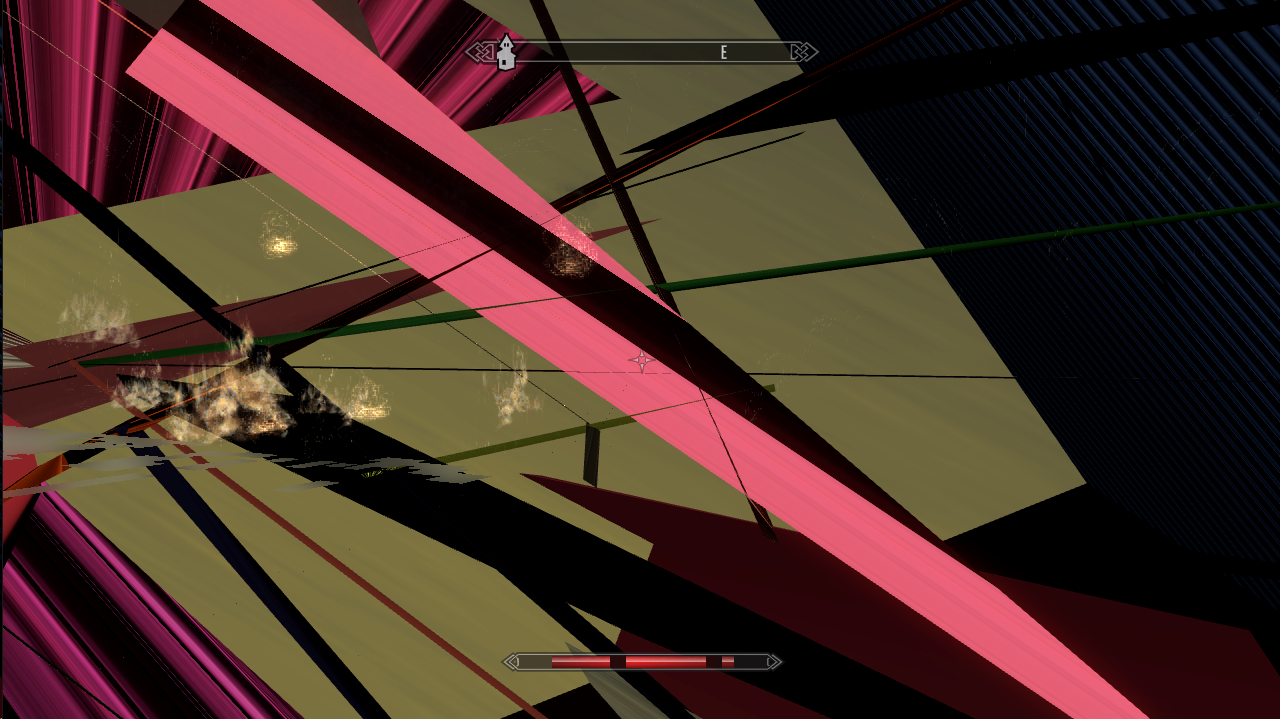
Loading saves created in the emulator cause a guest crash. I'm not sure about console saves.
Margen67
on 26 Jan 2019
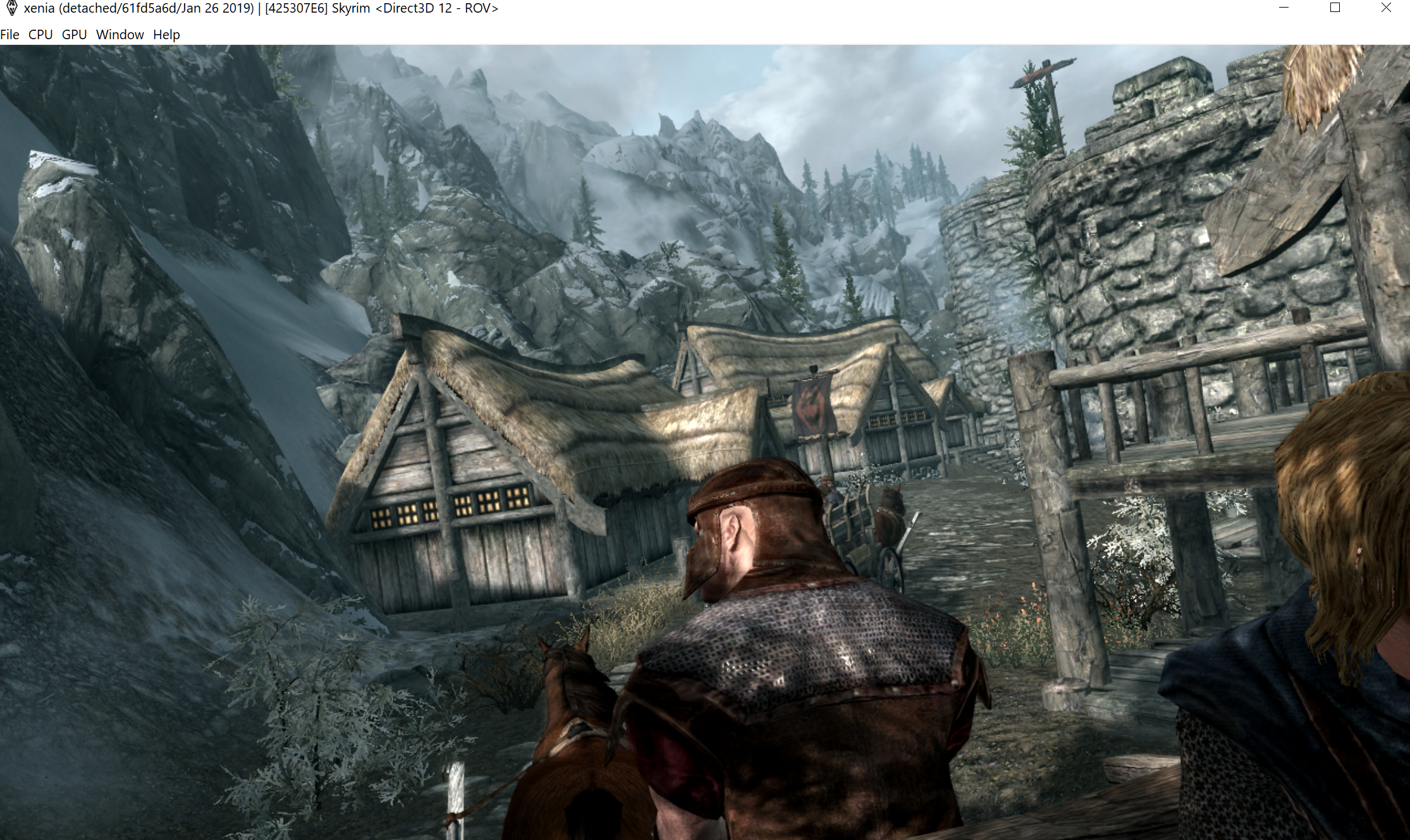
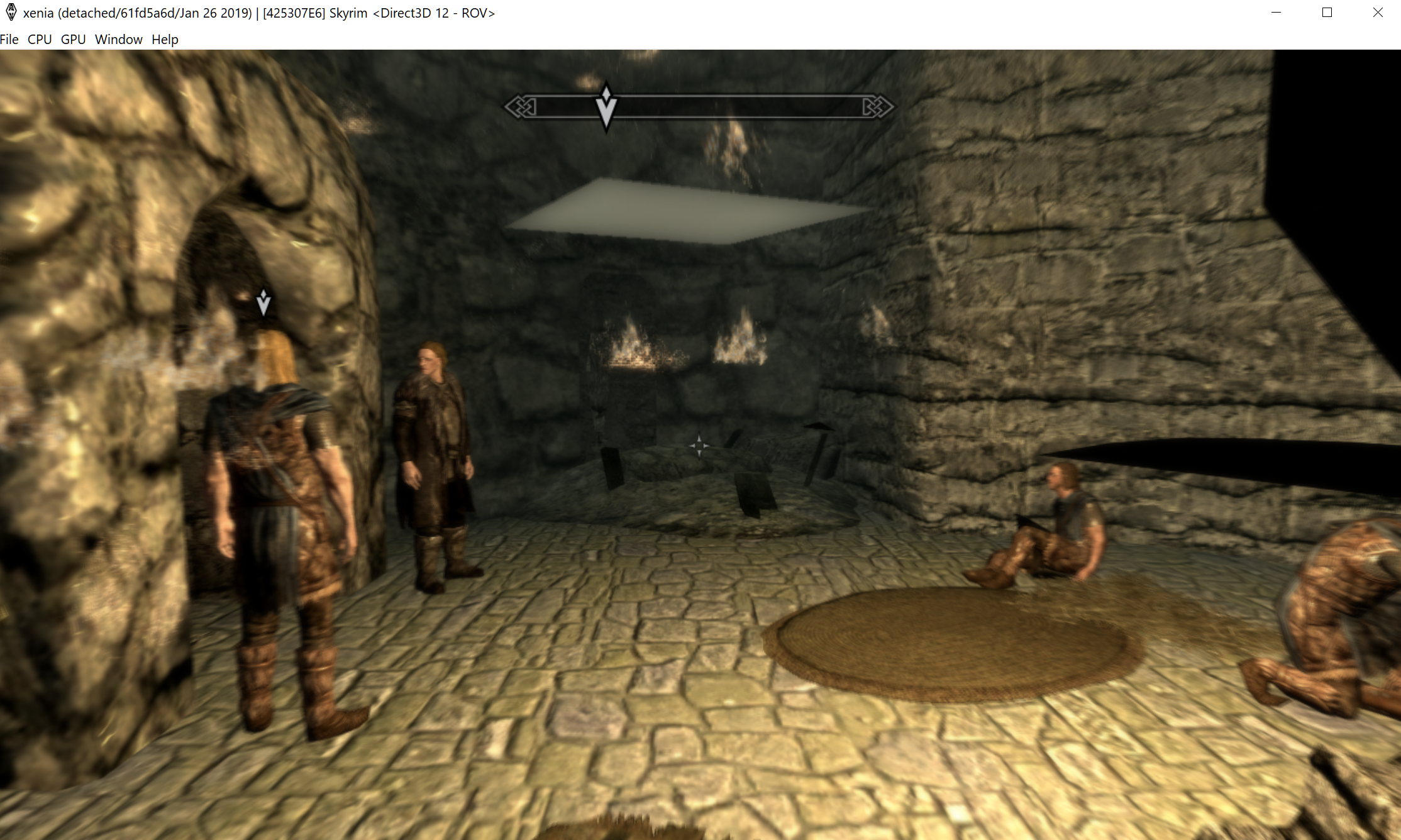
Tested on xenia-project/xenia@61fd5a6d

Ichigo14
on 26 Jan 2019
Unfortunately, I can't get as far into the game as the person that posted before me. In my case, the game loads up and I can start a new game, but the game will crash before the guy in the carriage starts speaking. I got different results in three different tests I did, though.
My first test crashes shortly after "SKYRIM" appears on-screen.
Log File

My second test crashed after selecting "New Game"
Log File
My third test got in-game, but crashed just as the game started to fade in, right after "Bethesda game studios presents..." or whatever that text says.
Log File

FitterSpace
on 24 Sep 2019
Playing the game, no crashing, just extremely slow when loading particles/assets,

Will update with more when i figure out what people need
edit:
When rendering assets, the game sorta freezes for a second, the game is still quite playable, but the sudden and intermittent lag spikes are going to be an issue for most players
When loading Save file, Skyrim crashes xenia-425307E6-Load_Save_Crash.log
 Merith-TK
on 8 Jul 2020
Merith-TK
on 8 Jul 2020
Related issues
 IgelRM
·
5Comments
IgelRM
·
5Comments
 halotroop2288
·
3Comments
halotroop2288
·
3Comments
 TotalCaesar659
·
4Comments
TotalCaesar659
·
4Comments
 Ulquiorr4-Cifer
·
3Comments
Ulquiorr4-Cifer
·
3Comments
 cooperate
·
5Comments
cooperate
·
5Comments